

Description
Tracking Hippo Server-Side Tracking links your WordPress site to a server-side Google Tag Manager (sGTM) container hosted on Tracking Hippo. Server-side tagging moves tracking out of the visitor’s browser and onto your own first-party server, which improves data quality, page performance and resilience against ad blockers and browser tracking restrictions.
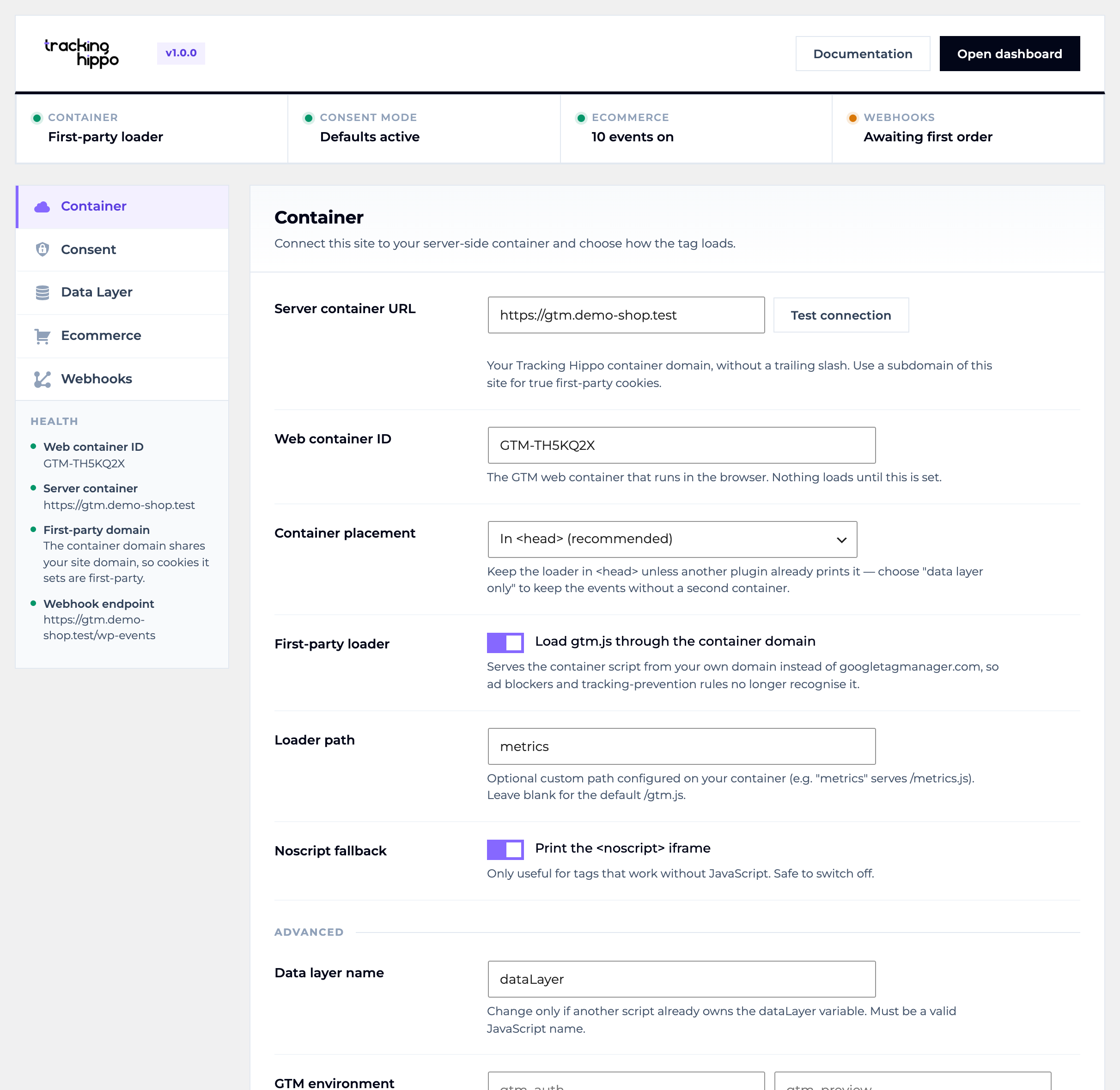
Container
- Injects the Google Tag Manager web snippet in
<head>, after<body>, in the footer — or not at all, if you only want the data layer. - First-party loader — serves
gtm.jsfrom your own container domain, with an optional custom path, so ad blockers and tracking prevention no longer recognise it. - GTM environments (
gtm_auth/gtm_preview), a configurable data layer variable name, and an optional<noscript>fallback. - Cookie keeper — re-issues the GA cookies from the server so Safari’s seven-day cap on script-set cookies stops truncating returning-visitor attribution.
- Exclude specific user roles, and stop tracking entirely outside production.
- A built-in health panel warns about a missing container ID, a container on a third-party domain, a duplicate GTM plugin, or WP-Cron being disabled — and a Test connection button checks your container is live.
Consent Mode v2
- Publishes the
gtag('consent', 'default', …)command ahead of the container, covering all seven signals includingad_user_dataandad_personalization. - Apply the defaults globally, to the EEA and UK, or to a custom region list.
wait_for_update,ads_data_redactionandurl_passthroughare all configurable, and the plugin warns you when a consent plugin is already publishing its own defaults.
GA4 ecommerce for WooCommerce
The complete funnel: view_item_list, select_item, view_item, add_to_cart, remove_from_cart, view_cart, begin_checkout, add_shipping_info, add_payment_info and purchase, plus login and sign_up.
- Works with the Cart and Checkout blocks. Page events use WooCommerce’s conditional tags rather than template hooks, and cart changes are detected from the
wc/store/cartdata store — so the block checkout is covered as fully as the classic one. - Rich items:
item_brand,item_variant,item_categorythroughitem_category5from the real category hierarchy,discount,index, anditem_list_id/item_list_name. - List attribution carries the listing a product was clicked from into the later
add_to_cart, so GA4 can credit the right list. - Choose whether
item_idis the SKU or the product ID, add a prefix to match your product feed, and report revenue with or without tax. { ecommerce: null }is pushed before every ecommerce event, as GA4 requires.purchaseis deduplicated per order, carriescustomer_type(new or returning), and can include hashed customer data for Enhanced Conversions.
Server-side webhooks
- Sends
purchase,refundandorder_paidfrom your server to your container, so conversions survive a browser that blocks every script. - Delivery runs on a background cron tick, so checkout is never slowed down, and failures retry with exponential backoff.
- The payload carries the GA cookies, client ID and session ID captured during checkout, so the server event joins the same GA4 session.
- Optional shared-secret header, configurable timeout, and a log of the last ten deliveries.
Works on a plain WordPress site and adds the WooCommerce events automatically when WooCommerce is active. Compatible with High-Performance Order Storage.
Links
- Tracking Hippo — WordPress setup guide — Modules — Pricing
- FAQ — Contact support — Service status — Give feedback
- Privacy policy — Terms of service — Data processing agreement — Cookie policy
External services
This plugin connects your site to a server-side Google Tag Manager container. Nothing is transmitted until you enter a container URL in the settings.
Your GTM server container (the domain you configure, hosted by Tracking Hippo or elsewhere)
- Browser requests: when the first-party loader is enabled, visitors’ browsers download the container script from your container domain instead of googletagmanager.com. The request carries the visitor’s IP address, user agent and any analytics cookies, exactly as the Google-hosted script would.
- Server requests: when webhooks are enabled, your server sends order events to the endpoint you configure. Each delivery can contain the order total and line items, the customer’s email, phone, name and billing address, plus the analytics identifier, IP address and user agent captured at checkout. Email, phone and name are SHA-256 hashed by default.
- Both are governed by Tracking Hippo’s terms of service, privacy policy and data processing agreement. If you point the plugin at a container hosted elsewhere, that provider’s terms apply instead.
Google Tag Manager (googletagmanager.com)
- Used only as a fallback: with no server container URL configured, the container script is loaded from Google, subject to Google’s terms and privacy policy.
The plugin also stores, on each order, the analytics identifier, IP address and user agent captured at checkout, so orders can still be attributed when they are delivered later. This data is removed with the order, and everything the plugin stores is deleted when it is uninstalled. Suggested privacy-policy wording is added to Tools Privacy for you to review.
Screenshots
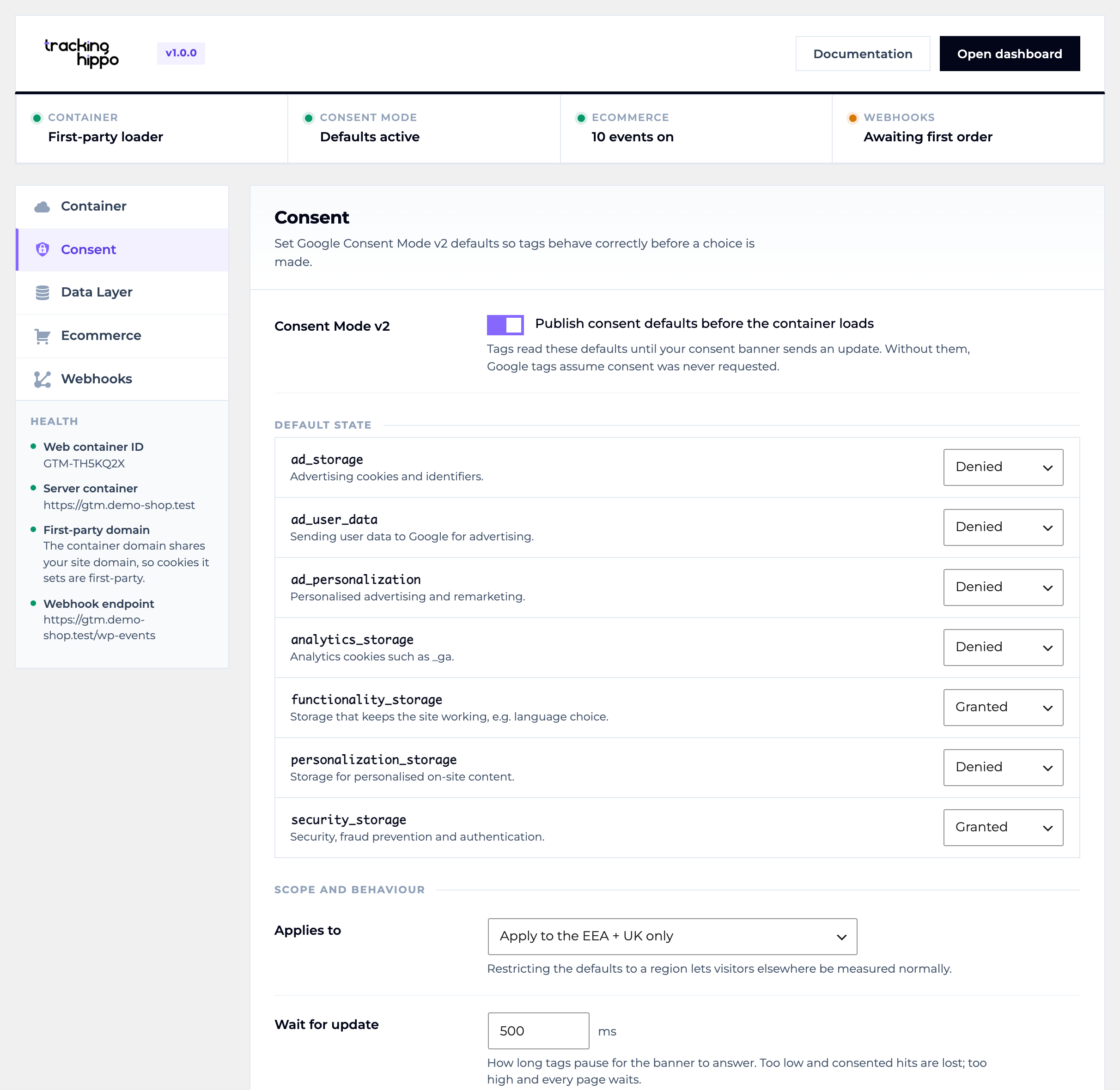
wait_for_update, ads_data_redaction and url_passthrough.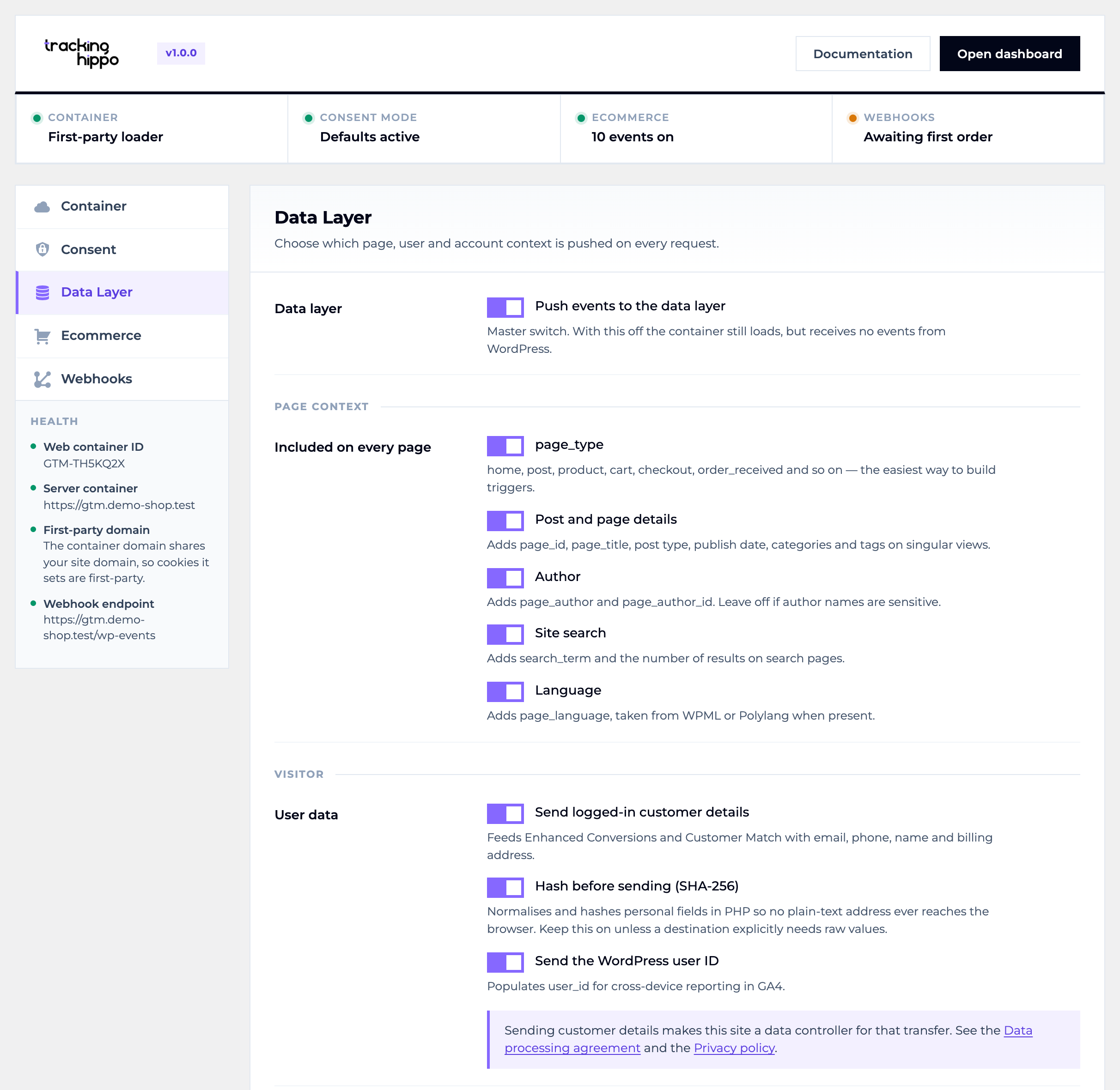
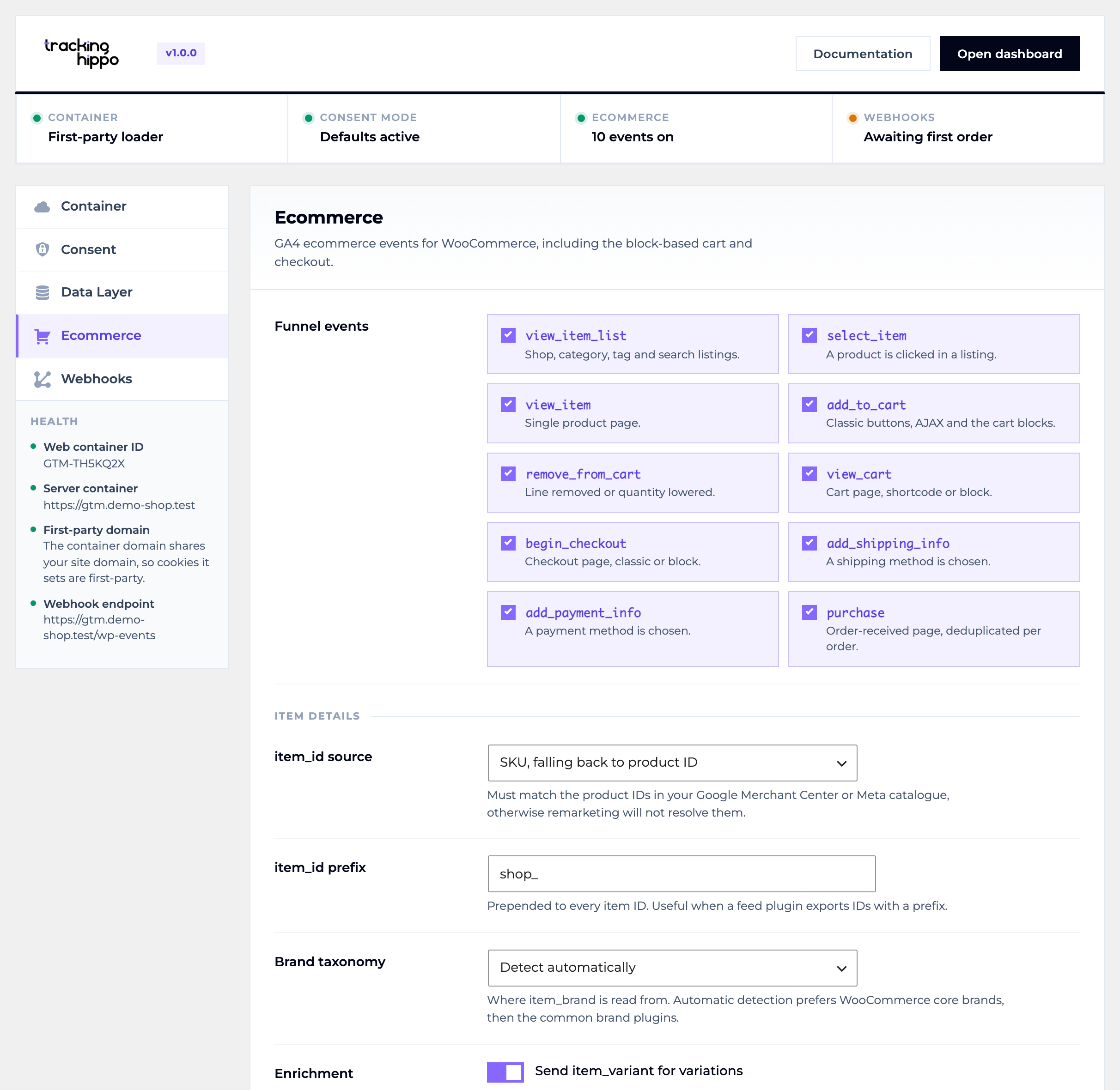
item_id source, an item prefix and the brand taxonomy used for item_brand.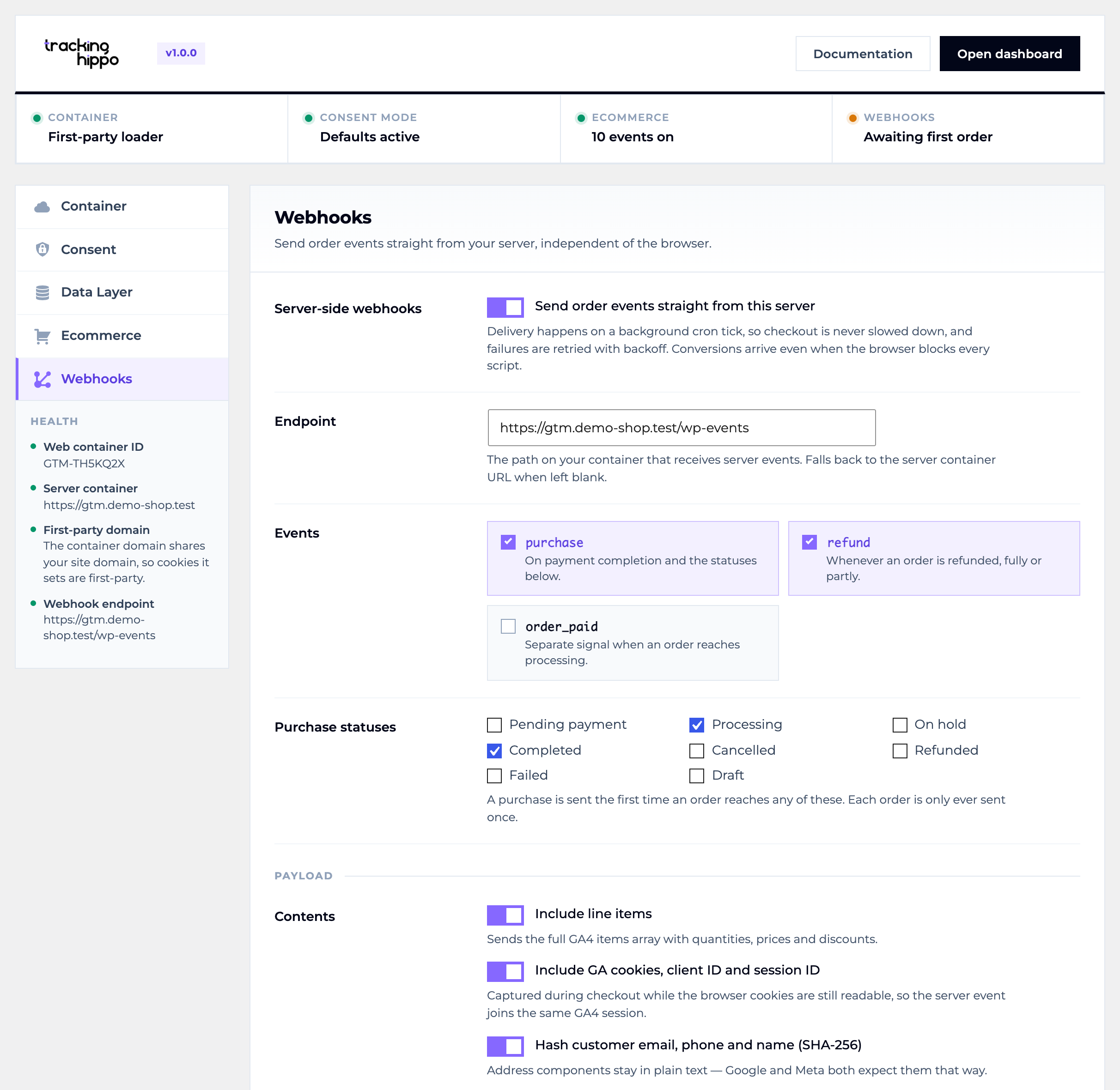
Installation
- Upload the
tracking-hippo-server-side-trackingfolder to/wp-content/plugins/, or install the ZIP via Plugins Add New Upload Plugin. - Activate the plugin.
- Open Tracking Hippo in the admin menu.
- Enter your Tracking Hippo server container URL and your GTM web container ID (
GTM-XXXXXXX), then press Test connection. - Work through the Consent, Data Layer, Ecommerce and Webhooks tabs. Each tab saves independently.
FAQ
-
Do I need a Tracking Hippo account?
-
Yes. The plugin connects your site to a server-side GTM container hosted by Tracking Hippo. Sign up at https://trackinghippo.io.
-
Does it work without WooCommerce?
-
Yes. On a plain WordPress site it loads the container and pushes the page, user and account context. The ecommerce events appear automatically once WooCommerce is active.
-
Does it support the WooCommerce Cart and Checkout blocks?
-
Yes. Cart and checkout page events are derived from the cart itself rather than from classic template hooks, and add/remove events come from the block data store, so both the classic and the block front-end are covered.
-
Will it conflict with GTM4WP or the Stape plugin?
-
Only one plugin should inject the container, otherwise every event is counted twice. The health panel detects the conflict; set Container placement to “data layer only” here, or disable the container in the other plugin.
-
Only if the banner does not publish its own defaults. The defaults have to be sent exactly once, before the container loads. The plugin warns you when it detects a consent plugin.
-
My webhooks never arrive.
-
They are delivered on the WP-Cron tick. If
DISABLE_WP_CRONis set, make sure a real system cron callswp-cron.php; the health panel flags this.
Reviews
There are no reviews for this plugin.
Contributors & Developers
“Tracking Hippo Server-Side Tracking” is open source software. The following people have contributed to this plugin.
Contributors
Translate “Tracking Hippo Server-Side Tracking” into your language.
Interested in development?
Browse the code, check out the SVN repository, or subscribe to the development log by RSS.
Changelog
1.0.0
Initial release.
- First-party container loading: the GTM web snippet served from your own container domain, with an optional custom loader path, configurable placement, GTM environment support and a custom data layer variable name.
- Google Consent Mode v2 defaults for all seven signals, with global, EEA/UK or custom region targeting,
wait_for_update,ads_data_redactionandurl_passthrough. - The complete GA4 ecommerce funnel for WooCommerce:
view_item_list,select_item,view_item,add_to_cart,remove_from_cart,view_cart,begin_checkout,add_shipping_info,add_payment_infoandpurchase, plusloginandsign_up. - Support for the WooCommerce Cart and Checkout blocks, with cart changes detected through the
wc/store/cartdata store. - Rich ecommerce items:
item_brand,item_variant, the fullitem_categoryhierarchy,discount,index, and list attribution carried through the funnel. - Page, post, author, search and language context in the base data layer, plus
user_idand hashed customer data for Enhanced Conversions. - Server-side webhooks for
purchase,refundandorder_paid, delivered on a background cron tick with exponential-backoff retries, a shared-secret header and a delivery log. - Cookie keeper to restore the full lifetime of first-party analytics cookies under Safari’s tracking prevention.
- Role exclusion, a production-only kill switch, and a health panel that flags duplicate GTM plugins, third-party container domains and a disabled WP-Cron.
- Compatible with High-Performance Order Storage and the Cart/Checkout blocks.