

Description
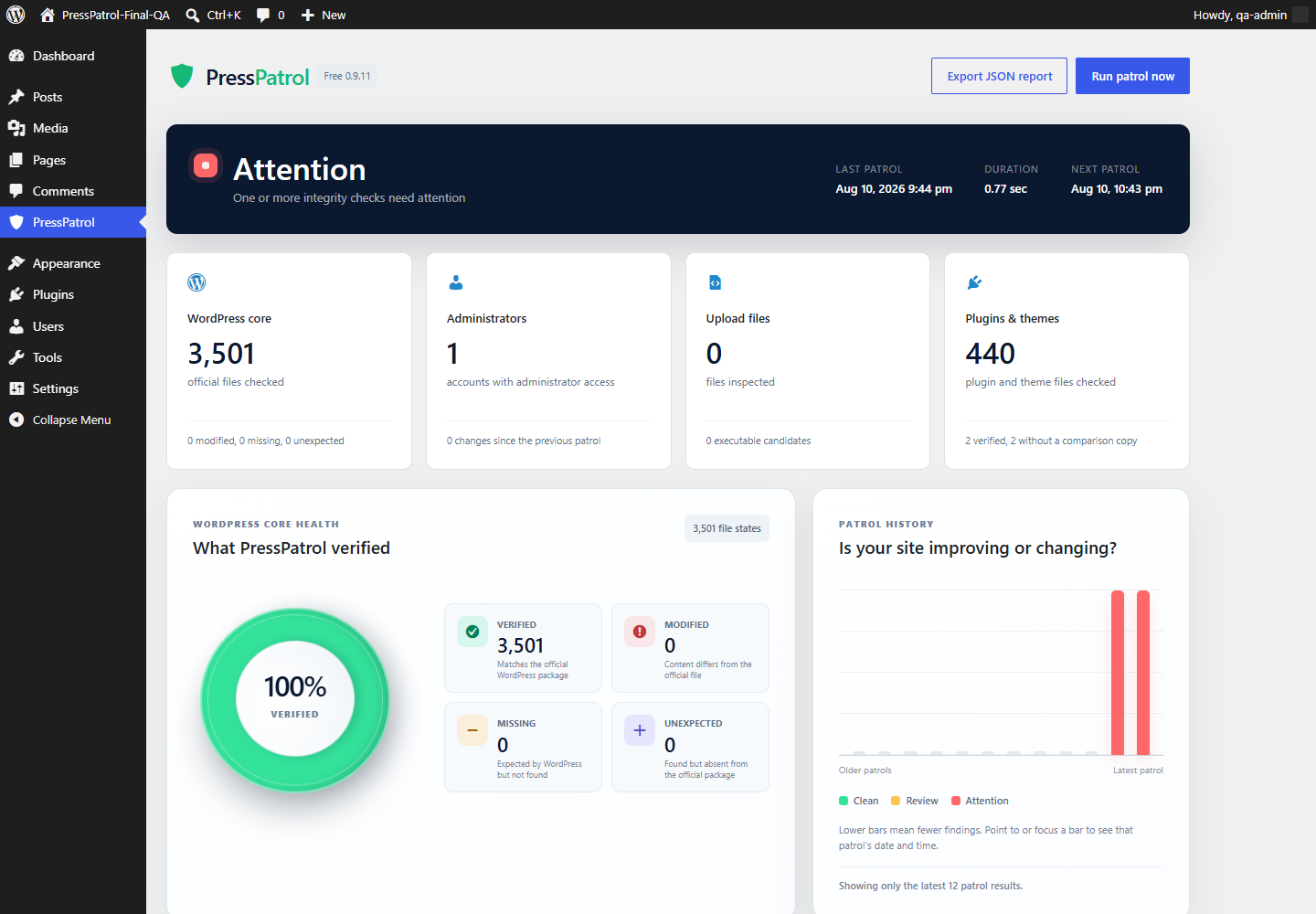
PressPatrol gives WordPress administrators a clear, local view of unexpected file and inventory changes. Run a patrol when you want one, or let WordPress run the scheduled weekly patrol.
The plugin compares WordPress core and eligible WordPress.org plugins and themes with official reference information. It also records administrator, plugin, and theme inventory changes and looks for executable file types inside the uploads directory.
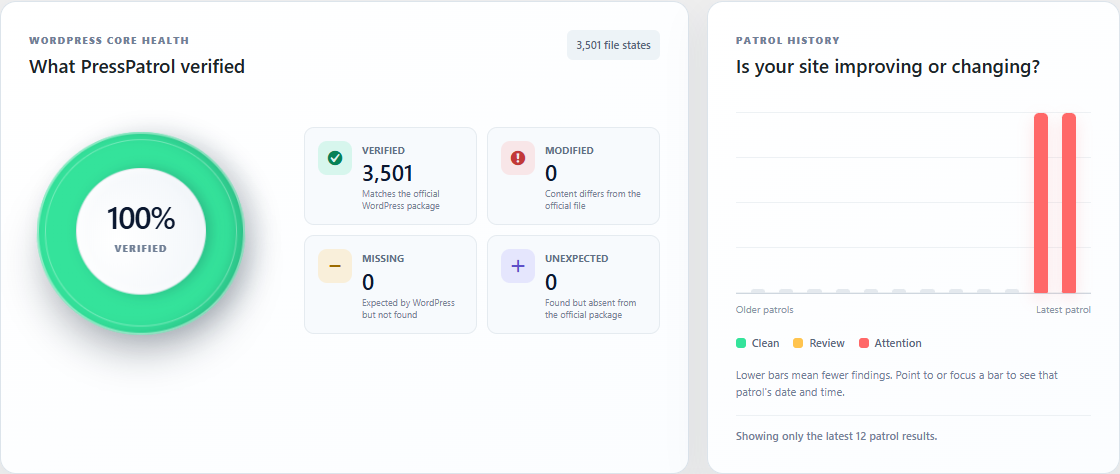
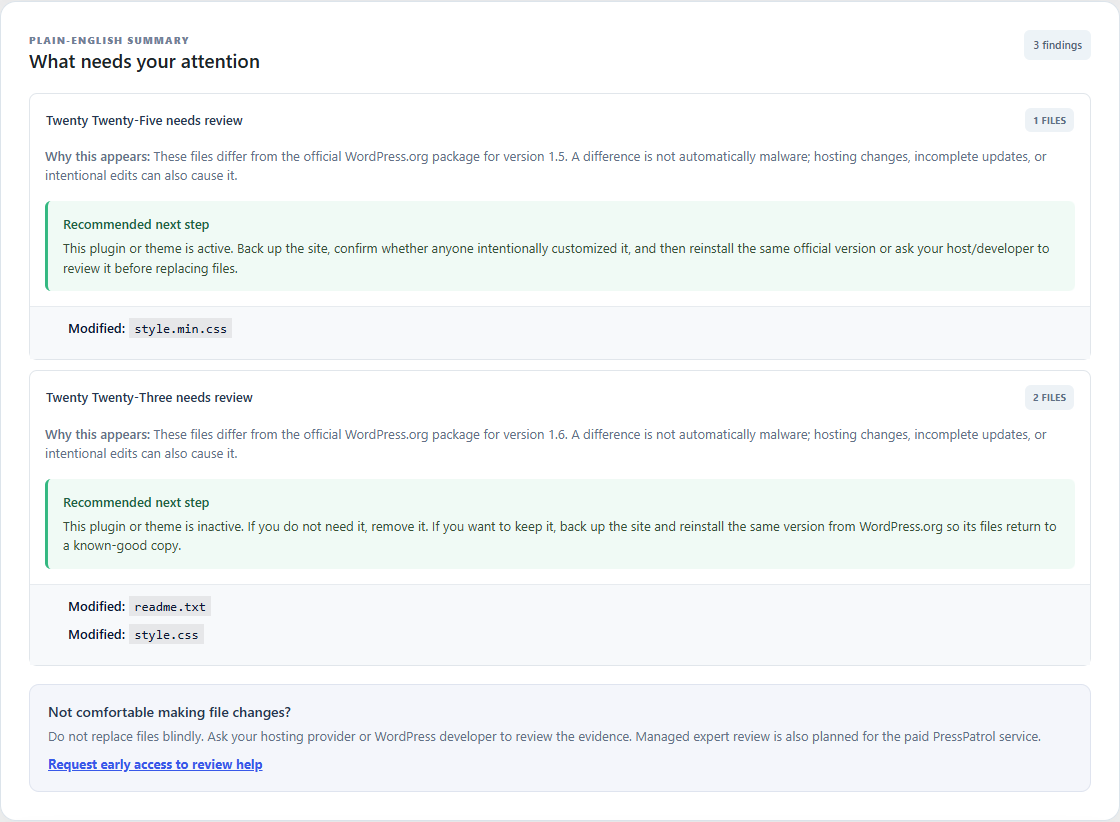
Results are presented in a plain-English dashboard with visual health indicators, a rolling 12-patrol history, recommended next steps, and an exportable JSON report.
Included features
- Manual and scheduled weekly integrity patrols.
- Official WordPress core checksum comparison.
- File-by-file comparison for eligible WordPress.org plugins and themes.
- Clear status when no official comparison copy is available.
- Unexpected-file inventory for
wp-adminandwp-includes. - Administrator, plugin, and theme inventory change tracking.
- Executable-file detection inside the uploads directory.
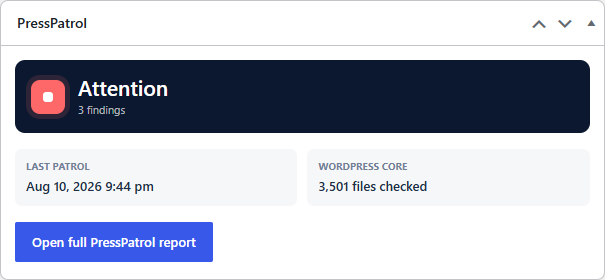
- WordPress Dashboard status widget.
- Rolling history for the latest 12 patrols.
- Optional weekly email summaries sent by your own WordPress website.
- Downloadable JSON reports.
- No PressPatrol account and no PressPatrol telemetry.
What PressPatrol does not do
PressPatrol is an integrity and change-detection tool. A changed or unexpected file is not automatically malware, and a clean integrity report cannot guarantee that a website is free from every threat. The plugin does not automatically delete, quarantine, repair, or replace files. Review findings carefully, make a backup, and ask your hosting provider or a qualified WordPress professional when you are unsure.
External WordPress.org services
PressPatrol uses official WordPress.org services only when an administrator runs a patrol or when the site’s scheduled weekly patrol runs:
- The WordPress core checksum API at
api.wordpress.orgsupplies official hashes for the installed WordPress version and locale. - The plugin checksum service at
downloads.wordpress.orgsupplies official file hashes for eligible WordPress.org plugins. - The WordPress.org Themes API and download service supply official theme package information and packages for local comparison.
These requests include the installed WordPress version and locale or the relevant plugin/theme slug and version. As with ordinary web requests, WordPress.org may receive the site’s IP address and standard request metadata. PressPatrol does not send site files, administrator details, scan results, or report contents to WordPress.org or PressPatrol.
WordPress.org privacy policy: https://wordpress.org/about/privacy/
WordPress.org terms of service: https://wordpress.org/about/terms-of-service/
Privacy
PressPatrol stores its reports and settings inside the website’s own WordPress database. It does not create a PressPatrol account or send telemetry to PressPatrol. The plugin adds suggested disclosure text to the WordPress Privacy Policy Guide and documents its WordPress.org requests in the External WordPress.org services section above.
PressPatrol privacy information: https://presspatrol.app/privacy/
Trademark
The GPL license covers the plugin source code. It does not grant permission to use the PressPatrol name, logo, or product branding for a fork or derivative distribution. See trademarks.txt.
Screenshots
Installation
- Install PressPatrol from the WordPress Plugin Directory, or upload the plugin ZIP through Plugins > Add New > Upload Plugin.
- Activate PressPatrol.
- Open PressPatrol from the main WordPress admin menu.
- Select Run patrol now to create the first baseline and report.
- Optionally enable weekly email summaries at the bottom of the report.
The first patrol is never started automatically. Some patrols take longer on sites with many plugins, themes, or files.
FAQ
-
Does PressPatrol upload my website files?
-
No. File comparison happens on your WordPress server. PressPatrol does not receive your files, administrator inventory, or patrol results.
-
Does a finding mean my site has malware?
-
No. A finding means something differs from an official reference or changed since a previous patrol. Normal updates, hosting modifications, incomplete installations, and intentional customization can also create findings.
-
Why can some plugins and themes not be compared?
-
PressPatrol needs a matching official WordPress.org copy. Plugins and themes supplied by a host, developer, or another website may not have one, so PressPatrol labels them clearly instead of guessing.
-
Will PressPatrol repair or delete files?
-
No. PressPatrol is report-only. It provides the evidence and recommended next steps without changing the files it reviews.
-
Where are reports stored?
-
Reports, baselines, patrol history, inventory, and optional email settings are stored in this site’s WordPress database. Deactivating the plugin preserves them. Deleting the plugin removes its saved options.
-
How are weekly emails sent?
-
Your own WordPress installation sends the message using its configured email system. PressPatrol does not receive it. WordPress scheduled events depend on site traffic unless your host provides a system cron service.
-
Is this a replacement for backups or professional incident response?
-
No. Maintain current backups and a secure hosting configuration. If PressPatrol reports an unexplained change, back up the site before replacing anything and ask your host or a qualified WordPress professional for help.
Reviews
There are no reviews for this plugin.
Contributors & Developers
“PressPatrol” is open source software. The following people have contributed to this plugin.
Contributors
Translate “PressPatrol” into your language.
Interested in development?
Browse the code, check out the SVN repository, or subscribe to the development log by RSS.
Changelog
0.9.12
- Changed the directory display name to PressPatrol.
- Replaced short manifest-cache identifiers with unique PressPatrol transient keys.
0.9.11
- Prepared the first WordPress.org submission candidate.
- Made the first patrol explicitly user-initiated.
- Added Privacy Policy Guide text and deletion cleanup.
- Documented external WordPress.org services, limitations, installation, and support information.
- Aligned release metadata with the permanent
presspatroldirectory slug.
0.9.10
- Added support for official checksum manifests that provide more than one acceptable hash for a file.
0.9.9
- Completed WordPress.org release metadata and automated Plugin Check compatibility.
0.9.8
- Added a semantic page heading for assistive technology on the PressPatrol report screen.
0.9.7
- Preserved the current report and baseline when the plugin is reactivated.
0.9.6
- Added the WordPress Dashboard widget and opt-in weekly email summaries.