

Description
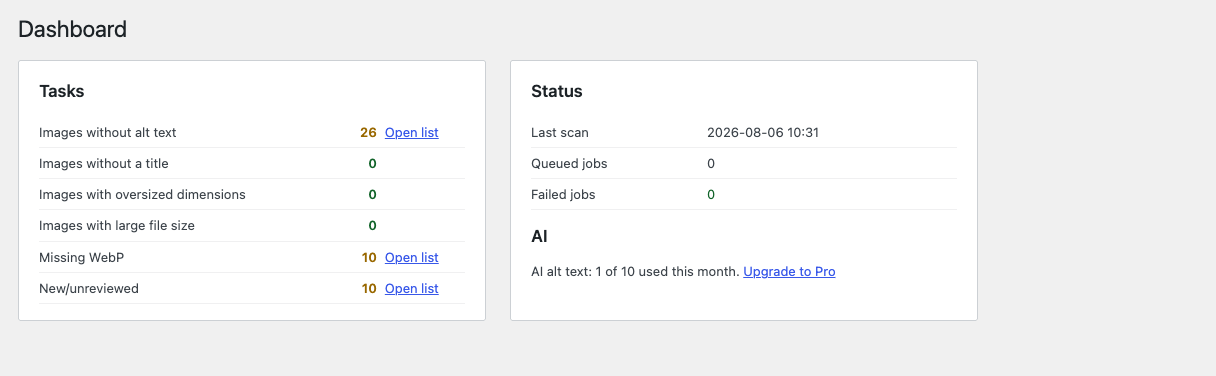
Pihlfelt Image Assistant gives you one place to fix the two things most media libraries get wrong: missing alt text and oversized images.
Metadata management
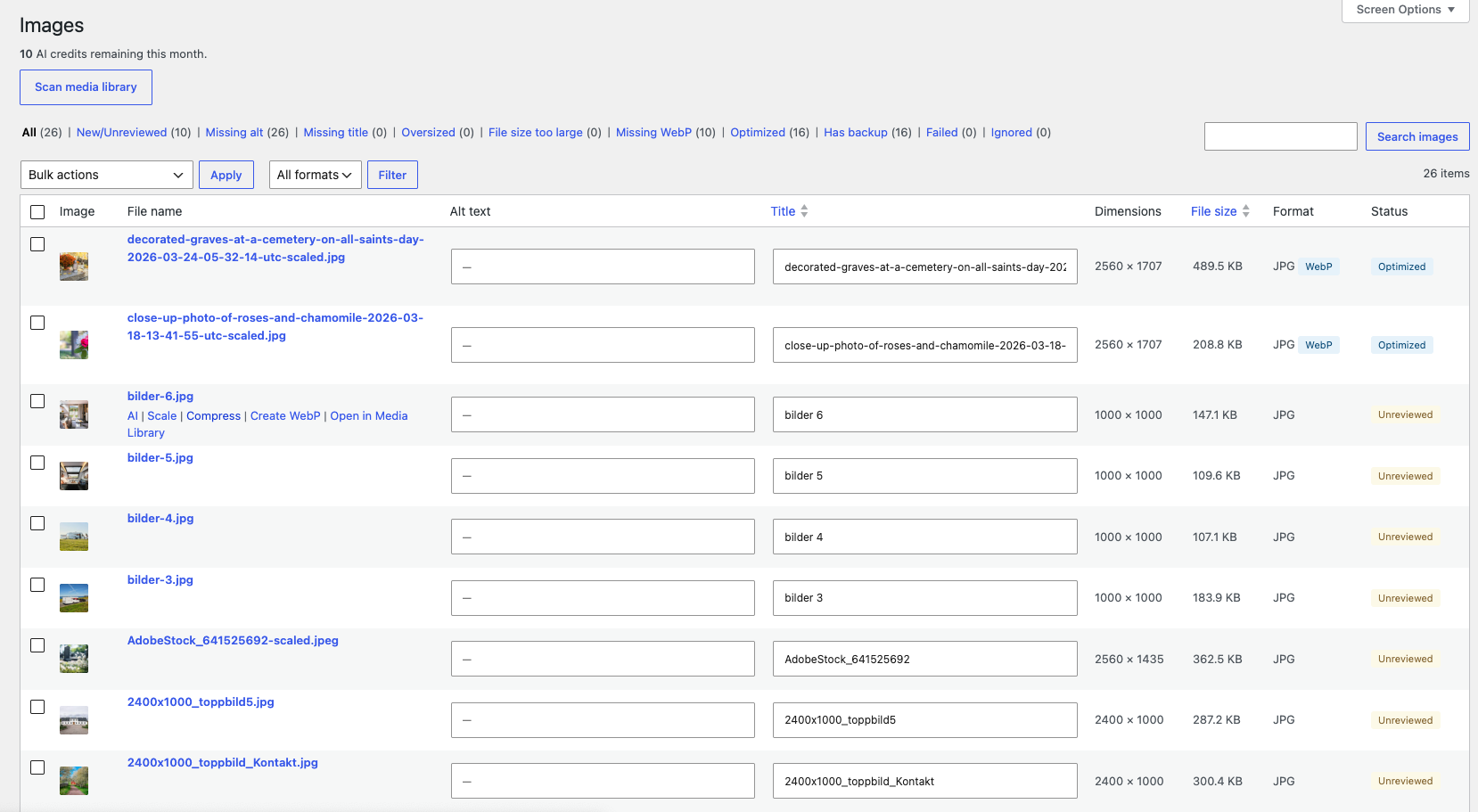
- Instant overview: filter your library by missing alt text, missing title, oversized dimensions or heavy file size
- Inline editing of alt text, title, caption and description — right in the list, no page reloads
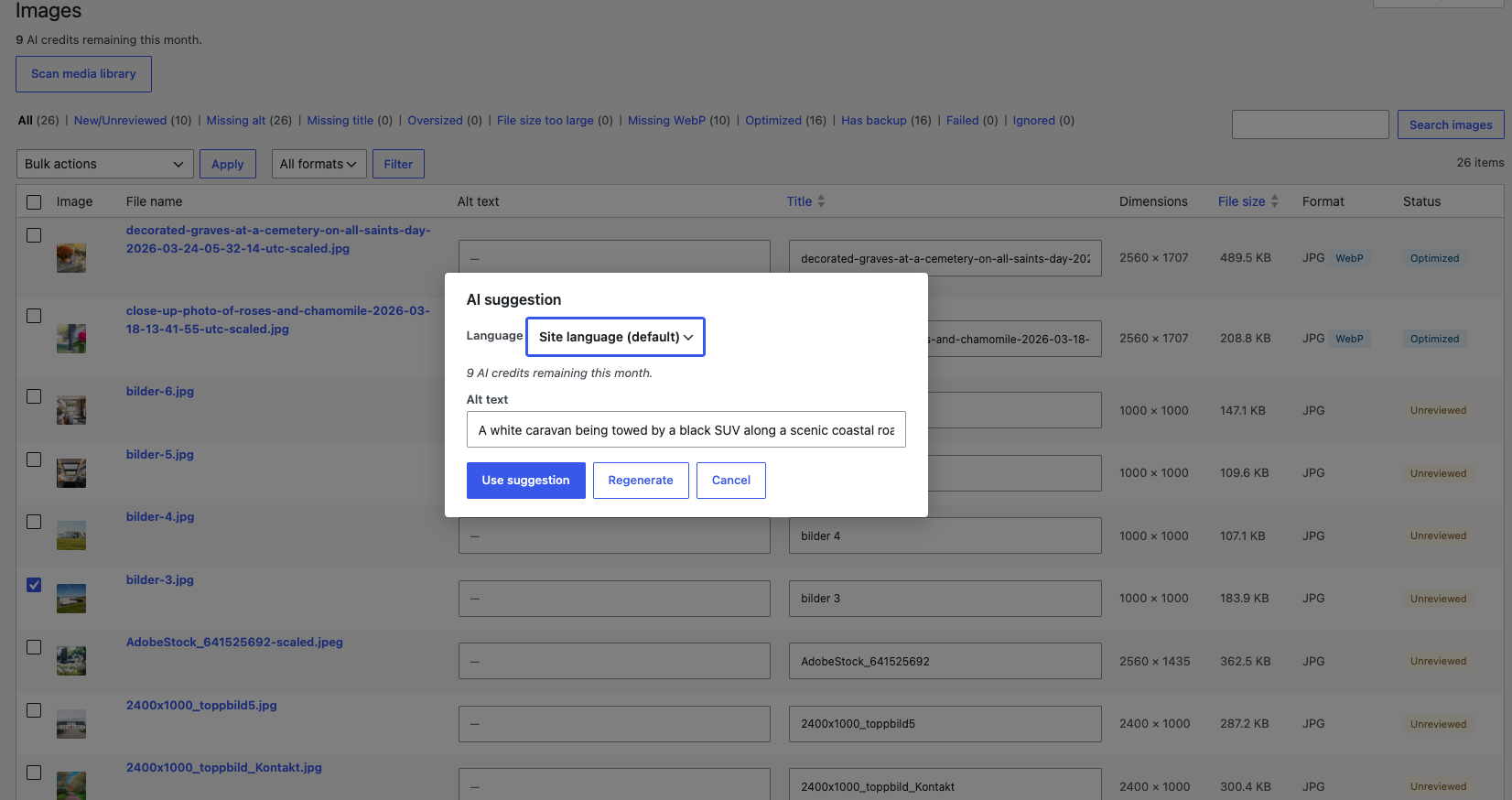
- 10 free AI-generated alt texts per month (opt-in, see External Services below)
- AI suggestions understand context: the file name and, if you enable it, the title of the page or product where the image is used
- Works in your language — alt text is generated in the site language by default, with per-run override
- CSV export and import for bulk editing or translation workflows
Image optimization
- Scale oversized originals down to a sensible maximum (default 2560 px — the same limit WordPress core uses for “big images”)
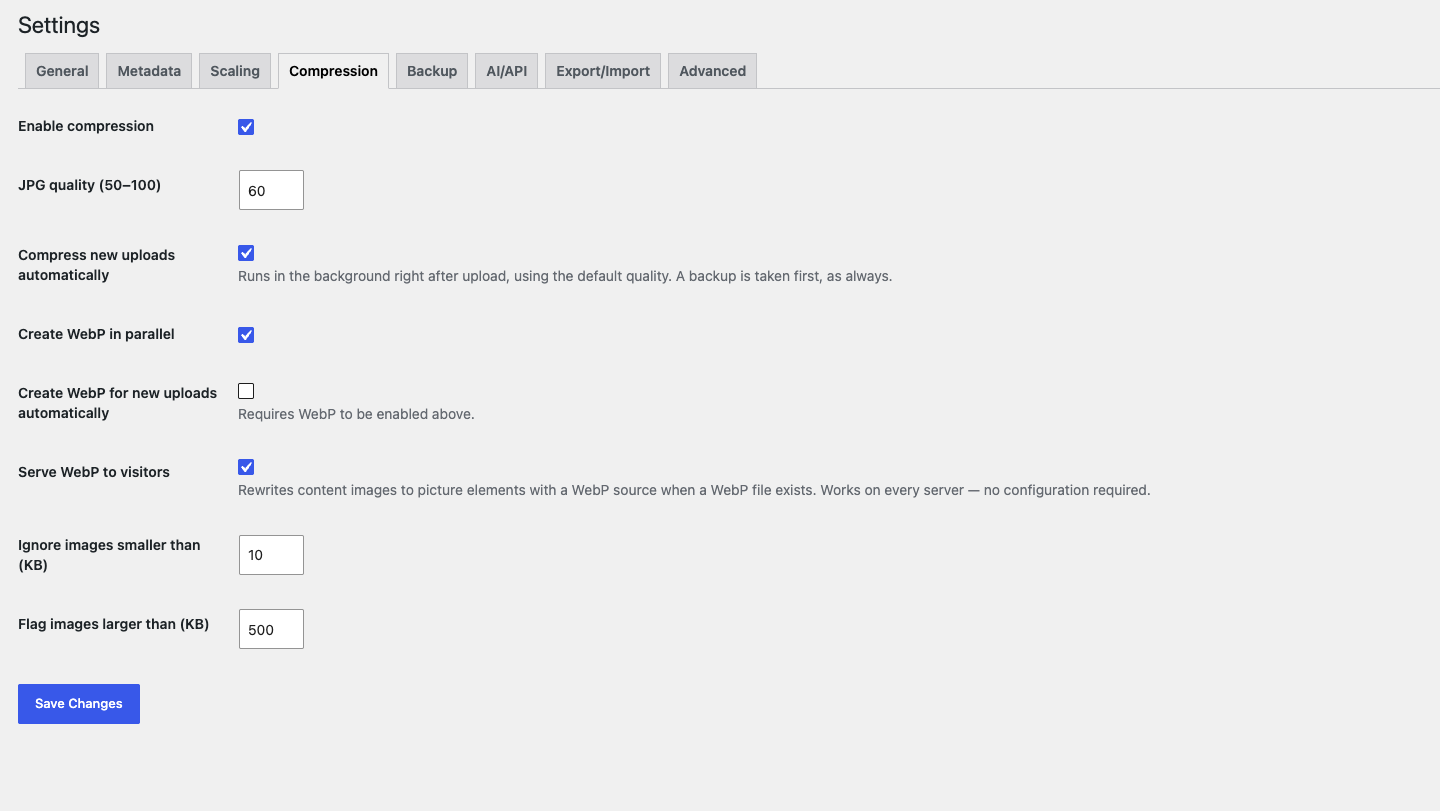
- Compress JPEG/PNG with a quality you choose per run — with a never-heavier guarantee: if the result would be larger, the original is kept
- Generate WebP versions and optionally serve them automatically via
<picture>markup - Optionally scale, compress and create WebP for new uploads automatically — set it once, every upload arrives optimized
- Automatic backup before every destructive action — undo one step or restore the untouched original at any time
- All bulk actions run live in the list with per-image progress; background work (scanning, CSV import) runs via Action Scheduler
Safe by design
- Nothing is ever sent to an external server without your explicit opt-in consent
- Backups are kept forever by default; automatic pruning is opt-in
- Settings are defaults, not commands — every action asks for its parameters when you run it
Pro
Pihlfelt Image Assistant Pro adds AI for all metadata fields, bulk AI for the whole library, AI file-name suggestions on upload, server-side optimization with dedicated image binaries (mozjpeg/pngquant), and priority support. Plans start at $69/year.
External Services
The optional AI features connect to api.pihlfelt.se, a service operated by the plugin author (Pihlfelt). This is what you should know before enabling them:
When data is sent: Only when you actively run an AI action (a single image or a bulk run you start yourself), and only after you have accepted the consent dialog shown on first use. Nothing is ever sent automatically or in the background. All other plugin features work entirely locally without any external connection.
What is sent:
- The image you request metadata for
- The image file name
- If enabled in the settings: the title of the page/post (or WooCommerce product) where the image is used, and the existing alt text as context
- A pseudonymized site identifier (a one-way hash — the service cannot derive your email address or domain from it), used to enforce the free monthly quota
- For Pro users: the license key, to verify the plan and quota
How it is processed: Images are processed in memory and never stored on the server. The image is forwarded to OpenAI (as a sub-processor) for the actual image analysis via their API, under terms that exclude use for model training. Usage logs (request counts, timestamps, site identifier) are kept for quota management and abuse prevention.
Server-side optimization (Pro): works the same way — the image is optimized in memory, returned, and never stored.
Privacy policy: https://pihlfelt.se/integritetspolicy
Screenshots
Installation
- Install and activate the plugin via Plugins Add New, or upload it to
/wp-content/plugins/pihlfelt-image-assistant - Open Image Assistant in the admin menu and run your first media library scan
- Use the filter tabs to find images that need attention
FAQ
-
Does everything work without the AI features?
-
Yes. All metadata management, scaling, compression, WebP, backups and CSV import/export run entirely locally. The AI features are optional and disabled until you actively enable them.
-
What exactly is sent to the AI service?
-
Only when you run an AI action, and only after your explicit consent: the image itself, its file name, optionally the title of the page/product where it is used and the existing alt text, plus a pseudonymized site identifier. See the External Services section for full details. Images are never stored on the server.
-
What languages can alt text be generated in?
-
The site language is used by default. You can set a different default in the settings, or pick a language for an individual run in the AI dialog.
-
Will compressing images ever make them larger?
-
No. The plugin has a never-heavier guarantee: if a compression or scaling result would be larger than the original, the change is reverted and the original kept.
-
Can I undo an optimization?
-
Yes. A backup is taken before every destructive action. You can undo the last step or restore the untouched original at any time. Backups are kept forever by default.
-
How does the free AI quota work?
-
The free version includes 10 AI-generated alt texts per calendar month, enforced by the service. The counter resets on the 1st. Pro plans include larger monthly quotas and AI for all metadata fields.
-
Does it work with WooCommerce?
-
Yes. Product images are handled like any other image, and Pro can use the product name as context for better alt text.
Reviews
There are no reviews for this plugin.
Contributors & Developers
“Pihlfelt Image Assistant – AI Alt Text & Image Optimization” is open source software. The following people have contributed to this plugin.
Contributors
Translate “Pihlfelt Image Assistant – AI Alt Text & Image Optimization” into your language.
Interested in development?
Browse the code, check out the SVN repository, or subscribe to the development log by RSS.
Changelog
1.0.1
- Fixed: the Pro update checker called the wrong endpoints, so Pro users would never see updates. Free installations are unaffected.
1.0.0
- Initial release: metadata management with inline editing, media library scanner, scaling, compression and WebP with automatic backups and restore, CSV export/import, and opt-in AI alt text (10/month free).