

Description
OneVoicer turns a crowd of answers into one clear answer. You ask a question. People answer in their own words, from their phone or right on the page, with no app and no account. OneVoicer’s AI reads every reply and blends them into a single answer, the “one voice” of your crowd, and keeps re-blending as new voices arrive. It is a different animal from a poll: instead of bar charts over the options you thought of in advance, you get a readable answer built from what people actually said.
On OneVoicer you create a voicer: one question with its own share link and QR code. This plugin puts that voicer on your WordPress site. Add the OneVoicer block to a page or post, paste the share link, and publish. What your visitors see depends on the voicer:
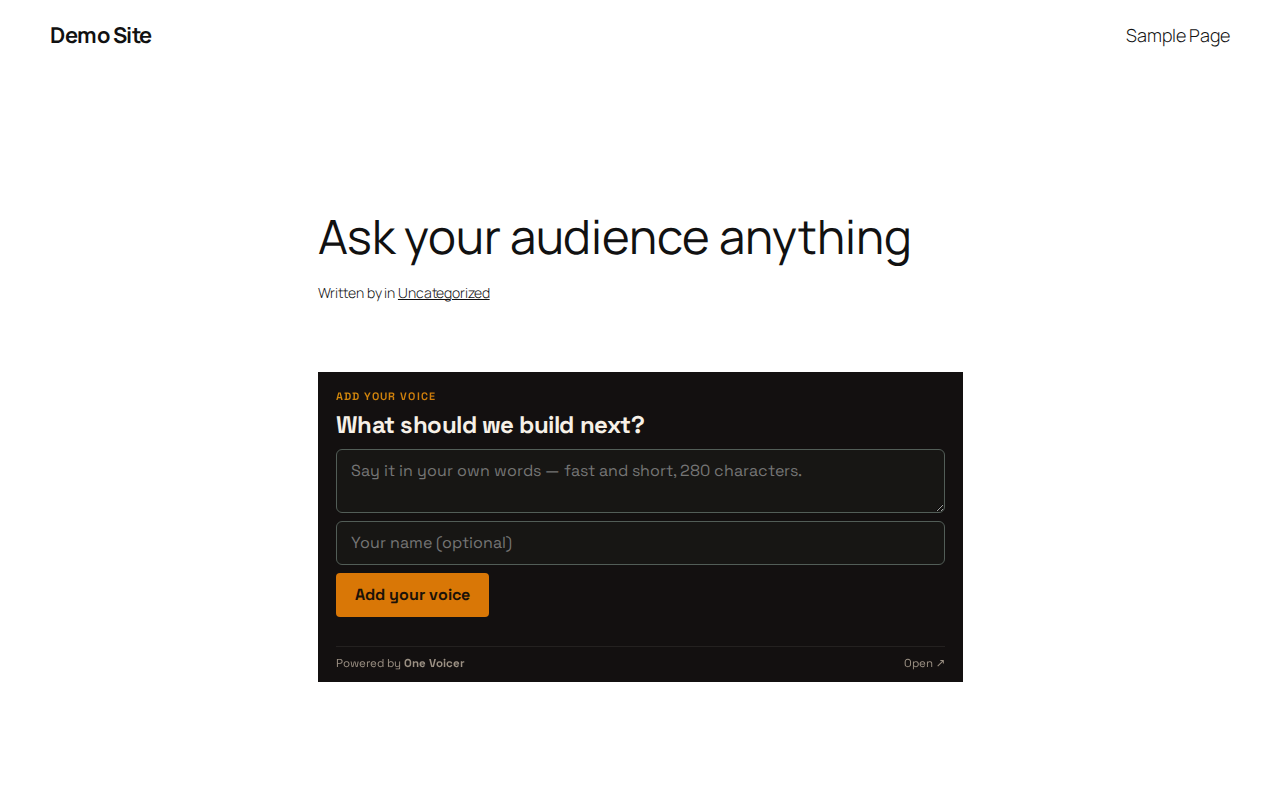
- The live embed. Your question and an answer box, right on the page. A visitor types a short answer, sends it, and sees the blended one voice, which keeps updating as other voices land. Available when embedding is enabled on the voicer (part of the OneVoicer Creator plan) and your site’s domain is on its allowed list.
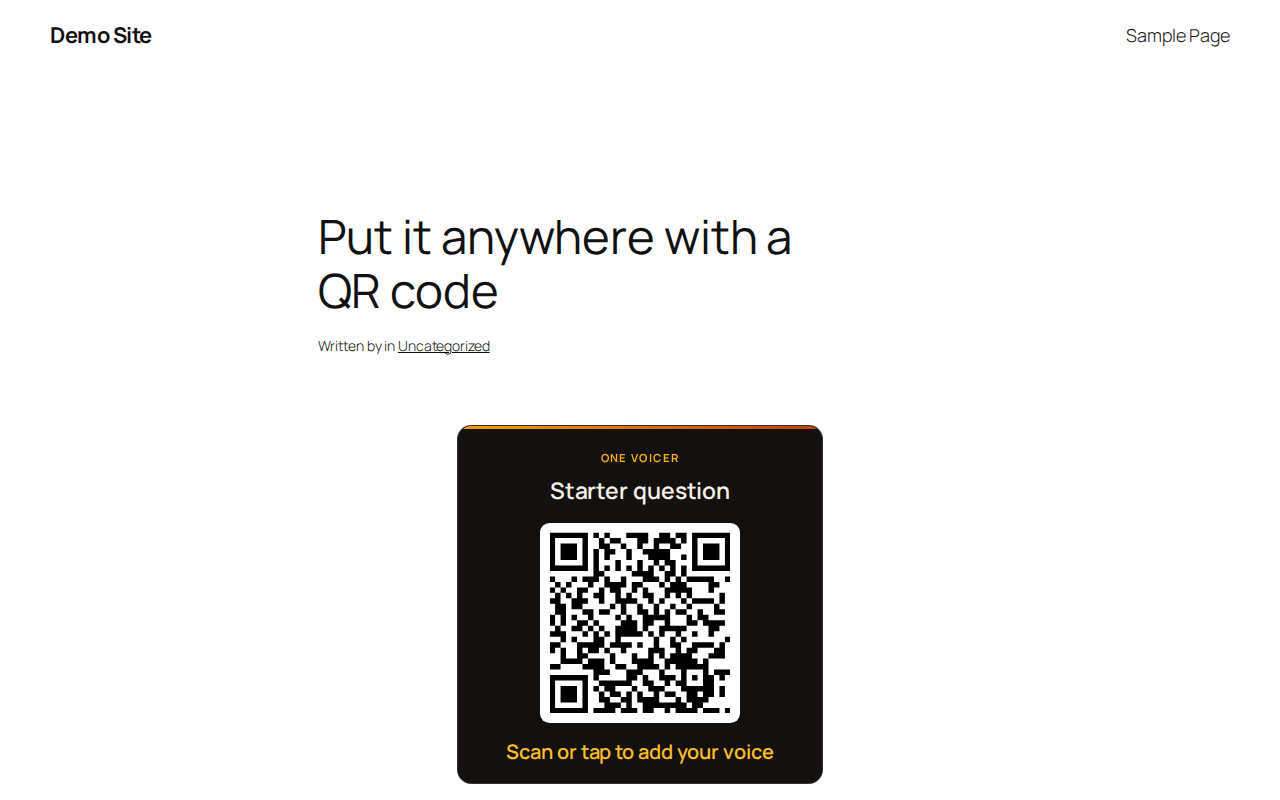
- The QR card. A compact branded card with an optional heading, a scannable QR code, and a tap-friendly link to the voicer’s public answer page. Works with every OneVoicer plan, including the free Starter plan.
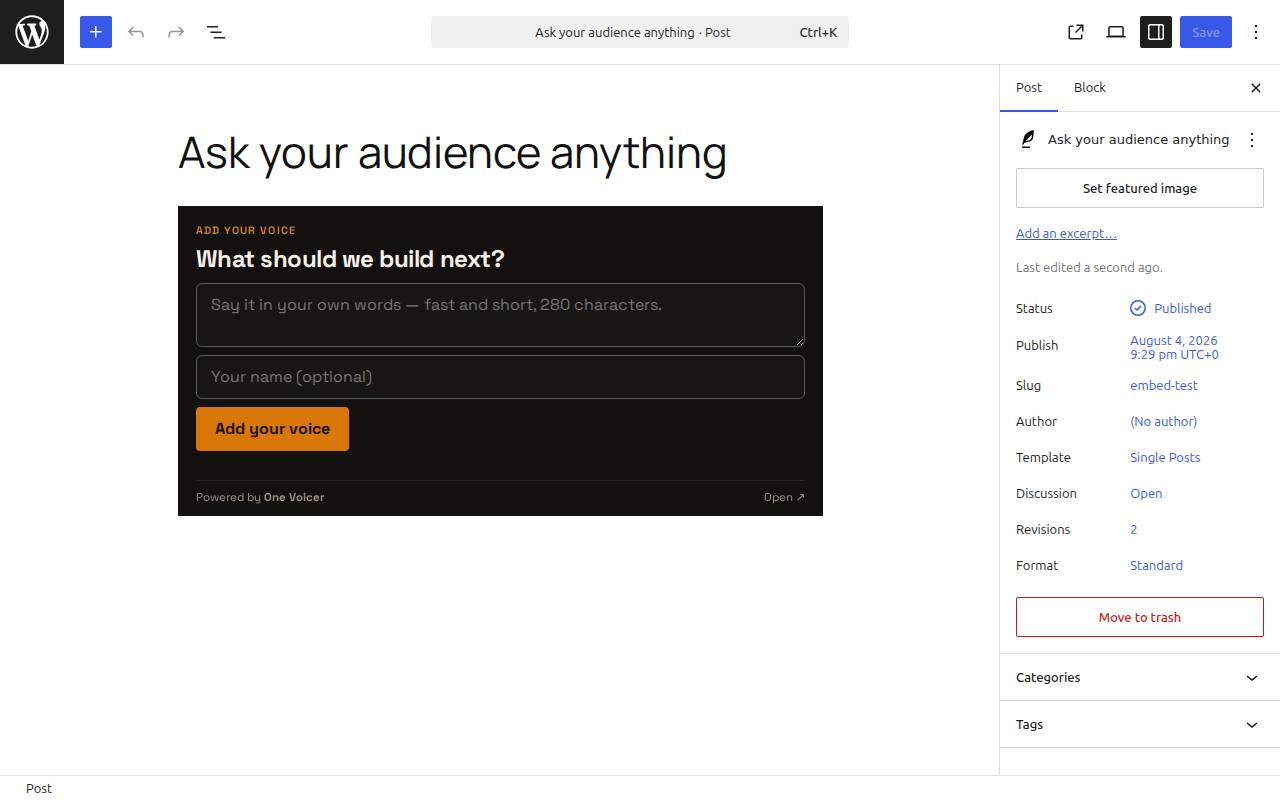
The block never leaves a blank space: it renders the live embed when the voicer allows it on your site, and the QR card otherwise. In the editor it previews exactly what visitors will get, and if the live embed is not available yet it explains why and what to change.
Use it for a feedback box on your site, a running question on a community page, or a public pulse on a blog post. It is the same voicer as everywhere else: voices collected on your site appear in the OneVoicer app, feed the same blend, and land in the same history.
Full setup guide with screenshots: onevoicer.com/docs/wordpress-plugin
This plugin connects to a hosted service. It renders content from onevoicer.com and checks a pasted link against onevoicer.com to decide what to render. Creating a voicer requires a free account at onevoicer.com.
External services
The plugin communicates only with OneVoicer (onevoicer.com), in exactly two ways:
- Link check (server-side). When a share link is pasted in the editor, and periodically when a page renders, your site’s server sends a HEAD request to the voicer’s public embed URL at app.onevoicer.com to learn whether the live embed may render here. The only data transmitted is the share token that is part of the pasted link itself. The result is cached for five minutes.
- The live embed (visitor’s browser). When the live embed renders, the visitor’s browser loads the voicer’s public page from app.onevoicer.com in an iframe, like any embedded content, and an answer a visitor chooses to submit is sent to OneVoicer.
Nothing else is transmitted: no account data, no site data, no visitor analytics. The QR code is drawn locally in the visitor’s browser by the bundled qrcode-generator library (MIT licensed), not by an external service.
This service is provided by One Voicer: terms of service, privacy policy.
Source code
The JavaScript in build/ is compiled with @wordpress/scripts. The human-readable source ships alongside it in the plugin’s src/ directory, and the plugin is developed in the open at github.com/epreisz/onevoicer-wp-plugin — to rebuild, run npm install && npm run build there.
One third-party library is bundled (into build/view.js): qrcode-generator version 1.5.2, MIT licensed, by Kazuhiko Arase — source at github.com/kazuhikoarase/qrcode-generator (npm). It draws the QR card’s code locally in the visitor’s browser.
Screenshots
Blocks
This plugin provides 1 block.
- OneVoicer A live OneVoicer on your page: your question, a QR code, and the AI-blended one voice of everyone who answers.
Installation
- Install and activate the plugin.
- In OneVoicer, open your voicer and copy its share link from the Share it panel.
- Add the OneVoicer block to a page or post and paste the link.
- For the live embed: on the voicer, enable “Embed on your site” and add your site’s domain to the allowed domains, then make sure the voicer is live.
Classic editor? Use the shortcode: [onevoicer link="https://app.onevoicer.com/v/…" height="600" heading="Your question"]
Try it right away, no account needed. Paste this live demo voicer’s link into the block:
https://app.onevoicer.com/v/_yM6qoxDdBTfuyKF
It is a real voicer we keep open. On your site it renders as the QR card, since the demo voicer’s allowed domains do not include your site, and the editor notice explains exactly that. Scan or tap the card, add your voice from your phone, and watch the blended answer update on the voicer’s public page. Your own voicers work the same way, with the live embed unlocked by your own allowed-domains list.
The full walkthrough lives at onevoicer.com/docs/wordpress-plugin.
FAQ
-
Do my visitors need an account to answer?
-
No. An open voicer takes answers right in the embed, with no account and no app. Only a voicer set to require sign-in sends visitors to the OneVoicer page to answer.
-
Why does my page show a QR card instead of the live embed?
-
The live embed appears when the voicer has embedding enabled (an OneVoicer Creator plan feature) and your site’s domain is on its allowed domains list. Otherwise the block shows the QR card, so your page always works. The block explains the exact reason in the editor.
Two common catches: the page must be served over https (a plain http page can never match the allowlist, whatever you list), and hosts match exactly:
example.comandwww.example.comare different, and a*.example.comwildcard covers subdomains only, neverexample.comitself. The safe list is the bare domain plus the www form (or the bare domain plus the wildcard). -
Does the plugin add a “Powered by” link to my site?
-
Not unless you ask it to. The QR card carries no credit link by default; a “Show Powered by One Voicer credit” toggle in the block settings (or
credit="yes"on the shortcode) adds one if you want it. -
Does the QR code call an external service?
-
No. The QR code is drawn in the visitor’s browser by the plugin itself. The live embed, when shown, loads from onevoicer.com like any embedded content.
-
Is OneVoicer free?
-
Yes. The Starter plan is free and works with this plugin’s QR card. The live on-page embed is part of the Creator plan. See onevoicer.com/pricing.
Reviews
There are no reviews for this plugin.
Contributors & Developers
“OneVoicer” is open source software. The following people have contributed to this plugin.
Contributors
Translate “OneVoicer” into your language.
Interested in development?
Browse the code, check out the SVN repository, or subscribe to the development log by RSS.
Changelog
1.0.0
- Initial release: OneVoicer block and [onevoicer] shortcode, live embed with QR-card fallback, editor pre-flight with actionable notices.