

Description
Scout Image Studio safely renames physical WordPress image files while keeping generated sizes, attachment metadata, URLs, post content, and compatible references synchronized.
Created by Debo Grim and published on WordPress.org by contributor angelsrock.
Features
- Safely renames physical image files and generated image sizes.
- Synchronizes attachment metadata, Media Library titles, URLs, and compatible references.
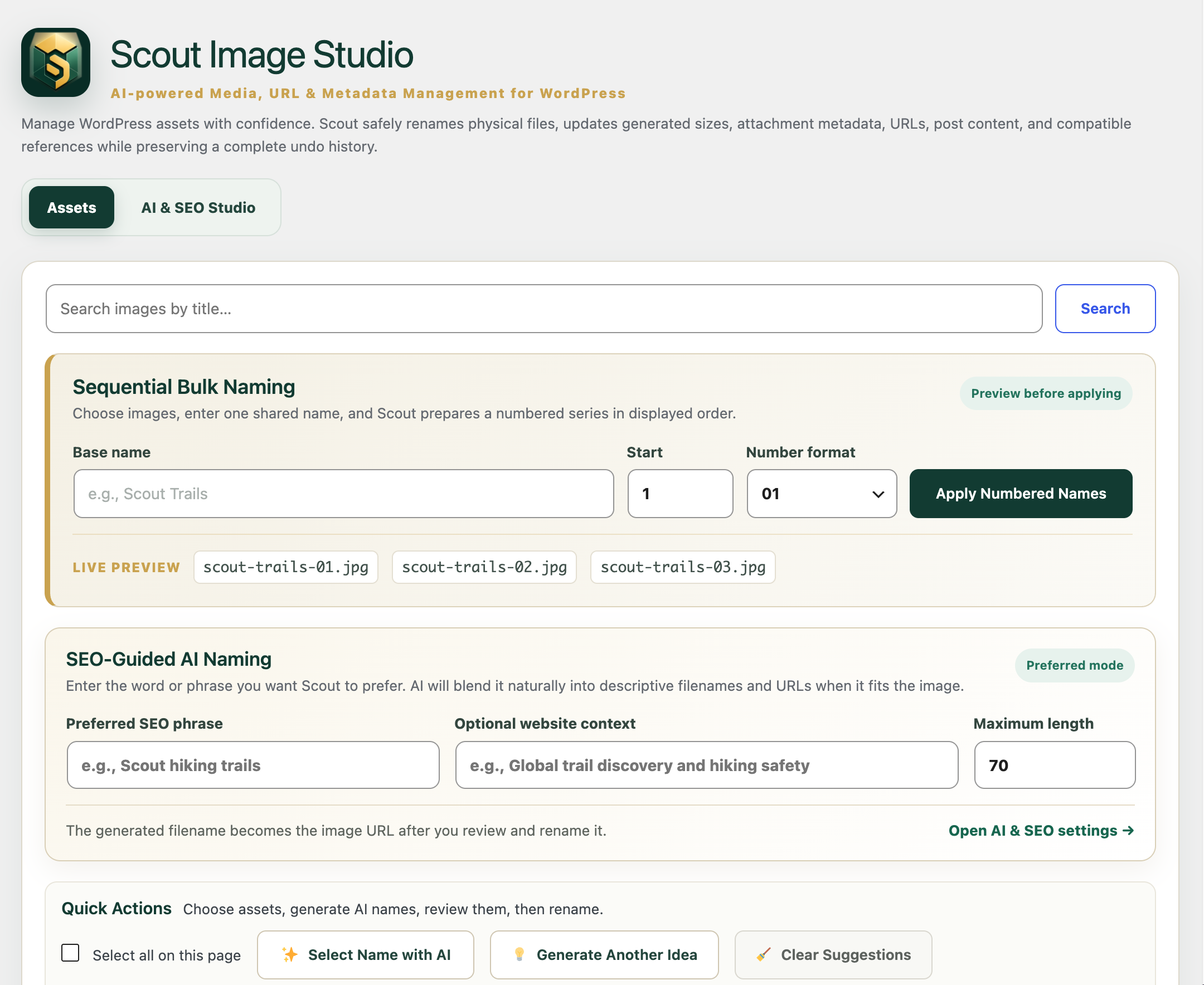
- Provides sequential bulk naming with configurable numbering formats.
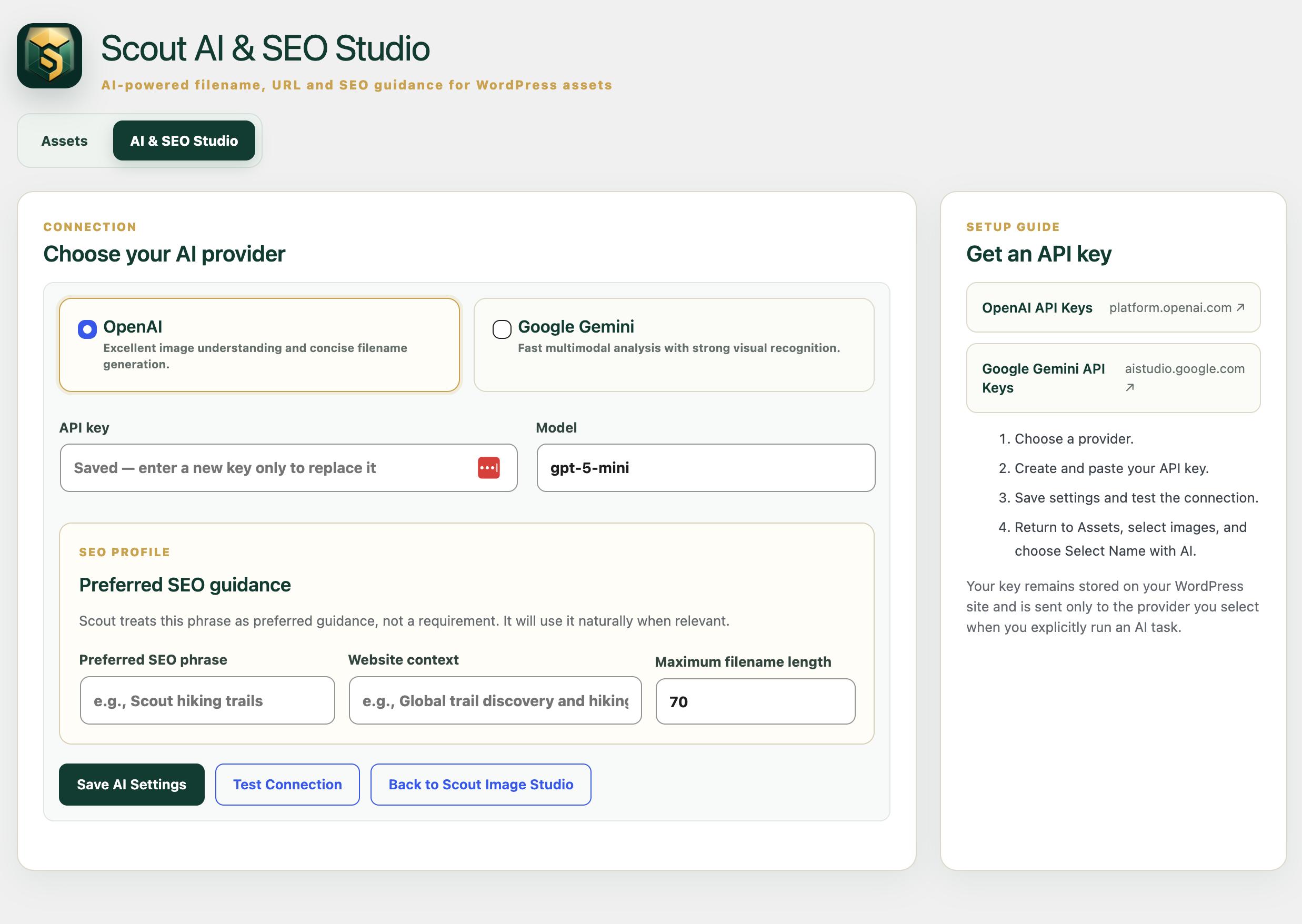
- Generates optional AI filename suggestions with OpenAI or Google Gemini.
- Provides SEO-guided AI naming with a preferred phrase and website context.
- Keeps every suggested name editable before a rename is applied.
- Includes duplicate protection, history, undo, search, pagination, and responsive layouts.
- Works for manual and sequential naming without an AI provider.
External Services
Scout Image Studio supports optional AI-assisted filename generation through OpenAI and Google Gemini. The plugin can be used fully for manual and sequential renaming without configuring either service.
No image or media content is sent automatically. A selected image is transmitted only after an authorized administrator explicitly clicks Select Name with AI or Generate Another Idea.
For an AI naming request, Scout Image Studio sends the selected image itself (base64-encoded), filename-generation instructions, and contextual information used to guide the suggestion. Context can include the attachment title, alt text, parent-post title, a preferred SEO phrase, website context, and the configured maximum filename length. The request is sent directly from the WordPress site to the administrator-selected provider. Scout Image Studio does not route AI requests through a Scout-operated service.
When an administrator clicks Test Connection, the plugin contacts the configured provider/model endpoint to verify the saved API key and model. No selected image is included in the connection test.
API keys are stored in the site’s WordPress options table and are sent only to the selected provider as required to authenticate administrator-requested API operations.
OpenAI
OpenAI is used to analyze a selected image and return a concise filename suggestion when OpenAI is configured as the AI provider. Requests are sent to the OpenAI API only when an administrator explicitly requests AI naming or tests the configured connection.
OpenAI Services Agreement: https://openai.com/policies/services-agreement/
OpenAI Privacy Policy: https://openai.com/policies/privacy-policy/
Google Gemini
Google Gemini is used to analyze a selected image and return a concise filename suggestion when Gemini is configured as the AI provider. Requests are sent to the Google Gemini API only when an administrator explicitly requests AI naming or tests the configured connection.
Gemini API Additional Terms of Service: https://ai.google.dev/gemini-api/terms
Google Privacy Policy: https://policies.google.com/privacy
Use of either provider is subject to that provider’s applicable account requirements, terms, privacy practices, billing, quotas, and usage policies.
Development
Scout Image Studio is open source. The public source repository is available at:
https://github.com/LightMoving/scout-image-studio
The PHP, CSS, and JavaScript distributed with the plugin are provided in human-readable source form. The current release does not require a JavaScript or CSS compilation/minification build step to reproduce its distributed assets.
Screenshots
Installation
- Upload the plugin ZIP through Plugins > Add New > Upload Plugin.
- Activate Scout Image Studio.
- Open Media > Scout Image Studio.
- Create a current database and uploads backup before large rename operations.
- Optionally configure OpenAI or Google Gemini under Media > AI & SEO Studio.
FAQ
-
Does Scout Image Studio rename the physical file?
-
Yes. It renames the physical image and generated image sizes, then updates the associated WordPress metadata.
-
Does it update image URLs and references?
-
Yes. Scout updates attachment data and compatible references it can identify. A current backup is strongly recommended, especially on sites using custom page builders or proprietary storage formats.
-
Can I undo a rename?
-
Yes. Recent rename operations can be undone from the rename history panel.
-
Is AI required?
-
No. Manual naming and sequential bulk naming work without an AI provider or API key.
-
When are images sent to an AI provider?
-
Only after an authorized administrator explicitly requests AI naming.
Reviews
There are no reviews for this plugin.
Contributors & Developers
“Scout Image Studio” is open source software. The following people have contributed to this plugin.
Contributors
Translate “Scout Image Studio” into your language.
Interested in development?
Browse the code, check out the SVN repository, or subscribe to the development log by RSS.
Changelog
2.2.17
- Change: Responsiveness & Compatibility
2.2.16
- Updated Features
2.2.15
- Performance Upgrades
2.2.14
- Updated Image
2.2.13
- Updated for WordPress 7.1
2.2.12
- Added complete OpenAI and Google Gemini external-service disclosures, including the data sent, when it is sent, and provider terms/privacy links.
- Added the public GitHub source repository and development/build information.
- Replaced compressed JavaScript formatting with human-readable distributed source.
- Removed WordPress.org directory-only banner artwork from the distributable plugin package.
- Added an in-product privacy notice to AI & SEO Studio describing AI data transmission.
- No AI provider behavior, renaming workflow, or image-processing behavior was changed.
2.2.10
- Added a dedicated laptop and tablet layout between desktop and mobile widths.
- Moves rename history below the workspace earlier to preserve table room.
- Keeps thumbnail dimensions unchanged while allowing filename columns to resize fluidly.
- Improved visibility of Source and New Filename columns at intermediate widths.
2.2.9
- Aligned the API Key and Model controls in AI & SEO Studio.
- Improved responsive behavior across laptop, tablet, and mobile layouts.
- Constrained and balanced AI Studio fields for improved readability.
- Simplified the rename workspace by removing duplicate filename previews beneath each New Filename field.
2.2.7
- More resilient OpenAI and Google Gemini response parsing for AI-generated filenames.
- Preserves the user’s exact scroll position after rename operations.
- Improved recoverable AI error messaging.
- Added a dedicated AI & SEO Studio workspace.
- Added direct links to create OpenAI and Google Gemini API keys.
- Added secure saved API key replacement.
- Added AI provider Test Connection workflow.
- AI-generated filename suggestions remain reviewable before renaming.
- Restored premium styling for the primary action button.
2.2.6
- Added the AI Compatibility Engine.
- Extracts usable filenames from plain text, JSON, Markdown, quoted text, numbered lists, and explanatory sentences.
- Preserves each image’s original file extension.
- Continues processing successful images when another image requires a retry.
- Added expandable provider-response diagnostics when filename extraction fails.
- Vertically centered the AI Studio action.
- Added a direct Back to Scout Image Studio button.
- Increased output allowance for reasoning models used in filename generation.
- Retries once when OpenAI reports an incomplete response caused by max output tokens.
- Clearly reports incomplete provider responses without changing selected assets.
2.2.5
- Renamed the product throughout WordPress, PHP, documentation, and plugin metadata to Scout Image Studio.
- Renamed the plugin folder, bootstrap file, admin slugs, and text domain to
scout-image-studio. - Preserved existing settings, AI configuration, rename history, and workflows.
2.2.4
- Added Generate Another Idea after AI suggestions are created.
- Added Clear Suggestions without changing files, URLs, or metadata.
- Added the success message: “Scout AI has successfully created names for your selected images.”
- Improved AI workflow with a clear suggestions-ready state.
2.2.3
- Simplified Quick Actions to Select Name with AI and Rename Selected Images.
- Removed the redundant AI & SEO Studio button from the action bar.
- Added a visual ready-state after AI suggestions are generated.
- Improved spacing and padding on the primary rename button.
2.2.2
- Removed the redundant Fill Suggested Names button.
- Introduced a streamlined Quick Actions workflow.
- Matched Rename Selected Images to the size and styling of Apply Numbered Names.
2.2.1
- Added Preferred SEO Phrase guidance for AI filename and URL generation.
- Added optional Website Context and configurable maximum filename length.
- Generates SEO-friendly filenames using keywords naturally.
- Saves reusable SEO profiles in AI & SEO Studio.