

Description
Contact forms should be simple for people — and difficult for bots.
UltimaTour Contact Forms gives WordPress sites a complete form workflow: build forms visually, publish them anywhere, receive email notifications, keep submissions organized in WordPress, accept protected file uploads, and give visitors a clean, professional experience.
And underneath the form is something different:
Polymorphic Semantic Canary (PSC).
PSC adds a concealed, signed request-integrity challenge that changes its behavior instead of relying on one predictable empty honeypot. Legitimate visitors never need to see it, solve it, click it, or interact with it.
PSC works alongside the plugin’s other protection layers, including honeypot techniques, signed timing, rate limiting, duplicate detection, server-side validation, and optional CAPTCHA providers.
No single trick is treated as magic. The layers work together.
Everything you actually need from a contact form
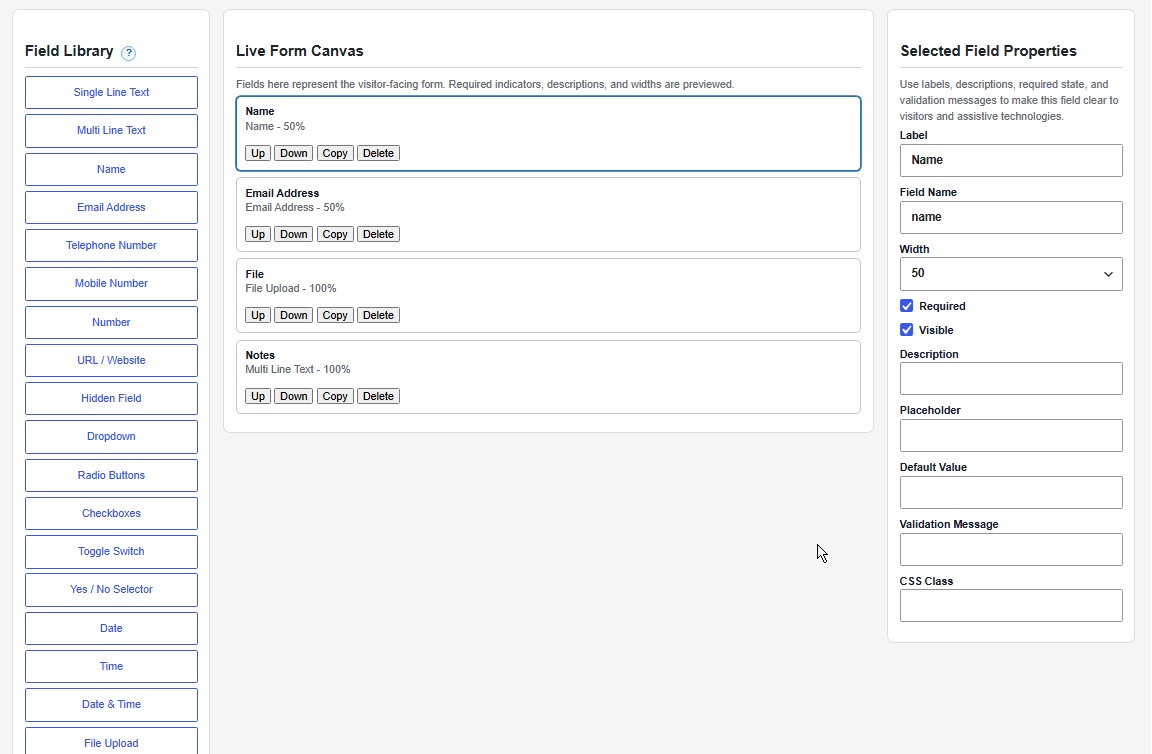
- Visual form builder — create forms without writing markup.
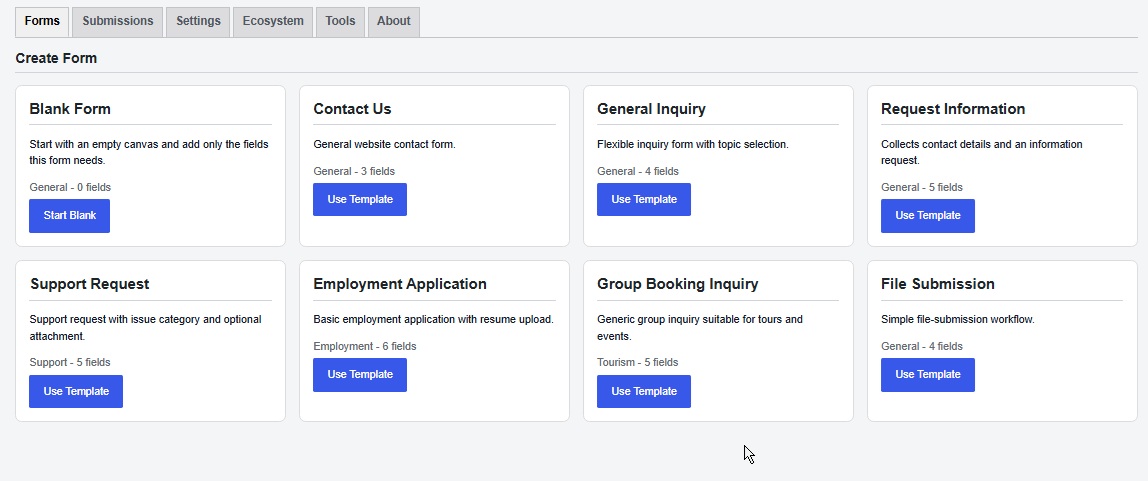
- Reusable templates — start quickly instead of rebuilding common forms from scratch.
- Unlimited forms and legitimate submissions — build what your site needs.
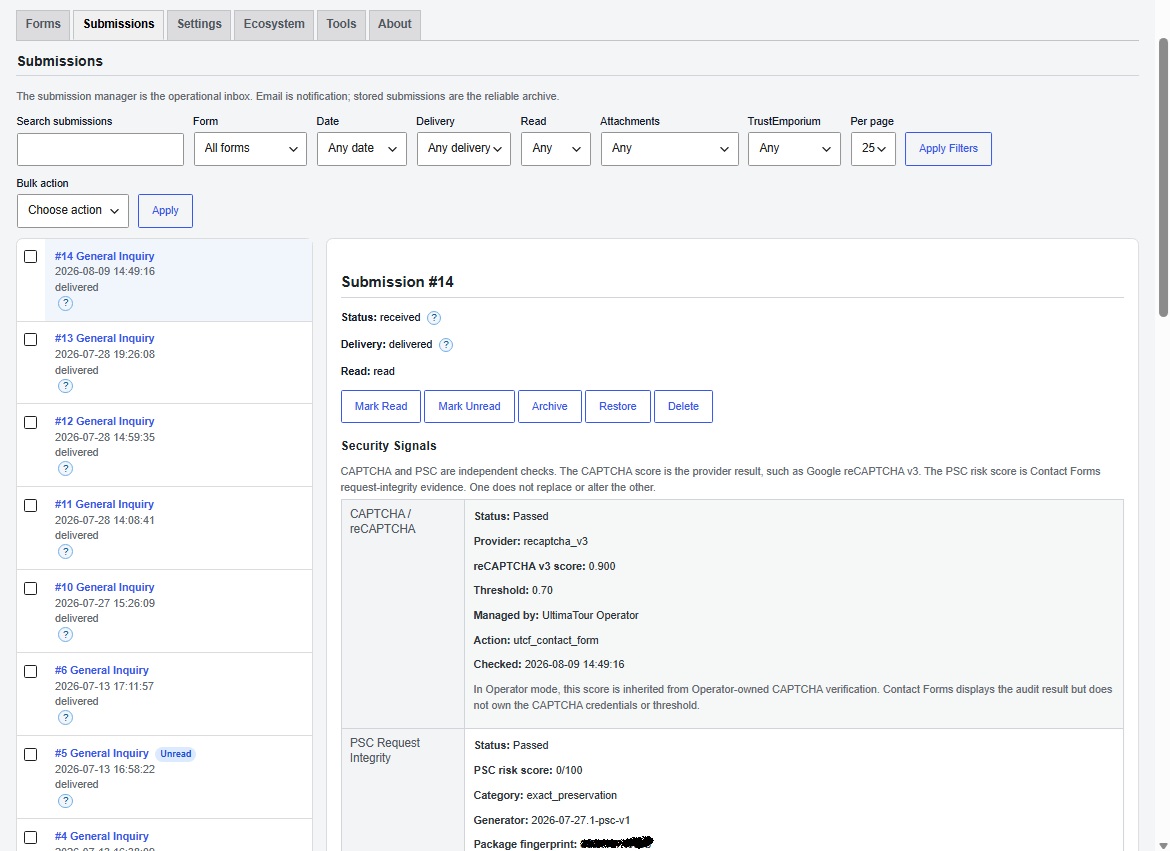
- Stored submission inbox — keep enquiries inside WordPress instead of depending entirely on email.
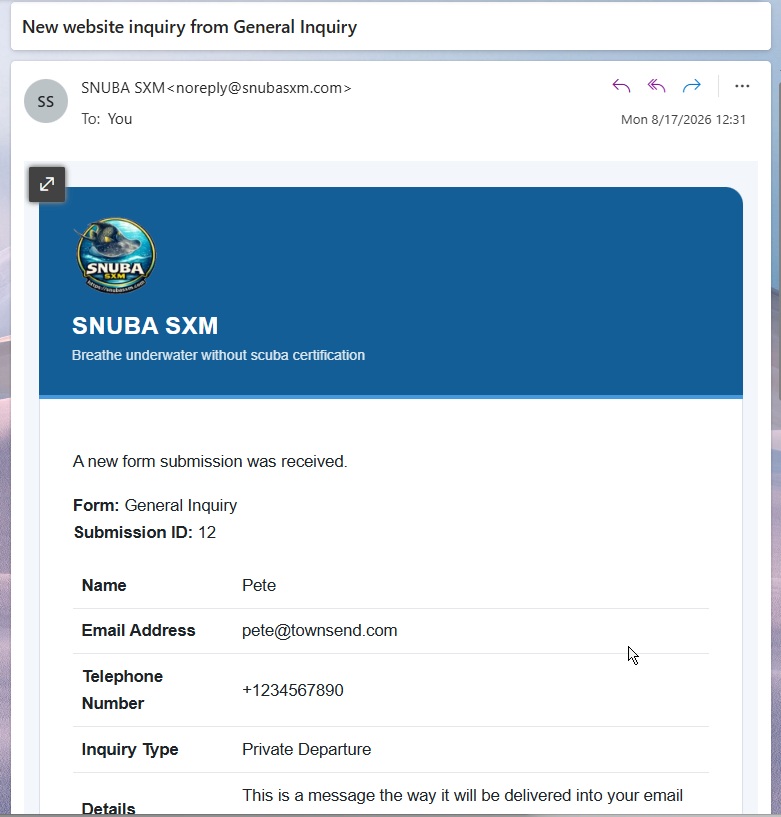
- Email notifications — notify administrators when a submission arrives.
- Visitor confirmations — automatically acknowledge successful submissions.
- Secure file uploads — accept files with protected administrator downloads.
- CSV export — take your submission data with you when you need it.
- Privacy tools — integrates with WordPress personal-data export and erasure workflows.
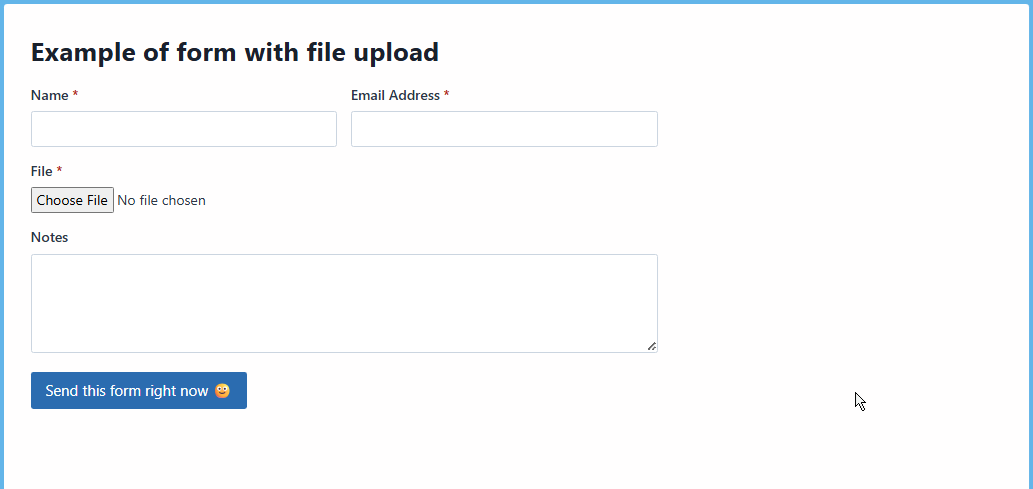
- Responsive output — forms are designed for real visitors on desktop and mobile.
- Keyboard-accessible builder controls — form creation is designed with accessibility in mind.
- Server-side validation — never trust the browser alone.
Spam protection that does more than add another checkbox
Contact Forms uses layered protection rather than betting everything on one mechanism.
Depending on your configuration, protection can include:
- Polymorphic Semantic Canary (PSC)
- Honeypot protection
- Signed timing evidence
- Rate limiting
- Duplicate detection
- Server-side validation
- Cloudflare Turnstile
- Google reCAPTCHA
PSC is designed to detect unexpected mutation of concealed, signed form state. Its challenge can vary across several harmless patterns, making the hidden request state less predictable to automated systems while remaining invisible to ordinary visitors.
PSC is not marketed as a replacement for every other security control. It is another independent signal in the anti-spam decision process.
Your submissions belong in WordPress
An important enquiry should not disappear simply because somebody missed an email.
Contact Forms can store legitimate submissions in WordPress, giving administrators a practical inbox for reviewing submitted information.
Need the data elsewhere?
Export it to CSV.
Need to handle a privacy request?
Contact Forms integrates with WordPress personal-data export and erasure mechanisms.
Professional email without rebuilding everything twice
Configure administrator notifications and optional visitor confirmations.
Contact Forms supports reusable email variables so messages can include submitted information and business details without manually rewriting every notification.
When supported UltimaTour Operator shared services are available, Contact Forms can reuse appropriate Operator-owned configuration instead of unnecessarily creating duplicate infrastructure.
UltimaTour Operator is not required to use Contact Forms.
Secure uploads
Forms may include file uploads when your workflow requires them.
Uploaded files are handled as protected submission data and administrator downloads are subject to the plugin’s access controls.
Start standalone. Connect when it is useful.
UltimaTour Contact Forms is useful as a contact-form plugin on its own.
It can also participate in the wider UltimaTour ecosystem.
When supported ecosystem services are available, Contact Forms can integrate with capabilities such as UltimaTour Operator and optional TrustEmporium functionality.
Those integrations do not replace the core purpose of the plugin:
Your forms must continue doing their job.
Ready to explore more?
Contact Forms is a complete standalone plugin, but it can also be your first step into a wider set of tools for operators and WordPress businesses.
Visit UltimaTour: https://www.ultimatour.com/
Explore compatible products, documentation, downloads, and support: https://partner.ultimatour.com/
These resources are optional. You do not need to register, purchase anything, or visit an external website to build, publish, receive, store, or export forms.
Why UltimaTour Contact Forms?
Because a contact form should not make you choose between:
easy for visitors
and
harder for automation.
Build the form.
Publish it.
Receive the enquiry.
Keep the record.
Let the protection layers work underneath it.
External Services
UltimaTour Contact Forms may communicate with external services for specific disclosed purposes. The plugin does not send ordinary form-submission contents to an external service merely because Contact Forms is installed.
Cloudflare Turnstile
If an administrator configures Cloudflare Turnstile, pages containing protected forms may load the provider’s challenge resources and submit the resulting verification token for server-side validation.
Cloudflare’s terms and privacy practices apply.
Privacy policy: https://www.cloudflare.com/privacypolicy/
Terms: https://www.cloudflare.com/website-terms/
Google reCAPTCHA
If an administrator configures Google reCAPTCHA, pages containing protected forms may load Google’s challenge resources and submit the resulting verification token for server-side validation.
Google’s terms and privacy practices apply.
Privacy policy: https://policies.google.com/privacy
Terms: https://policies.google.com/terms
TrustEmporium
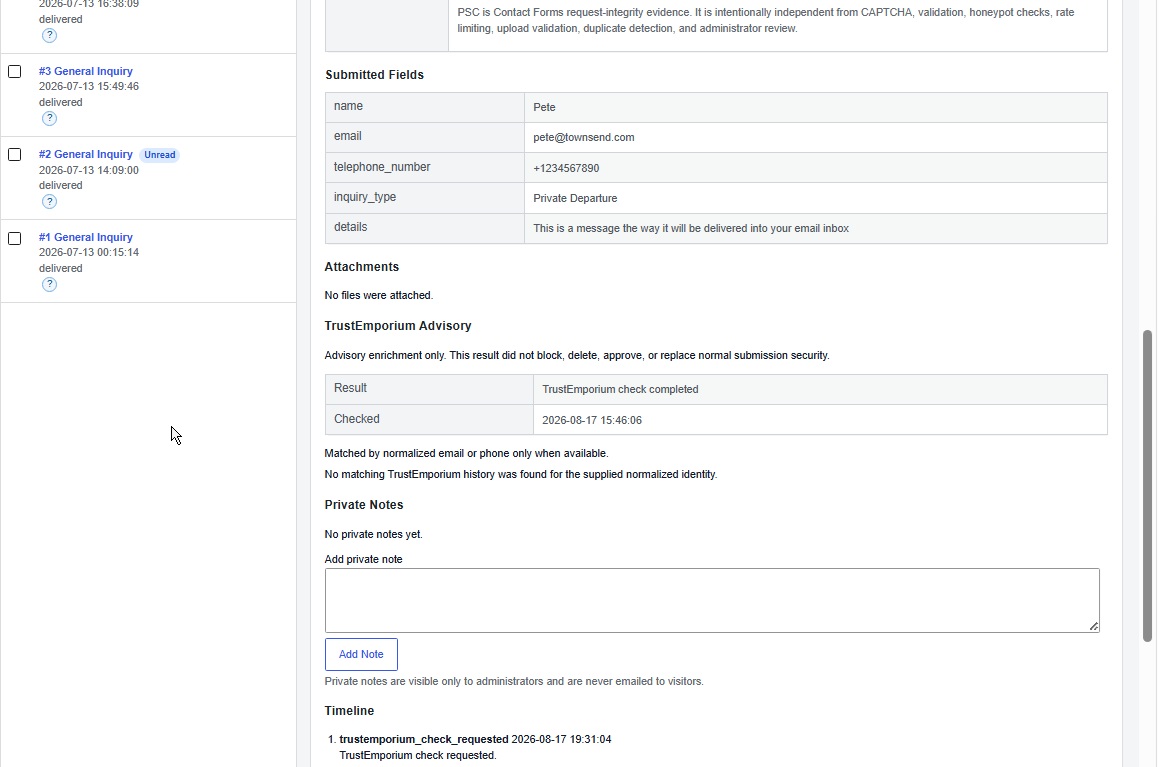
TrustEmporium enrichment is optional and advisory. It does not replace form validation, PSC, CAPTCHA, honeypot protection, rate limiting, upload validation, duplicate detection, notification delivery, or administrator review. A TrustEmporium warning does not automatically delete or reject an otherwise legitimate submission.
When UltimaTour Operator exposes a supported TrustEmporium service, Contact Forms reuses that Operator-owned service and does not request duplicate credentials or create a parallel TrustEmporium configuration.
In standalone mode, an administrator can deliberately select Connect and Provision TrustEmporium inside Contact Forms to create or recover the site-specific TrustEmporium partner contract and business account. Manual partner-key and shared-secret entry remains available only as an advanced recovery path.
Standalone setup calls /te/v1/partner/contact-forms/self-issue-contract. TrustEmporium verifies setup by requesting /wp-json/ultimatour-contact-forms/v1/trustemporium/onboarding-verification/{token} from the installing site before issuing credentials or provisioning the business account. Setup may transmit the site URL, home URL, canonical domain, installation ID, plugin version, business name, primary contact email, locale, timezone, generated external business ID, verification URL, and verification-token hash.
The standalone connection test calls /te/v1/partner/ping only to confirm authentication. It does not create or refresh TrustEmporium records.
Submission enrichment is lookup-only and calls /te/v1/partner/lookup. A lookup may include the form ID, form name, submission ID, submitted contact name, submitted email address, submitted phone number, source URL, site identifier, request ID, correlation ID, idempotency key, and timing metadata.
The administrator-initiated setup action above is the only Contact Forms workflow that asks TrustEmporium to create or recover a business account. After setup, remote submission enrichment is lookup-only. It does not send CAPTCHA secrets, TrustEmporium access keys, passwords, raw PSC values, PSC source words, uploaded-file contents, complete submission payloads, or private plugin credentials, and it does not ask TrustEmporium to create customer, lifecycle, event, advisory-write, or additional business-provisioning records.
In Operator mode, Contact Forms may resolve a local Operator customer context and record local Operator audit or customer-timeline events for the submission workflow. Those local integrated records are separate from TrustEmporium advisory lookup data. Remote enrichment is skipped when Contact Forms health, integrity, compatibility, or local PSC state requires review; the underlying submission continues through its normal storage and notification workflow.
Service operator: TE Systems LLC
Connected-service privacy and terms: https://partner.ultimatour.com/privacy-terms/
UltimaTour Contact Forms heartbeat
When UltimaTour Operator is active and communication-capable, Contact Forms adds its module status to the existing Operator-owned heartbeat. It does not create a second Operator heartbeat or a parallel direct Mothership client.
When Operator is absent or not communication-capable, Contact Forms may use its disclosed standalone control-plane route for Contact Forms integrity and connected-service health reporting when that route is configured or required by an enabled connected service.
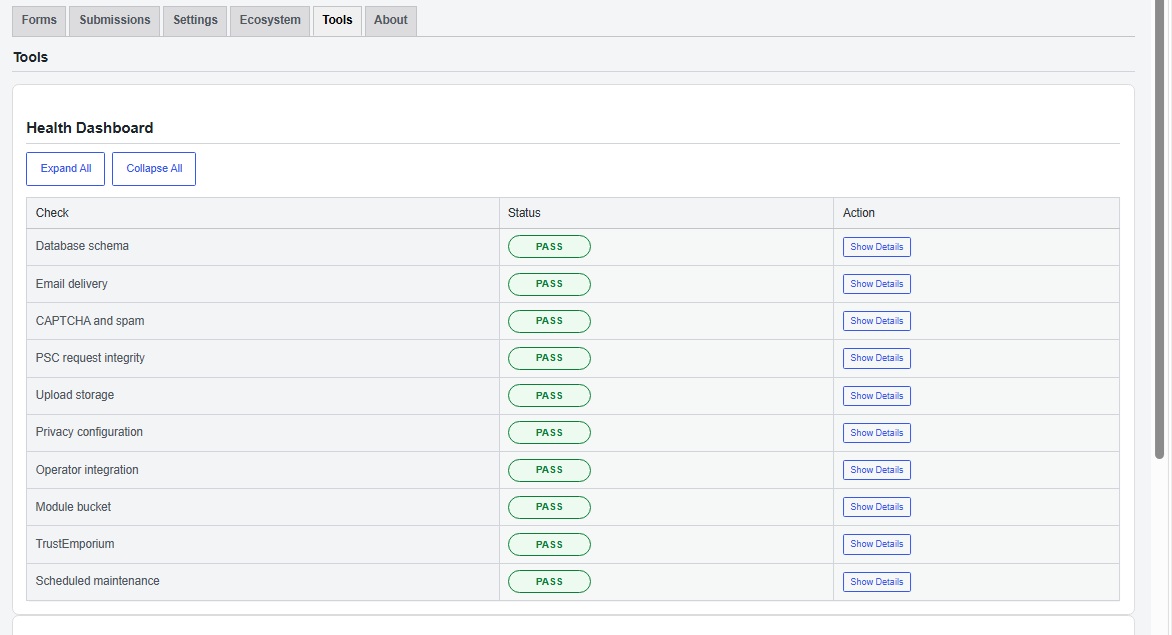
The Contact Forms heartbeat block may report the module slug, module version, compatibility state, integration mode, reporting reason, health status, non-secret protected-file hashes, PSC package fingerprint, PSC generation and status, TrustEmporium enabled/configured status, and timestamp.
Heartbeat reporting does not include form-submission values, visitor messages, uploaded files, CAPTCHA tokens, secrets, passwords, raw PSC values, or PSC source words.
Service operator: TE Systems LLC
Connected-service privacy and terms: https://partner.ultimatour.com/privacy-terms/
PSC managed data
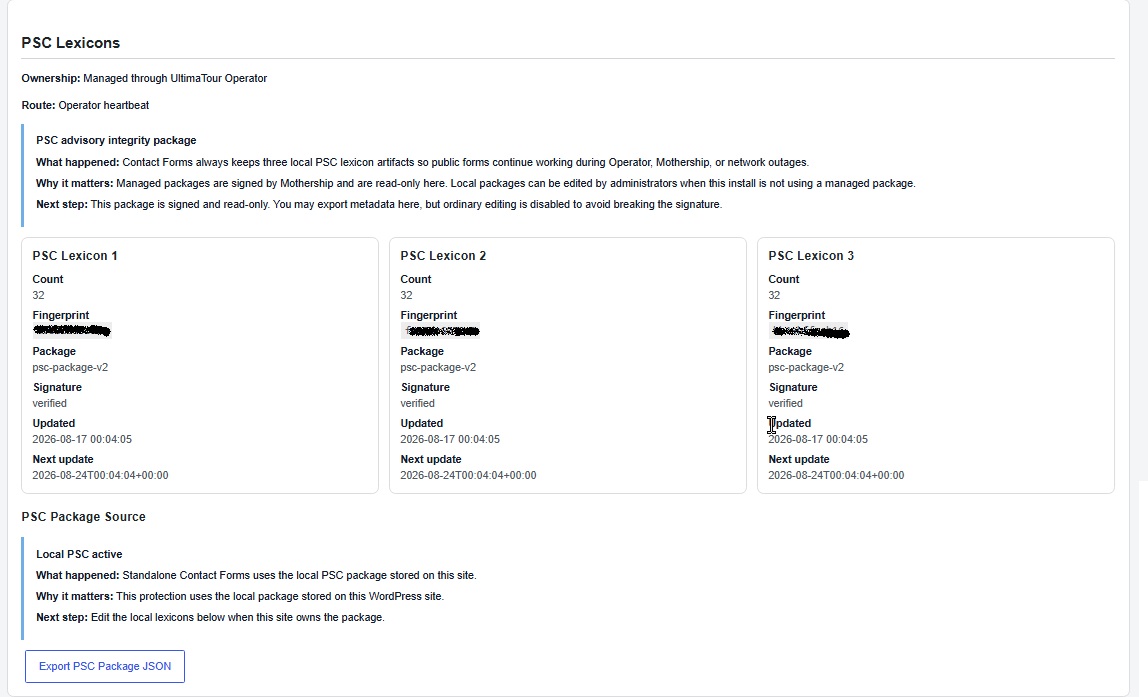
PSC is a concealed request-integrity layer. It renders three signed hidden integrity fields from an active package and can detect malformed, expired, duplicated, replayed, copied, swapped, or rewritten integrity evidence. Legitimate visitors do not need to see, solve, click, or interact with it.
Every installation retains three persistent 32-word local PSC artifacts outside the plugin folder so local form protection continues during remote-service failure. Standalone installations use the included local PSC capability.
Operator-connected installations may receive signed, installation-bound PSC data through the existing Operator heartbeat. Contact Forms verifies the Ed25519 signature, trusted key ID, fingerprint, installation UUID, version, issue and expiry state, exact package shape, replay state, and delivery route before atomic activation. An invalid package never replaces the active package.
PSC packages contain data only. Contact Forms does not download remote PHP or JavaScript as part of PSC, and visitor submission contents are not transmitted to obtain a PSC package.
Service operator: TE Systems LLC
Connected-service privacy and terms: https://partner.ultimatour.com/privacy-terms/
Privacy
Contact Forms may store information submitted through forms, including personal information selected by the site administrator when designing those forms.
Site administrators are responsible for configuring their forms and privacy notices appropriately for their own use.
Contact Forms integrates with WordPress personal-data export and erasure mechanisms for relevant stored plugin data.
Administrators should review the External Services section above when enabling third-party or ecosystem integrations.
Sensitive credentials and private authentication material should not be exposed through ordinary diagnostics.
Screenshots
Installation
- Install and activate UltimaTour Contact Forms from the WordPress Plugins screen.
- Open Contact Forms in the WordPress administration menu. A fresh standalone installation automatically creates an active Partner Contact form so the complete core workflow can be tested without an account, license, API key, CAPTCHA key, or UltimaTour Operator.
- Open the Forms tab. Edit Partner Contact, or select Create New Form and choose Start Blank or Use Template.
- Add or select fields in the builder, adjust their properties, and choose Publish. Only forms with Active status accept public submissions.
- In the Publish panel, select Copy Shortcode and paste the shortcode into a page or post. Alternatively, use Create Contact Page below the builder; it creates a draft page by default unless Publish immediately is selected.
- Visit the page while logged out, complete the form, and submit it. The success message confirms acceptance. Stored entries appear under Contact Forms > Submissions.
- Open Contact Forms > Settings to set the notification recipient and sender identity. Use Send Test Email to verify that WordPress accepts the message, then confirm delivery in the destination inbox.
- CAPTCHA is optional. PSC, honeypot protection, signed timing, rate limiting, duplicate detection, and server-side validation work without CAPTCHA credentials. To use CAPTCHA in standalone mode, configure Cloudflare Turnstile or Google reCAPTCHA under Settings > Spam Protection and enable Require CAPTCHA before accepting submissions.
- TrustEmporium and UltimaTour Operator are optional integrations. They are not required to create, publish, submit, store, or email a form. Their status and setup guidance appear in the Ecosystem tab.
For a clean-install functional test, steps 1 through 6 are sufficient. No external account or remote-service connection is required.
FAQ
-
Is UltimaTour Operator required?
-
No. UltimaTour Contact Forms can operate as a standalone contact-form plugin.
When a compatible UltimaTour Operator installation is available, Contact Forms can reuse supported shared ecosystem services rather than duplicating them.
-
What is PSC?
-
PSC stands for Polymorphic Semantic Canary.
It is a concealed request-integrity layer used as part of Contact Forms’ anti-spam system. The browser receives signed hidden state that legitimate visitors do not need to see or interact with. Unexpected changes to that state can become a spam or automation signal.
PSC works alongside the plugin’s other protection mechanisms rather than replacing them.
-
Will visitors see a PSC challenge?
-
No. PSC is not a visible puzzle or checkbox that a legitimate visitor needs to solve.
-
Does PSC replace CAPTCHA?
-
No. PSC is one layer in a broader anti-spam system. Administrators may also configure supported CAPTCHA providers where appropriate.
-
Can I use Cloudflare Turnstile or Google reCAPTCHA?
-
Yes, where those providers are configured in Contact Forms or made available through a supported shared integration.
Use of those services is subject to the respective provider’s terms and privacy practices.
-
Are submissions stored in WordPress?
-
Yes. Contact Forms includes submission management so legitimate enquiries can be retained and reviewed from the WordPress administration area.
-
Can visitors upload files?
-
Yes. Forms can include supported file uploads, with protected administrator-side retrieval.
-
Can I export submissions?
-
Yes. Submission data can be exported to CSV.
-
Does the plugin support WordPress privacy requests?
-
Yes. Contact Forms integrates with WordPress personal-data export and erasure workflows for relevant stored personal data.
-
Can I send a confirmation to the person who submitted the form?
-
Yes. Visitor confirmation emails can be configured separately from administrator notifications.
-
Does TrustEmporium decide whether a contact form submission is accepted?
-
No. TrustEmporium functionality is separate from the normal form-validation and anti-spam controls. Where supported TrustEmporium capabilities are enabled, they are used according to the integration’s disclosed purpose and do not replace ordinary form validation.
-
Normal contact-form functionality is designed to remain local and operational. A temporary ecosystem-service failure should not cause an otherwise valid contact-form submission to disappear.
Reviews

Contributors & Developers
“UltimaTour Contact Forms” is open source software. The following people have contributed to this plugin.
Contributors
Translate “UltimaTour Contact Forms” into your language.
Interested in development?
Browse the code, check out the SVN repository, or subscribe to the development log by RSS.
Changelog
1.0.15
- WordPress.org release preparation and compliance hardening.
- Improved Contact Forms administration, validation, privacy, and integration behavior.
- Refined PSC request-integrity and managed-package support.
- Improved ecosystem-service disclosures and graceful-degradation behavior.
- Additional security, compatibility, translation, and release-quality improvements.