
Description
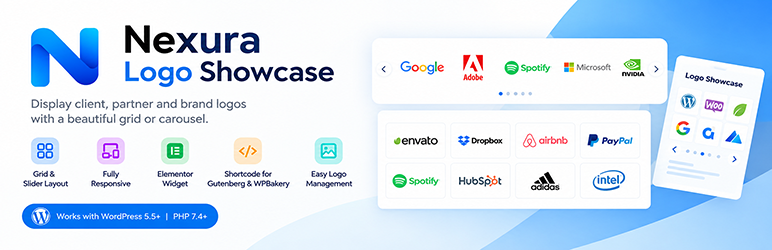
Nexura Logo Showcase adds a client logo grid or logo carousel to any WordPress page. Use it for partner logos, sponsor logos, and brand logos without editing theme files.
The plugin includes a logo slider, a static logo grid, an Elementor widget, bulk image importing from the Media Library, and a shortcode that also works in Gutenberg and WPBakery. Set desktop, tablet, and mobile columns separately, then preview the layout in phone and tablet frames before you publish.
Logo grid and logo carousel
- Logo grid for a fixed row of client logos
- Logo slider powered by bundled Swiper carousel, with arrows, pagination dots, custom speed, and direction controls
- Responsive columns for desktop, tablet, and mobile
- Logo height in px, em, rem, %, or auto
- Five box shadows and optional solid, dashed, dotted, or double borders
Card styles
Includes 3 built-in card presentation styles in the free edition:
- ① Classic grayscale to color
- ② Clean border with shadow
- ③ Modern glassmorphism
Additional premium styles (Neumorphism soft UI, 3D hover lift, Dark mode neon glow, Modern stripe card) are available in the optional Pro edition.
Page builders
- Elementor: native Logo Showcase widget with full style and slider controls
- Gutenberg and WPBakery: paste the
[nexura_logo_showcase]shortcode - Shortcode generator with a live interactive responsive preview (Desktop, Tablet, Mobile frames)
Organize logos
- Add logos with a title, image, and optional URL
- Bulk add logos in one click directly from the WordPress Media Library (Pro)
- Organize logos into groups and filter by group slug
- Store and display unlimited logos
Third-party library
The logo carousel uses Swiper 14.3.0, bundled in this plugin under the MIT license. Source: https://github.com/nolimits4web/swiper
External services
This plugin uses Freemius for optional diagnostic usage tracking and plugin improvement insights. Nothing is sent until an administrator explicitly opts in on the Freemius setup screen. After opt-in, Freemius may receive the site URL, admin email, plugin version, and WordPress version.
- Terms of use: https://freemius.com/terms/
- Privacy policy: https://freemius.com/privacy/
All features included in this plugin are 100% free and fully functional. No built-in functionality is locked, trialware, or restricted behind a license key.
Deleting the plugin removes its logos, groups, settings, and Freemius data for this product. Deactivating the plugin keeps them.
Installation
- Upload the
nexura-logo-showcasefolder to/wp-content/plugins/, or install the zip from Plugins > Add New. - Activate Nexura Logo Showcase through the Plugins menu.
- Open Logo Showcase > Add New (or Bulk Add Logos in Pro) to add logos. Add a link if the logo should be clickable.
- Open Logo Showcase > Shortcode Generator, choose grid or slider, customize styles and responsive columns, then copy the shortcode.
- Paste
[nexura_logo_showcase]into a page, post, or widget area. In Elementor, search for Logo Showcase and drop the widget on the page.
Shortcode examples
Show every logo in a grid:
[nexura_logo_showcase]
Client logo carousel with modern glassmorphism and custom autoplay speed:
[nexura_logo_showcase group="clients" style="style-3" layout="slider" columns="5" tablet_columns="3" mobile_columns="2" autoplay_speed="2500" arrows="true" arrow_position="inside" dots="true" limit="-1"]
Shortcode parameters
group– Logo group slug. Default: all groups.style– Card style,style-1throughstyle-3. Default:style-1.box_shadow–none, orshadow-1throughshadow-5. Default:none.border_type–none,solid,dashed,dotted, ordouble. Default:none.border_width– 1 to 10. Default: 1.border_color– Hex color. Default:#e3e8ee.layout–gridorslider. Default:grid.columns– Desktop columns, 1 to 10. Default: 4.tablet_columns– 1 to 8. Default: 3.mobile_columns– 1 to 6. Default: 2.limit– How many logos to show.-1shows all logos.logo_height–auto, or a size such as80px. Default:auto.arrows–trueorfalse. Slider only. Default:true.arrow_position–outside,inside,top-right, orbottom-center. Default:outside.dots–trueorfalse. Slider only. Default:true.autoplay–trueorfalse. Slider only. Default:true.autoplay_speed– Delay in milliseconds, from 200 to 20000. Default: 3000.direction–leftorright. Default:left.- Additional card styles (style-4 to style-7) and Bulk Add Logos from Media Library are available in the optional Pro edition.
FAQ
-
How do I add a logo slider in WordPress?
-
Activate the plugin, add logo images under Logo Showcase, then set Layout to Slider in the Shortcode Generator or the Elementor widget. Paste the shortcode where the carousel should appear.
-
How do I display client logos in a grid?
-
Leave the layout on Grid, or use
[nexura_logo_showcase layout="grid"]. Choose how many columns to show on desktop, tablet, and mobile. -
Does this logo showcase work with Elementor?
-
Yes. Elementor includes a native Logo Showcase widget with full layout, card styles, and slider controls matching the shortcode.
-
Does it work with Gutenberg and WPBakery?
-
Yes. Both can place the
[nexura_logo_showcase]shortcode. -
Can I upload many logos at once?
-
Yes. With the Pro edition, open Logo Showcase > Bulk Add Logos to select multiple images from your WordPress Media Library and create logos with one click.
-
How many logos can I add?
-
You can add unlimited logos. Set
limit="-1"to display all logos in your showcase. -
Is the logo carousel responsive?
-
Yes. Set different column counts for desktop, tablet, and mobile. The admin preview includes live phone and tablet frames.
-
Can I link each logo to a website?
-
Yes. Edit a logo and set the optional target URL. Links open safely in a new tab.
-
Can I show only one group of logos?
-
Yes. Assign logos to a group, then set the
groupshortcode attribute to that group’s slug, for examplegroup="clients". -
What happens to my logos if I delete the plugin?
-
Uninstalling deletes logos, groups, and plugin settings. Deactivating keeps them.
-
Does the plugin connect to an external service?
-
Only after an administrator opts in to Freemius. See External services above.
Reviews
There are no reviews for this plugin.
Contributors & Developers
“Nexura Logo Showcase” is open source software. The following people have contributed to this plugin.
Contributors

“Nexura Logo Showcase” has been translated into 1 locale. Thank you to the translators for their contributions.
Translate “Nexura Logo Showcase” into your language.
Interested in development?
Browse the code, check out the SVN repository, or subscribe to the development log by RSS.
Changelog
1.0.0
- Initial release on WordPress.org.
- Responsive client logo grid and logo carousel slider.
- Native Elementor widget with live styling and slider controls.
- Shortcode generator with responsive live preview for Gutenberg and WPBakery.
- Built-in card presentation styles and customizable responsive columns.
- Logo group organization and taxonomy filtering.