

Description
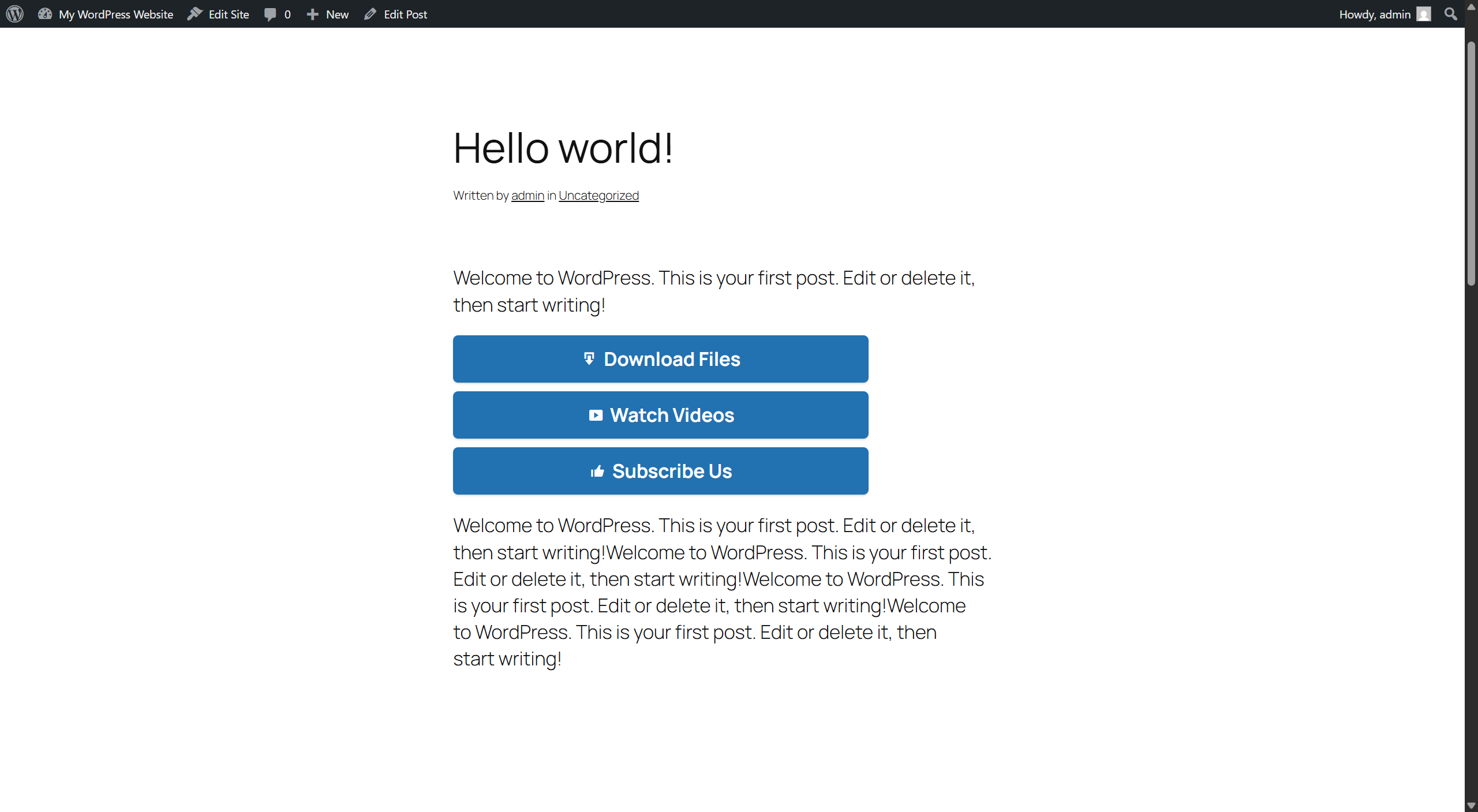
EagleX Button Links adds a simple, no-code way to place clickable, styled call-to-action (CTA) buttons anywhere in your posts or pages — the kind of “Buy Now,” “Download,” “Visit Site,” or “Learn More” buttons that turn a plain link into something people actually notice and click.
Everything is managed from a meta box right on the post editor screen. Add a button name and a URL, and the plugin handles the styling, the shortcode, and — if you want it — a full site-wide report on which buttons are actually getting clicked, plus an automatic check for any that have stopped working.
Organize buttons into named groups
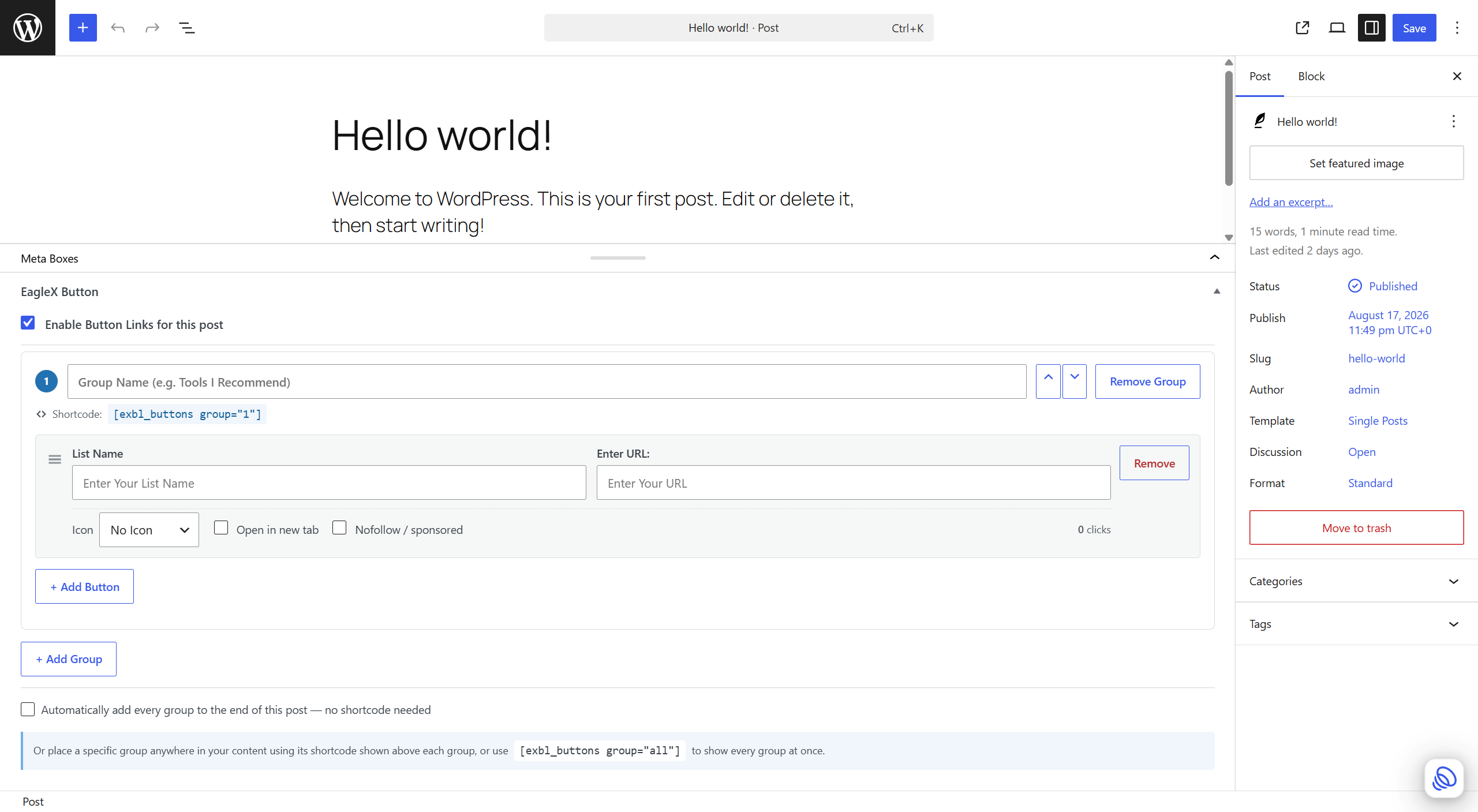
A single post doesn’t have to mean a single button list. Create separate named groups — for example “Tools I Recommend” and “Related Reading” — each with its own buttons and its own shortcode ([exbl_buttons group="1"], [exbl_buttons group="2"]), or use [exbl_buttons group="all"] to show every group at once, each under its own heading.
Built-in click analytics
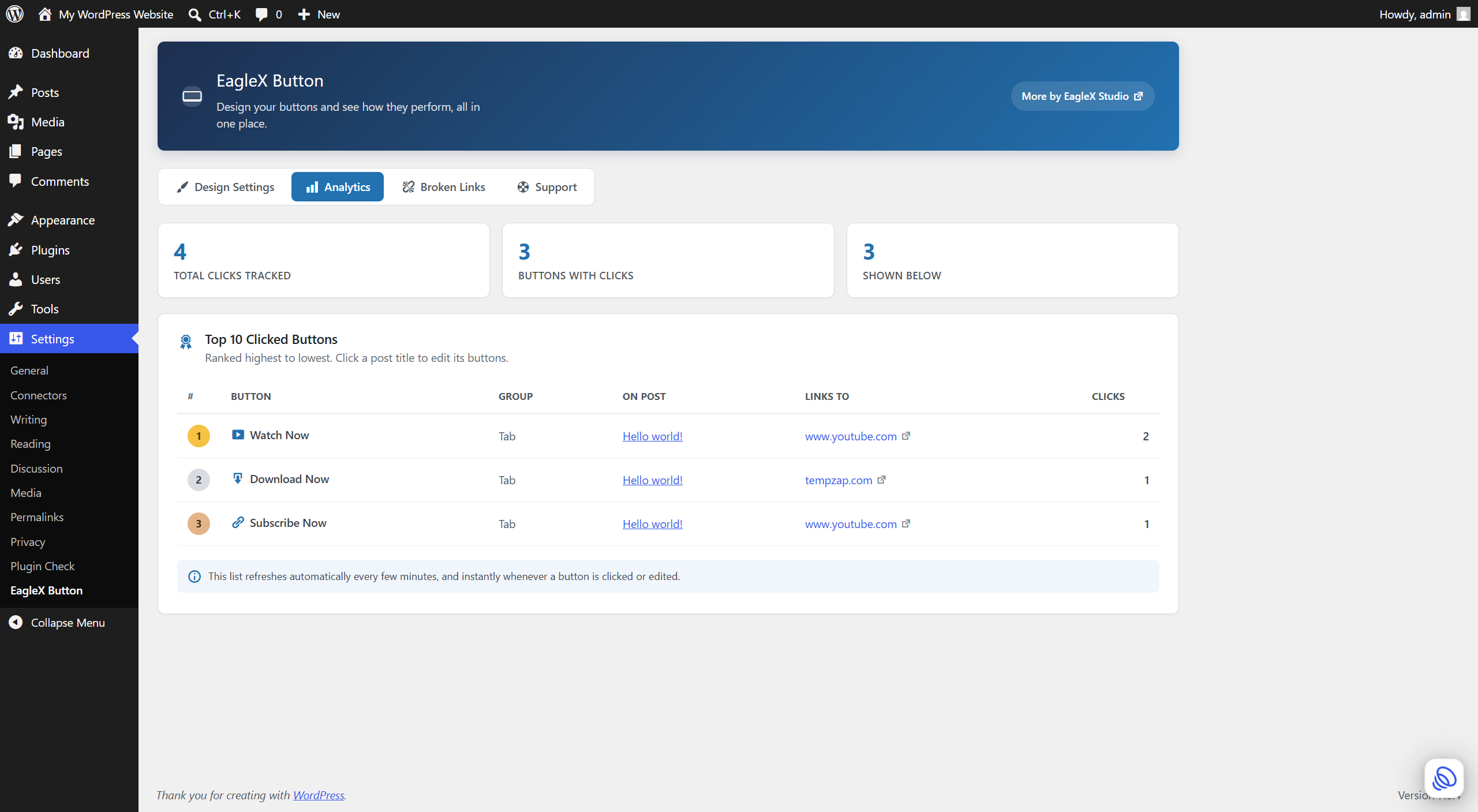
Every button quietly counts its own clicks — no cookies, no visitor tracking, just a simple counter. A dedicated Analytics tab rolls that up into a site-wide Top 10 list, so you can see at a glance which buttons and which posts are actually driving action.
Automatic broken link checking
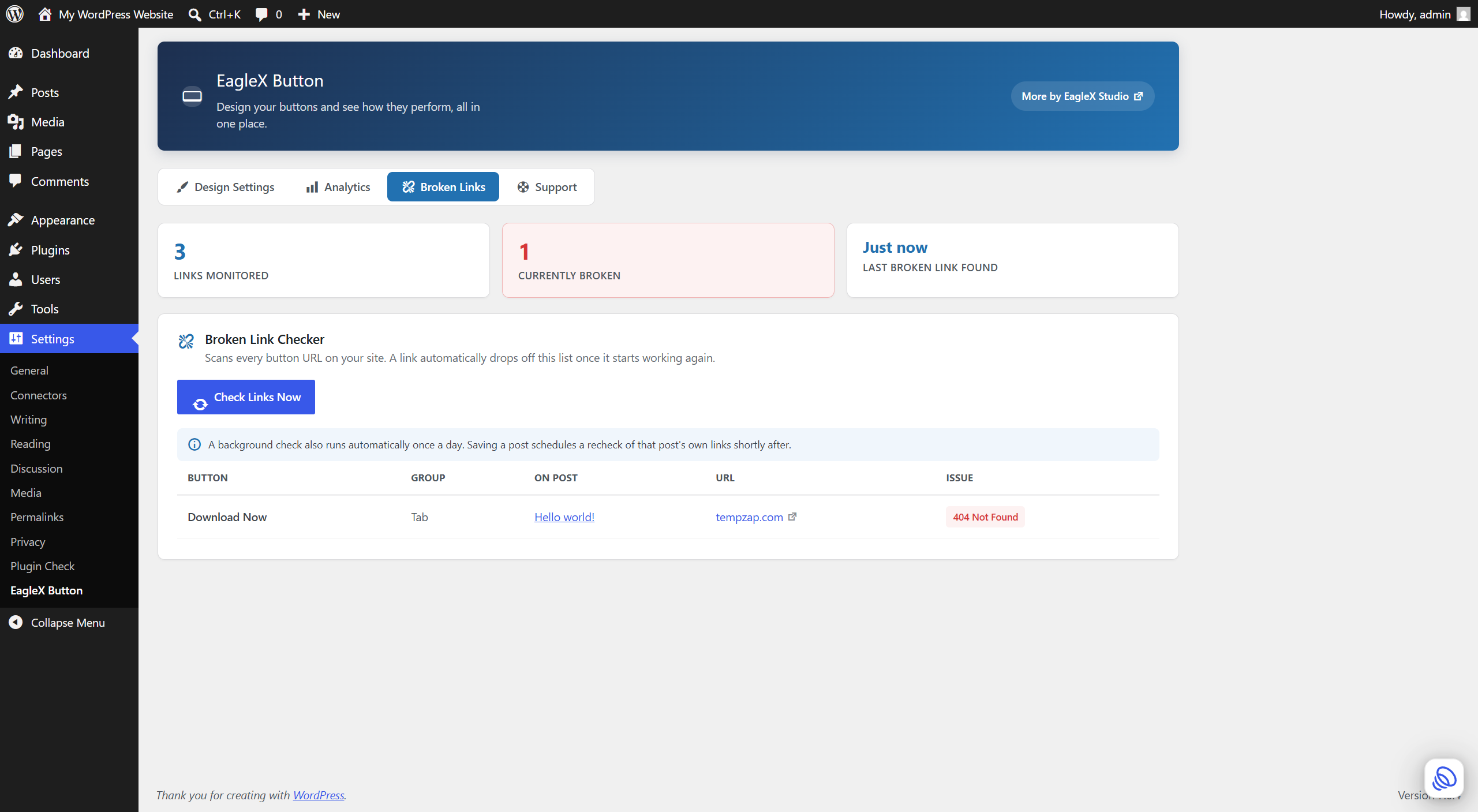
Links break. Products get discontinued, affiliate programs change their URLs, pages get moved. EagleX Button Links checks every button URL on your site — daily in the background, or on demand with one click — and lists anything that’s dead or erroring, right down to the post and group it’s on. Fix the URL (or wait for the destination to come back online) and the entry clears itself automatically.
Full feature list
- Multiple named button groups per post, each with unlimited buttons and its own shortcode.
- Drag-and-drop reordering of buttons, and up/down reordering of whole groups.
- Works on Posts by default; optionally enable on Pages too.
- An optional icon on each button (a curated set of dashicons).
- Per-button “open in new tab” and “nofollow / sponsored” controls.
- Built-in click counter per button, and a site-wide Analytics tab with your Top 10 clicked buttons.
- A Broken Link Checker with a live progress bar, daily automatic scans, and automatic cleanup when a link is fixed.
- “Auto insert” option to show every group at the end of a post without touching a shortcode.
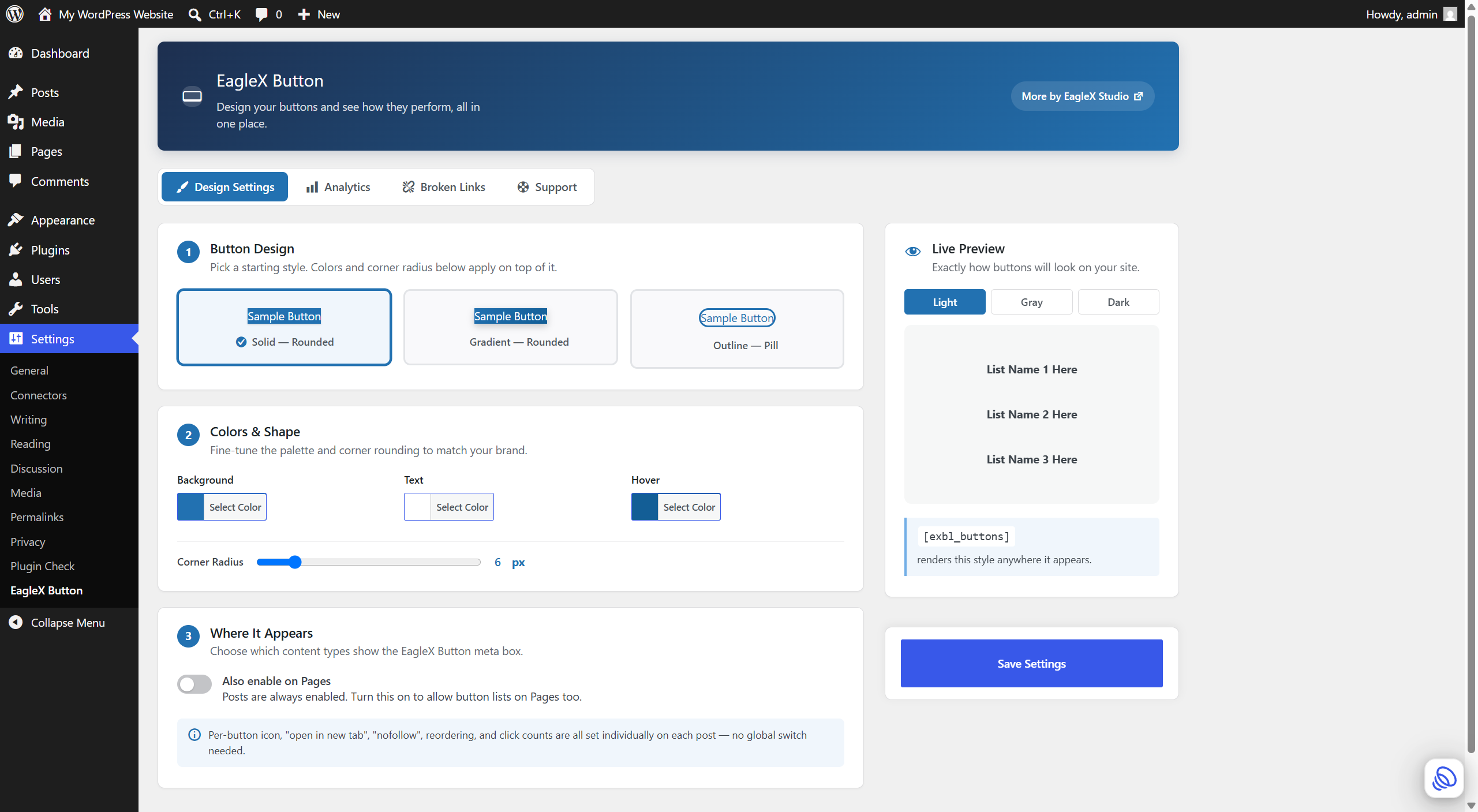
- 3 starter button designs (solid, gradient, outline-pill) with a live preview and custom colors.
- Fast by design: CSS/JS only load on pages that actually render a button.
- Fully responsive on any theme or screen size, and every save is nonce- and capability-checked.
- A Support tab with one-click links to get help, request a feature, leave a review, or find the developer’s other plugins.
How it works
- Open (or create) a Post (or a Page, if enabled in Settings).
- In the “EagleX Button” box, tick “Enable Button Links for this post”.
- Enter a List Name and URL for each button; use “+ Add Button” for more, and “+ Add Group” to start a second named group.
- Either tick “Automatically add every group to the end of this post”, or paste a group’s shortcode into your content — or use
[exbl_buttons group="all"]to show everything at once. - Visit Settings EagleX Button to pick a design and colors, check your Analytics, or review the Broken Links tab.
Privacy
EagleX Button Links does not collect any personal data, and does not set cookies.
Click counting: when a visitor clicks a button, the plugin records an anonymous +1 to that button’s counter, stored in your own site’s database. No IP address, cookie, browser fingerprint, or any other visitor-identifying information is collected or stored.
Broken Link Checker: to check whether a button’s destination is reachable, the plugin makes an outbound HTTP request from your server to that specific URL — the same URL you configured as a button. This happens for links you added yourself; no visitor data, and no data about any other page on your site, is ever sent anywhere. These checks run when you click “Check Links Now,” once daily in the background, and briefly after you save a post that has button links enabled.
No data is ever sent to the plugin author or any third party.
Roadmap
Deliberately not in this release, to keep the plugin focused and stable — being considered based on user feedback:
- A native Gutenberg block (in addition to the shortcode).
- Reusable “global” button sets shared across multiple posts.
- Import/export of button sets as JSON.
- Conditional display based on logged-in status.
Screenshots
Installation
- In your WordPress dashboard, go to Plugins Add New and search for “EagleX Button Links,” or upload the plugin zip via Plugins Add New Upload Plugin.
- Activate the plugin through the ‘Plugins’ screen in WordPress.
- Edit any post, enable button links in the “EagleX Button” meta box, and add your groups and links.
- Either turn on auto-insert, or paste a group’s shortcode into your post content.
FAQ
-
What is this plugin for?
-
Adding clickable, styled call-to-action buttons — for affiliate links, downloads, “Buy Now” links, related-post recommendations, or any button you’d otherwise have to hand-code — without touching CSS or HTML.
-
Does this work on Pages, not just Posts?
-
The meta box is on Posts by default. Turn on “Also show the meta box and shortcode support on Pages” on the Design Settings tab under Settings EagleX Button.
-
Will this work with my theme or page builder?
-
The shortcode renders anywhere WordPress processes shortcodes — the block editor’s Shortcode block, the Classic Editor, widgets, and most page builders that support standard WordPress shortcodes. Styling uses your theme’s fonts and adapts to any screen size.
-
Yes, to both. Click “+ Add Button” for more buttons within a group, and “+ Add Group” for additional named lists on the same post. Drag the handle on a button, or use the up/down arrows on a group, to reorder them.
-
No. Each post’s groups and buttons are saved as that post’s own metadata and are only pulled in when its own shortcode or auto-insert output runs.
-
No to both. Each click sends a small background request that never delays the visitor’s navigation to the destination URL, and no cookies or personal data are stored — just an anonymous per-button counter. See the Privacy section below for details.
-
Does the plugin slow down my site?
-
No. CSS and JavaScript are only loaded on pages that actually render a button — pages without one load nothing extra.
-
Yes — Settings EagleX Button Analytics shows your Top 10 most-clicked buttons site-wide, with the post and group each one belongs to.
-
Yes — Settings EagleX Button Broken Links. Click “Check Links Now” for an on-demand scan, or let the daily automatic background check handle it. Each entry shows the post, the group, the URL, and why it failed.
-
If I fix a broken URL, do I have to remove it from the list myself?
-
No. Saving the post schedules a background recheck of that post’s links shortly after (this relies on WordPress’s own cron system, so timing depends on site traffic), and the daily scan and manual “Check Links Now” both clear any link the moment it’s confirmed working again.
-
Where do I report a bug or ask for a new feature?
-
Settings EagleX Button Support has direct links to get help, report an issue, or request a feature — all through the official WordPress.org support forum for this plugin. That same tab links to the developer’s WordPress.org profile if you’d like to see other plugins we’ve built.
Reviews
There are no reviews for this plugin.
Contributors & Developers
“EagleX Button Links” is open source software. The following people have contributed to this plugin.
Contributors
Translate “EagleX Button Links” into your language.
Interested in development?
Browse the code, check out the SVN repository, or subscribe to the development log by RSS.
Changelog
1.0.0
- Initial release: named button groups, per-button icons and link options, drag-and-drop reordering, click analytics, a broken link checker with daily automatic scans, a Support tab, and a fully responsive Settings page with a live preview.