

Description
ReadyGo Variation Spreadsheet for WooCommerce gives you a fast, spreadsheet-style editor for product variations. Instead of expanding each variation one at a time, edit them all in a single grid and save in one go — across hundreds of variations at once. Every change is written through WooCommerce’s own data layer, so your prices, stock and lookup tables stay correct and in sync.
If you sell variable products — sizes, colours, styles — and you have ever dreaded editing them one accordion row at a time, this is the tool that gives you the whole product in a grid.
Features
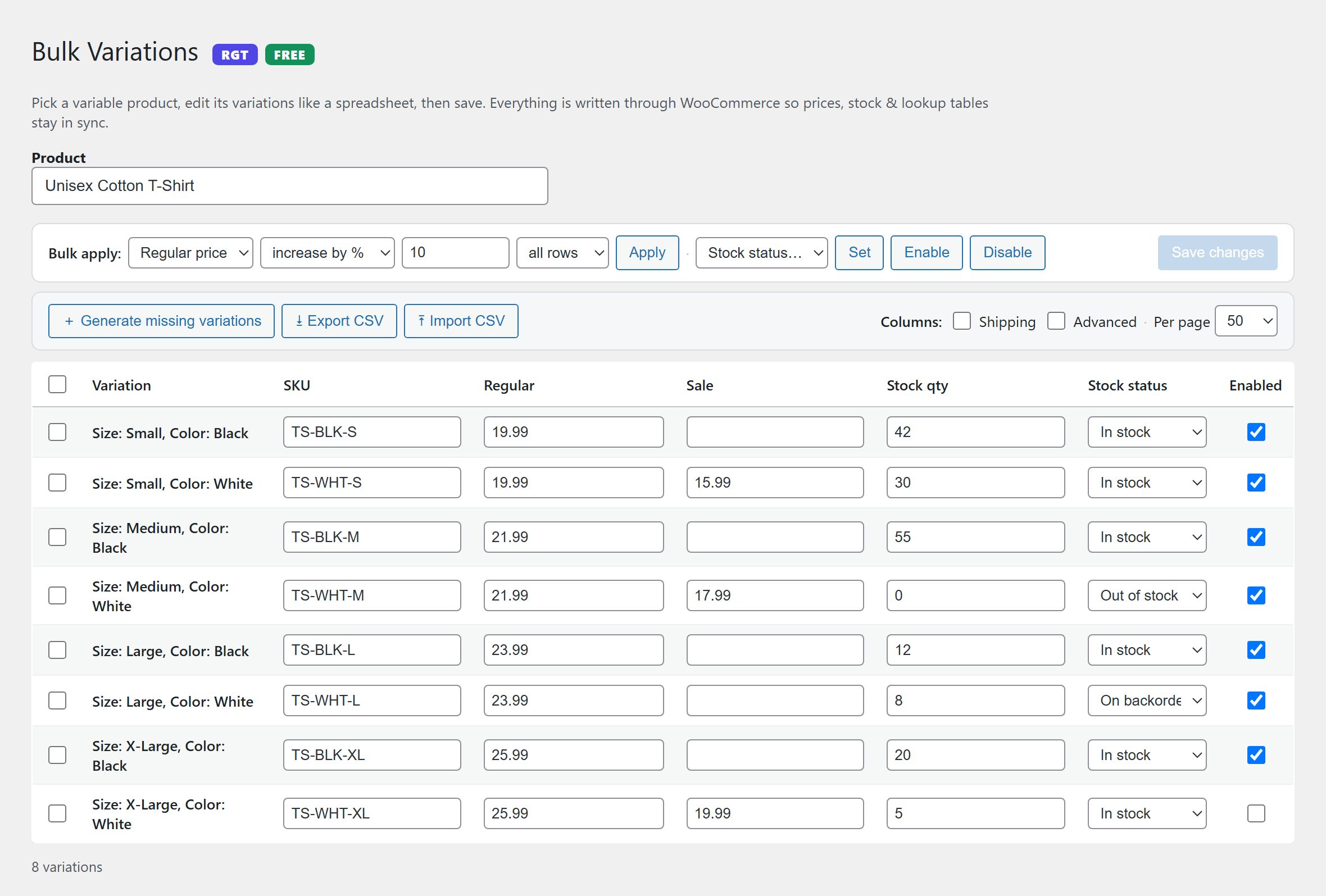
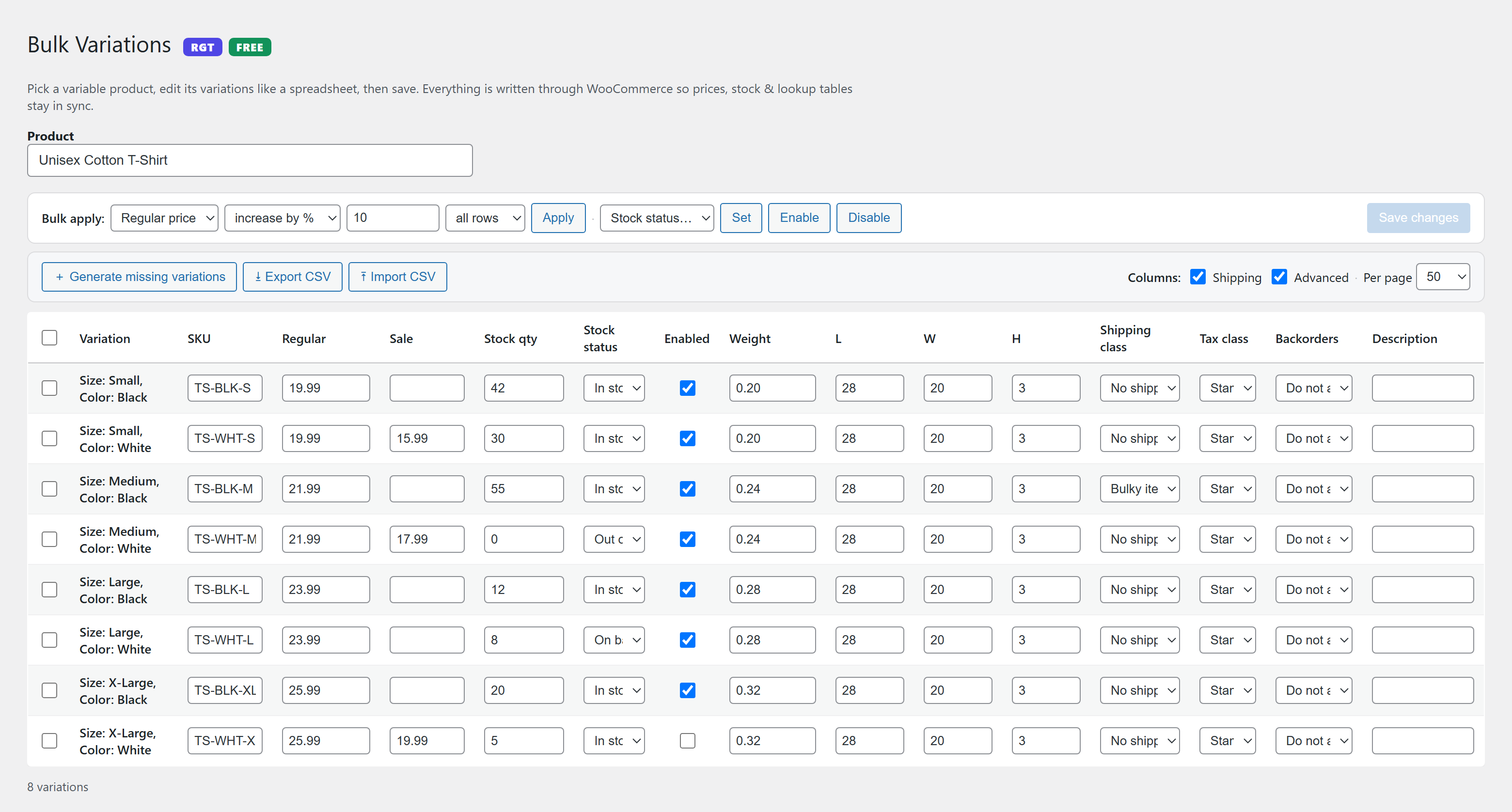
- Spreadsheet editing — bulk-edit price, sale price, stock quantity, stock status, SKU, weight, dimensions, shipping class, tax class, backorders and description in a single grid.
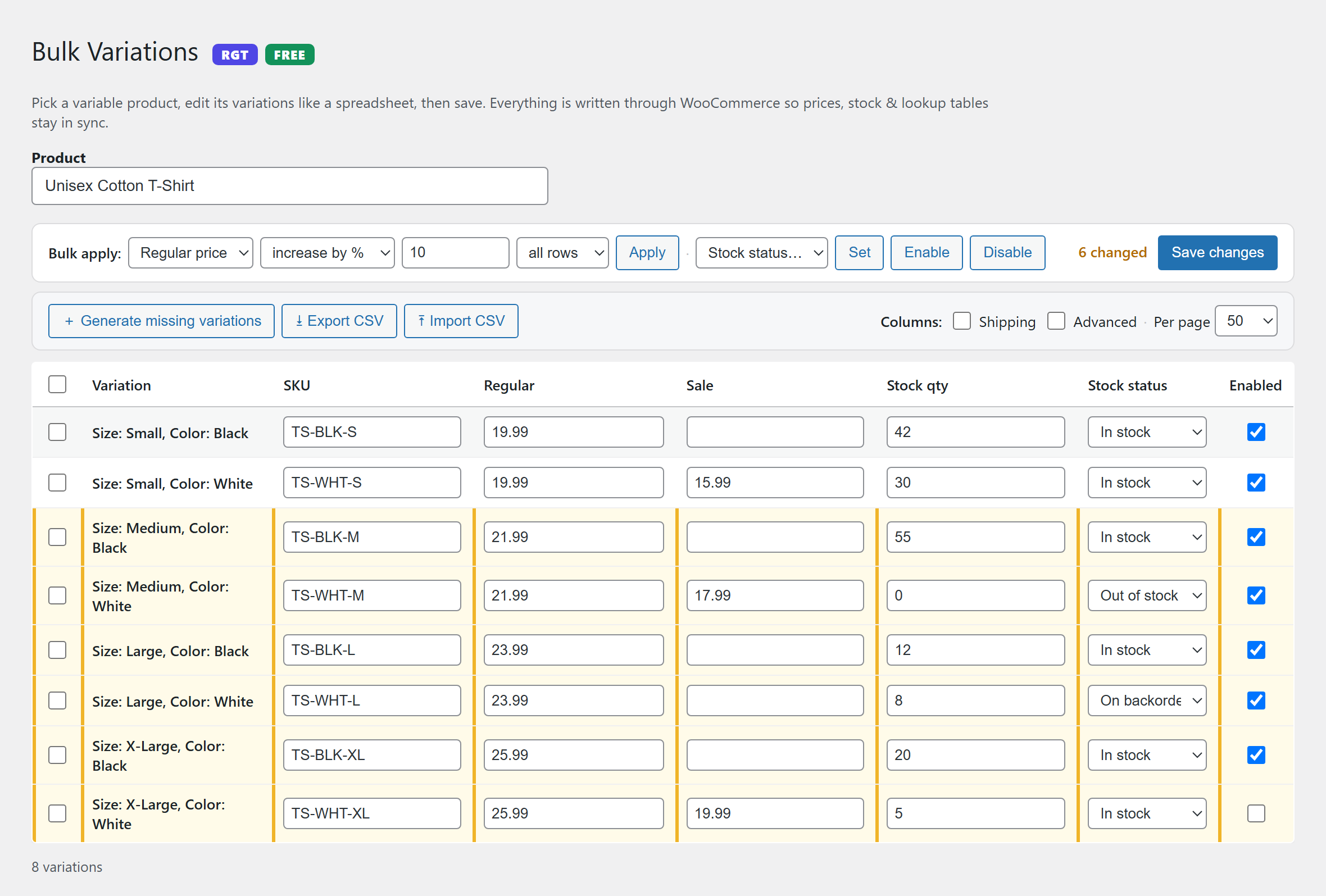
- Bulk apply — set, increase or decrease a field (including by percentage) across all rows or just the ones you select — great for site-wide price changes and sales.
- Enable / disable in bulk — publish or unpublish variations without opening each one.
- Generate missing variations — create every attribute combination you have not built yet, in one click.
- CSV import / export — pull variations out to a spreadsheet, edit in Excel or Google Sheets, and push the changes back in — matched safely by variation ID.
- Paginated grid — handles products with hundreds of variations, 50 / 100 / 200 / all per page.
- Safe saves — writes through WooCommerce’s CRUD / data layer, never raw database edits, and re-syncs the variable product afterwards.
- 100% free — no upsell, no locked features, no account required.
Built by ReadyGo Tools
Part of the ReadyGo Tools family of free WordPress plugins. Browse more at readygotools.com.
Screenshots
Installation
- Make sure WooCommerce is installed and active.
- In your WordPress admin, go to Plugins > Add New and search for “ReadyGo Variation Spreadsheet”, or upload the ZIP via Plugins > Add New > Upload Plugin.
- Click Install Now, then Activate.
- Go to Products > Variation Spreadsheet, search for a variable product, and start editing. You can also click the Variation spreadsheet link under any variable product in the Products list.
FAQ
-
Does it require WooCommerce?
-
Yes. This plugin edits WooCommerce product variations, so WooCommerce must be installed and active.
-
Will bulk editing corrupt my product data?
-
No. Every change saves through WooCommerce’s own data layer (the same code WooCommerce uses when you edit a variation by hand) and the variable product is re-synced afterwards, so prices and stock stay consistent.
-
Can I import and export variations?
-
Yes. Export your variations to CSV, edit them in a spreadsheet, and import the file back. Rows are matched by variation ID, so only the variations you changed are updated. Export first to get the exact column format.
-
How does “Generate missing variations” work?
-
It looks at the attributes you have marked “Used for variations” on the product, works out every possible combination, and creates only the ones that do not exist yet (up to 200 per click as a safety cap).
-
Who can use it?
-
Any user who can edit products (shop managers and administrators). Every action is nonce-protected and permission-checked.
-
Does it slow down my store?
-
No. The editor only loads its assets on its own admin screen. It adds nothing to your front end.
Reviews
There are no reviews for this plugin.
Contributors & Developers
“ReadyGo Variation Spreadsheet for WooCommerce” is open source software. The following people have contributed to this plugin.
Contributors
Translate “ReadyGo Variation Spreadsheet for WooCommerce” into your language.
Interested in development?
Browse the code, check out the SVN repository, or subscribe to the development log by RSS.
Changelog
0.3.0
- Renamed to “ReadyGo Variation Spreadsheet for WooCommerce”.
- Declared compatibility with WooCommerce High-Performance Order Storage (HPOS) and cart/checkout blocks.
- Added WooCommerce and WordPress version headers, PHP requirement and license URI.
- Documentation, readme and screenshots refreshed for the public release.
0.2.0
- Spreadsheet bulk editor, bulk apply, enable/disable, generate missing variations, and CSV import/export.