

Description
Card-skimming attacks (also called e-skimming or Magecart) work by slipping a malicious script onto your checkout, where it quietly copies your customers’ card details as they type. The hard part for a store owner is easy to miss: you cannot watch what you cannot see. A typical WooCommerce checkout loads a dozen or more scripts from plugins, themes, and third parties, and nothing normally tells you when that list changes.
CyberShield Checkout Script Monitor gives you that visibility. It scans your own store pages and shows you every script loading on them, so you can see what runs on your checkout and where you stand on PCI DSS Requirement 6.4.3. It is a readiness and visibility aid. It does not make you PCI compliant, it does not block anything, and it is not affiliated with or endorsed by the PCI Security Standards Council. The compliance decision stays yours.
What it does:
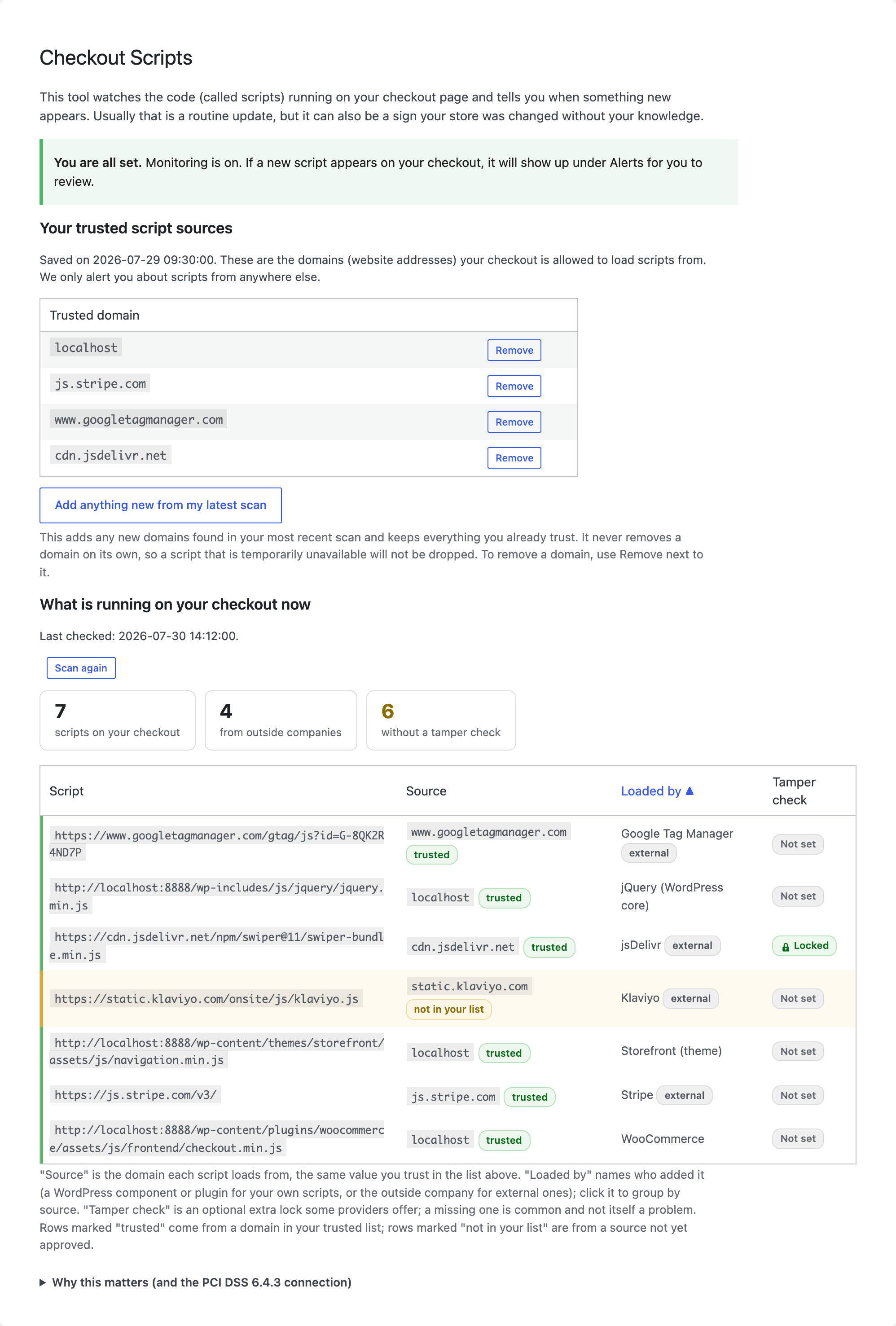
- Script inventory across your storefront. Scans your home, shop, cart, and checkout pages and lists every script they load from a URL, your own and third-party alike, named by source (the WordPress plugin, theme, or core component for your own scripts, or the outside vendor for external ones), with its integrity (SRI) status. The scan casts this wider net for visibility; live monitoring (below) focuses on the payment path.
- Plain-English PCI 6.4.3 readout. An at-a-glance line counts the scripts on your checkout and how many lack an integrity (SRI) check, and a built-in explainer covers what Requirement 6.4.3 asks and what to do, in merchant language.
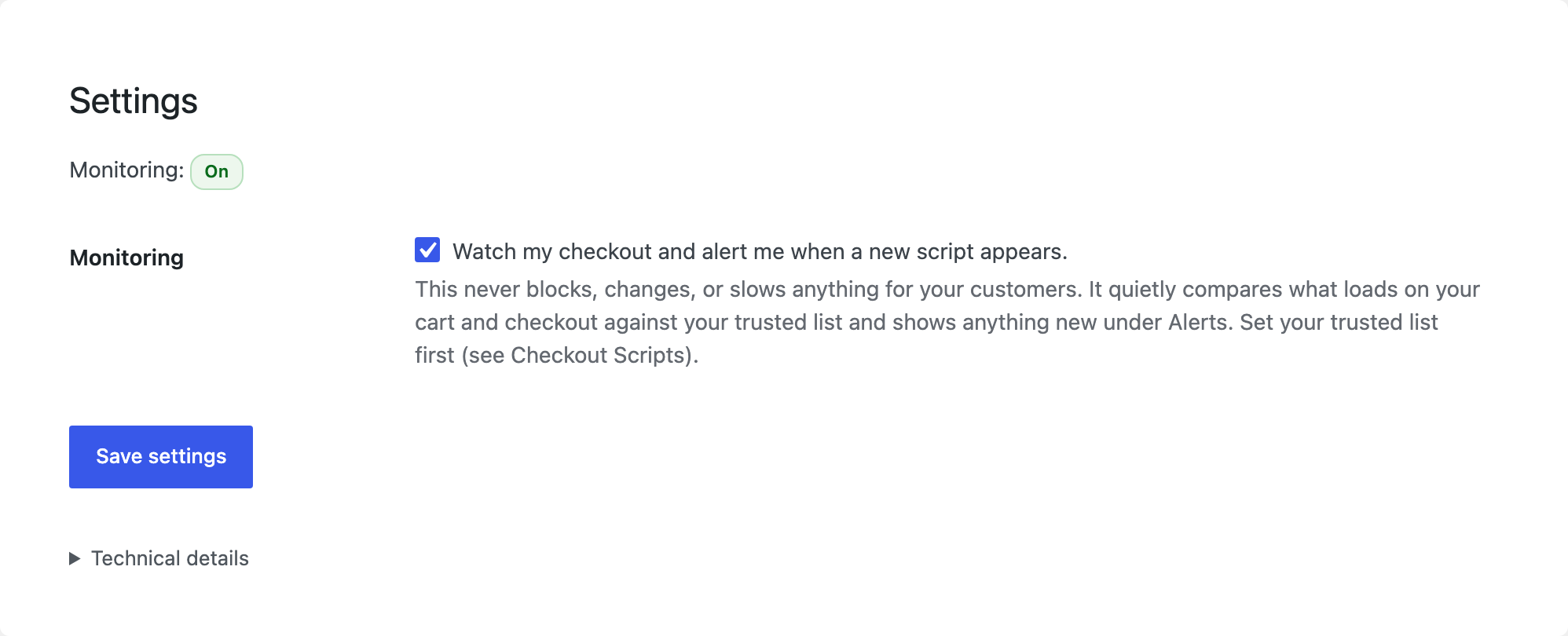
- Drift monitoring (optional, off by default). Emits a
Content-Security-Policy-Report-Onlyheader on the cart and checkout (your payment path, the pages Requirement 6.4.3 is about), built from a baseline of the scripts already on your own site. It never blocks anything. When a new or changed script appears, your browser reports it, so you can catch drift, the early signal of a skimmer, a rogue plugin update, or an unexpected third party.
How the baseline works, and why it is safe:
CyberShield Checkout Script Monitor does not ship a list of “trusted” sources. That would mean deciding on your behalf which third parties are safe, which is exactly the risk you want to avoid (a trusted provider getting compromised is a real attack path). Instead, the baseline is the scripts already present on your own site on the day you set it. Report-Only then flags anything that later differs from that baseline. Honest note: the baseline is “what is here now,” not a clean bill of health, so review your inventory and remove anything unwanted before you set it.
Who it is for:
WooCommerce store owners who want to see what runs on their payment page and be told when it changes, and the developers and agencies who support them. The 6.4.3 readout maps directly to the script-inventory requirement (mandatory for SAQ A-EP and D) and gives SAQ A merchants the evidence to make the “not susceptible to scripts” self-attestation from what they can see, not from hope.
Privacy: the plugin makes no outbound connections except scanning your own site’s pages when you click “Scan my checkout.” CSP reports are received and stored on your own WordPress site; the visitor IP address and referrer are dropped and never stored.
External services
This plugin uses no external or third-party services. It sends no data anywhere.
The only HTTP requests it makes are to your own site’s URLs (home, shop, cart, checkout) when you click “Scan my checkout”, to read your own pages’ HTML. Monitoring reports are posted by your visitors’ browsers to a REST endpoint on your own site and stored in your own database.
The vendor domain names that appear in the plugin’s source code (Google Tag Manager, Stripe, PayPal, Meta, cdnjs, unpkg, and similar) are a recognition list only: they are used to put a readable label on scripts already present on your own pages. The plugin never loads files from, embeds, or connects to any of those domains.
About the author
CyberShield Checkout Script Monitor is built by CyberShield Studio, a founder-led PCI compliance practice for e-commerce merchants. Its maker, Dennis Wu, holds the CISSP and PCIP certifications and has 30+ years in security. The plugin is open source (GPLv2), so you can read every line yourself.
Screenshots
Installation
- Upload the plugin to
/wp-content/plugins/cybershield-checkout-script-monitor, or install it from the Plugins screen. - Activate it. A CyberShield Checkout Script Monitor menu appears in your admin sidebar.
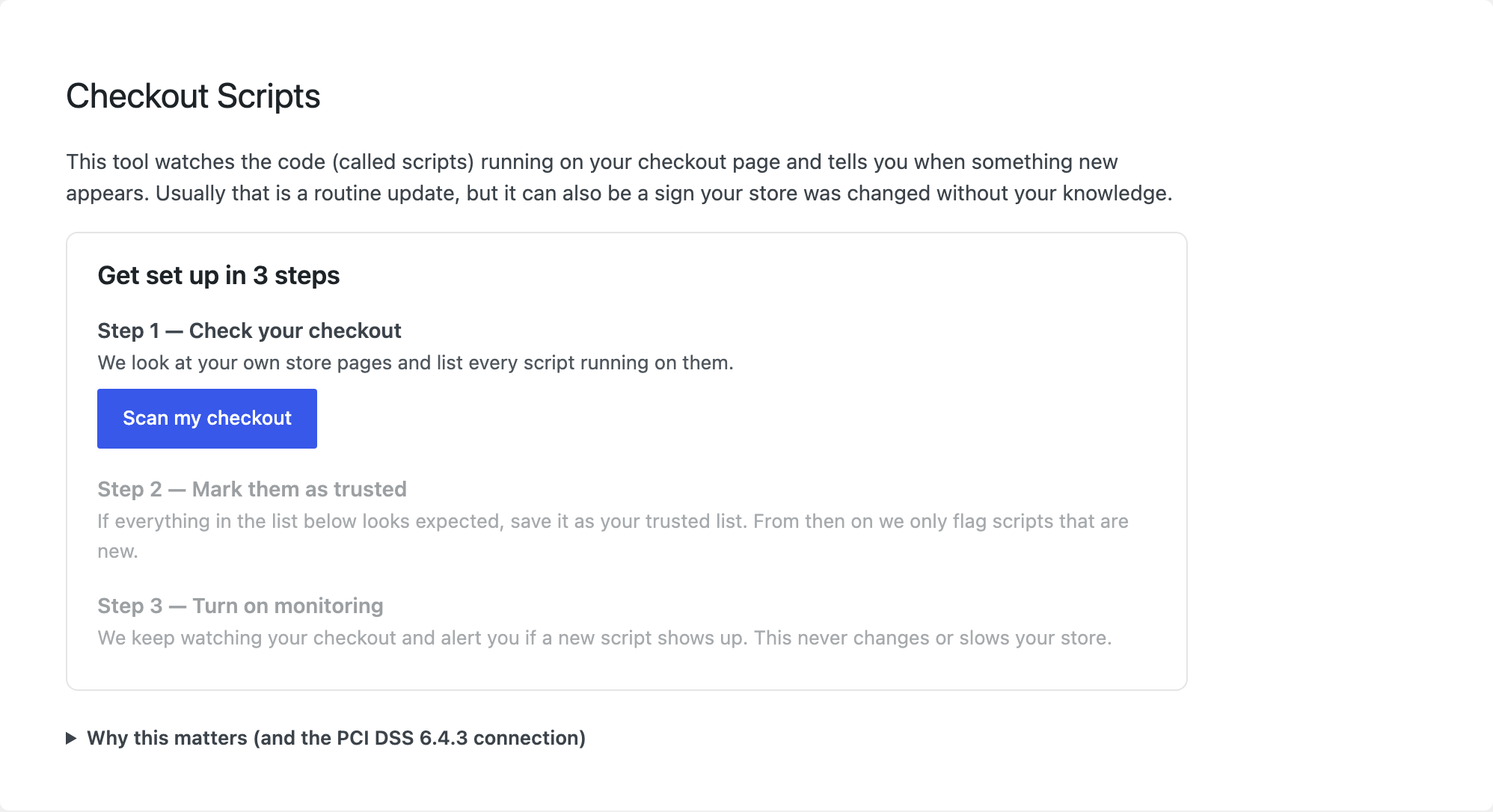
- Open CyberShield Checkout Script Monitor > Checkout Scripts and follow the short 3-step setup: scan your checkout, mark the scripts it finds as trusted, and (optionally) turn on monitoring.
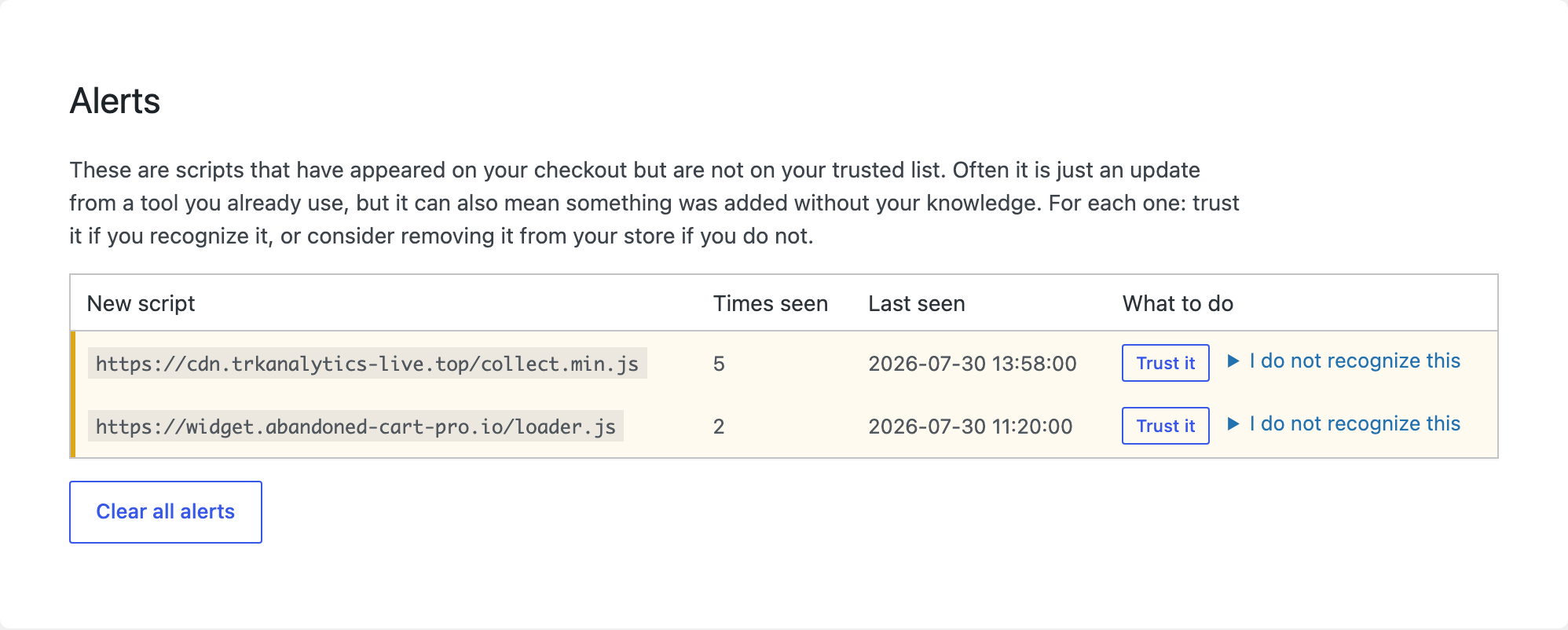
- With monitoring on, any new or changed script on your checkout appears under Alerts for you to review. Trust it if you recognize it, or remove it from your store if you do not.
FAQ
-
Does this stop card skimming or Magecart?
-
No, and be wary of any plugin that says it does. CyberShield Checkout Script Monitor is a visibility and monitoring tool: it shows you every script on your checkout and alerts you when one changes, which is how you catch a skimmer early. It is Report-Only and never blocks. Deciding what belongs on your payment page, and removing what does not, stays your call.
-
Is this a WooCommerce security plugin?
-
It is a focused one. Rather than a broad firewall or malware scanner, it does one job well: inventory the scripts on your checkout and payment pages and alert you to changes, mapped to PCI DSS Requirement 6.4.3. It complements a general security plugin; it does not replace one.
-
Does this make my store PCI compliant?
-
No. It gives you visibility and a starting point for Requirement 6.4.3. Compliance is your responsibility and, depending on your setup, may involve your acquirer or a QSA.
-
Will turning on monitoring break my checkout?
-
No. CyberShield Checkout Script Monitor only uses
Content-Security-Policy-Report-Only, which reports but never blocks. Your customers see and experience no change. -
Why do some scripts not show up?
-
The scan reads scripts written into the page HTML. Scripts injected later by other scripts (for example by a tag manager) may not appear. A full external scan can catch those.
-
Where do my alerts go?
-
To your own WordPress site’s database. Nothing is sent to a third party. A future opt-in version may offer a hosted collector, disclosed separately.
Reviews
There are no reviews for this plugin.
Contributors & Developers
“CyberShield Checkout Script Monitor for WooCommerce” is open source software. The following people have contributed to this plugin.
Contributors
Translate “CyberShield Checkout Script Monitor for WooCommerce” into your language.
Interested in development?
Browse the code, check out the SVN repository, or subscribe to the development log by RSS.
Changelog
1.0.0
- First public release: checkout script inventory with a plain-English PCI DSS 6.4.3 readout, and optional Content-Security-Policy Report-Only drift monitoring for your cart and checkout.