

Description
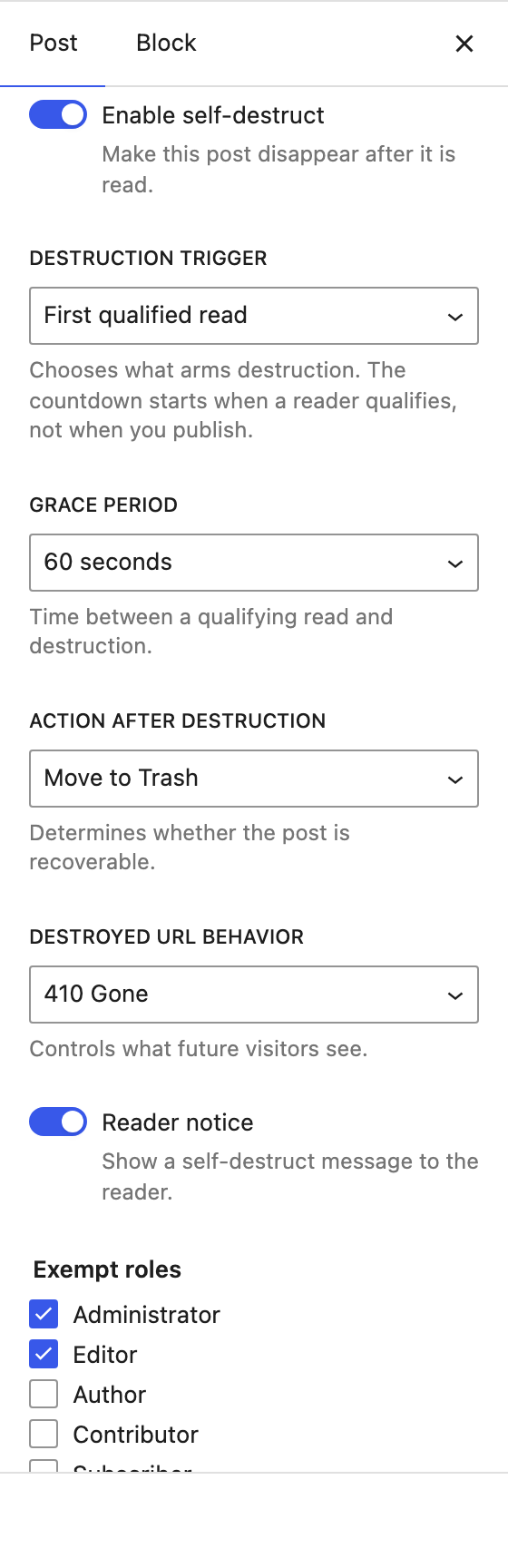
Self Destructing Posts lets an editor mark a post as ephemeral. Turn on Enable self-destruct, choose how and when the post should disappear, and publish. The first qualified reader opens it, and the post self-destructs after your chosen grace period.
This is a content-lifecycle tool, not a security or secrecy product. It cannot prevent screenshots, copying, browser cache, search-engine indexing, or a recipient sharing the URL. Treat it as “this post is meant to be temporary,” not “this post is secret.”
What it does
- A Self-Destruct panel in the block editor (and a classic-editor meta box) to enable and configure per post.
- First qualified read trigger — a real reading event, not a crawler or link preview.
- A configurable grace period between the qualifying read and destruction.
- Destructive actions: Move to Trash, Draft, Private, Replace with a message, or Permanently delete.
- Destroyed-URL responses: 410 Gone (default), 404, redirect, or a custom message — served even if the post was permanently deleted.
- Atomic arming so exactly one reader arms a post under concurrent traffic.
- No-store cache headers and noindex/nofollow/noarchive on self-destruct posts.
- Exempts administrators/editors, and filters known bots, previews, prefetch, HEAD, REST and feed requests to reduce accidental destruction.
- A repair tool that completes destructions if WP-cron ran late, and an emergency pause that halts all pending destructions.
- A minimal audit log of state transitions that never stores the destroyed post’s content.
What it deliberately does NOT do
- Guarantee secrecy or DRM.
- Prevent screenshots, copy/paste, saved pages, reader mode, or browser history.
- Remove content already cached or indexed by search engines, CDNs, social networks, or browsers.
- Track the identity of individual readers.
An already-cached page cannot be reliably “unread.” Caching is the single biggest practical risk — the plugin sends no-store headers and integrates with common cache plugins on a best-effort basis, but it cannot promise universal cache bypass.
Screenshots
Installation
- Upload the
self-destructing-postsfolder to/wp-content/plugins/, or install through the Plugins screen. - Activate the plugin.
- Open a post, expand the Self-Destruct panel in the editor sidebar, and switch on Enable self-destruct.
- Choose your trigger, grace period, action, and destroyed-URL behavior, then publish.
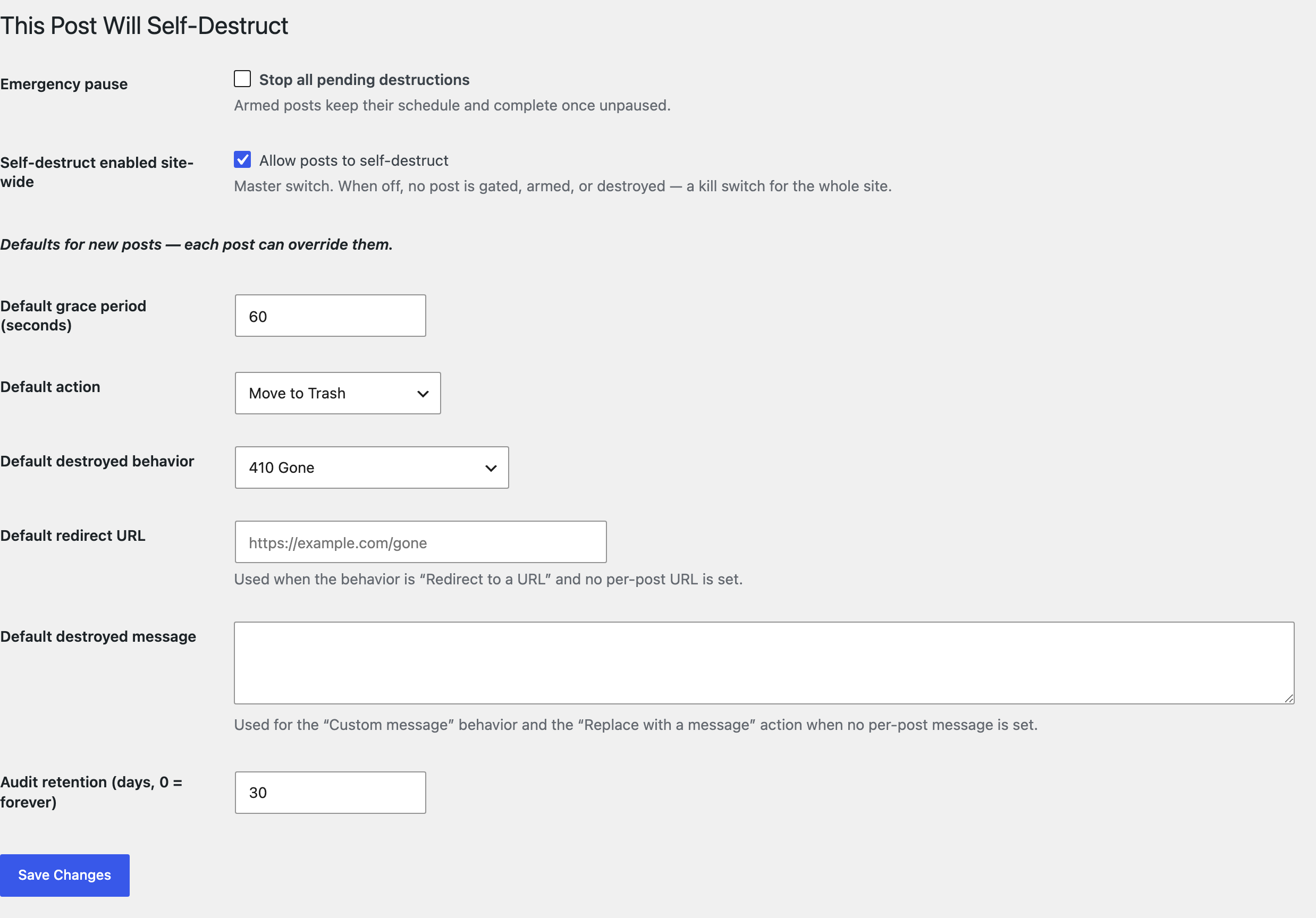
- Review site-wide defaults and the emergency pause under Settings Self-Destruct.
For reliable timing on low-traffic sites, configure a real server cron to run wp-cron.php.
FAQ
-
Is this secure or private?
-
No. This is a content-lifecycle tool. It cannot stop screenshots, copies, caches, or someone re-sharing the URL. Do not use it to protect secrets.
-
When does the countdown start?
-
When a reader qualifies (a genuine reading event), not when you publish. The grace period runs from that moment.
-
What counts as a “qualified read”?
-
A public visitor loads the post, a small script confirms the page was visible for at least a few seconds, and the browser returns a signed, single-use token. Admins/editors, bots, previews, prefetches, feeds, and REST requests do not qualify.
-
What happens after a post is destroyed?
-
Future visitors get the response you chose — 410 Gone by default. The plugin keeps a minimal route record so it can serve that response even if the post was permanently deleted.
-
Do global settings or per-post settings win?
-
Per-post settings always override the site-wide defaults under Settings Self-Destruct. The global values are the starting point for new posts (grace period, action, destroyed behavior, redirect URL, message) and the site-wide exempt roles. The master “enabled site-wide” switch is a kill switch: when off, no post is gated, armed, or destroyed.
-
Can I stop a destruction?
-
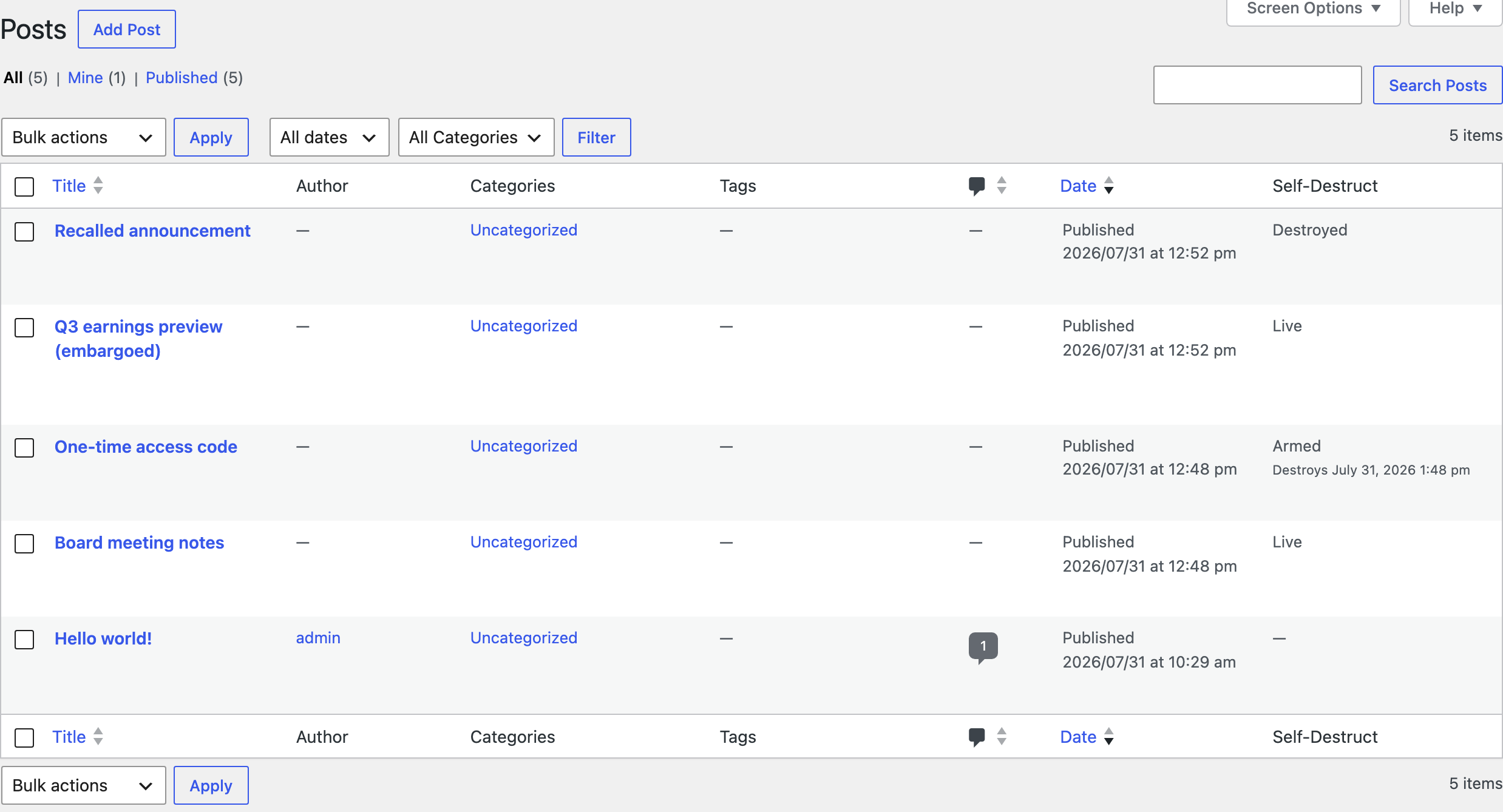
Yes. Disarm an armed post from the posts list, or flip the site-wide Emergency pause under Settings Self-Destruct.
Reviews
There are no reviews for this plugin.
Contributors & Developers
“Self Destructing Posts” is open source software. The following people have contributed to this plugin.
Contributors
Translate “Self Destructing Posts” into your language.
Interested in development?
Browse the code, check out the SVN repository, or subscribe to the development log by RSS.
Changelog
1.0.0
- First public release on WordPress.org. The plugin code is unchanged from 0.1.2 — the version marks readiness for general use, not new features. Earlier 0.1.x versions were development releases and were never published here.
0.1.2
- Fixed the internal codename showing in two labels — the classic-editor checkbox and the posts-list bulk actions now read “Enable/Disable self-destruct”. No behavior change.
0.1.1
- Raised minimum requirements to WordPress 6.6 and PHP 8.2.
- Renamed the main plugin file to match the directory slug.
- Removed unused internal code (an unwired state-transition validator) and tidied module exports. No behavior change.
0.1.0
- Initial development release: editor panel, first-qualified-read arming, grace period, Trash/Draft/410 actions, no-cache/noindex headers, atomic arming, scheduled-destruction repair, minimal audit log.