

Description
RealApps AI Store Chat for WooCommerce brings an intelligent shopping assistant directly to your WooCommerce store. It connects your product catalog to a hosted AI backend and renders a chat widget on the storefront where customers can ask questions about products, prices, availability, and more. Conversations are preserved in the browser so customers can continue previous chats — including follow-up questions and contextual product recommendations across sessions.
Key features:
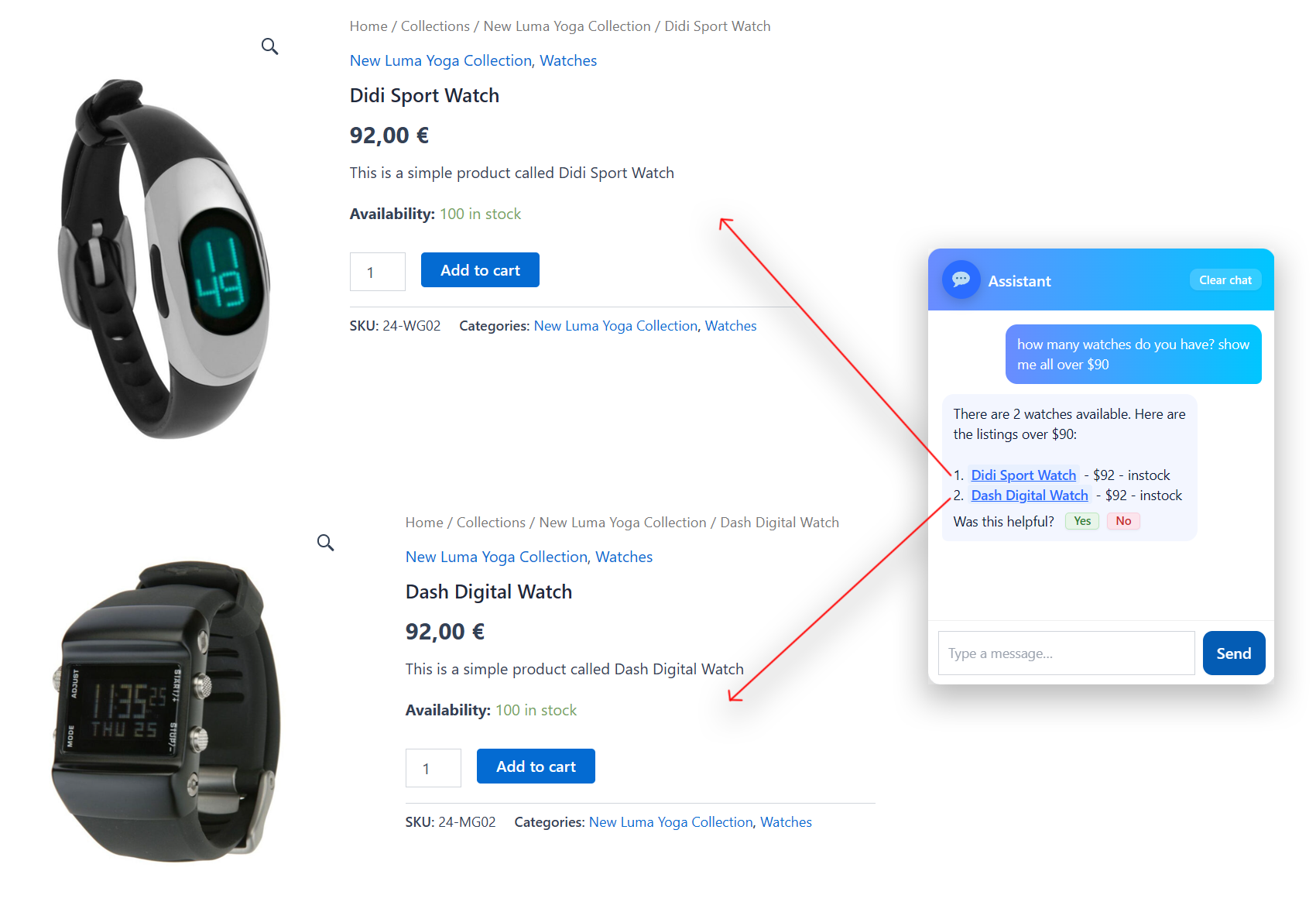
- RealApps AI Store Chat — Customers ask questions in natural language and receive product recommendations with links.
- Automatic product sync — WooCommerce products, variations, prices, stock status, and categories are synced to the AI backend in real time.
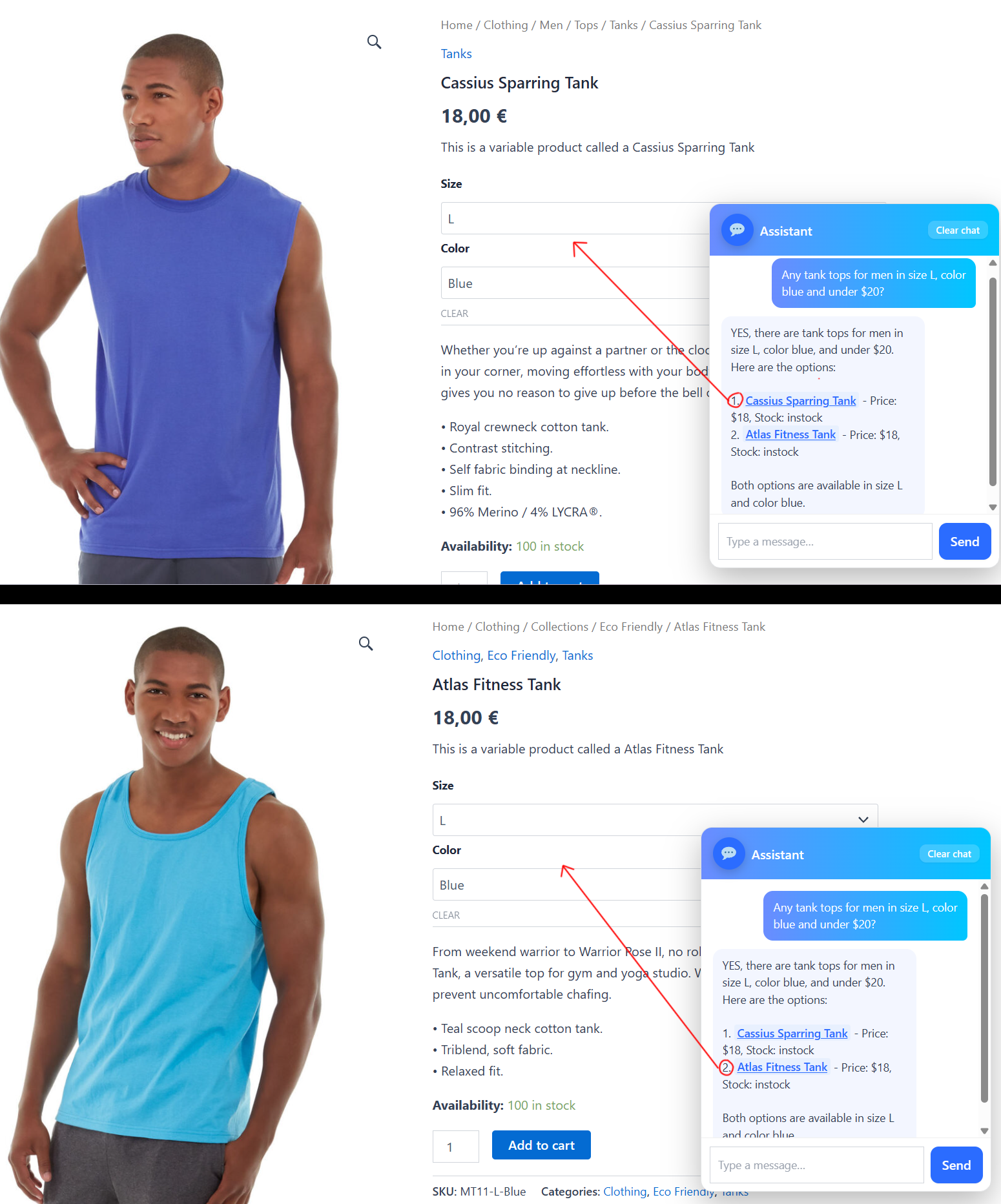
- Smart filtering — Server-side price bounds, color, size, stock, and category filters ensure accurate results before the AI answers.
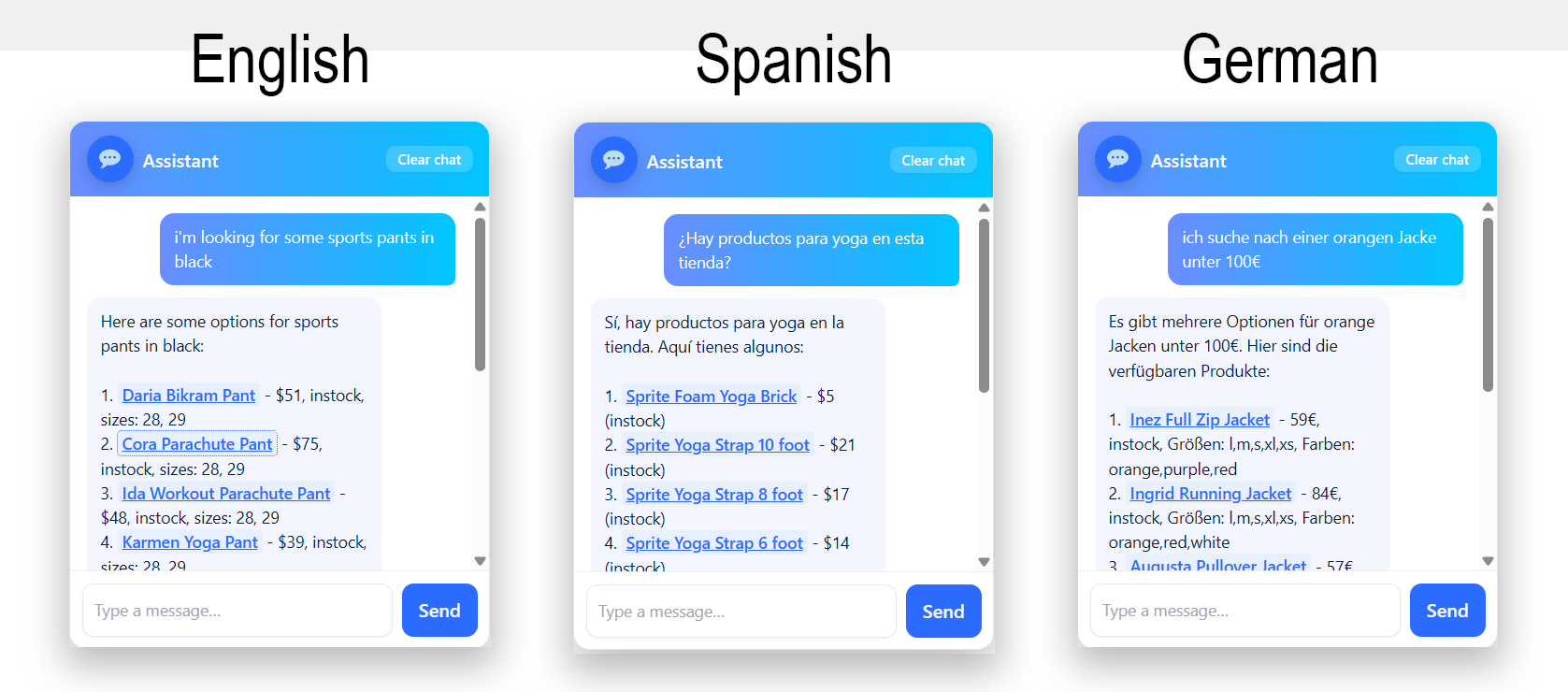
- Multilingual — The assistant responds in the customer’s language based on the WooCommerce locale.
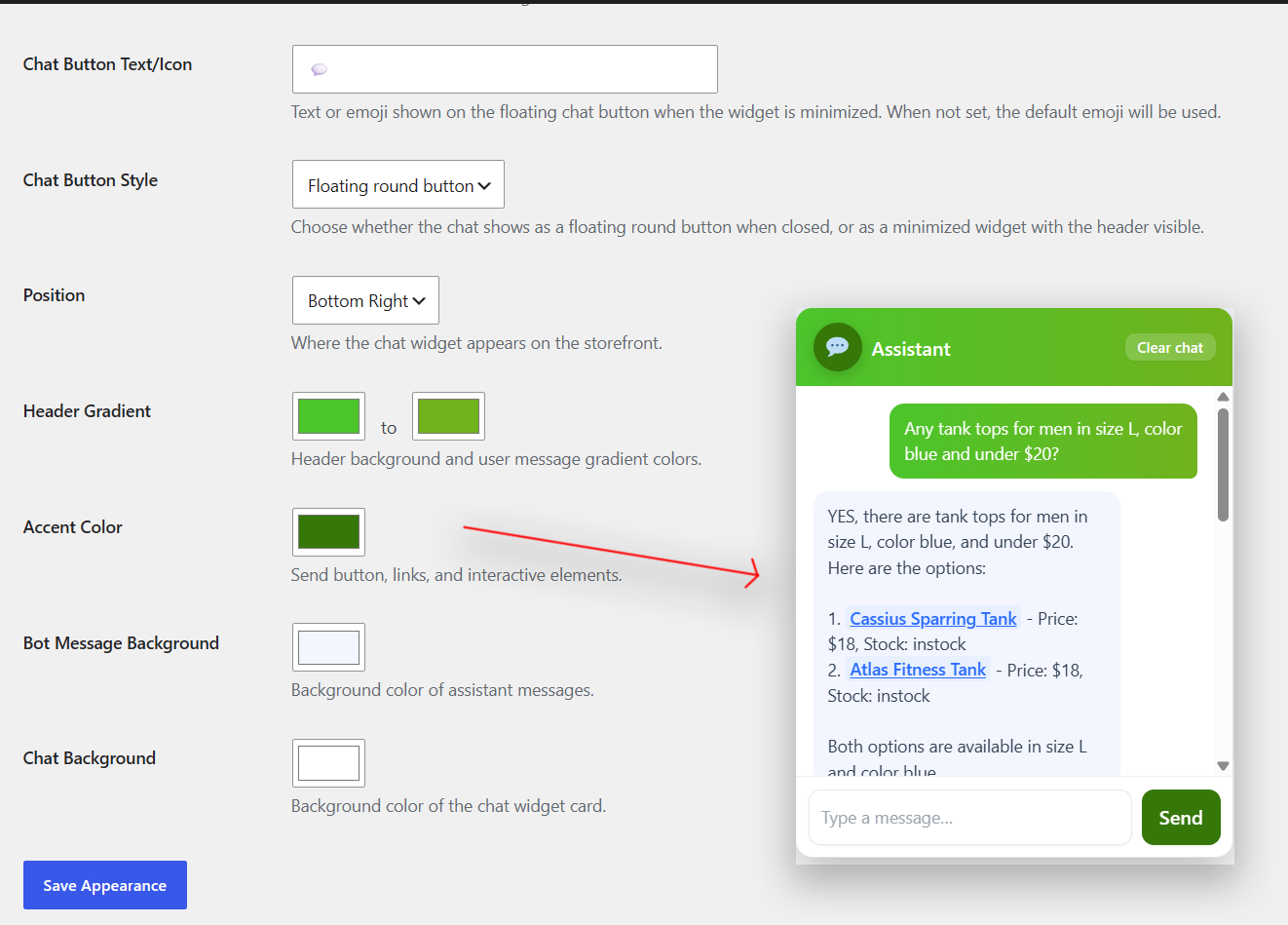
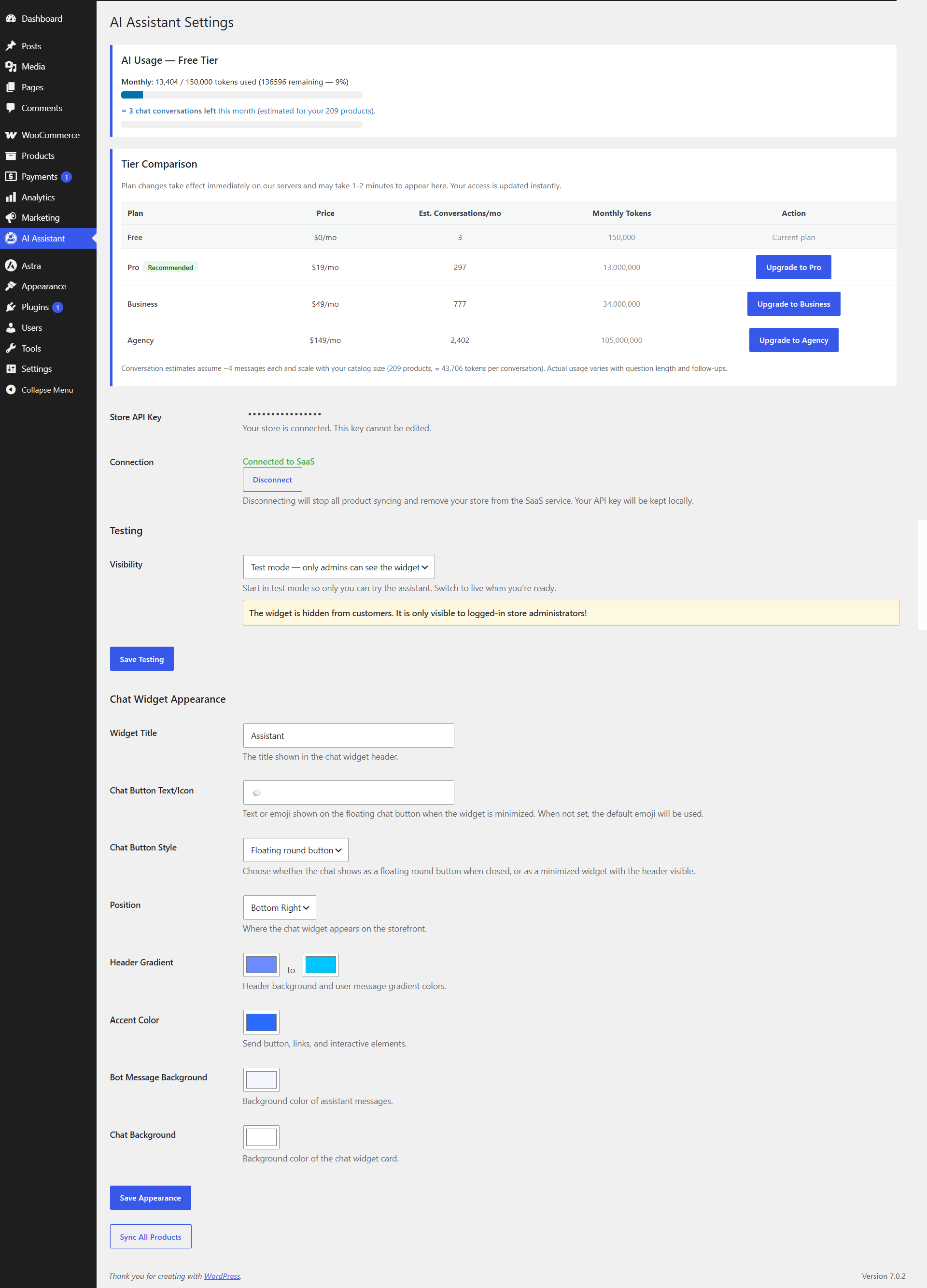
- Fully styleable widget — built-in color pickers for header gradient, accent, bot background, and chat card. Choose position (left or right), toggle style (floating button or minimized), custom title and button text, and your own chatbot icon (pick one from your own files or use any emoji).
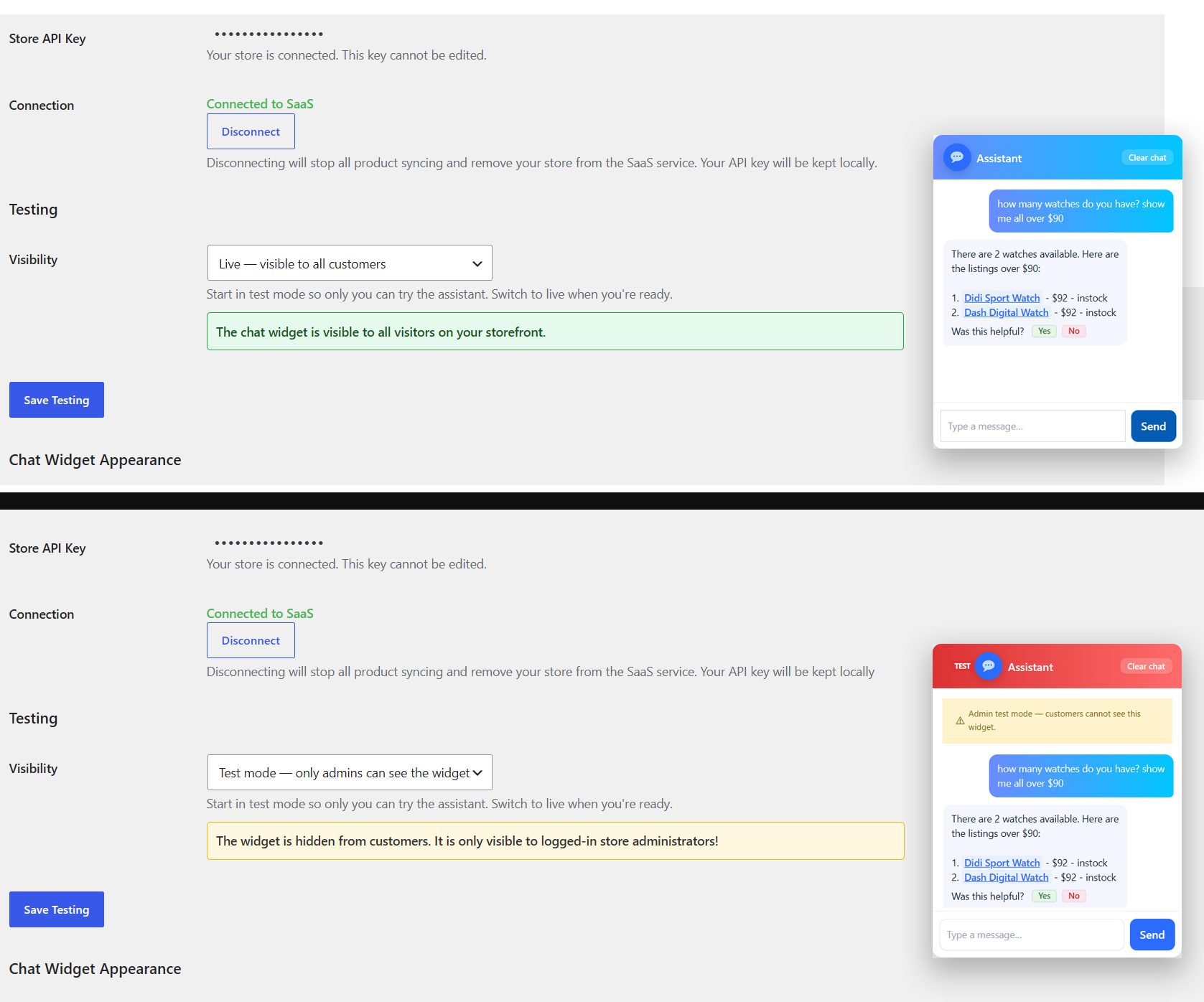
- Test mode — toggle the widget to admin-only visibility so you can test before going live.
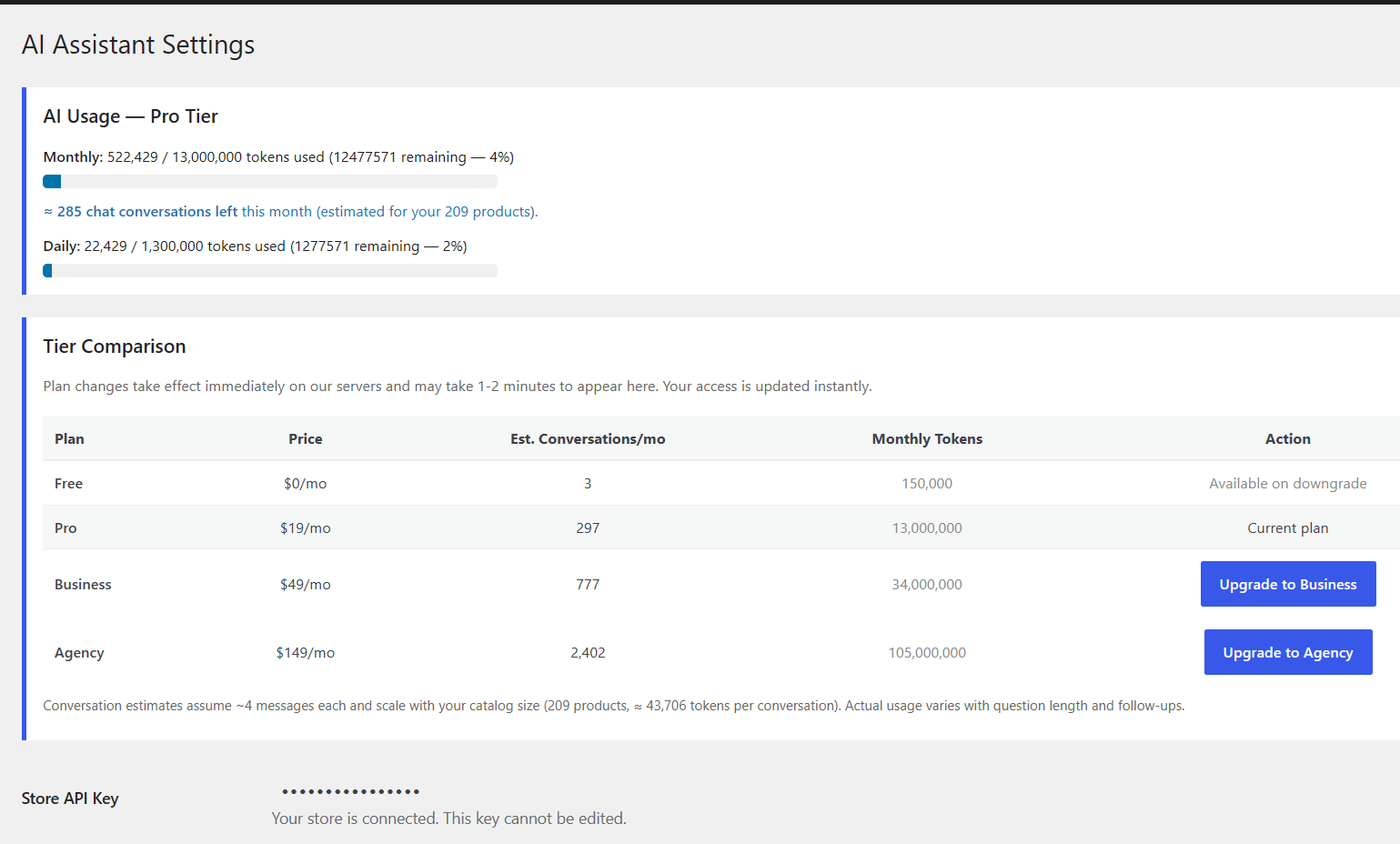
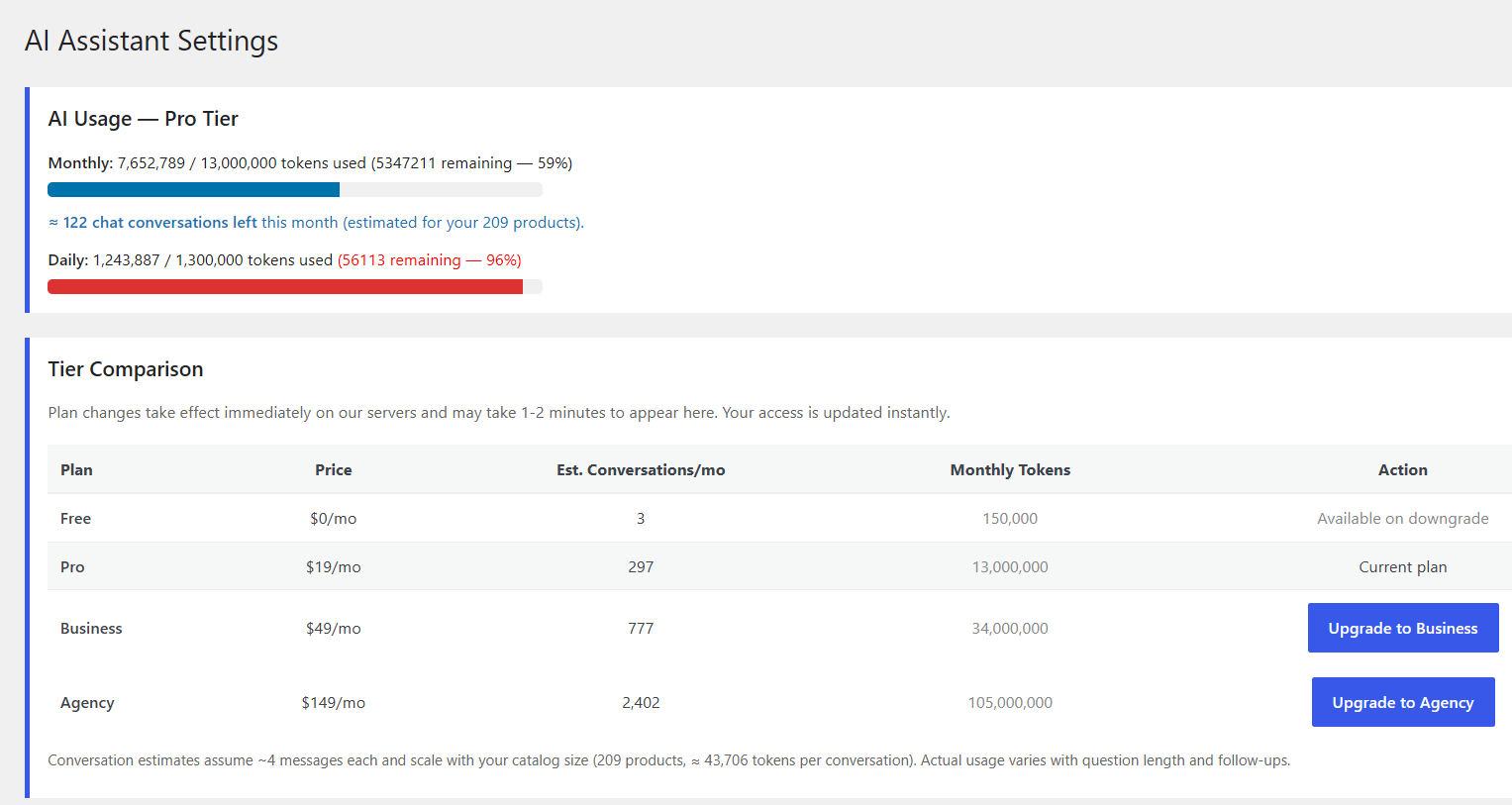
- Quota management — Token usage is tracked per store with monthly limits. Plans range from free testing to high-volume agency use.
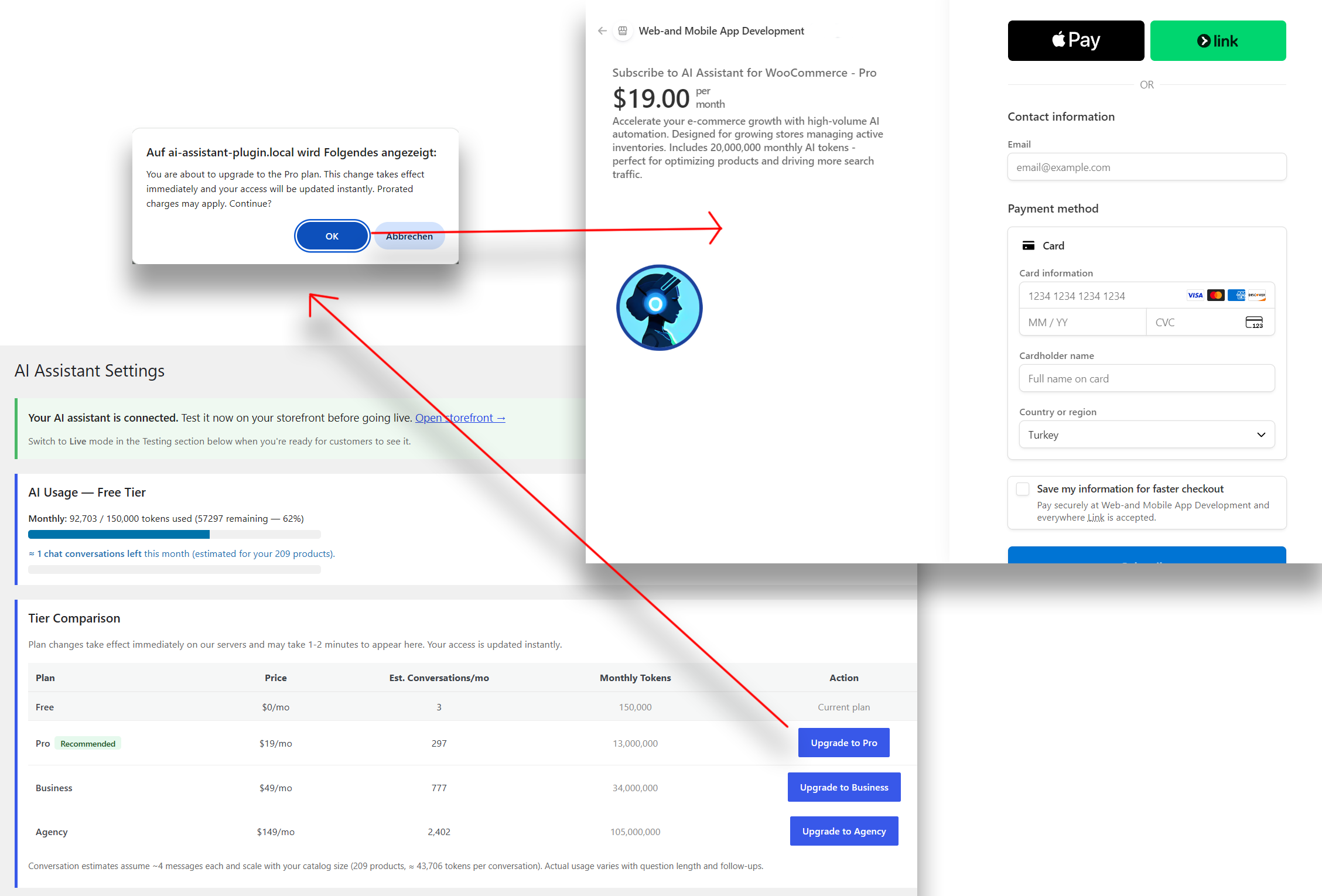
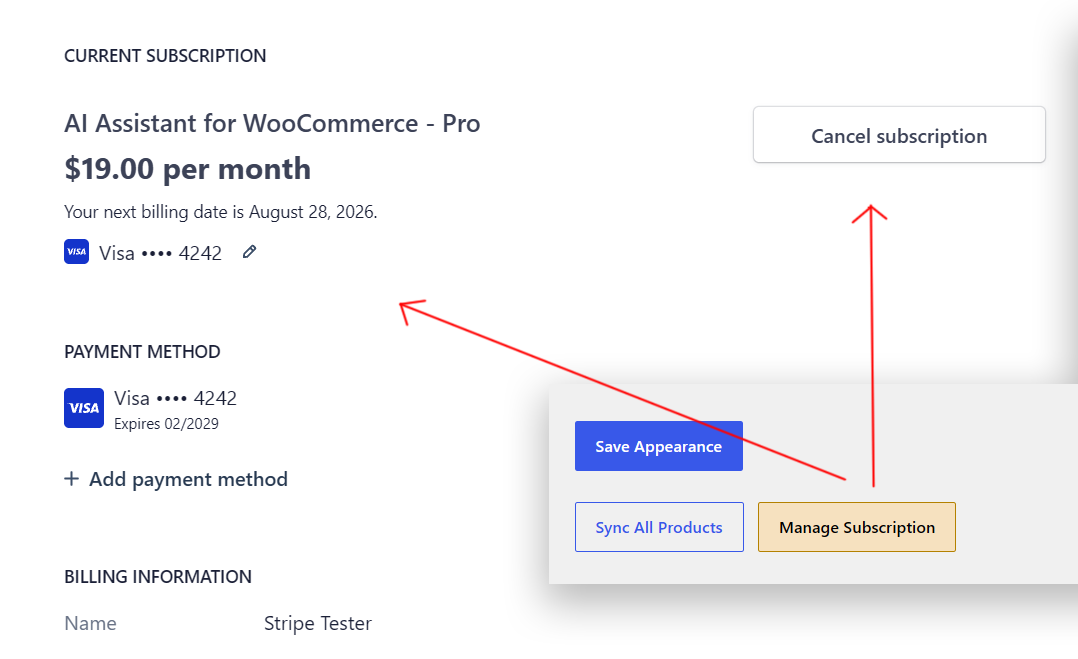
- Stripe billing — Upgrade, downgrade, pause, and resume subscriptions through the plugin settings. Billing portal included.
- Chat history — Conversations are saved in the customer’s browser (localStorage) and restored on return visits for up to 7 days. Customers can pick up where they left off, ask follow-up questions, and get contextual product recommendations based on previous interactions. A clear history button is available in the chat widget.
- Rate limiting — Built-in protection against abuse without impacting normal shoppers.
- Privacy-first design — Store owners can disconnect at any time to stop all data transmission.
The plugin is lightweight, does not modify storefront output beyond the chat widget, and stores all account data locally in the WordPress database.
External services
This plugin connects to the RealApps AI Store Chat SaaS backend at https://ai-store-chat.real-apps.com/. It is needed to power the RealApps AI Store Chat, process product syncs, handle Stripe checkout sessions, and manage store connections.
The following data is sent to the SaaS backend:
- Store URL and admin email (used for store registration and identification)
- WooCommerce product data (title, description, price, stock status, categories, SKU, and variations) — synced to power product search and recommendations
- Chat messages and conversation context — sent when a customer uses the chat widget
The SaaS backend also uses Stripe for billing (checkout sessions and the customer billing portal). No customer payment data is stored or processed by this plugin directly.
This service is provided by RealApps Software Development. Terms of Service: https://ai-store-chat.real-apps.com/terms.html. Privacy Policy: https://ai-store-chat.real-apps.com/privacy.html.
For support, privacy inquiries, and other questions, visit the WordPress.org support page for this plugin: https://wordpress.org/support/plugin/realapps-ai-store-chat-for-woocommerce/
Screenshots
Installation
- Upload the plugin folder to
wp-content/plugins/and activate it from the WordPress admin. - Open AI Assistant in the WordPress admin.
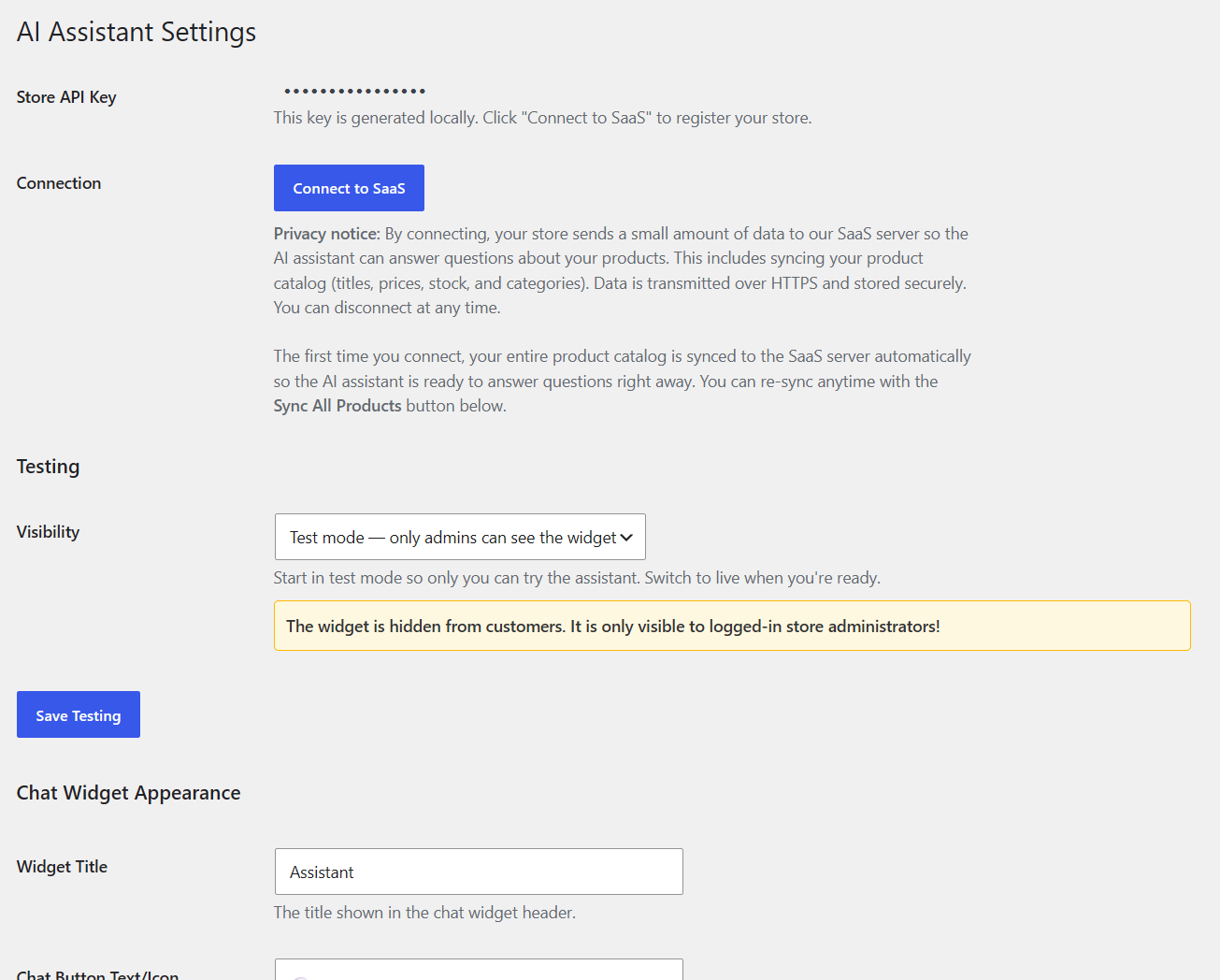
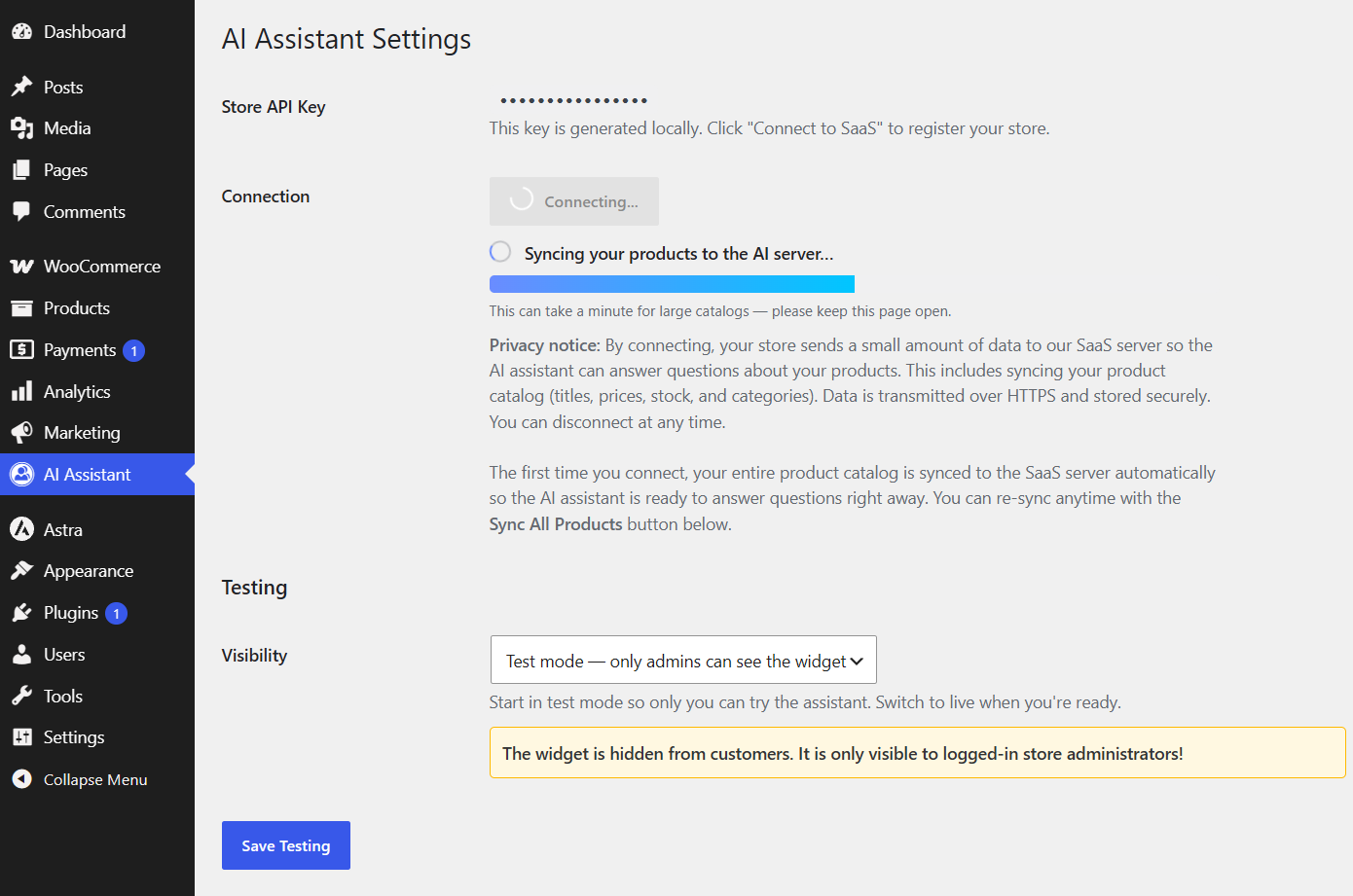
- Click Connect to SaaS to register your store.
- Click Sync All Products to push your WooCommerce catalog to the AI backend.
- The chat widget appears automatically on your storefront.
FAQ
-
How does the AI assistant work?
-
The plugin syncs your WooCommerce product catalog to a hosted AI backend. When a customer opens the chat widget, the backend matches their question against your catalog and returns relevant products with natural-language answers.
-
Where is my store data stored?
-
Product data is transmitted to the plugin vendor’s SaaS backend over HTTPS. It is used solely to power the RealApps AI Store Chat. You can disconnect at any time from the plugin settings to stop all data transmission.
-
What data is sent to the SaaS backend?
-
Store URL, admin email, and WooCommerce product data (title, description, price, stock status, categories, SKU, and variations). No customer personal data or order information is sent.
-
Where is the API key stored?
-
The store API key is generated locally and stored in the WordPress database (
wp_options). It is never exposed to the browser or to customers. -
Is there a free plan?
-
Yes. The free tier includes 150,000 tokens/month for testing, with no daily cap. Paid plans start at $19/month with higher token limits.
-
How do I upgrade or manage my subscription?
-
Open RealApps AI Store Chat > Settings and use the Upgrade or Billing Portal buttons. You can pause, resume, or cancel your subscription at any time through Stripe.
-
Can I customize the chat widget?
-
Yes. The widget includes built-in styling options in RealApps AI Store Chat > Settings: color pickers for the header gradient, accent color, bot message background, and chat card background. You can also set the widget position (left or right), toggle style (floating button or minimized), custom title, button text, and your own chatbot icon (pick one from here 🗣️🪄⚡🚀✨💡🧠💻🤖🎧🤝🛠️🔍📊✍️🦉🛡️⚙️🌐 or use any emoji). For deeper customization, custom CSS can be added through the WordPress Customizer or your theme.
-
Can I test the assistant before making it visible to customers?
-
Yes. In RealApps AI Store Chat > Settings, enable Test mode to hide the widget from customers and show it only to logged-in administrators. This lets you verify the assistant works correctly before going live.
-
What happens if I disconnect?
-
Disconnecting stops all product syncing and removes the chat widget from your storefront. Your account data remains in the database and can be reconnected later.
-
What AI model is used?
-
The assistant runs on GPT-4o-mini via the OpenAI API. Responses are streamed in real time for a smooth customer experience.
-
Does the assistant support multiple languages?
-
Yes. The assistant responds in the language of the WooCommerce store locale and adapts to the customer’s browser language.
Reviews
There are no reviews for this plugin.
Contributors & Developers
“RealApps AI Store Chat for WooCommerce” is open source software. The following people have contributed to this plugin.
Contributors
Translate “RealApps AI Store Chat for WooCommerce” into your language.
Interested in development?
Browse the code, check out the SVN repository, or subscribe to the development log by RSS.
Changelog
1.2.3
- Fixed AI-generated product URLs: the AI was hallucinating URL slugs (missing characters, wrong hyphens) instead of using the catalog URLs. Added server-side URL validation that replaces any AI-invented URL with the correct permalink from the store catalog. Also fixed stray
[insertion in product names and missing em dash separators beforePrice:in chat responses.
1.2.2
- Fixed AI response formatting: broken markdown links, missing spacing after list numbers, incomplete prices, truncated stock status, and merged list items in chat responses.
1.2.1
- Added Terms of Service and Privacy Policy pages for the SaaS backend.
- Added explicit Terms of Service and Privacy Policy links in the readme External services section.
1.2.0
- Fixed readme.txt URLs and bumped version for WordPress.org resubmission.
- Renamed all PHP/JS/CSS prefixes from “ra” to “rasca” (5-char) for WordPress.org compliance.
- Added backward-compatible migration from previous option prefixes (
ra_cs_*,wc_ai_assistant_*) torasca_*. - Bump version for WordPress.org resubmission.
1.1.0
- Renamed plugin to RealApps AI Store Chat for WooCommerce.
- Slug changed from ai-shopping-assistant-for-woocommerce to realapps-ai-store-chat-for-woocommerce.
- Added Requires Plugins: woocommerce header.
- Admin assets externalized with wp_enqueue and wp_localize_script.
- Removed all inline and tags from plugin code.
- Added External services documentation to readme.txt.
- Updated Tested up to to 7.0.2.
1.0.3
- Server-side price filtering with exact numeric bounds applied before the AI sees the catalog.
- Deterministic attribute pre-filter for color, size, stock, and product-type matching.
1.0.2
- Explicit Connect / Disconnect flow with local state tracking.
- Auto-sync on first connect.
- Stripe checkout and billing portal via SaaS backend.
- Rate-limit ledger only created on subsequent requests.
1.0.1
- Token cost optimization via OpenAI prompt caching.
- Per-store quota estimates in admin.
- Chat history controls and daily purge cron.
1.0.0
- Initial release.
- Product sync to SaaS backend.
- Storefront chat widget with multilingual support.
- Tier-based quota management.