

Description
SanBar EXPress IMG Tuner for WooCommerce is a fast, no-frills tool for keeping your WooCommerce product images consistent — right size, right format, right name — without opening an external image editor or touching every product one by one.
Features
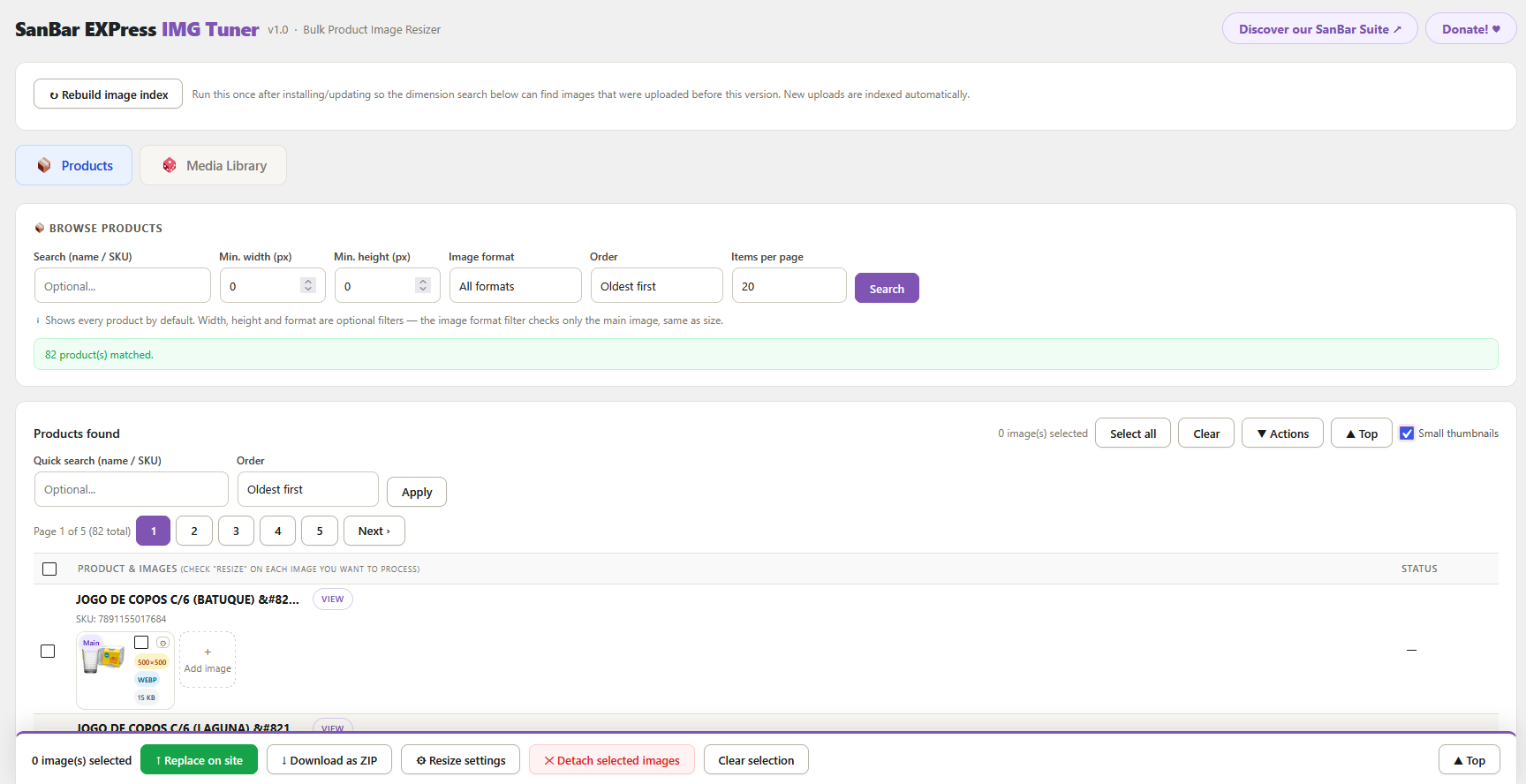
- Bulk resize — filter products by current image size (main image), then resize and replace the main image and/or gallery images for many products at once, either updating the site directly or downloading a ZIP
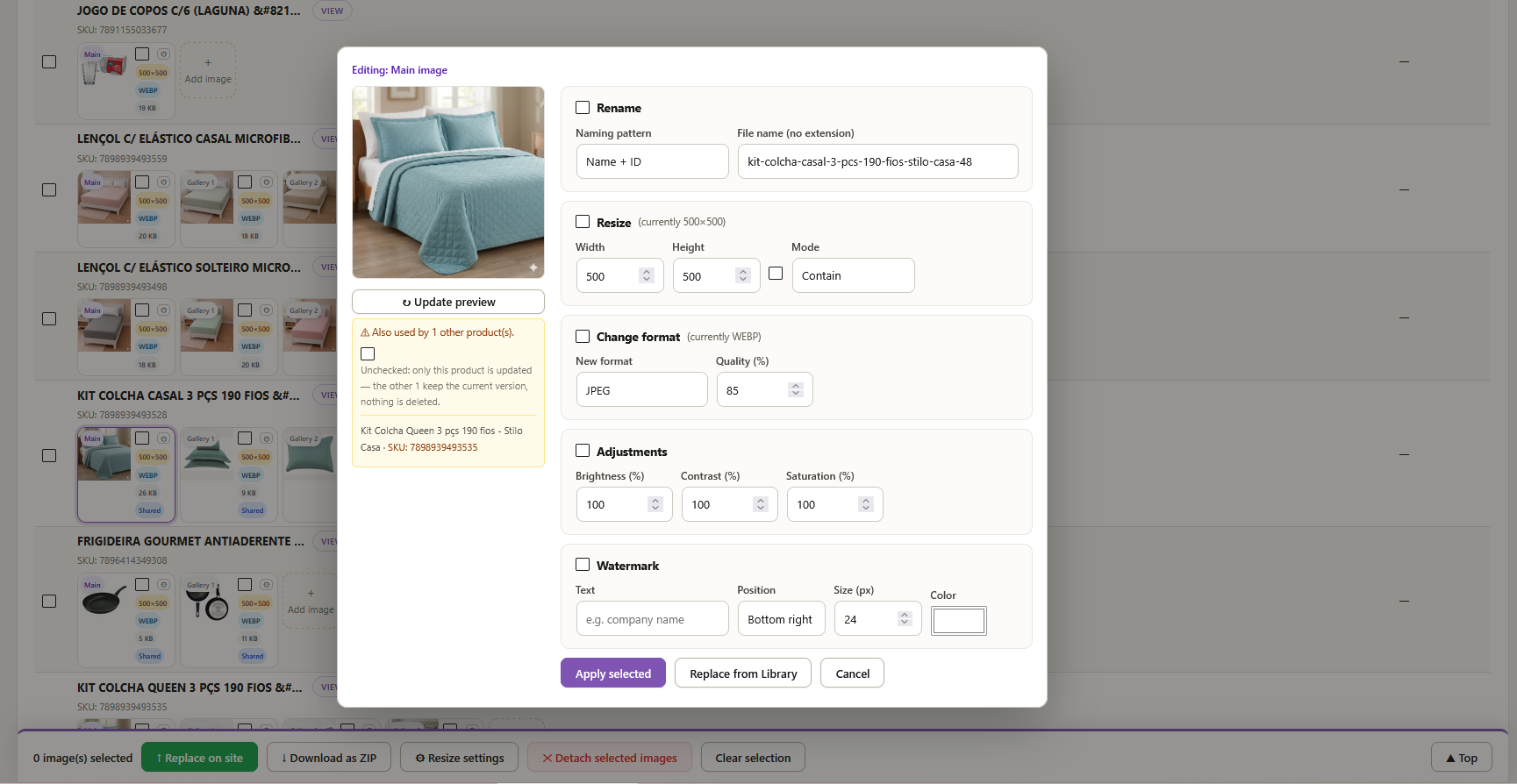
- Individual image actions — click any product image to resize, adjust, or replace it on its own, without affecting the rest of the product’s gallery
- Format conversion — JPEG, PNG or WebP, with adjustable quality
- Resize modes — Contain, Cover, or Stretch, with an optional “keep aspect ratio” lock so width/height stay proportional automatically
- Color adjustments — brightness, contrast and saturation, applied client-side via the browser’s canvas, no server-side image processing needed
- Text watermark — optional text overlay (e.g. brand name, “Sale”) with configurable position, size and color
- Live preview — see the resize, adjustments and watermark applied before committing
- File renaming — rename the underlying file (not just the pixels) using an automatic pattern (product name + ID, product name + SKU) or a custom name, applied globally wherever that image is used
- Replace from Media Library — swap a product image for one that already exists in your library, instantly, without re-uploading
- Add / detach gallery images — add existing media to a product’s gallery, or remove an image from a product without deleting the underlying file
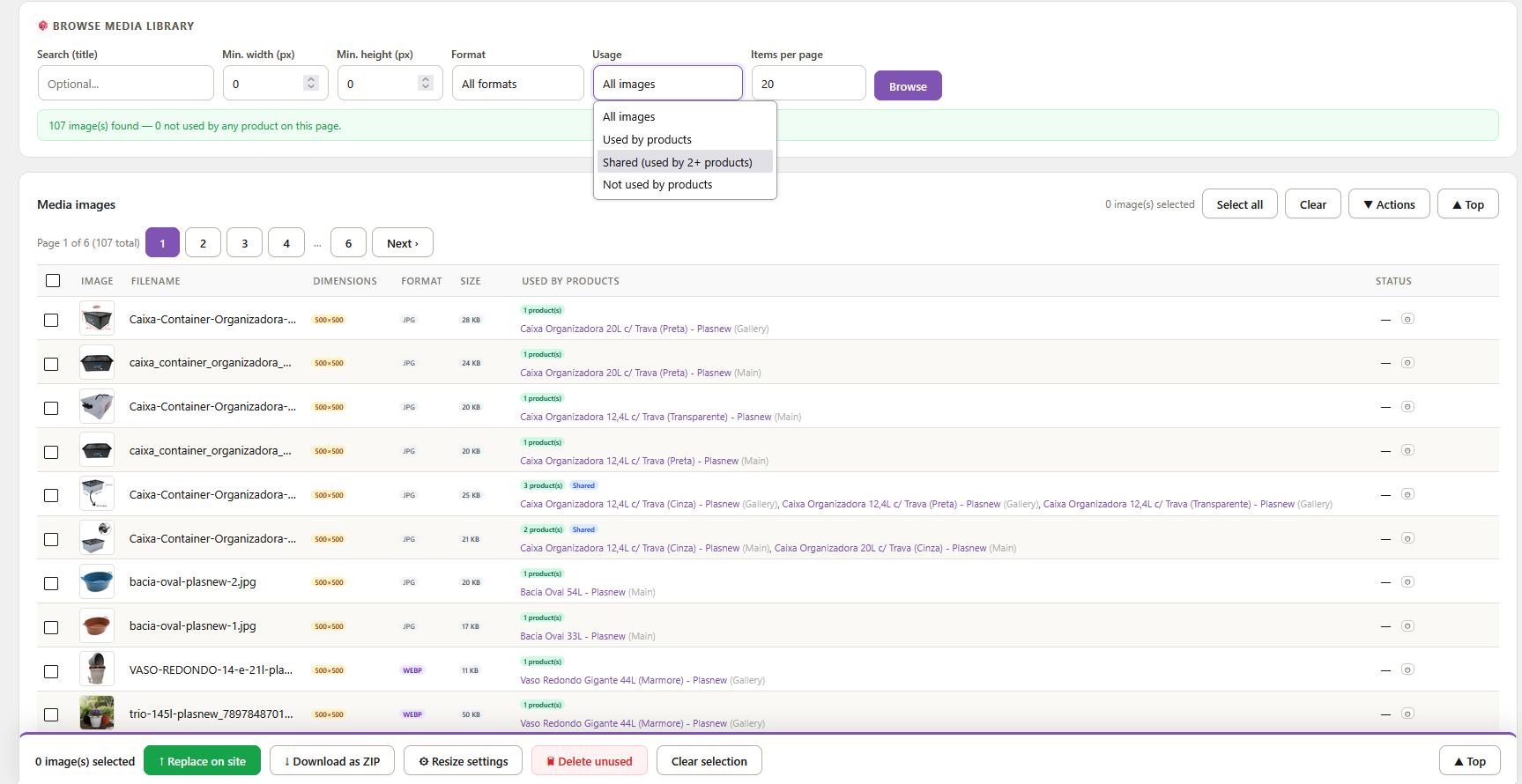
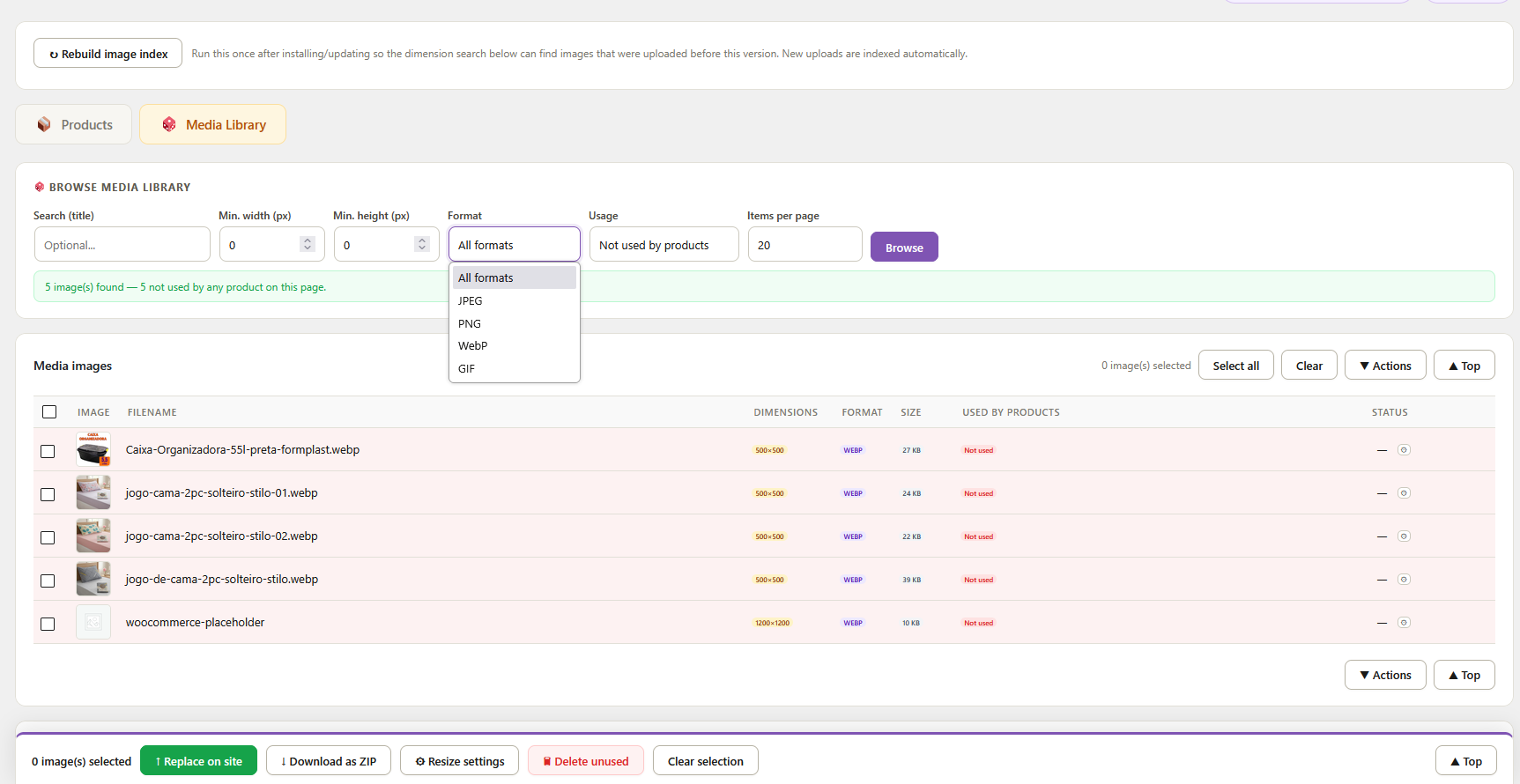
- Media Library browser — search your whole media library by title, dimension, format, and whether each image is used by any product, with a direct link to every product using it (including images shared across multiple products)
- Small thumbnails view — denser layout to review more images per screen
- WooCommerce HPOS compatible
Why use this plugin?
Product photos rarely arrive in a consistent size or format, and WooCommerce’s own media tools don’t offer bulk resize, format conversion, or renaming. SanBar EXPress IMG Tuner fills that gap: filter your catalog by image size, fix what needs fixing — one image or hundreds — and keep going, without leaving wp-admin.
More from SanBar
Other plugins and tools by the author are listed at software.sanbazar.com.br.
Permissions
All actions (browsing, resizing, renaming, replacing, and media library management) require the edit_products capability, which WooCommerce grants by default only to Shop Managers and Administrators — so both roles can use the plugin without extra configuration, and no other role can.
Screenshots

Installation
- Upload the
sanbar-express-img-tuner-for-woocommercefolder to/wp-content/plugins/, or install via Plugins Add New Upload. - Activate the plugin.
- Make sure WooCommerce is active.
- Go to SanBar EXP IMG Tuner in the admin menu — it’s ready to use immediately, no setup required.
Optional: if you also install the free SB Softwares Hub plugin, this plugin (and any other SanBar plugin) is grouped as a submenu under a single SB Softwares menu, keeping your admin sidebar tidy. 5. Click Rebuild image index once, so the dimension search can find images that were uploaded before the plugin was installed. New uploads are indexed automatically from then on.
FAQ
-
Does it work with WooCommerce HPOS (custom order tables)?
-
Yes. The plugin declares full HPOS compatibility.
-
Do I need to create any API keys to use it?
-
No. The plugin authenticates using your own wp-admin session, the same way the rest of your dashboard does — nothing to generate, paste, or rotate.
-
Does renaming an image break anything?
-
No. Renaming updates the file, its already-generated thumbnail sizes, and the site’s internal reference to it in one step — the image keeps working everywhere it’s already used.
-
What happens to the original image when I replace it?
-
You choose: keep the old file in the Media Library, or delete it, via the “Old image after replacing” setting.
-
Does the plugin modify my data on uninstall?
-
No settings or credentials are stored by this plugin — there’s nothing to configure in the first place. The only data it keeps in the database is its own image dimension index (hidden metadata on attachments, used by the size filters), and that index is automatically removed when you uninstall the plugin. Products and media files are never touched except through the actions you explicitly run.
Reviews
There are no reviews for this plugin.
Contributors & Developers
“SanBar EXPress IMG Tuner for WooCommerce” is open source software. The following people have contributed to this plugin.
Contributors
Translate “SanBar EXPress IMG Tuner for WooCommerce” into your language.
Interested in development?
Browse the code, check out the SVN repository, or subscribe to the development log by RSS.
Changelog
1.0
- Initial public release.