

Description
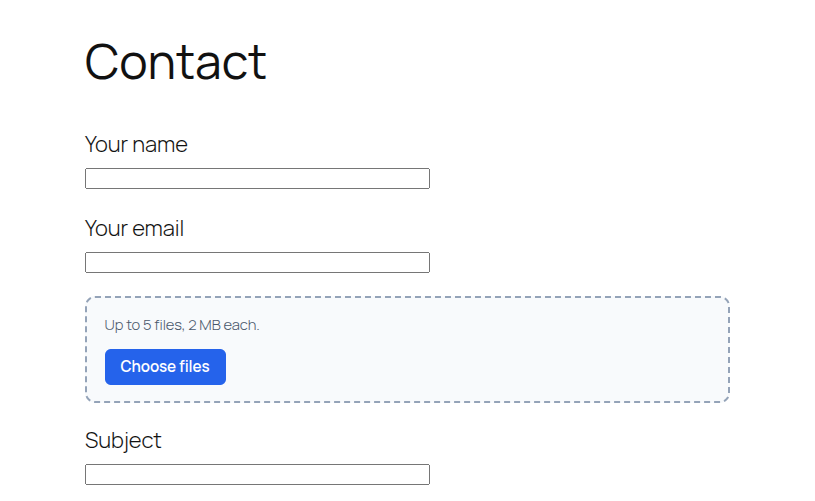
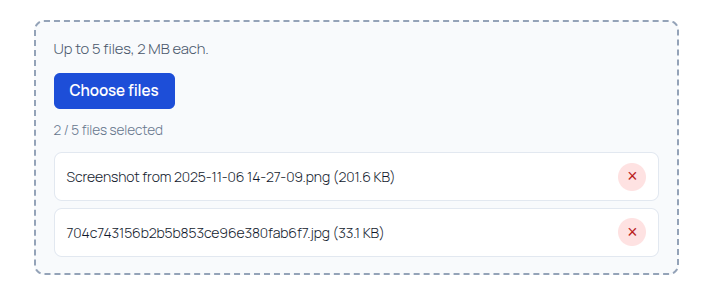
Bunny & Co Multiple File Upload for Contact Form 7 adds a new form-tag so visitors can attach several files at once with a drag-and-drop UI. Uploaded files are validated on the server and attached to Contact Form 7 notification emails the same way native CF7 file fields work.
This plugin is an independent add-on. It is not affiliated with or endorsed by Rock Lobster Inc. (the makers of Contact Form 7).
Features
- New Contact Form 7 form-tag:
[hbwa_mfile](optional) and[hbwa_mfile*](required) - Drag and drop or click to browse
- Multiple files in one field
- Per-file size limit with
limit: - Maximum file count with
maxfiles: - Acceptable file types with
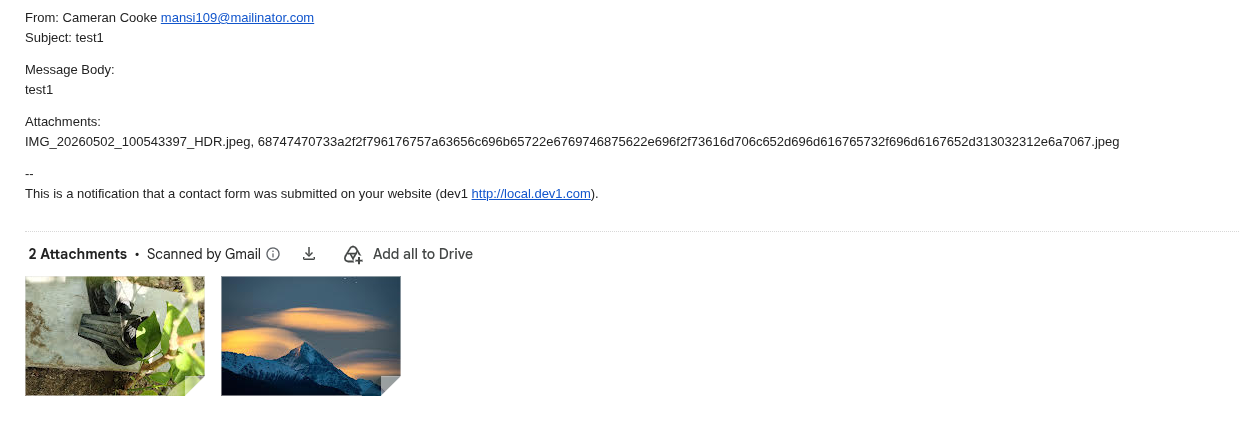
filetypes: - Uploaded files are attached to the Contact Form 7 mail (Mail / Mail (2))
- File names can also appear in the message body via the matching mail-tag
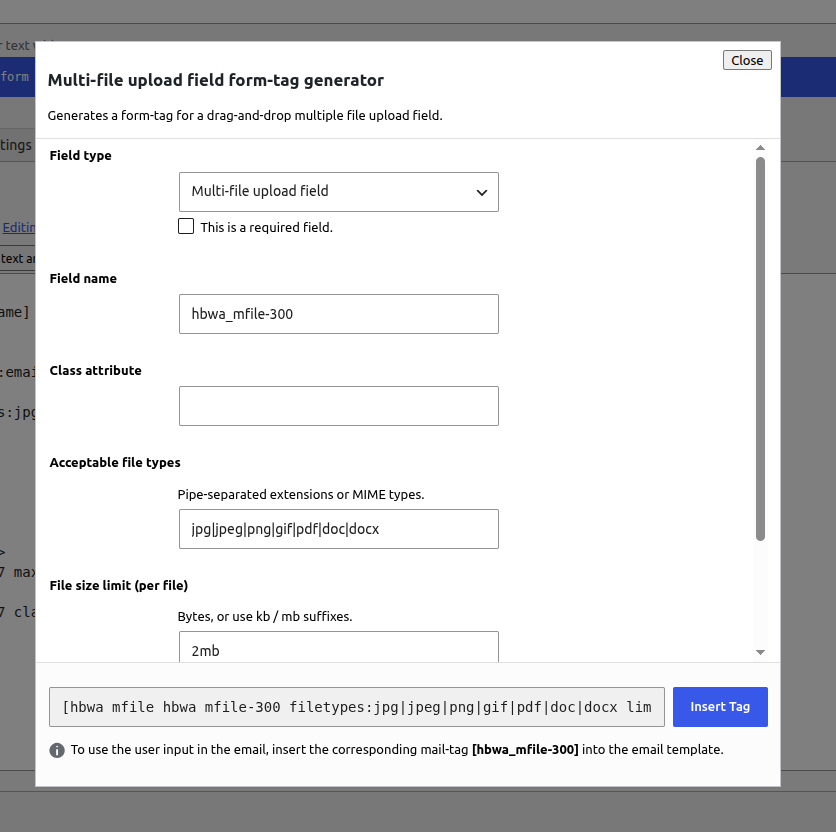
- Tag generator button labeled multi-file in the Contact Form 7 form editor
Requirements
- Contact Form 7 must be installed and active
How to use the shortcode
- Edit a Contact Form 7 form.
- Click the multi-file button in the form-tag generator.
- Configure field name, file types, size limit, and max files, then insert the tag into the Form tab.
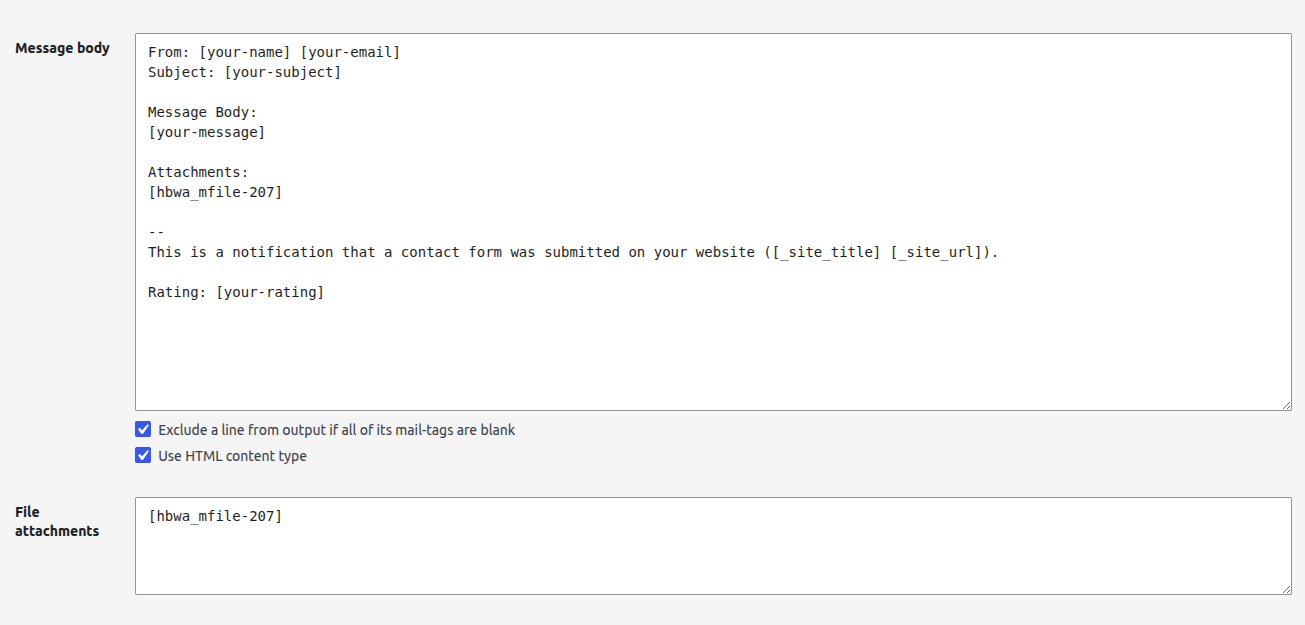
- Open the Mail tab and add the same field name as a mail-tag in File attachments so files are attached to the email.
- Optionally also put the mail-tag in the message body if you want the file names listed in the email text.
Basic shortcode examples
Optional field:
[hbwa_mfile attachments]
Required field:
[hbwa_mfile* attachments]
With options:
[hbwa_mfile* attachments filetypes:jpg|jpeg|png|pdf|doc|docx limit:2mb maxfiles:5]
Shortcode options
filetypes:— pipe-separated extensions (example:jpg|jpeg|png|pdf)limit:— max size per file (example:2mb,500kb, or bytes)maxfiles:— maximum number of files allowed in one submissionclass:— optional CSS class (supported via the tag generator)
Mail setup (required for email attachments)
If your form-tag field name is attachments, add this in the Mail tab under File attachments:
[attachments]
You can also include [attachments] in the message body to list uploaded file names in the email content.
Uploaded files are sent as real email attachments when Contact Form 7 file uploading is enabled for that mail template. Make sure your hosting PHP upload limits (upload_max_filesize, post_max_size) allow the sizes you configure.
Guidelines
- Always put the matching mail-tag in File attachments if you want files attached to the email.
- Use
[hbwa_mfile*]when at least one file is required. - Keep
maxfiles:andlimit:realistic for your server and mailbox size limits. - Restrict
filetypes:to what you actually need (for example images and PDFs only). - This field does not replace CF7’s native
[file]tag — use[hbwa_mfile]when you need multiple files and drag-and-drop.
Author: hell0bunny
Screenshots
Installation
- Upload the
bunny-co-multiple-file-upload-cf7folder to/wp-content/plugins/ - Activate Bunny & Co Multiple File Upload for Contact Form 7 through the Plugins screen
- Make sure Contact Form 7 is installed and active
- Edit a Contact Form 7 form
- Click the multi-file button in the form-tag generator
- Insert the tag into the Form tab
- Add the matching mail-tag to the Mail tab File attachments field (and optionally the message body)
FAQ
-
Is this an official Contact Form 7 plugin?
-
No. It is a third-party add-on that extends Contact Form 7. It is not affiliated with or endorsed by Rock Lobster Inc.
-
Does it replace the default `[file]` tag?
-
No. Use
[hbwa_mfile]when you need multiple files and drag-and-drop. Keep using[file]for single uploads. -
Are uploaded files attached to the email?
-
Yes. Add the field’s mail-tag (for example
[attachments]) to the Mail tab File attachments box. Contact Form 7 will attach the uploaded files to the notification email. You can also place the same mail-tag in the message body to show the file names in the email text. -
How do I make the upload required?
-
Use the required form-tag:
[hbwa_mfile* your-field-name ...]. -
What happens if Contact Form 7 is deactivated?
-
This plugin shows an admin notice and does not register its form-tag until Contact Form 7 is active again.
Reviews
There are no reviews for this plugin.
Contributors & Developers
“Bunny & Co Multiple File Upload for Contact Form 7” is open source software. The following people have contributed to this plugin.
Contributors
Translate “Bunny & Co Multiple File Upload for Contact Form 7” into your language.
Interested in development?
Browse the code, check out the SVN repository, or subscribe to the development log by RSS.
Changelog
1.0.0
- Initial release:
[hbwa_mfile]multi-file field with drag-and-drop, limits, and CF7 mail attachment support