

Description
StorePlus Manual QR Gateway with PromptPay for WooCommerce helps Thai WooCommerce store owners accept manual PromptPay QR payments.
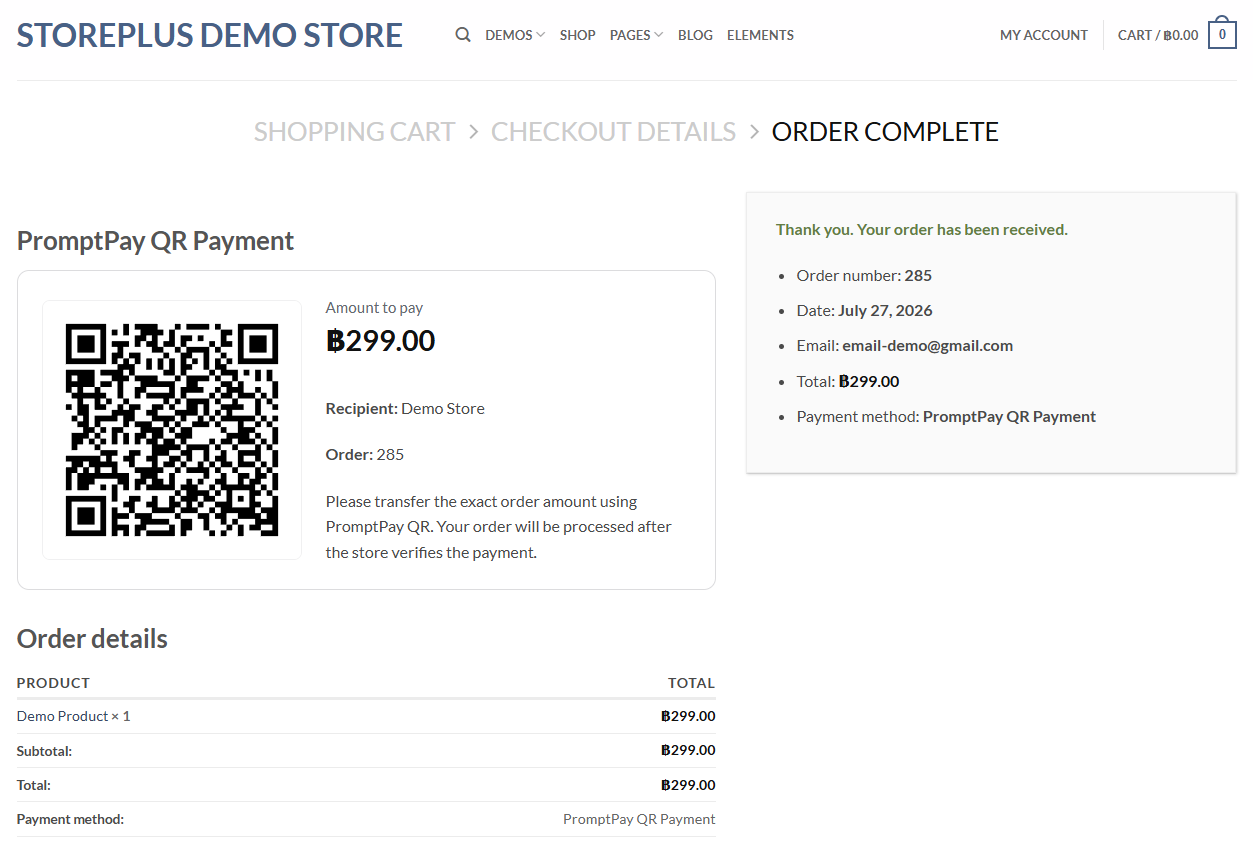
The plugin generates a PromptPay QR code based on the WooCommerce order amount and displays the QR code, payment amount, recipient name, order number, and payment instructions on the order received page.
This plugin is designed for manual payment verification. It does not connect to a bank API, does not automatically confirm payments, and does not process card payments.
Features
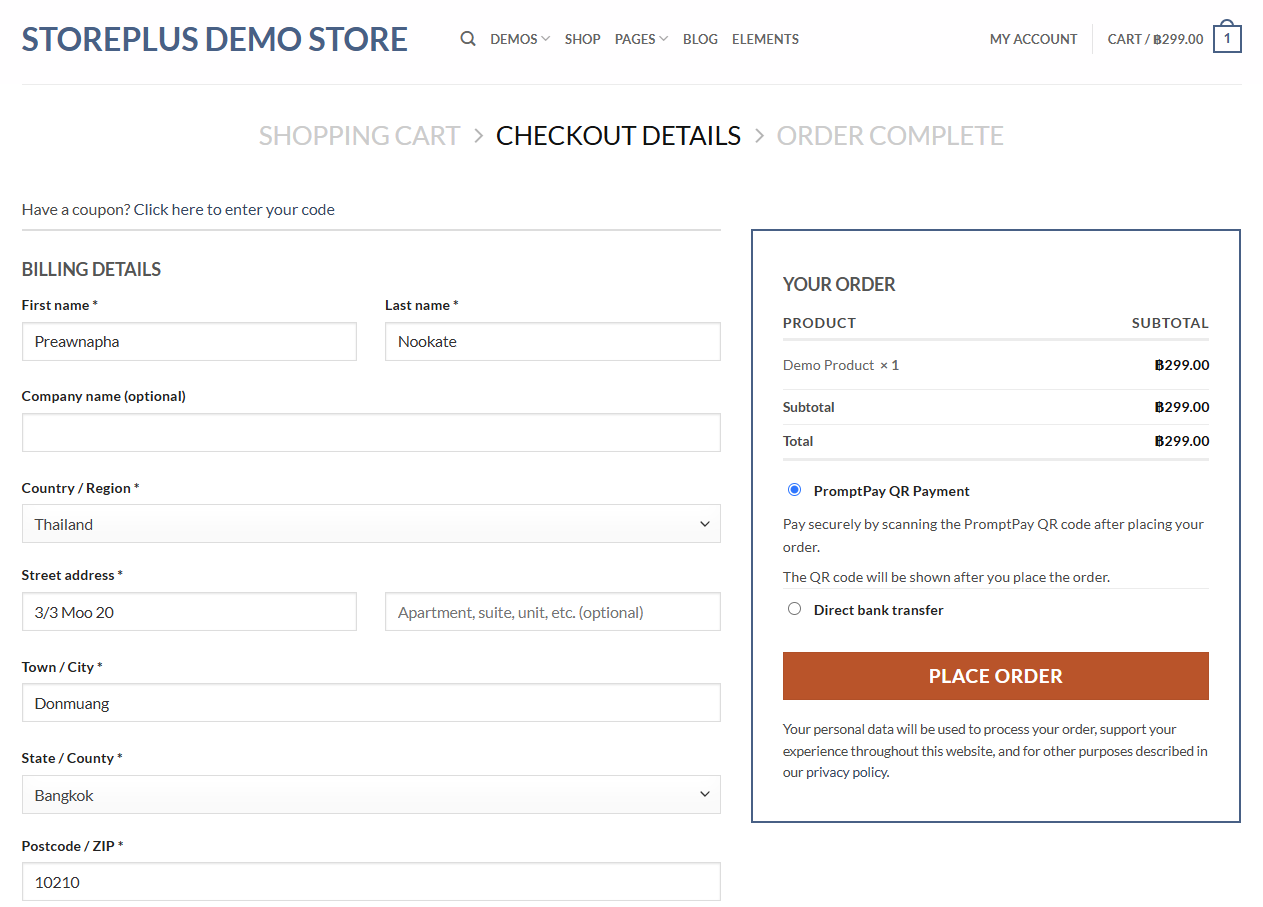
- Add PromptPay QR as a WooCommerce payment method.
- Generate PromptPay QR codes based on WooCommerce order totals.
- Support registered mobile number, National ID / Tax ID, and E-Wallet PromptPay receiver IDs.
- Display recipient name, amount, order number, and payment instructions.
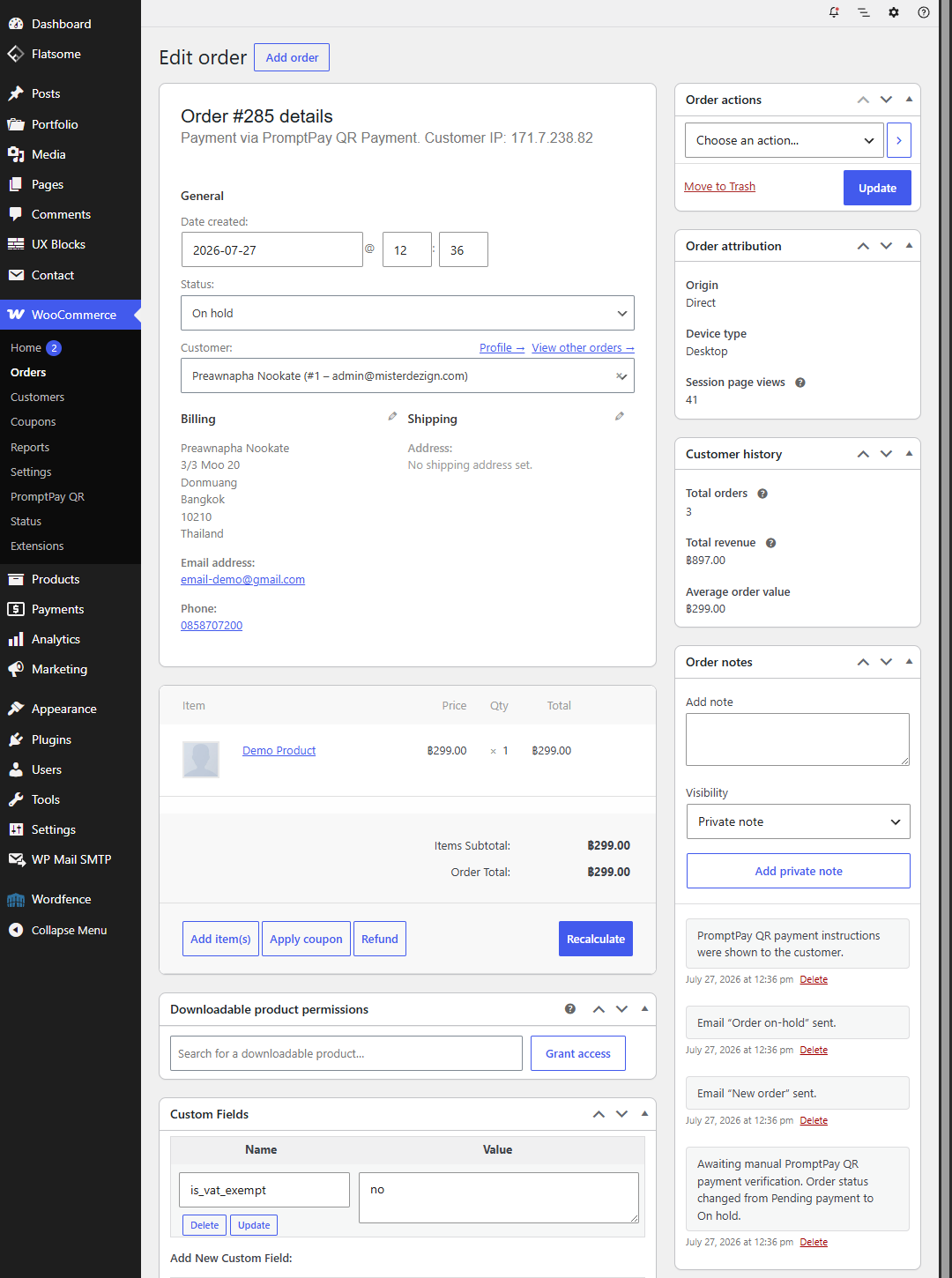
- Set orders to On hold after checkout for manual verification.
- Show customer payment instructions in WooCommerce emails.
- Include a WooCommerce admin status page for configuration checks.
- Generate QR codes locally without using an external QR image service.
Important Notes
This plugin is designed for WooCommerce stores in Thailand that accept manual PromptPay QR payments in Thai Baht (THB).
A normal bank account number is not a PromptPay ID. Store owners must enter a PromptPay receiver ID that is registered with their bank.
International QR payments may work only with participating cross-border QR payment applications. Availability depends on the customer’s bank, country, and payment provider.
Privacy
This plugin generates PromptPay QR codes locally on the WordPress site. It does not send order data, customer data, or PromptPay settings to StorePlus, a bank API, or an external QR service.
Store owners are responsible for manually verifying payments in their banking app or bank account before processing orders.
Screenshots
Installation
- Upload the plugin files to the
/wp-content/plugins/directory, or install the plugin through the WordPress Plugins screen. - Activate the plugin.
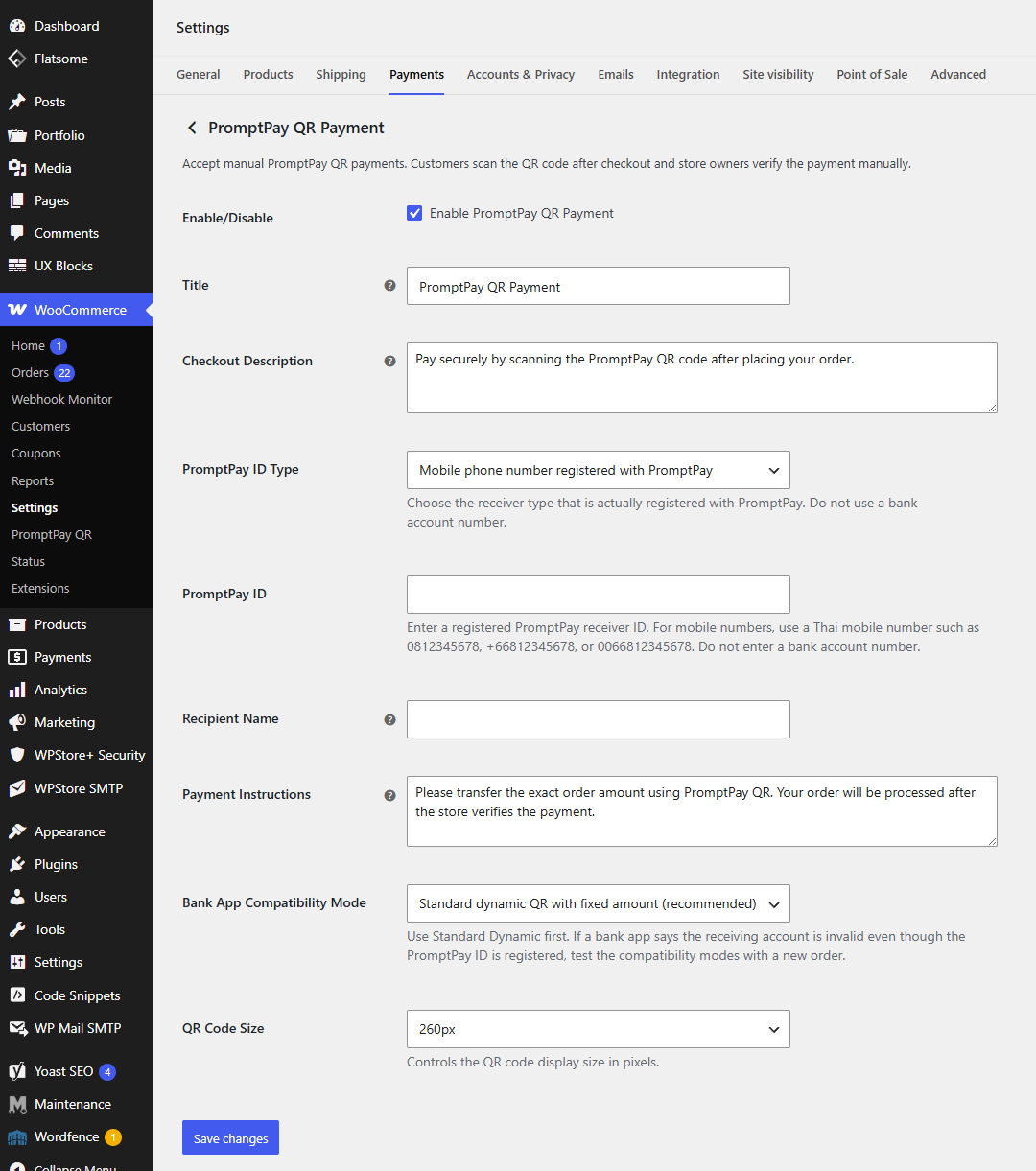
- Go to WooCommerce > Settings > Payments.
- Enable PromptPay QR Payment.
- Enter your PromptPay ID type, PromptPay ID, and recipient name.
- Save changes and test checkout with Thai Baht (THB) as the store currency.
FAQ
-
Does this plugin automatically verify payments?
-
No. This plugin is designed for manual PromptPay QR payments. Store owners must verify payments manually before processing orders.
-
Does this plugin connect to a bank API?
-
No. The plugin does not connect to a bank API and does not send payment data to any external service.
-
Does this plugin support slip upload?
-
Slip upload is not included in this free version.
-
Does this plugin support currencies other than Thai Baht?
-
This free version is designed for Thai Baht (THB) stores only.
-
Can I enter a bank account number as the PromptPay ID?
-
No. A bank account number is not a PromptPay ID. Enter a registered PromptPay receiver ID, such as a registered Thai mobile number, National ID / Tax ID, or E-Wallet ID.
-
Why does my banking app say the receiver account is invalid?
-
This usually means the configured ID is not registered as a PromptPay receiver for the selected type, a bank account number was entered instead of a PromptPay ID, or the same bank account is being used to scan and pay itself.
-
Does this plugin require WooCommerce?
-
Yes. WooCommerce is required.
Reviews
There are no reviews for this plugin.
Contributors & Developers
“StorePlus Manual QR Gateway with PromptPay for WooCommerce” is open source software. The following people have contributed to this plugin.
Contributors
Translate “StorePlus Manual QR Gateway with PromptPay for WooCommerce” into your language.
Interested in development?
Browse the code, check out the SVN repository, or subscribe to the development log by RSS.
Changelog
1.0.14
- Renamed the plugin for WordPress.org trademark and naming review.
- Updated the plugin slug and text domain to storeplus-manual-qr-gateway.
- Kept the tested WooCommerce checkout behavior unchanged.
1.0.12
- WordPress.org cleanup build.
- Improved readme documentation, privacy wording, and Thailand/THB support notes.
- Improved admin status output escaping and settings value sanitization.
- Kept the tested WooCommerce checkout behavior unchanged.
1.0.0
- Initial free release.
- Added manual PromptPay QR payment gateway for WooCommerce.
- Added PromptPay ID type and receiver settings.
- Added QR code display on the order received page.
- Added customer payment instructions.
- Added On hold order workflow for manual verification.