

Description
Login and registration with Google and Microsoft (personal accounts: Hotmail, Outlook.com, Live) for WooCommerce stores, via OAuth 2.0 / OpenID Connect — self-contained, with no third-party plugins or intermediary services. Customer credentials never pass through the store: authentication happens at Google/Microsoft and the plugin only cryptographically validates the result.
Features
- Two providers, one architecture — every provider-specific fact (endpoints, claim policy, branding) lives in a single registry; the rest of the code is provider-agnostic. Adding a third provider is adding one registry entry.
- Automatic account creation — the first login creates a WooCommerce customer (role
customer) with a strong random password. - Secure linking of existing accounts — if the email already has a store account, the plugin does not log in directly: it asks for the password once to prove ownership, and only then links the external identity (prevents account takeover by email).
- The same email on both providers lands on the same WP account — linked identities are stored in distinct per-provider meta.
- Full
id_tokenvalidation — signature against the provider’s JWKS (with cache),iss,aud,exp,nonce, and per-provideremail_verifiedpolicy. - CSRF protection — single-use
state+noncein a transient with anHttpOnly/SameSite=Laxcookie. - Secrets outside the database (optional, recommended) — constants in
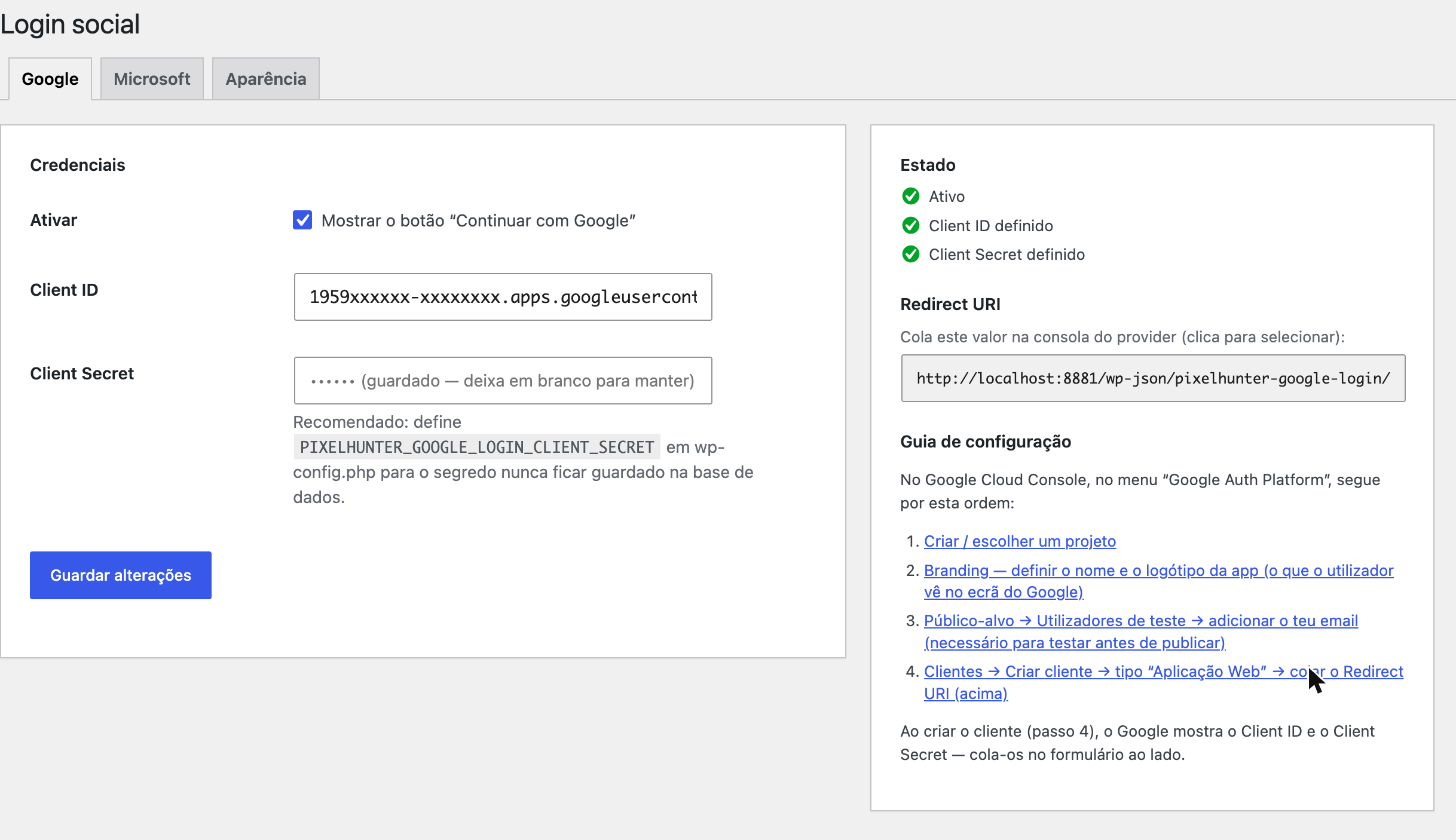
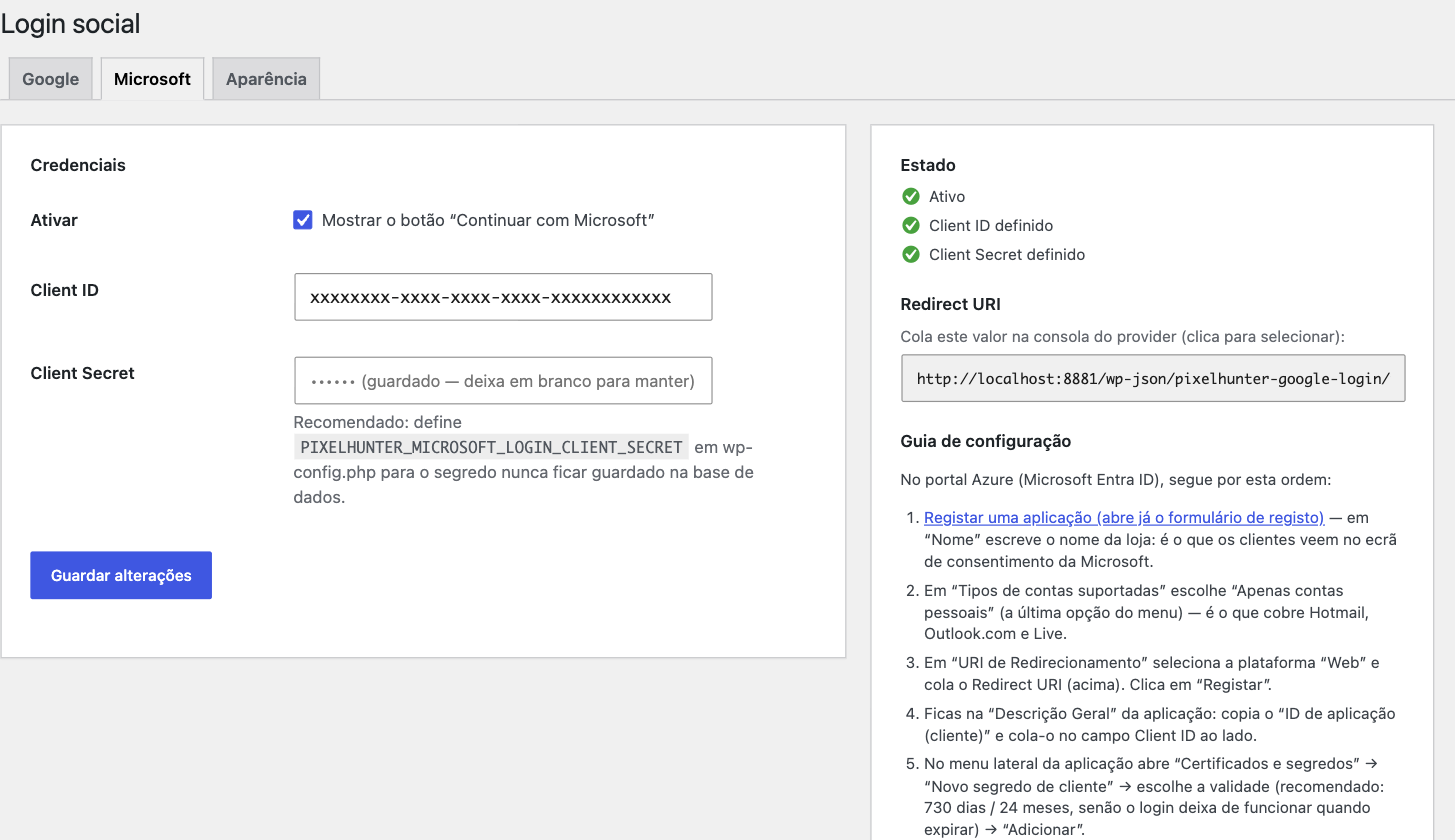
wp-config.phptake priority and lock the admin field. - Organized admin — page under WooCommerce Social Login with per-provider tabs, a step-by-step guide with deep links to the consoles, a ready-to-copy Redirect URI, and live status.
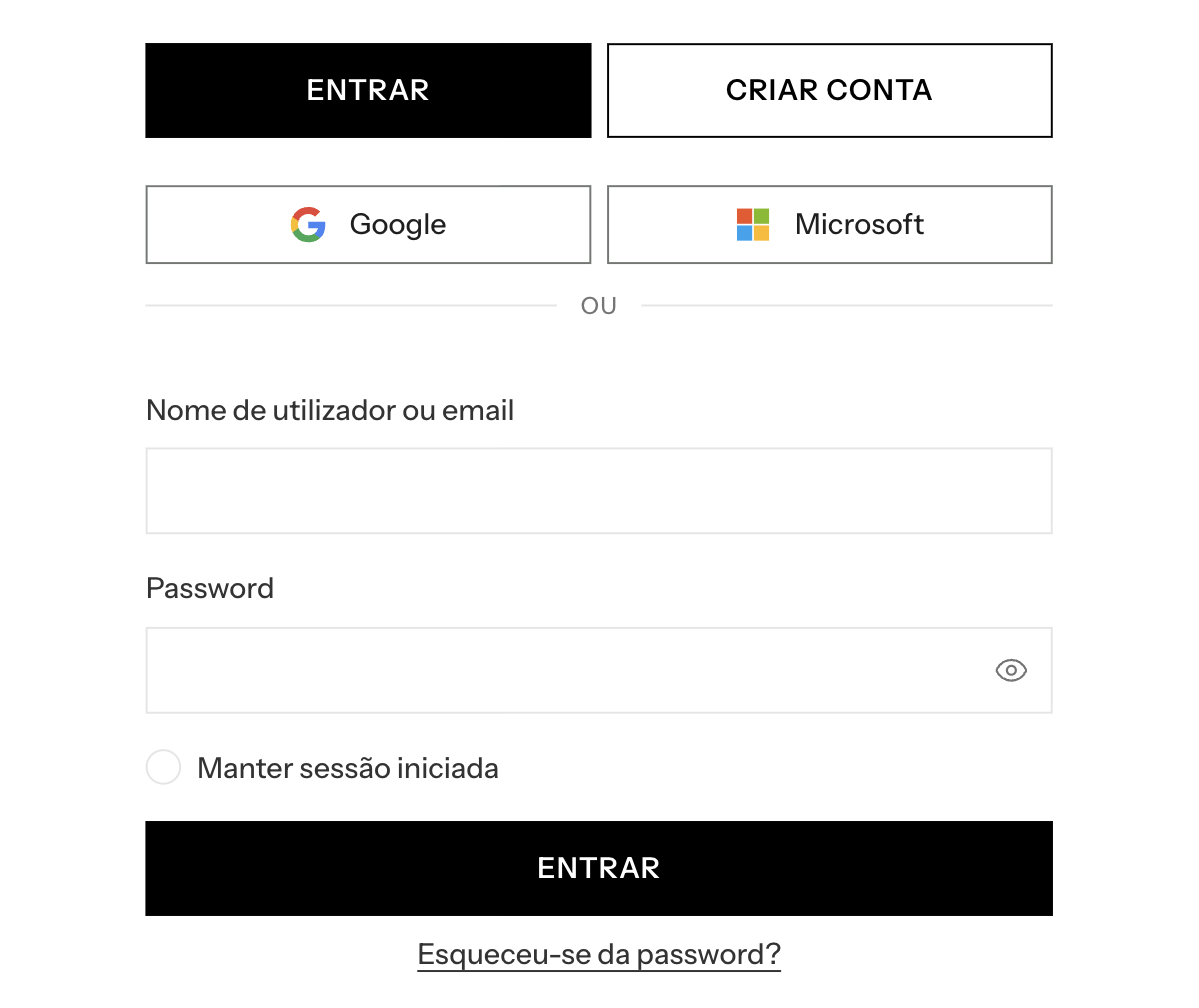
- Accessible, responsive buttons — side by side when there’s width, stacked when there isn’t; short labels with full
aria-label; light/dark themes. - No runtime dependencies beyond
firebase/php-jwt(vendored in the repo — the plugin installs by copy, with nocomposer install).
How it works
The customer authenticates at the provider (the store never sees the password); the plugin verifies the signed id_token (JWKS), validates the claims (iss / aud / exp / nonce / email), and resolves the account:
- Identity already linked (
subknown) immediate login - New email creates a WooCommerce customer + links the identity + login
- Email already exists, no linked identity asks for password login once and links on success
- Email not verified at the provider rejected with a message to the customer
External services
This plugin is an interface to the sign-in services of Google and Microsoft. It contacts them only when you, the site administrator, enable and configure a provider, and only while a visitor is actively signing in with that provider. There is no telemetry, no analytics, and no data is ever sent to PixelHunter or to any other third party.
Google Sign-In (used only when the Google provider is enabled)
accounts.google.com— the visitor’s browser is redirected here to sign in. The request carries the Client ID you configured, the redirect URI of your site, the requested scopes (openid email profile), and a single-usestate/nonce. The visitor enters their credentials at Google; the store never sees them.oauth2.googleapis.com— server-to-server exchange of the authorization code for anid_token. Sends the Client ID, the Client Secret, the authorization code, and the redirect URI.www.googleapis.com— fetches Google’s public signing keys (JWKS) to verify theid_tokensignature. No site or visitor data is sent; the response is cached.
Data received back from Google and stored on your site: the account identifier (sub), email address, name, and the email_verified flag. The sub is stored as user meta so the account can be recognised on the next sign-in.
Google terms of service: https://policies.google.com/terms — Google privacy policy: https://policies.google.com/privacy
Microsoft identity platform (used only when the Microsoft provider is enabled)
login.microsoftonline.com— the same three roles as above (visitor sign-in redirect, code-for-token exchange, and JWKS key fetch), against theconsumerstenant for personal Microsoft accounts.
Data received back from Microsoft and stored on your site: the account identifier (sub), email address, and name.
Microsoft services agreement: https://www.microsoft.com/servicesagreement — Microsoft privacy statement: https://privacy.microsoft.com/privacystatement
Screenshots
Installation
- In wp-admin: Plugins Add New, search for “PixelHunter Social Login”, then Install Now. The
vendor/directory is bundled — nocomposer installneeded. - Activate the plugin in Plugins.
- Configure under WooCommerce Social Login — each tab has the step-by-step guide for its console and the ready-to-copy Redirect URI.
The buttons appear automatically on the WooCommerce login and register forms (woocommerce_login_form_start / woocommerce_register_form_start). No theme changes needed.
You bring your own free OAuth credentials: Google Cloud Console and/or the Azure portal.
FAQ
-
Does the store ever see the customer’s Google/Microsoft password?
-
No. Authentication happens entirely at the provider. The plugin only receives and cryptographically verifies a signed
id_token. -
What happens if the email already has an account in the store?
-
The plugin does not log in directly. It requires a one-time password login to prove ownership before linking the external identity, which prevents account takeover by email address.
-
Can I keep the client secrets out of the database?
-
Yes, and it’s recommended. Define the constants in
wp-config.php; they take priority over the admin fields and lock them. -
Why is the `email_verified` policy different for Microsoft?
-
Google emits the
email_verifiedclaim and the plugin requirestrue. Microsoft personal accounts (tenantconsumers) do not emit the claim — the email is that of the Microsoft account itself — so its absence is accepted only for Microsoft, and theissis validated against the fixed personal-accounts tenant GUID. An explicitemail_verified=falseis always rejected, whatever the source.
Reviews
There are no reviews for this plugin.
Contributors & Developers
“PixelHunter Social Login” is open source software. The following people have contributed to this plugin.
Contributors
Translate “PixelHunter Social Login” into your language.
Interested in development?
Browse the code, check out the SVN repository, or subscribe to the development log by RSS.
Changelog
0.4.2
- First release from the WordPress.org Plugin Directory.
- Added the
Requires Plugins: woocommerceheader: the plugin only hooks into the WooCommerce login and registration forms, so WordPress now refuses to activate it without WooCommerce instead of activating and doing nothing.
0.4.1
- The Client Secret is no longer passed through
sanitize_text_field()when saved: it is an opaque credential and sanitizing could corrupt valid secrets. Same for the OAuth authorization code on the callback. - Translation files are no longer bundled; translations come from translate.wordpress.org.
0.4.0
- Prepared for the WordPress.org Plugin Directory: plugin folder, main file and text domain renamed to
pixelhunter-social-login; the bundled update checker and theUpdate URIheader were removed (updates now come from the directory). - Breaking: the Redirect URI changed to
/wp-json/pixelhunter-social-login/v1/…. Re-copy it from WooCommerce Social Login into the Google Cloud Console and the Azure portal, otherwise sign-in fails withredirect_uri_mismatch. - Added an “External services” section documenting every request made to Google and Microsoft and the data involved.
- No change to stored settings or to already-linked customer accounts.
0.3.3
- Screenshots now render as images in the “View Details” modal. WordPress’s readme parser strips
<img>from the screenshots section, so the images are injected after parsing (from the repo assets) instead.
0.3.2
- Plugin metadata: author and plugin URI in the header, and a WordPress.org-format
readme.txtthat populates the “View Details” modal (Description, Installation, FAQ, Changelog). - Screenshots of the login buttons and the admin settings.
0.3.1
- Auto-update via GitHub Releases (Plugin Update Checker): the release tag is compared against the plugin’s
Version:header and offered on the normal Plugins Updates screen.Update URI: falsekeeps wordpress.org from hijacking the slug.
0.3.0
- Canonical WordPress i18n: English source strings with bundled pt_PT translation.
- Simplified account-linking decision logic.
0.2.1
- Multi-provider: generalized from Google-only to Google + Microsoft (personal accounts) on one provider-agnostic architecture.
- Layout/CSS refinements to the buttons.
0.2.0
- Fire
wp_loginon OAuth login; JWT clock-skew leeway; stored admin secret masked in the UI.
0.1.1
box-sizingfix on the buttons; setup-instruction updates.
0.1.0
- Initial release: OAuth
/startand/callbackendpoints, single-usestate/nonceCSRF protection, fullid_tokenclaim validation against the provider JWKS, secure account lookup/create/link, the Google button via WooCommerce hooks, and the admin settings page with setup guide and live status.