

Description
Most cleanup plugins tell you an image is unused. This one tells you how sure it is, and why.
That difference matters, because the cost of being wrong is not symmetric. Leaving an unused image costs you a few kilobytes. Deleting a used one breaks your site — and you may not find out for weeks.
What it actually does
Eleven scanners search the places images hide: post content, Gutenberg blocks and synced patterns, full-site-editing templates, the Customizer, theme options, widgets, menus, Elementor, ACF, WooCommerce, and your theme’s PHP, CSS, and JavaScript files.
Then two independent judgements are made about every image:
- Confidence — how sure we are the image is unused
- Risk — how much damage deleting it would cause if we are wrong
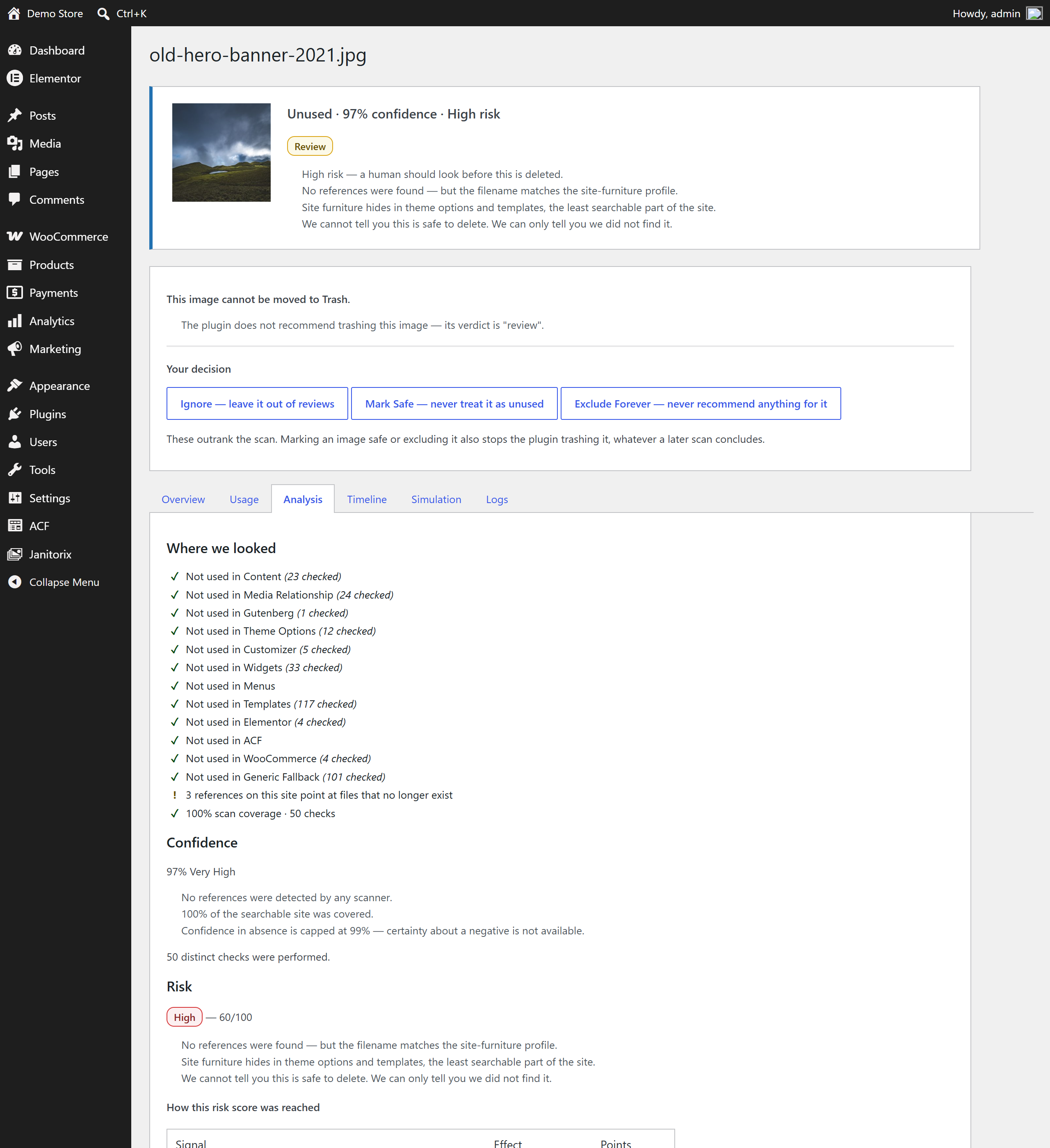
These are never blended into one score. A site logo nobody references and a stray upload nobody references look identical to a confidence score, and demand opposite actions.
What it refuses to do
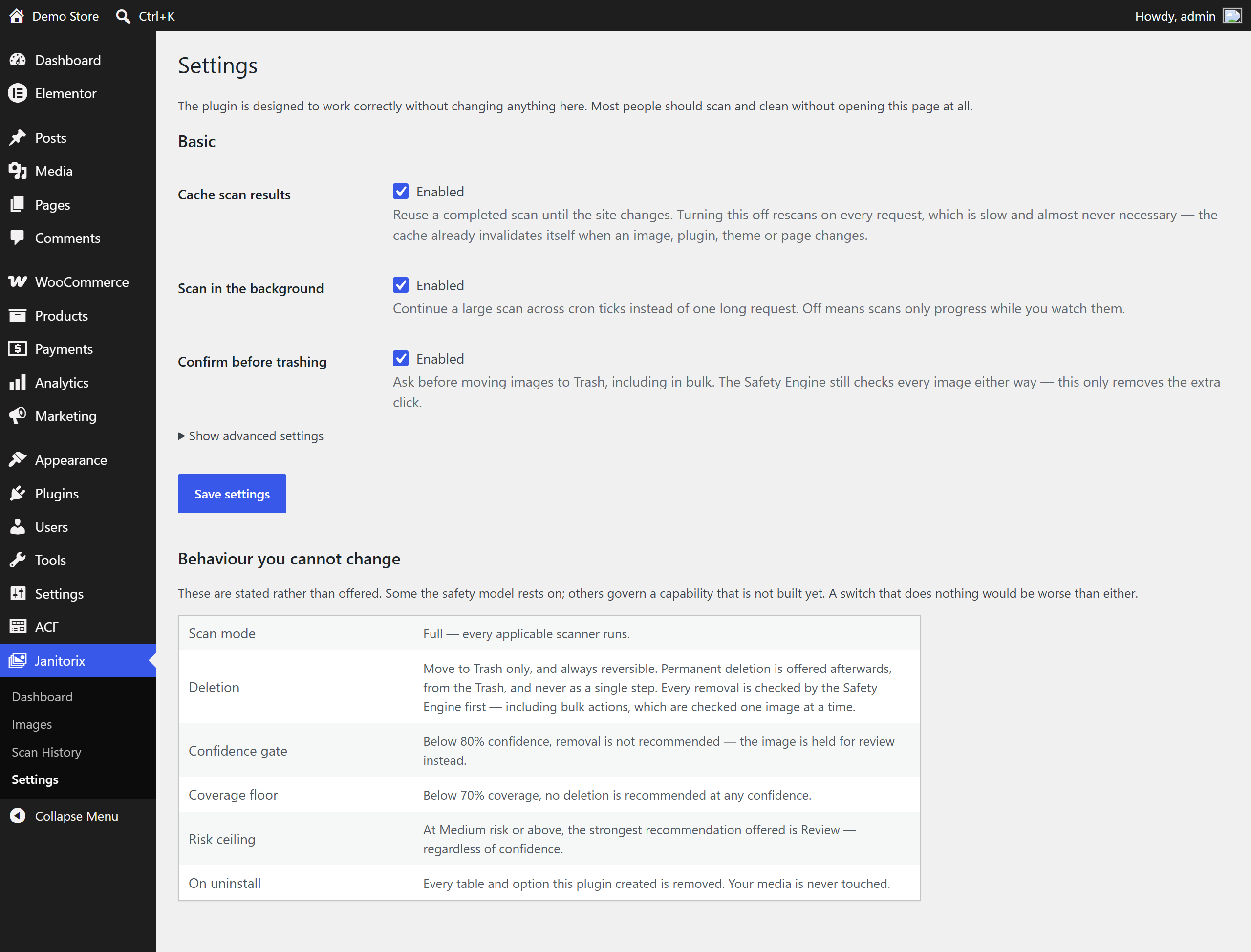
- It will not recommend deleting anything if it could not search enough of your site. Below 70% coverage, it says so and recommends a rescan instead.
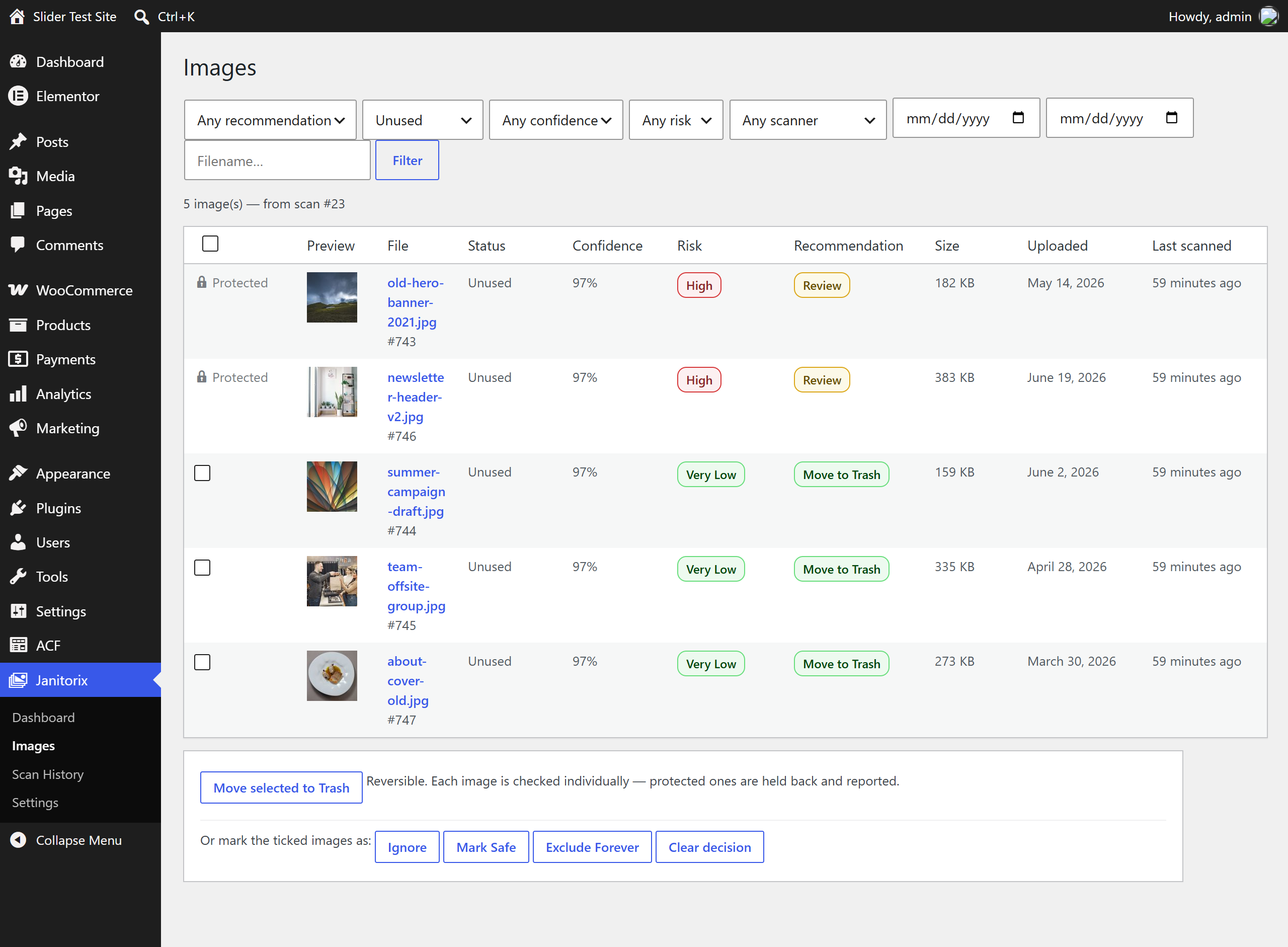
- It will not offer Trash for anything at Medium risk or above, no matter how confident it is.
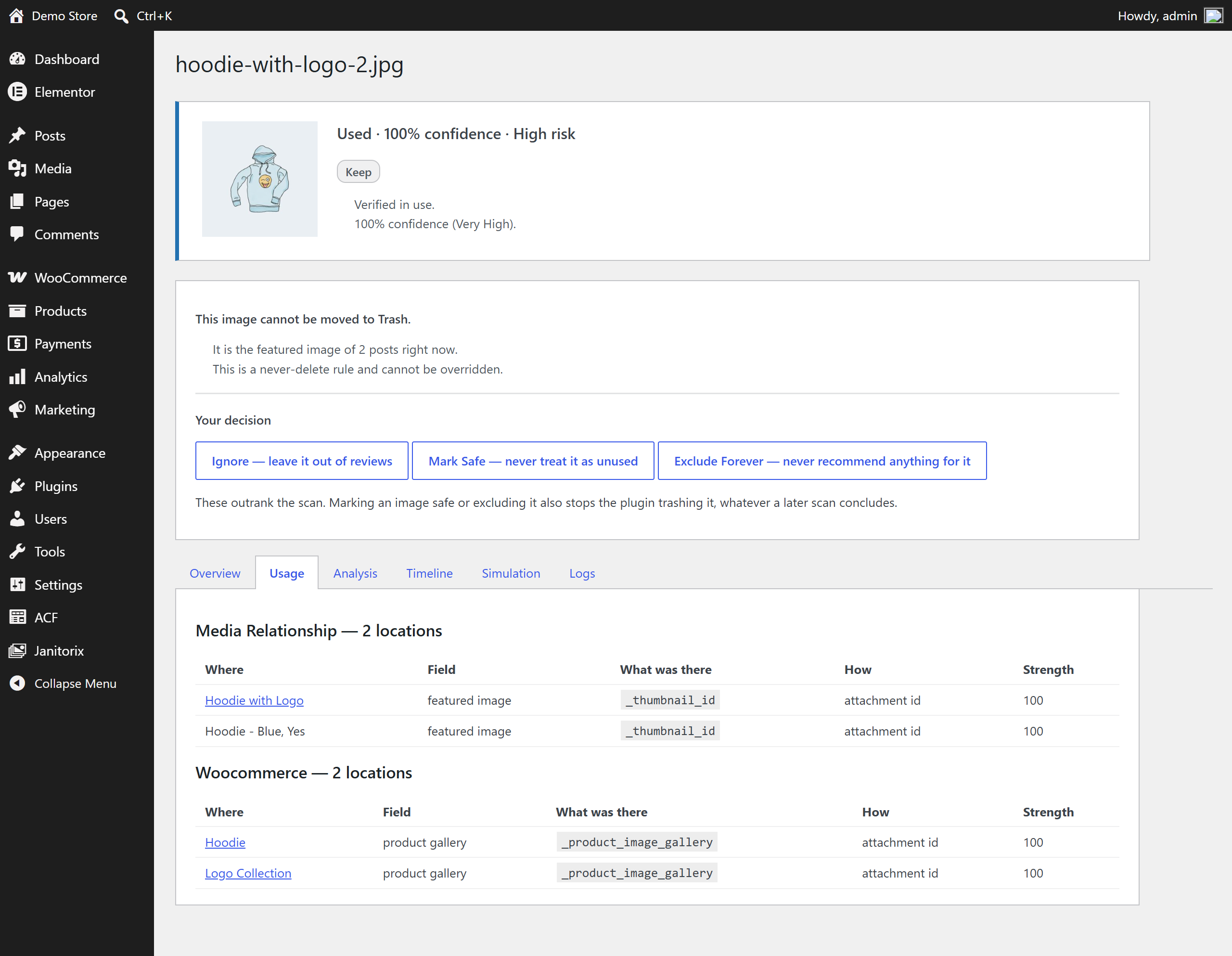
- It will never delete your site logo, icon, or header — those are refused outright, not merely scored low.
- It will not touch an image uploaded in the last 24 hours, because you probably have plans for it.
- It never deletes anything in one step. Trash first, always, and only from the Trash can anything be permanently removed.
Every number shows its work
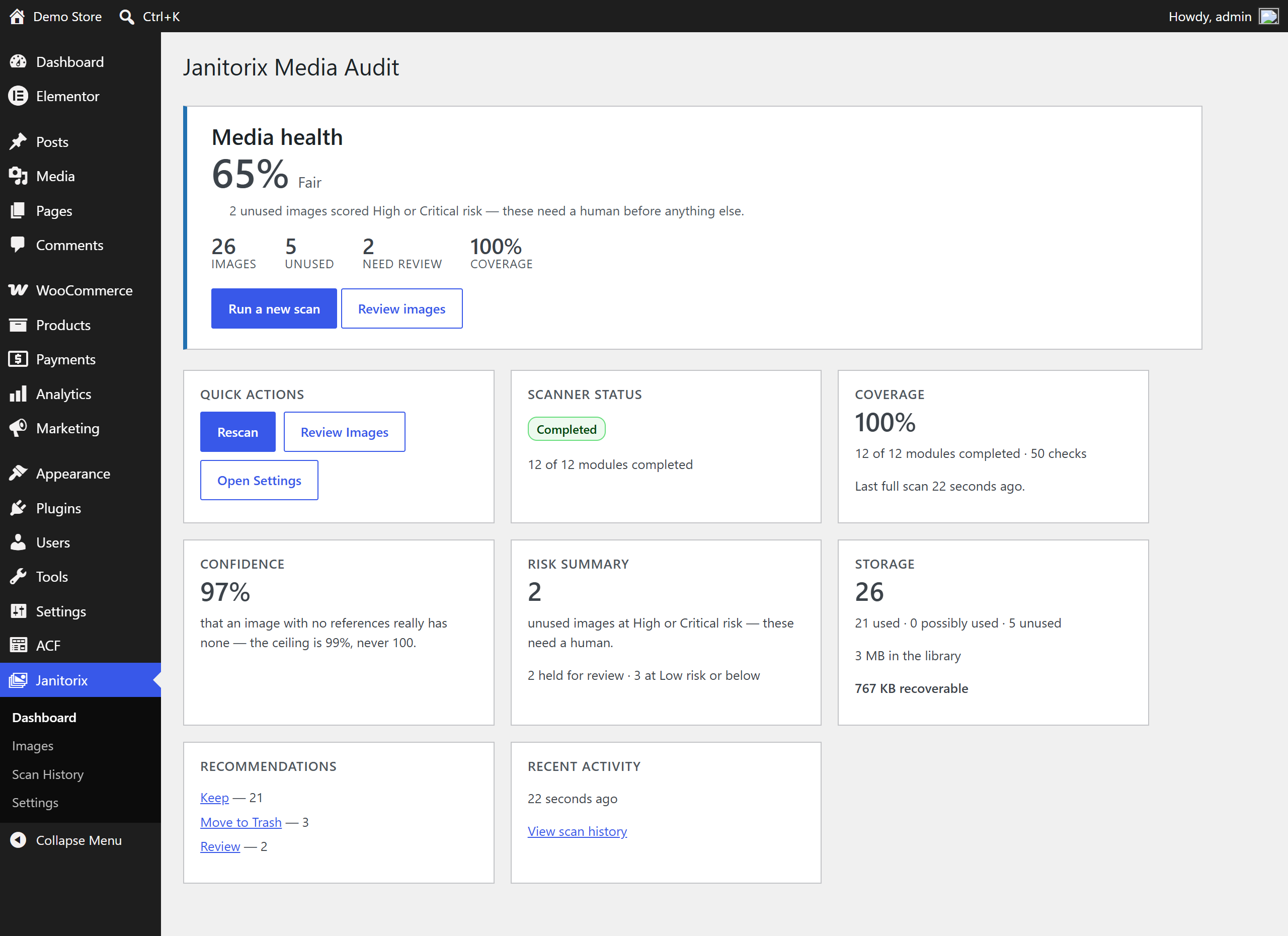
Open any image and you can see which scanner found what, how strong each piece of evidence was, and exactly why the plugin reached its conclusion. A confidence score you cannot inspect is a number you have no reason to trust.
Honest about its limits
A perfect scan reports 97%, not 100%. Proving an image is used takes one piece of evidence; proving it is unused means proving the absence of evidence everywhere — and “everywhere” is not somewhere you can finish visiting. Theme frameworks store images in ways nobody can fully predict, and page builders can assemble URLs at render time.
The plugin reports the honest number rather than a comfortable one.
Screenshots
Installation
- Upload the plugin through Plugins > Add New, or upload the ZIP via Plugins > Add New > Upload.
- Activate it through the Plugins menu.
- Open the new Janitorix menu in your WordPress admin sidebar.
- Click Start the first scan on the Dashboard. Nothing is deleted until you decide to act on a recommendation, and nothing is ever removed permanently without first going through the Trash.
FAQ
-
Can it delete an image my site is using?
-
That is the failure mode the entire design exists to prevent, and it is why coverage floors, risk ceilings, and never-delete rules all sit between a scan and any action. But no scanner can see a URL assembled at runtime, or an image embedded in a newsletter you sent last year. Trash first, and check before emptying it.
-
Does it support my page builder?
-
Elementor is supported directly. For builders that are not — Divi, Bricks, Oxygen — a fallback scanner sweeps for image references it does not understand. It will not raise your confidence score, because it cannot prove it searched thoroughly. It can and does prevent deletions.
-
Why is my confidence score low?
-
Open the dashboard. If a scanner failed, it is named. If coverage is below 70%, it says so. The score is never lowered without a reason you can read.
-
Is anything deleted automatically?
-
No. Nothing is ever deleted without you clicking, and nothing is deleted in one step.
-
What happens when I uninstall it?
-
Every table and option the plugin created is removed. Your media is not touched.
Reviews
There are no reviews for this plugin.
Contributors & Developers
“Janitorix Media Audit” is open source software. The following people have contributed to this plugin.
Contributors
Translate “Janitorix Media Audit” into your language.
Interested in development?
Browse the code, check out the SVN repository, or subscribe to the development log by RSS.
Changelog
1.0.0
- First stable release
- The Dashboard’s Confidence card read 0% on every scan — the figure was calculated and displayed but never stored
- An image held back because it was uploaded recently now says how much longer it stays protected, instead of only that it is
- The Images list shows each image’s upload date, which is also what the date filters above it match on
- Uninstall now removes the cached file hashes it wrote onto attachments, not only its tables, options and your saved decisions
- Risk Engine: a WooCommerce product’s gallery images are now priced at their correct impact instead of the lower, generic rate a field-name collision was giving them
- Risk Engine: the site logo, icon, header, and background are held at the highest risk level whenever the Customizer Scanner cannot confirm them — previously this floor was documented but not enforced
- Risk Engine: a store’s own placeholder image is now recognised and priced instead of going unnoticed
- Fixed a false “in use” reading on WooCommerce-imported images, caused by treating the import’s own source-URL metadata as a usage reference
- ACF: a Relationship field configured to browse only the Media Library is now trusted as image evidence, the same as an Image or Gallery field
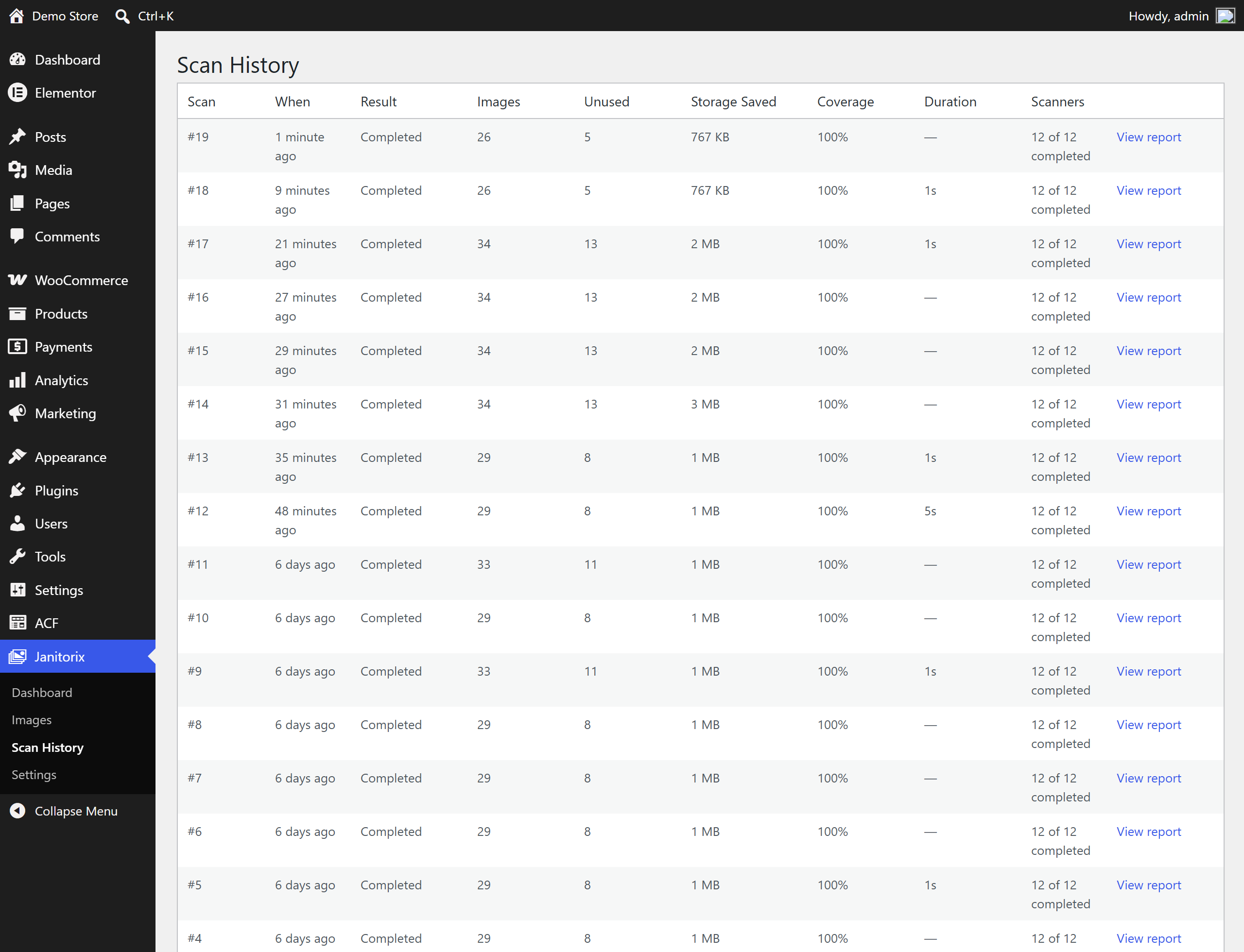
- Scan History lists only finished scans, and now shows the storage each one actually recovered
- Delete Permanently’s confirmation is now enforced by the server, not only by the browser dialog
- A reminder to keep a recent backup, shown before a permanent delete
- The Images screen now labels a row it declines to offer for Trash as Protected, instead of leaving it blank
0.6.0
- The write path: Trash, Restore, and Permanent Delete, each gated by the Safety Engine
- A restore record is written before anything is touched, so recovery does not depend on WordPress having a media trash
- Bulk trash — every image still checked individually
0.5.0
- Calibration suite: seeded fixtures with known answers, run against the real pipeline
- A report of what would be deleted, having deleted nothing
0.4.0
- Dashboard, Images, Image Details, Scan History, Settings
0.3.0
- Risk Engine, Recommendation Engine, and the explanation layer
0.2.0
- Persistence, resumable batched scans, and fingerprint-based caching
0.1.0
- Scanner layer and Confidence Engine