

Description
CannyForge Archive Generator gives news and blog sites a combined HTML sitemap and
JavaScript-powered archive, and replaces WordPress’s default taxonomy pagination
with a configurable compact sequence that links out to that archive.
The release supports PHP 8.1 through 8.5. CI runs the automated unit suite on
each of those versions; static analysis is pinned to PHP 8.1. The “Requires
PHP” value above is the minimum supported version, not a claim that every
future PHP release is continuously verified.
The plugin provides a compact pagination experience and a clear HTML archive
link, making older and newer content easier to discover through site
navigation. It does not promise a search-ranking or crawler outcome.
Features:
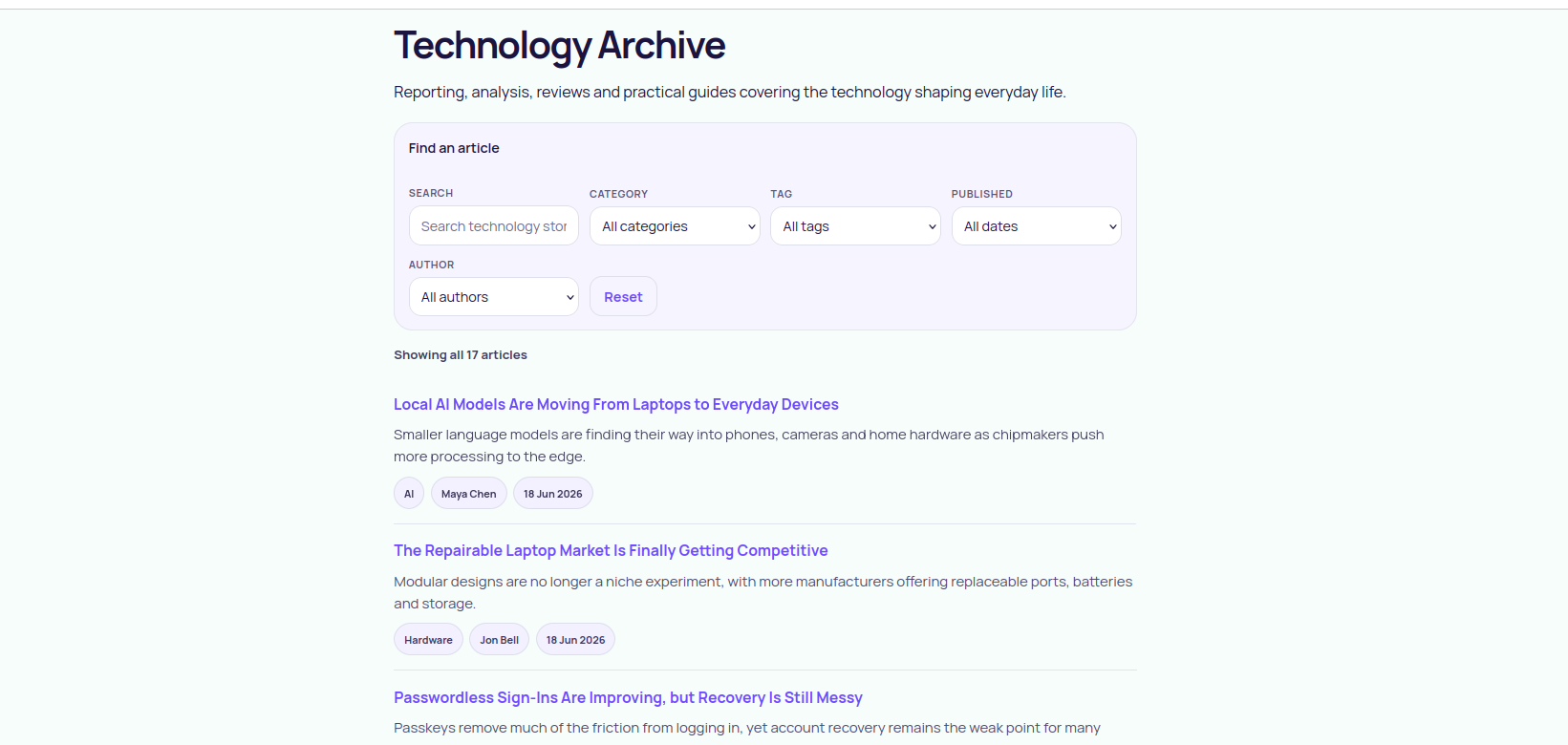
- HTML-sitemap archive page at a crawlable, no-JavaScript URL.
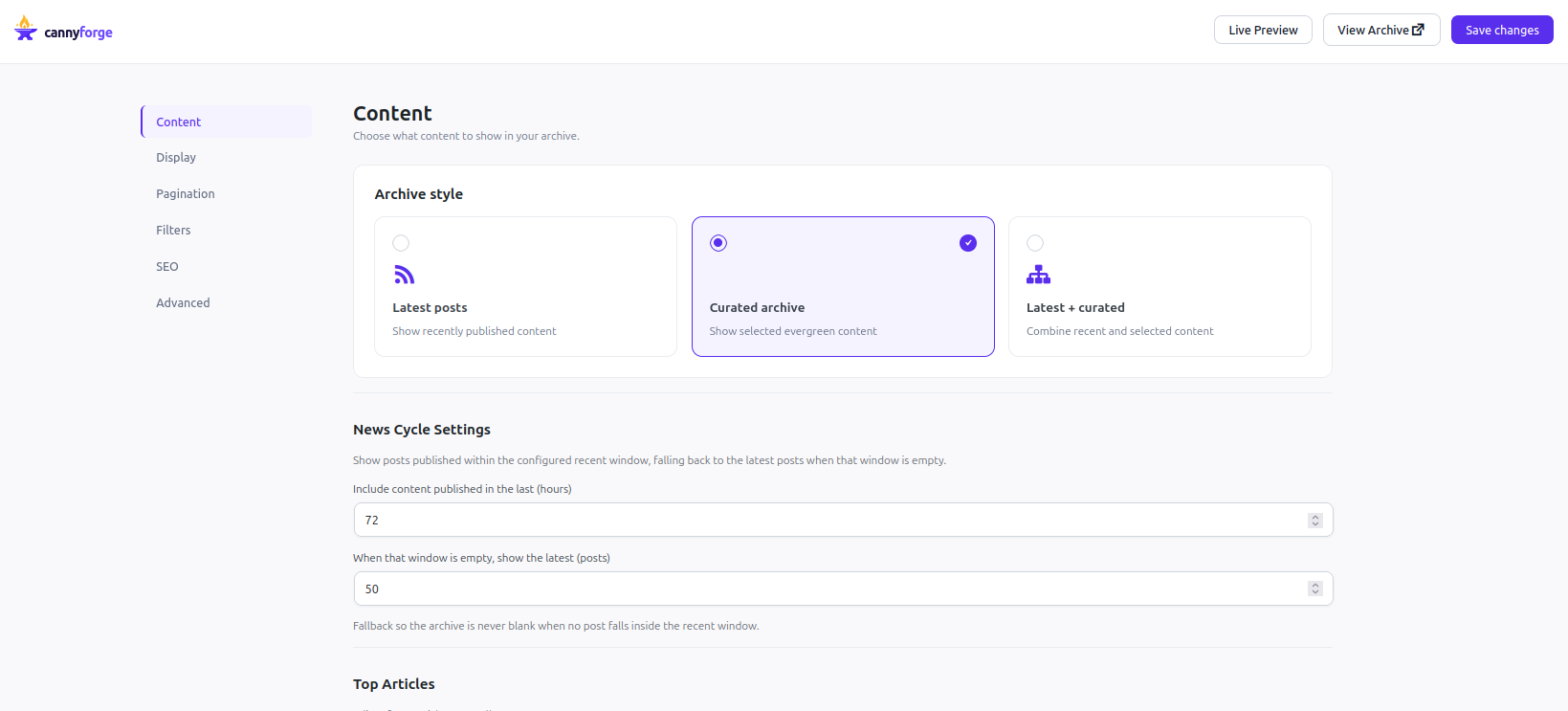
- News mode: include content published within a configurable recent window.
- Blog mode: a curated URL list, entered manually or imported from CSV.
- Client-side search and category / tag / month / author filters.
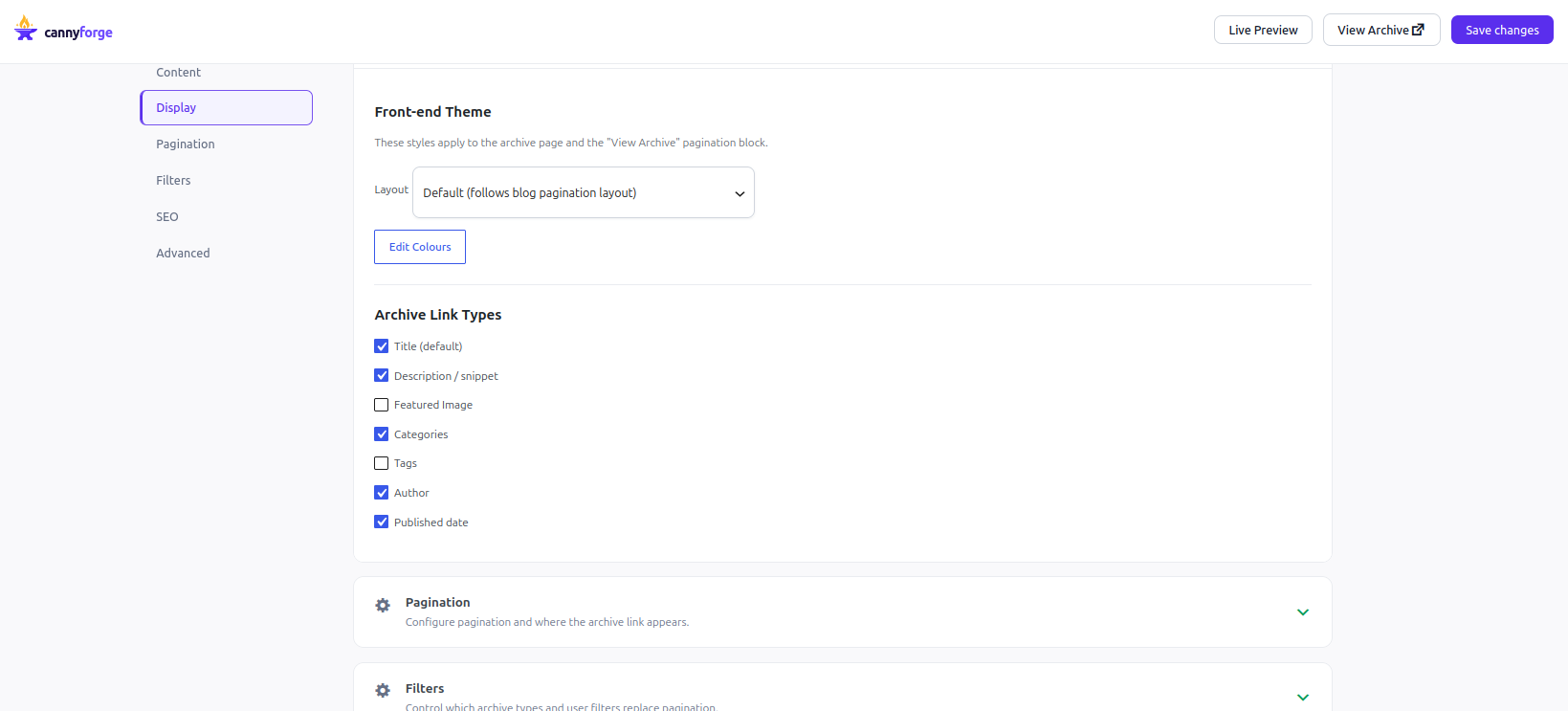
- Configurable compact pagination with a “View Archive” link, targeted per archive type.
- Optional full archive continuation:
/archive/stays the optimised first
page and/archive/page/2/onward lists remaining eligible posts without
JavaScript, newest first. - SEO controls: archive title, meta description, robots directives, canonical.
- Content selection: include / exclude by term, drop noindex, pin URLs first.
External services
This plugin can connect to Google services to fetch top-content signals for the
archive. These integrations are optional and are only used when the site owner
configures Google credentials and explicitly connects an account.
Google OAuth / Search Console / Google Analytics 4
What the service is used for:
- Google OAuth authenticates the site owner’s Google account and refreshes API access tokens.
- Google Search Console can supply top page URLs for the configured property.
- Google Analytics 4 can supply top page paths as the primary signal or as a Search Console fallback.
What data is sent and received:
- When the owner starts Connect, the browser visits Google’s OAuth
authorisation endpoint with the configured client ID, registered redirect
URI, requested read-only scopes, response type, access type, and a
short-lived state value at
https://accounts.google.com/o/oauth2/v2/auth. Google returns an authorisation code to that
redirect URI; the code, client ID, client secret, redirect URI, and grant
type are sent server-to-server tohttps://oauth2.googleapis.com/token.
Google returns access and refresh tokens plus the access-token lifetime. - When the access token is missing or expired, the client ID, client secret,
refresh token, and refresh grant type are sent to the same token endpoint.
The returned access token and lifetime are cached encrypted locally; the
refresh token is retained encrypted until Disconnect or plugin deletion. - After a successful connection that requested Search Console access, the
plugin automatically lists the account’s Search Console properties with a
GET tohttps://www.googleapis.com/webmasters/v3/sites. Google returns
property URLs and permissions. The selected property list is cached for
the current WordPress user for 10 minutes. - When the owner loads Search Console properties, the same property-list call
runs. When the owner refreshes top content, the configured Search Console
property URL, date range, dimensions (page), row limit, and access token
are sent tohttps://www.googleapis.com/webmasters/v3/sites/{property}/searchAnalytics/query.
Google returns page rows; resolved local post IDs, source URLs, and a
refresh timestamp are stored in the Search Console cache option until the
next refresh, Disconnect, or deletion. - After a successful Analytics wizard connection, the plugin automatically
lists GA4 accounts and properties with the access token at
https://analyticsadmin.googleapis.com/v1beta/accountSummaries. Google
returns account/property names and IDs; the list is cached for the current
WordPress user for 10 minutes. Clicking Load GA4 properties repeats that
call. - When the owner refreshes GA4 top content, the configured numeric property
ID, date range,pagePathdimension,screenPageViewsmetric, descending
order, row limit, and access token are sent to
https://analyticsdata.googleapis.com/v1beta/properties/{property}:runReport.
Google returns page-path rows; resolved local post IDs, source paths, and a
refresh timestamp are stored in the GA4 cache option until the next refresh,
Disconnect, or deletion.
What access is requested:
- The Search Console read-only scope (
https://www.googleapis.com/auth/webmasters.readonly) is requested for Search Console-only and combined wizard paths. - The Analytics (GA4) read-only scope (
https://www.googleapis.com/auth/analytics.readonly) is requested for Analytics-only and combined wizard paths, or when a GA4 property ID is already configured. A Search Console-only setup never asks for Analytics access.
When it happens:
- Only when the site owner clicks Connect, loads a property list, or manually
refreshes a Google-backed cache. The post-Connect Search Console property
listing is automatic only when that access was requested; the GA4 property
listing is automatic for an Analytics wizard connection. - Never during wp.org installation or by default on an unconfigured site.
How credentials are stored and removed:
- The client secret, refresh token, and cached access token are encrypted at rest.
- Clicking Disconnect makes a best-effort POST to
https://oauth2.googleapis.com/revoke with the refresh token (or still
valid access token) before clearing the locally stored tokens and caches, so
the connection is invalidated on Google’s side as well as locally. If the
endpoint cannot be reached, local credentials are still cleared and the
admin is told the remote grant may need to be revoked manually. - Deleting the plugin (not just deactivating it) makes the same best-effort revocation call, then permanently removes the plugin’s stored settings and credentials, fixed archive caches, and all user-scoped Google property-list and OAuth-state transients, including the encrypted Google credentials. Search-result and rate-limit transients have bounded expirations and are allowed to expire naturally rather than being swept during uninstall. Deactivating the plugin never removes this data — only deleting it does.
Service policies:
- Google APIs Terms of Service: https://developers.google.com/terms
- Google API Services User Data Policy: https://developers.google.com/terms/api-services-user-data-policy
- Google Privacy Policy: https://policies.google.com/privacy
- Google Analytics Terms of Service (where GA4 is enabled): https://marketingplatform.google.com/about/analytics/terms/us/
Screenshots
Installation
- Upload the
cannyforge-archive-generatorfolder to/wp-content/plugins/. - Activate the plugin through the Plugins menu in WordPress.
- Open CannyForge Archive Generator in the admin menu and configure the archive.
- Visit the fixed
/archive/endpoint to view the generated archive. The optionalarchive_urlsetting changes only where a “View Archive” link points; it does not change the endpoint URL.
FAQ
-
Does the archive work without JavaScript?
-
Yes. The archive list is server-rendered and crawlable; the JavaScript only
adds client-side search and filtering on top. -
Can I publish a complete archive after the selected first page?
-
Yes. Enable full archive pages under Pagination. The existing
/archive/
page remains the optimised first page;/archive/page/2/onward then lists
remaining eligible published posts, newest first. Posts already rendered on
page one are excluded by local post ID. Curated external URLs remain page-one
only and never suppress a local post./archive/page/1/redirects to
/archive/; malformed and out-of-range page URLs return 404. -
Does it replace my theme’s pagination automatically?
-
On targeted archive types it filters the theme’s pagination output. Themes that
render pagination in a non-standard way can place the
[cannyforge_pagination] shortcode explicitly. -
If I deactivate the plugin (or turn off pagination targeting), do I get my normal pagination back?
-
Yes, completely and immediately. The shortened pagination is applied by
filtering WordPress’s own pagination output at render time (navigation_markup_template);
nothing is written to your permalinks, post content, or database schema.
Deactivating the plugin, or unchecking an archive type under Pagination
Targeting in settings, restores the theme’s default numbered pagination on
the very next page load — there is no residue to clean up. -
Exactly what data is sent to Google, and when?
-
Nothing is sent to Google unless you explicitly configure Google credentials
and click Connect, load a property list, or manually refresh a Google-backed
cache — never on install and never by default. The full endpoint-by-endpoint
request, response, trigger, retention, and policy disclosure is in the
External services section above. -
How does the archive cache behave, and when does it refresh?
-
The rendered archive HTML is cached per mode (Blog / News / Hybrid) using the
WordPress Transients API for up to 24 hours. That cache is cleared
immediately — not after the TTL — whenever you save the plugin’s settings, or
whenever a post/page is saved or deleted, or a term or author changes, so the
archive reflects your latest configuration and content right away in the
cases that matter. A change written directly to thecannyforge_archive_settings
option outside the settings UI (bypassing that save action) only takes effect
on the next invalidating event or once the 24-hour TTL expires.
Reviews
There are no reviews for this plugin.
Contributors & Developers
“CannyForge Archive Generator” is open source software. The following people have contributed to this plugin.
Contributors
Translate “CannyForge Archive Generator” into your language.
Interested in development?
Browse the code, check out the SVN repository, or subscribe to the development log by RSS.
Changelog
0.1.2
- Tested compatibility with WordPress 7.1.
0.1.1
- Optional Google connection with least-privilege OAuth, Search Console
property/report sourcing, and GA4 Analytics Admin/Data API top-content
sourcing, with local caching and disconnect cleanup. - Optional full-site archive continuation after the optimised
/archive/
page, disabled by default and served at/archive/page/2/onward. - Sprint 2 hardening: archive endpoint lifecycle, content-selection
normalisation, distributable build helper, front-end theming controls,
historic-content seeding, fragment caching, extensibility hooks, and
CSS moved to enqueued stylesheets.
0.1.0
- Initial release: archive page, News and Blog modes, client-side filters,
pagination replacement, SEO controls, and content selection.