

Description
Circumflex Booking is a self-hosted appointment booking plugin for treatments,
consultations, and other scheduled services. Customers request an available
time, and authorized staff approve or reject each request manually.
Customer booking
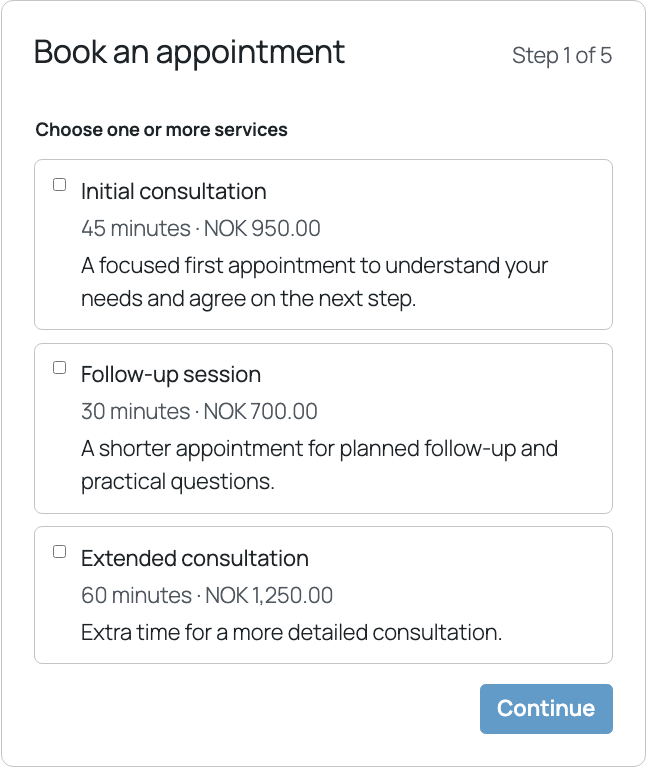
- Let customers select one or more services in a single booking.
- Show a practitioner choice or “first available” when several practitioners
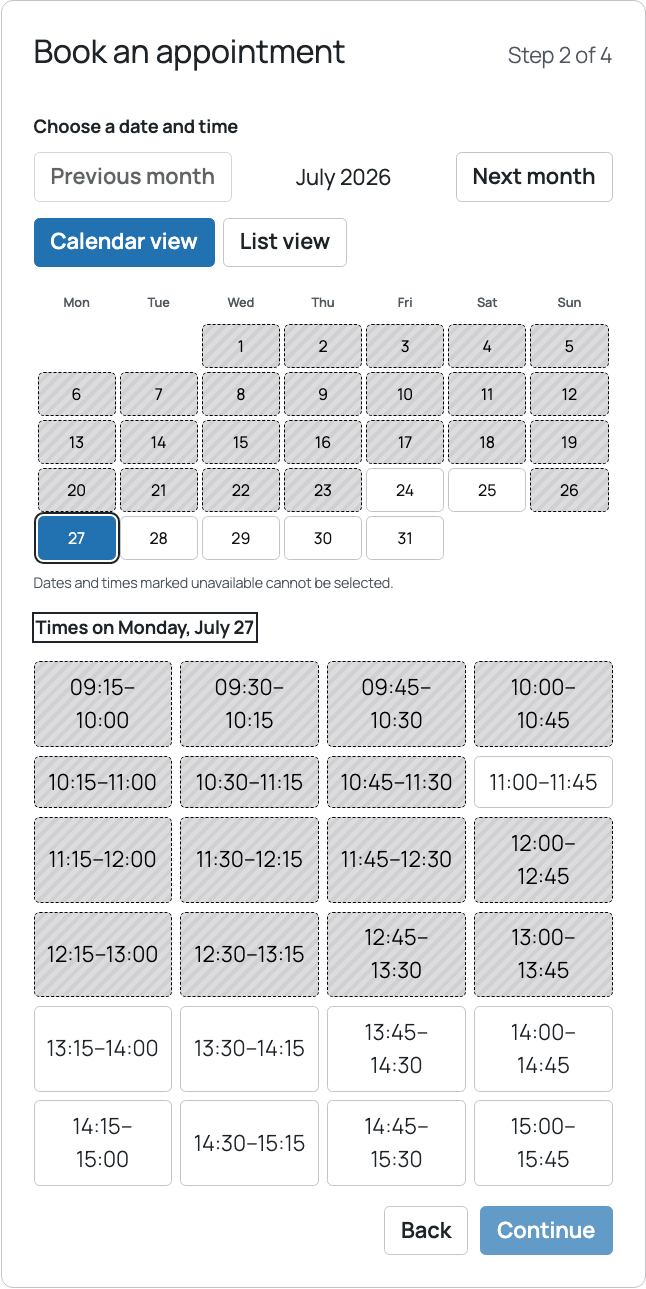
qualify. The choice is hidden automatically when only one qualifies. - Present available dates and times in accessible calendar and list views.
Unavailable times are visually distinct and not selectable. - Collect name, email address, phone number, and an optional practical comment.
- Reserve a requested time while the booking is pending, preventing another
customer from taking it. - Send customer and staff notifications for booking events and reminders.
- Give confirmed customers a private link to view the booking, request another
time, or cancel within the configured deadline.
Administration
- Configure services, durations, preparation buffers, prices, booking and
cancellation deadlines, and drag-and-drop service order. - Configure one or more practitioners and assign the services each can provide.
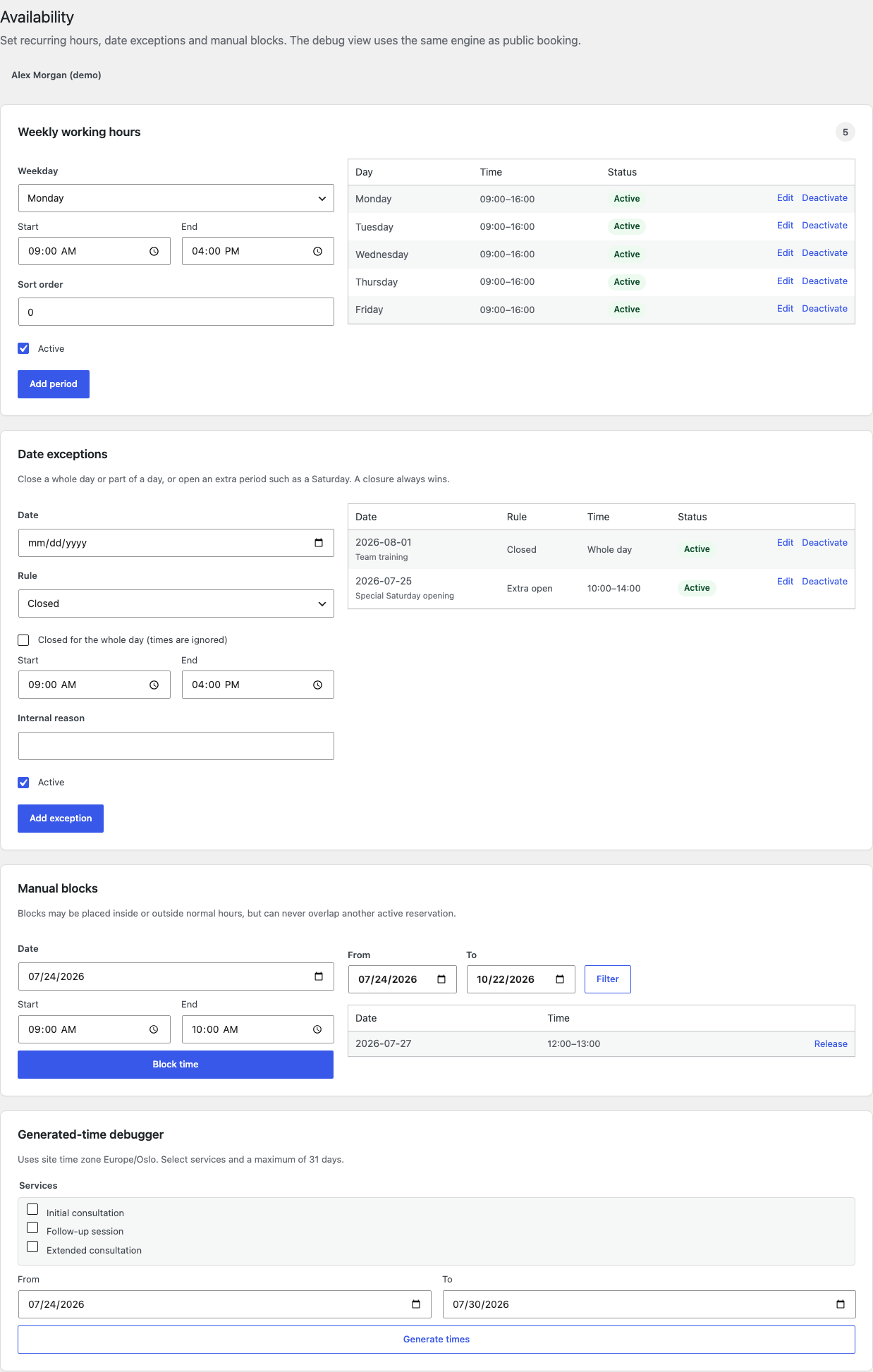
- Combine recurring weekly hours with closures, extra opening dates, and manual
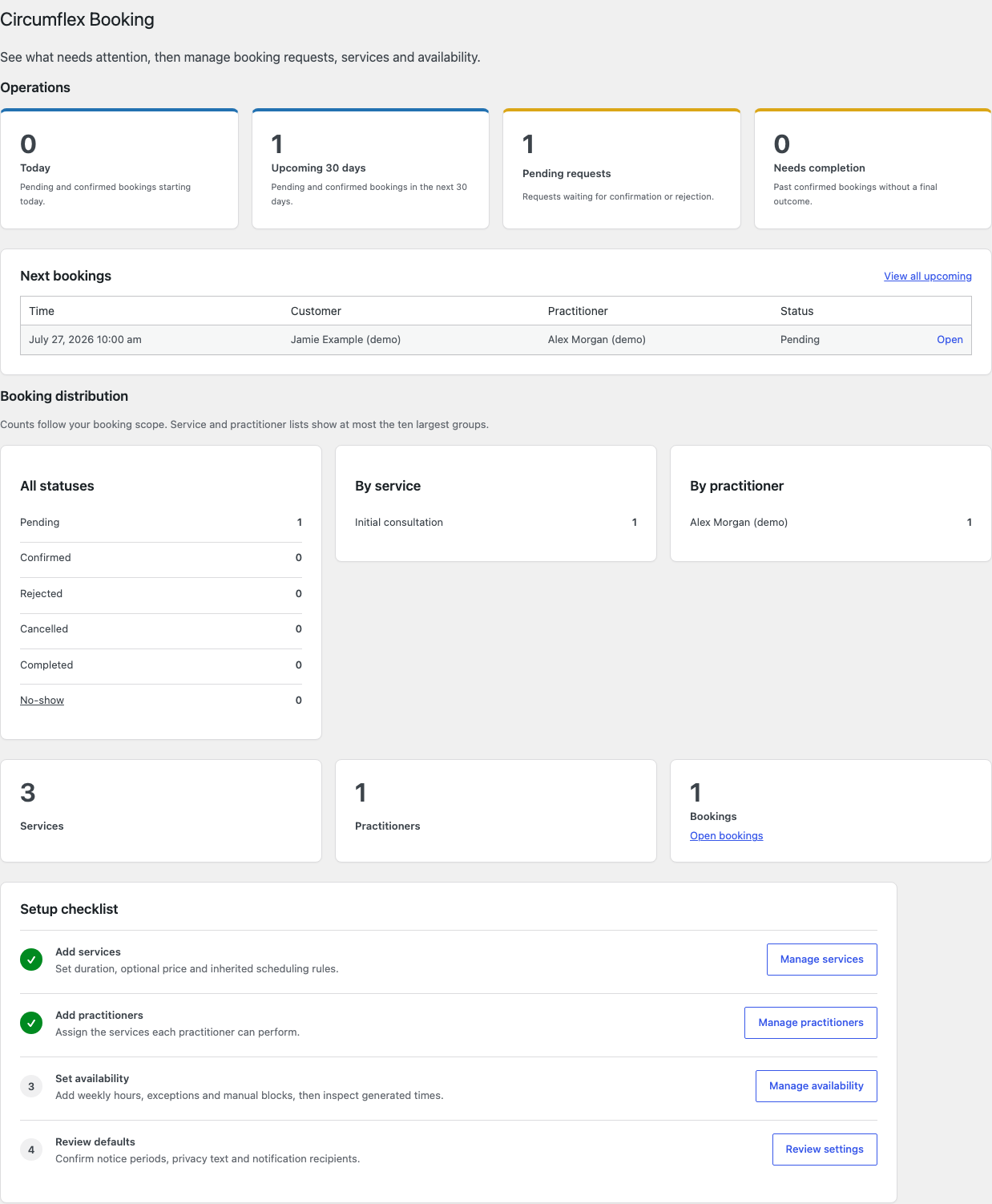
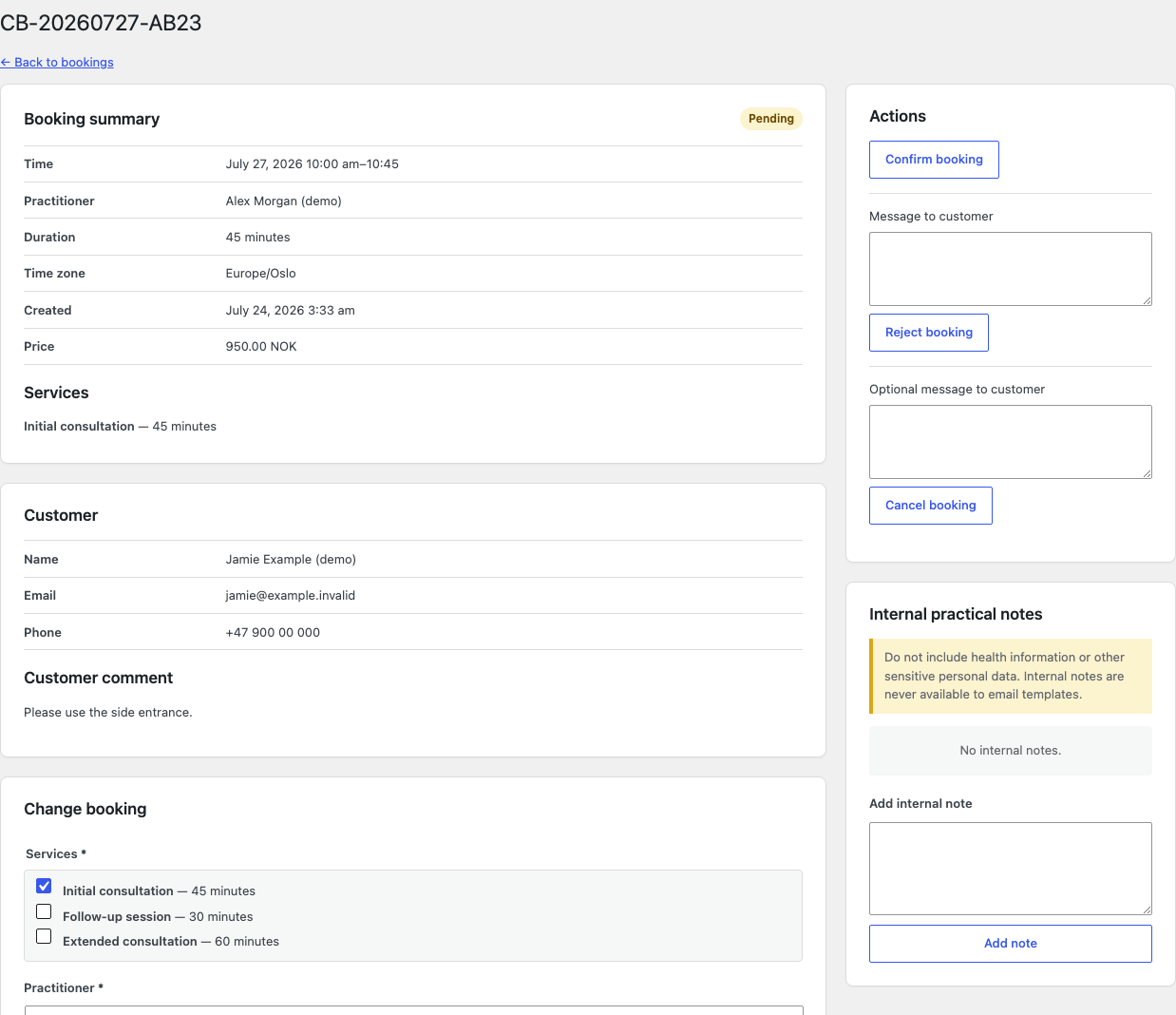
blocks. - Review and process bookings in a filterable list or calendar with
role- and practitioner-scoped permissions. - Optionally let linked practitioners decide only requests assigned to them.
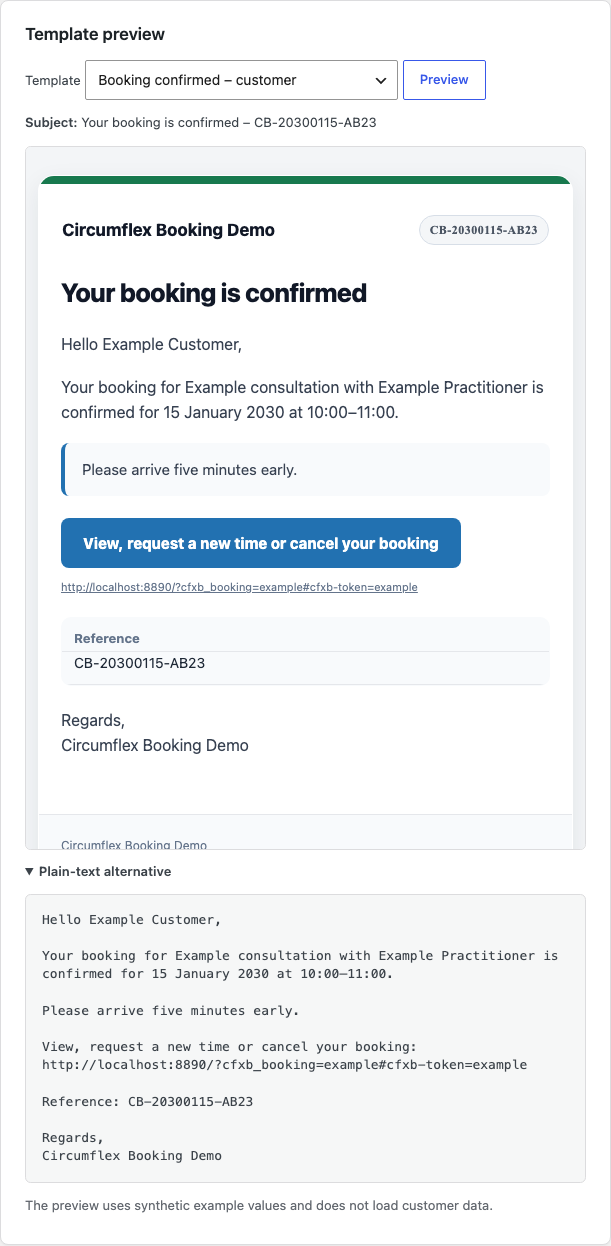
- Configure email identity and templates, then preview the responsive HTML and
plain-text versions. - Use WordPress privacy tools, configurable retention, local diagnostics,
configuration transfer, and a link to the WordPress-selected privacy policy.
Add the booking form anywhere
Circumflex Booking does not create or reserve a booking URL. Create or edit a
normal WordPress page and insert the Circumflex Booking block, the
[circumflex_booking] shortcode, or optional Elementor widget. Publish it and
share that page’s URL with customers. Elementor, WooCommerce, and customer
accounts are not required.
All shipped functionality is available without payment or a license key.
Payments, recurring bookings, and multiple locations are outside scope. Email
uses wp_mail(); a separate SMTP plugin is recommended.
Booking and diagnostics stay on the site. Optional Cloudflare Turnstile is
disabled by default and disclosed below.
Privacy and External Services
The site’s database stores customer contact details, optional practical
comment, services, practitioner, appointment time, and customer-notice
snapshot. Internal notes are visible only to authorized roles.
By default, personal data is anonymized 365 days after a terminal status; the
period is configurable. Anonymization removes contact details, free text,
customer tokens, and identifying notification and audit data. Anonymous
booking facts may remain for statistics. WordPress privacy export and erasure
are supported. Erasing an active booking does not release its reserved time.
Authorized administrators can generate local diagnostics that omit personal
data, free text, tokens, secrets, IP addresses, and site URLs. Nothing is sent
to Circumflex AS.
Cloudflare Turnstile
Cloudflare Turnstile is an
optional anti-spam service. It is disabled by default and requires Cloudflare
keys plus explicit administrator activation.
When enabled, the browser loads https://challenges.cloudflare.com. Cloudflare
processes signals including IP address, TLS fingerprint, User-Agent, site key,
and origin. WordPress sends the secret and response token to Siteverify but
does not explicitly add the visitor IP. Bookings fail closed if verification
cannot finish.
Review Cloudflare’s
Turnstile Privacy Addendum,
Privacy Policy, and
Terms before enabling the service.
The site owner must reflect this processing in the site’s privacy information.
Source Code
Source and build instructions are in the
public GitLab repository.
Support
Use the Support tab for help. Product information is at
circumflex.no/circumflex-booking.
Never post customer data, private links, credentials, or health information.
Screenshots
Blocks
This plugin provides 1 block.
- Booking form Display the Circumflex Booking appointment flow.
Installation
- Install and activate Circumflex Booking.
- Add at least one service under Booking > Services.
- Add a practitioner, assign services, and configure recurring hours under Booking > Practitioners and Booking > Availability.
- Review deadlines, notices, retention, recipients, and email templates under Booking > Settings.
- Select the site’s privacy policy under Settings > Privacy.
- Create or edit a normal WordPress page, add the block, shortcode, or Elementor widget, publish it, and share its URL.
- Check Tools > Booking status, then make and process a test booking before opening the page to customers.
The tested and supported database baseline is MySQL 8.0 or MariaDB 10.11 and newer. Use HTTPS and configure the site’s mail or SMTP setup before accepting real bookings.
FAQ
-
Does Circumflex Booking create a booking URL?
-
No. Add the block,
[circumflex_booking]shortcode, or Elementor widget to a
normal page you create. Publish it and use that page’s URL. All three use the
same booking flow and settings. -
What happens when there is only one practitioner?
-
The practitioner step is hidden when the selected services have exactly one
eligible practitioner. With several eligible practitioners, the customer can
choose one or ask for the first available. -
Are notification emails sent immediately?
-
An asynchronous worker starts as soon as a message is queued. WordPress cron
remains as fallback and for retries. Inbox delivery depends on the site’s
wp_mail() or SMTP setup. -
Why are MySQL 8.0 and MariaDB 10.11 listed?
-
They match WordPress’s recommended production baseline and the versions covered
by the plugin’s compatibility test matrix. Older versions may work, but they
are not tested or supported. The status page reports an older version as a
warning; the database version alone does not deactivate the plugin. -
Can customers change or cancel an appointment?
-
Confirmed customers can receive a private link to request a new time or cancel
before the deadline. New times require manual approval. Treat the link as a
secret access key. -
Can practitioners approve assigned requests?
-
Yes, when enabled. An active practitioner needs a notification email and linked
Practitioner account. Access is limited to their own requests; managers retain
access to all requests. -
Does the plugin support payments or recurring appointments?
-
No. They are outside the plugin’s scope.
-
Should customers enter health information in the comment field?
-
Configure the warning beside the optional comment to tell customers not to
submit health or other sensitive data that is not needed for scheduling. -
What happens when the plugin is deactivated or removed?
-
Deactivation and normal uninstall preserve data. Permanent deletion requires an
authorized administrator to enable and confirm the uninstall deletion option.
Reviews
There are no reviews for this plugin.
Contributors & Developers
“Circumflex Booking” is open source software. The following people have contributed to this plugin.
Contributors
Translate “Circumflex Booking” into your language.
Interested in development?
Browse the code, check out the SVN repository, or subscribe to the development log by RSS.
Changelog
1.1.0
- Add scoped practitioner decisions, clearer setup and booking-page guidance, and the CF Booking admin menu.
1.0.2
- Address directory review findings, prepare WordPress language packs, and label the admin menu CF Booking.
1.0.1
- Clarify the supported database baseline and report older versions as a warning without deactivating the plugin.
1.0.0
- First stable customer booking, administration, notifications, privacy, and embedding release.
Older development history is available in changelog.txt.