

Description
Ideal for businesses that use WooCommerce as a product catalog instead of an online store.
Turn WooCommerce into a quotation catalog by replacing online purchasing with a quote basket workflow. Customers add multiple products to a quote basket, complete a quotation form and submit a single RFQ for project-based or custom-priced products.
Suitable for:
- B2B and wholesale catalogs
- Industrial / engineering / ex-proof equipment
- Custom pricing and project quotations
- Stores that hide checkout and collect quote requests instead
What customers do
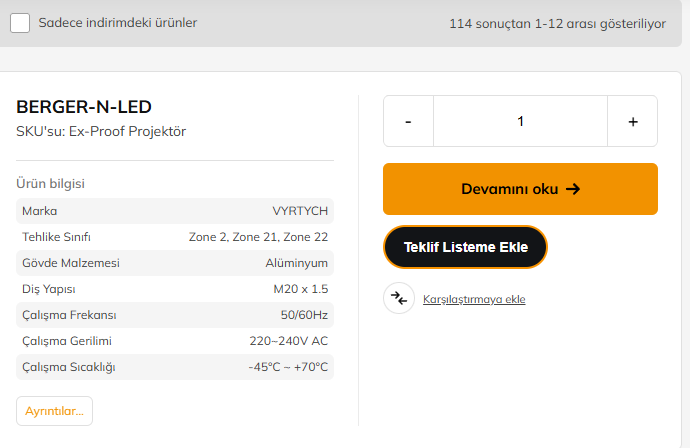
- Add products to a quote basket from the product page or catalog
- Adjust quantities (including variable products)
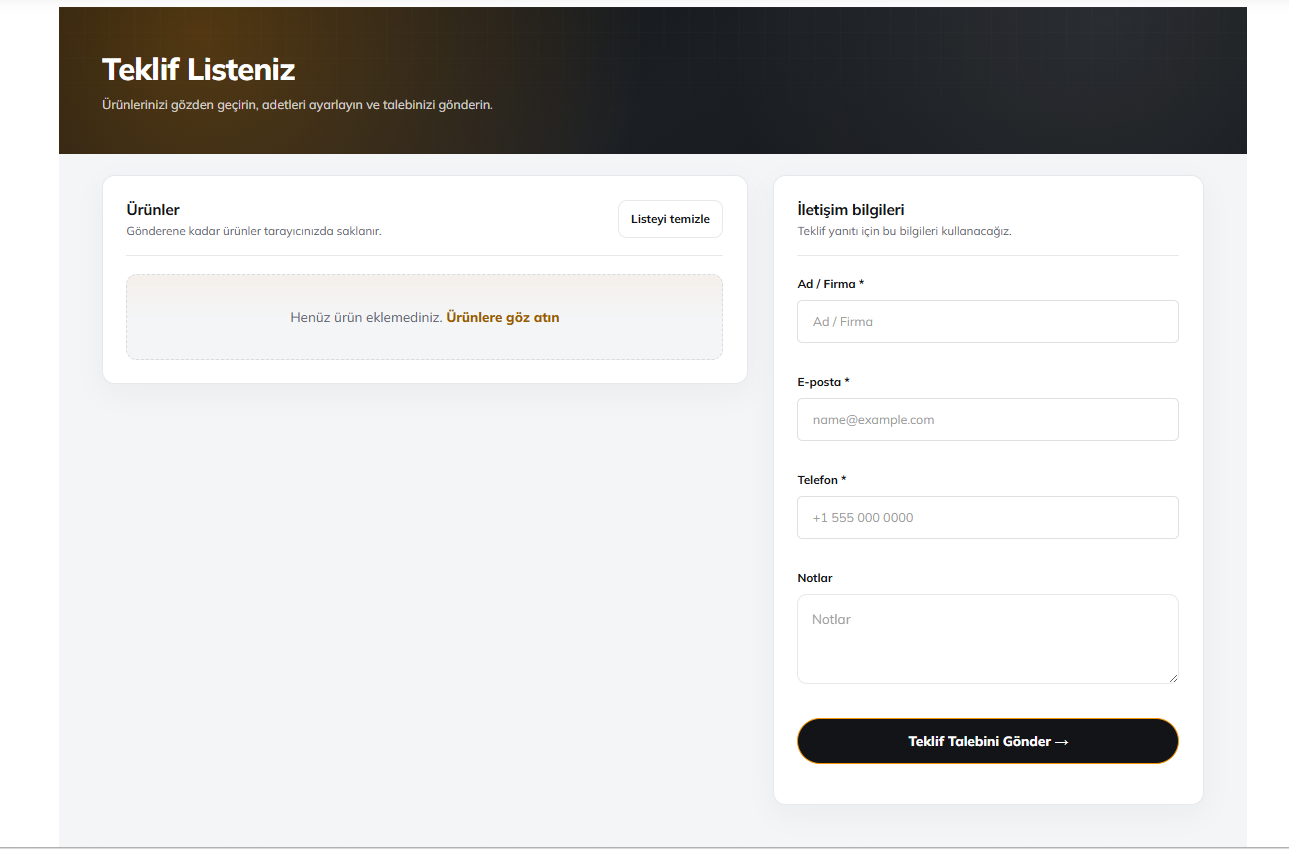
- Open the quote page, fill a short contact form, and submit
What you get
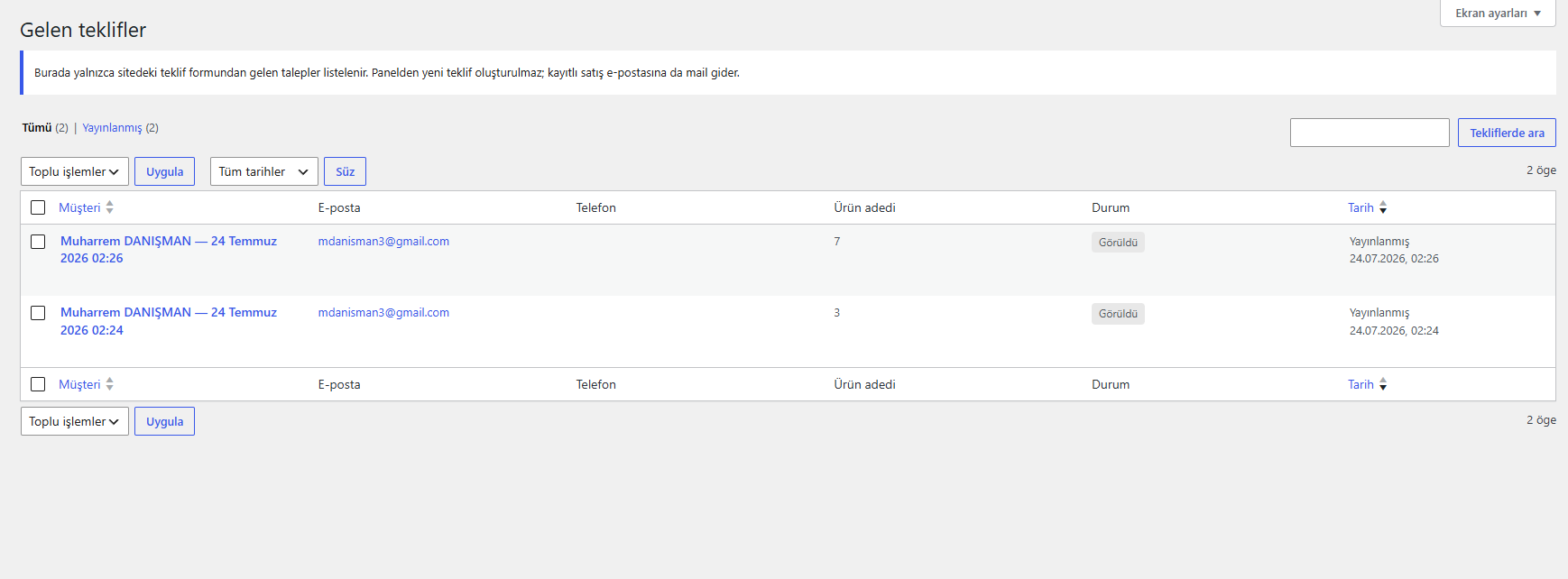
- Incoming quote requests in the WordPress admin
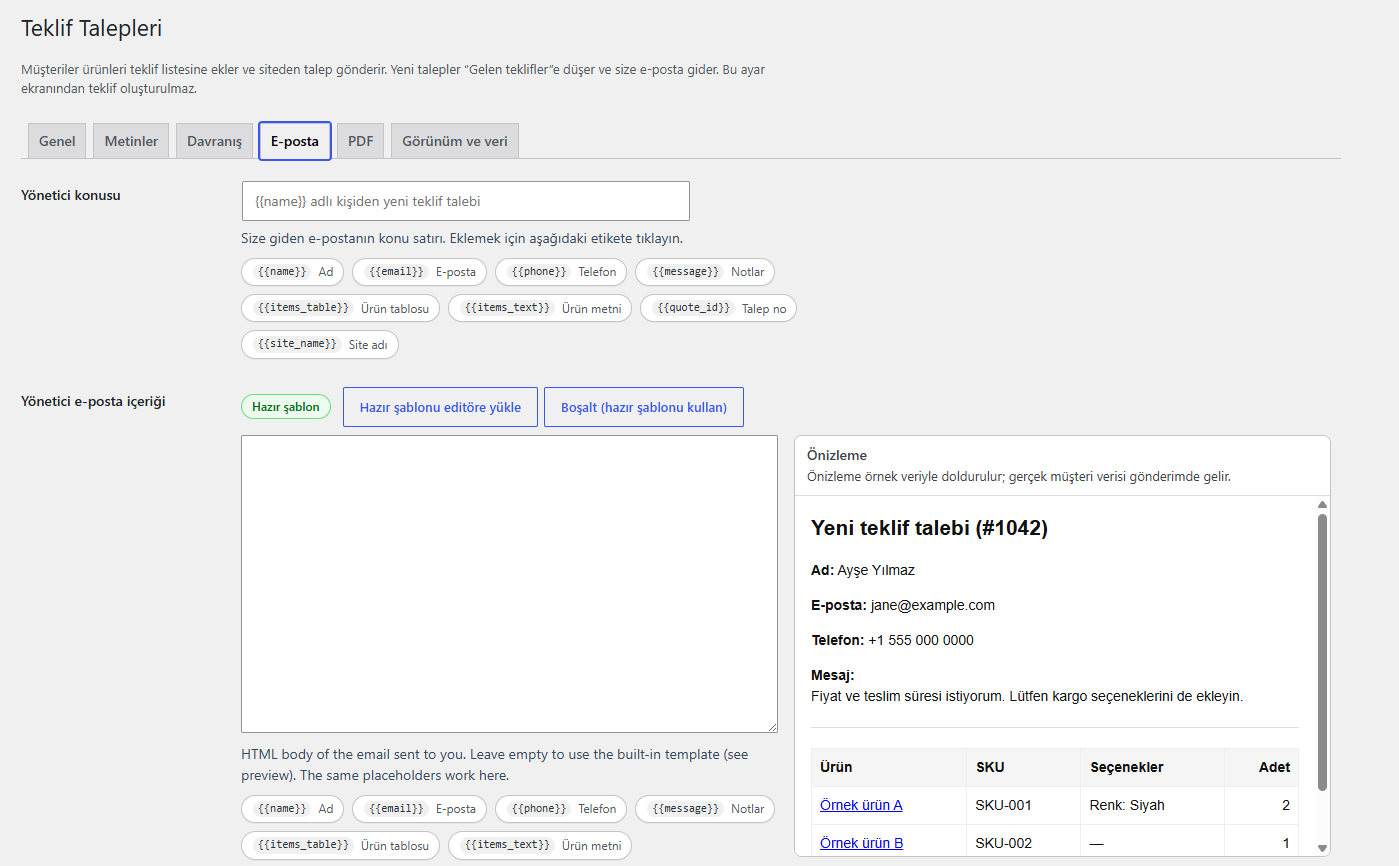
- HTML email to your sales address (customizable templates with live preview)
- Optional confirmation email to the customer
- Optional PDF summary attached to the admin email
- Floating quote-basket button (can be turned off)
- Option to hide WooCommerce “Add to cart” for quote-only catalogs
Shortcodes
[ankaquba_form]— quote basket + form[ankaquba_menu]— quote basket link with count
Place the form shortcode on a page, then select that page under Quote Requests Settings.
Both tags use the plugin prefix ankaquba_. Older tags (woo_quote_*,
anka_quote_basket_*, product_quote_list_*, quote_requests_*) are no longer
registered. Upgrading rewrites [woo_quote_form] and [woo_quote_menu] in your
existing pages automatically; anything it cannot reach is listed in an admin
notice so you can update it by hand.
Screenshots
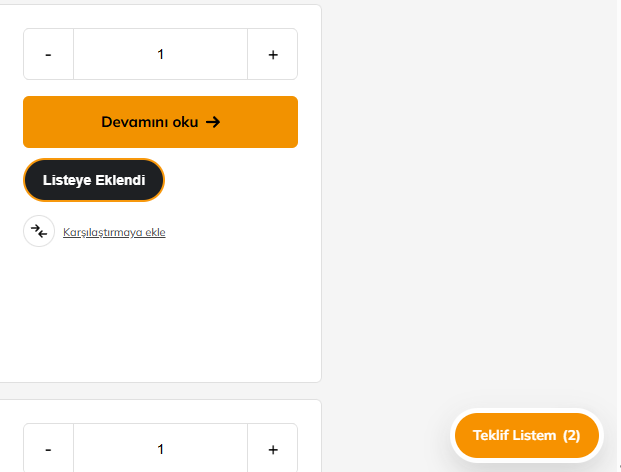
Installation
- Upload the
anka-quote-basket-for-woocommercefolder to/wp-content/plugins/, or install the zip via Plugins Add New Upload. - Activate the plugin (WooCommerce must be active).
- Open Quote Requests Settings.
- Confirm the quote page, recipient email, labels, and email templates.
- (Optional) Turn on the floating menu button and/or hide Add to cart.
FAQ
-
Does this replace WooCommerce checkout?
-
No. You can keep checkout and quotes together, or hide Add to cart for a quote-only catalog.
-
What PHP version is required?
-
PHP 8.1 or higher.
-
Can I customize the emails?
-
Yes. Under Settings Email you can edit subjects and HTML bodies. Leave a body empty to use the built-in template. A live preview shows sample data.
-
I used an older folder name
-
Activate Anka Quote Basket for WooCommerce. Settings and stored quotes keep working. Remove any old folder such as
hadilenya-quote-basket-for-woocommerce,product-quote-list-for-woocommerce,quote-requests-for-woocommerce, orwoo-quoteafter activating this one.Your quotes, settings and pages are carried over on the first load after upgrading. If a page still shows a raw shortcode, change it to
[ankaquba_form]or[ankaquba_menu]. -
Is Dompdf required?
-
No. Dompdf ships with the plugin for nicer PDFs. If it cannot load, a simple PDF fallback is used so quotes still send.
-
Does the plugin send data anywhere?
-
No. It makes no external requests: there is no tracking, no licence check and no remote asset. Quote requests are stored in your own database and sent with
wp_mail()to the address you configure. Dompdf runs locally with remote fetching switched off. -
How do I build the plugin from source?
-
The plugin ships ready to run; nothing is minified or obfuscated. The only build step is Composer, which produces the bundled
vendor/directory (Dompdf and its dependencies):composer install --no-dev --optimize-autoloader composer.json and `composer.lock` are included so the exact dependency versions can be reproduced.
Reviews
There are no reviews for this plugin.
Contributors & Developers
“Anka Quote Basket for WooCommerce” is open source software. The following people have contributed to this plugin.
Contributors
Translate “Anka Quote Basket for WooCommerce” into your language.
Interested in development?
Browse the code, check out the SVN repository, or subscribe to the development log by RSS.
Changelog
4.3.0
- Every global name now uses the distinct
ankaqubaprefix instead of the genericwoo_quote: constants (ANKAQUBA_*), classes (Ankaquba_*), theankaquba_settingsoption, theankaquba_quotepost type,_ankaquba_*meta keys, AJAX actions, nonces, CSS classes and the[ankaquba_form]/[ankaquba_menu]shortcodes. - Automatic one-time migration on upgrade: settings, stored quotes, their meta and the shortcodes inside your pages (including Elementor content) are moved to the new names. Baskets saved in a visitor’s browser are carried over too. Anything the rewrite cannot reach is reported in an admin notice.
- Uninstall now also clears data left by pre-4.3.0 versions.
4.2.1
- Security: marking a quote as viewed is no longer done while the edit URL loads. It is now an explicit POST protected by a nonce plus a capability check, so the status cannot be changed through a forged request.
- All shortcodes now use the plugin prefix. Unprefixed aliases were removed to avoid collisions with other plugins.
- Settings screen placeholder chips moved from a global function into the settings class.
- Admin screen routing input is sanitized before comparison.
Older entries are kept in changelog.txt, bundled with the plugin.