
Description
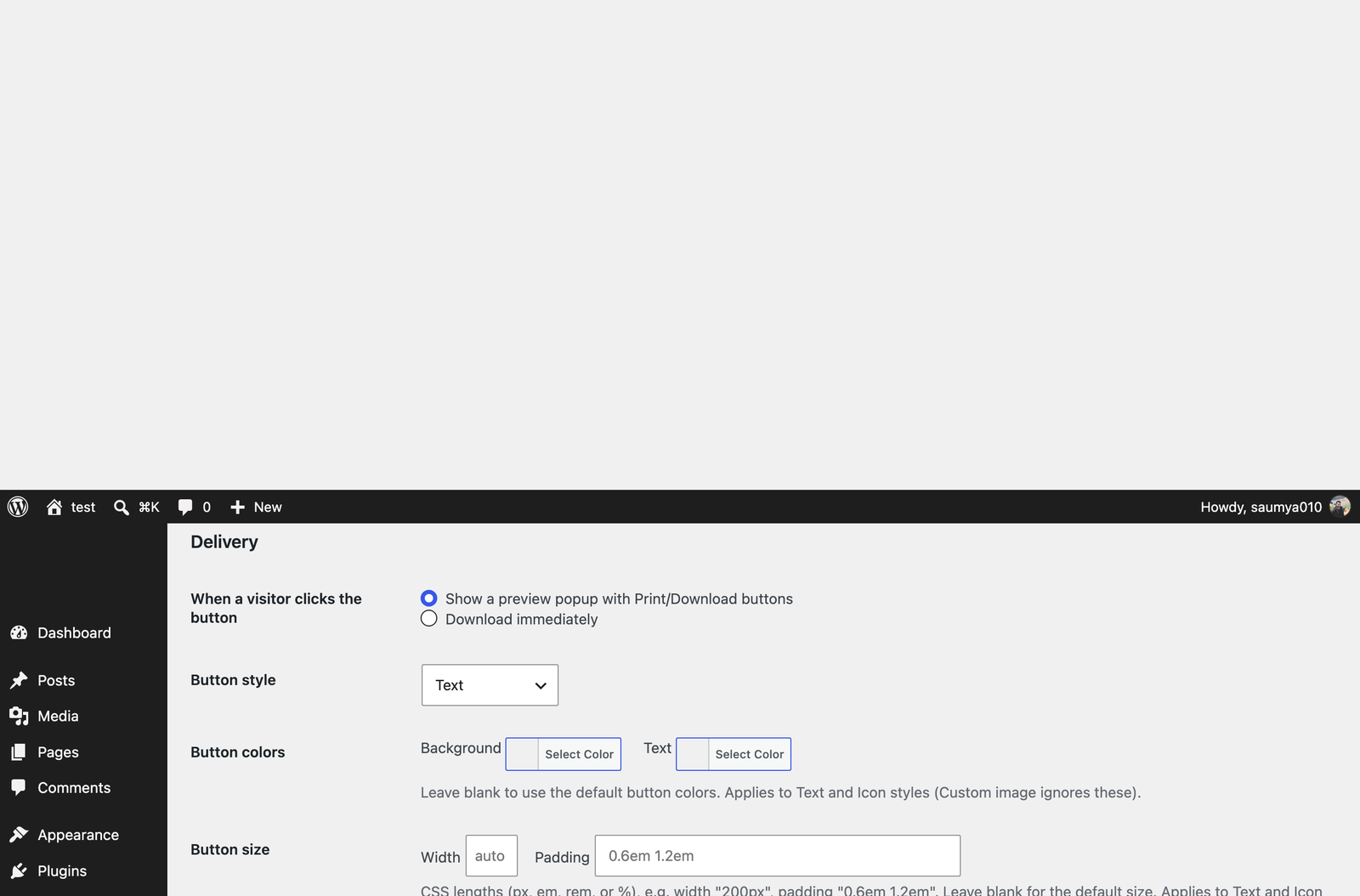
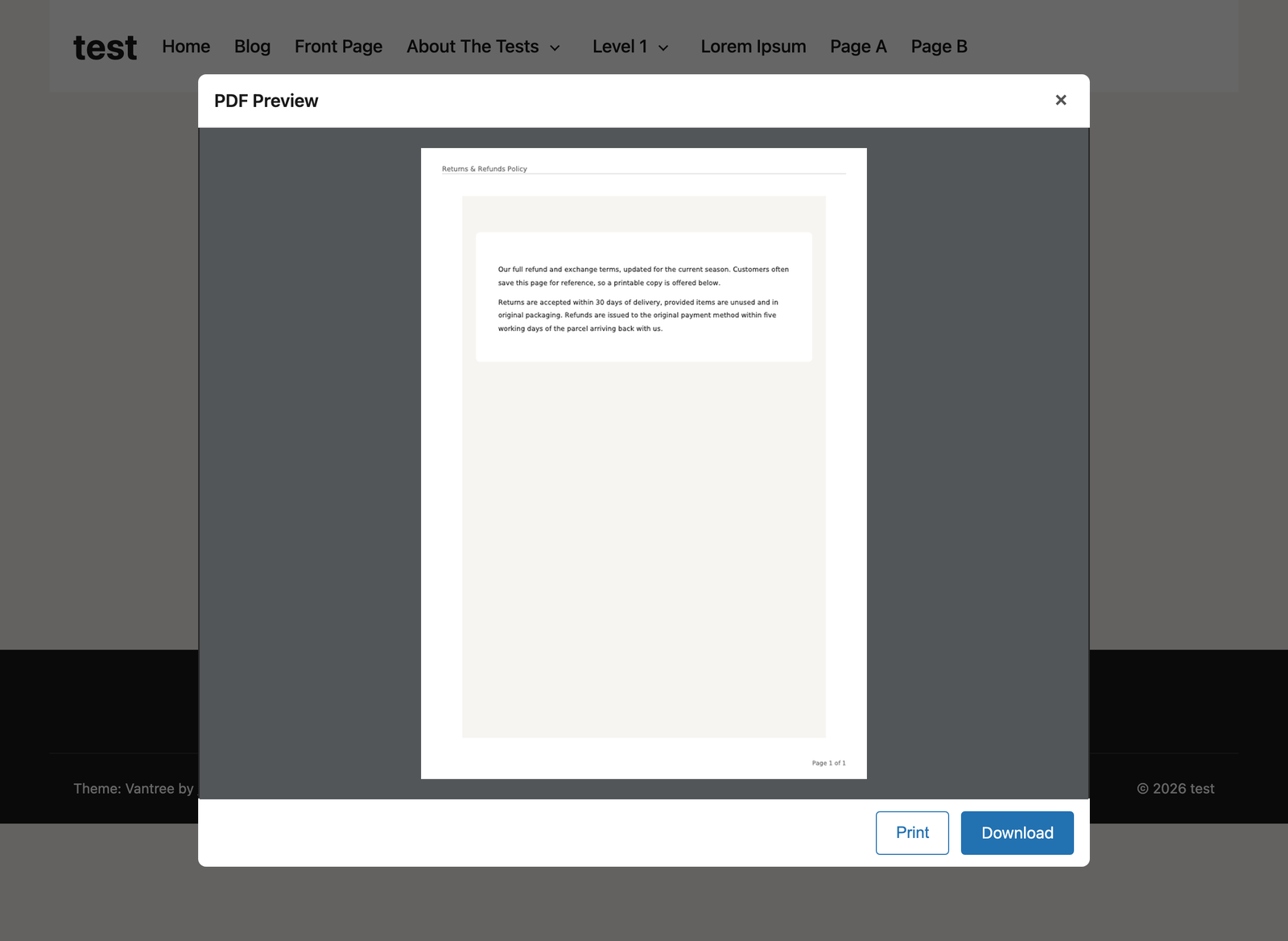
PDF Snapshot adds a “Download PDF” button to your posts and pages. When a visitor clicks it, the plugin captures the page, converts it to a PDF, and either shows a preview popup (with Print and Download buttons) or downloads it immediately — your choice.
Key features
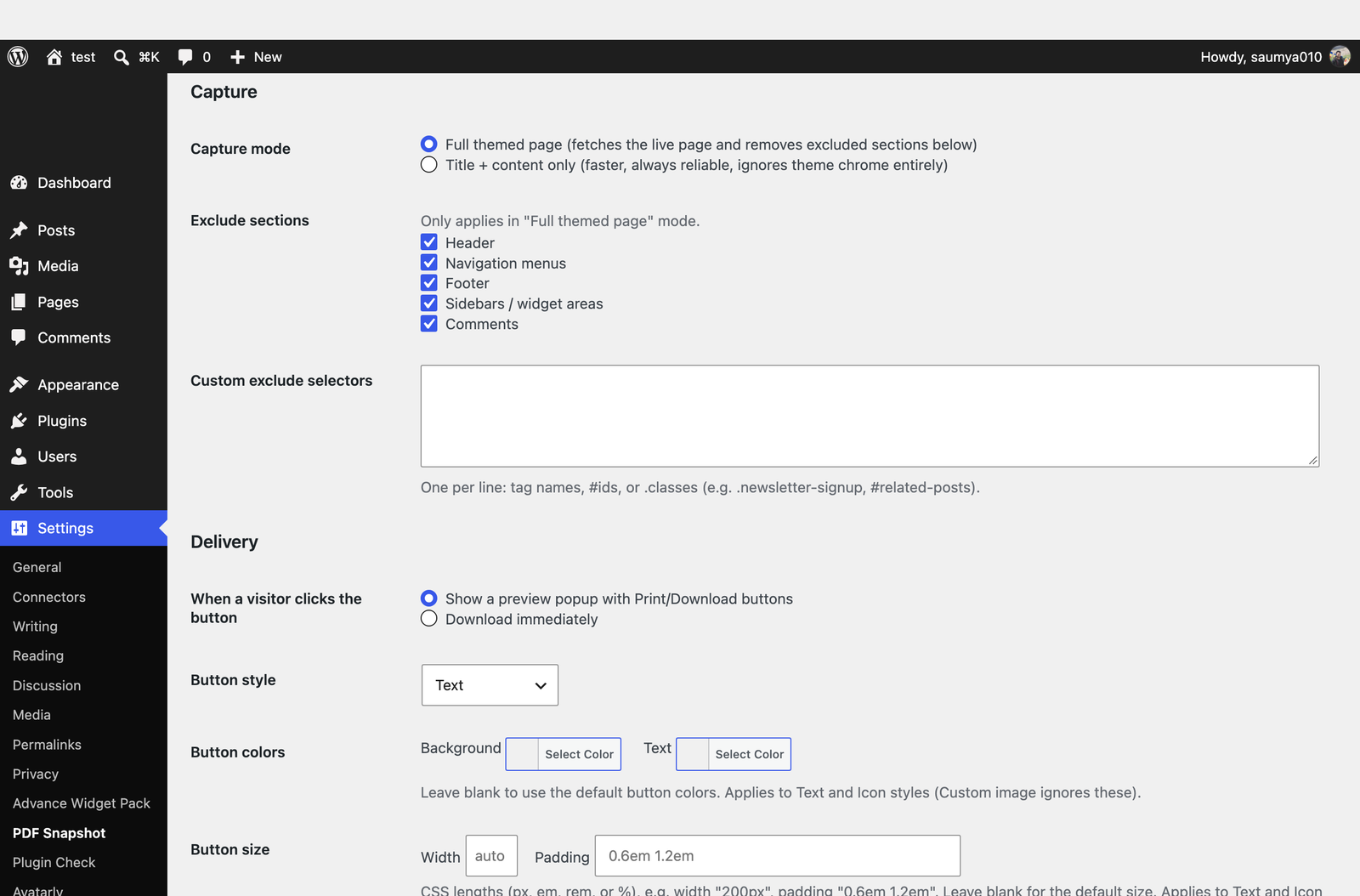
- Two capture modes: the full themed page (with excluded sections removed), or just the title and post content.
- Choose exactly which sections to exclude: header, navigation, footer, sidebars, comments, and any CSS selector you specify (e.g.
.newsletter-signupor#related-posts) to identify additional elements to remove from the PDF. - Preview popup with Print and Download actions, or immediate download — configurable.
- Available as a shortcode (
[pdf_snapshot]), a Gutenberg block, and optional automatic injection into all posts and/or pages. - PDF-native running header (page title) and footer (page numbers), independent of the page’s own HTML header/footer.
- Configurable paper size and orientation.
- Automatic image downscaling to keep generation fast.
- Built-in caching: a page’s PDF is only regenerated when its content actually changes.
- Access control (public or logged-in users only) and a configurable rate limit to prevent abuse.
How it works
Version 1.0 generates PDFs entirely on your own server using the open-source Dompdf library — no external service, no added monthly cost, works on ordinary WordPress hosting. This means very JavaScript-heavy embeds (like some interactive maps or live widgets) may not appear in the PDF exactly as they do on screen; ordinary text, images, and layout convert reliably.
Third-Party Libraries
PDF Snapshot bundles Dompdf (LGPL-2.1) to generate PDFs entirely on your own server, along with its own dependencies (php-svg-lib, php-font-lib, php-css-parser, masterminds/html5, thecodingmachine/safe — all LGPL/MIT licensed). No external service or API call is used for PDF generation.
Screenshots
Blocks
This plugin provides 1 block.
- PDF Snapshot Button A button that lets visitors download or print the current page as a PDF.
Installation
- Upload the
pdf-snapshotfolder to/wp-content/plugins/, or install it through the Plugins screen directly. - If installing from source (not a release zip), run
composer installinside the plugin directory to fetch the Dompdf library. - Activate the plugin through the “Plugins” screen in WordPress.
- Visit Settings PDF Snapshot to configure capture, delivery, layout, and access settings.
- Add the
[pdf_snapshot]shortcode to a page, insert the “PDF Snapshot Button” block, or enable automatic injection in the settings.
FAQ
-
Can visitors save a page or export a post to PDF themselves?
-
Yes — that’s the plugin’s whole purpose. Once the “Download PDF” button is added (via shortcode, block, or automatic injection), any visitor can click it to save the page as a PDF or download it immediately, without needing an account or leaving the site.
-
Yes. Version 1.0 uses a pure-PHP PDF library (Dompdf) with no external dependencies beyond what Composer installs — no Node.js, no headless browser, no server configuration needed.
-
Will embedded videos, maps, or interactive widgets show up in the PDF?
-
Not reliably. The PDF engine does not execute JavaScript, so content that depends on it (some embeds, live widgets) may appear blank or be omitted. Ordinary content — text, images, tables, links — converts well.
-
Can I control what’s included in the PDF?
-
Yes. Settings PDF Snapshot lets you exclude the header, navigation, footer, sidebars, and comments, plus specify additional CSS selectors (e.g.
.newsletter-signup) to identify any other elements that should be removed from the generated PDF. These selectors only pick which elements to strip — no CSS, JavaScript, or PHP code is ever saved or executed. -
Where are generated PDFs stored?
-
In
wp-content/uploads/pdf-snapshot-cache/, if caching is enabled. Cached PDFs are automatically cleared when the source post is updated.
Reviews
There are no reviews for this plugin.
Contributors & Developers
“PDF Snapshot – PDF Generator for Posts & Pages” is open source software. The following people have contributed to this plugin.
Contributors
Translate “PDF Snapshot – PDF Generator for Posts & Pages” into your language.
Interested in development?
Browse the code, check out the SVN repository, or subscribe to the development log by RSS.
Changelog
1.0.8
- Updated the plugin’s search tags so it is easier to find on WordPress.org. No functional changes.
1.0.7
- Fixed: post titles containing
&or quote characters appeared in the PDF as raw HTML entity codes (e.g.&instead of&). Affected the PDF heading, the document title, and the page running header.
1.0.6
- Shortened the readme’s short description — the previous one exceeded WordPress.org’s 150-character limit and was being truncated on import.
1.0.5
- Updated the plugin title and descriptions for clarity — no functional changes.
1.0.4
- Confirmed compatible with WordPress 7.1.
1.0.3
- Faster, more reliable generation for large or image-heavy pages. Images embedded in the PDF are now actually resized on the server to match the “Max image width” setting (previously only a display size was capped, so Dompdf still had to download and decode the original full-resolution file). Generation also now runs as a background job instead of blocking the whole request: the button shows “Generating…” and the PDF appears automatically once ready, so a large page can no longer time out mid-generation.
- Fixed “Full themed page” capture producing an unstyled, incorrectly-laid-out PDF instead of matching the live page: the site’s own stylesheets were failing to load during capture in some environments (e.g. behind certain proxy/container setups) and silently falling back to no theme CSS at all. Also fixed the PDF not applying colors, fonts, or spacing that a theme defines via CSS custom properties (common in modern block themes) — Dompdf’s PDF engine doesn’t support those directly, so they’re now resolved to their real values before rendering. Also fixed content occasionally running off the edge of the page when the live theme uses fixed desktop-width containers; every element is now kept within the printable page width. Also fixed the WordPress admin toolbar sometimes appearing inside the generated PDF when the person clicking “Download PDF” was logged into wp-admin at the time. Also fixed some images on the page (typically smaller thumbnails, like related-post images) showing up as broken-image icons in the PDF instead of loading correctly.
1.0.2
- Fixed “Full themed page” capture ignoring the requesting visitor’s own login/membership status. The server-side page fetch used to be completely anonymous, so a membership or content-restriction plugin (e.g. MemberPress, Restrict Content Pro) would see it as a logged-out visitor and serve the restricted/paywall version — or in some setups, redirect away entirely, producing an empty PDF — even for a genuinely authorized member. The fetch now forwards the requesting visitor’s own cookies, so the captured page correctly reflects what they’d actually see: the full content if they have access, or the paywall message if they don’t.
- Fixed a related case where the PDF could still render as a blank/white page: some restriction plugins redirect an unauthorized visitor to a login or upgrade page instead of showing a paywall message inline. The fetch no longer follows redirects blindly — it now detects a redirect away from the requested page and falls back to a direct content capture (so unauthorized visitors still correctly get the real paywall/restriction message in their PDF) instead of silently capturing the wrong page or producing an empty result.
1.0.1
- Moved the settings screen’s button-style toggle and color-picker initialization out of an inline
<script>block into a properly registered/enqueued admin script, per WordPress.org plugin guidelines.
1.0.0
- Initial release.