

Description
Import your whole property catalog into WordPress in minutes — free.
ListingKit – AI Property Import brings listings from almost anywhere into your WordPress site and publishes them as native properties for your real-estate theme, photos included. No developer, no copy-paste, no duplicate typing.
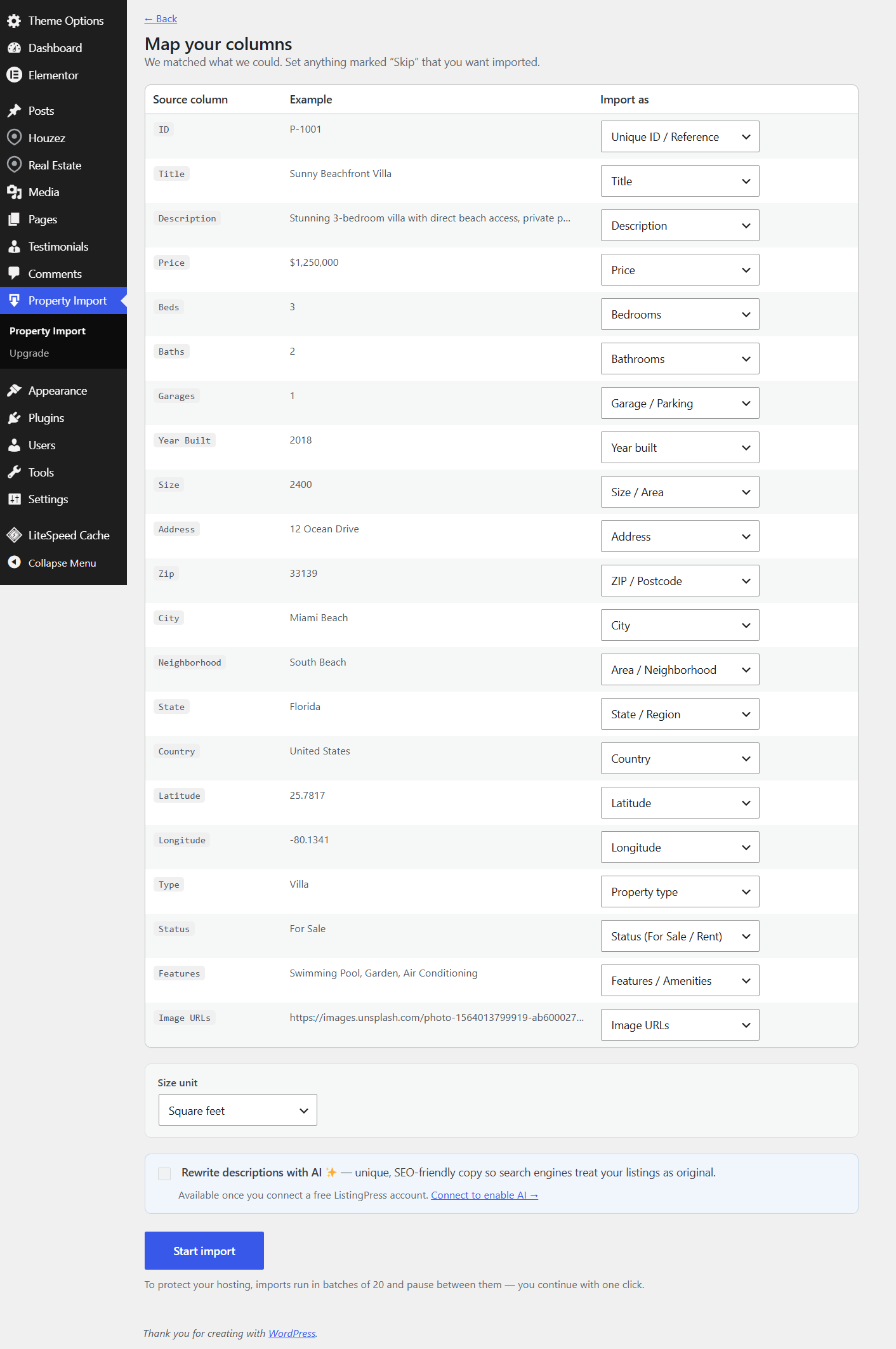
Point it at a file or a feed, confirm the column mapping (it’s filled in for you automatically), and click import. That’s it.
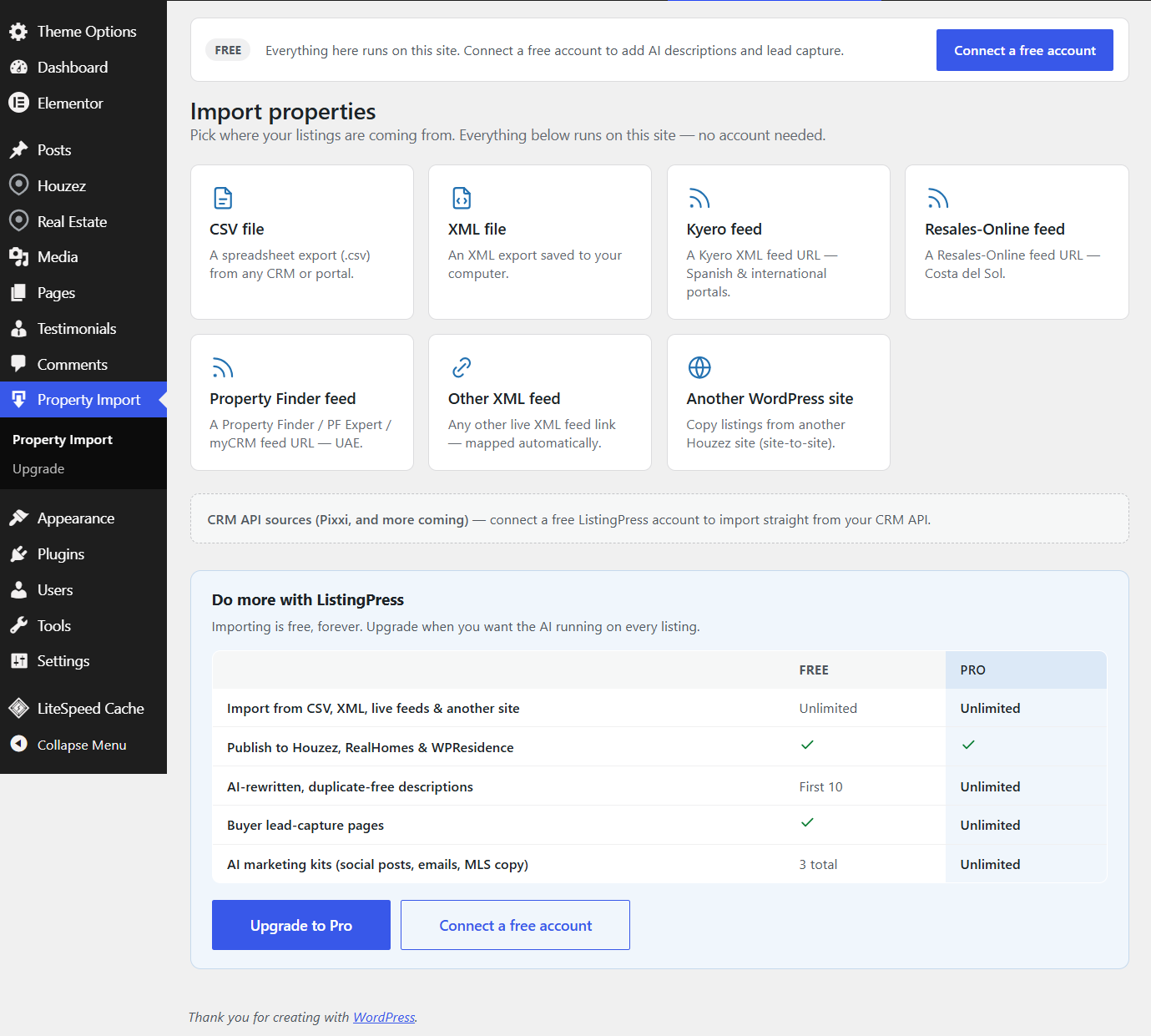
Import from any source
- CSV files — any spreadsheet export from a CRM or portal.
- XML files — saved exports.
- Live XML feeds — paste a feed URL and it stays importable.
- Portal & CRM feeds, auto-detected — Kyero, Resales-Online and Property Finder feeds are recognised and mapped for you in one click.
- Another WordPress site — copy listings site-to-site (great for Houzez Houzez migrations).
Publishes as a native listing
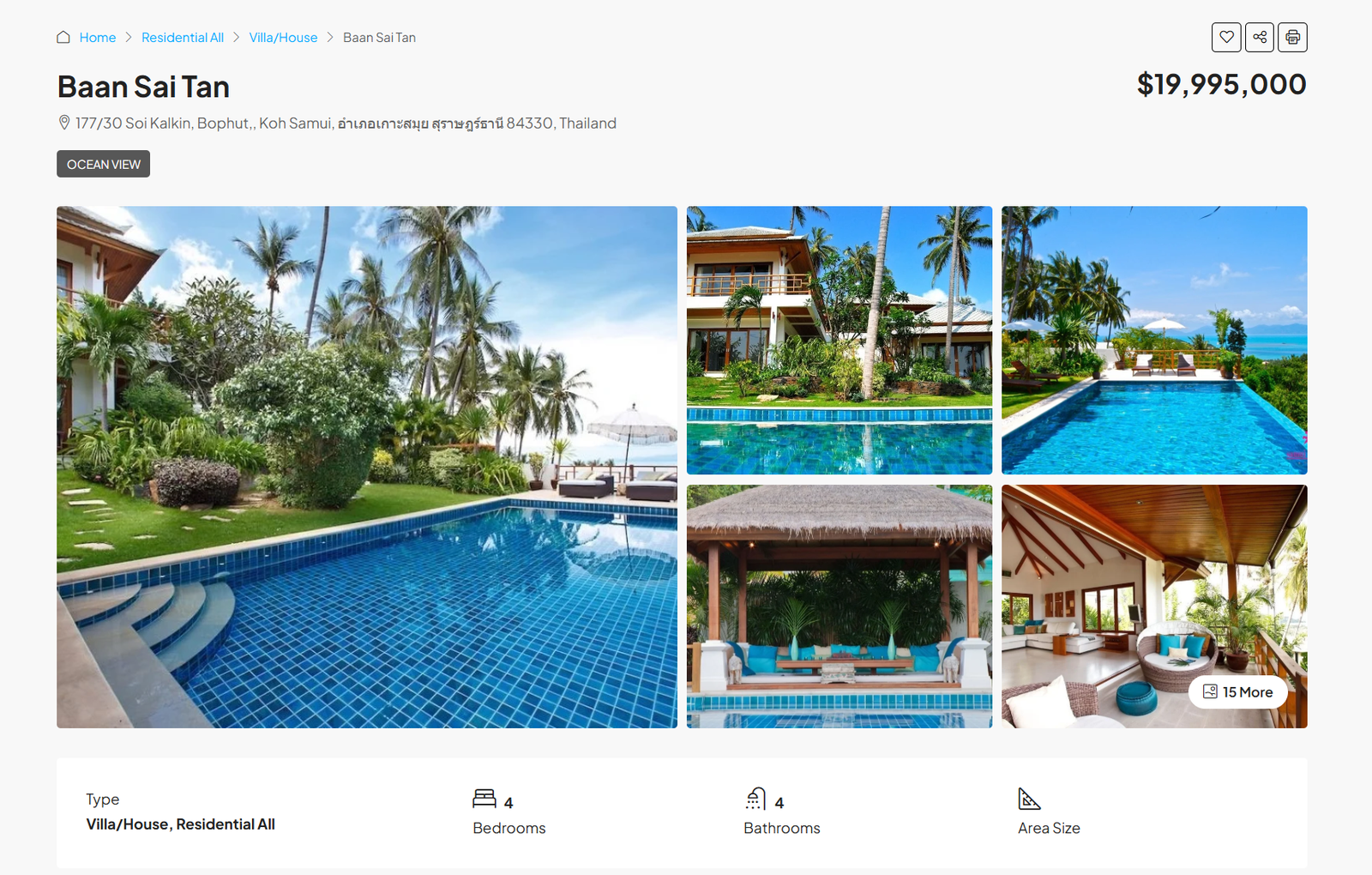
Listings are created as proper properties for your theme — Houzez, RealHomes and WPResidence get fully-mapped native listings (type, status, beds, baths, size, price, location, features and the photo gallery). On any other theme it publishes a clean, complete listing page.
Smart, automatic field mapping
A built-in dictionary matches your columns to the right fields — including common Spanish, Portuguese and French names — so mapping is usually a quick confirmation rather than a chore. You can adjust anything before importing.
AI descriptions (optional)
Connect a free ListingPress account to rewrite each imported description into unique, SEO-friendly copy — so search engines treat your listings as original instead of flagging duplicated portal text. Free accounts include AI rewriting on your first listings; paid plans add unlimited rewriting.
Gentle on your hosting
Imports run in small batches in the background on your own server, so even large catalogs won’t overwhelm shared hosting. Source sites are read only — the plugin never changes anything on the site you import from.
External services
This plugin can connect to ListingPress (https://listingpress.io), operated by ListingPress, but only when you choose to use the connected-account features. It works fully for manual importing without any account or external connection.
The plugin contacts ListingPress in these cases, and only these:
-
When you click “Connect a free account”. The plugin creates a WordPress Application Password on your site and sends it, together with your site URL and username, to ListingPress so your site can be linked to your account. This happens once, only when you click Connect.
-
When you enable “Rewrite with AI” during an import. For each listing being rewritten, the plugin sends that listing’s title and description to ListingPress, which returns a rewritten description. This happens only while an import with AI rewriting is running.
-
Plan status refresh, only while an account is connected. So the screen shows your current plan after an upgrade or cancellation, the plugin asks ListingPress for your plan status when you open the import screen (at most once per hour). This request contains your connection token only — no site content is sent.
If you never connect an account, the plugin makes no contact with ListingPress at all. Disconnecting your account (from your ListingPress account page, or by deleting the plugin) stops all of the above.
When you import from a feed URL or another website, the plugin fetches data from the address you provide — those sites are your own sources, not a ListingPress service.
Terms of Service: https://listingpress.io/terms
Privacy Policy: https://listingpress.io/privacy
Screenshots
Installation
- In WordPress admin, go to Plugins Add New Upload Plugin and upload the plugin ZIP, then click Activate. (Or search for “ListingKit – AI Property Import” in Plugins Add New.)
- Go to the new Property Import menu in the admin sidebar.
- Choose a source — a CSV/XML file, a feed URL, or another WordPress site.
- Confirm the suggested field mapping and click Start import.
- (Optional) Click Connect a free account to unlock AI-rewritten descriptions.
FAQ
-
Do I need an account to import?
-
No. Manual importing from CSV, XML, feeds and other sites works with no account and no external connection. A free ListingPress account only adds AI-rewritten descriptions.
-
Which themes are supported?
-
Houzez, RealHomes and WPResidence get native, fully-mapped listings. On any other theme, listings publish as clean standard pages with the details and photo gallery.
-
Will a big import slow down or break my site?
-
No. Imports run in small background batches, so large catalogs import steadily without overwhelming shared hosting. If you leave the import page, the import pauses and continues next time — it never runs unattended in a way that could strain your host.
-
Does it change the site I import from?
-
Never. Source sites and feeds are accessed read only.
-
What is “AI rewriting” for and why would I want it?
-
When you import listings, the portal descriptions are identical to what’s on other sites, which can trigger a search-engine duplicate-content penalty. AI rewriting turns each description into unique copy so your site reads as original.
-
Is my data safe?
-
Yes. The connection uses a revocable WordPress Application Password (not your main login). See the External services section above for exactly what is sent and when.
Reviews
There are no reviews for this plugin.
Contributors & Developers
“ListingKit – AI Property Import” is open source software. The following people have contributed to this plugin.
Contributors
Translate “ListingKit – AI Property Import” into your language.
Interested in development?
Browse the code, check out the SVN repository, or subscribe to the development log by RSS.
Changelog
1.15.6
- Fixed: uploading an XML (or occasionally a CSV) file could be rejected with “Sorry, you are not allowed to upload this file type,” because WordPress mis-detects the file’s type. Import uploads now accept .csv/.xml reliably.
1.15.5
- Fixed: Start and Continue now respond instantly. They previously waited for a whole batch of properties to finish before the screen could update, so the button looked like it had done nothing while the import was already running.
1.15.4
- Fixed: on sites with a page cache (LiteSpeed and similar), the import screen could be served a cached status — so a stopped import still looked like it was running and you had to clear the cache to see the truth. The plugin’s own requests are now excluded from caching.
1.15.3
- Fixed: Stop is now recorded separately from the import’s progress, so a batch still finishing can no longer undo it — a stopped import stays stopped through page refreshes and background runs. Also fixed a stale “Import stopped at…” message showing while an import was running.
1.15.2
- Fixed: a stopped import could restart itself. Stopping is now final — only you can resume it, with Continue. Automatic resuming and scheduled runs leave a stopped import alone.
1.15.1
- Fixed: “Stop” now reliably halts an auto-running import. A batch that was already in progress could previously overwrite the stopped state and resume itself; it now checks for a stop before continuing.
1.15.0
- Imports now run all the way to the end on their own — no more pausing every 20 properties and clicking “Continue”. The progress screen updates live until the import finishes, and an import that was mid-way resumes automatically.
1.14.0
- Re-imports now respect your manual changes: a listing you set to draft stays draft (its status is never forced back to published), and a listing you delete is remembered and never silently re-created on a later import. Restoring a listing from Trash re-enables syncing for it.
1.13.2
- New: a “Duplicate cleanup” tool on the Property Import screen removes extra copies of the same property left by earlier imports (keeping the original of each), right from the browser — no technical access needed. Manually-created listings are never touched.
1.13.1
- Fixed: a single import lock now prevents overlapping import passes, which could otherwise import the same property more than once when the runner was triggered from several places at once.
1.13.0
- Imported photos now get SEO alt text automatically — the source image’s own alt on site-to-site imports, or a clean description built from the property title on every other source. Existing alt text is never overwritten, and image captions/descriptions are copied from the source when present.
1.12.0
- First public release.
- Import property listings from CSV or XML files, live XML feeds (Kyero, Resales-Online, Property Finder and other formats — auto-detected), or another WordPress site.
- Automatic field mapping, published as native Houzez, RealHomes and WPResidence properties, with a clean fallback on any other theme.
- Imports run in background batches to stay gentle on shared hosting; source sites are read-only.
- Optional AI-rewritten, duplicate-free descriptions and buyer lead-capture pages via a free ListingPress account.