

Description
Replai – Cookie Consent is a privacy-first cookie consent plugin — a self-hosted alternative to subscription-based consent services. The banner, the consent log and the prior blocking all run on your own WordPress by default: no external calls are made unless you explicitly connect the optional REPLAI service (see “External services”).
- Prior blocking (before consent): the most common third-party scripts (Google Analytics, Google Tag Manager, Meta Pixel, Google Ads, LinkedIn, TikTok, Hotjar, Microsoft Clarity, Matomo, YouTube, Vimeo, Google Maps…) are automatically neutralized until the visitor consents. Add extra domains with one line each.
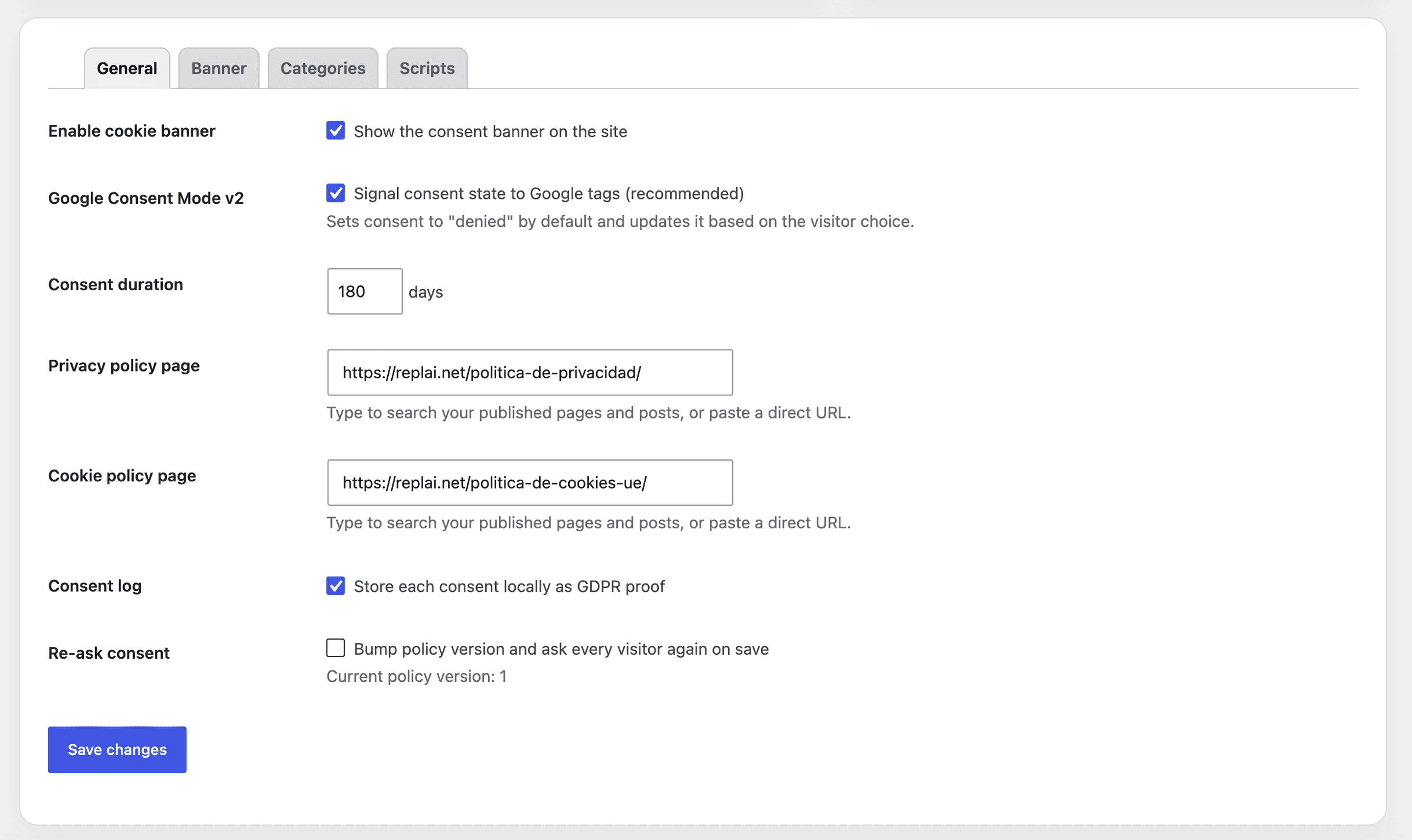
- Google Consent Mode v2 (Basic or Advanced): consent state is set to “denied” by default and updated automatically when the visitor chooses, so Google Analytics 4 and Google Ads receive the correct signals. In Advanced mode (recommended) Google tags are allowed to load and send cookieless pings (with
url_passthroughandads_data_redaction), recovering anonymous data and modeling conversions even before consent, while every other tracker stays blocked. - Region-based consent: ask for prior consent everywhere, or opt-in only in the EU/EEA/UK/Switzerland and opt-out where the law allows it (more conversions outside the EU). Visitor country is detected from a hosting/CDN header (Cloudflare and others) with a filter to plug in your own GeoIP; if there is no signal, prior consent is applied for safety.
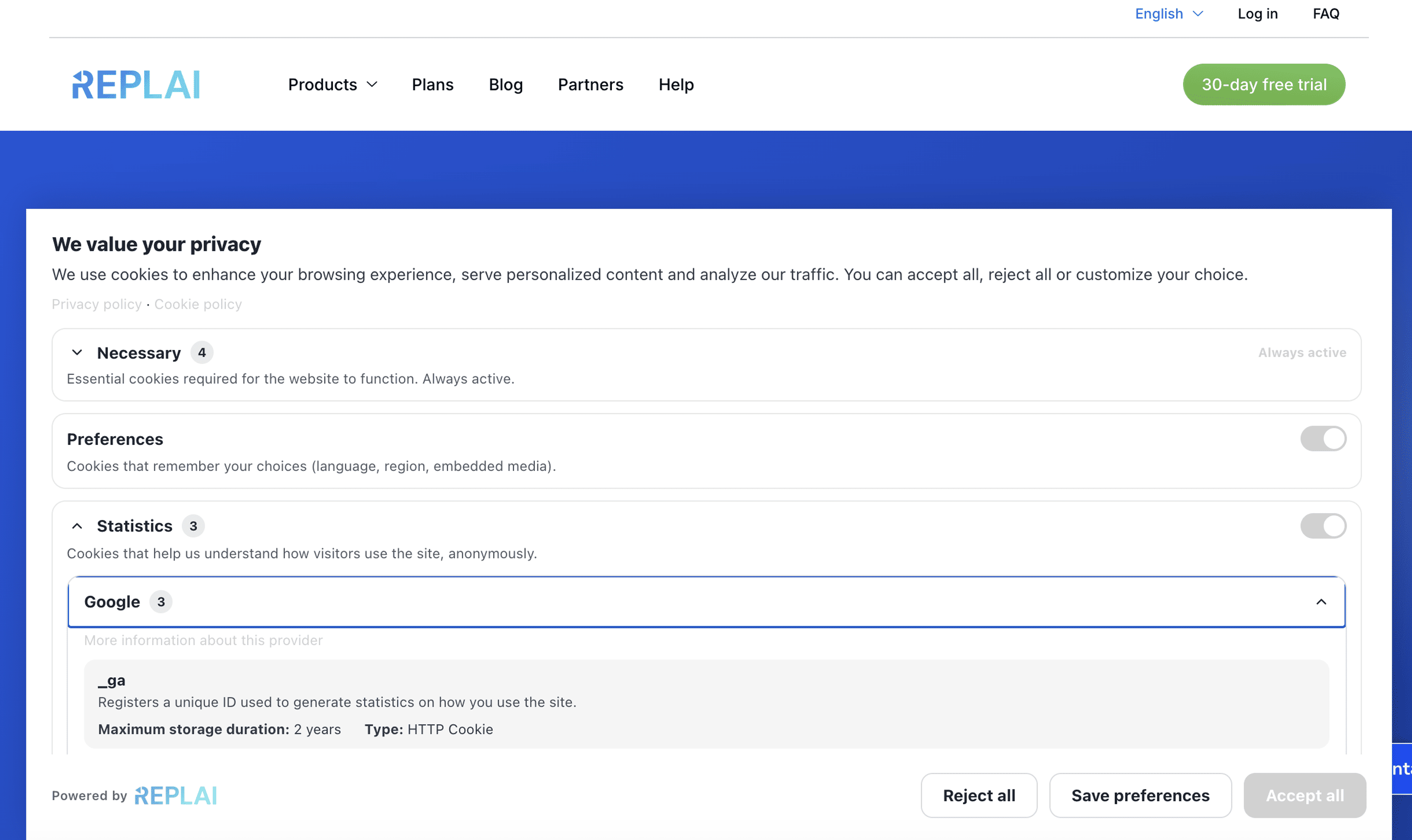
- Granular categories: Necessary (always on), Preferences, Statistics and Marketing, with an “Accept all”, “Reject all” and “Customize” flow.
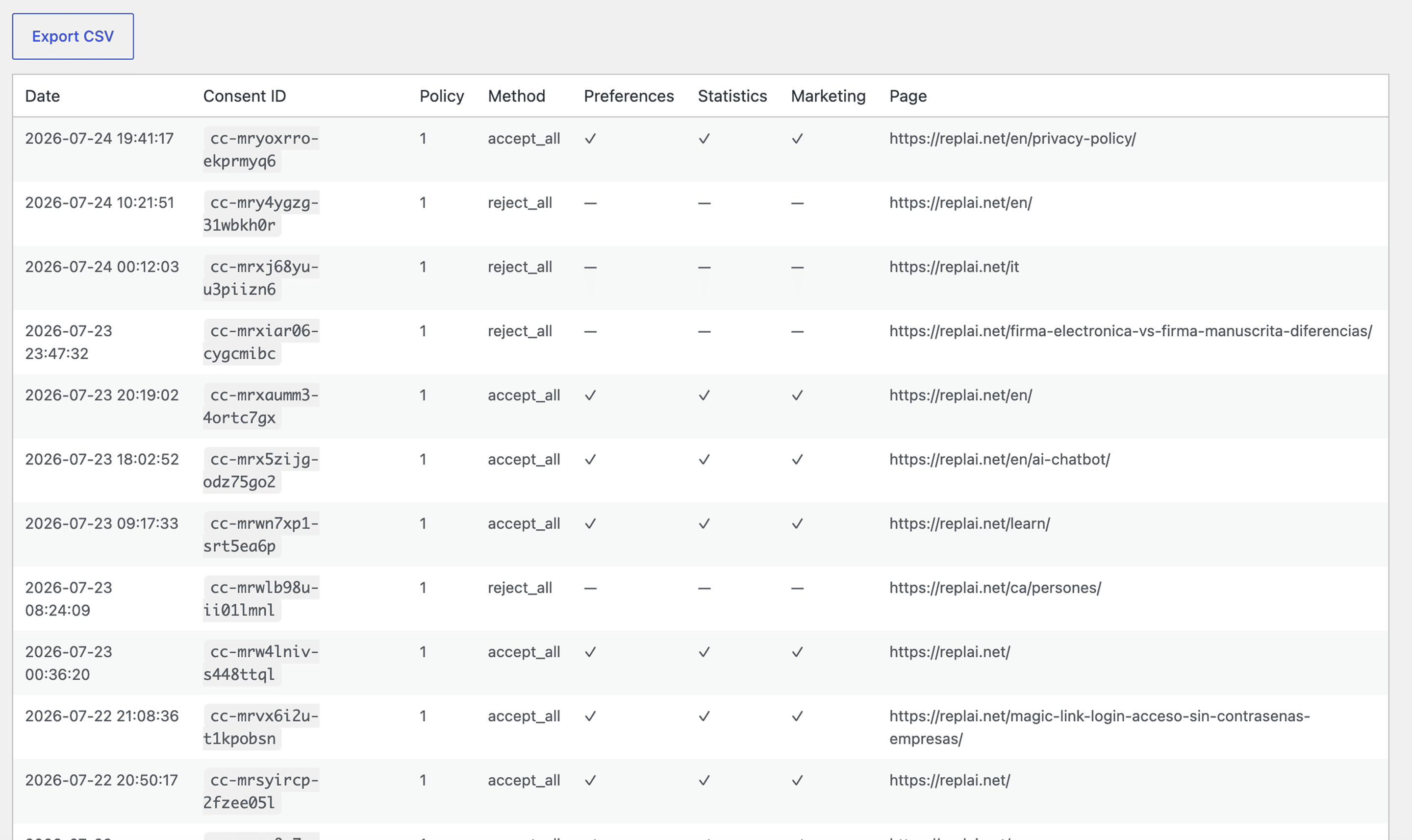
- Consent log (GDPR proof): every consent is stored locally (date, policy version, choices, hashed IP, page) and can be exported to CSV. IP addresses are never stored in plain text (hashed with a plugin-specific salt).
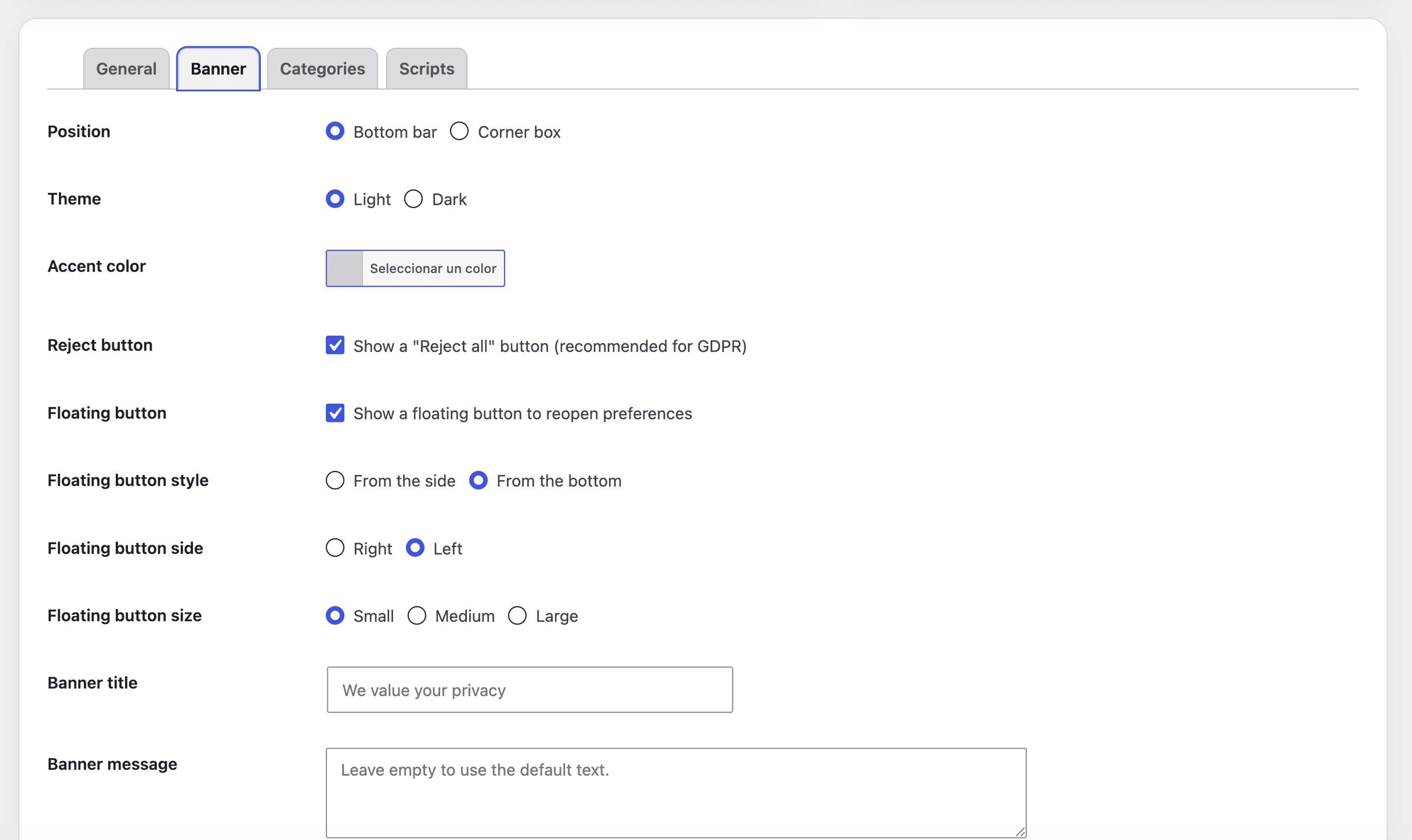
- Fully customizable banner: bottom bar or corner box, light/dark theme, accent color, custom title and message, links to your privacy and cookie policies.
- Shortcodes:
[replai_cookie_declaration]for a cookie table and[replai_cookie_settings]to reopen preferences. - Optional REPLAI monitoring: if you are a REPLAI customer, you can add a REPLAI token to monitor this installation from your REPLAI dashboard. This is off by default; nothing is sent unless you add a token.
External services
This plugin can optionally connect to REPLAI (https://app.replai.net), a service by REPLAI, to let REPLAI customers monitor their cookie-consent installation from the REPLAI dashboard.
This connection is optional and disabled by default. No data is sent to REPLAI unless the site administrator explicitly enters a REPLAI token in Settings Banner “REPLAI connection”. If the token field is empty, the plugin makes no external calls.
When a token is configured, the plugin contacts REPLAI in these cases:
- When you save or test the token: a request is sent to validate the token (the token/API key is sent).
- Periodically (a daily WordPress cron event) and in real time when a visitor gives consent: the plugin sends site information (site URL, site name, WordPress/PHP/plugin versions, locale and the banner settings), consent aggregates (totals and per-category opt-ins) and individual consent events (consent id, date, chosen categories, method, page URL, a hashed IP — never the raw IP — and the browser language).
REPLAI terms of service: https://replai.net/en/termsandconditions/
REPLAI privacy policy: https://replai.net/en/privacy-policy/
Screenshots
Installation
- Upload the plugin to
/wp-content/plugins/or install it from the Plugins screen. - Activate it.
- Go to Replai Cookies Settings and configure the banner, categories and policy links.
- If you were using another cookie banner service, deactivate it and remove its header script — your third-party scripts will be blocked automatically until consent.
FAQ
-
Does it send data to any external service?
-
By default, no — the plugin is fully self-hosted and consents are stored in your own database. It only connects to the optional REPLAI service if you explicitly add a REPLAI token (see “External services”). With no token, no data leaves your site.
-
Does it work with Google Analytics 4 / Google Ads?
-
Yes. Keep Google Consent Mode v2 enabled and the plugin will signal consent automatically.
-
How do I add scripts that are not blocked by default?
-
Settings Scripts, add a line
domain|category(category = preferences, statistics or marketing).
Reviews
There are no reviews for this plugin.
Contributors & Developers
“Replai – Cookie Consent” is open source software. The following people have contributed to this plugin.
Contributors
Translate “Replai – Cookie Consent” into your language.
Interested in development?
Browse the code, check out the SVN repository, or subscribe to the development log by RSS.
Changelog
A full changelog is also available in CHANGELOG.md.
1.2.0
- Google Consent Mode Advanced (recommended, new default): Google tags are no longer blocked, so they load and send cookieless pings, recovering anonymous data and modeling conversions even before consent. Adds
gtag('set','url_passthrough',true)andgtag('set','ads_data_redaction', ...). A Basic mode keeps the previous behavior (Google tags fully blocked until consent). Every non-Google tracker (Meta, Hotjar, TikTok…) is still blocked in both modes. - Region-based consent with Google-native region defaults: in geo mode the plugin emits a global
grantedconsent default plus adeniedoverride withregion:[EU/EEA/UK/CH], so Google itself applies prior consent only where required — no dependency on hosting geo headers. It also reads the visitor country from hosting/CDN headers (CloudflareCF-IPCountry, GeoIP, App Engine…) with areplai_cc_visitor_countryfilter to gate non-Google trackers; when there is no signal, prior consent is applied for safety. - Mixpanel domains added to the Statistics blocklist.
- Both options are configured from a new “Google Consent Mode & regions” card in the admin panel.
1.1.0
- New gradient hero header (REPLAI logo in white plus version and release chips) on the Settings, About, Help and Consent log screens.
- The whole admin (menu items, Settings, About and Help) is now translated to the site language right away through an internal string table, without waiting for translate.wordpress.org.
- New commercial About page: intro, a grid of four features and a final call-to-action — always making clear that connecting REPLAI is optional.
- Token validation reworked: it now runs over AJAX without reloading the page, saves the token automatically on success and disables the Test button while the token field is empty.
- Added a soft, optional call-to-action on the Settings screen when no token is set, inviting you to (optionally) connect this site to REPLAI. The plugin keeps working 100% self-hosted with no token.
- Added multilingual WordPress.org banners (Spanish, Catalan, French, Italian, Portuguese and English base).
1.0.26
- Fixed the last Plugin Check notice: annotated the one-off schema migration query. The plugin now passes Plugin Check with no errors or warnings.
1.0.25
- Added a friendly, dismissible invitation on the plugin’s Settings screen (shown after 30 days of use) to enable the optional “Powered by REPLAI” credit. The credit remains opt-in and disabled by default; enabling it is always an explicit admin action.
- Code quality pass (Plugin Check): all database queries now use $wpdb->prepare() with identifier placeholders, the CSV export no longer uses direct file handles, translator comments added, and template variables prefixed. Minimum WordPress version is now 6.2.
1.0.24
- Compliance and privacy pass: the optional “Powered by REPLAI” credit is opt-in and disabled by default; the optional REPLAI connection is documented under “External services” with terms and privacy links; IP hashing uses a plugin-specific salt; translations are served by WordPress.org.
1.0.23
- The banner and the floating button now render inside a Shadow DOM, providing full style isolation between the plugin and the site theme.
1.0.22
- Floating reopen button redesigned: cookie icon with side and bottom styles, three sizes and a styled tooltip.
- Banner buttons hardened against aggressive theme CSS.
- Consent aggregates are now kept accurate in real time.
1.0.16
- Cookie declaration: each category shows its cookie count and can be expanded by provider (name, description, storage duration and type), with a built-in catalog of common cookies and support for custom entries.
- The visitor’s language is now recorded with each consent (locally and in the CSV export).
- Smoother preferences area: collapsible sections and internal scrolling for long cookie lists.
1.0.12
- Optional REPLAI connection for REPLAI customers: token validation, connection status card with on-demand test, and installation monitoring (site info, consent aggregates and events with hashed IPs, daily heartbeat).
- Optional “Powered by REPLAI” credit in the banner.
- Refreshed admin design aligned with the REPLAI plugin family; native WordPress color picker for the accent color.
1.0.6
- Initial public release: consent banner with granular categories, prior blocking of third-party scripts, Google Consent Mode v2, local consent log with CSV export and shortcodes.
- Banner as bottom bar or corner box (right/left) and floating reopen button with position and style options.
- Live page search for the privacy and cookie policy fields.
- Available in English, Spanish, French, Catalan, Italian and Portuguese.