

Description
PayCrypto.Me for WooCommerce lets your store accept Bitcoin directly into wallets and nodes you control — no custodial processor, no third-party API holding your funds, no percentage cut on every sale.
Two independent, fully self-hosted payment methods, both included:
Bitcoin On-Chain
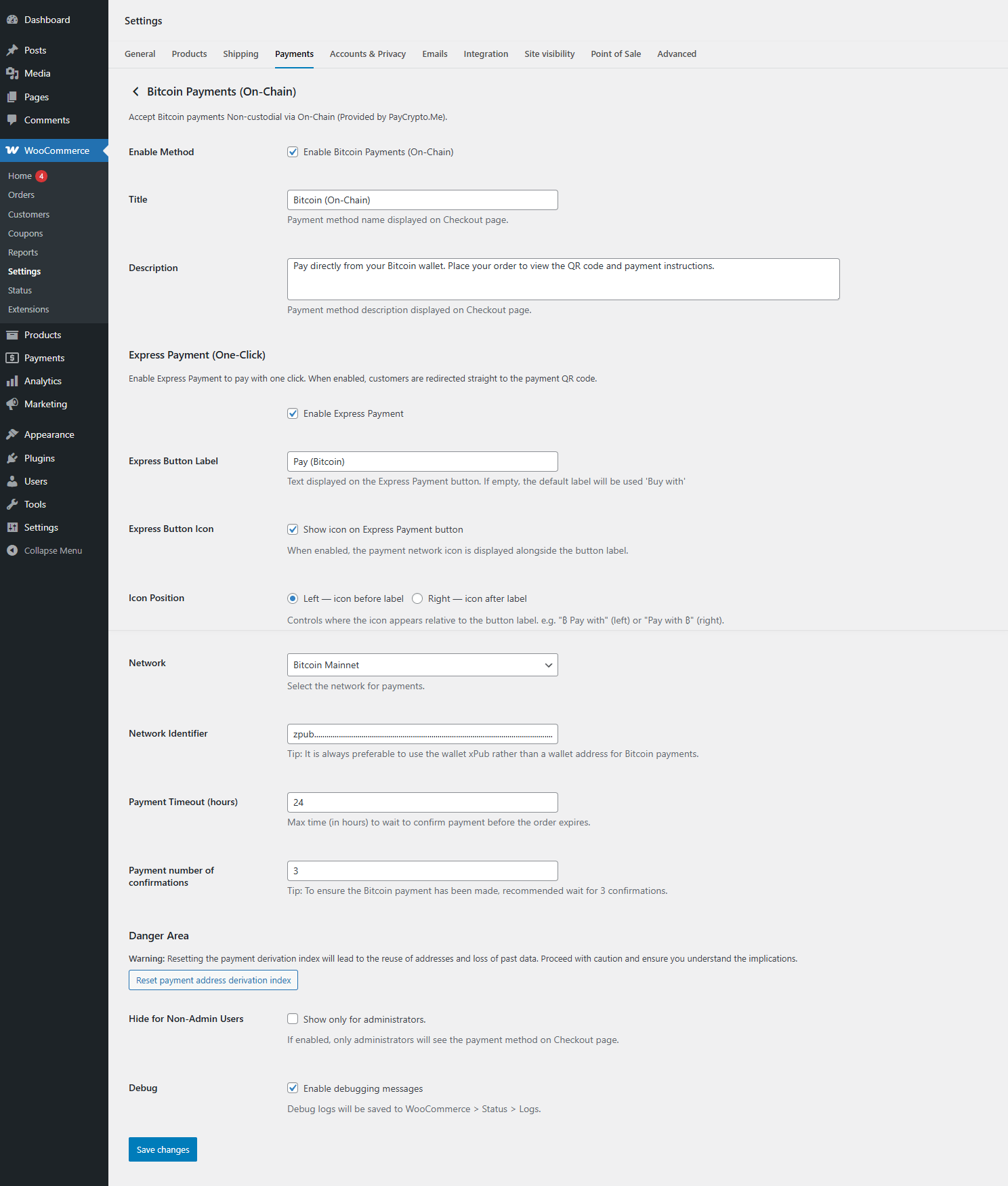
Give the plugin an xPub, yPub or zPub (or a single address) and it derives a fresh, never-reused receiving address for every order via standard HD derivation — your wallet software does the rest. Works on mainnet or testnet, so you can rehearse the full checkout flow with worthless test coins before going live.
Bitcoin Lightning Network
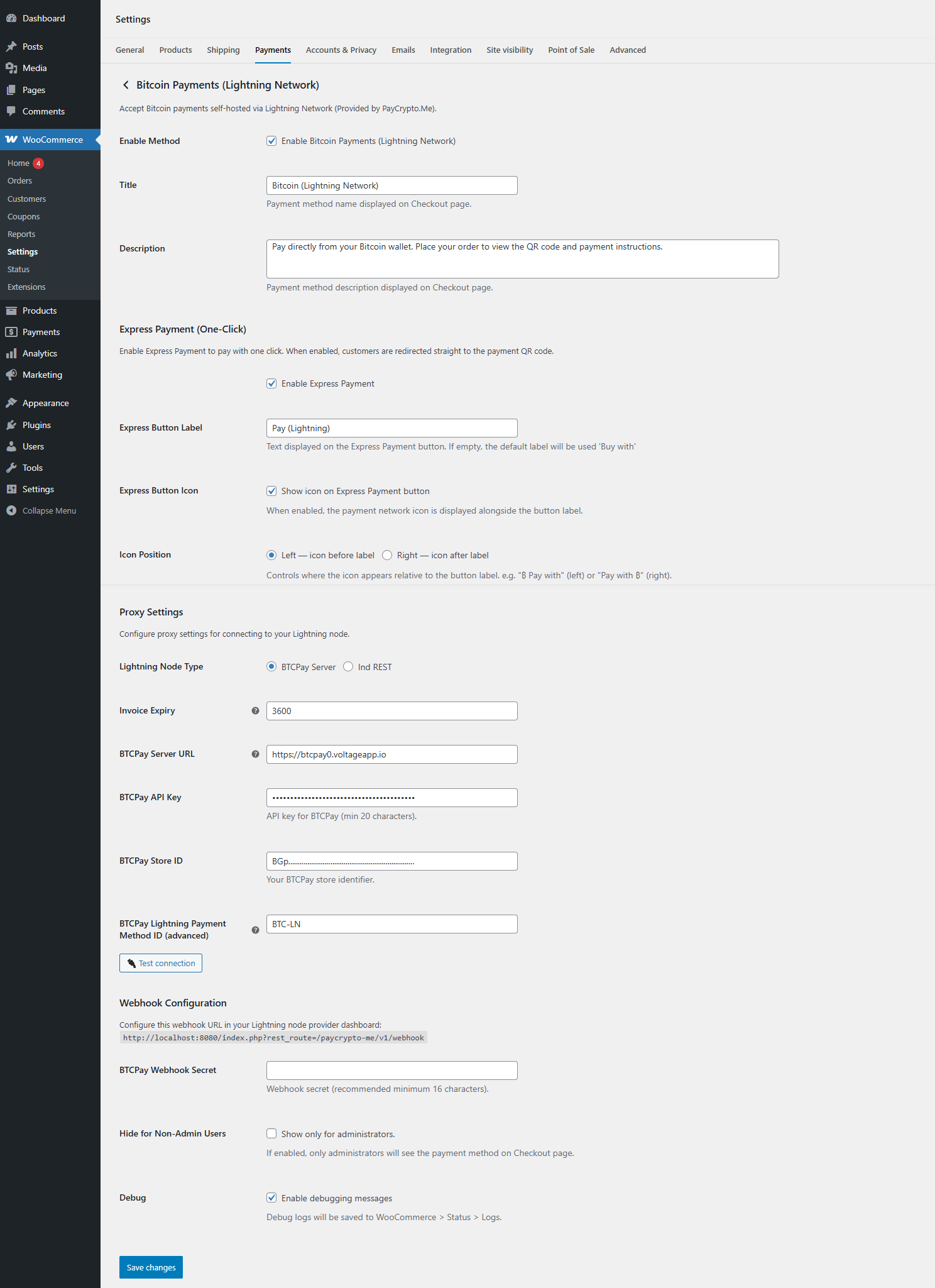
Connect the plugin straight to your own BTCPay Server instance or lnd node (REST API, with macaroon authentication and optional TLS certificate pinning). Invoices are created and shown to the customer in seconds — ideal for instant, low-fee payments. A built-in “Test connection” button in the settings screen confirms your node is reachable before you enable the method.
Built for a modern WooCommerce store
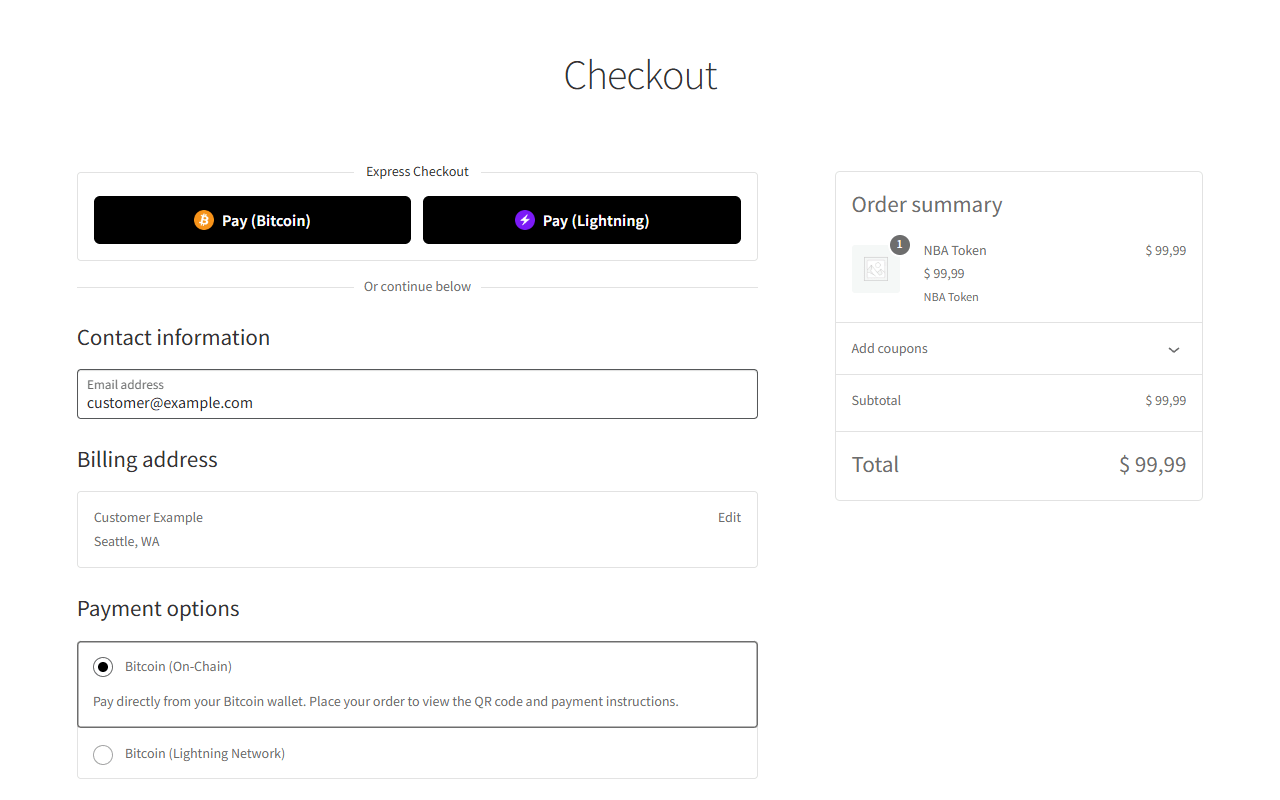
- Checkout, your way — works with both the WooCommerce Blocks (Cart & Checkout) experience and the classic shortcode checkout.
- High-Performance Order Storage (HPOS) — declared and tested compatible with WooCommerce’s Custom Order Tables.
- Express Payment button — an optional one-click “Buy with Bitcoin” button on the checkout page, with a configurable icon position.
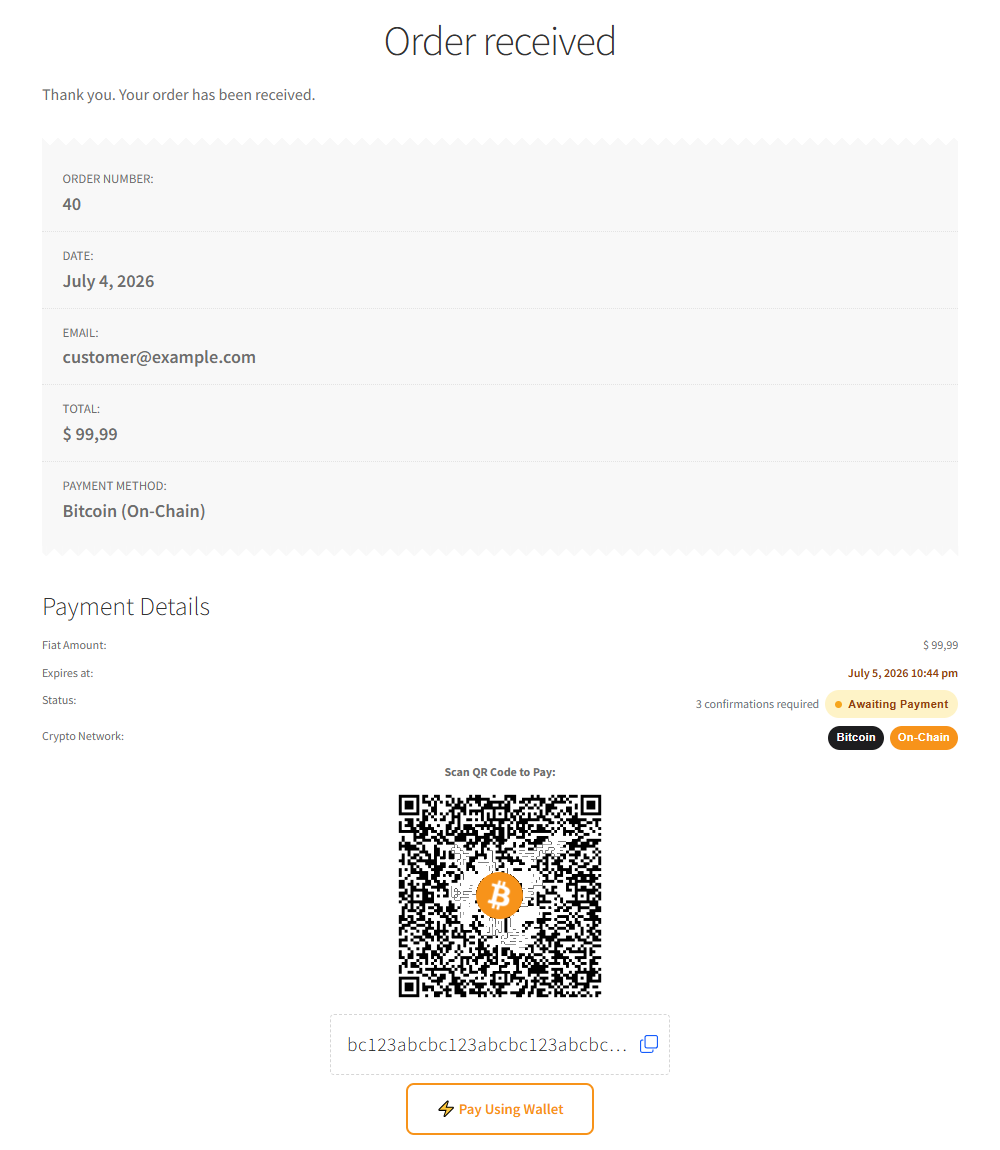
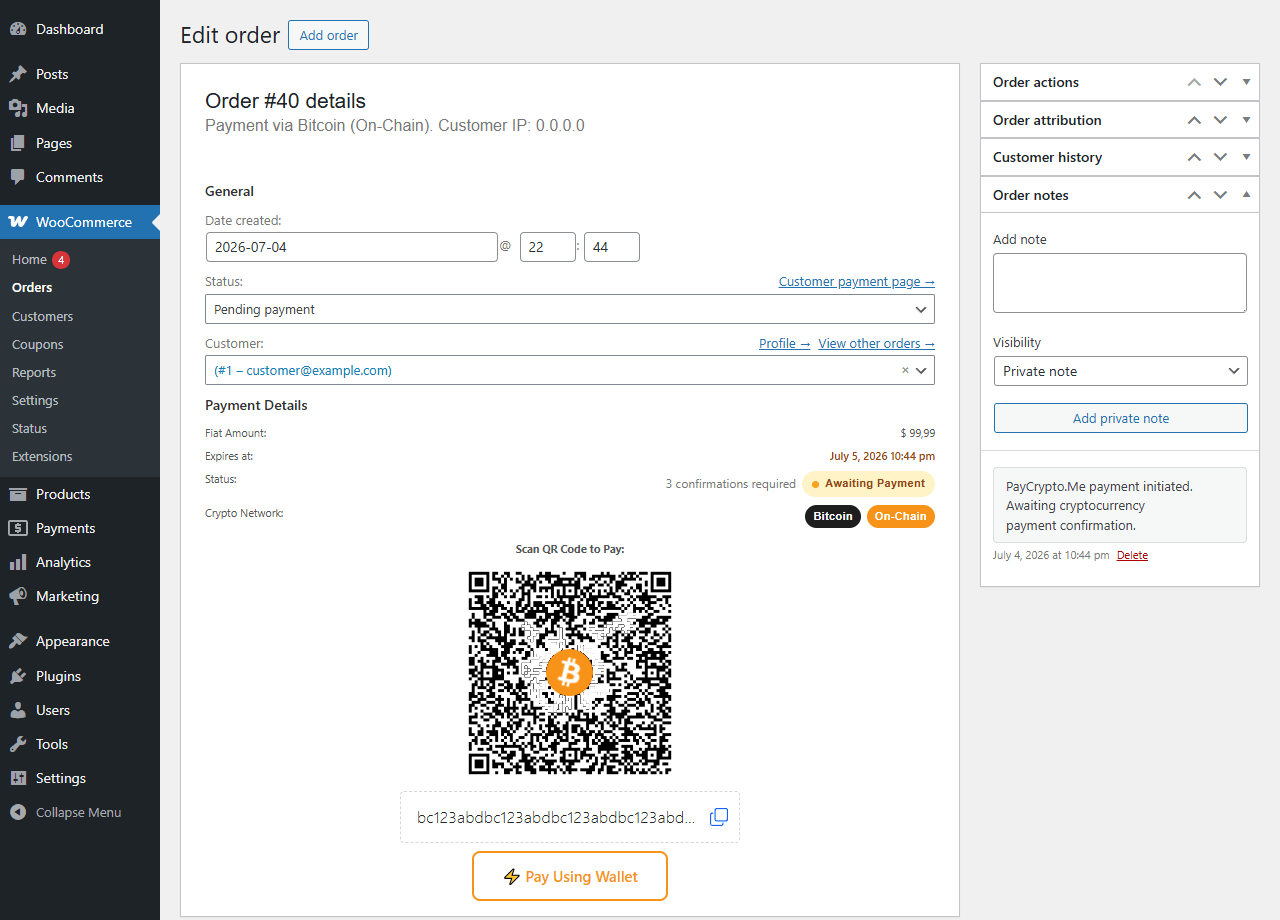
- QR code everywhere it matters — a scannable payment QR (with copy-to-clipboard and “Open in wallet” deep link) on the Thank You page, in My Account Orders, and on the admin order screen, so both you and the customer always see the same payment details.
- Non-custodial by design — the plugin never takes possession of funds; it only derives addresses and requests invoices from infrastructure you own.
- Debug logging — every payment attempt is logged through the native WooCommerce logger (WooCommerce Status Logs, source
paycrypto_me), so troubleshooting a stuck order doesn’t require guesswork. - Translation-ready — text domain
paycrypto-me-for-woocommerce, with complete translations included for Portuguese (Brazil), Spanish, French, German, Italian, Russian and Chinese (Simplified). - Developer-friendly — before/after payment hooks, filters over the invoice arguments sent to BTCPay/lnd, and a filter over the final payment data, so custom logic can hook in without touching plugin code.
What this plugin intentionally does not do
To keep the free plugin simple and auditable, two things are left out on purpose and reserved for an upcoming official premium add-on that plugs into this same base via hooks — no fork, no code duplication:
- Automatic payment confirmation. Today, order status is moved forward manually once you’ve verified the payment yourself (e.g. in your node or block explorer). Automatic confirmation via BTCPay webhooks / lnd polling is planned for the premium add-on.
- Fiat sats conversion. Lightning invoices are currently created as zero-amount (the wallet reads the amount from the invoice itself once the add-on populates it); automatic conversion of the order’s fiat total into an exact BTC/sats amount is also planned for the premium add-on.
Bitcoin is currently the only supported cryptocurrency (on-chain and Lightning) — this keeps the codebase small and well-tested rather than spreading support thin across many chains.
Privacy
This plugin stores the following data needed to process Bitcoin payments:
- Your wallet’s extended public key (xPub/yPub/zPub) or single receiving address, and every address derived from it, in dedicated database tables (
{prefix}paycrypto_me_bitcoin_wallet_xpubkeys,{prefix}paycrypto_me_bitcoin_derivation_indexes,{prefix}paycrypto_me_bitcoin_transactions_data). - Lightning node connection details you provide (BTCPay Server or lnd URL, API key/macaroon, optional TLS certificate) in the gateway settings (
wp_options), and every created invoice in{prefix}paycrypto_me_lightning_invoices. - No customer personal data beyond what WooCommerce already stores with the order — the plugin only attaches the payment address/invoice details as order meta.
None of this data leaves your WordPress installation: the plugin only talks to your own wallet-derivation logic and to the BTCPay Server/lnd node you configure, never to a third-party API.
On uninstall, both gateways’ settings are deleted — including the Lightning node credentials (API key, macaroon, TLS certificate), so those secrets are not left behind in your database.
The payment record tables are deliberately kept ({prefix}paycrypto_me_bitcoin_wallet_xpubkeys, {prefix}paycrypto_me_bitcoin_derivation_indexes, {prefix}paycrypto_me_bitcoin_transactions_data, {prefix}paycrypto_me_lightning_invoices), so the payment history of past orders stays intact for accounting and reconciliation after the plugin is removed. Drop them manually (via your database) if you no longer need them.
Support
For support, visit https://paycrypto.me/ or open an issue on the plugin’s GitHub repository.
Credits
Developed by PayCrypto.Me — https://paycrypto.me/
Built with the open-source bitwasp/bitcoin library for HD key derivation and endroid/qr-code for QR code generation.
Screenshots
Installation
- Make sure WooCommerce is installed and active — the plugin will show an admin notice and stay inactive otherwise.
- Upload the plugin folder to
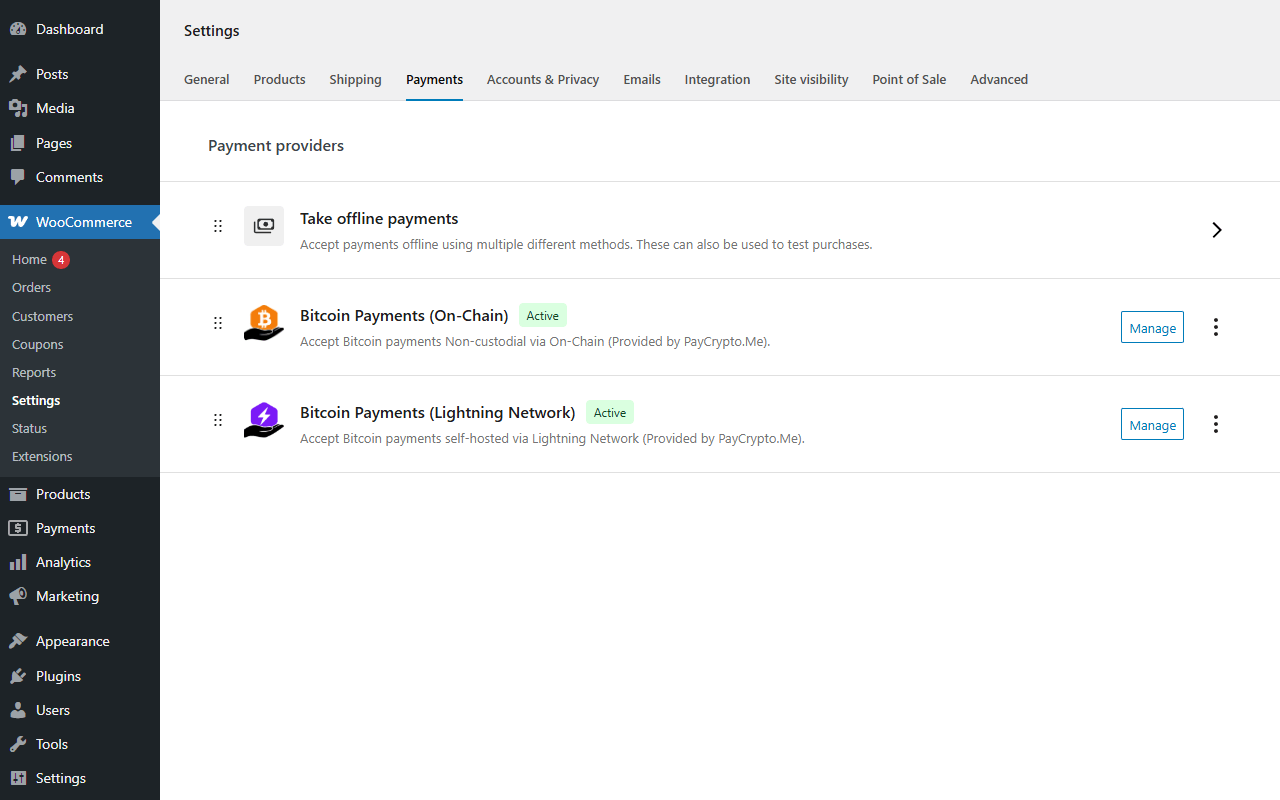
/wp-content/plugins/(or install it via your usual deployment workflow) and activate it from the WordPress Plugins screen. - Go to WooCommerce Settings Payments and you’ll see two new methods: “Bitcoin” (On-Chain) and “Bitcoin Lightning”. Enable whichever one (or both) you want to accept.
- On-Chain: open its settings and paste your xPub/yPub/zPub (recommended) or a single receiving address, choose mainnet or testnet, and adjust the payment timeout and number of confirmations required to your risk tolerance.
- Lightning: open its settings, choose your node type (BTCPay Server or lnd REST), fill in the connection details (URL, API key/macaroon, optional TLS certificate), and use the “Test connection” button to confirm the plugin can reach it before enabling the method.
- Testing: switch the On-Chain gateway to testnet, place a test order and confirm the full flow end to end before going live with mainnet.
Notes:
– For troubleshooting, enable debug logging in the gateway settings and check WooCommerce Status Logs (source paycrypto_me).
– The plugin is not responsible for the data provided or who accesses it — safeguarding your xPub, API keys and macaroons is the store administrator’s responsibility.
– Only Bitcoin is currently supported (on-chain and Lightning). Support for additional networks may be considered in future updates.
– Payment confirmation is currently a manual, admin-driven step — see “What this plugin intentionally does not do” above.
– PHP extensions: the Bitcoin On-Chain gateway requires the gmp extension to derive addresses — without it, On-Chain is hidden from checkout (with an admin notice) but Lightning keeps working normally. The payment QR code requires gd; if it’s missing, the order-details page still shows the address/invoice and a copy button, just without the QR image.
FAQ
-
Which cryptocurrencies are supported?
-
Bitcoin only, through two independent methods: On-Chain (mainnet/testnet, address derived from your xPub/yPub/zPub) and Lightning Network (via your own BTCPay Server or lnd node).
-
Does the plugin take custody of my funds at any point?
-
No. On-Chain payments go straight to addresses derived from your own extended public key; Lightning invoices are created and settled directly by your own BTCPay Server or lnd node. The plugin never holds keys or funds.
-
Can I run both On-Chain and Lightning at the same time?
-
Yes — enable both gateways and customers choose whichever they prefer at checkout.
-
Do I need to run my own Lightning node?
-
Yes, you need access to a BTCPay Server instance or an lnd node with its REST API reachable from your WordPress host. The plugin is a client to infrastructure you already run or control.
-
Does it work with WooCommerce Blocks checkout?
-
Yes, both gateways support the Blocks-based Cart & Checkout as well as the classic shortcode checkout, and both declare compatibility with High-Performance Order Storage (HPOS).
-
How do I test payments safely before going live?
-
Switch the On-Chain gateway’s network to testnet and place a test order, or use your Lightning node’s own testing/regtest setup if it supports one — the plugin itself only exposes mainnet/testnet for On-Chain.
-
Where are payment logs stored?
-
Through the native WooCommerce logger, source
paycrypto_me. Access them via WooCommerce Status Logs. -
Does the order status update automatically once the customer pays?
-
Not in the free plugin — see “What this plugin intentionally does not do” in the description. Automatic confirmation is planned for a future premium add-on.
Reviews
There are no reviews for this plugin.
Contributors & Developers
“PayCrypto.Me for WooCommerce” is open source software. The following people have contributed to this plugin.
Contributors

Translate “PayCrypto.Me for WooCommerce” into your language.
Interested in development?
Browse the code, check out the SVN repository, or subscribe to the development log by RSS.
Changelog
0.1.0
- Initial public release.
- Bitcoin On-Chain gateway: HD address derivation from xPub/yPub/zPub, mainnet and testnet, configurable payment timeout and required confirmations.
- Bitcoin Lightning gateway: BTCPay Server and lnd REST support, with an in-admin connection tester for each.
- WooCommerce Blocks (Cart & Checkout) and classic shortcode checkout support, including an optional Express Payment (“Buy with Bitcoin”) button.
- High-Performance Order Storage (Custom Order Tables) compatibility.
- Payment QR code with copy-to-clipboard and “open in wallet” link on the Thank You page, My Account and admin order screens.
- Debug logging via the WooCommerce logger.
- Initial translations for pt_BR, es_ES, fr_FR, de_DE, it_IT, ru_RU and zh_CN.
- Developer extension points reserved for the upcoming premium add-on, with no effect on the free plugin: amount-enforced lnd invoices, an on-chain confirmation-tracking hook, order-details display filters, and dedicated on-chain payment filters.