

Description
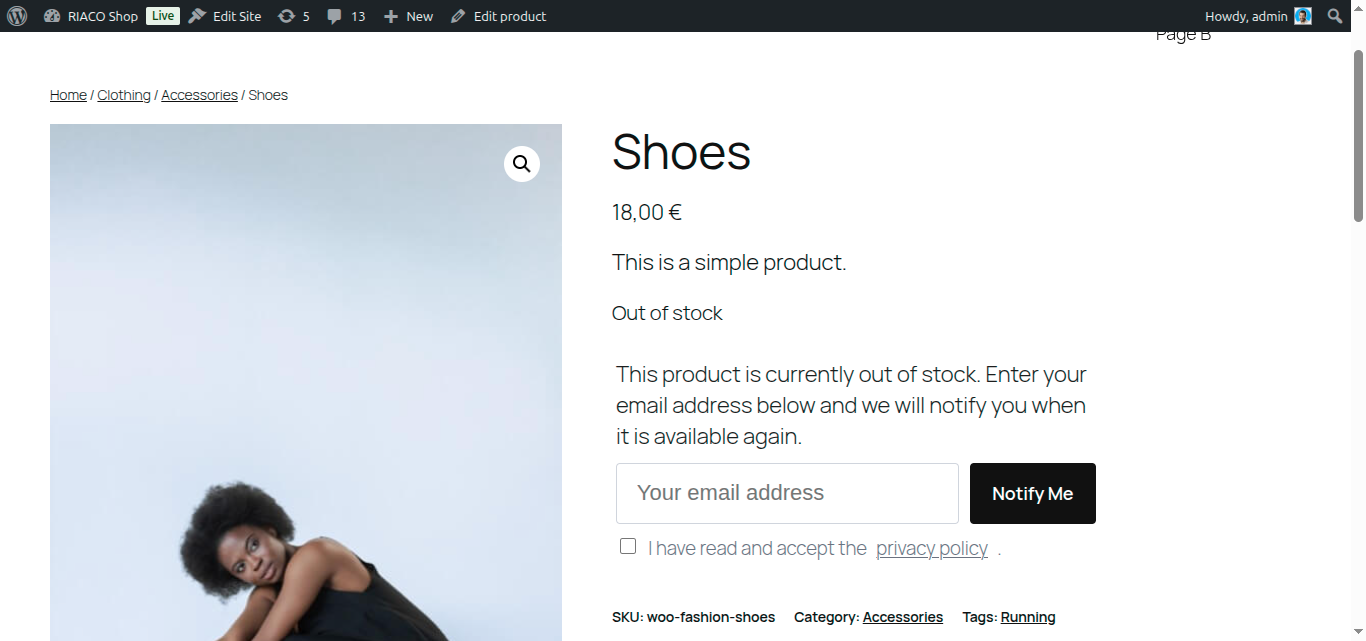
RIACO Back In Stock for WooCommerce turns out-of-stock products into a waitlist instead of a dead end. When a product is out of stock, shoppers can leave their email address; when it’s back, every subscriber is notified automatically.
Most “notify me” plugins email subscribers with a plain foreach loop at request time, which risks failing or timing out partway through on a large list. This plugin instead queues each notification as its own background job (via WooCommerce’s bundled Action Scheduler), so one slow send or one failure never blocks the rest of the list, and there’s no single-request time limit to run into.
Features
- Frontend signup form — appears automatically on out-of-stock simple and variable products.
- [riaco_bis_form] shortcode — for themes that override the single-product template and don’t show the automatic form, or to place the signup form anywhere else (a page, a widget).
- Works for guests and members — logged-in customers get their email pre-filled.
- No duplicate signups — an email can only be waitlisted once per product, enforced at the database level.
- Per-product control — exclude any individual product from the waitlist from its edit screen.
- Background email delivery — restock notifications are queued and sent asynchronously, one per subscriber, so large waitlists can’t time out a request.
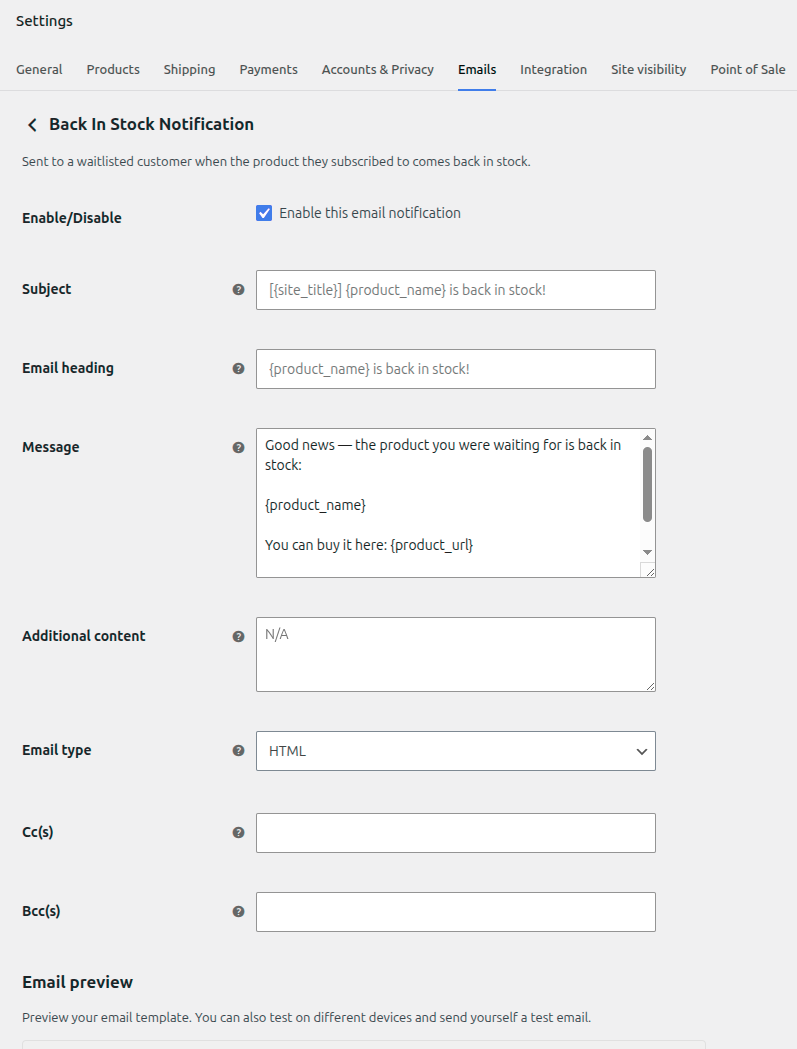
- Customizable emails — subject and message are editable from WooCommerce › Settings › Emails, with placeholders for product name, product URL, and unsubscribe link.
- Honeypot spam protection — a hidden field silently rejects bot submissions.
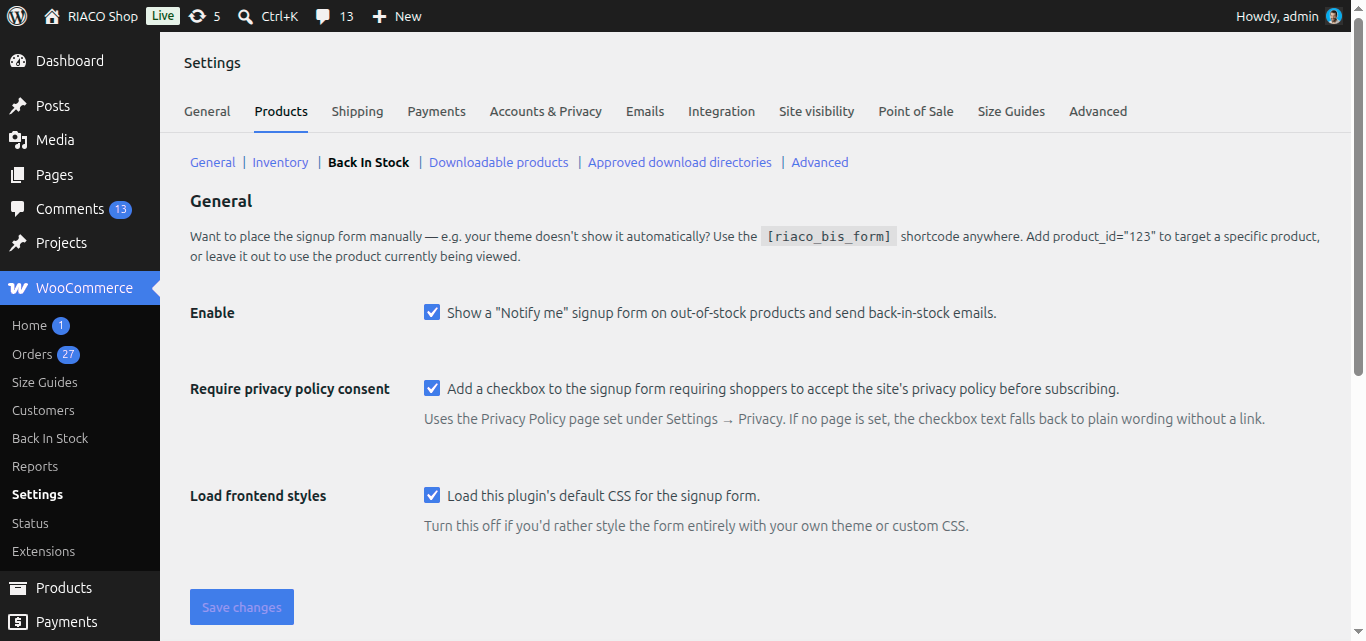
- Optional privacy policy consent checkbox — require shoppers to accept your privacy policy before joining a waitlist, toggle it on from Settings.
- One-click unsubscribe — every notification includes an unsubscribe link.
- GDPR ready — integrates with WordPress’s built-in personal data exporter/eraser tools, and adds suggested privacy-policy content.
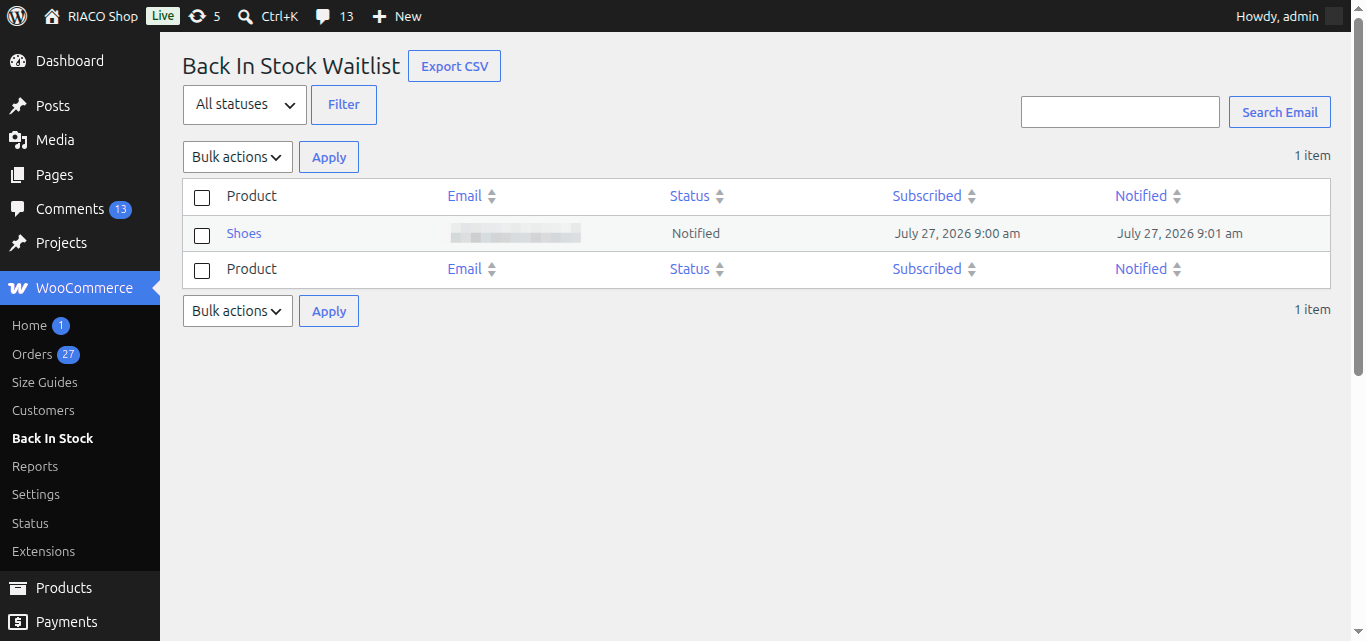
- CSV export — export the full waitlist (or a filtered view) from the admin screen.
- HPOS compatible — fully compatible with WooCommerce High-Performance Order Storage.
- Translation ready — all strings are internationalised with a
.potfile included.
Compatibility
WooCommerce is in the process of building a native “Customer Stock Notifications” feature (currently unreleased/alpha-gated). This plugin automatically steps aside if that native feature is ever turned on for your store, so the two won’t stack duplicate signup forms.
Minimum Requirements
- WordPress 6.4 or greater
- WooCommerce 8.0 or greater
- PHP 7.4 or greater
Screenshots
Installation
- Upload the
riaco-back-in-stock-for-woocommercefolder to/wp-content/plugins/. - Activate the plugin through the Plugins menu in WordPress.
- Go to WooCommerce › Settings › Products › Back In Stock to enable/disable the feature.
- Go to WooCommerce › Settings › Emails › Back In Stock Notification to customize the subject and message.
- View the waitlist and export it as CSV from WooCommerce › Back In Stock.
FAQ
-
Does this work with variable products?
-
Yes. The signup form appears for the specific out-of-stock variation a shopper has selected, and only that variation’s subscribers are notified when it’s restocked.
-
My theme doesn’t show the signup form — what can I do?
-
Some themes override WooCommerce’s own single-product templates and skip the hook this plugin uses to render the form automatically. Use the
[riaco_bis_form]shortcode instead — place it anywhere in a product description, a page, or a widget. It accepts an optionalproduct_idattribute (e.g.[riaco_bis_form product_id="123"]); without one, it uses the product currently being viewed. -
Can I turn the waitlist off for a specific product?
-
Yes. Edit the product, open the Inventory tab, and uncheck Enable back-in-stock waitlist. This works for both simple and variable products (it applies to all of a variable product’s variations).
-
How are emails sent without timing out on a large list?
-
Each subscriber’s email is queued as its own independent background action via Action Scheduler (bundled with WooCommerce). WordPress processes the queue across multiple background requests instead of one long loop, so a large waitlist, a slow mail server, or an individual failure never blocks the rest.
-
Can I customise the notification email?
-
Yes. Go to WooCommerce › Settings › Emails › Back In Stock Notification to edit the subject, heading, and message. The message supports
{product_name},{product_url},{unsubscribe_url}, and{site_title}placeholders. -
Is the plugin GDPR compliant?
-
The plugin integrates with WordPress’s native Export Personal Data and Erase Personal Data tools (Tools › Export/Erase Personal Data), and adds suggested wording to Settings › Privacy. Erasing a subscriber’s data permanently deletes their waitlist entries.
-
Can I require shoppers to accept my privacy policy before signing up?
-
Yes. Enable Require privacy policy consent under WooCommerce › Settings › Products › Back In Stock, and a checkbox is added to the signup form linking to the page set under Settings › Privacy. This is off by default.
-
Is the plugin compatible with WooCommerce HPOS?
-
Yes. The plugin declares full compatibility with WooCommerce High-Performance Order Storage (Custom Order Tables).
-
Does the plugin make remote HTTP requests?
-
No. The plugin never makes external HTTP requests.
-
Does the plugin have hooks for developers?
-
Yes. Every step of the signup, restock-detection, and notification flow fires a
riaco_bis_*action or filter (for exampleriaco_bis_subscribed,riaco_bis_should_dispatch,riaco_bis_email_placeholders) that other code can hook into to extend the plugin’s behavior. None of them change anything by default — they only matter if something else hooks into them.
Reviews
There are no reviews for this plugin.
Contributors & Developers
“RIACO Back In Stock for WooCommerce” is open source software. The following people have contributed to this plugin.
Contributors
Translate “RIACO Back In Stock for WooCommerce” into your language.
Interested in development?
Browse the code, check out the SVN repository, or subscribe to the development log by RSS.
Changelog
1.0.1
- Security: verify a nonce before saving the per-product waitlist enable/disable toggle.
- Fix: a query-building bug that could break the subscribers admin list and CSV export under certain filter/sort combinations.
- Additional WordPress coding-standards hardening across the admin, unsubscribe, and email code.
1.0.0
- Initial release.