

Description
Glyphwell brings professional math authoring straight into the WordPress block editor — no shortcodes, no external services, no fuss.
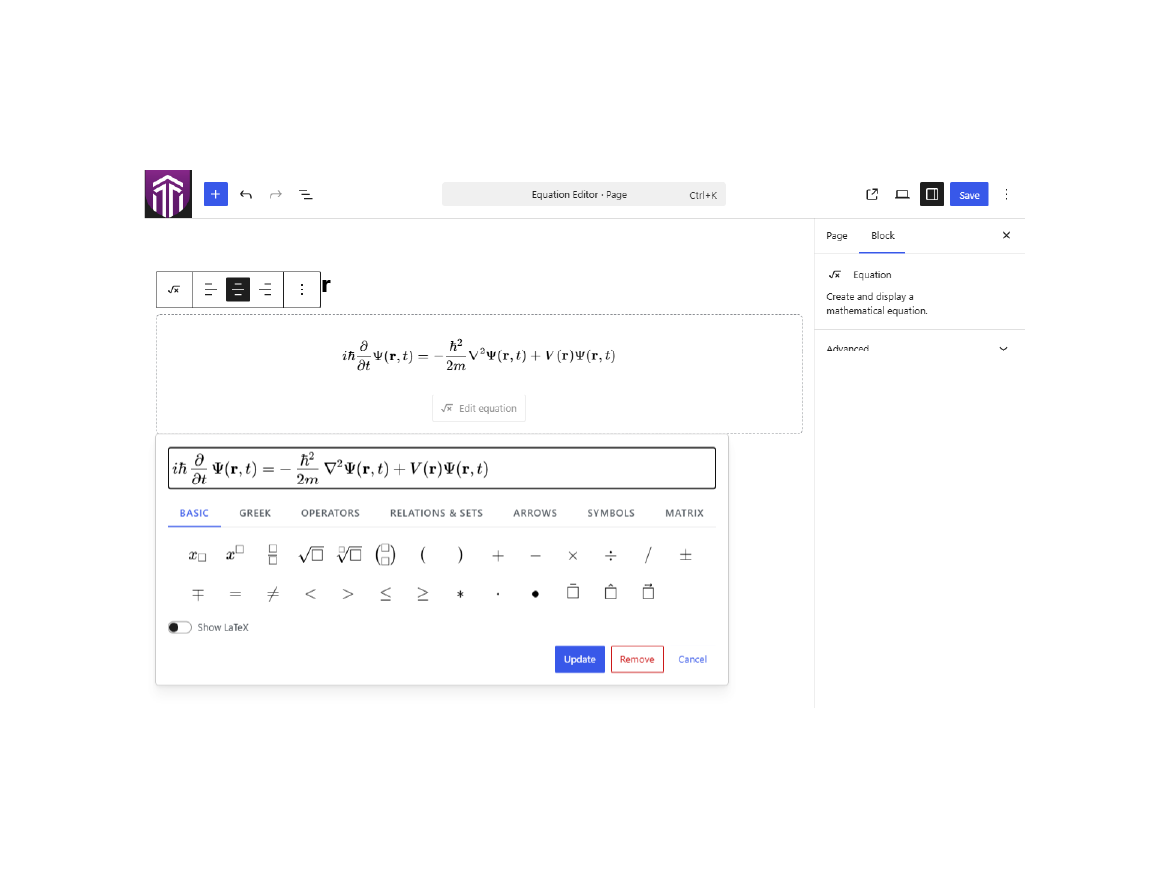
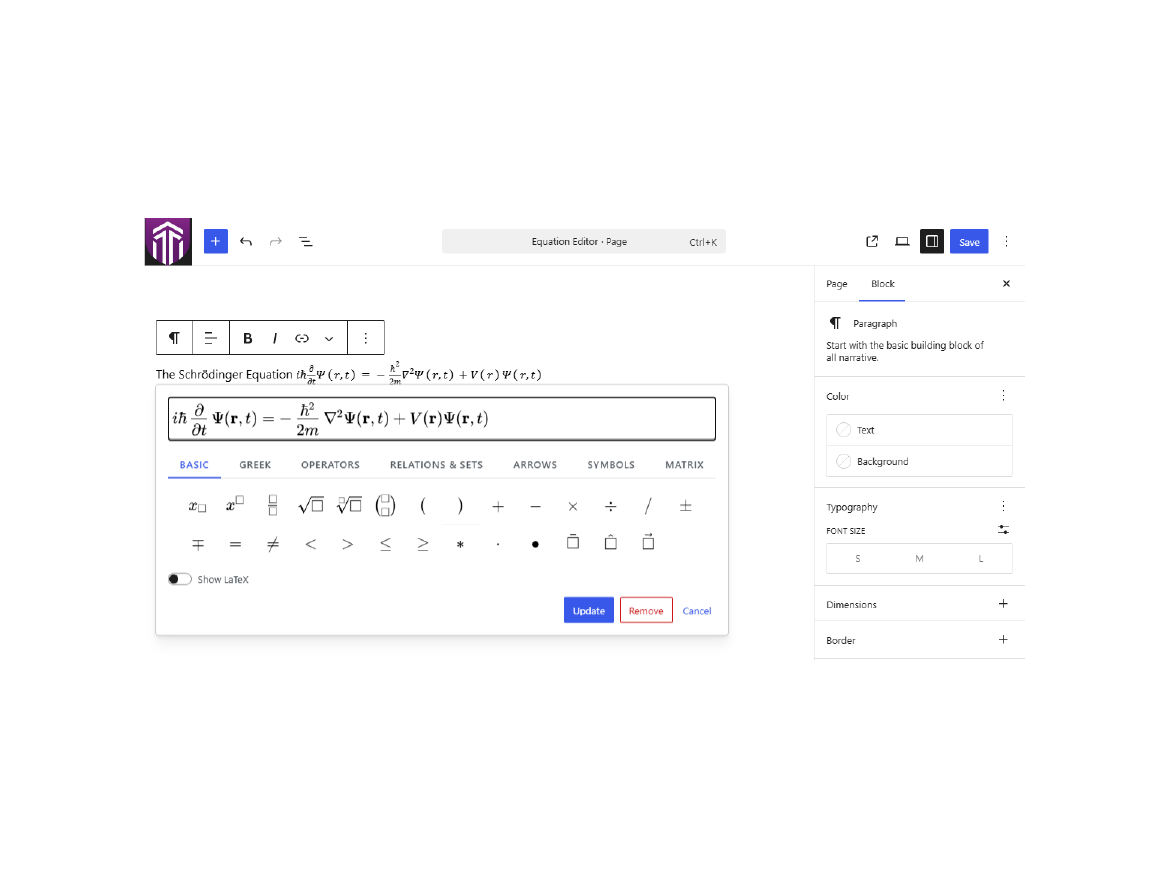
Compose display equations with the standalone Equation block, or drop inline equations right into your Paragraphs, Headings, Lists, and Table cells. A MathLive-powered WYSIWYG field lets you type and click your way to polished math, while a tabbed symbol palette puts Greek letters, operators, relations, sets, arrows, and more just a tap away. Need a matrix? The built-in matrix builder lets you set the size, choose your brackets, and add or remove rows and columns visually.
Prefer raw LaTeX? Flip on the Show LaTeX toggle to edit the source directly. Every equation is stored as clean LaTeX and rendered on the front end by the bundled KaTeX engine for fast, crisp math on every device, with sanitized MathML kept alongside for portability and accessibility.
Everything ships locally. MathLive, KaTeX, fonts, styles, and scripts are all bundled with the plugin — nothing is ever loaded from a CDN or an external service, and no tracking is included. Front-end assets load only on pages that actually contain equations, keeping the rest of your site lean. Fully translation-ready with a bundled translation template.
Features:
- Standalone Equation block for display equations.
- Inline equation format for Paragraph, Heading, List, and Table content.
- WYSIWYG editing — type or point-and-click.
- Tabbed symbol palette: Basic, Greek, Operators, Relations & Sets, Arrows, Symbols, and Matrix.
- Visual matrix builder with adjustable size, bracket styles, and row/column controls.
- Show LaTeX toggle for editing the raw source.
- Left, center, and right alignment for standalone equations.
- Fast, high-quality KaTeX rendering on the front end.
- Sanitized MathML stored alongside each equation.
- 100% local assets — no CDN, no external calls, no tracking.
- Front-end assets load only on pages that contain equations.
- Translation-ready with a bundled .pot template.
Glyphwell does not add equation numbering, labels, cross-references, custom macros, tracking, or external service calls.
Screenshots
Blocks
This plugin provides 1 block.
- Equation Create and display a mathematical equation.
Installation
- Upload the plugin folder to
/wp-content/plugins/glyphwell/. - If installing from source, run
npm installandnpm run build. - Activate Glyphwell from the Plugins screen in WordPress.
- Insert the Equation block or use the Equation toolbar button in supported rich text fields.
FAQ
-
Does this plugin load scripts or styles from a CDN?
-
No. MathLive, KaTeX, fonts, CSS, and JavaScript are bundled locally.
-
Does this replace the WordPress core Math block?
-
No. The Equation block and inline equation format remain separate from core math features.
-
What is stored as the editable equation source?
-
LaTeX is stored as the editable source. Generated MathML is stored alongside it for portability and accessibility.
-
How are equations rendered on the front end?
-
Glyphwell renders every equation from its stored LaTeX using the locally bundled KaTeX engine. The front-end assets load only on pages that contain equations.
Reviews
There are no reviews for this plugin.
Contributors & Developers
“Glyphwell – Visual Equation Editor” is open source software. The following people have contributed to this plugin.
Contributors
Translate “Glyphwell – Visual Equation Editor” into your language.
Interested in development?
Browse the code, check out the SVN repository, or subscribe to the development log by RSS.
Changelog
1.0.0
Official release.
0.1.0
Pre-release.