
Description
Unofficial Plugin to connect your WordPress site to Postiz, enabling automatic social media publishing whenever you create or update content. Share your blog posts, pages, and custom post types to multiple social networks without manual posting.
Why Choose This Social Media Automation Plugin?
This plugin eliminates repetitive social media posting by automatically adding your WordPress content to your Postiz queue. Postiz then intelligently schedules posts to your connected social networks at optimal times for maximum engagement.
Automatic Social Media Publishing – Set it once and your content automatically shares to social media when published or updated.
Smart Scheduling with Postiz – Postiz’s queue system prevents spam by spacing out posts according to your schedule. Your social media profiles stay active without overwhelming followers.
Compatible Social Networks – Auto post to Facebook Pages, Twitter (X), LinkedIn Pages and Profiles, Threads, Google Business Profile, Mastodon, Bluesky, and TikTok.
Dynamic Content Templates – Customize each social media post using template tags that pull your post title, excerpt, content, featured image, categories, tags, and custom fields.
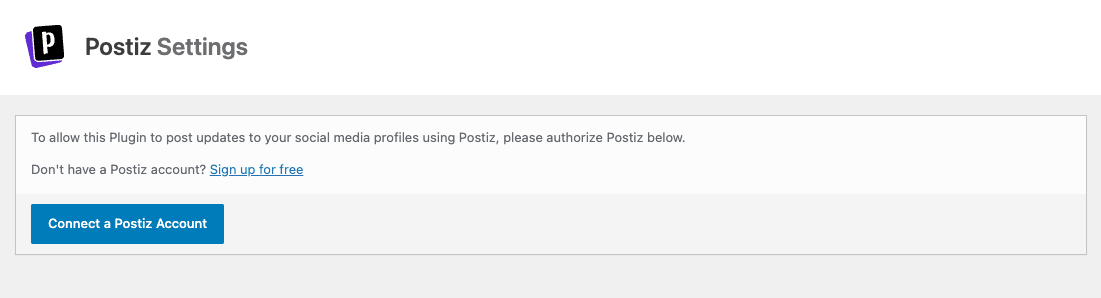
Don’t have a Postiz account? Sign up for free
How to Auto Post to Social Media with Postiz
- Connect Your Postiz Account – Simple one-click authorization, no API keys or technical setup required
- Link Your Social Networks – Connect Facebook, X/Twitter, LinkedIn, and other profiles through Postiz’s interface
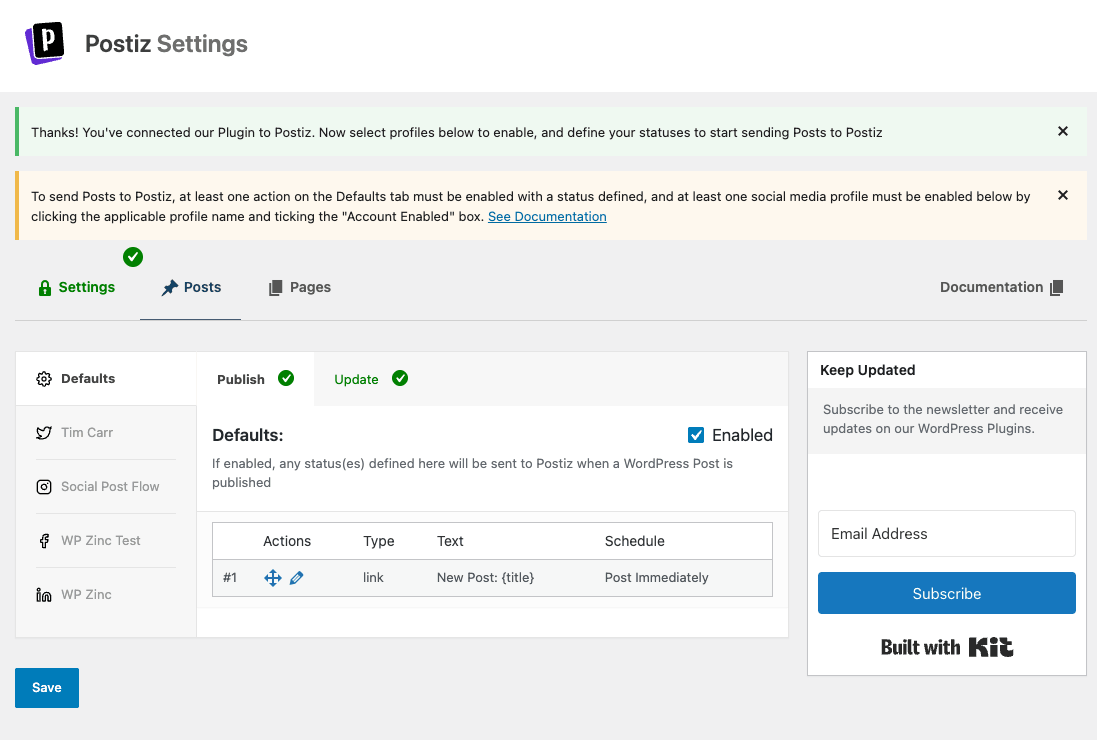
- Configure Post Settings – Choose which post types to share and customize your social media message templates
- Publish Content – Your WordPress posts automatically share to social media according to your Postiz schedule
Social Media Networks Supported
Facebook Auto Posting – Share to Facebook Pages automatically when you publish WordPress content.
X/Twitter Auto Posting – Auto post to Twitter (X) reliably.
LinkedIn Auto Posting – Publish to LinkedIn Company Pages and personal LinkedIn Profiles to grow your professional network.
Additional Networks – Threads, Google Business Profile, Mastodon, Bluesky, and TikTok support included.
Dynamic Template Tags for Customized Posts
Create unique social media messages using template tags:
- {title} – Your post title
- {excerpt} – Post excerpt (with character/word limits)
- {content} – Post content (with character/word limits)
- {url} – Post permalink
- {date} – Publication date
- {taxonomy_post_tag} – Tags as hashtags
- {taxonomy_category} – Categories as hashtags
Support for Free Version
We provide community support through the WordPress support forums.
External Services: Privacy and Data Usage
This plugin connects to the following APIs and services:
- WP Zinc API: To facilitate the OAuth connection process
- Postiz API: To fetch your connected social media profile names and IDs, and publish WordPress content to those accounts via Postiz’ API, based on the Plugin’s settings
- Kit (formerly ConvertKit): To display the newsletter subscription form in the settings screen
Screenshots
Installation
Automatic Installation (Recommended)
- Log in to your WordPress admin dashboard
- Navigate to Plugins > Add New
- Search for “Postiz”
- Click “Install Now” on the Postiz plugin
- Click “Activate” once installation completes
- Go to Postiz in your admin menu
- Click “Authorize” to connect your Postiz account
- Configure your social media posting settings
Manual Installation
- Download the plugin ZIP file
- Log in to your WordPress admin dashboard
- Navigate to Plugins > Add New > Upload Plugin
- Choose the downloaded ZIP file and click “Install Now”
- Click “Activate Plugin”
- Go to Postiz in your admin menu
- Click “Authorize” to connect your Postiz account
- Configure your social media posting settings
FAQ
-
- Facebook Pages
- Twitter (X)
- LinkedIn Pages and Profiles
- Threads
- Google Business Profile
- Mastodon
- Bluesky
- TikTok
-
Do I need a paid Postiz account?
-
Yes. Postiz doesn’t offer a free plan, but you can try their 7 day free trial first.
-
How does this differ from other auto posting plugins?
-
Unlike plugins that post directly to social networks, we integrate with Postiz’s smart scheduling system. This provides several advantages:
Spam Prevention – Postiz spaces posts naturally to avoid social media penalties
Flexible Scheduling – Control when posts publish with Postiz’s schedule settings
API Reliability – Postiz handles all social network API complexities and updates
Cross-Platform Management – Manage all networks from Postiz’s unified dashboard -
Yes. Use template tags to dynamically build messages:
- {title} – Post title
- {excerpt} – Post excerpt
- {content} – Post content
- {url} – Post URL
- {date} – Publication date
- {author} – Author name
- {tags} – Post tags as hashtags
- {categories} – Categories as hashtags
Pro version allows different templates per social network and per post type.
-
Can I schedule posts to publish at specific times?
-
Posts are added to your Postiz queue, which publishes according to your Postiz schedule. You control the schedule within your Postiz dashboard.
Pro version adds options to post immediately, add to start/end of queue, or schedule for specific date/time.
-
Will this work with the Gutenberg block editor?
-
Yes. The plugin is fully compatible with Gutenberg (WordPress block editor), Classic Editor, and most page builders including Elementor, Divi, and Beaver Builder.
-
Yes. WooCommerce products are custom post types that can be shared to social media.
Pro version includes special WooCommerce template tags to display product price, sale price, SKU, stock status, and other product data in social media messages.
-
Enable “Use Featured Image” in the plugin settings. The post’s featured image will automatically attach to the social media update.
Pro version provides advanced image options:
* Multiple images per post
* Images from Media Gallery
* Images from post content
* Advanced Custom Fields images
* Custom image selection -
Does this work with scheduled WordPress posts?
-
Yes. When a scheduled WordPress post publishes automatically, the plugin detects the publication and adds the content to your Postiz queue.
-
Pro version includes automatic evergreen content reposting. Configure how often to reshare old posts (days, weeks, or months), and the plugin automatically adds them back to your Postiz queue. Perfect for driving traffic to your best content.
-
What happens if my Postiz queue is full?
-
You’ll see an error in the plugin log indicating the queue is full. Solutions:
- Upgrade your Postiz plan for larger queue capacity
- Manually publish or remove queued items from Postiz
- Adjust how frequently content is added to Postiz
-
Yes. Enable “Test Mode” in General Settings. This logs what would be sent to Postiz without actually creating posts. Perfect for testing your message templates and settings.
-
How do I see what was posted to Postiz?
-
The plugin includes a logging system. View logs by:
- Go to Social Publisher for Postiz > Logs in your admin menu
- View logs for all posts or filter by specific posts
- See what was sent, when, and any errors encountered
Enable logging in Social Publisher for Postiz > Settings > Log Settings.
-
Does this work with custom post types?
-
Yes. The plugin supports all public custom post types including:
* WooCommerce Products
* Events (The Events Calendar, Event Manager, Modern Events Calendar with Pro)
* Portfolio items
* Testimonials
* Any custom post type registered by themes or plugins -
Can I exclude specific posts from auto posting?
-
Pro version includes conditional publishing based on:
* Post author
* Categories and tags
* Custom field values
* Custom taxonomiesYou can also override settings on individual posts to disable auto posting selectively.
-
Will this slow down my website?
-
No. The plugin uses WordPress’s standard HTTP API for communication with Postiz. For high-traffic sites, Pro version includes WP-Cron support to queue posts in the background without impacting page load times.
-
What if I need help setting up the plugin?
-
Free version support is available through the WordPress support forums.
Reviews
There are no reviews for this plugin.
Contributors & Developers
“Social Media Auto Poster – Schedule & Publish to Postiz” is open source software. The following people have contributed to this plugin.
Contributors

Translate “Social Media Auto Poster – Schedule & Publish to Postiz” into your language.
Interested in development?
Browse the code, check out the SVN repository, or subscribe to the development log by RSS.
Changelog
1.0.0
- First release.