

Description
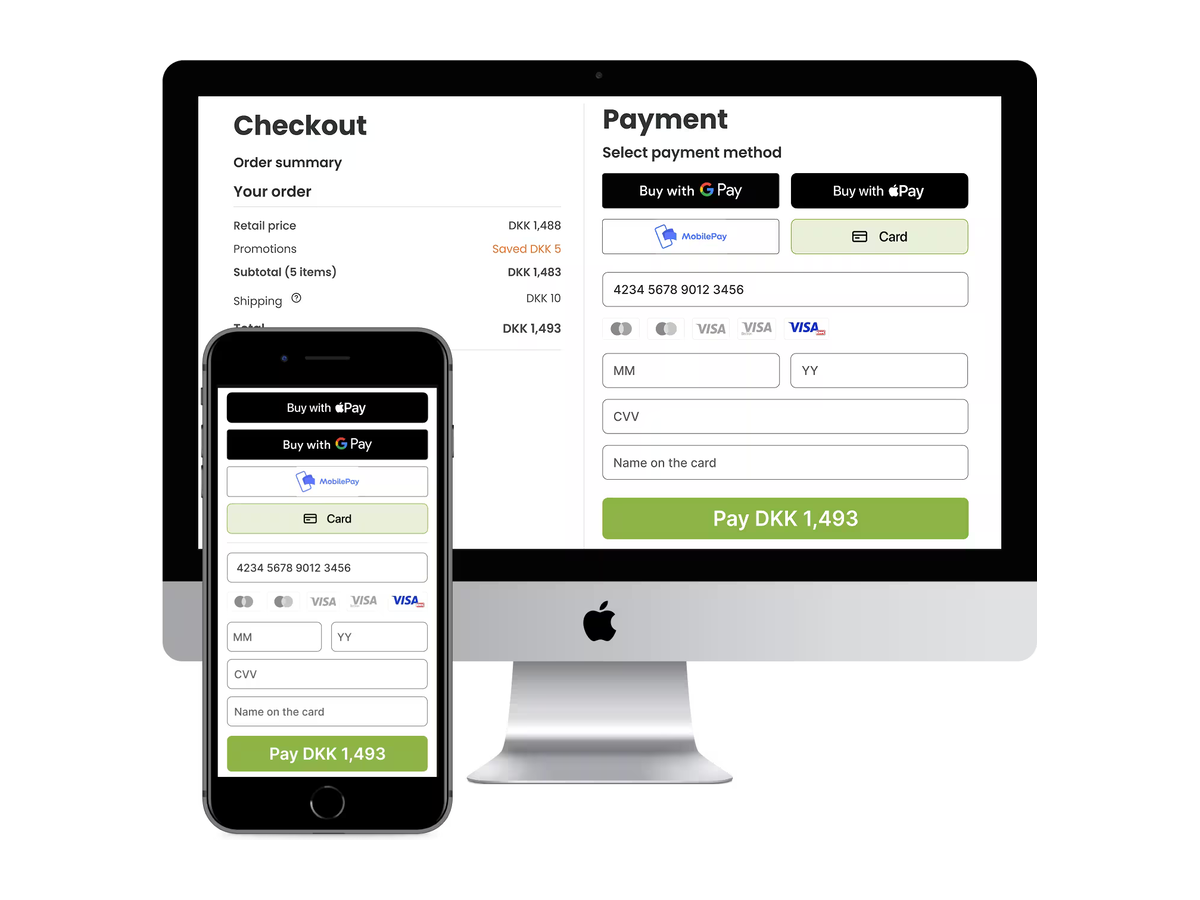
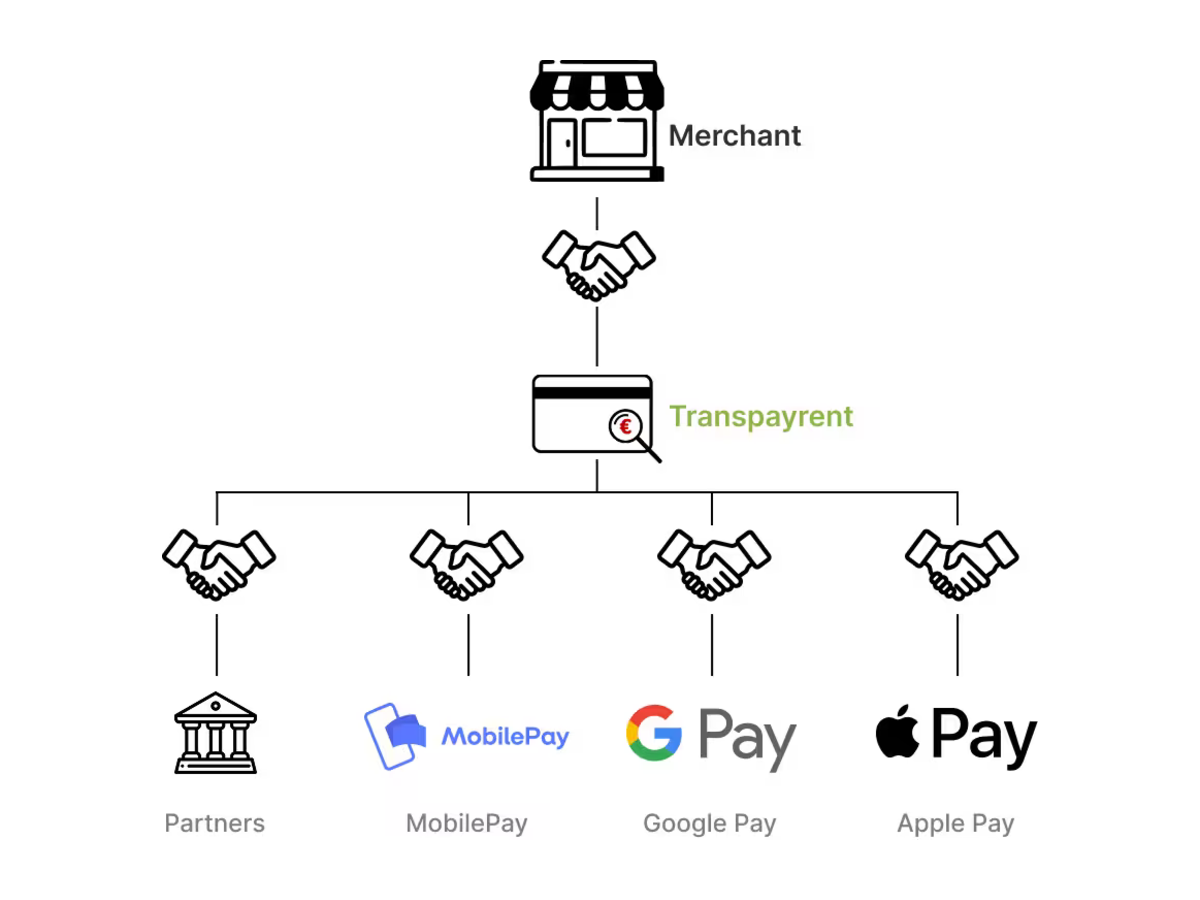
Transpayrent Payment Gateway lets WooCommerce stores accept online payments through the Transpayrent payment platform. It adds a single payment method to your checkout that can present several payment options to your customers: card payments, the Transpayrent MyWallet, MobilePay, Google Pay and Apple Pay.
The gateway works with both the classic WooCommerce checkout and the newer Cart & Checkout Blocks, and is compatible with WooCommerce High-Performance Order Storage (HPOS).
Card details are entered inside the Transpayrent SDK, which loads directly from Transpayrent and sends the data to Transpayrent for processing. Sensitive card data is never stored on your WordPress site.
A Transpayrent merchant account is required.
Key features
- Card payments via the Transpayrent SDK.
- Transpayrent MyWallet (save and reuse cards for logged-in customers).
- MobilePay (Denmark and Finland; DKK/EUR).
- Google Pay and Apple Pay express wallets.
- Works with both the classic checkout and Cart & Checkout Blocks.
- Compatible with High-Performance Order Storage (HPOS).
- Authorize-then-capture flow: the payment is captured when the order is marked completed, and refunds/cancellations are pushed back to Transpayrent automatically.
- Server-to-server payment callbacks are authenticated with a per-site secret.
- One Sandbox toggle switches the whole integration between test and live.
- Translation-ready, with Danish and French translations included.
External services
This plugin relies on third-party services to process payments. By using the plugin you (and your customers) interact with the services below.
1. Transpayrent Payment Gateway API — used on the server to create payment sessions and to capture, refund and cancel transactions.
- Endpoints:
https://api-gateway.transpayrent.cloud(live) andhttps://api-gateway.sandbox.transpayrent.cloud(sandbox), selected automatically by the Sandbox setting. - Data sent: the order/cart total and currency, a generated consumer identifier, your merchant ID and POS ID, an order reference, a statement text, and your site’s callback URL.
- When: when a customer starts a payment, and when an order is completed, refunded or cancelled in WooCommerce.
2. Transpayrent Web SDK — loaded in the customer’s browser at checkout to render the payment interface and to collect and transmit card details directly to Transpayrent.
- Sources:
https://storage.googleapis.com/static.transpayrent.cloud/andhttps://generator.transpayrent.cloud/(and theirsandbox.transpayrent.cloudequivalents). - Data sent: the payment card data entered by the customer and the payment session token. This data goes to Transpayrent, not to your WordPress site.
- When: on the checkout page.
Transpayrent Merchant Terms & Conditions: https://www.transpayrent.dk/legal/merchant-terms/
Transpayrent Data Processing Agreement (personal data / GDPR): https://www.transpayrent.dk/legal/dpa/
3. Google Pay SDK (only when Google Pay is enabled) — https://pay.google.com/gp/p/js/pay.js, loaded in the browser at checkout to offer Google Pay. See the Google Privacy Policy and Google Pay APIs Terms of Service.
4. Apple Pay SDK (only when Apple Pay is enabled) — https://applepay.cdn-apple.com/jsapi/1.latest/apple-pay-sdk.js, loaded in the browser at checkout to offer Apple Pay. See the Apple Privacy Policy.
Screenshots
Installation
- Upload the
transpayrent-payment-gatewayfolder to/wp-content/plugins/, or install the plugin through the Plugins screen in WordPress. - Make sure WooCommerce is installed and active.
- Activate the plugin through the Plugins menu in WordPress.
- Go to WooCommerce > Settings > Payments and click Manage next to Transpayrent Payment Gateway.
- Enter your Merchant ID, API Key and POS ID from Transpayrent, choose which payment methods to offer, and enable the gateway.
- Keep Sandbox Mode on while testing; turn it off to accept live payments. Sandbox mode also selects the correct Transpayrent endpoints automatically.
To offer MobilePay, set the phone field as required on your checkout page (see the FAQ), because MobilePay requires a Danish (+45) or Finnish (+358) phone number.
FAQ
-
Do I need a Transpayrent account?
-
Yes. You need a Transpayrent merchant account and API credentials (Merchant ID, API Key and POS ID). Contact Transpayrent to obtain them.
-
Does this work with the block-based checkout?
-
Yes. The gateway supports both the classic checkout and the WooCommerce Cart & Checkout Blocks.
-
Is it compatible with High-Performance Order Storage (HPOS)?
-
Yes. The plugin declares HPOS compatibility and stores all order data through the WooCommerce order API.
-
How do I test payments without charging real cards?
-
Turn on Sandbox Mode in the gateway settings and use your Transpayrent sandbox credentials. The plugin then talks to the Transpayrent sandbox environment automatically.
-
Why isn’t MobilePay showing at checkout?
-
MobilePay is only available when your store currency is DKK or EUR, when the phone field is filled with a Danish or Finnish number, and when Transpayrent has enabled MobilePay for your merchant account. The phone field must be set as required on the checkout page.
-
How do I make the phone field required (needed for MobilePay)?
-
MobilePay requires a Danish or Finnish phone number, so the phone field must be required at checkout. On the block-based Checkout page: go to Pages, edit your Checkout page, click the address block inside the Checkout block, then in the block’s Address fields panel set the Phone field to Required and save.
-
How do I let customers check out without an account?
-
Guest checkout is a WooCommerce setting. Under WooCommerce > Settings > Accounts & privacy, under the Checkout heading, tick Enable guest checkout (older WooCommerce versions labelled this Allow customers to place orders without an account). Also make sure WooCommerce > Settings > Site visibility is set to Live — while the store is in Coming soon mode, guests cannot reach the checkout.
-
Where are card details stored?
-
Card details are entered in the Transpayrent SDK and sent directly to Transpayrent. They are never stored on your WordPress site.
Reviews
There are no reviews for this plugin.
Contributors & Developers
“Transpayrent Payment Gateway” is open source software. The following people have contributed to this plugin.
Contributors

Translate “Transpayrent Payment Gateway” into your language.
Interested in development?
Browse the code, check out the SVN repository, or subscribe to the development log by RSS.
Changelog
1.0.2
- Initial release on the WordPress Plugin Directory.