

Description
Gagoo Translate makes your WordPress site multilingual — no subscription, no API key, no per-word fees, and your content never leaves your server.
Everything is unlimited and free
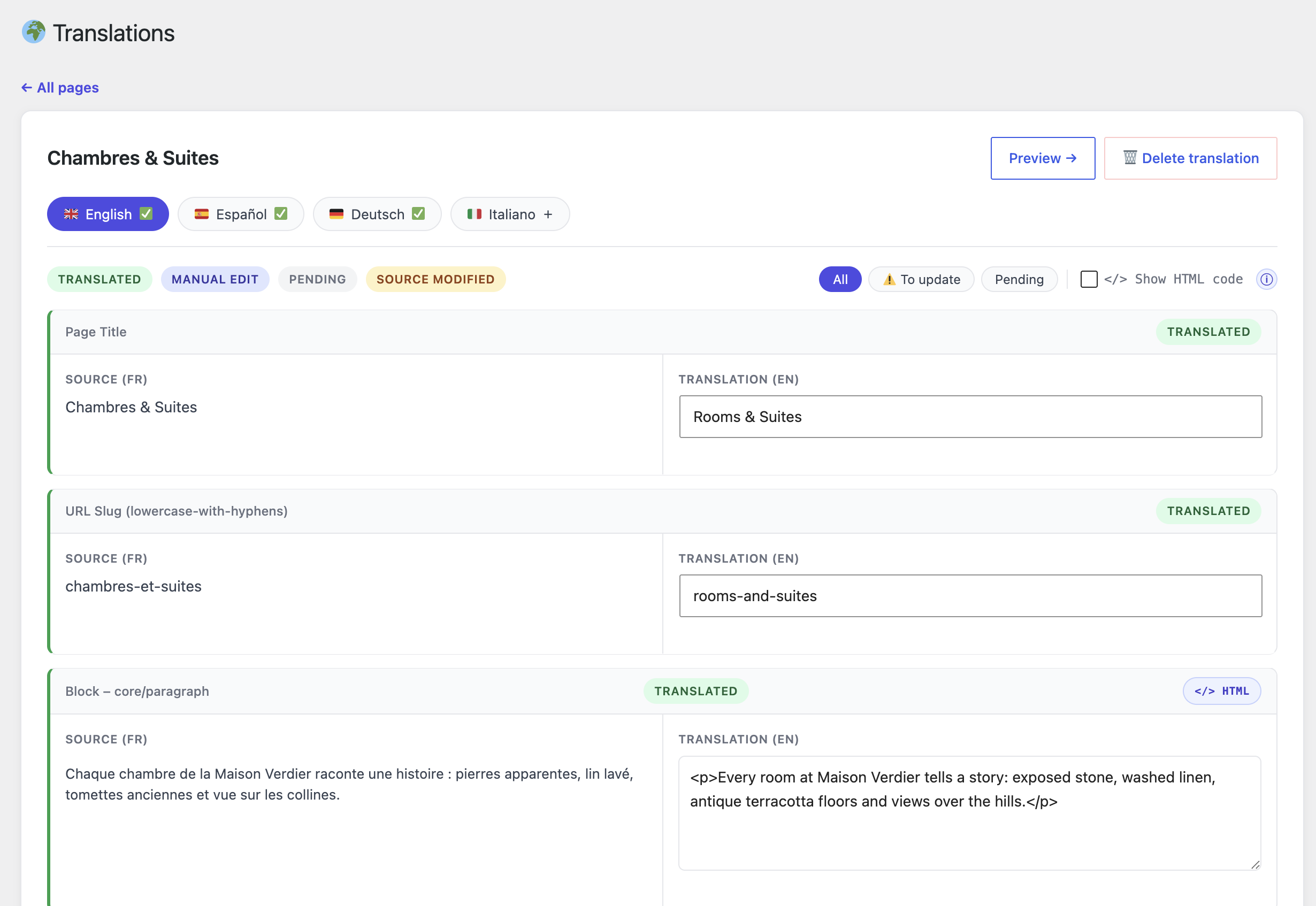
- Translate as many pages as you want, into as many languages as you want, by hand in a clean side-by-side editor.
- Works with Elementor (including Elementor Pro headers/footers), Gutenberg and the Classic editor.
- Translated URL slugs (/en/website-creation instead of /en/creation-site).
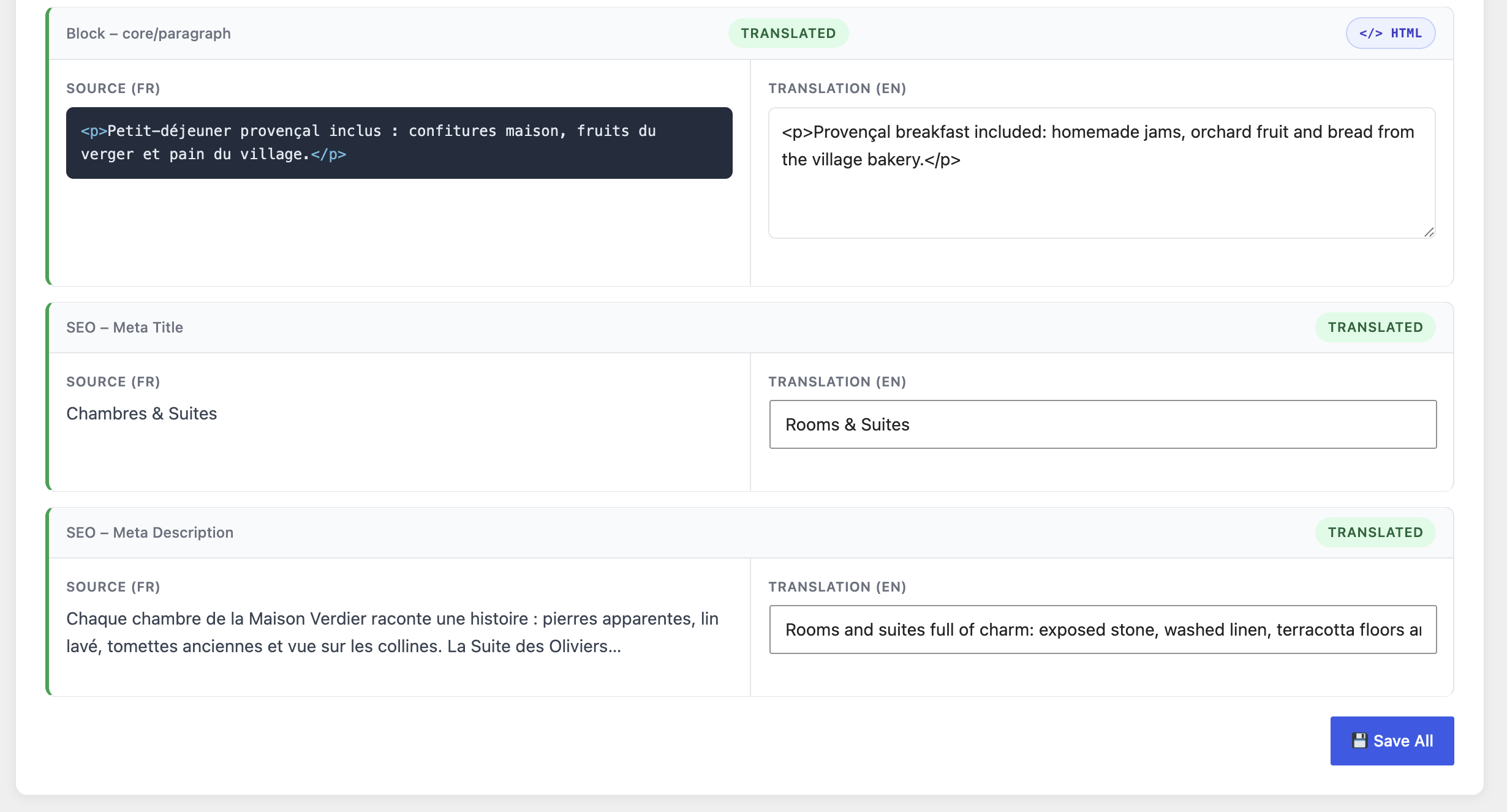
- SEO built in: hreflang alternates, per-language canonical URLs, translated titles and meta descriptions (Yoast SEO, Rank Math, All in One SEO supported), multilingual XML sitemap.
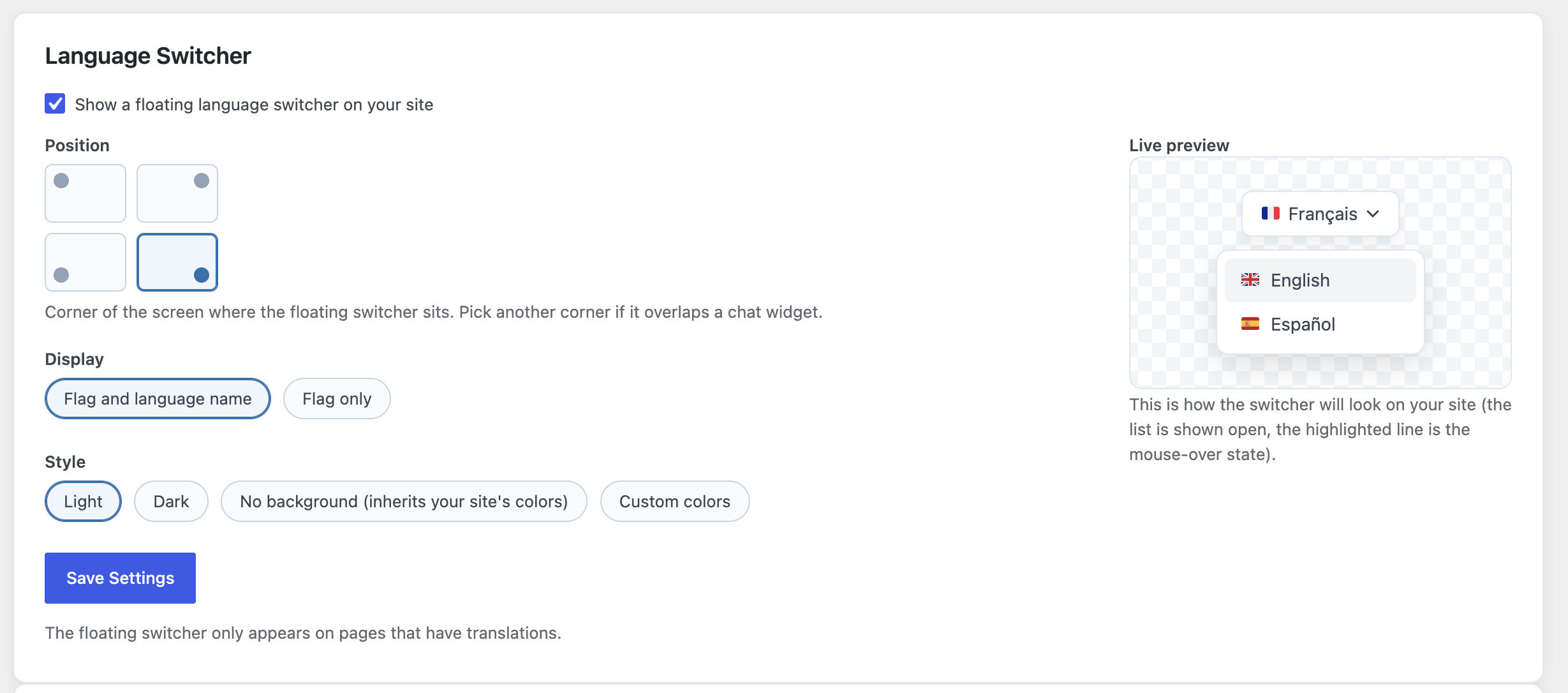
- Language switcher: floating widget or [gagootrans_switcher] shortcode.
- Header, footer and menu translation.
- Outdated-translation detection when you edit a source page.
- Fully cache-friendly URLs (one path per language, no cookies) — compatible with full-page caching.
Tired of translating field by field? Gagoo Translate Pro
The Pro add-on (coming soon on gagootranslate.com) translates your whole site at once: export all your pages as one file per language, hand it to the AI chat you already use (ChatGPT, Claude, Gemini — free or paid, no API key), and import its reply back in one go. WooCommerce catalogs included. One-time payment, no subscription.
AI disclaimer (Pro workflow)
Translation quality and availability depend on the AI service you use. Gagoo Translate is not affiliated with any AI provider.
External services
This plugin makes no network requests at all: no content, no statistics, no telemetry ever leaves your site. Updates are delivered through WordPress.org like any other plugin from the directory.
Screenshots
Installation
- Upload the plugin to /wp-content/plugins/gagoo-translate, or install it through the WordPress plugins screen.
- Activate the plugin.
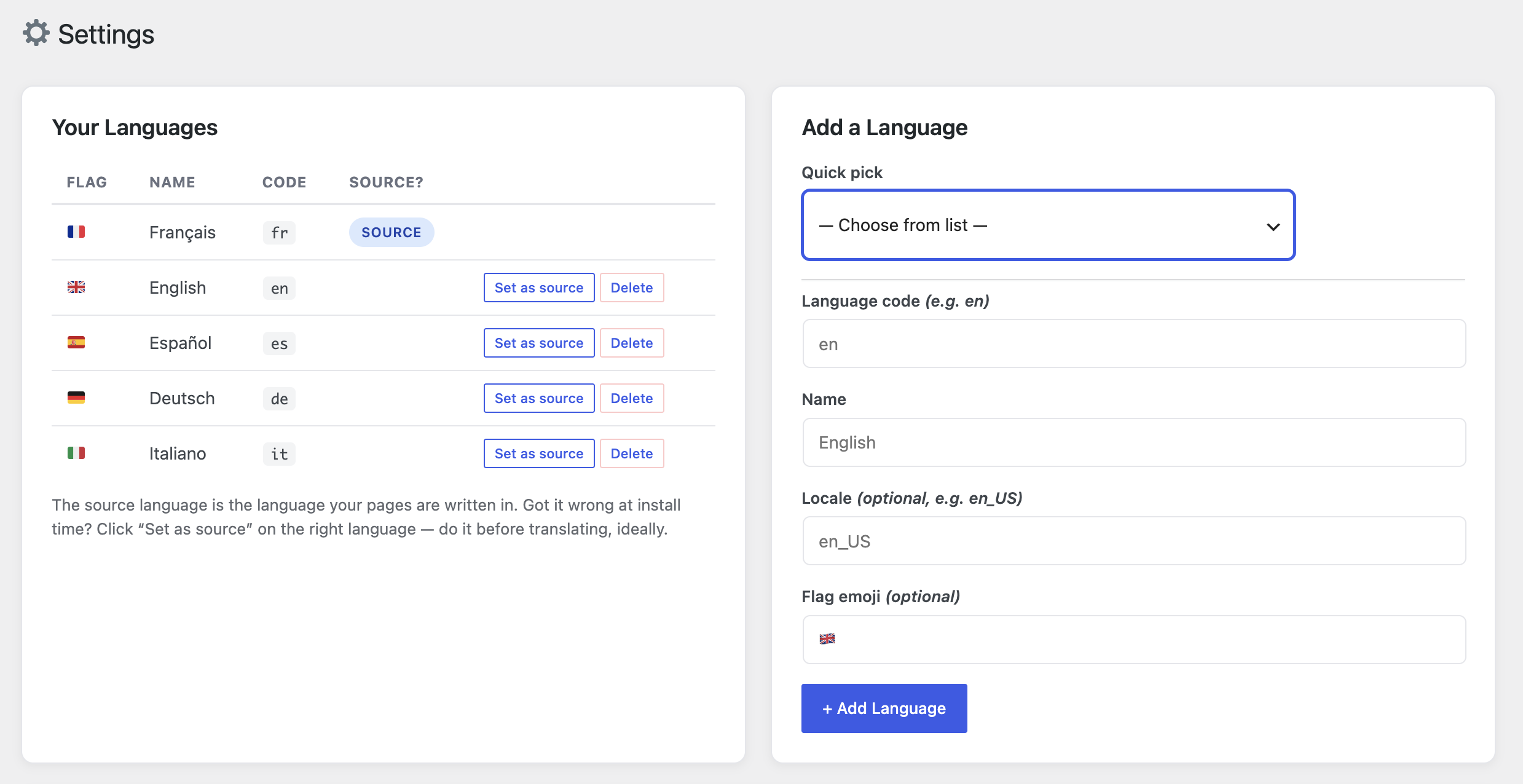
- Go to Gagoo Translate Settings and add your target language(s).
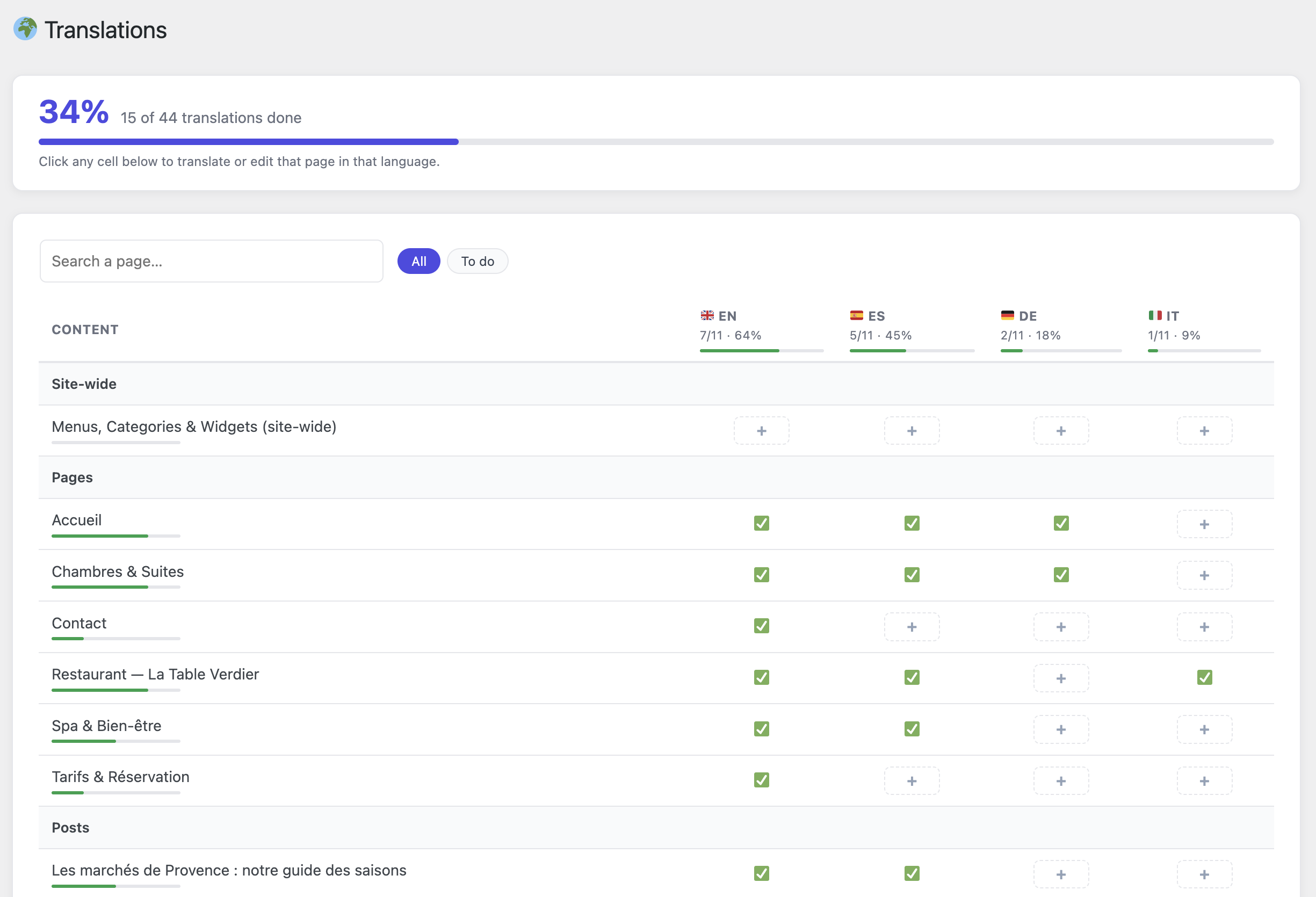
- Open Gagoo Translate Translations: you get a table of all your pages with their translation progress. Click any cell to translate that page in that language, side by side with the original text.
FAQ
-
Is the free version limited?
-
No. Unlimited pages, unlimited languages, all SEO features included. The Pro add-on only adds the bulk AI export/import workflow and WooCommerce catalog translation.
-
Do I need an API key or an AI subscription?
-
The free version needs nothing at all — you type the translations yourself. The Pro add-on uses your own AI chat (free or paid) in your browser; there is no API key either.
-
Does it work with Elementor?
-
Yes — widgets are translated before rendering, so your design is untouched. Elementor Pro theme-builder headers and footers are supported too.
-
Will my translated pages be indexed by Google?
-
Yes. Each language lives at its own URL (/en/…), with proper hreflang alternates, self-referencing canonicals, translated titles/descriptions and a multilingual sitemap at /st-sitemap.xml.
-
What happens to untranslated pages?
-
They stay on their original URL. Visiting them under a language prefix redirects to the original page, so no duplicate content is created.
Reviews
There are no reviews for this plugin.
Contributors & Developers
“Gagoo Translate” is open source software. The following people have contributed to this plugin.
Contributors
Translate “Gagoo Translate” into your language.
Interested in development?
Browse the code, check out the SVN repository, or subscribe to the development log by RSS.
Changelog
2.4.2
- New extension point on the Settings screen (gagootrans_settings_cards) used by Gagoo Translate Pro for its optional AI API settings.
2.4.1
- Page-builder compatibility detector: pages built with Beaver Builder, Bricks, Oxygen, SiteOrigin, Brizy, Cornerstone or Thrive Architect are now clearly flagged (🧱 in the Translations matrix + explanation in the editor) instead of silently showing “no translatable text”. WPBakery/Avada shortcode pages and Divi pages get tailored guidance.
2.4.0
- The “Languages” menu is now “Settings” — the page also hosts the language switcher style and content visibility options.
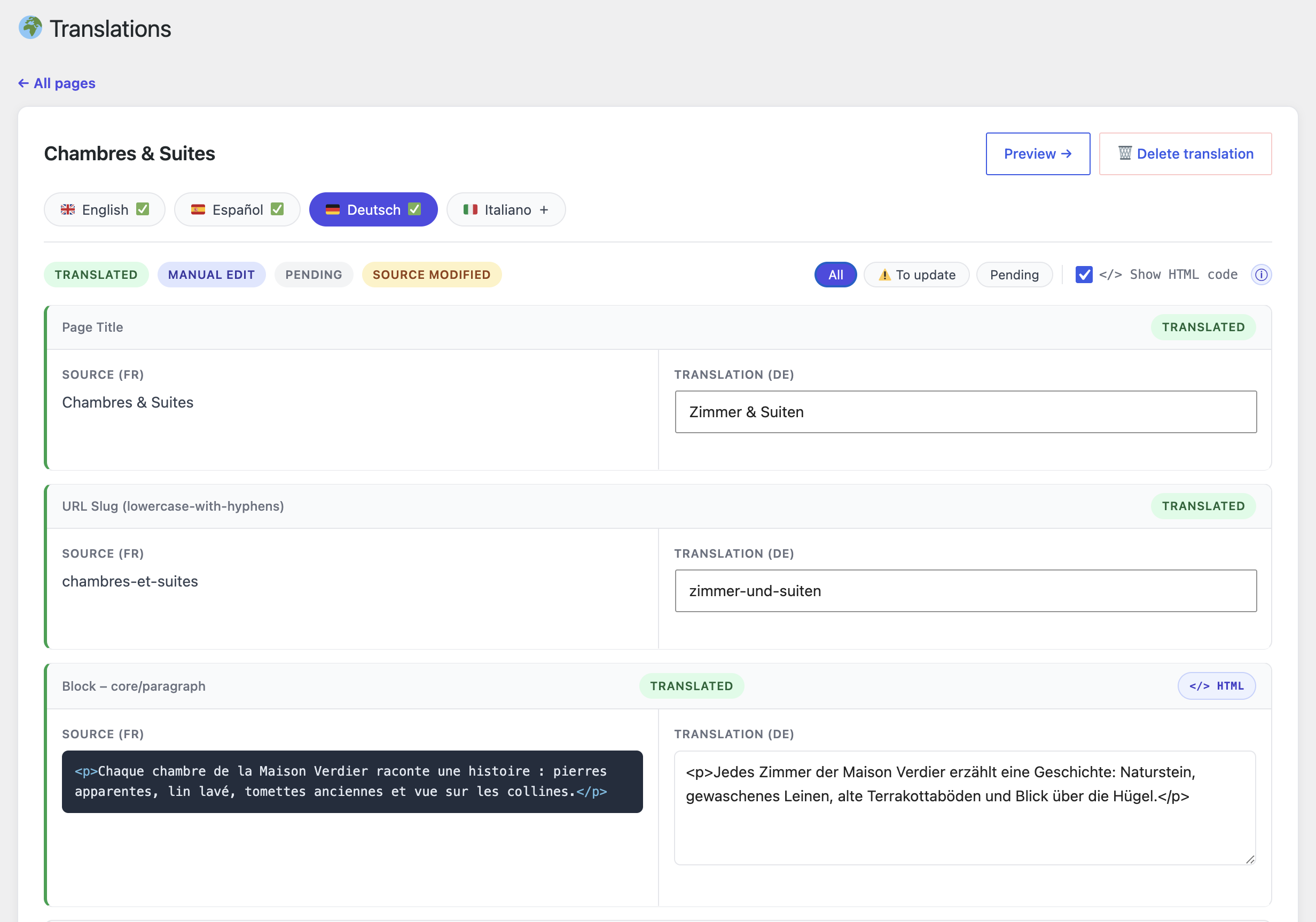
- Translation editor: strings containing HTML now show a clear HTML badge, a syntax-tinted code view, and an info bubble explaining how to handle the tags.
- Automatic updates for self-hosted builds (the WordPress.org build receives its updates from WordPress.org and makes no network request).
2.3.1
- New: optional “Hide untranslated content” setting (Languages page) — blog, archive, search and shop listings on translated pages only show posts and products already translated into the current language.
2.3.0
- New: categories, tags, WooCommerce product categories/tags and custom taxonomy terms are now translatable (names + descriptions) — part of the free site-wide pack.
- New: ACF custom fields (text, textarea, WYSIWYG — including repeater sub-fields) are translated at the source, so get_field() and shortcodes output the translated text.
- New: WooCommerce purchase note, global attribute labels (Color, Size…) and per-product custom attributes (names + values) are translatable.
- New: sidebar/footer widgets (text, Custom HTML, block widgets) are translatable in the site-wide pack.
- Improved: machine values (URLs, dates, IDs, serialized data, ACF choice keys) are no longer extracted as translatable strings.
- Improved: editing a category/tag now flags its translations as outdated, like post edits.
2.2.2
- New: “Show HTML code” toggle in the translation editor — displays the raw HTML of source texts (colored spans, line breaks…) so you can reproduce the same tags in your translation. Off by default, remembered per browser.
- Fix: a string fixed by hand now leaves the “To update” filter (and drops its orange border) without reloading the page.
2.2.1
- New: the source language can now be changed — “Set as source” button on the Languages screen (with confirmation; existing translations are kept).
2.2.0
- New: full language switcher customizer — visual corner picker, custom colors (button, text, border, dropdown, hover), corner roundness, and a live preview.
- New: clear shortcode guide with copy button and an options reference table.
- Fix: Elementor Pro forms are now translatable (field labels, placeholders, select options, submit button, custom messages).
- Fix: completed the admin translations for all 8 bundled languages (license screen included) and removed obsolete entries.
2.1.4
- Hand-typed internal links (Elementor buttons, custom menu URLs like “/contact”) are now rewritten to the visitor’s language on translated pages — they used to drop visitors back into the source language.
2.1.3
- The switcher dropdown now opens toward the side with available space automatically (a shortcode in a bottom-pinned header opens upward, a top header downward). Pin it with direction=”up|down” if needed.
- New display option: flag + language name, or flag only.
- New styles: light, dark, or no background (inherits your site’s colors) — as a site-wide setting or per shortcode: [gagootrans_switcher display=”flag” theme=”dark”].
2.1.2
- Fixed: the [gagootrans_switcher] shortcode rendered unstyled (plain bullet list) when the floating switcher was disabled — its CSS/JS now always load.
- The dropdown now opens downward when the switcher sits at the top of the page (shortcode in a header, top corners) and upward only for the bottom corners.
2.1.1
- The floating language switcher can now dock to any corner of the screen (Languages screen setting) so it never overlaps chat widgets.
- Tighter switcher spacing on small screens.
- Manual edits now purge LiteSpeed Cache and WP Rocket automatically, including the translated URL.
2.1.0
- New unified “Translations” screen: the status overview and the editor are now one page. See every page’s translation progress at a glance (overall %, per-language %, per-page progress bar) and click any cell to edit that page in that language directly.
- Language tabs in the editor: switch the language you are translating into without leaving the page.
- The separate “Status” page was removed; old links redirect to the new screen.
- Completed the admin translation catalogs for the 8 bundled interface languages.
2.0.0
- The free plugin is now fully unlimited: translate any number of pages into any number of languages by hand. All quotas and license checks removed.
- Bulk AI export/import and WooCommerce catalog translation moved to the separate Gagoo Translate Pro add-on (gagootranslate.com).
- The free plugin no longer makes any network request — no telemetry, no license pings.
- New dashboard wizard focused on the manual translation flow.
- SEO: archives under a language prefix now 301-redirect to the source URL when the language has no translated post to list.
- Fixed: all admin actions (add language, manual edit…) were broken in 1.4.2 by a partial identifier rename.
1.4.2
- Fixed: adding a language could silently fail with no feedback when the code was rejected; now reports a clear error.
1.4.1
- SEO: canonical URLs now cover Yoast SEO, Rank Math and All in One SEO on translated pages.
- SEO: archives, untranslated-page redirects, cached multilingual sitemap.
- Security: imported translations are sanitized like manual edits.
- Performance: new database index, fewer queries per page view.
1.2.0
- Header/footer/menu translation, image alt texts, per-page language switcher, outdated-translation detection.
1.1.0
- Translated slugs, multilingual sitemap.