
Description
Matically AI Translator translates your installed WordPress plugins into your language with one click using AI. No manual translation work needed.
Key Features:
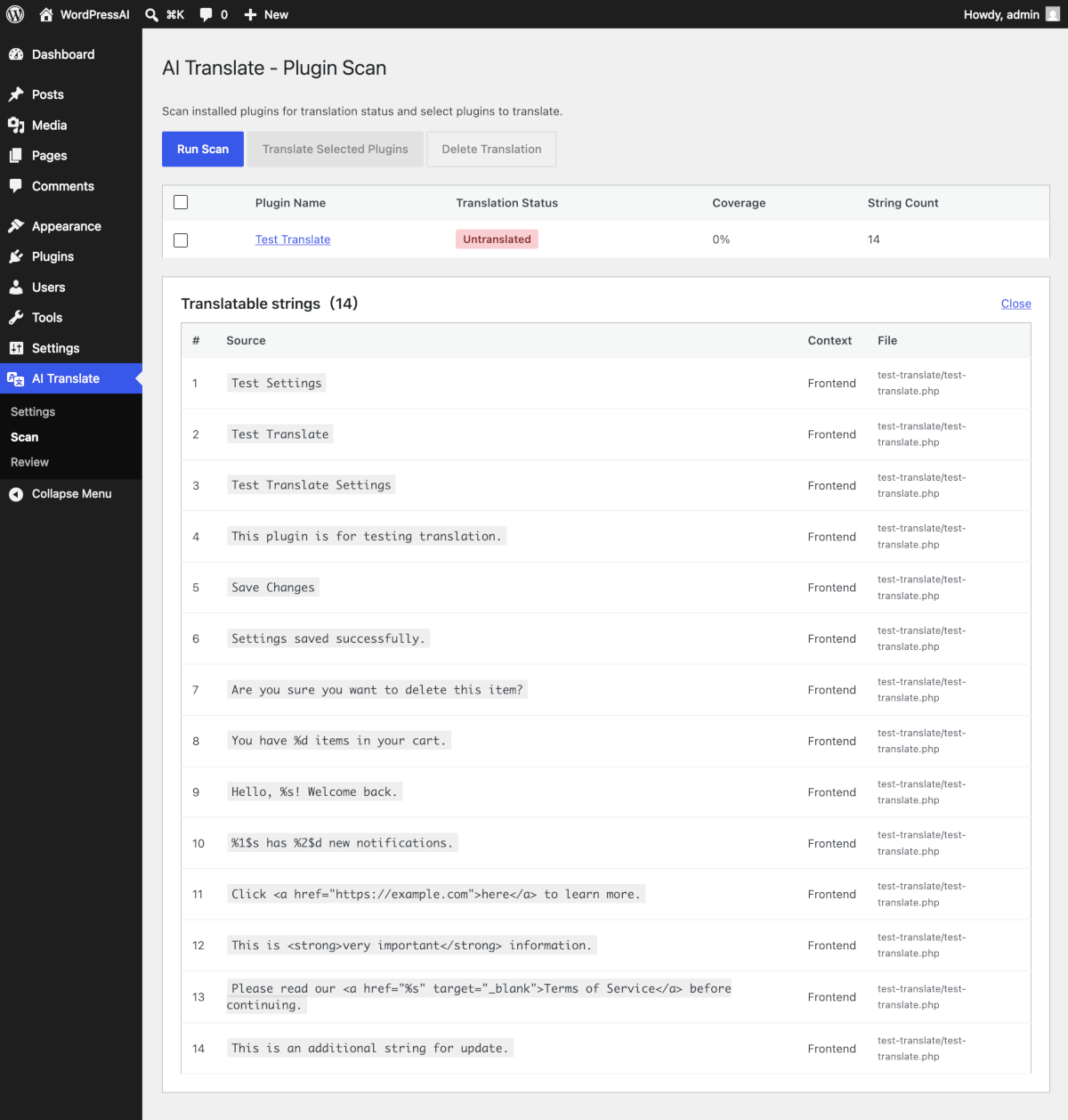
- Automatically scans installed plugins for translation status
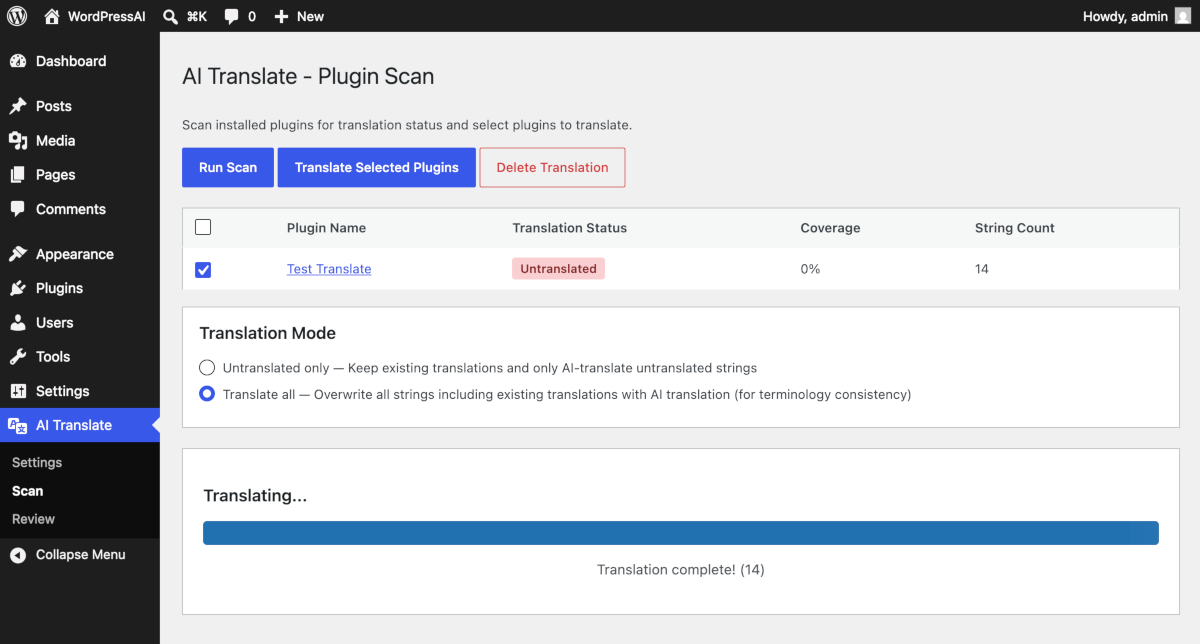
- One-click AI translation with progress tracking
- Context-aware: adapts tone for admin panels (concise) vs. frontend (polite)
- Outputs standard .po/.mo files (native WordPress compatibility)
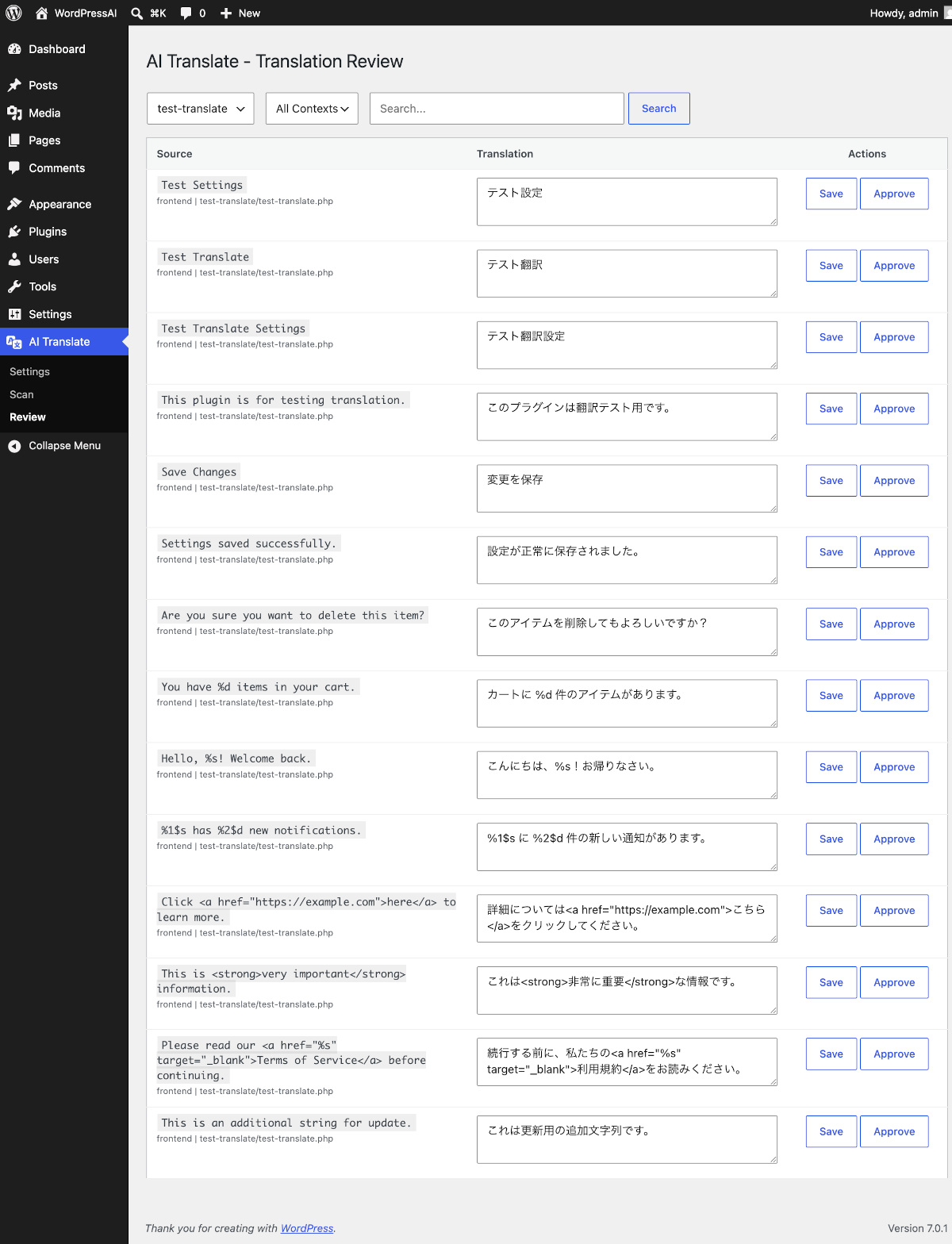
- Built-in translation review and editing interface
- Supports OpenAI (GPT), Anthropic (Claude), and Google (Gemini)
- Server-based translation option (no API key required)
- 16+ target languages supported
Pricing:
- Free: 1 plugin (up to 500 strings) via server-based translation — no API key needed
- Premium ($39/year): Unlimited plugins, server-based translation, up to 5 sites
- Bring Your Own Key: Use your own AI API key for unlimited translation (no subscription required)
Supported Languages:
Japanese, Spanish, Portuguese (Brazil), German, French, Chinese (Simplified & Traditional), Korean, Indonesian, Italian, Dutch, Russian, Turkish, Arabic, Vietnamese, Thai, and more.
External Services
This plugin connects to external services to provide AI-powered translation. By using this plugin, you acknowledge and agree to the terms of service and privacy policies of the respective services.
Matically AI Translator Server (Server-based translation)
When using the “Server” translation provider (default for free users), plugin strings are sent to our translation API server for processing.
- Service URL: https://wpait.matically.jp
- Terms of Service: https://wpait.matically.jp/en/legal/terms
- Privacy Policy: https://wpait.matically.jp/en/legal/privacy
- Data sent: Plugin strings to be translated, site URL, site identifier
- Data stored: Translated strings are cached on our server to improve performance for all users
OpenAI API
When using the OpenAI provider, plugin strings are sent to OpenAI’s API for translation.
- Service: https://openai.com
- Privacy Policy: https://openai.com/privacy
- Terms of Use: https://openai.com/terms
- Data sent: Plugin strings to be translated
- Requires: Your own OpenAI API key
Anthropic API
When using the Anthropic (Claude) provider, plugin strings are sent to Anthropic’s API for translation.
- Service: https://www.anthropic.com
- Privacy Policy: https://www.anthropic.com/privacy
- Terms of Service: https://www.anthropic.com/terms
- Data sent: Plugin strings to be translated
- Requires: Your own Anthropic API key
Google Generative AI API
When using the Google (Gemini) provider, plugin strings are sent to Google’s Generative AI API for translation.
- Service: https://ai.google.dev
- Privacy Policy: https://policies.google.com/privacy
- Terms of Service: https://policies.google.com/terms
- Data sent: Plugin strings to be translated
- Requires: Your own Google AI API key
Screenshots
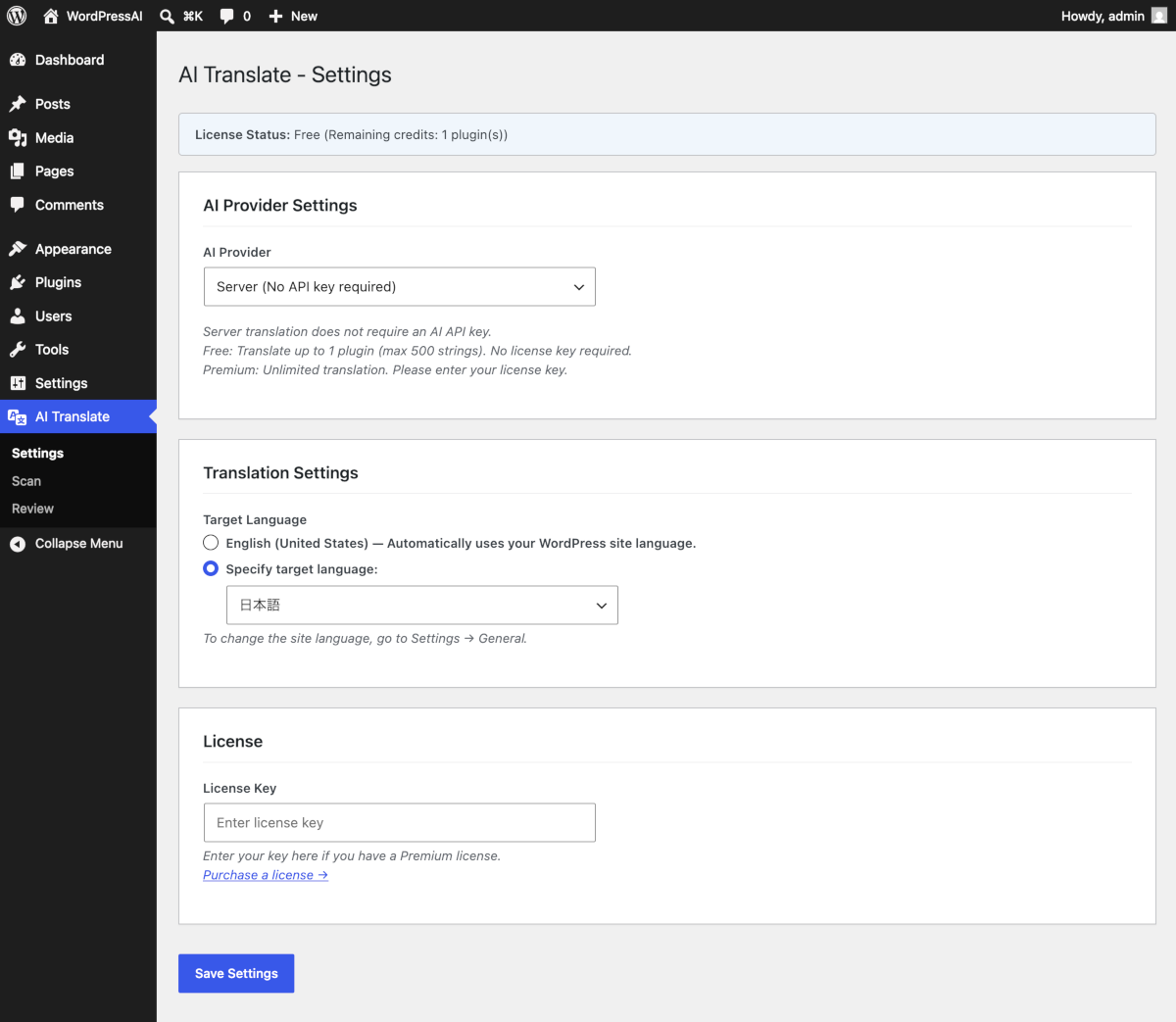
Installation
- Install and activate the plugin from your WordPress admin panel
- Go to “AI Translate” “Settings”
- Choose your translation provider:
- Server (recommended for beginners): No API key needed. Free for 1 plugin.
- OpenAI / Anthropic / Google: Enter your API key for unlimited translation.
- Go to “AI Translate” “Scan” to check plugin translation status
- Select a plugin and click “Translate Selected Plugins”
FAQ
-
Do I need an AI API key?
-
No. The “Server” provider works without any API key. You can translate 1 plugin (up to 500 strings) for free. For unlimited translation, purchase a Premium license or use your own API key.
-
Which AI service is used?
-
By default, the server-based translation uses OpenAI’s GPT-4o-mini. You can also use your own API key with OpenAI, Anthropic (Claude), or Google (Gemini).
-
How good is the translation quality?
-
The plugin uses WordPress-specific terminology dictionaries and context-aware translation (formal/informal tone depending on admin vs. frontend). You can review and edit all translations after generation.
-
Does it work with any plugin?
-
It works with any plugin that uses WordPress internationalization functions (__(), _e(), _x(), etc.). Plugins that hardcode strings without i18n functions cannot be translated.
-
What languages are supported?
-
16+ languages including Japanese, Spanish, German, French, Chinese, Korean, and more. The target language is automatically set to match your WordPress site language.
-
Will existing translations be overwritten?
-
By default, only untranslated strings are processed. You can choose “Translate all” mode to regenerate all translations for terminology consistency. Approved translations are never overwritten.
Reviews
There are no reviews for this plugin.
Contributors & Developers
“Matically AI Translator” is open source software. The following people have contributed to this plugin.
Contributors
Translate “Matically AI Translator” into your language.
Interested in development?
Browse the code, check out the SVN repository, or subscribe to the development log by RSS.
Changelog
1.0.0
- Initial release
- Support for OpenAI, Anthropic, Google, and Server-based translation
- 16+ target languages
- Context-aware translation (admin/frontend)
- Translation review and approval workflow
- PO/MO file generation
- Free trial (1 plugin, 500 strings)