

Description
CallPaywall Web keeps your existing Contact Form 7 forms exactly as they are and screens every submission server-side, before the owner email is sent:
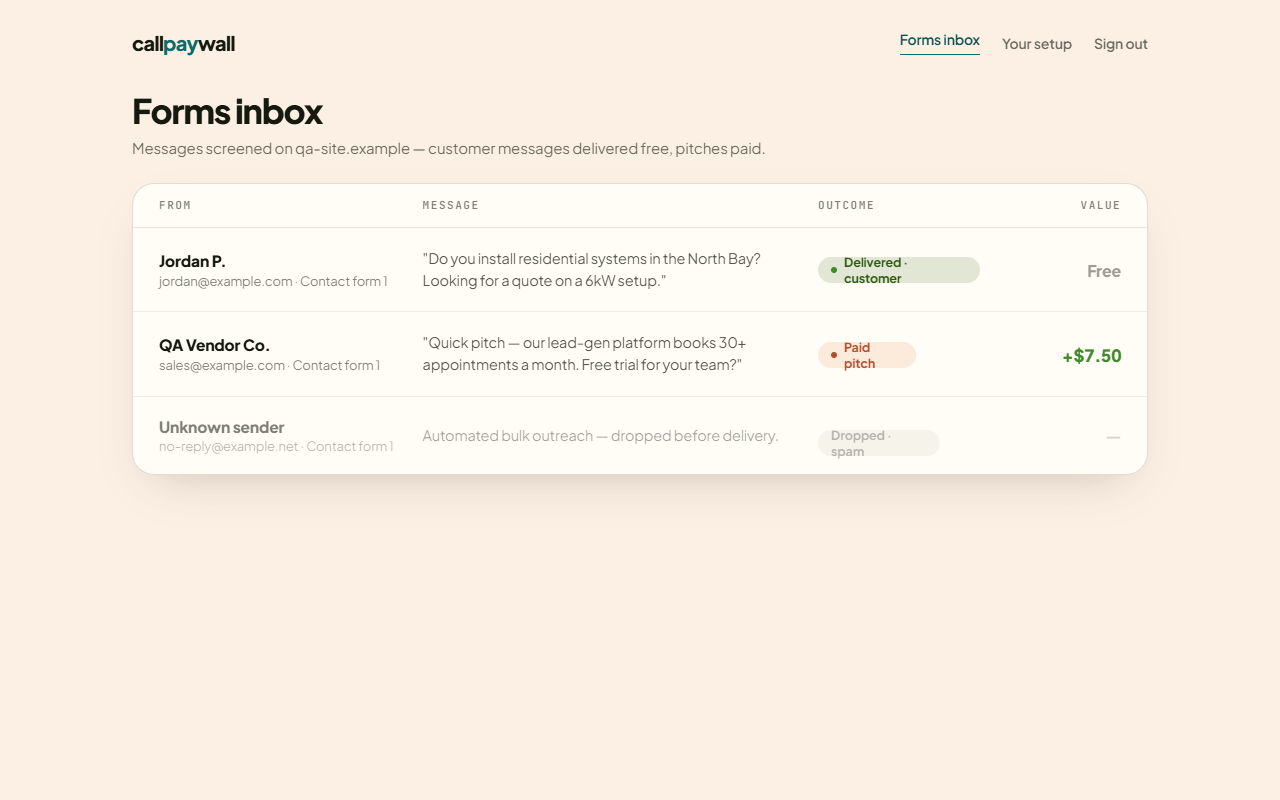
- Real customers — delivered normally, free, untouched.
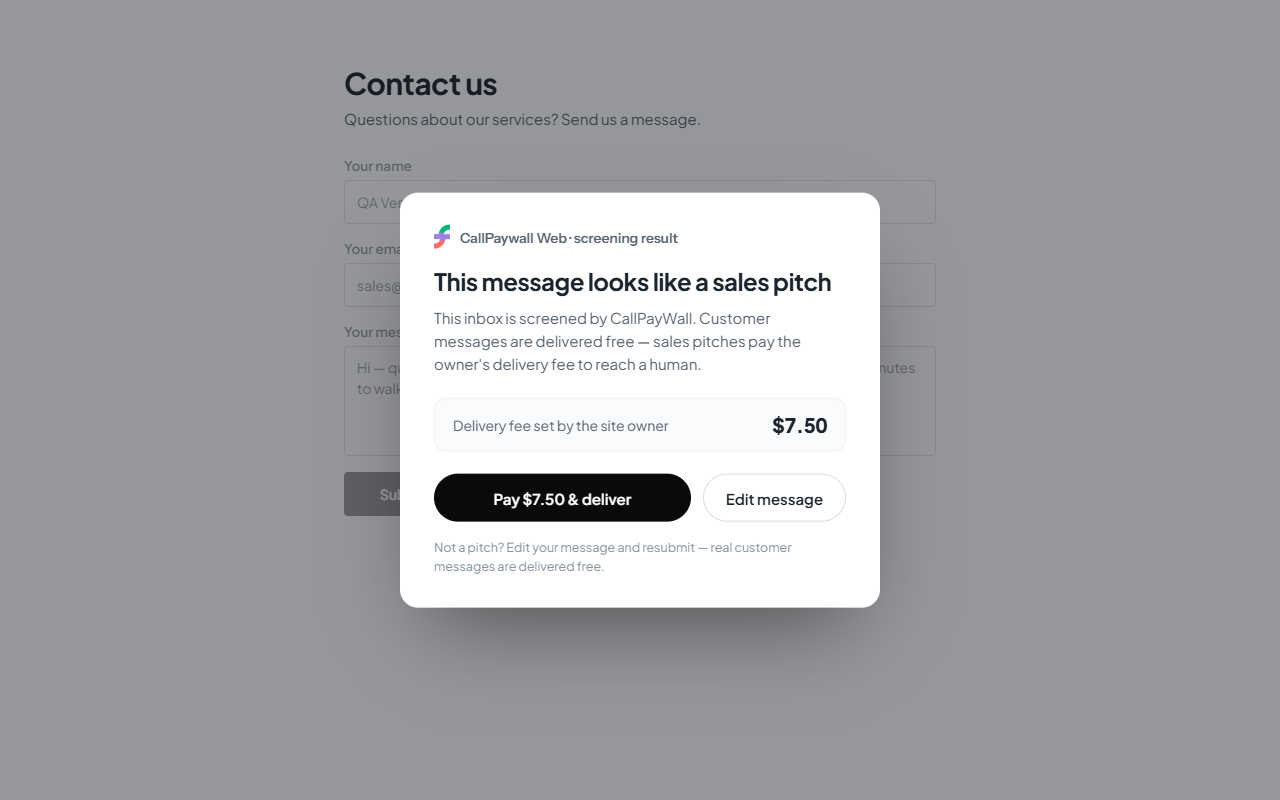
- Sales pitches — the owner email is held and the sender sees a pay-to-send prompt; pitches that pay land in your CallPaywall paid inbox (funds held in escrow until you reply).
- Spam / scams — silently dropped; the sender sees a generic success and learns nothing.
- Fail-open by design — if the CallPaywall service is slow or unreachable, CF7 sends normally. A real customer is never blocked by an outage.
This is a service plugin: it requires a CallPaywall Web account and does nothing until you connect it (API base URL + form ID from your dashboard). Screening decisions are enforced on the CallPaywall server, never in the visitor’s browser.
External services
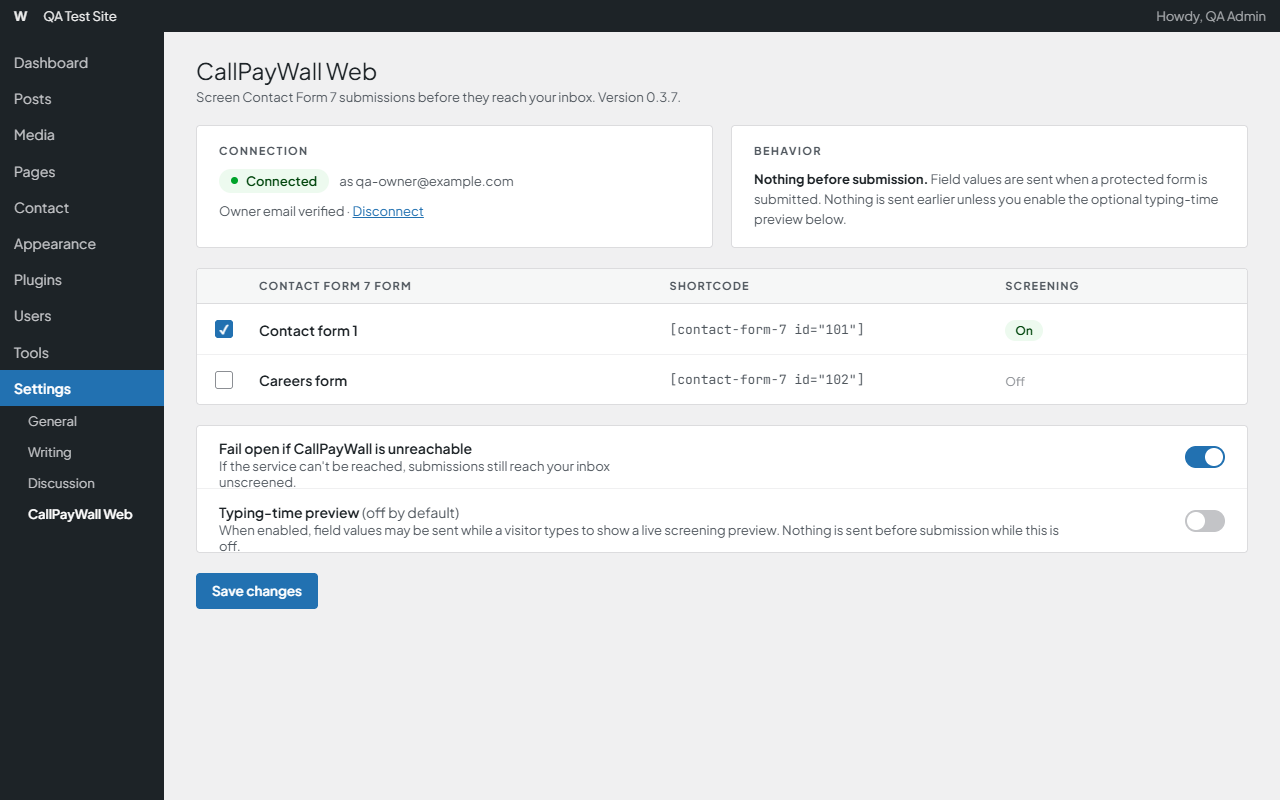
This plugin connects your Contact Form 7 forms to the CallPaywall Web screening service and cannot function without a CallPaywall account. The submitted form fields (name, email address, message, and the form’s other non-technical fields) are sent to your configured CallPaywall server ONLY when a visitor submits a protected form, to classify the message (customer / sales pitch / scam) and, for sales pitches, to create the pay-to-send record. The optional typing-time preview is OFF by default: unless a site administrator explicitly enables it (Settings CallPaywall Web), nothing a visitor types is sent before they submit. If an administrator turns it on, the message text the visitor is composing is also sent to the same service before submission for a non-binding advisory check that creates no record. When a sender chooses to pay, checkout is initiated with the same service. After connecting, the plugin stores a one-time, administrator-only sign-in link returned by CallPaywall so a site administrator can open their CallPaywall inbox (paid pitches, blocked messages, payout setup); this link is shown only in the WordPress admin, never to visitors. The plugin stores a first-party identifier in the visitor’s browser storage (no cross-site cookies) to recognize repeat pitch attempts. If you enter an optional partner/referral code, it is included in requests so the partner who referred you is credited — attribution is account-level and admin-entered, never visitor tracking. No data is sent anywhere until you configure a CallPaywall form ID; if the service is unreachable, the form sends normally (fail-open) and only an anonymized failure line (a message hash, never content) may be logged when WP_DEBUG is enabled.
To improve screening accuracy, CallPaywall may process the text of a submitted message (with the separate name and email fields removed, and email addresses, phone numbers, and card/account-like numbers inside the text masked) using an AI service provider acting on CallPaywall’s behalf, currently Anthropic. See the CallPaywall Privacy Policy below for details, including retention and model-training terms.
Service operated by CallPaywall — Terms of Service: https://web.callpaywall.com/terms · Privacy Policy: https://web.callpaywall.com/privacy
Screenshots
Installation
- Install and activate Contact Form 7.
- Install and activate CallPaywall Web.
- Go to Settings CallPaywall Web and click Connect WordPress Site: enter your website URL and email (phone optional). Your site connects immediately — no verification code — and the connection details are created and saved for you.
- Use Test connection to confirm everything works, then submit a test customer message, a sales pitch, and an obvious scam to see the three outcomes.
- Advanced connection details (Form ID, connection secret, manual entry) live in a collapsed section for support and debugging — you normally never need them.
FAQ
-
Can this block a real customer?
-
No — that is the core design rule. Ambiguous messages are delivered as customers, and if the CallPaywall service is down, slow, or returns anything unexpected, the form sends normally (fail-open).
-
Does it work without a CallPaywall account?
-
No. This is a connector for the CallPaywall Web service. Without a configured form ID the plugin is inert: it screens nothing and transmits nothing.
-
What data is sent, and when?
-
When a visitor submits a protected form, the submitted fields are sent to the CallPaywall server you configure, for classification. Nothing is sent before submission unless an administrator has explicitly turned on the optional typing-time preview, which is OFF by default and, when enabled, sends the draft message text while the visitor types. Nothing is sent at all before you configure the plugin. See the External services section above.
-
Where do paid pitches go?
-
Into your CallPaywall Web dashboard inbox, with payment held in escrow until you reply.
-
What happens to my settings if I deactivate or delete the plugin?
-
Deactivating preserves all settings — reactivate and everything is as you left it. Deleting the plugin runs its uninstall cleanup and removes all its settings (API base, form ID, plugin secret, preferences). If you are replacing or updating the plugin, update or deactivate — don’t delete — unless you intend to reconfigure.
Reviews
There are no reviews for this plugin.
Contributors & Developers
“CallPaywall Web” is open source software. The following people have contributed to this plugin.
Contributors
Translate “CallPaywall Web” into your language.
Interested in development?
Browse the code, check out the SVN repository, or subscribe to the development log by RSS.
Changelog
0.3.9
- Disclosure: Terms/Privacy and Plugin URI links now point at the canonical production policy pages (web.callpaywall.com). External services section now discloses that message text (name/email fields removed; in-text emails, phone numbers, and card/account-like numbers masked) may be processed by an AI service provider (currently Anthropic) acting on CallPaywall’s behalf.
- Settings UX: the screen no longer claims “Connected” when the last connection test was rejected by CallPayWall — it shows a “Connection Needs Attention” state with a one-click Connect/Reconnect action instead. Test-connection failures now explain exactly what is wrong (not connected yet / credentials no longer match / stored form not found / rate limited) instead of one generic banner. A “Reconnect WordPress Site” button is always available. The plugin secret remains masked everywhere, as before.
0.3.7
- Owner inbox: after connecting, the settings page and an admin notice now show an “Open CallPayWall Inbox” button so a site administrator can reach their CallPaywall inbox to review paid pitches, blocked messages, refunds, and payout setup. The plugin stores the one-time, admin-only sign-in link returned by connect; Form ID and Plugin Secret stay masked under Advanced. No change to screening or fail-open behavior.
0.3.6
- Naming: renamed the plugin’s three global constants to the CPWWEB_ prefix (CPWWEB_PLUGIN_VERSION, CPWWEB_DEFAULT_API_BASE, CPWWEB_DEFAULT_TIMEOUT) so every global identifier shares one consistent unique prefix. Clears the remaining WordPress.org Plugin Check prefix warnings. No functional changes.
0.3.5
- Privacy: the optional typing-time preview (which sends a visitor’s draft message text to CallPaywall before submission) is now OFF by default. Unless an administrator explicitly enables it, no data is sent until a protected form is submitted. The setting’s copy now states this clearly. Submit-time screening — the core service — is unchanged.
- Naming: all of the plugin’s WordPress-visible identifiers (options, transients, functions, hooks, script handles, AJAX/admin actions, constants, JS globals, CSS classes) now use a unique prefix (cpwweb_ / cpwweb- / CALLPAYWALL_WEB_) to avoid any collision with other plugins. Settings connected on a previous version are migrated to the new option keys automatically, once, on update. No change to screening, connect, payment-return, or fail-open behavior.
0.3.4
- Housekeeping: added translator comments for two connection-error messages (WordPress.org Plugin Check i18n compliance). No functional changes.
0.3.3
- Payment return: after a sender pays at the paywall, the confirmation page now shows a “Return to website” button that takes them back to your site. The plugin sends the form page address with the payment so CallPayWall can offer the button (validated to your registered site only — no open redirects). No changes to screening or fail-open behavior.
0.3.2
- Clearer connect errors: if connecting fails, the settings page now shows the specific reason (for example a missing website URL, an invalid email, or “CallPayWall connection endpoint is not live yet”) instead of a generic message. The Website URL field also accepts a plain domain (example.com), an IP address, and http or https. No changes to screening or fail-open behavior.
0.3.1
- One-step connect: entering your website and email now connects immediately — no email verification code, no “check your email” step. The setup form asks for Website URL (required), Email (required), and Phone (optional); the business/site name is captured automatically from your WordPress site. Advanced connection details, Test connection, and Regenerate secret are unchanged. No changes to screening or fail-open behavior.
0.3.0
- Setup redesigned as “Connect WordPress Site”: enter your website and email (phone and business name optional) and the connection is generated automatically. Form ID and connection secret are now internal details tucked into a collapsed “Advanced connection details” section rather than primary setup steps. Backend records a durable per-site customer record (domain, email, optional phone/name, connected + last-tested timestamps). No changes to screening or fail-open behavior.
0.2.9
- Self-serve setup: new “Connect CallPaywall” flow on the settings page — enter your email, confirm a one-time 6-digit code, and the plugin receives and saves your credentials automatically (per-account Plugin Secret; nothing to copy from a dashboard). Adds Connected status, Test connection, and Regenerate secret (regenerating invalidates the old secret immediately on every site). Manual credential entry remains under “Advanced”. Fail-open behavior unchanged.
0.2.8
- Plugin Check cleanup: replaced the WP_DEBUG error_log() diagnostic with a
cpw_fail_openaction hook (hash-only payload, attach your own logger), and documented/annotated the CF7 front-end idempotency-token read that needs no nonce. No functional changes.
0.2.7
- Submission prep: plugin display name shortened to “CallPaywall Web” so the WordPress.org slug matches the intended callpaywall-web (the plugin still integrates with Contact Form 7); Tested up to 7.0. No runtime behavior changes.
0.2.6
- Submission prep: Contributors set to the approved WordPress.org account; settings placeholder points at the canonical production endpoint. No runtime behavior changes.
0.2.5
- Packaging: removed a UTF-8 BOM from the main plugin file for WordPress.org submission hygiene. No runtime behavior changes.
0.2.4
- Submission prep: Terms/Privacy and Plugin URI now point at the live product site (ai.web.callpaywall.com); settings placeholder updated to match. No runtime behavior changes.
0.2.3
- Submission prep: real Terms/Privacy URLs, settings placeholder points at the production endpoint, FAQ on deactivate-vs-delete settings behavior. No runtime behavior changes.
0.2.2
- Packaging: clean rebuild with a stable callpaywall-web/ zip root (fixes installs left broken by earlier mis-packaged archives). No runtime behavior changes.
0.2.1
- Compatibility: lowered the minimum WordPress version to 4.7 (the newest core APIs used are from 4.7; no 6.5+ APIs are required). No runtime behavior changes.
0.2.0
- First public release: server-side CF7 screening (deliver / paywall / drop), durable-row-before-overlay intercept, fail-open protection, optional typing-time preview (with off switch), optional partner code, WP_DEBUG-gated diagnostics, uninstall cleanup.