

Description
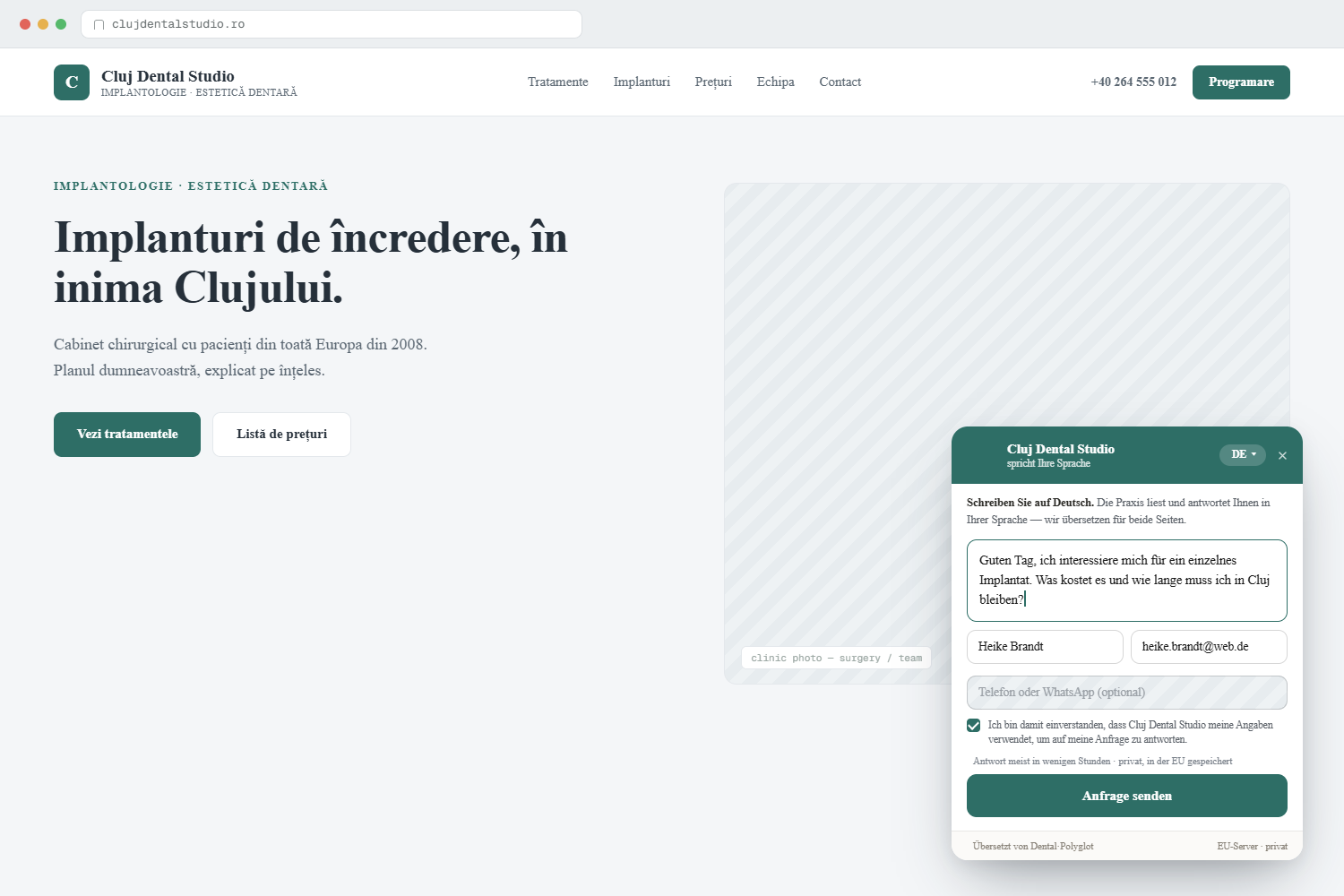
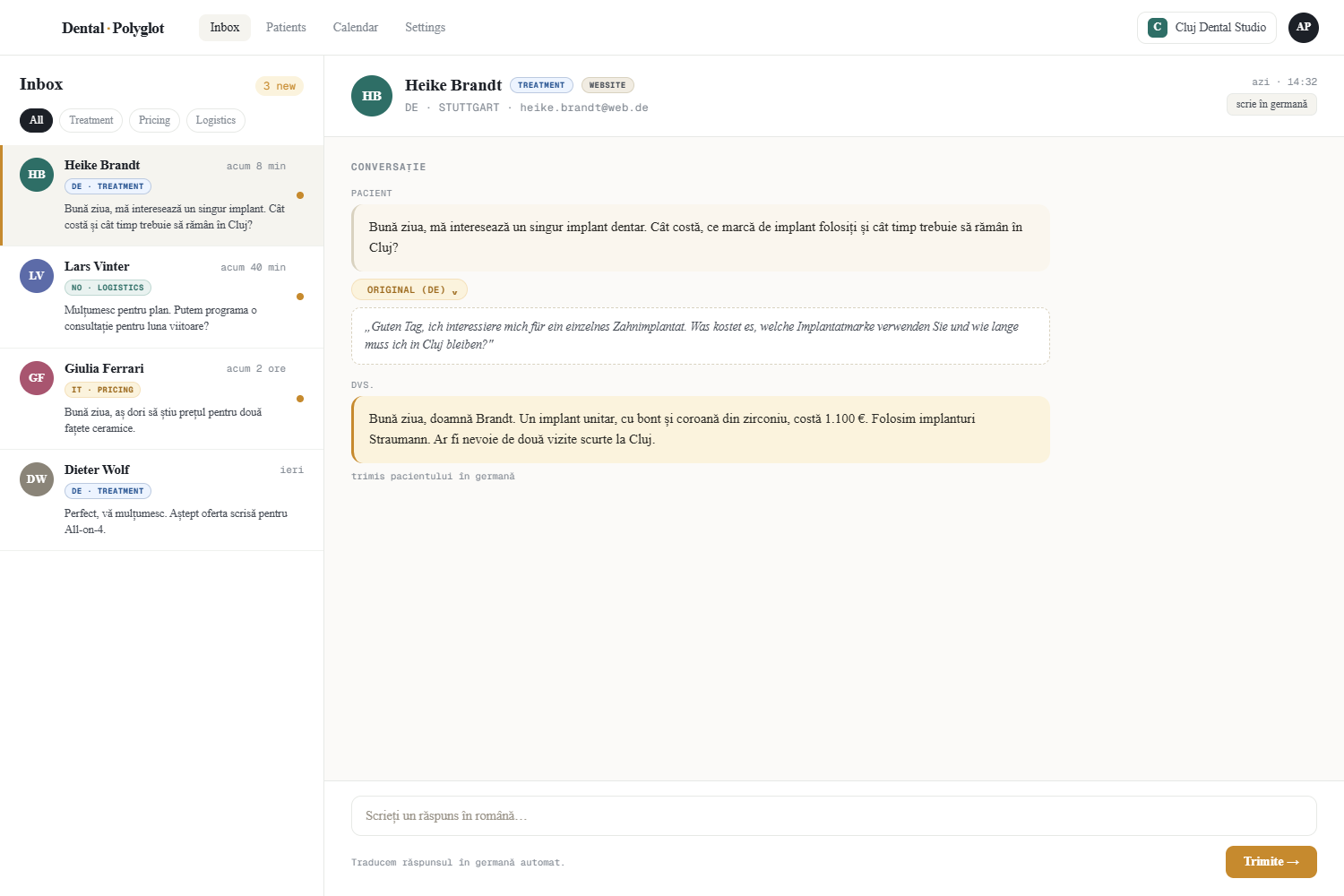
DentalPolyglot adds a translated patient message box to the site you already have. A patient writes in their own language; you read and reply in yours, and we translate both ways. Every inquiry lands in your DentalPolyglot dashboard inbox, in your language.
Built for clinics that already serve patients in more than one language: officially multilingual countries, border regions, and practices with international or immigrant patients.
- A message box on every page of your site, in your patients’ languages.
- You reply from one inbox; we translate your reply back to the patient.
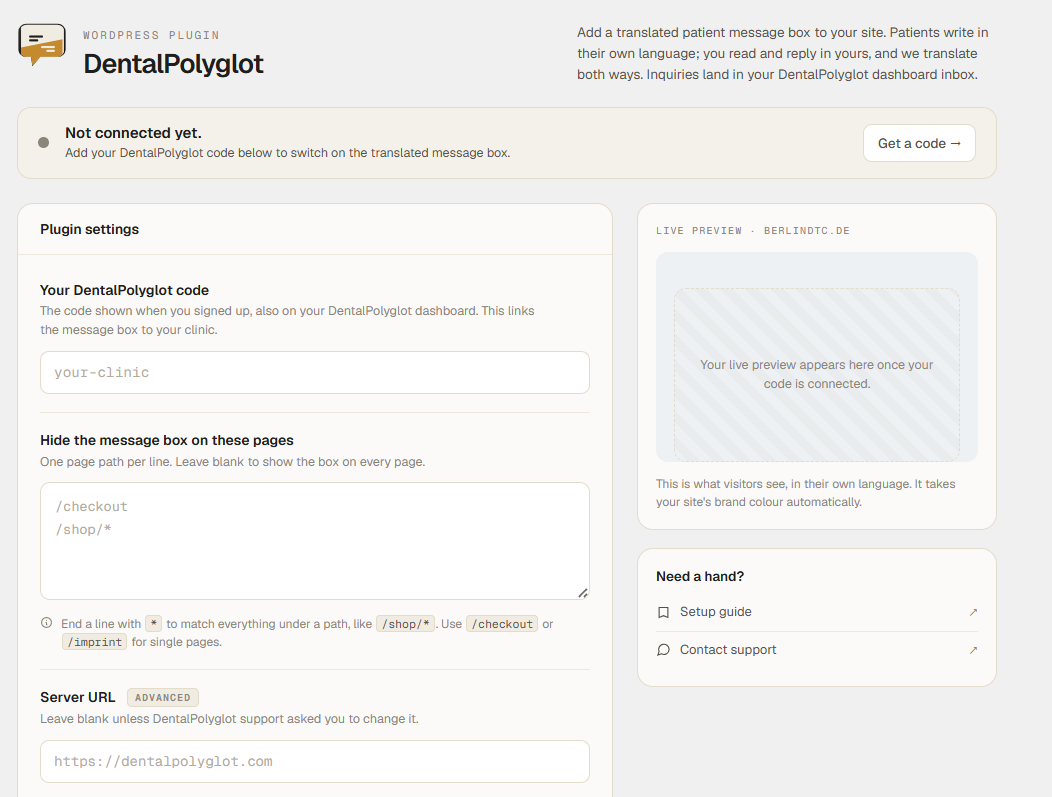
- Choose pages to hide the box on (for example a checkout or legal page).
- A built-in connection check confirms your code is live on this site.
- Works alongside any theme. Nothing changes about your existing pages.
This plugin is a thin loader. The message box, translation, and inbox all run on the DentalPolyglot platform; the plugin only places the message box on your site and carries your clinic code. It stores no patient data in WordPress.
You need a free DentalPolyglot code to use this plugin. Get one at https://dentalpolyglot.com/en/plugin
External services
This plugin connects your website to DentalPolyglot, the service that powers the translated patient message box. The message box, all translation, and your inbox run on the DentalPolyglot platform; the plugin stores no patient data in WordPress.
What it connects to:
- It loads the message box script from https://dentalpolyglot.com/embed.js on the front end of your site.
- When a page loads, the box requests its settings (your clinic name, brand colour, and languages) from https://dentalpolyglot.com/api/embed/config.
- When a visitor sends a message, that message is submitted to https://dentalpolyglot.com/api/embed/lead and appears, translated, in your inbox.
- On the plugin’s settings screen, WordPress contacts https://dentalpolyglot.com/api/embed/config once to check that your code is valid and that this website is on your Allowed websites list. The same response (your clinic name, brand colour, and languages) is used to draw a small live preview of the box on that screen.
What data is sent: your clinic code (a public identifier), and, when a visitor uses the box, the message they type and any contact details they provide. The plugin does not send your WordPress login, customer, or order data.
If you set an advanced Server URL, the addresses above use that host instead.
By using this service you agree to the DentalPolyglot Terms of Service (https://dentalpolyglot.com/en/legal/terms) and Privacy Policy (https://dentalpolyglot.com/en/legal/privacy).
Screenshots
Installation
- Install and activate the plugin.
- Go to Settings DentalPolyglot.
- Enter your DentalPolyglot code and save.
- The message box appears on the front end of your site.
The settings screen shows whether the box is connected and live on this site. The same message box can also be added without this plugin by pasting one line of script before the closing body tag.
FAQ
-
Do I need an account?
-
Yes, a free DentalPolyglot account, which gives you your code and your inbox. Sign up at https://dentalpolyglot.com/en/plugin
-
Where do patient messages go?
-
Into your DentalPolyglot dashboard inbox, translated into your language. You reply there, and your reply is translated back to the patient.
-
Does the plugin store patient data in my WordPress database?
-
No. The plugin only loads the message box and passes along your clinic code. All messages and translation are handled on the DentalPolyglot platform.
-
Can I hide the message box on some pages?
-
Yes. Under Settings DentalPolyglot, list the page paths to hide it on, one per line (for example /checkout or /shop/*). Leave it blank to show the box on every page.
-
The message box does not appear.
-
Open Settings DentalPolyglot and check the connection status. The most common cause is that the website address where you installed it is not yet on your Allowed websites list in your DentalPolyglot dashboard. Make sure your code is entered and saved, and that this site’s address is on that list.
Reviews
There are no reviews for this plugin.
Contributors & Developers
“DentalPolyglot” is open source software. The following people have contributed to this plugin.
Contributors
Translate “DentalPolyglot” into your language.
Interested in development?
Browse the code, check out the SVN repository, or subscribe to the development log by RSS.
Changelog
1.2.2
- Directory listing metadata: corrected the Contributors entry. No functional changes.
1.2.1
- Settings screen now lays out correctly on phones and narrow screens: the header, connection banner, and save bar no longer overflow.
1.2.0
- Redesigned settings screen: brand header, a clearer connection banner, and a live preview of your message box.
- The connection check now also draws the preview using your real brand colour, clinic name, and a patient language from your account.
- No change to how the message box works on your site.
1.1.0
- Page targeting: hide the message box on chosen page paths (supports a trailing * wildcard).
- Connection check on the settings screen: confirms your code resolves and that this site is on your Allowed websites list.
- Quick links to your inbox from the settings screen and the Plugins list.
- Documented the DentalPolyglot service connection (External services).
1.0.0
- Initial release: settings field for your clinic code, message box injected on the front end.