
Description
Minimum Order Notice for WooCommerce plugin helps WooCommerce store owners communicate a minimum order requirement before customers reach the final checkout step.
You can set a minimum order amount, choose which cart value should be compared, customize the notice text, and decide whether checkout should be blocked while the cart is below the minimum.
Features
- Set a custom minimum order amount.
- Compare against cart subtotal, discounted subtotal, or cart total.
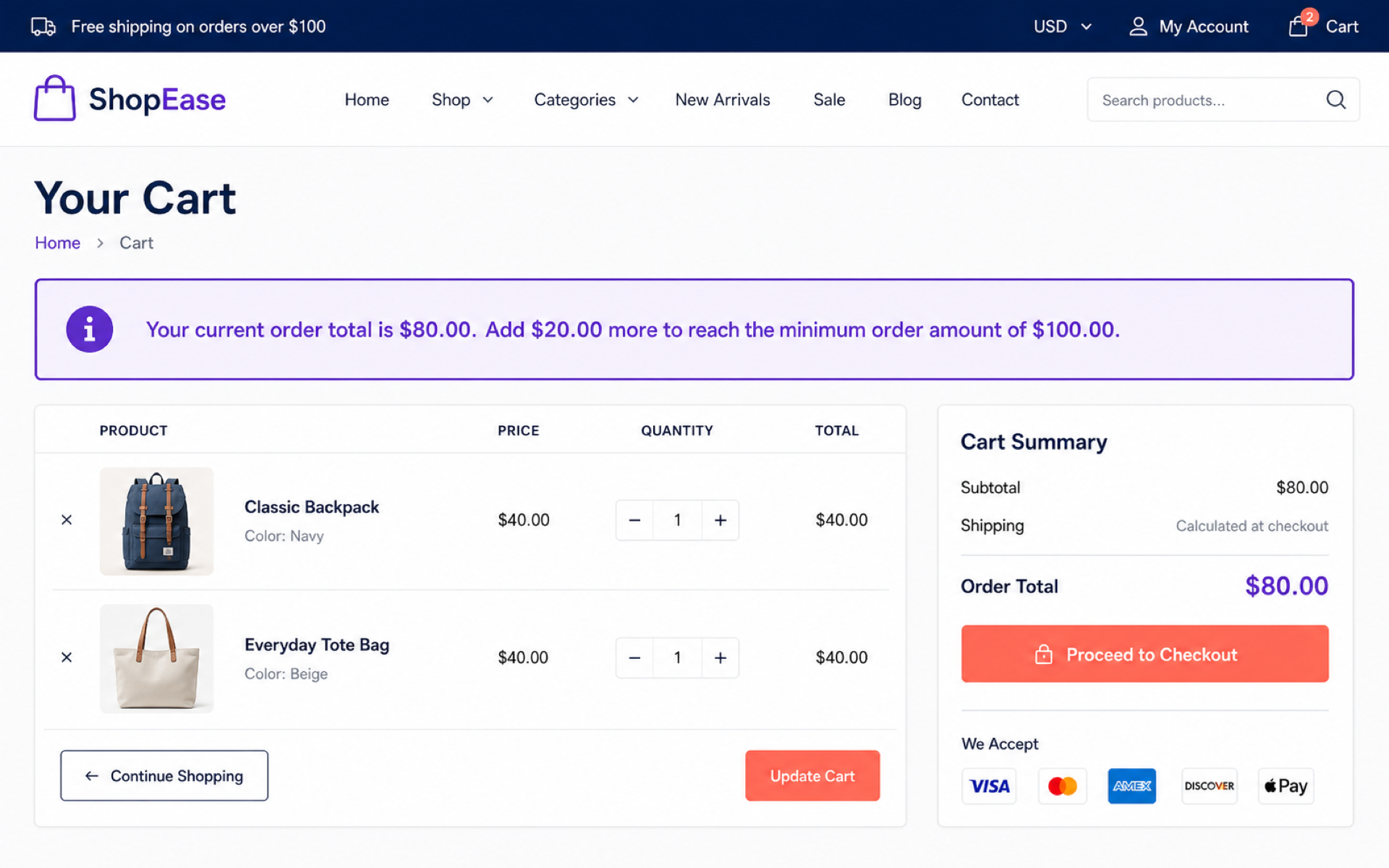
- Show a notice on the cart page.
- Optionally show a notice on the shop archive.
- Show a notice before the checkout form.
- Optionally prevent checkout while the cart is below the minimum amount.
- Customize customer-facing notice and checkout error messages.
- Use dynamic placeholders for the cart total, remaining amount, and minimum amount.
- Compatible with WooCommerce High-Performance Order Storage (HPOS).
Message placeholders
You can use these placeholders in the notice fields:
{cart_total}– The current cart amount used for comparison.{remaining_amount}– The amount the customer still needs to add.{minimum_amount}– The configured minimum order amount.
Screenshots

Installation
- Upload the
sohan-minimum-order-noticefolder to the/wp-content/plugins/directory, or install the plugin through the WordPress Plugins screen. - Activate the plugin through the Plugins screen in WordPress.
- Go to WooCommerce > Minimum Order Notice.
- Configure the minimum amount, notice locations, and messages.
FAQ
-
Does this plugin require WooCommerce?
-
Yes. WooCommerce must be installed and active because the plugin uses WooCommerce cart totals and notice functions.
-
Can I allow checkout below the minimum amount?
-
Yes. Disable the checkout enforcement option in WooCommerce > Minimum Order Notice.
-
Which cart amount can be used for comparison?
-
You can compare the minimum amount against the cart subtotal before discounts, the subtotal after discounts, or the cart total.
-
Can I customize the notice text?
-
Yes. Both the regular notice and checkout error message can be customized from the plugin settings page.
-
Does this plugin change product prices or shipping rates?
-
No. The plugin only displays notices and optionally blocks checkout. It does not change product prices, coupons, taxes, or shipping rates.
Reviews

Contributors & Developers
“Minimum Order Notice for WooCommerce” is open source software. The following people have contributed to this plugin.
Contributors
Translate “Minimum Order Notice for WooCommerce” into your language.
Interested in development?
Browse the code, check out the SVN repository, or subscribe to the development log by RSS.
Changelog
1.0.0
- Initial release.