

Description
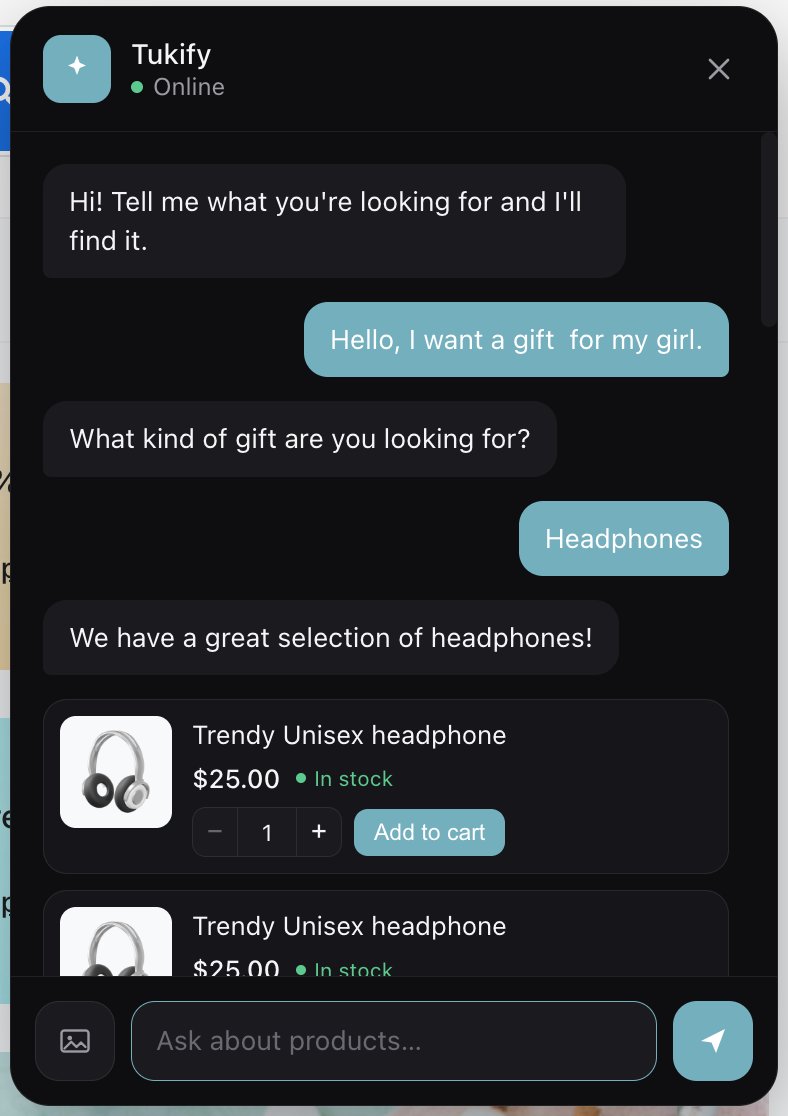
Tukify adds an AI shopping assistant to your WooCommerce store. A shopper types in plain language (“a gift for my dad, he likes wine and hiking”) and Tukify understands the intent, finds matching products with semantic search, and replies conversationally with product cards — image, price, stock, and add-to-cart — right inside a chat interface, without the shopper leaving the page.
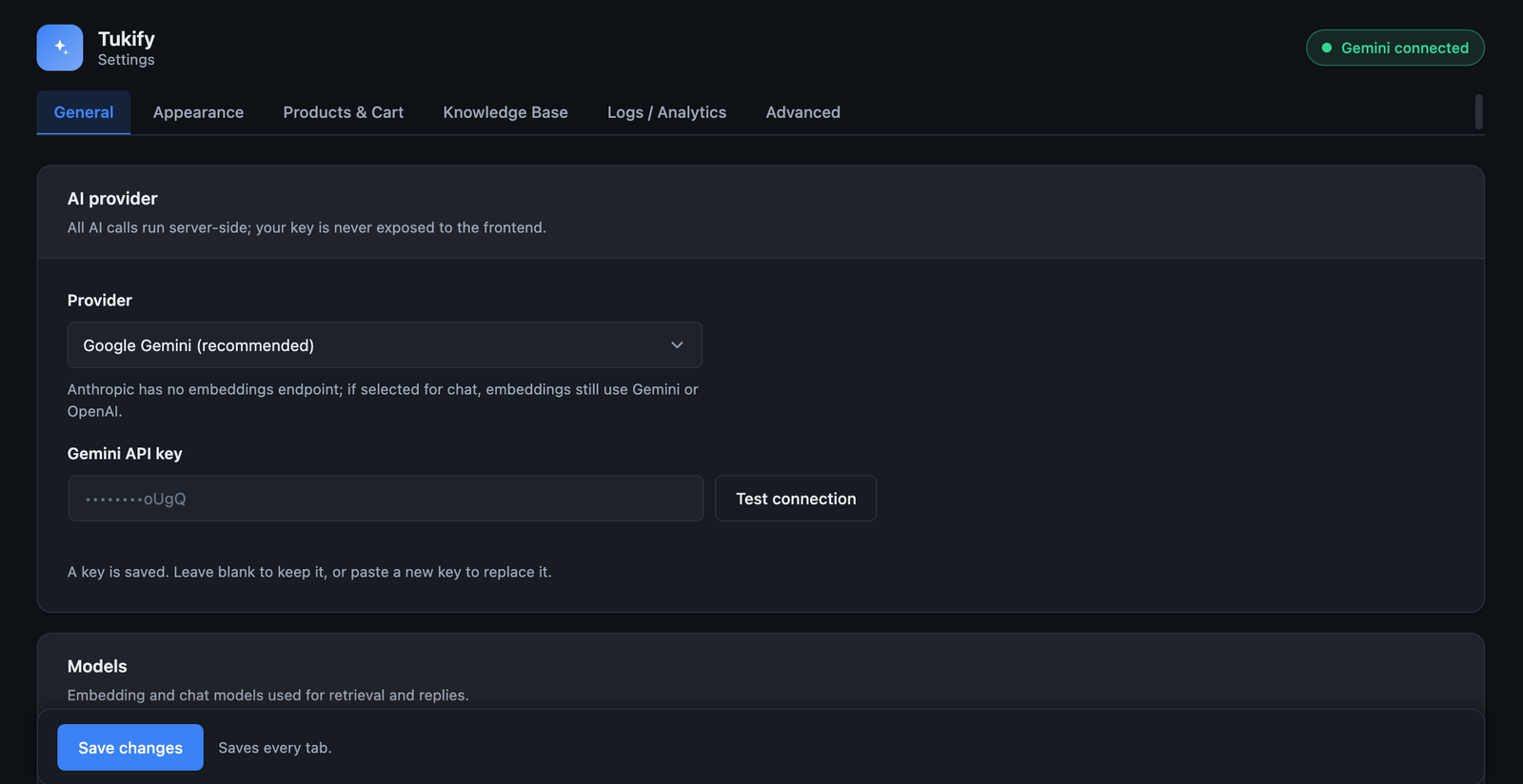
Tukify is bring-your-own-key: you connect your own AI provider — Google Gemini, OpenAI (ChatGPT), Anthropic (Claude), or xAI (Grok) — and Tukify never pays for inference. All AI requests are made server-side in PHP — your API keys are never exposed to the browser. Your product embeddings are stored in your own site database, so your catalog data stays on your server.
Key features
- Semantic product search — matches by meaning, not just keywords (“warm clothes for winter” surfaces jackets and sweaters).
- Conversational RAG chat — grounded answers that only ever recommend real, in-stock products; it never invents items.
- Clarifying questions — asks one short follow-up (with tappable quick replies) when a request is too vague, instead of dumping mediocre results.
- Natural-language filters — understands price, colour, size, brand, stock, category and sorting (“cheapest wireless headphones under $200”) and applies them as real WooCommerce queries.
- Comparison mode — side-by-side comparison of 2–3 products with a one-line trade-off summary.
- Policy / FAQ answers — answers shipping, returns and warranty questions from your own pages and a custom Q&A knowledge base.
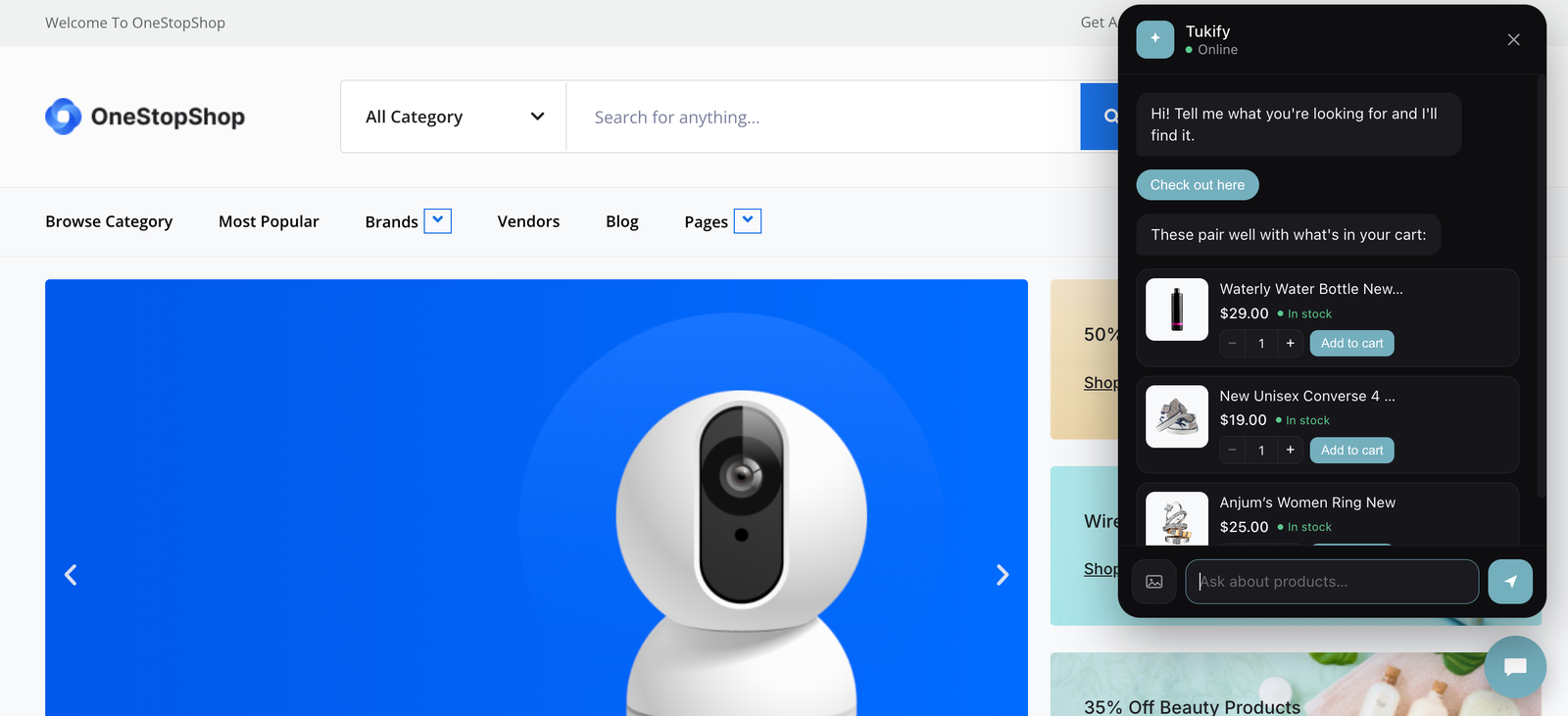
- Cart-aware upsell — suggests genuinely complementary items based on the cart.
- Exit-intent re-engagement — a helpful, dismissible prompt when a shopper is about to leave (once per visit, with a cooldown).
- Visual search — a shopper can upload an image and Tukify finds similar products in your catalog.
- Background indexing — embeds your catalog in the background via Action Scheduler; only re-embeds changed products.
- Presentation surfaces — a global floating chat widget plus three Elementor widgets (Chat, Search, Recommendations), each rendered in a Shadow DOM so your theme’s CSS can’t break them.
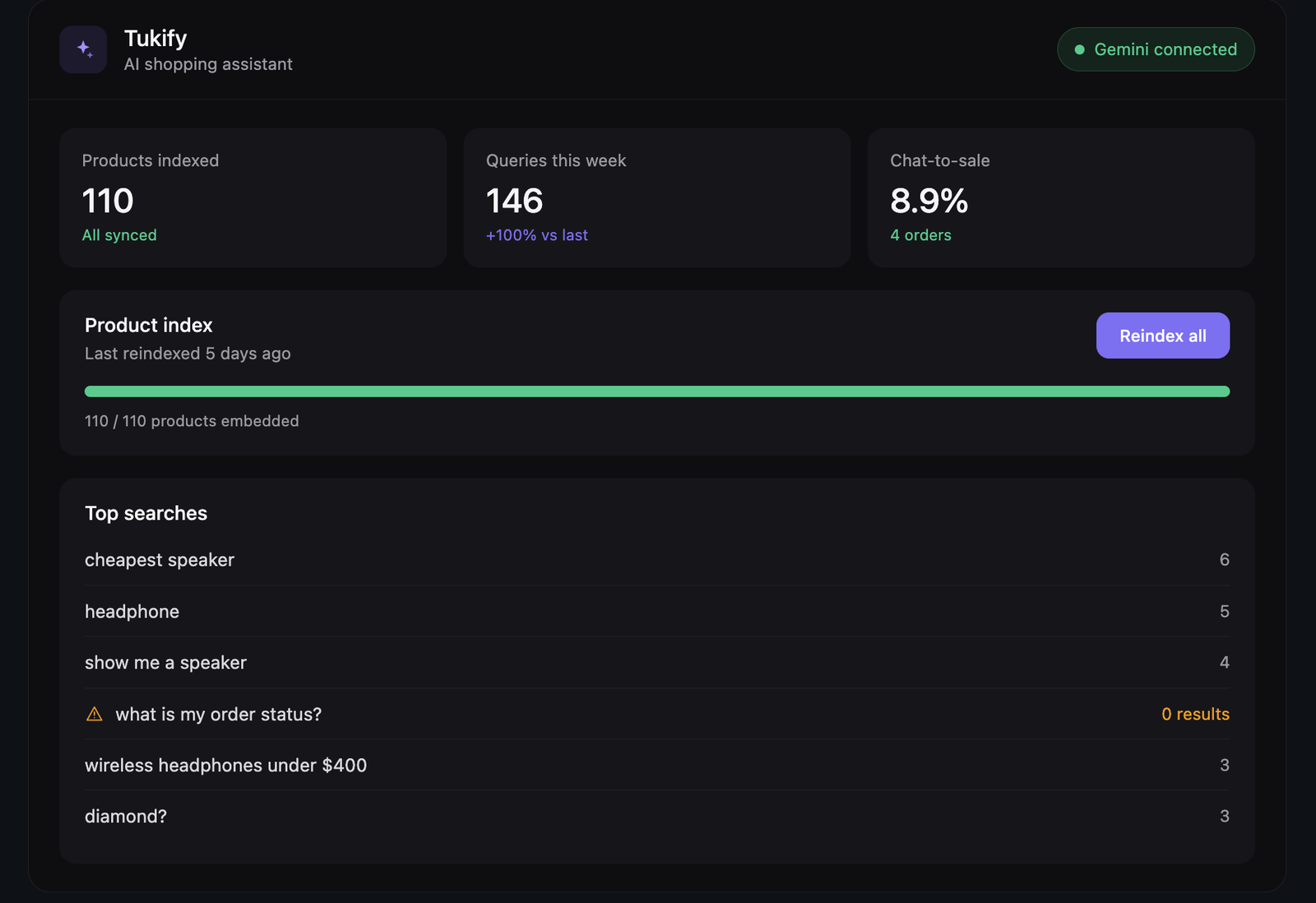
- Analytics dashboard — top queries, zero-result queries, click-through and chat-to-sale.
Privacy and data
All AI calls are made server-side; your API key is never sent to the browser. Product embeddings are stored in your own site’s database. Tukify only contacts an external service (Google Gemini) when you have configured an API key and a shopper or the store uses a feature that needs it. See the External services section below for exactly what is sent and when.
Requirements
- WooCommerce (active).
- An API key for at least one supported AI provider: Google Gemini, OpenAI, Anthropic (Claude), or xAI (Grok). Gemini offers a free tier that is enough for development and small stores.
- If you pick Claude or Grok for chat, you also need a Gemini or OpenAI key for embeddings (those two providers have no embeddings endpoint).
- PHP 7.4+.
- Elementor is optional (only needed for the Elementor widgets).
Which provider does what
- Google Gemini — chat, embeddings, vision (image search). Default.
- OpenAI (ChatGPT) — chat, embeddings, vision.
- Anthropic (Claude) — chat, vision. No embeddings — use Gemini or OpenAI as the embedding provider.
- xAI (Grok) — chat, vision. No embeddings — use Gemini or OpenAI as the embedding provider.
You choose a chat provider and an embedding provider independently in Settings. Retrieval (RAG) always uses the embedding provider. If you change the embedding provider or model, Tukify prompts you to reindex, because embeddings from different models are not compatible and are never mixed in the same index.
External services
Tukify connects to the AI provider(s) you configure to power semantic search, conversational answers, natural-language understanding, and image-based (visual) search. A provider is only contacted when you have entered its API key and selected it, and only for the feature that needs it. All requests are made from your server (PHP); your API keys are never exposed to the browser, and Tukify does not send data to any other third party.
What data is sent, and when:
- Catalog indexing — when you index or re-index your products, the text of each product (title, short description, categories and key attributes) is sent to your embedding provider to generate numeric embeddings. This runs in the background and only for products that have changed.
- Knowledge base indexing — if you enable the policy/FAQ knowledge base, the content of the pages you select and any custom Q&A you enter is sent to your embedding provider.
- Search and chat — when a shopper searches or chats, their message, a short recent conversation history, and the retrieved product context are sent to your embedding provider (to embed the query) and your chat provider (to generate a grounded reply).
- Visual search — if a shopper uploads an image, that image is sent to a vision-capable provider to identify the product type before matching your catalog.
Provider terms and privacy policies (review the ones you use):
- Google Gemini — https://ai.google.dev/terms · https://policies.google.com/privacy
- OpenAI — https://openai.com/policies/terms-of-use · https://openai.com/policies/privacy-policy
- Anthropic (Claude) — https://www.anthropic.com/legal/consumer-terms · https://www.anthropic.com/legal/privacy
- xAI (Grok) — https://x.ai/legal/terms-of-service · https://x.ai/legal/privacy-policy
Note: some providers may use free-tier inputs to improve their models. If you handle real customer data, use a paid plan/key (typically excluded from training) and review that provider’s terms.
Screenshots
Installation
- Upload the plugin to
/wp-content/plugins/tukifyor install it from the Plugins screen. - Activate the plugin. WooCommerce must be installed and active.
- Get a Google Gemini API key from Google AI Studio (aistudio.google.com).
- Go to Tukify Settings, paste your key, and click Test connection.
- On the Tukify dashboard, click Reindex all products to embed your catalog (runs in the background).
- Enable the floating widget in Settings, and/or drop the Tukify Elementor widgets onto a page.
FAQ
-
Does Tukify need a paid AI subscription?
-
No. You bring your own Google Gemini API key. Google’s free tier covers development and most small stores. Tukify never pays for inference on your behalf.
-
Is my API key safe?
-
Yes. The key is stored in your site’s options, shown masked in the admin, and used only server-side. It is never sent to the browser or embedded in any front-end code.
-
Where is my catalog data stored?
-
Product embeddings are stored in a custom table in your own WordPress database. Tukify only sends product text to Google to generate those embeddings (see External services).
-
Does it work without Elementor?
-
Yes. The global floating chat widget works on any theme. Elementor is only required for the three optional Elementor widgets.
-
Will it invent products that aren’t in my store?
-
No. Every answer is grounded in real retrieval — the assistant can only recommend products that exist in your catalog, and policy answers come only from your own content.
-
What happens to my data if I delete the plugin?
-
By default, deleting Tukify removes all of its data: its settings, its custom tables (product embeddings, knowledge base, analytics, back-in-stock subscribers, usage counters) and any cached data. If you’d rather keep everything for a later reinstall, enable “Keep Tukify’s data when the plugin is deleted” under Settings Advanced before deleting. Deactivating the plugin never removes any data.
Reviews
There are no reviews for this plugin.
Contributors & Developers
“Tukify — AI Shopping Assistant for WooCommerce” is open source software. The following people have contributed to this plugin.
Contributors
Translate “Tukify — AI Shopping Assistant for WooCommerce” into your language.
Interested in development?
Browse the code, check out the SVN repository, or subscribe to the development log by RSS.
Changelog
1.4.4
- New Tukify logo (transparent SVG) shown in the chat launcher, avatar, and admin header — it renders cleanly inside the round chat bubble, with no square corners.
- Added an Appearance setting to customize the chat bubble background colour, with a live preview and a low-contrast hint.
1.4.3
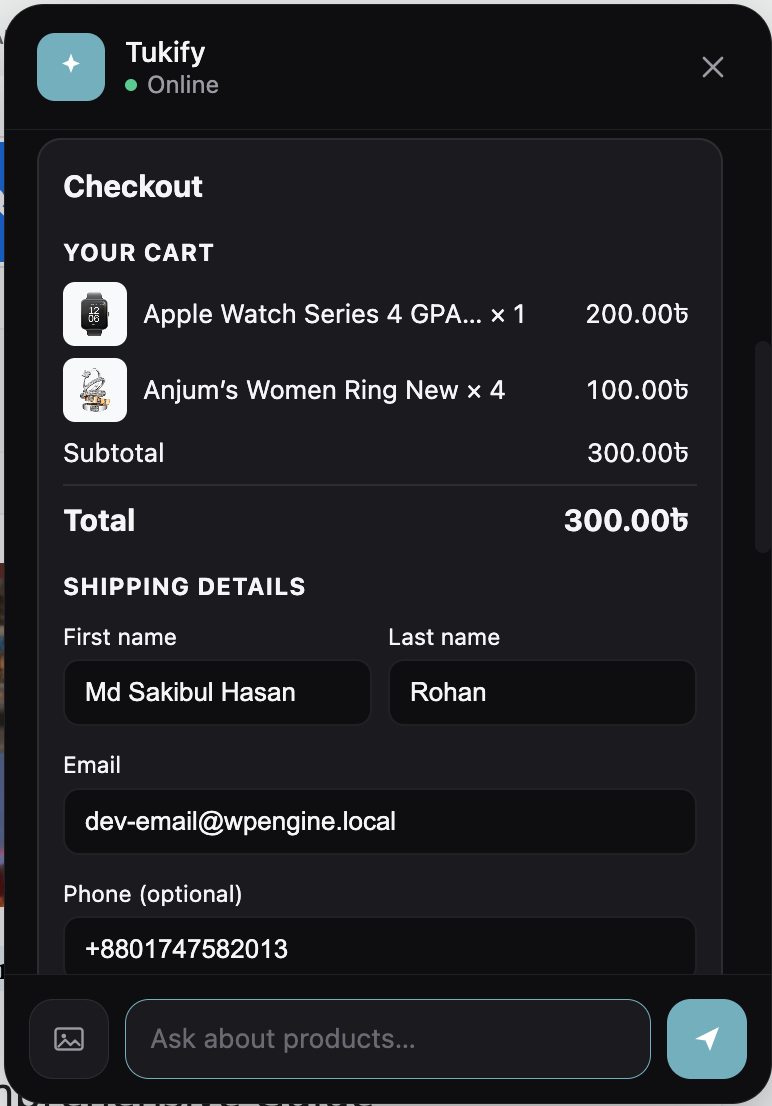
- Fixed prices showing as raw HTML entities (e.g. “$76.00” instead of “$76.00”) in the chat checkout and order-status cards. Currency output is now decoded to plain text everywhere prices appear in the chat.
1.4.2
- Corrected plugin header metadata for the WordPress.org review: author name and distinct plugin/author URIs.
- Removed plugin-wide suppression of other plugins’ admin notices; notices are now scoped to Tukify’s own screens.
1.4.1
- Performance: added an (event_type, created_at) index for analytics range queries and a daily purge so the events table stays bounded.
- Performance: the semantic-search scan now reads embeddings in batches to cap peak memory on larger catalogs.
1.4.0
- Added API usage tracking with a per-day tokens/requests chart and estimated cost in Logs / Analytics.
- Added response caching (query embeddings + knowledge-base answers) with a TTL, enable/disable, and a clear button; nothing user-personal is ever cached.
1.3.0
- Added back-in-stock notifications: shoppers can ask to be emailed when an out-of-stock product returns, with a consent step, an admin list, an email template, and one-click unsubscribe.
1.2.0
- Added a quantity stepper on chat product cards.
- Added site-wide RAG over posts, pages, and products, with source citations under answers.
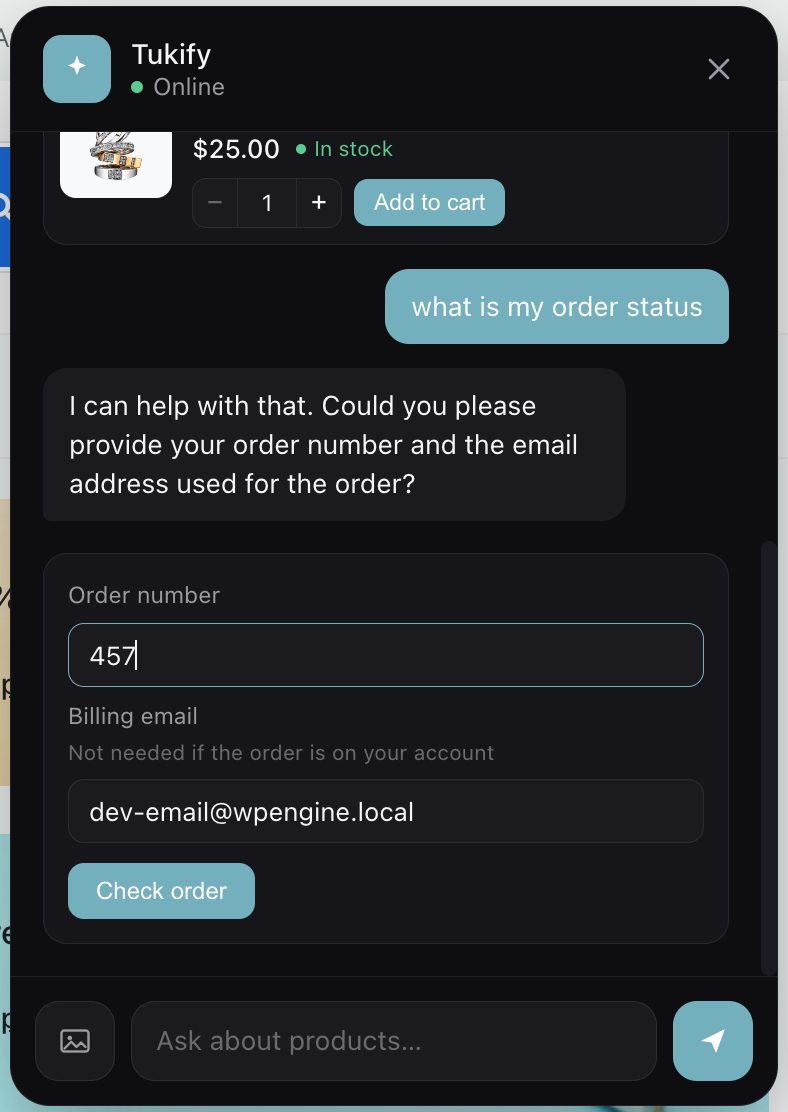
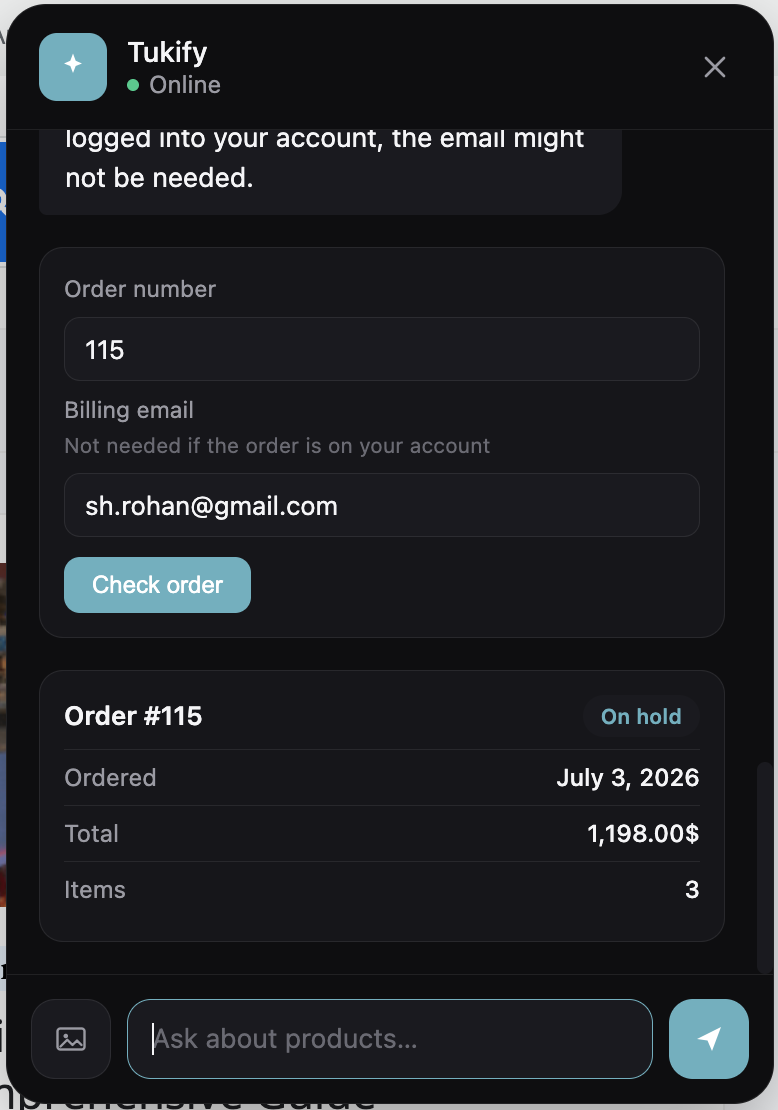
- Added secure order-status lookup, a size & fit advisor, “shop the look” multi-item visual search, demand insights, proactive re-engagement, and an opt-in in-chat checkout.
- Redesigned the admin dashboard.
1.1.0
- Added clarifying questions, natural-language filters, comparison mode, policy/FAQ knowledge base, cart-aware upsell, and exit-intent re-engagement.
- Added image-based (visual) search.
- Fixed cart accumulation when adding to cart from the chat widget.
- WooCommerce HPOS compatibility declared.
1.0.0
- Initial release: semantic search, RAG chat, background indexing, cart integration, analytics dashboard, floating widget and Elementor widgets.