

Description
Genius Checkout for WooCommerce lets you accept credit and debit card payments directly on your WooCommerce store, using a secure hosted payment page powered by Genius Checkout.
Why Genius Checkout?
- Designed for Caribbean and Latin America merchants
- Supports local currencies: TTD, BBD, JMD, XCD, USD, and more
- PCI-DSS compliant hosted checkout — no card data touches your server
- 3DS 2 card authentication included
- Simple flat-rate pricing with no setup fees
- Works with the region’s leading gateways — PowerTranz, Mastercard Payment Gateway Services (MPGS), Wompi, and PayPal (Lynk coming soon)
How it works
- Customer places an order and selects Genius Checkout at checkout
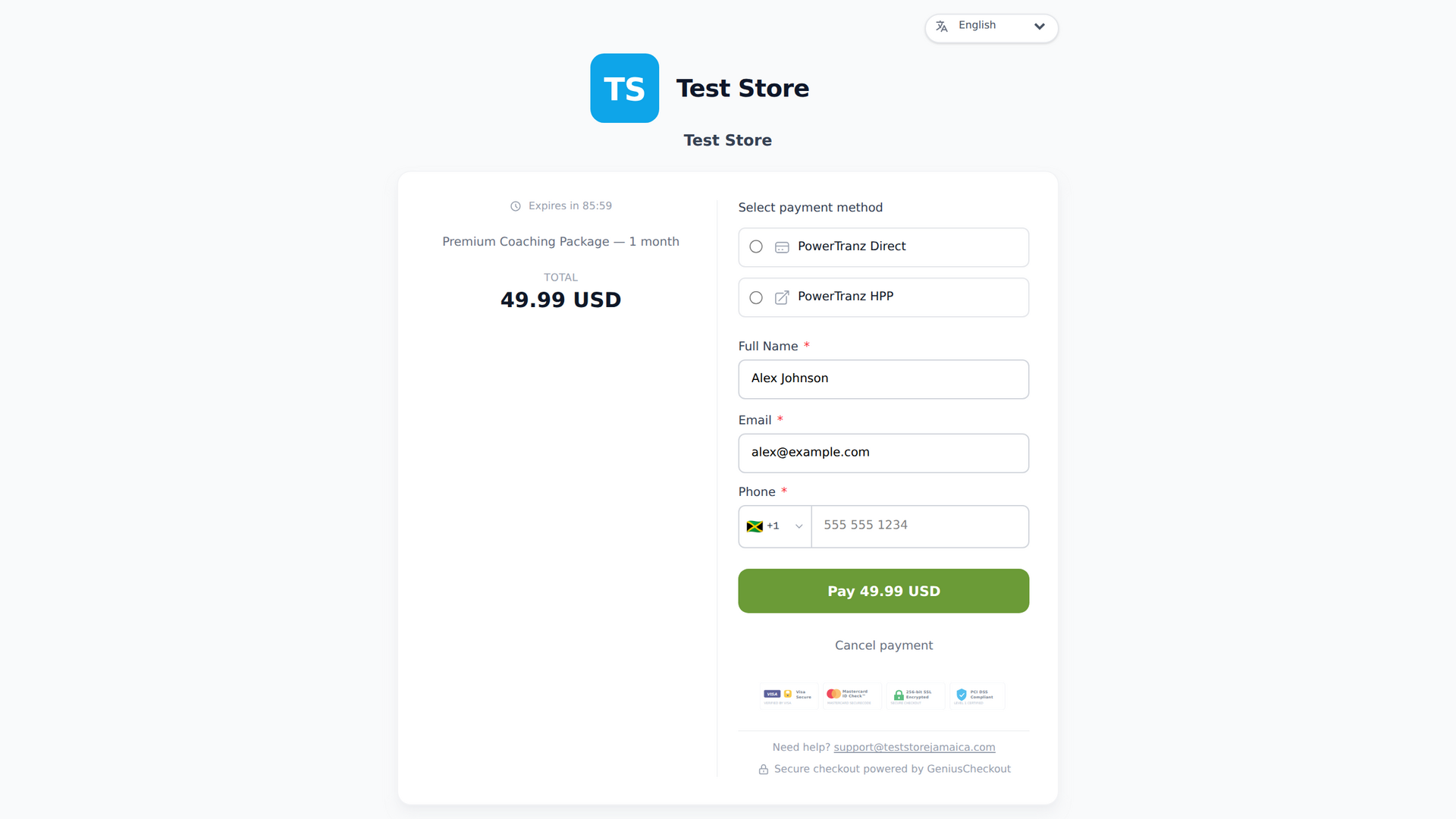
- They are redirected to a secure Genius Checkout payment page
- After payment, they return to your WooCommerce store
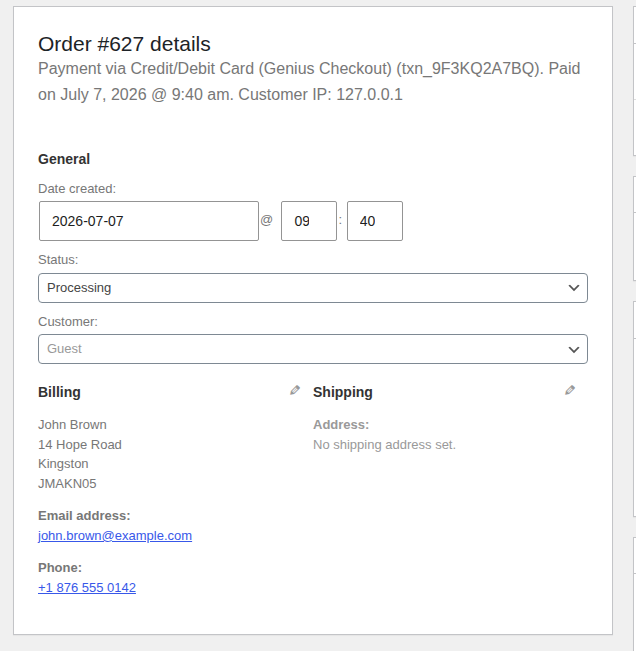
- Your order is automatically marked as paid via webhook
Features
- Hosted payment page — no PCI scope required
- Test and live mode
- Automatic and manual capture
- Full and partial refunds from WooCommerce admin
- Webhook-based order fulfillment
- HPOS (High-Performance Order Storage) compatible
- WooCommerce Subscriptions support — automatic renewals via stored token
Requirements
- A Genius Checkout merchant account — sign up free
- WooCommerce 8.0 or higher
- WordPress 6.0 or higher
- PHP 8.0 or higher
External services
This plugin connects to the Genius Checkout payment service to process card payments for your WooCommerce store. Genius Checkout is a hosted checkout and payment-orchestration service operated by Genius Checkout; using this plugin requires a Genius Checkout merchant account.
The plugin communicates with the Genius Checkout API at https://app.geniuscheckout.com in the following cases:
- When a customer places an order and selects Genius Checkout, the plugin creates a checkout session by sending the order amount, currency, order number, and the customer’s return URLs. The customer is then redirected to the Genius Checkout hosted payment page to enter their card details. No card data is ever sent to or stored on your WordPress site.
- When the order returns from the hosted page, the plugin verifies the payment status by requesting the checkout session from the API using your API key.
- When you issue a refund from the WooCommerce order screen, the plugin sends the transaction reference and refund amount to the API.
- For subscription renewals, the plugin charges the stored payment token by sending the token reference and amount to the API.
- Once a day, the plugin performs a health check that sends your stored API key to the API to confirm the key is still valid, so a revoked key is caught before it fails a live order.
Data is only sent when one of the above actions occurs. The plugin does not send analytics, usage, or tracking data.
Your use of the Genius Checkout service is governed by:
- Terms of Service: https://geniuscheckout.com/terms
- Privacy Policy: https://geniuscheckout.com/privacy
Privacy Policy
This plugin does not collect or store any personal data on your WordPress site beyond the WooCommerce order data you already hold. Card details are entered on the Genius Checkout hosted payment page and are never transmitted to or stored on your server.
Order and payment data required to process a transaction (amount, currency, order reference, and payment result) is shared with the Genius Checkout service as described in the External services section above. See the Genius Checkout Privacy Policy for how that data is handled.
Screenshots
Installation
- Upload the plugin folder to
/wp-content/plugins/genius-checkout-for-woocommerce/ - Activate the plugin through the Plugins menu
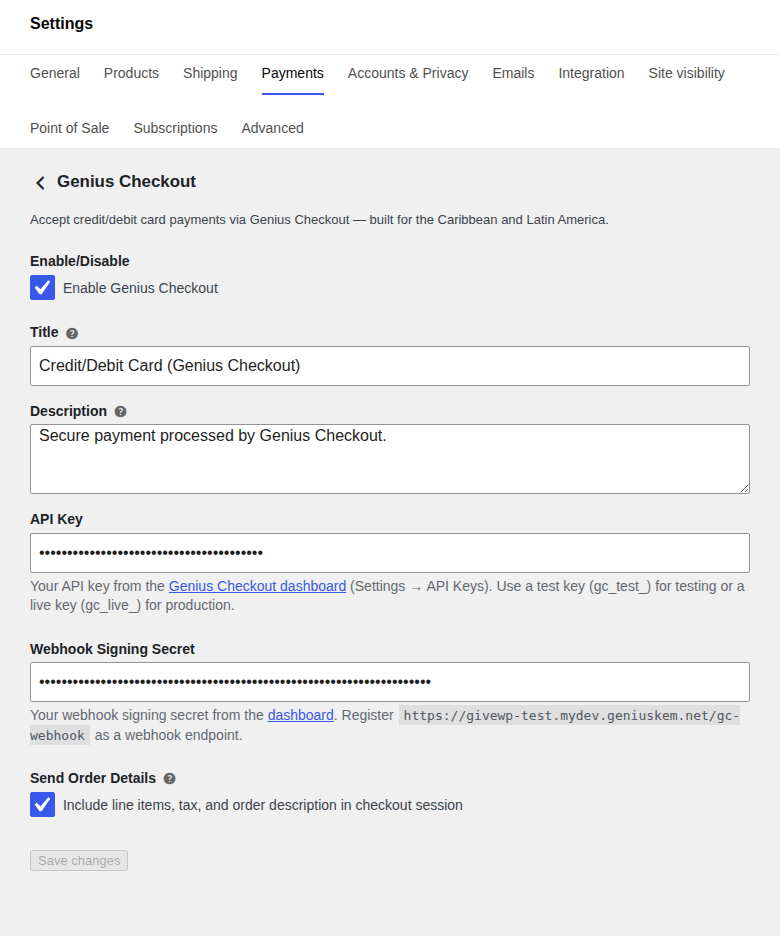
- Go to WooCommerce > Settings > Payments
- Click Genius Checkout and enter your API key from app.geniuscheckout.com
- Add your store URL (
{your-site}/gc-webhook) as a webhook endpoint in your Genius Checkout dashboard - Paste the webhook signing secret into the plugin settings
FAQ
-
Do I need a Genius Checkout account?
-
Yes. You can register for free. There are no setup fees.
-
Which currencies are supported?
-
All currencies supported by your configured gateway, including TTD, BBD, JMD, XCD, USD, BRL, COP, MXN, and many more.
-
Which payment gateways are supported?
-
Genius Checkout routes your WooCommerce payments through the gateway you connect in your Genius Checkout dashboard. Live today:
- PowerTranz (formerly First Atlantic Commerce)
- Mastercard Payment Gateway Services (MPGS)
- Wompi — Colombia: cards, PSE, Nequi, Bancolombia
- PayPal
Lynk (Jamaica digital wallet) is in active development. You can connect more than one gateway and route by currency or by merchant.
-
Is my customers’ card data stored on my server?
-
No. Customers are redirected to a hosted payment page on Genius Checkout’s servers. Your WooCommerce store never handles card numbers.
-
How do refunds work?
-
You can issue full or partial refunds directly from the WooCommerce order detail page. Click Refund and Genius Checkout processes the refund via the API.
-
Can I use the plugin in test mode?
-
Yes. Enter a test API key (
gc_test_...) in the plugin settings — payments will run against the staging gateway and no real money will move.
Reviews
There are no reviews for this plugin.
Contributors & Developers
“Genius Checkout for WooCommerce” is open source software. The following people have contributed to this plugin.
Contributors
Translate “Genius Checkout for WooCommerce” into your language.
Interested in development?
Browse the code, check out the SVN repository, or subscribe to the development log by RSS.
Changelog
1.4.1
- New: daily API-key health-check. The plugin pings Genius Checkout once a day with your stored key; if the key has been rotated or revoked it raises a dismissable admin notice and emails the site admin once per failure streak, so a dead key is caught before it fails a live order.
- Fixed: the payment gateway class is now loaded only after WooCommerce has finished loading, preventing a fatal error on sites where the plugin initialised before WooCommerce.
- Fixed: corrected the internal text domain so all admin, checkout, and order-note strings load their es / fr / pt translations.
- Internal: aligned the plugin folder, text domain, and language file names for WordPress.org distribution.
1.3.2
- Subscriptions: rebound
scheduled_subscription_paymentto the gateway-specific hook so renewals fire even for orders that took an alternate payment method on the initial signup - Block checkout: ship the Genius Checkout brand badge inline with the payment method label in the WC Blocks checkout step
- Translations: regenerated the POT and filled in 20 missing strings across es / fr / pt — order notes for refund/renewal HTTP failures, correlation_id error lines, and the “card setup for free trial” note now translate correctly
- Internal: brought
GC_PLUGIN_VERSIONback in sync with the plugin header (was stuck at 1.2.0 so cache-bust query strings for the Blocks JS asset served stale after upgrade)
1.3.1
- Defensive: re-set the WC payment transaction id after
payment_completein case a third-party plugin short-circuits the core flow before our handler runs
1.3.0
- X-Correlation-ID on every outbound API call; failed-order notes now include the correlation_id + platform request_id alongside the gateway error code/message so support can grep platform logs without timestamp triangulation
- Order notes on failed payments now lead with the buyer-facing decline reason (the same text the customer saw on the hosted checkout), then append the raw gateway reason — so the merchant has the customer’s exact context when they get a support call
- Removed the legacy 1¢-refund block for $0 trial orders; the platform’s setup-mode session already does a 1-cent auth + immediate void, the post-completion refund was a no-op at best and a confusing audit note at worst
- Webhook handler reads the new
buyer_messagefield from payment.failed payloads (locale-aware text mapped from ISO 8583 codes on the platform side)
1.2.0
- Replaced placeholder gateway icon with the official Genius Checkout brand lockup
- Fixed webhook signature verification to match the platform’s HMAC-SHA256(“{timestamp}.{payload}”, secret) shape with 5-minute replay protection
- Added X-GC-Event-Type header support for reliable event routing
- Hardened input sanitization, switched idempotency keys to UUIDv4, added structured logging via WooCommerce Status Logs
1.1.0
- Subscription renewals via stored Genius Checkout token
- Improved order-meta tracking for refunds and audit trails
1.0.0
- Initial release