

Description
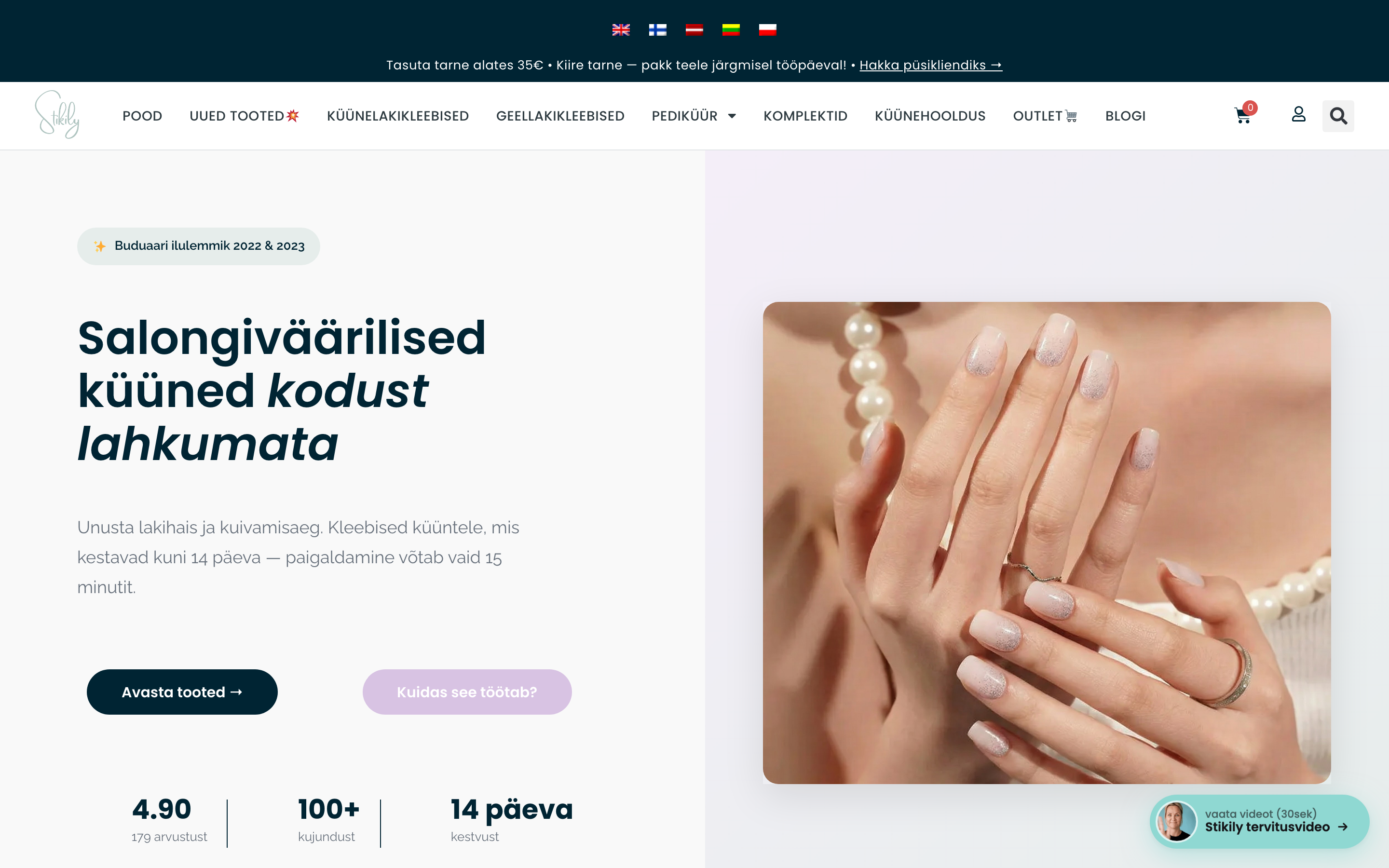
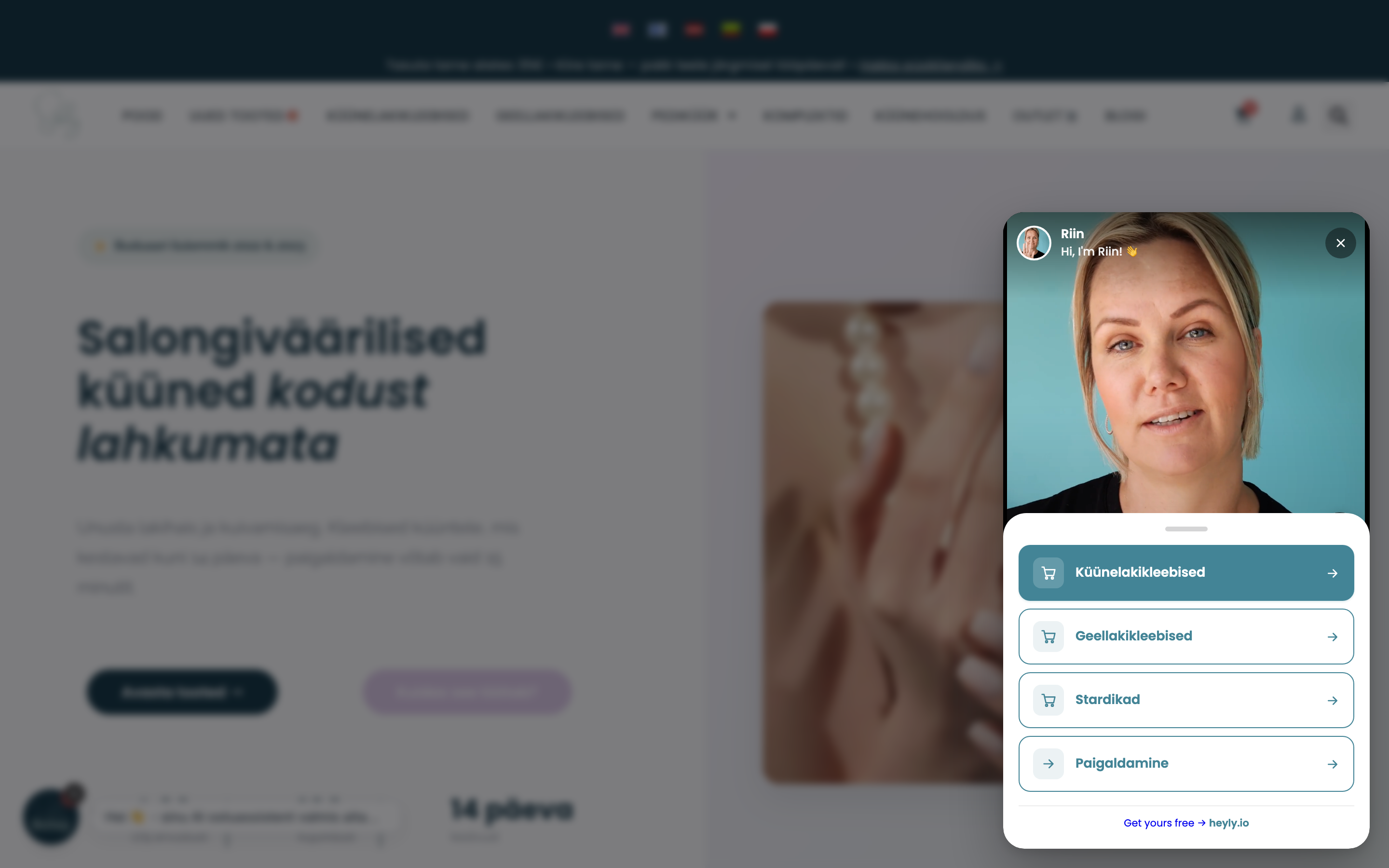
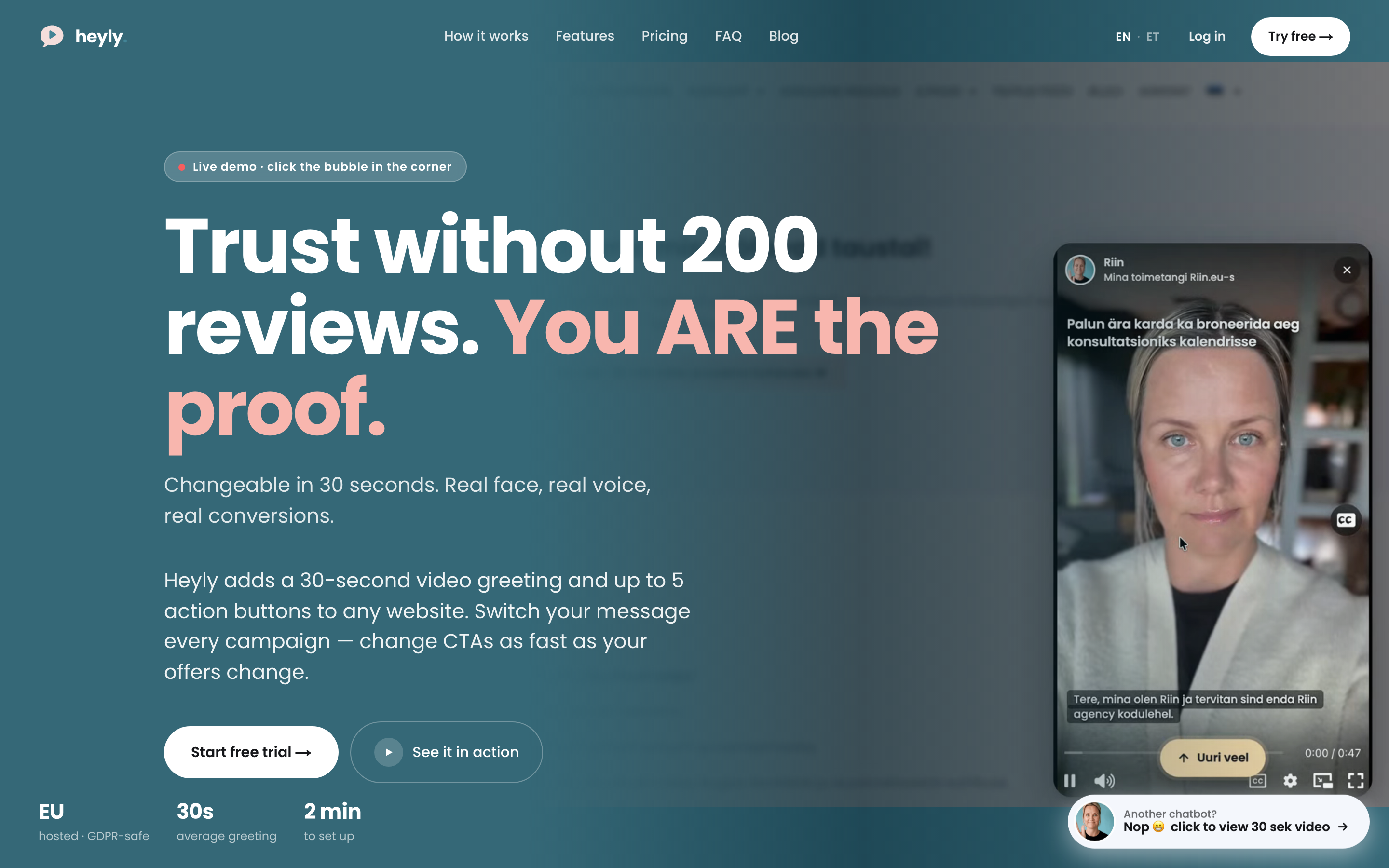
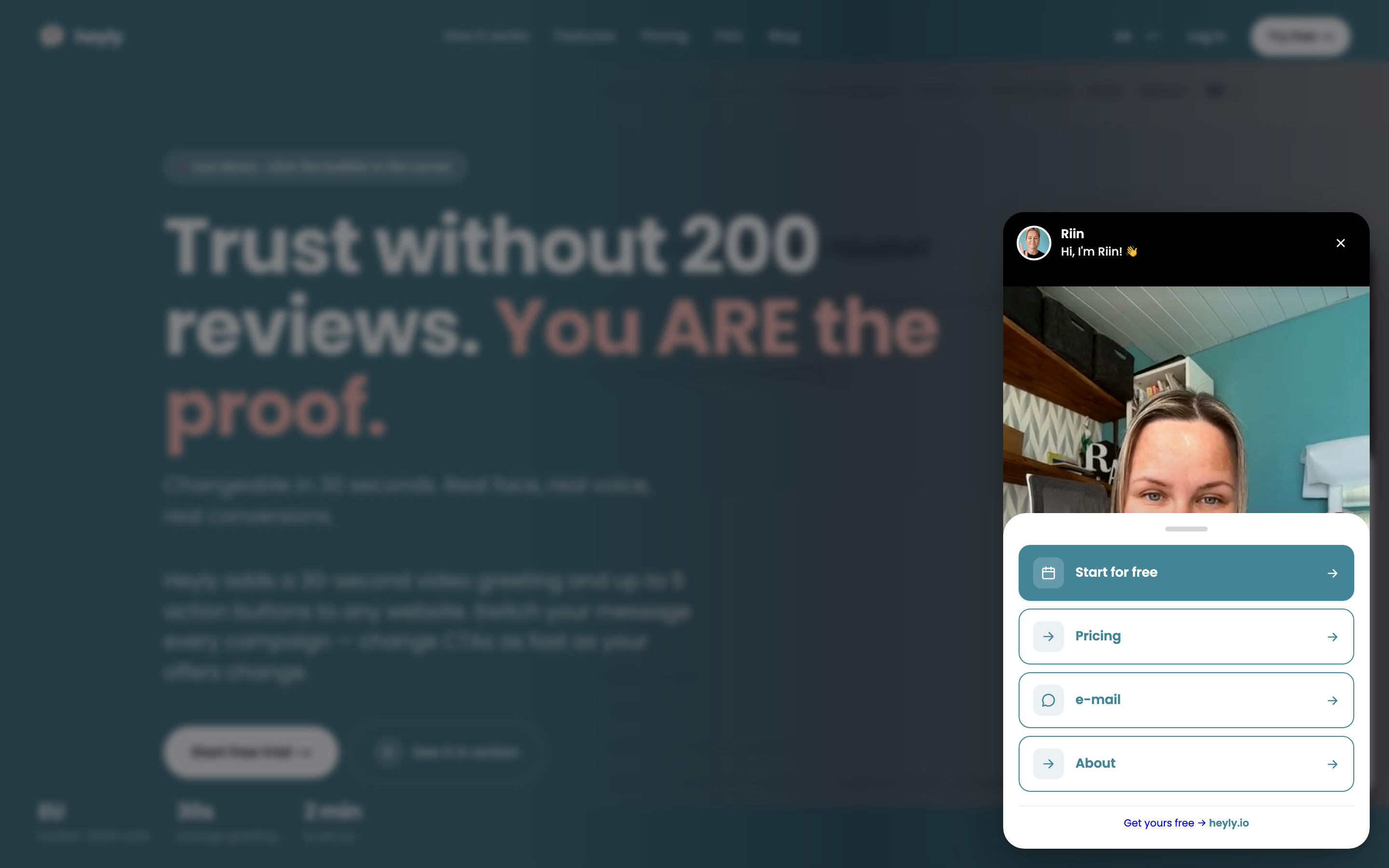
heyly.io is a video greeting widget: a small floating bubble in the corner of your site that plays a short personal video (usually around 30 seconds) — like Instagram Stories, but for your website. After the video, visitors see up to 5 call-to-action buttons (book a call, WhatsApp, email, your link).
No testimonials yet? You ARE the testimonial. In a world full of AI, a real face and a real voice are what make visitors trust you.
Swap videos like Instagram Stories. Changing your greeting is as easy as posting a new Story — record a new video in your heyly.io dashboard and it’s live on your site in 30 seconds. No developer, no theme edits, no re-embedding.
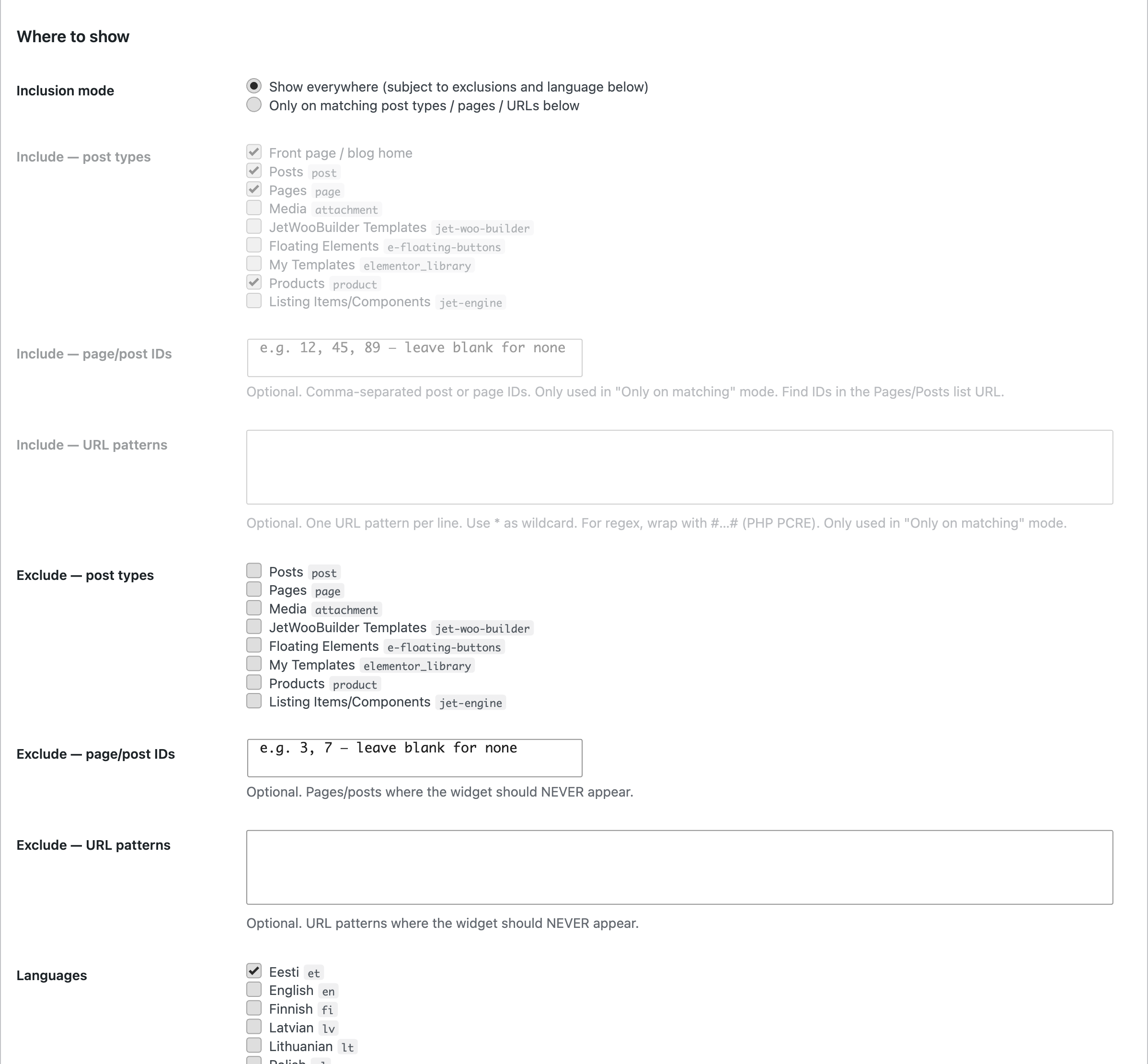
You decide exactly where it shows. Per page, per post type, per URL pattern — show the widget only where it earns its place, and hide it everywhere else (e.g. checkout or privacy pages).
This plugin makes installing and managing the heyly.io widget on a WordPress site easy:
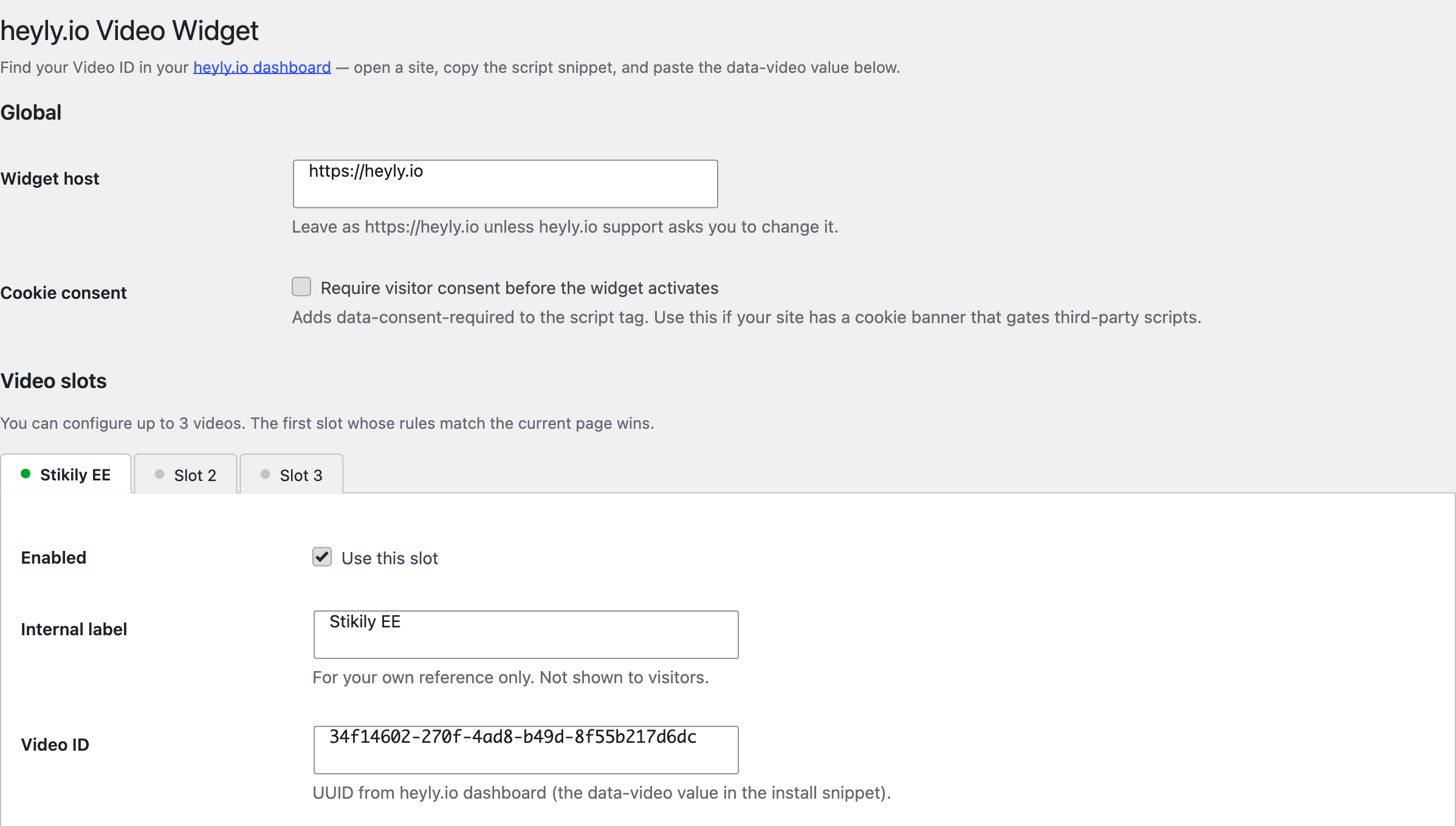
- Paste your Video ID — no code editing, no theme changes
- Configure up to 3 videos with separate display rules
- Target by post type, page ID or URL pattern (glob or PCRE regex)
- Include + exclude rules (e.g. show everywhere except /checkout and /privacy)
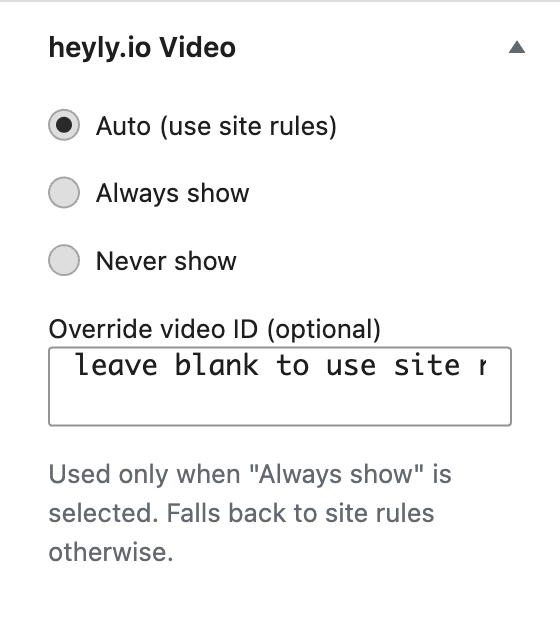
- Per-page override meta box (force show / force hide / use site rules)
- WPML + Polylang auto-detection with multi-select language targeting
- Optional consent-required mode for cookie banners (widget stays off until the visitor accepts)
- Lightweight: the plugin adds a single script tag — nothing else loads on your pages
Ideas to try:
- A dedicated greeting on each campaign landing page — welcome visitors coming from that specific ad or newsletter personally
- A seasonal video for a sale week — swap it in before the campaign, swap it back after, in seconds
- A different video per language on multilingual sites
- A personal “here’s what happens next” greeting on your contact or thank-you page
Who is it for? Agencies, accountants, consultants, coaches and e-commerce shops — anyone whose business is built on personal trust.
You need a free heyly.io account. The widget videos, buttons and analytics are managed in your heyly.io dashboard. The Free plan includes 1 video and 1,000 views every 30 days; the Pro plan adds more videos and removes the “Powered by heyly.io” badge. See pricing.
External services
This plugin connects to the heyly.io service. It outputs a single script tag pointing to https://heyly.io/widget.js, which the visitor’s browser loads from heyly.io.
The widget script then:
- Fetches the widget configuration (your video, buttons, styling) from
https://heyly.io/api/... - Streams the video from Cloudflare Stream (
*.cloudflarestream.com) - Sends anonymous usage events (view, play, click) to
https://heyly.io/api/eventsso you can see analytics in your dashboard. A random visitor ID is stored in the visitor’s browser localStorage; no names, emails or IP-based profiles are collected by the widget.
If you enable the consent-required option, none of the above happens until the visitor accepts via your cookie banner.
This service is provided by RA Meedia OÜ (Estonia, EU): terms, privacy policy.
Screenshots
Installation
- Install and activate the plugin.
- Create a free account at heyly.io and upload or record your greeting video.
- In your heyly.io dashboard, copy the Video ID from the install snippet (the
data-videovalue). - In WordPress, go to Settings heyly.io Widget, paste the Video ID into Slot 1 and enable it.
- Visit your site — the greeting bubble appears in the bottom-right corner.
FAQ
-
Where do I find my Video ID?
-
Log in to your heyly.io dashboard, open a site, and copy the script snippet shown. The
data-videovalue is your Video ID. -
Do I need a paid plan?
-
No. The Free plan works with this plugin (1 video, 1,000 views every 30 days, “Powered by heyly.io” badge on the widget). Pro adds up to 3 videos per site and removes the badge.
-
Does the plugin load any third-party code?
-
The plugin only outputs a single
<script>tag pointing tohttps://heyly.io/widget.js. The widget script itself is loaded by the visitor’s browser from heyly.io — see the External services section above. -
Is it GDPR-friendly?
-
The widget collects no personal data by default (a random ID in localStorage for analytics, no IP profiles). If you want to be strict, enable the consent-required option and wire it to your cookie banner — the widget then stays completely inactive until the visitor accepts.
-
Can visitors close the widget?
-
Yes — the bubble has a small × button. Closing it hides the widget for the rest of the visitor’s browsing session.
-
Is it WPML / Polylang compatible?
-
Yes. When either plugin is active the settings screen shows your configured languages as checkboxes per slot, and the widget only renders when the current language matches.
-
I’m on a multilingual site without WPML/Polylang — can I still show a different video per language?
-
Yes. Use the per-post “heyly.io Video” meta box on each translated page and pick a different override Video ID.
-
Why isn’t the widget showing?
-
View the page source and search for “heyly” — the plugin prints a diagnostic HTML comment explaining which rule matched (or why nothing did). Common causes: the slot is disabled, an exclude rule matches, or consent-required is on without a banner integration.
Reviews
There are no reviews for this plugin.
Contributors & Developers
“heyly.io Video Greeting Widget” is open source software. The following people have contributed to this plugin.
Contributors
Translate “heyly.io Video Greeting Widget” into your language.
Interested in development?
Browse the code, check out the SVN repository, or subscribe to the development log by RSS.
Changelog
1.0.3
- Plugin Check compliance pass: input-sanitization annotations, translators comment, REQUEST_URI sanitization, prefixed uninstall variables.
- Removed deprecated load_plugin_textdomain() call (WordPress loads translations automatically since 4.6).
- Tested up to WordPress 7.0.
1.0.2
- Clearer placeholder text on include/exclude rule fields — explicitly marked as optional examples to avoid users typing them in by accident.
1.0.1
- Tabbed slot UI — no more long scroll.
- Relaxed Video ID validation (accepts any 8–100 char ID; format check happens server-side anyway).
- Diagnostic HTML comment on every page so admins can View Source to see why the widget did/didn’t render.
- Live tab labels and Enabled-dot updates without saving.
1.0.0
- Initial release.
- Up to 3 video slots with include/exclude rules.
- WPML + Polylang language targeting.
- Per-post override meta box.