

Description
Newcraft Marketplace Sync for Bol.com helps WooCommerce store owners connect
their store to the Flowwise service from the WordPress admin for marketplace
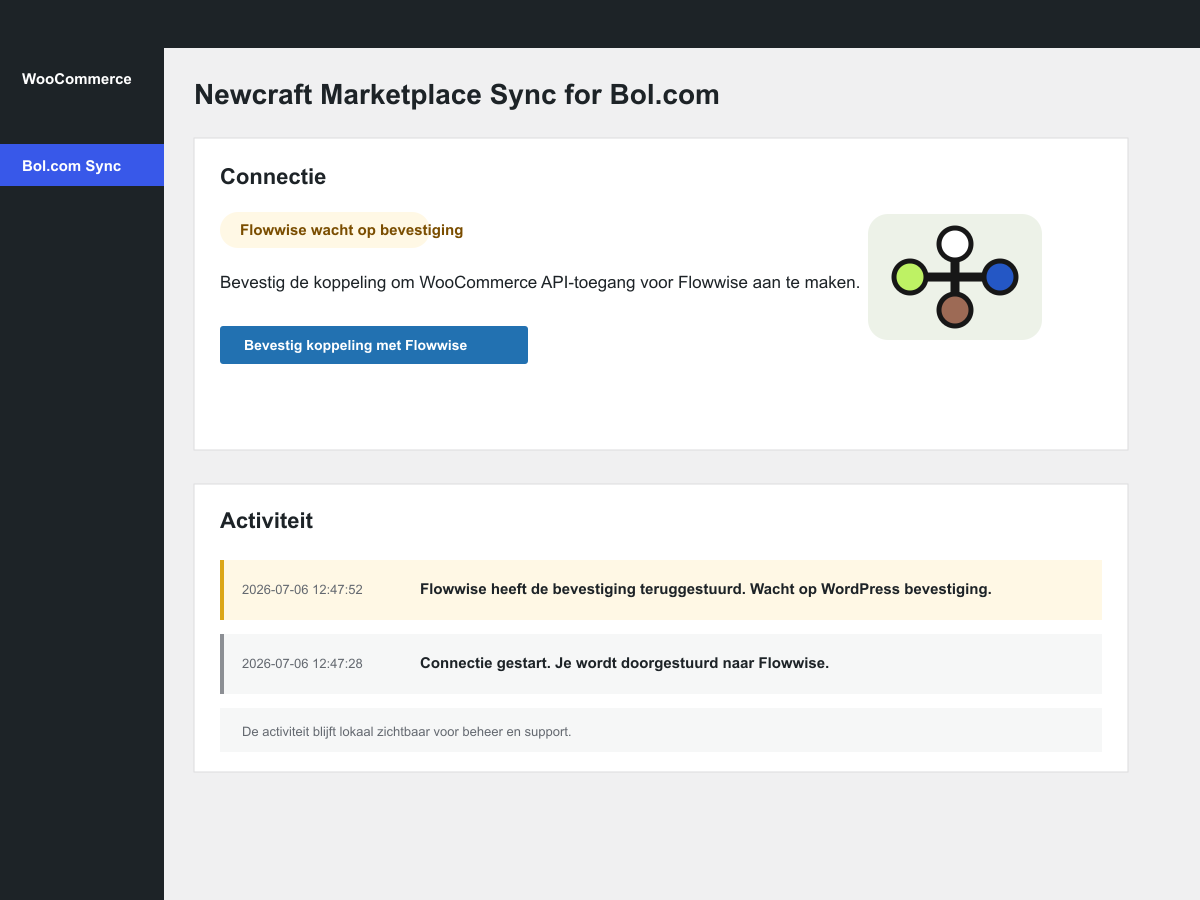
workflows. After the administrator confirms the connection, the plugin creates
a WooCommerce REST API key and sends the credentials to Flowwise through a
signed connection flow.
The actual order sync and marketplace workflow configuration runs in Flowwise.
This plugin handles onboarding, connection status, local activity logs and
WooCommerce API key revocation.
A Flowwise account is required to use this plugin.
Open the Flowwise app at app.flowwise.dev.
This plugin is developed by Newcraft and connects to the Flowwise service. It
is not affiliated with, endorsed by, or sponsored by bol.com, WooCommerce, or
Automattic.
External services
This plugin connects to Flowwise, a service operated by Newcraft, at
https://app.flowwise.dev/.
When an administrator starts the connection, the plugin redirects the
administrator to Flowwise and includes the WooCommerce store URL, the WordPress
admin return URL and the WordPress admin callback URL.
When an administrator confirms the connection, the plugin sends an HTTPS POST to
Flowwise containing the signed Flowwise connect token, WooCommerce store URL,
store name, generated WooCommerce consumer key and consumer secret, WordPress
site URL, WordPress admin URL, plugin version, WooCommerce version and generated
WooCommerce key id.
When an administrator disconnects the plugin, or when WordPress uninstalls the
plugin, the plugin sends an HTTPS POST to Flowwise containing the Flowwise
connection id, a Flowwise disconnect token issued during connection, the event
type, WooCommerce store URL, generated WooCommerce key id, plugin version,
WordPress site URL and WordPress admin URL.
Flowwise uses this data to create or update the WooCommerce connection in the
merchant’s Flowwise workspace, to run the syncs configured by the merchant in
Flowwise, and to mark the Flowwise WooCommerce connection as disconnected when
the WordPress-side plugin connection is removed.
Flowwise privacy policy: https://flowwise.dev/privacy-policy/
Flowwise terms of service: https://flowwise.dev/terms-of-service/
Support
For plugin installation and WordPress-related issues, use the WordPress.org
support forum for this plugin.
For Flowwise account, sync setup, billing or marketplace workflow support,
contact Flowwise at https://flowwise.dev/contact/.
Privacy
This plugin does not set storefront cookies and does not load third-party
scripts on public storefront pages. Admin connection actions send data to
Flowwise as described in the External services section.
Screenshots
Installation
- Upload the plugin folder to
wp-content/plugins/newcraft-marketplace-sync-for-bol-com, or install the plugin from WordPress.org. - Activate “Newcraft Marketplace Sync for Bol.com”.
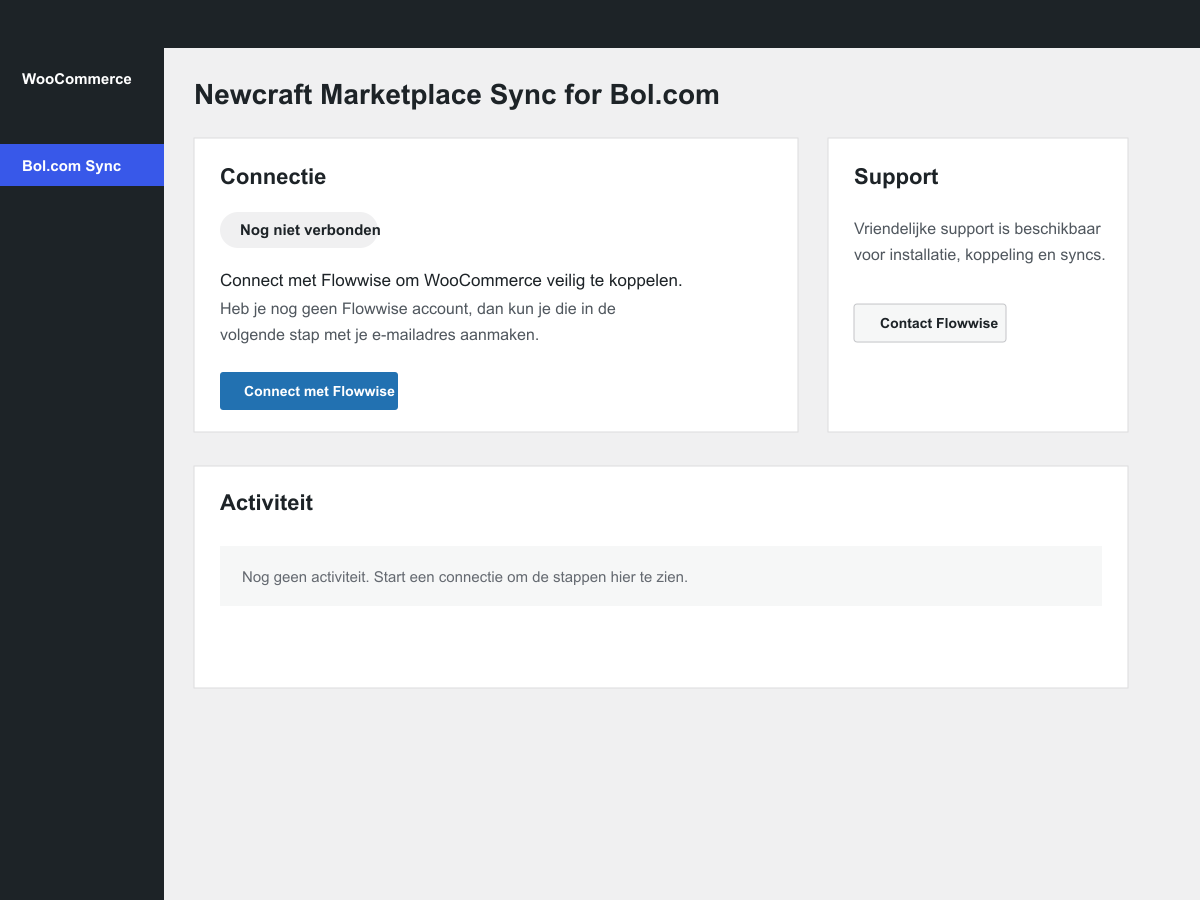
- Open WooCommerce > Bol.com Sync.
- Click “Connect met Flowwise”.
- Enter your email address in Flowwise. Existing users receive a sign-in link; new users receive an account setup link.
- Confirm the connection in WordPress.
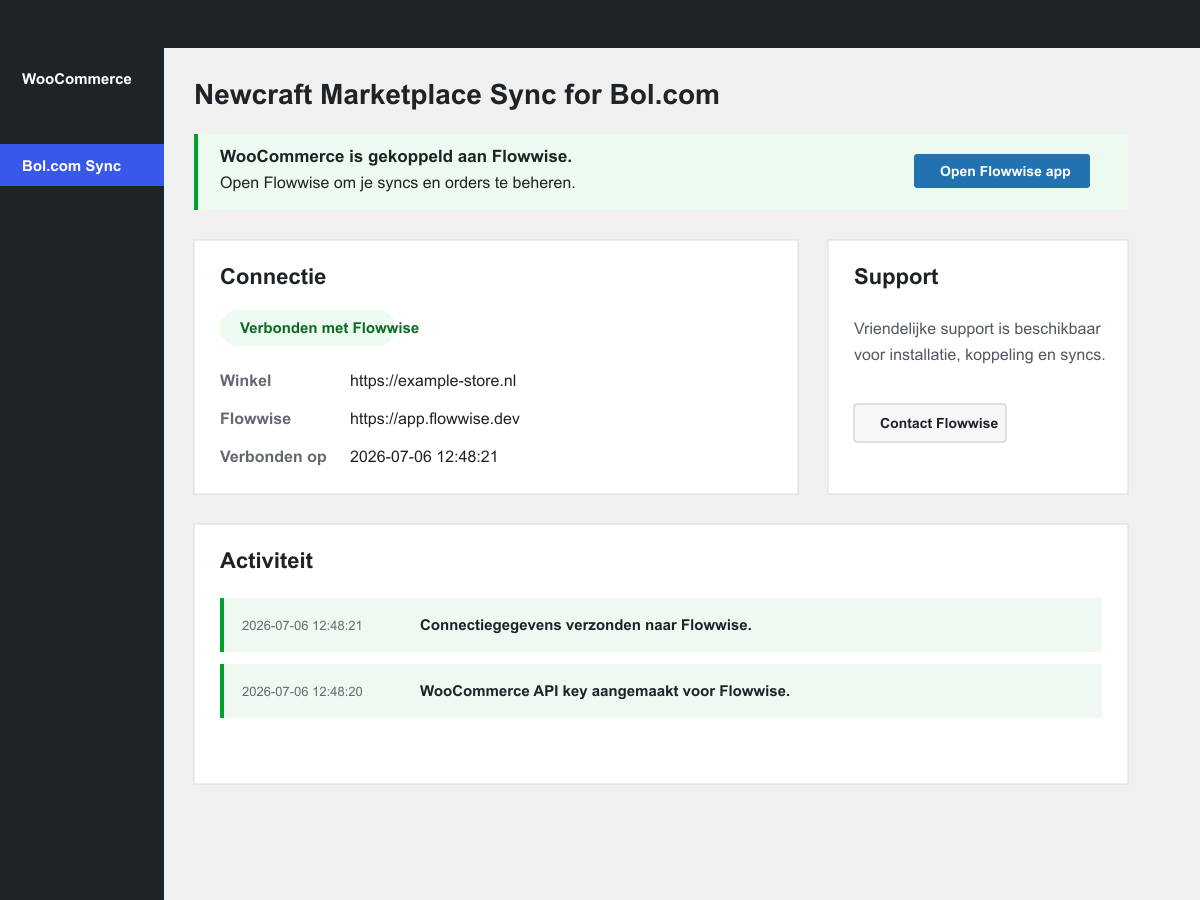
- Open Flowwise to manage syncs and orders.
FAQ
-
Do I need a Flowwise account?
-
Yes. The plugin connects WooCommerce to Flowwise. The sync configuration and
order processing run in Flowwise. -
Does the plugin connect directly to bol.com?
-
No. The plugin connects WooCommerce to Flowwise. Any bol.com marketplace
workflow is handled by Flowwise after the merchant configures it there. -
What WooCommerce access does the plugin create?
-
The plugin creates a WooCommerce REST API key with read/write permissions after
the administrator confirms the connection. Flowwise needs this for supported
WooCommerce order and sync workflows. -
Does the plugin store my WooCommerce API secret in WordPress?
-
No. The consumer secret is sent to Flowwise during the signed connection flow.
WordPress stores connection metadata, the Flowwise workspace owner email,
activity log entries and the WooCommerce API key id so the key can be revoked
later. -
What happens when I disconnect or uninstall the plugin?
-
The plugin revokes the generated WooCommerce REST API key when possible. It also
notifies Flowwise so the WooCommerce connection in Flowwise can be marked as
disconnected and no longer shown as healthy. -
Where can I see whether anything happened?
-
Open WooCommerce > Bol.com Sync. The page shows connection status, support
contact details and a local activity log. -
Is this an official bol.com or WooCommerce plugin?
-
No. This plugin is developed by Newcraft and is not affiliated with bol.com,
WooCommerce, or Automattic. It connects WooCommerce stores to the Flowwise
service.
Reviews
There are no reviews for this plugin.
Contributors & Developers
“Newcraft Marketplace Sync for Bol.com” is open source software. The following people have contributed to this plugin.
Contributors
Translate “Newcraft Marketplace Sync for Bol.com” into your language.
Interested in development?
Browse the code, check out the SVN repository, or subscribe to the development log by RSS.
Changelog
0.2.14
Deactivate legacy Flowwise plugin packages during activation and preserve the
WordPress return nonce throughout the connection flow.
0.2.13
Show the Flowwise workspace owner email in the connected WordPress admin state.
0.2.12
Return merchants to the exact Flowwise Commerce setup after WooCommerce is
connected.
0.2.11
Rename the plugin to “Newcraft Marketplace Sync for Bol.com” and identify
Newcraft as the plugin publisher while documenting Flowwise as the external
service.
0.2.8
Use separate plugin and author URIs in the plugin headers for WordPress.org
submission validation.
0.2.7
Notify Flowwise when the plugin is disconnected or uninstalled, and revoke the
generated WooCommerce API key during uninstall cleanup.
0.2.6
Document the Flowwise terms of service for the external SaaS connection.
0.2.5
Harden the Flowwise return step by requiring the WordPress return nonce and by
using the configured Flowwise app URL for the credential callback.
0.2.4
Replace the technical checks card with a support contact card in the WordPress
admin screen.
0.2.3
Allow the signed Flowwise return step to create a pending confirmation without a
WordPress URL nonce. The final credential creation remains protected by the
WordPress confirmation form nonce.
0.2.2
Address WordPress Plugin Check feedback for tested WordPress version, admin
query nonce handling, safe redirects and documented WooCommerce API key table
writes.
0.2.1
Hide the Flowwise app URL field and route new WooCommerce connect users through
one Flowwise email flow for sign-in or account creation.
0.2.0
Rename the plugin package for WordPress.org submission, add external service
disclosure, improve translation readiness and keep a legacy loader for existing
pre-0.2.0 installs.
0.1.1
Clarify the connected state and add clearer activity feedback.
0.1.0
Initial companion plugin for Flowwise WooCommerce connections.