

Description
PaleSwitch helps Elementor users manage frontend dark mode using the Global Colors from the Elementor Site Settings.
This plugin is focused on the light and dark mode visitors see on the website, not the dark mode of the Elementor editor.
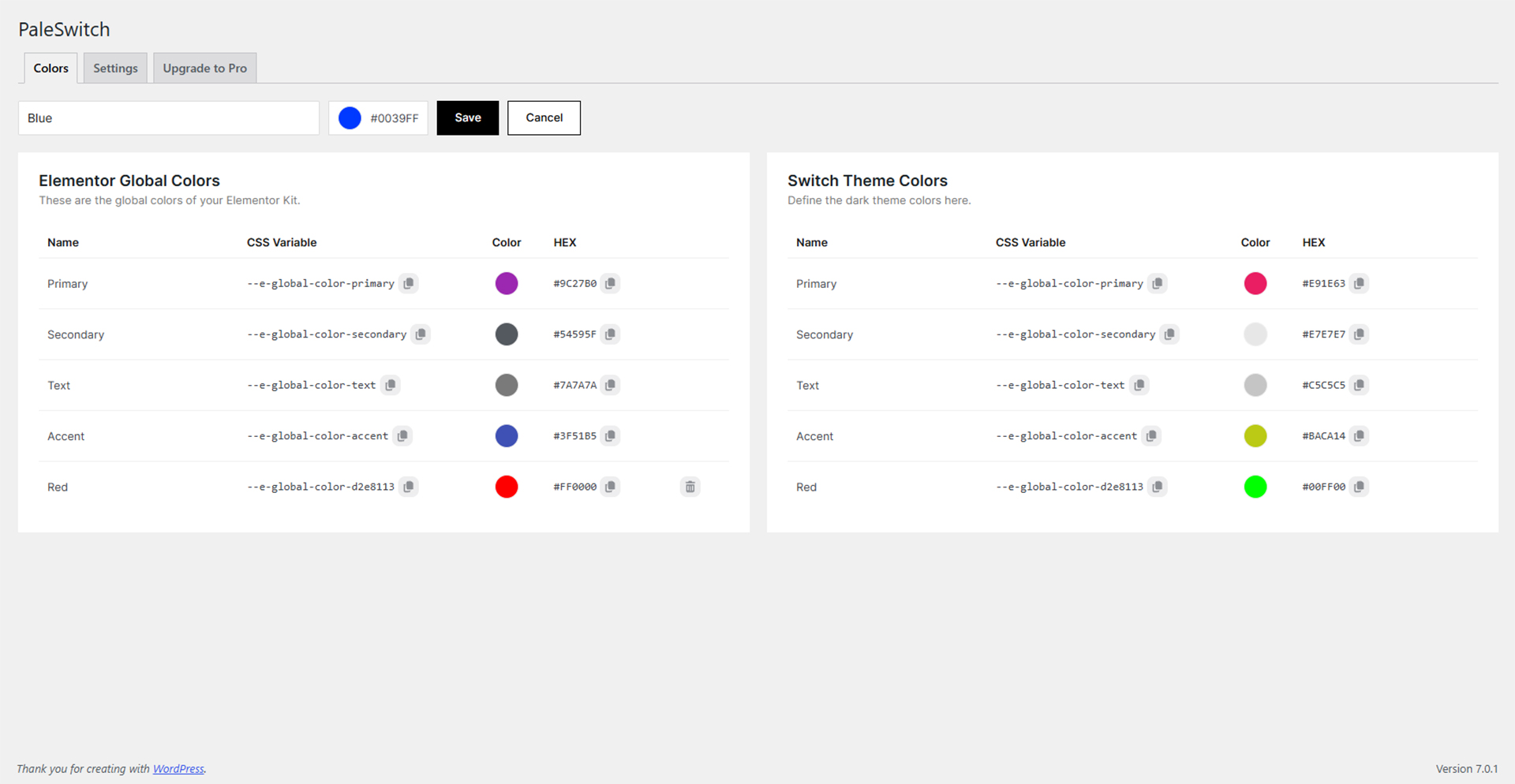
Instead of editing every widget manually or duplicating sections, PaleSwitch lets you define dark counterparts for Elementor Global Colors and generate the CSS variables needed for frontend dark mode.
Free features:
- Manual light/dark color editing.
- Elementor Global Colors integration.
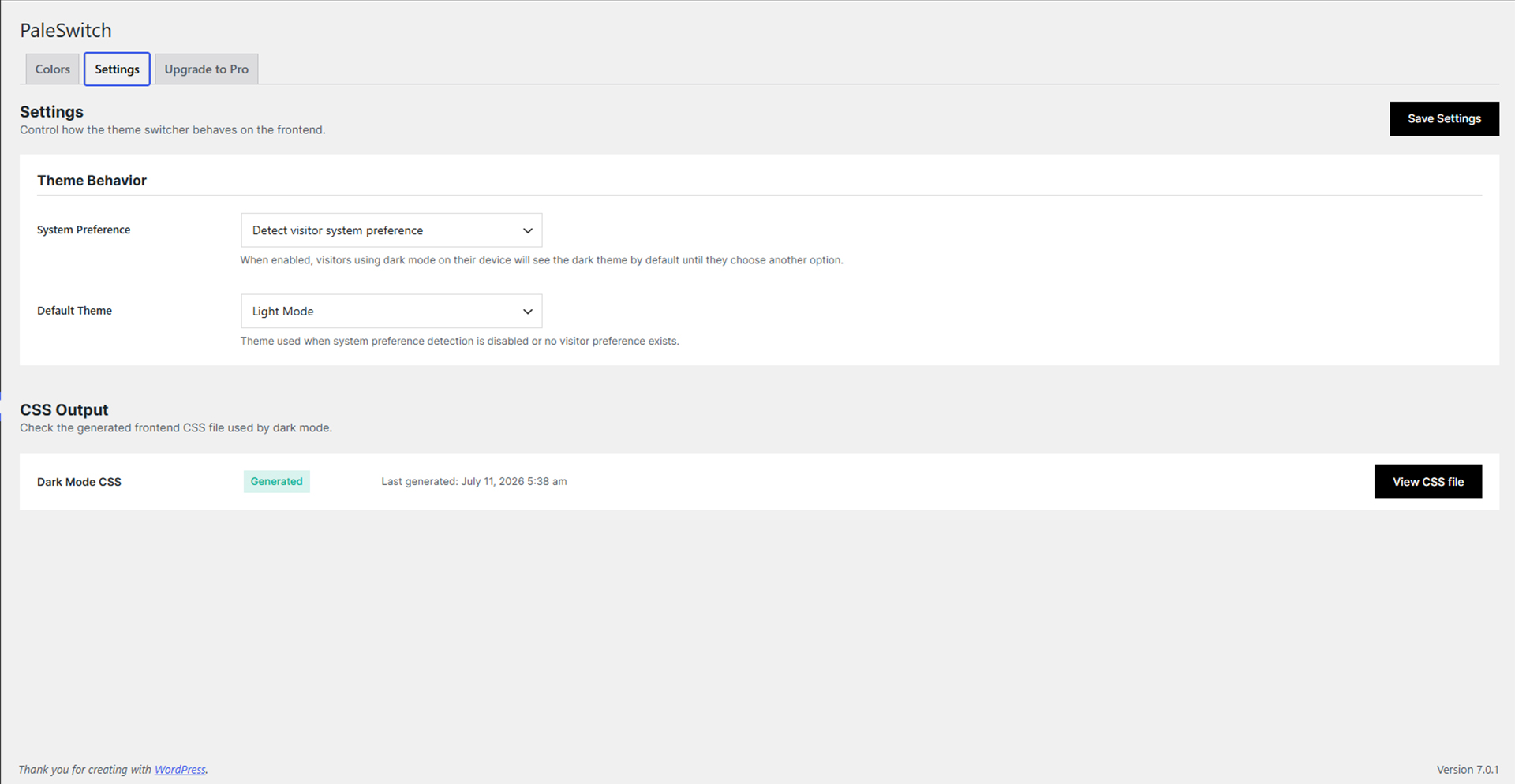
- Automatic dark mode CSS generation.
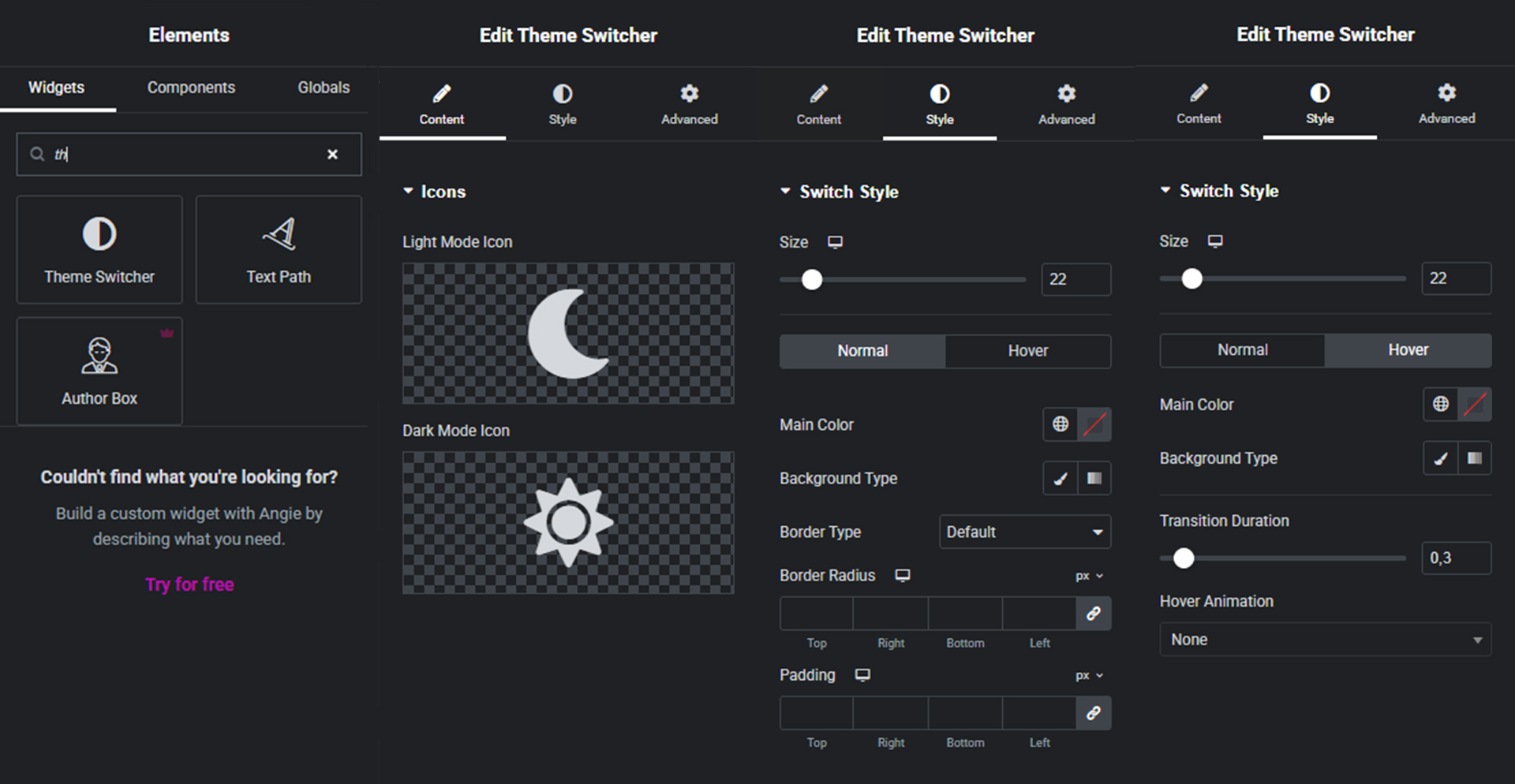
- Elementor theme switcher widget.
- System preference detection.
- Default theme option.
PaleSwitch is useful for designers, freelancers and developers who want a cleaner workflow for frontend light/dark color systems in Elementor.
Third-party Libraries
This plugin includes Pickr 1.9.1 by Simon Reinisch, licensed under the MIT License.
Source: https://github.com/Simonwep/pickr
The included Nano theme CSS has minor style adjustments for the PaleSwitch admin interface. The original license notice is preserved in the files.
Readable source files are included:
- assets/js/pickr.js
- assets/css/nano.css
Minified files used by the plugin:
- assets/js/pickr.min.js
- assets/css/nano.min.css
Screenshots
Installation
- Upload the plugin files to the
/wp-content/plugins/paleswitch-for-elementordirectory, or install the plugin through the WordPress plugins screen. - Activate the plugin through the
Pluginsscreen in WordPress. - Make sure Elementor is installed and activated.
- Go to
PaleSwitchin the WordPress admin. - Configure your light/dark color values.
- Add the PaleSwitch widget inside Elementor where you want the frontend switch to appear.
FAQ
-
Does this change the Elementor editor theme?
-
No. PaleSwitch is focused on frontend dark mode, meaning the light/dark mode visitors see on the website.
-
Does PaleSwitch require Elementor?
-
Yes. PaleSwitch is designed to work with Elementor Global Colors.
-
Does the Free version work without the Pro version?
-
Yes. The Free version is fully functional and includes manual light/dark editing, CSS output and the Elementor switch widget.
-
Does PaleSwitch replace Elementor Global Colors?
-
No. PaleSwitch uses Elementor Global Colors as the base and lets you define dark counterparts for those colors.
-
Where is the generated CSS saved?
-
PaleSwitch generates a CSS file inside the WordPress uploads directory, under
/wp-content/uploads/palesw-css/colors-switch-theme.css.
Reviews
There are no reviews for this plugin.
Contributors & Developers
“PaleSwitch – Light/Dark Palettes for Elementor” is open source software. The following people have contributed to this plugin.
Contributors
Translate “PaleSwitch – Light/Dark Palettes for Elementor” into your language.
Interested in development?
Browse the code, check out the SVN repository, or subscribe to the development log by RSS.
Changelog
1.0.0
- Initial release.