

Description
MyVendorHub for WooCommerce forwards new orders to MyVendorHub and receives vendor responses (status, notes, tracking) back on your store.
Features:
-
Redirect connect to MyVendorHub (no embedded secrets — WordPress.org ready)
-
Open MyVendorHub from wp-admin after connect (signed SSO launch — no re-login)
-
Permissions disclosure onboarding before external redirect
-
Manual Store ID + API token paste (Advanced)
-
Automatic order forwarding on checkout
-
Secure REST callback for MyVendorHub outbound updates
-
HMAC signature verification on all callbacks
-
WooCommerce Settings MyVendorHub admin page
-
HPOS (High-Performance Order Storage) compatible
Merchants manage vendors, rules, and responses in the MyVendorHub web dashboard — not inside WordPress.
External services
This plugin connects to MyVendorHub API hosts over HTTPS (default: https://www.myvendorhub.com). Data transmitted:
-
Connect — site URL, store display name, per-site plugin token
-
Order sync — order number, line items, SKUs, vendor names, shipping address, customer email
-
Inbound callbacks — MyVendorHub POSTs status, notes, and tracking to your WordPress site
No MyVendorHub admin passwords are stored. See MyVendorHub Privacy Policy.
Connect flows
Redirect flow (recommended — WordPress.org / SaaS)
No MyVendorHub secrets are embedded in the plugin. Review the permissions checklist, accept the disclosure, then click Connect to MyVendorHub to open MyVendorHub with your siteUrl, a per-site pluginToken, and a CSRF state parameter. After you sign in, MyVendorHub returns storeId and apiToken to this settings page.
Manual token paste
Create or open your WooCommerce store in MyVendorHub, then copy Store ID and API token from MyVendorHub Settings API access. Paste them under Advanced Manual connection in WooCommerce Settings MyVendorHub.
Direct connect (self-hosted development only)
Define VENDORHUB_WC_CONNECT_SECRET in wp-config.php matching your MyVendorHub server env. A Direct connect (dev) button appears for HMAC-signed registration.
Screenshots
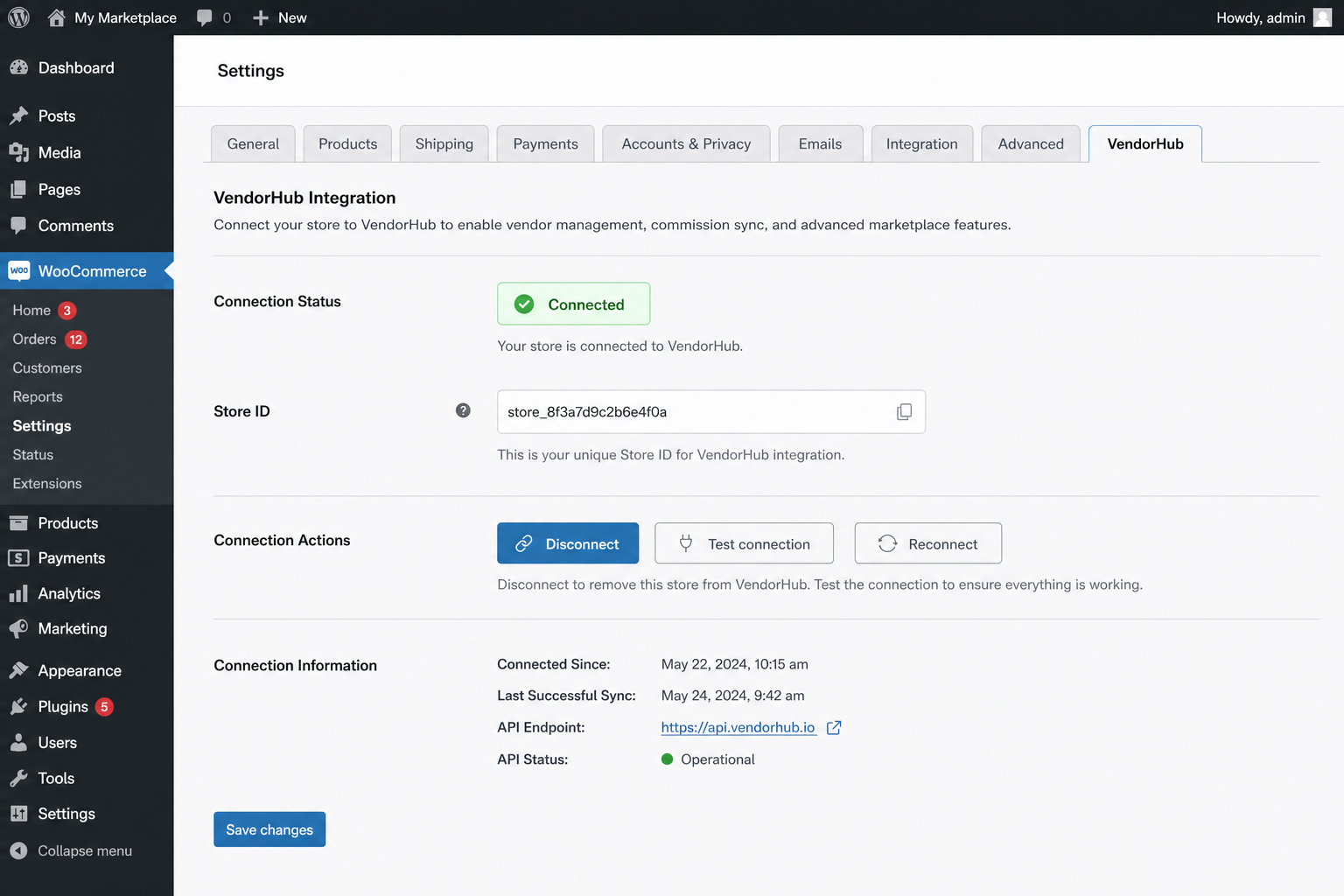 → Settings MyVendorHub onboarding (permissions disclosure)” class=”wp-image-9000001″ srcset=”https://i0.wp.com/ps.w.org/myvendorhub-for-woocommerce/assets/screenshot-1.png?rev=3606997&w=300 300w, https://i0.wp.com/ps.w.org/myvendorhub-for-woocommerce/assets/screenshot-1.png?rev=3606997&w=600 600w, https://i0.wp.com/ps.w.org/myvendorhub-for-woocommerce/assets/screenshot-1.png?rev=3606997&w=900 900w” sizes=”(max-width: 599px) 50vw, 33vw” width=”1536″ height=”1024″ loading=”eager” fetchpriority=”high” decoding=”async”/>
WooCommerce Settings MyVendorHub onboarding (permissions disclosure)
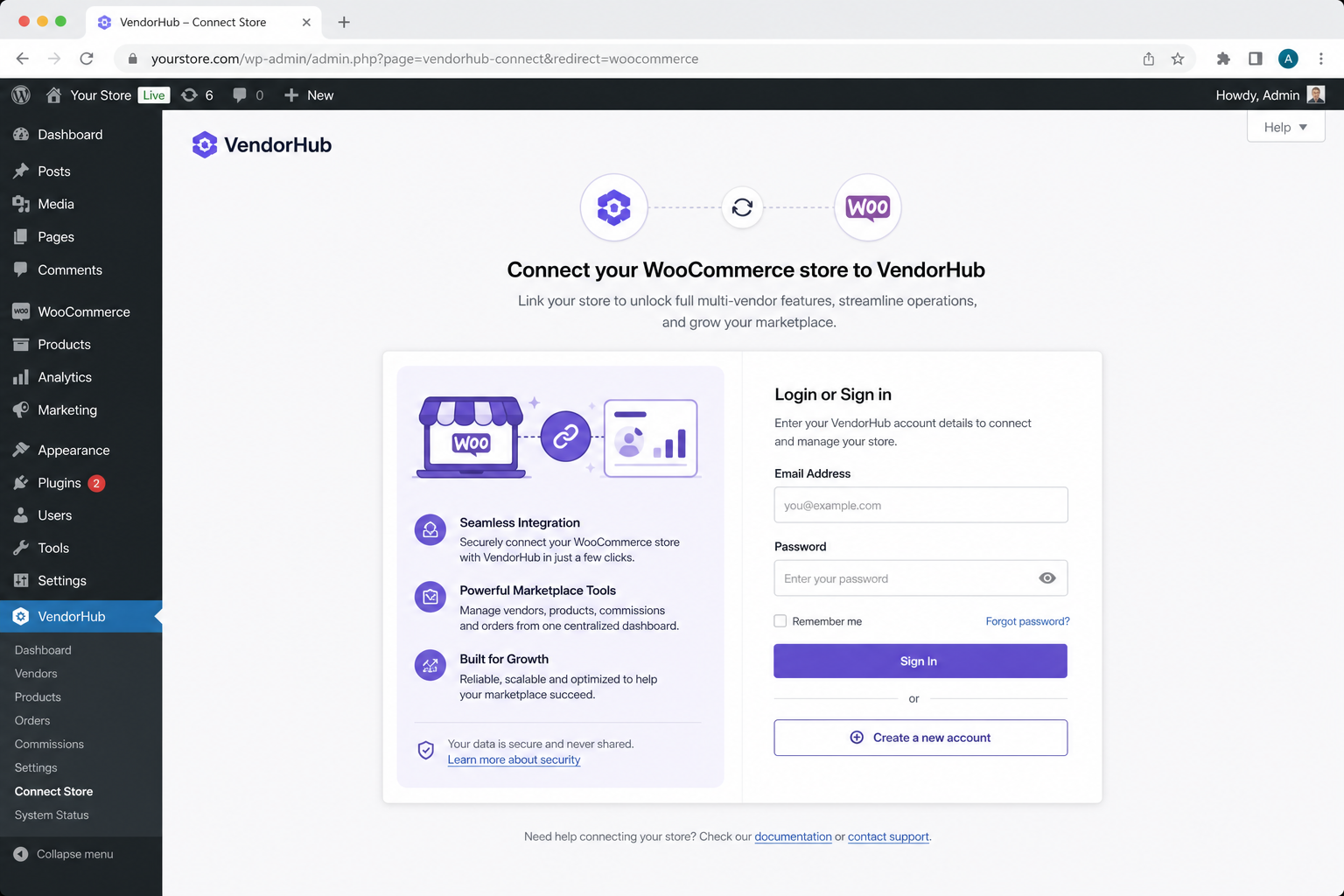
Connected state with Open MyVendorHub (SSO launch)
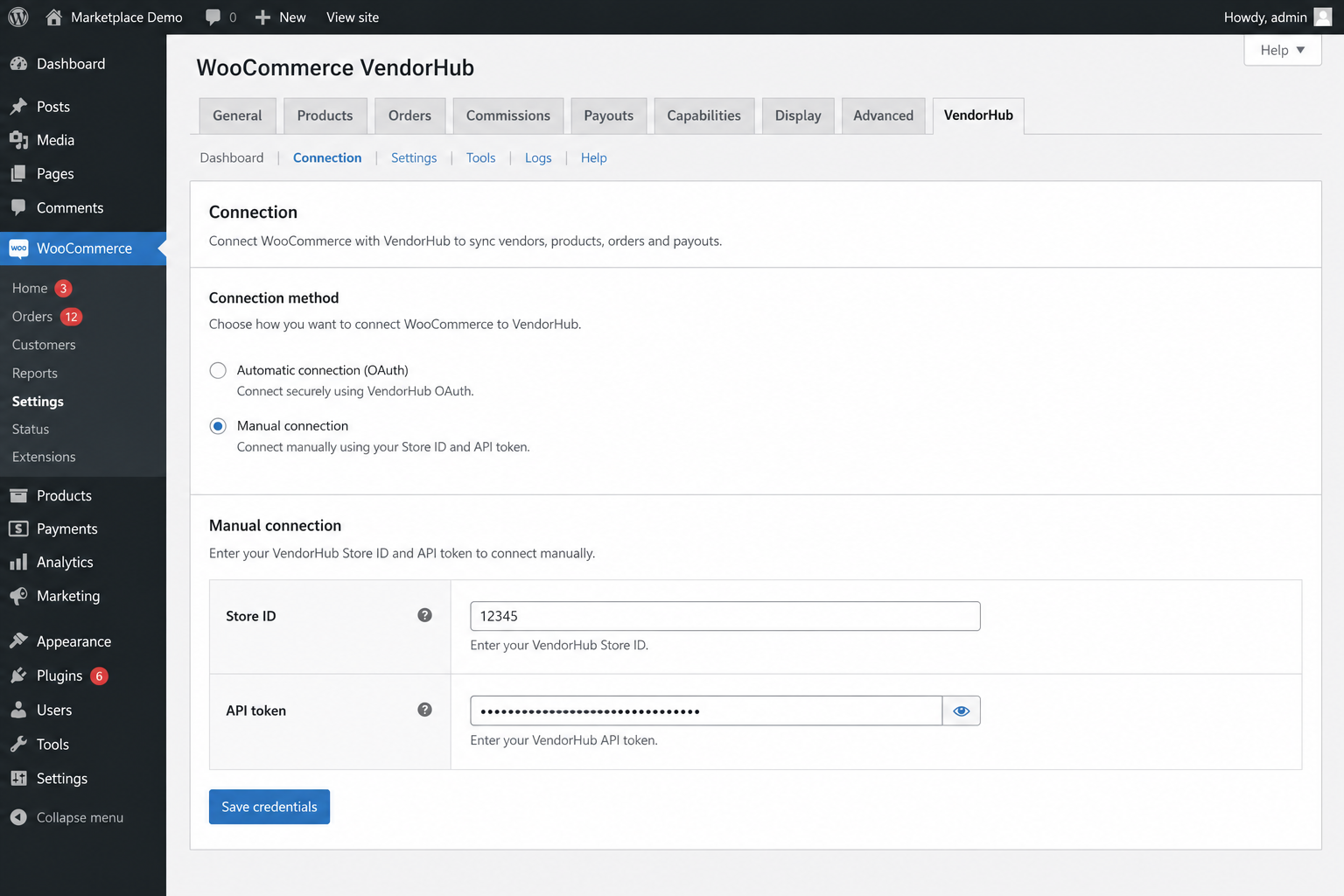
Advanced manual Store ID and API token entry
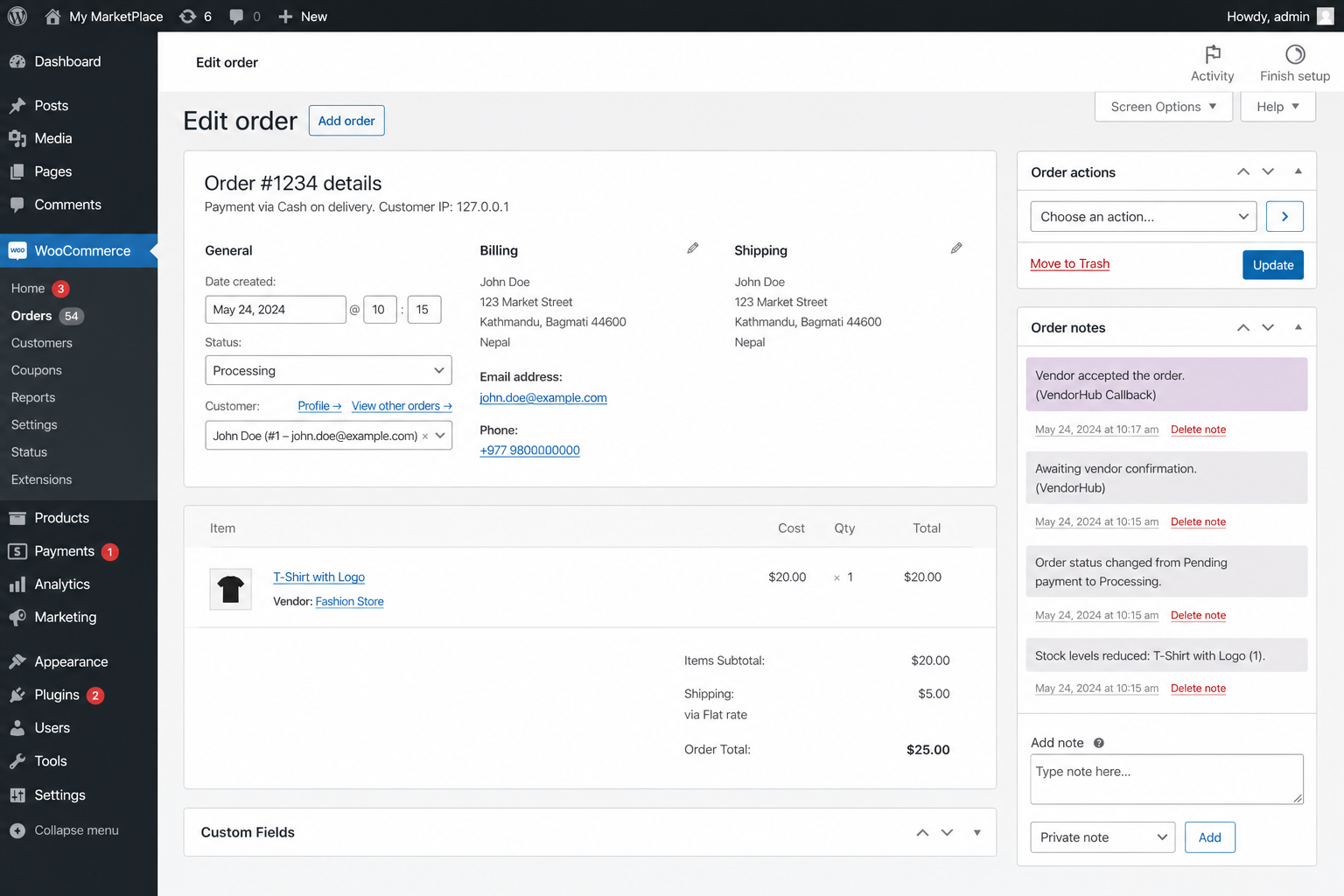
Order note applied after vendor accept in MyVendorHub
Installation
Install from Plugins Add New and search for “MyVendorHub for WooCommerce”, or upload the plugin ZIP.
Activate MyVendorHub for WooCommerce (requires WooCommerce 6.0+).
You are redirected once to WooCommerce Settings MyVendorHub to review permissions.
Check the permissions disclosure, then click Connect to MyVendorHub and sign in on MyVendorHub (redirect flow), or use Advanced Manual connection to paste Store ID + API token from MyVendorHub Settings.
After connecting, click Open MyVendorHub on the settings page to return to your dashboard without signing in again, and place a test order — it should appear in MyVendorHub within seconds.
Integrators: see docs/PLATFORM_INTEGRATION.md SSO launch (return visits — plugin v2+) for the signing contract.
FAQ
-
Where do I manage vendors?
-
In the MyVendorHub web dashboard at https://www.myvendorhub.com (or your self-hosted URL). This plugin only forwards orders and applies vendor responses.
-
Does this plugin require a MyVendorHub account?
-
Yes, to forward orders. Without credentials the plugin shows “Not connected” and does not transmit data.
-
Are WooCommerce REST API keys required?
-
No. REST keys are optional and configured in the MyVendorHub web dashboard for advanced dashboard reads. Order ingest works through this plugin alone.
-
Does this plugin store MyVendorHub admin passwords?
-
No. Only per-store
storeIdandapiTokenfrom the connect handshake are stored locally. -
What WooCommerce vendor plugins are supported?
-
Line-item vendor is read from product/line meta keys:
_vendor,vendor,_wcv_vendor,_dokan_vendor_id. -
What personal data is sent to MyVendorHub?
-
Order and fulfillment data including customer name, shipping address, and phone when present on the order. MyVendorHub does not sell personal data. See https://www.myvendorhub.com/privacy.
Reviews
There are no reviews for this plugin.
Contributors & Developers
“MyVendorHub for WooCommerce” is open source software. The following people have contributed to this plugin.
Contributors
Translate “MyVendorHub for WooCommerce” into your language.
Interested in development?
Browse the code, check out the SVN repository, or subscribe to the development log by RSS.
Changelog
1.1.2
- Rename plugin to MyVendorHub for WooCommerce (distinctive branding for WordPress.org).
- Require valid connect
stateon redirect return — reject missing or invalid CSRF state before saving credentials.
1.1.1
- Align text domain with WordPress.org slug (
vendorhub-for-woocommerce). - Fix Plugin URI / Author URI headers for directory submission.
1.1.0
- SSO launch — Open MyVendorHub from wp-admin without re-login.
- Configurable vendor meta key for multi-vendor plugins.
- Onboarding UX and permissions disclosure improvements.
- WordPress 7.0 compatibility.
- PHPCS, Plugin Check CI, and E2E verification script.
1.0.0
- Initial release: redirect connect, manual token paste, order ingest, REST callback, settings UI, privacy disclosures, WordPress.org readiness (Phase 7F).