

Description
File and directory permissions are one of the easiest things to get wrong on a WordPress site — and one of the most consequential. Set them too loose and you hand attackers an easy way in; set them too tight and updates, uploads, and plugins quietly stop working. The correct values are well known (755 for folders, 644 for files, locked-down config files), but applying them the usual way means FTP or SSH access, recursive chmod commands, and a real risk of breaking your site with a single typo.
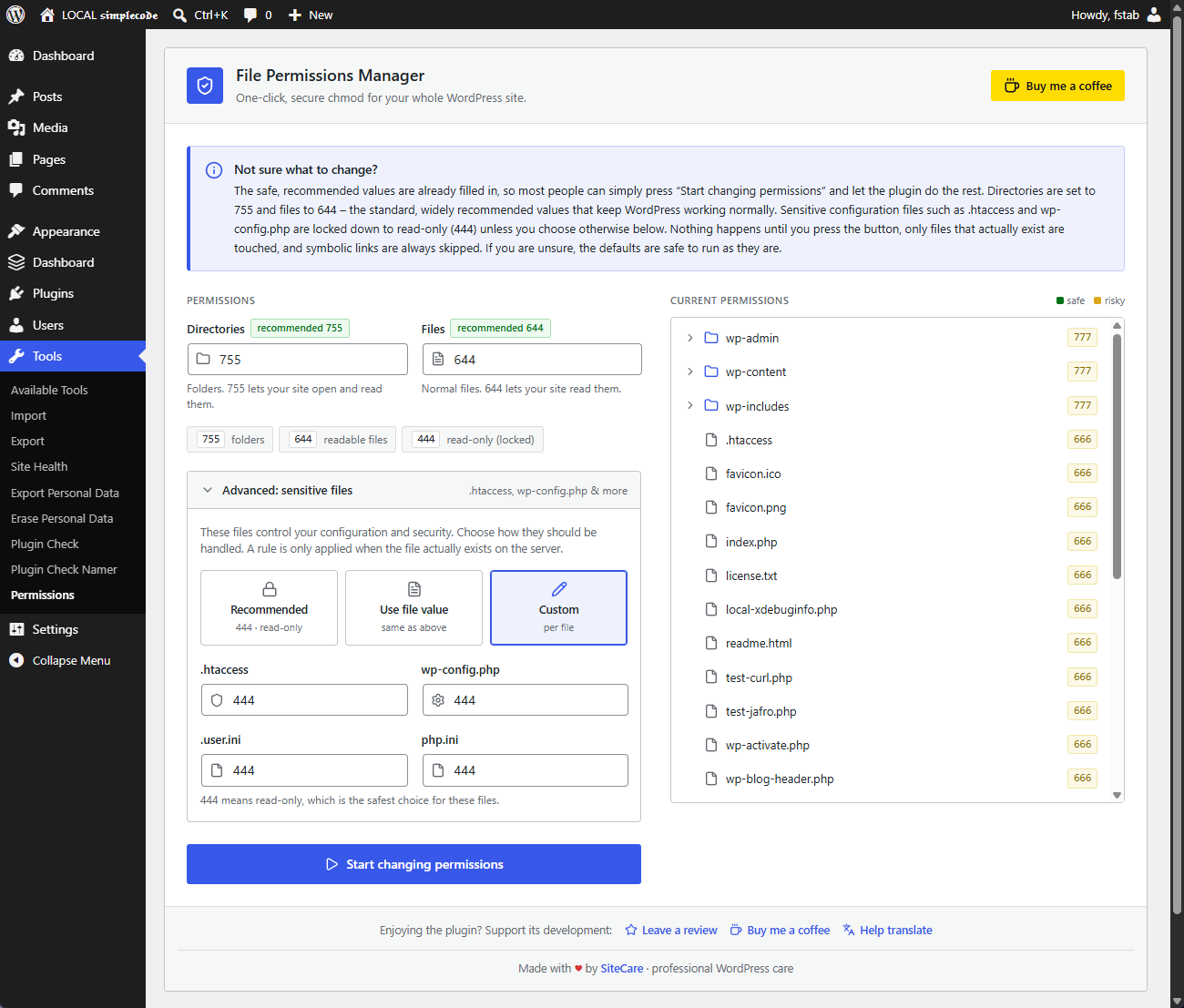
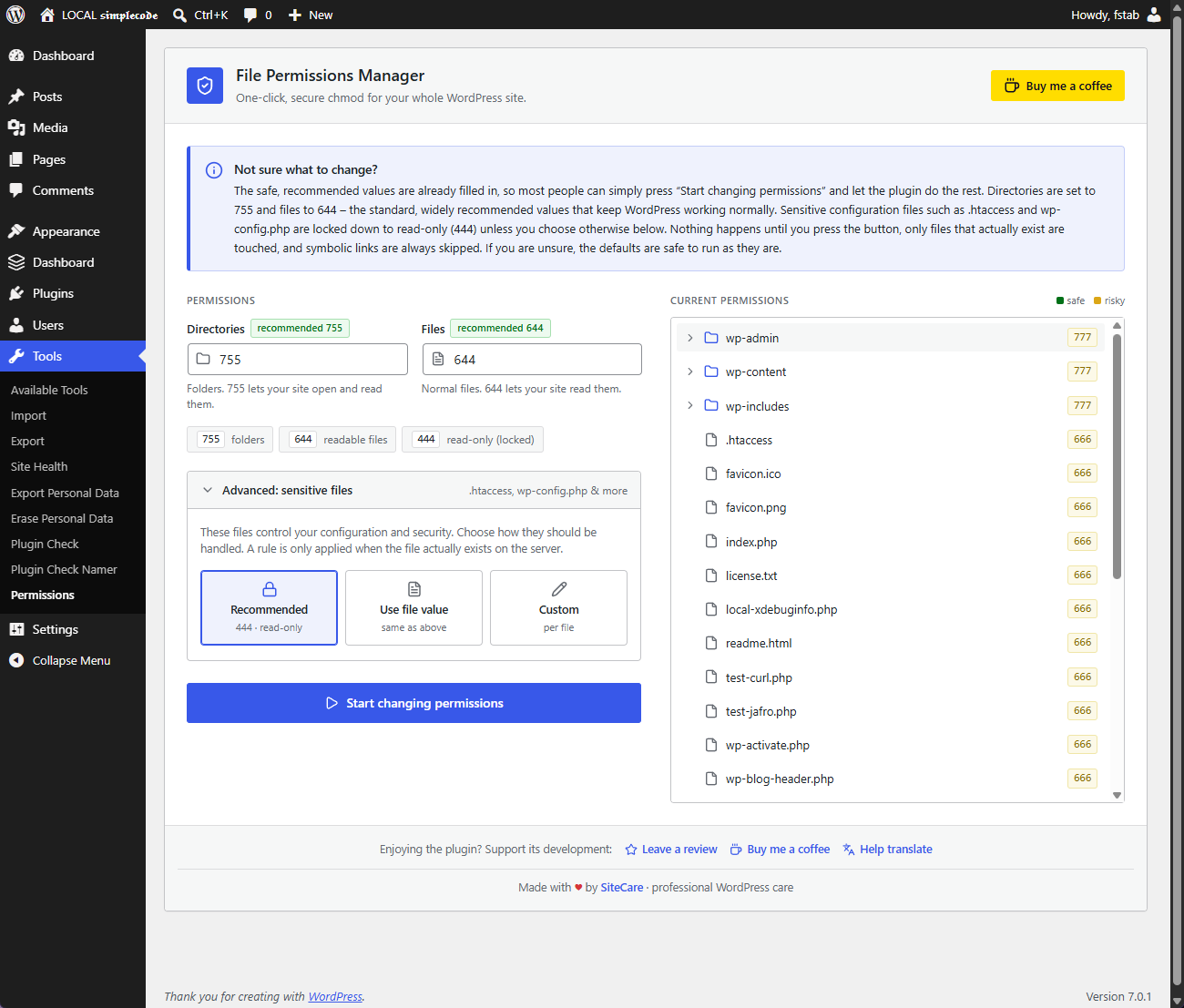
SiteCare File Permissions Manager removes all of that. From one screen under Tools Permissions, it recursively applies the safe, recommended permissions across your entire WordPress install — no FTP, no shell, no command line. The recommended values are pre-filled, so for most people it really is a single button.
Features
- One-click recursive chmod for the whole WordPress site.
- Separate, recommended values for directories (755) and files (644).
- Advanced overrides for sensitive files (.htaccess, wp-config.php, .user.ini, php.ini) with three modes: recommended read-only (444), the same value as your files, or a custom value per file.
- Live, expandable file tree that shows the current permission of every file and folder, with colour hints for safe vs. risky values.
- Real progress bar with batched processing, so it works on large sites without hitting PHP timeouts.
- Fully translation-ready and shipped with translations for major languages.
- No external scripts, fonts or trackers are loaded.
A rule for a sensitive file (for example php.ini) is only applied when that file actually exists on the server. Missing files are simply skipped.
Screenshots
Installation
From your WordPress dashboard (recommended)
- Go to Plugins Add New and search for “SiteCare File Permissions Manager”.
- Click Install Now, then Activate.
Manual upload
- Download the plugin .zip file.
- Go to Plugins Add New Upload Plugin and choose the .zip.
- Click Install Now, then Activate.
Getting started
Go to Tools Permissions and click Start changing permissions. The recommended, safe values are already filled in, so you can review the live file tree and apply them in one click.
FAQ
-
What permissions should I use?
-
The defaults are the widely recommended values: 755 for folders and 644 for files, and read-only 444 for sensitive configuration files. Only change them if you know what you are doing.
-
What if php.ini or .user.ini do not exist on my server?
-
Nothing happens for them. The plugin only changes files that actually exist, and missing files are skipped safely.
-
Is it safe to run on a large site?
-
Yes. Processing is done in small batches with a live progress bar, so it does not hit PHP execution time limits.
-
Who can use it?
-
Only administrators (users with the manage_options capability) can open the screen or run any action.
-
Does it load anything from third-party servers?
-
No. All styles and scripts are bundled with the plugin. Nothing is loaded from external servers.
Reviews
There are no reviews for this plugin.
Contributors & Developers
“SiteCare – File Permissions Manager” is open source software. The following people have contributed to this plugin.
Contributors
“SiteCare – File Permissions Manager” has been translated into 1 locale. Thank you to the translators for their contributions.
Translate “SiteCare – File Permissions Manager” into your language.
Interested in development?
Browse the code, check out the SVN repository, or subscribe to the development log by RSS.
Changelog
2.2.0
- Renamed to SiteCare – File Permissions Manager, part of the SiteCare plugin family
2.1.0
- New: confirmation step before changing permissions, showing exactly how many files and folders will be affected.
- New: interface now follows your chosen WordPress admin colour scheme.
- New: file tree is fully keyboard accessible.
- Improved: errors are shown inline instead of browser pop-ups.
- Improved: refreshed icons and a friendly way to support the plugin (review, translate, donate).
2.0.0
- New two-column interface with a live file tree and real progress bar.
- Advanced overrides for .htaccess, wp-config.php, .user.ini and php.ini (recommended / global / custom).
- Batched, timeout-safe processing.
- Full internationalization with translations for major languages; no external resources loaded.
- Security hardening: nonces, capability checks, path-traversal protection, symlink skipping.
1.0.0
- Initial release.