

Description
PlugUpp Link & Image Health Audit finds broken links, broken images and SSL problems by checking the links and images your visitors actually see. It renders each of your own pages through the normal front-end pipeline and inspects the final HTML – so it catches links and images injected by themes, menus, widgets, footers and page builders that database-only checkers miss.
Everything runs on your own server. There is no external crawler, no per-link quota, and nothing about your site is sent to a third-party service.
What you get on the free plan
- Rendered-page scanning – checks the links and images that actually ship to visitors, including those added by your theme, menus, widgets, footers and page builder that database-only checkers never see
- Links, images and resources – internal and external links, images, and page resources (CSS, JS, icons, fonts)
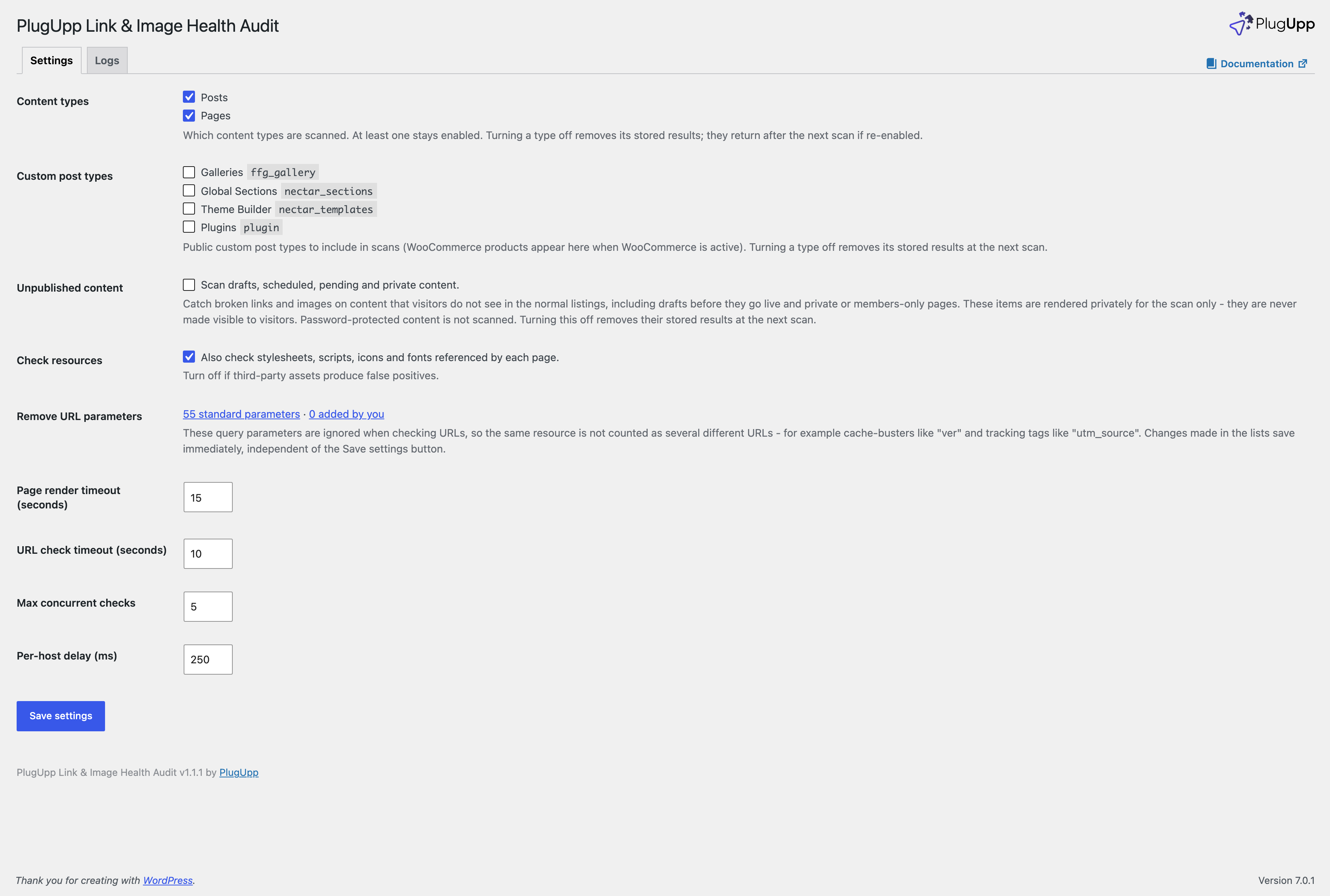
- All your content types – posts, pages, and any public custom post type, including WooCommerce products
- Unpublished content too – optionally scan drafts, scheduled, pending and private content, so links are checked before they go live
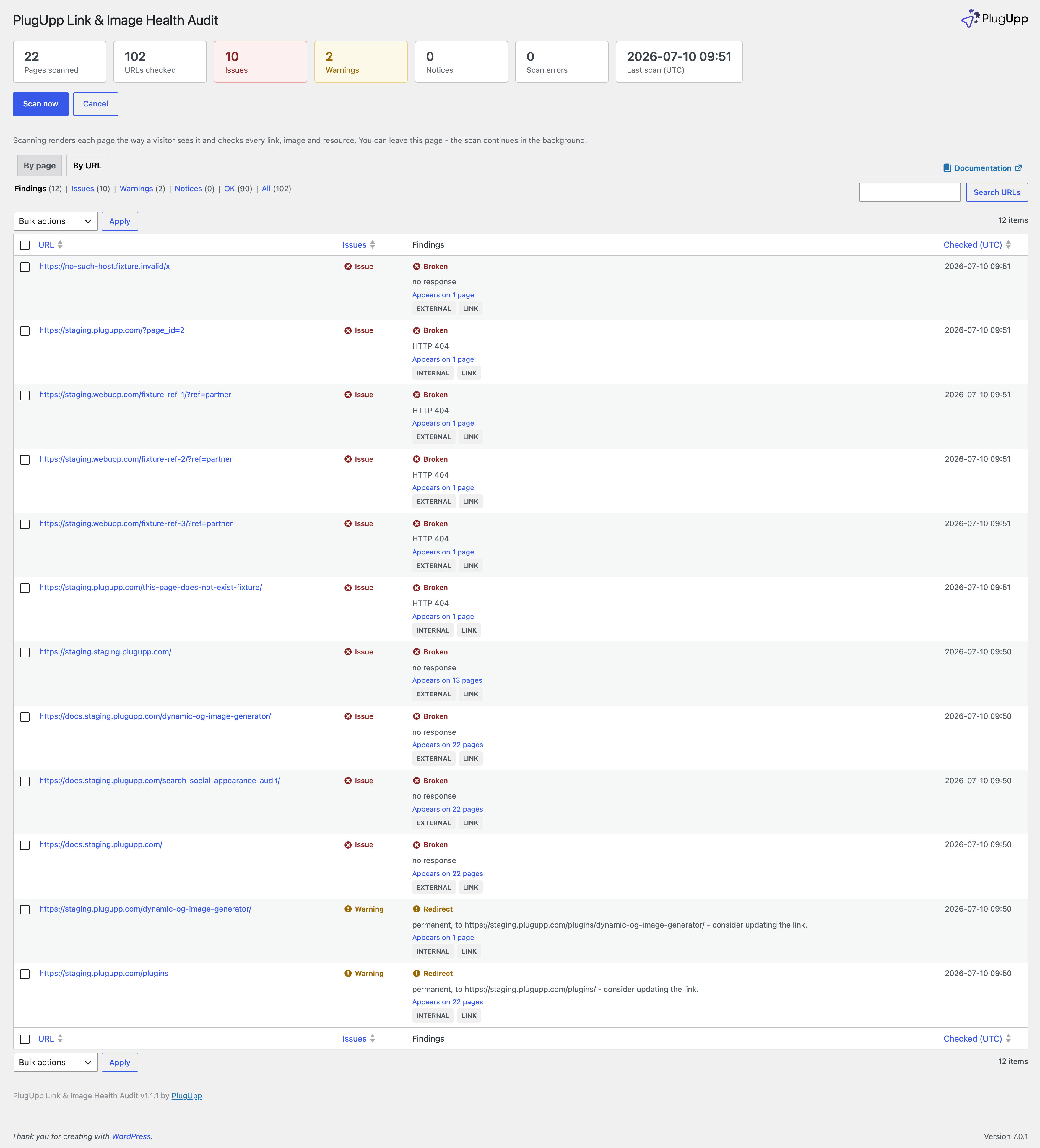
- Clear verdicts – broken links and images, SSL and certificate problems, permanent and temporary redirects, and “blocked, not broken” hosts (for example a Cloudflare challenge) told apart from genuine failures
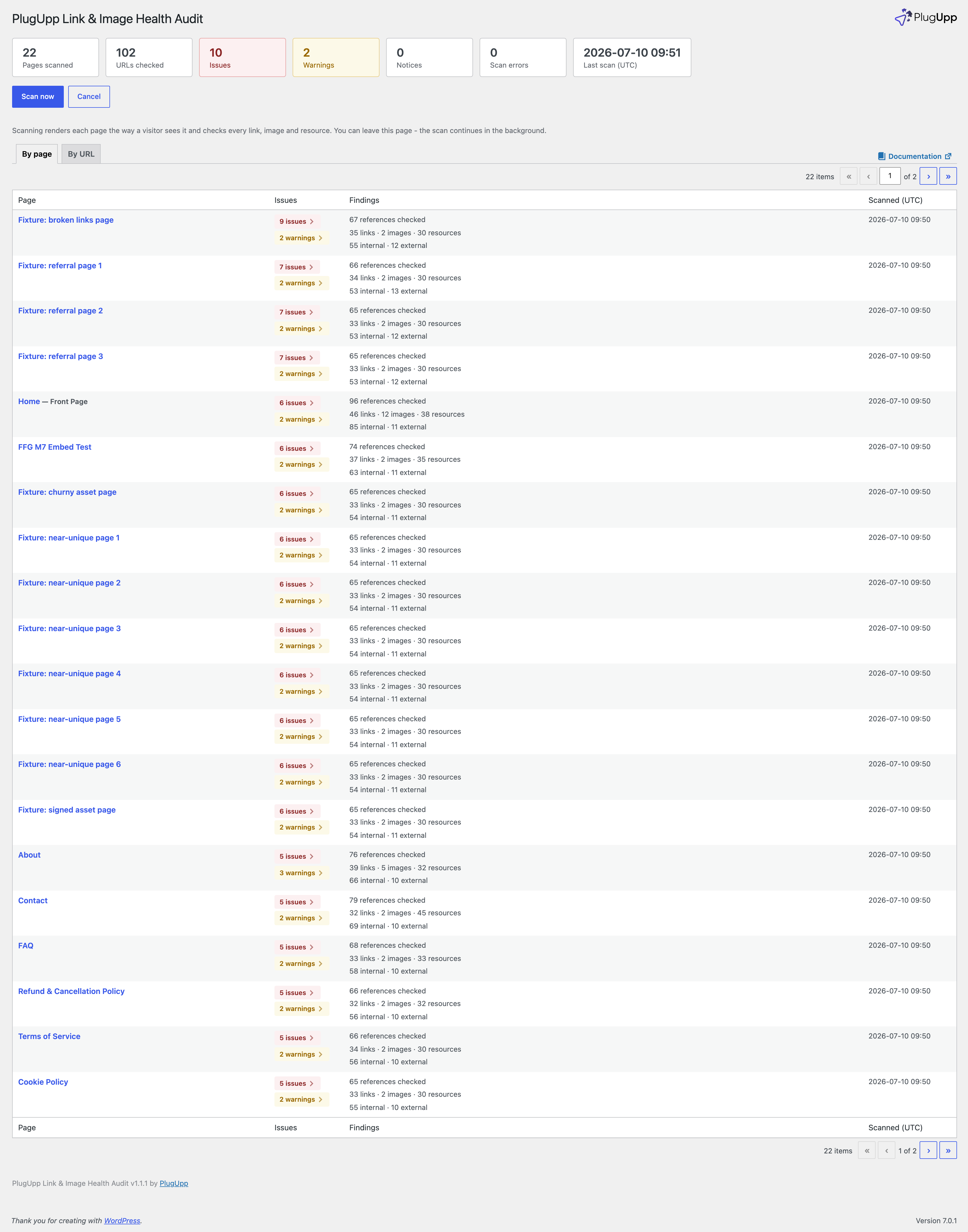
- By URL and By page views – sorted worst-first, with separate Issues, Warnings and Notices counts so you can triage at a glance
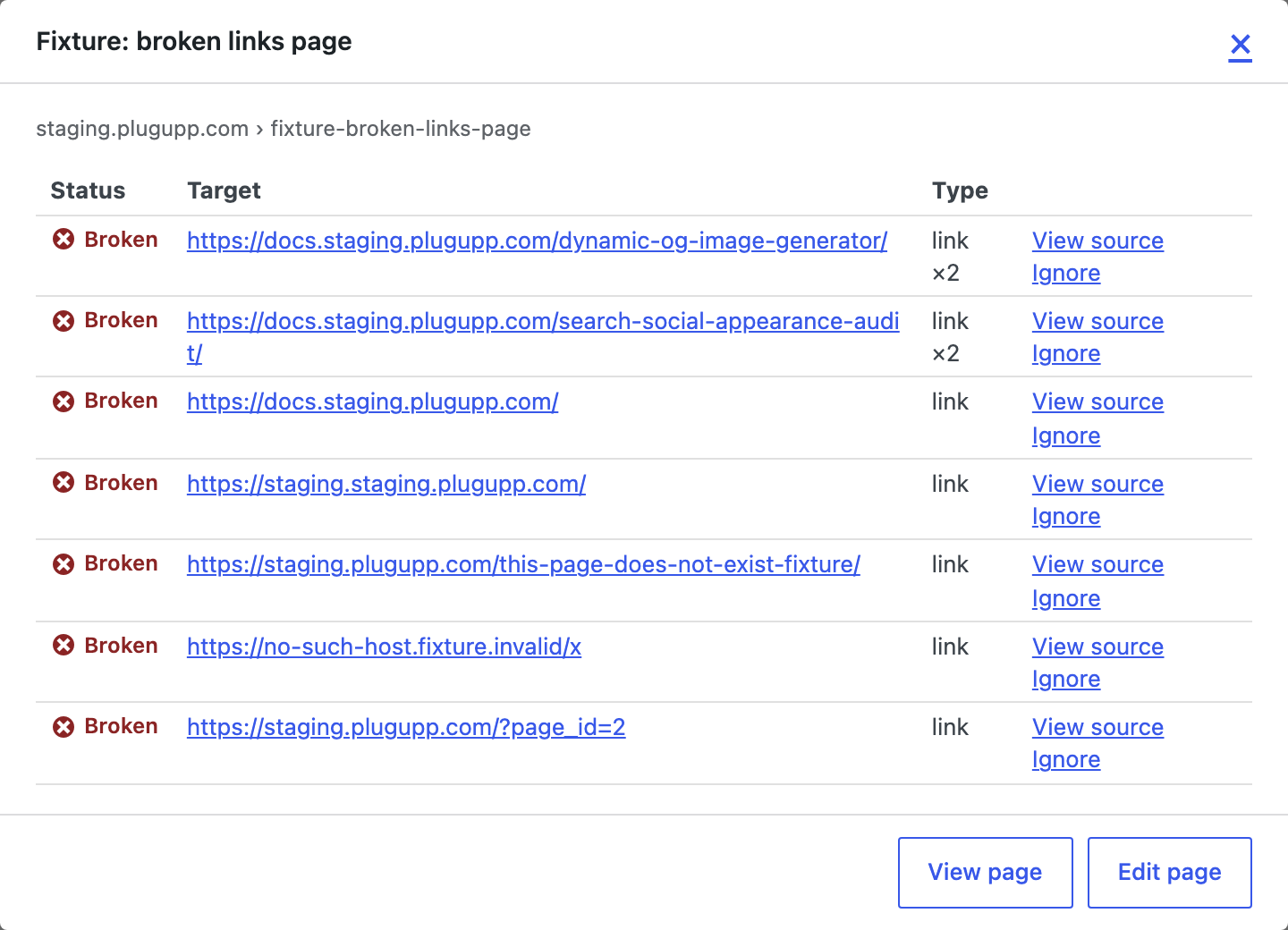
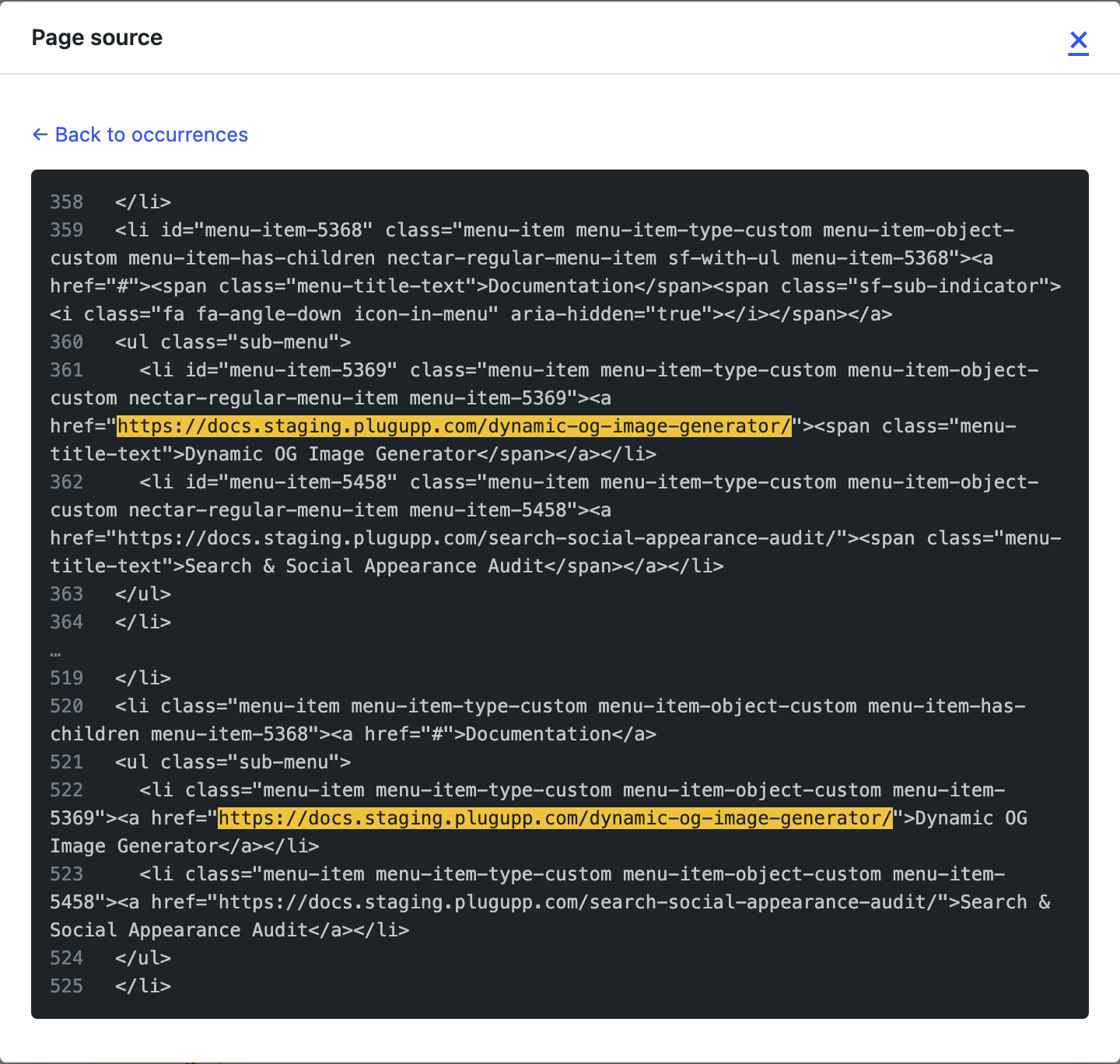
- Drill-down with evidence – see exactly which pages a broken URL appears on, and open the page source with the offending link or image highlighted in context
- URL parameter handling – cache-busters and tracking tags (ver, utm_source, fbclid and the like) are ignored so the same resource is not counted as many different URLs; the common ones are pre-filled, and you can add your own
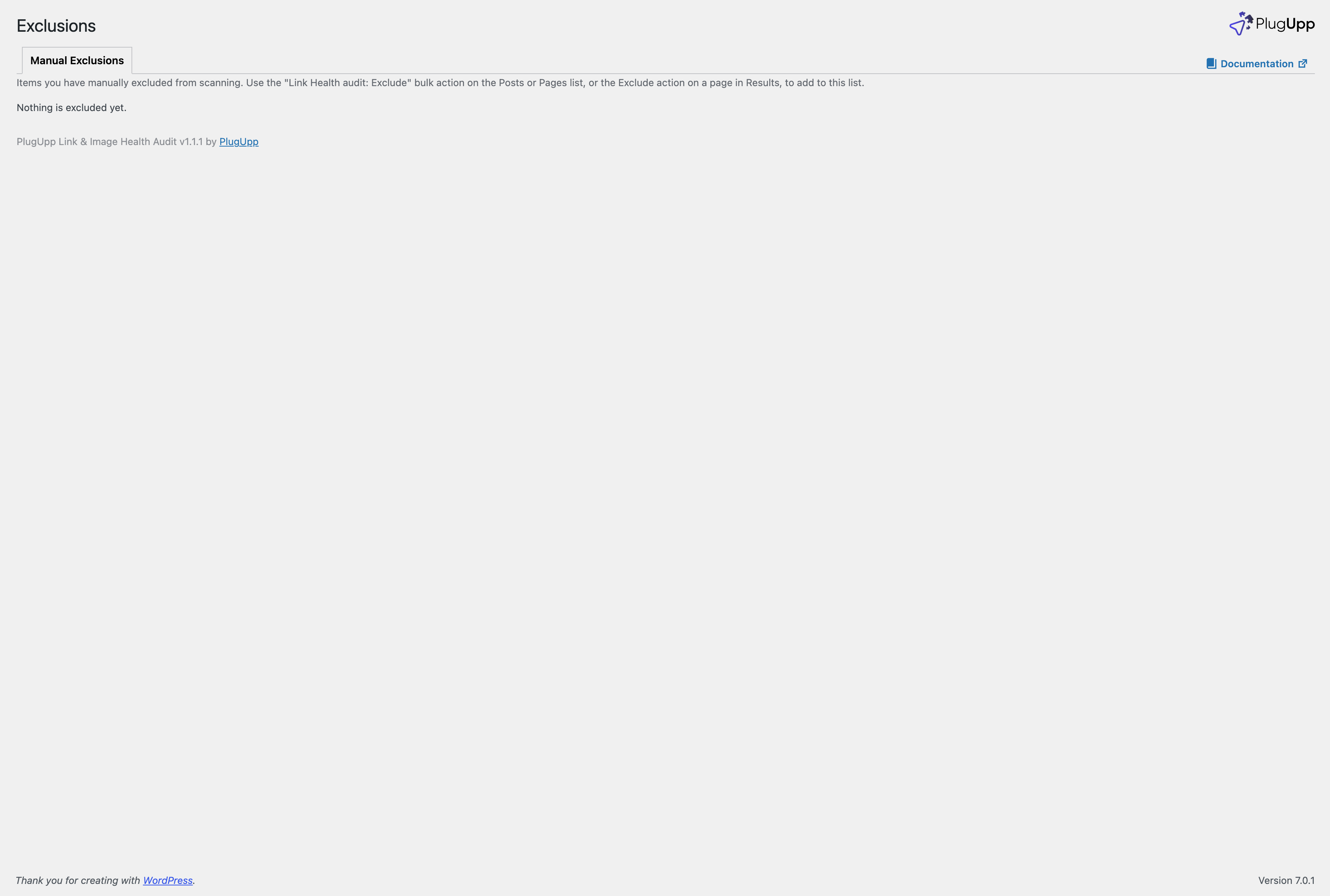
- Exclude and ignore – exclude pages from scanning individually, from the Exclusions screen, or in bulk from the standard Posts and Pages screens; ignore individual URLs
- Built-in log viewer – file-based logging with a viewer on the Logs tab
- No quotas, nothing leaves your site – scan as much as you like, entirely on your own server
Private and password-protected content is skipped automatically – visitors and search engines can never reach it, so there is nothing to check.
A premium version with additional automation and reporting features is available separately from https://plugupp.com/.
External services
This plugin connects to the following external services.
Link and image URLs found on your pages
Checking a link or image means requesting the URL to see whether it resolves. This is the core function of the plugin.
- When data is sent: during a scan, for every unique external link, image or resource URL found in your pages’ rendered output.
- What data is sent: nothing beyond the HTTP request to the URL itself, made only to read its response status (for example 200, 404, or a redirect). Only URLs that already appear on your own pages are contacted. Internal links are checked against your own server.
The plugin also renders your own pages by requesting them on your own server (a self-request); that is your site contacting itself, not a third-party service.
Google Safe Browsing (Premium, optional)
If you enable Safe Browsing checks and provide your own Google API key, the plugin checks external link destinations against the Google Safe Browsing threat lists.
- When data is sent: during a scan, only when you have entered a Google API key. With no key, this feature is off and nothing is sent.
- What data is sent: the external URLs found in your scan are sent to the Google Safe Browsing Lookup API to check them against Google’s malware and phishing lists.
- Terms of service: https://cloud.google.com/terms
- Privacy policy: https://policies.google.com/privacy
Freemius
The plugin uses the Freemius platform for licence activation, plan changes, plugin updates (for paid plans), and as the Merchant of Record for purchases.
- When data is sent: on first plugin activation as part of the user-consented opt-in flow, on licence activation or deactivation, on plugin update checks (paid plans), and on uninstall (for optional feedback). Sending the initial opt-in data is the user’s choice – declining the opt-in still lets the plugin work in full. Scanning is fully local and never requires the connection.
- What data is sent: standard Freemius opt-in data including site URL, administrator email address, WordPress version, PHP version, plugin version, and active theme name.
- Terms of service: https://freemius.com/terms/
- Privacy policy: https://freemius.com/privacy/
Screenshots
Installation
- Install from the WordPress.org plugin directory (Plugins > Add New), or upload the plugin ZIP (Plugins > Add New > Upload).
- Activate the plugin.
- Open the Link Health screen and click “Scan now” to check the links and images on your pages and posts. You can leave the page; the scan continues in the background.
- Review the By URL and By page tabs, and open any finding to see where it appears and view the source.
FAQ
-
How is this different from other broken link checkers?
-
Most checkers read links out of your database. This plugin renders each page the way a visitor’s browser would and checks the links and images that actually ship – including ones added by your theme, menus, widgets, footers and page builder, which database-only checkers never see. It runs entirely on your own server, with no external crawler and no per-link quota.
-
Does it crawl my site?
-
No. It audits only your known WordPress content and the links and images those pages output. It never follows links to discover new URLs like a crawler.
-
Does it send my site anywhere?
-
No. Scanning is local. To check whether an external link or image works, the plugin requests that URL directly from your server – but only URLs that already appear on your pages, and only to read their response. Google Safe Browsing checks are a Premium, opt-in feature that requires your own Google API key; without one, nothing is sent to Google.
-
Is the free plugin limited?
-
No. It is fully functional with no limits: it scans all your content – posts, pages, custom post types and WooCommerce products, and optionally unpublished content – and checks every link, image and resource. A premium version with additional automation and reporting features is available separately from https://plugupp.com/.
-
Are private or password-protected pages checked?
-
No. Private and password-protected content is skipped automatically. Visitors and search engines can never reach it, so there is nothing to check. Make a page public (or remove its password) and it is picked up on the next scan.
-
A link shows as “blocked” rather than broken. What does that mean?
-
Some hosts (for example sites behind Cloudflare) challenge automated requests. The plugin tells these apart from genuine failures and marks them “blocked, not broken” so you are not chasing false positives.
Reviews
There are no reviews for this plugin.
Contributors & Developers
“PlugUpp Link & Image Health Audit” is open source software. The following people have contributed to this plugin.
Contributors
Translate “PlugUpp Link & Image Health Audit” into your language.
Interested in development?
Browse the code, check out the SVN repository, or subscribe to the development log by RSS.
Changelog
1.1.1
- Improved: the activity log gains an “Errors and warnings” level, and the log file is now named after the plugin for easier identification.
- Fixed: uninstalling the plugin now removes all of its stored data and scheduled tasks.
1.0.4
- Initial public release.