
Description
Note: This plugin is NOT an accessibility overlay. It acts as an audit and assistance tool to help website administrators fix structural code errors rather than applying cosmetic patches.
Key Features
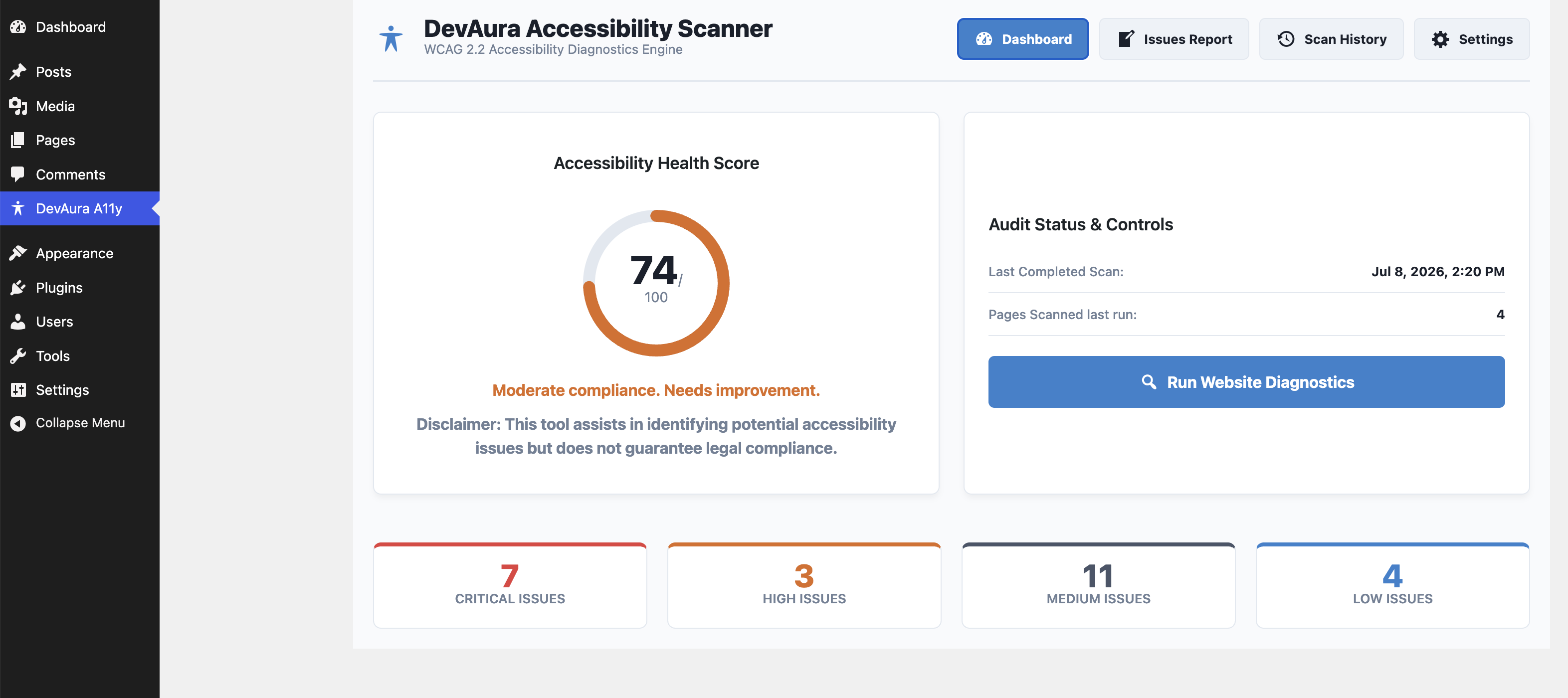
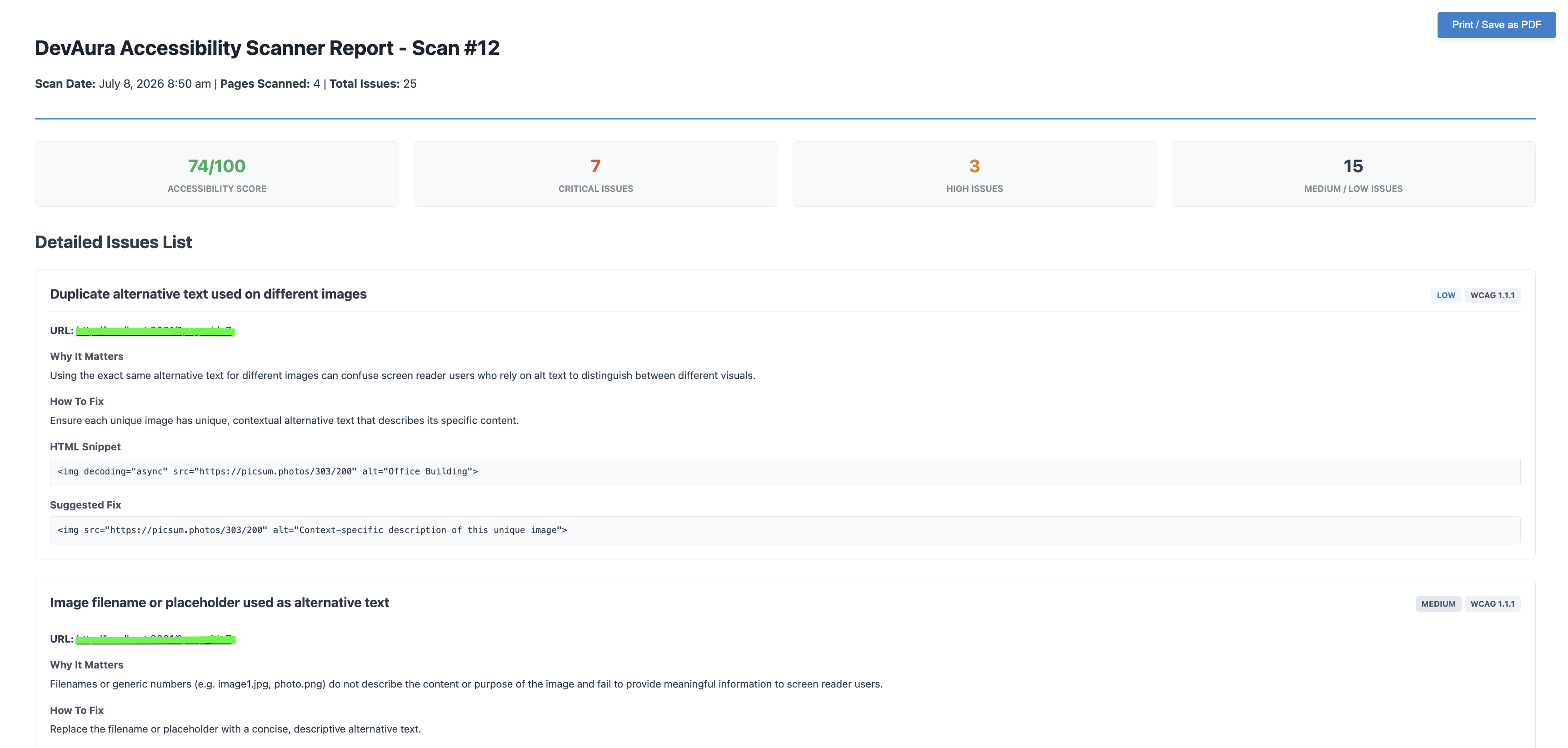
- Score Dashboard: Visual accessibility health grade (0-100) based on severity weighting.
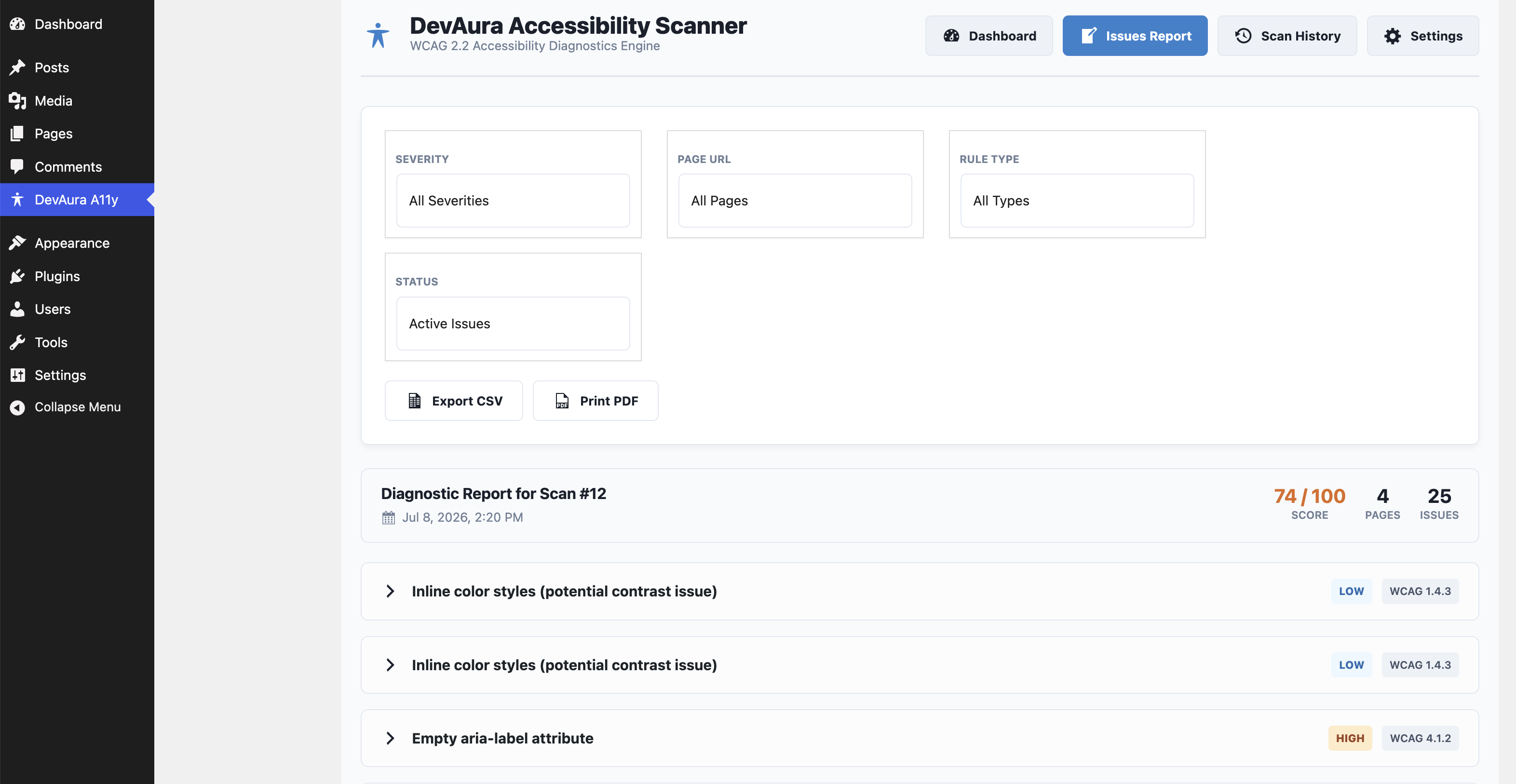
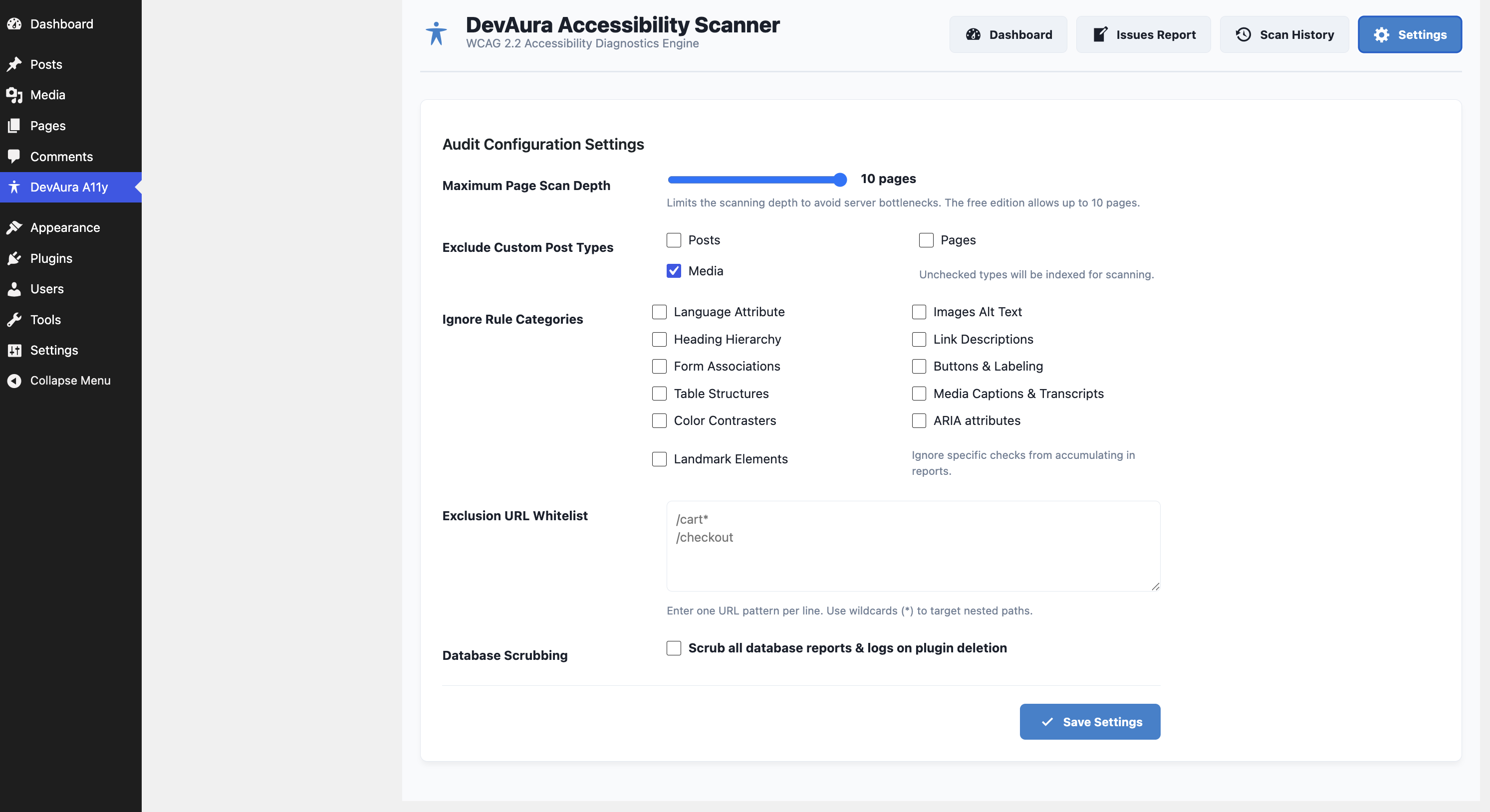
- In-Depth Auditing: Checks language tags, image alt attributes (missing, decorative/informative check, duplicate alts, filename alts), heading structures, form field connections, button labels, table header markup, media warning tags, ARIA spelling validation, and HTML5 layout landmarks.
- AJAX Scanning Engine: Safely queries up to 10 pages in small batches to completely avoid PHP timeout limits.
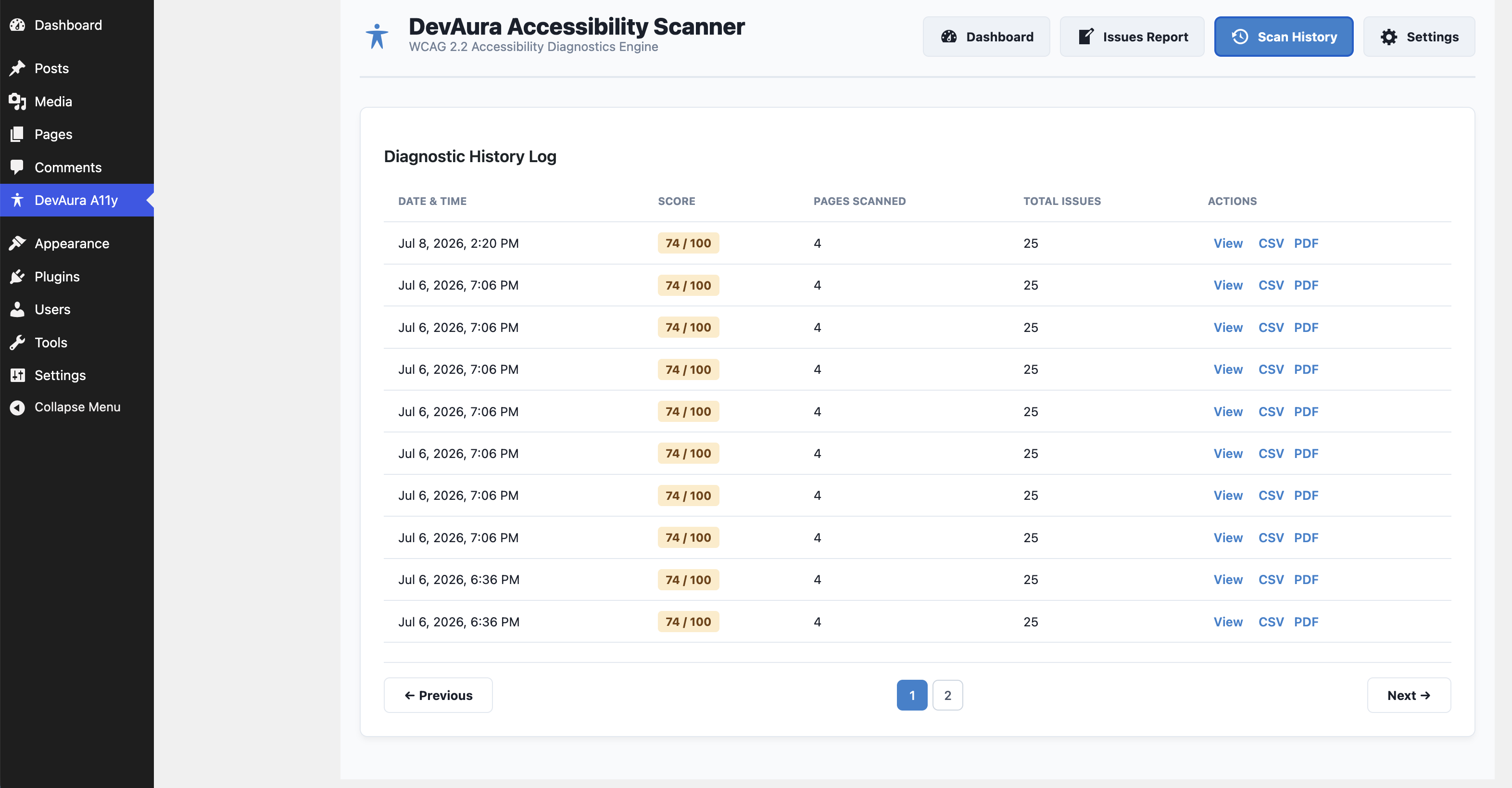
- Spreadsheet & PDF Exports: Download records in CSV or render print-ready layout templates.
- Robust Security: Includes REST endpoint capability checks (
manage_options), WordPress nonce authorization, and strict PHP input sanitization.
Developer Hooks
The plugin provides hooks to enable extension in premium custom versions:
1. devaura_accessibility_scanner_registered_rules (Filter)
Register custom WCAG rules. Custom rules must implement AccessibilityScanner\Analyzer\RuleInterface.
add_filter( 'devaura_accessibility_scanner_registered_rules', function( $rules ) {
    $rules[] = new MyCustomContrastRule();
    return $rules;
} );
2. devaura_accessibility_scanner_get_page_html (Filter)
Intercept page content retrieval before rules analyze it. Useful for mocking HTML or offline staging tests.
add_filter( 'devaura_accessibility_scanner_get_page_html', function( $html, $url ) {
    if ( $url === 'http://test.local/' ) {
        return '<html><html lang="en"><body><h1>Title</h1></body></html>';
    }
    return $html;
}, 10, 2 );
Uninstalling
By default, activating the plugin creates two custom tables: wp_devaura_as_scans and wp_devaura_as_issues. If you select Scrub all database reports & logs on plugin deletion in the settings tab, deleting the plugin will completely remove these tables and their records.
Screenshots
Installation
- Copy the
devaura-accessibility-scannerdirectory to your WordPress site’swp-content/plugins/folder. - Go to Plugins in the WordPress admin panel.
- Click Activate under DevAura Accessibility Scanner.
- Access the diagnostic console under the DevAura A11y menu item in your sidebar.
FAQ
-
Does this plugin automatically fix accessibility issues?
-
No. This plugin is an auditing and diagnostics engine. It identifies WCAG violations in your markup and offers guidelines on how to fix them directly in your code, rather than injecting cosmetic overlays that slow down your website.
-
Can I write custom auditing rules?
-
Yes! Developers can use the
devaura_accessibility_scanner_registered_rulesfilter hook to register custom rules that implement the rule interface. -
Does the scanner affect my website’s speed or performance?
-
No. The scanner performs checks in small asynchronous batches via the WordPress REST API in your dashboard. It does not scan external sites, does not impact front-end visitor page loads, and runs only when manually triggered.
-
Which WCAG standards does the scanner test against?
-
The plugin tests pages against key guidelines under the WCAG 2.2 (Level A and AA) standards. This includes checks for alt text, heading hierarchies, layout landmarks, ARIA spelling, buttons, labels, and color rules.
-
How is the compliance score calculated?
-
The health score (0-100) is calculated dynamically based on a severity-weighted scoring system. Critical issues lower your score significantly more than minor or low-severity warnings.
-
Does this plugin send data to external servers?
-
No. The DevAura Accessibility Scanner operates completely locally on your WordPress server. All scan results, reports, and configuration values are stored directly inside your own WordPress database. No tracking data is sent to external servers.
Reviews
There are no reviews for this plugin.
Contributors & Developers
“DevAura Accessibility Scanner” is open source software. The following people have contributed to this plugin.
Contributors
Translate “DevAura Accessibility Scanner” into your language.
Interested in development?
Browse the code, check out the SVN repository, or subscribe to the development log by RSS.
Changelog
1.0.0
- Initial release of DevAura Accessibility Scanner.