

Description
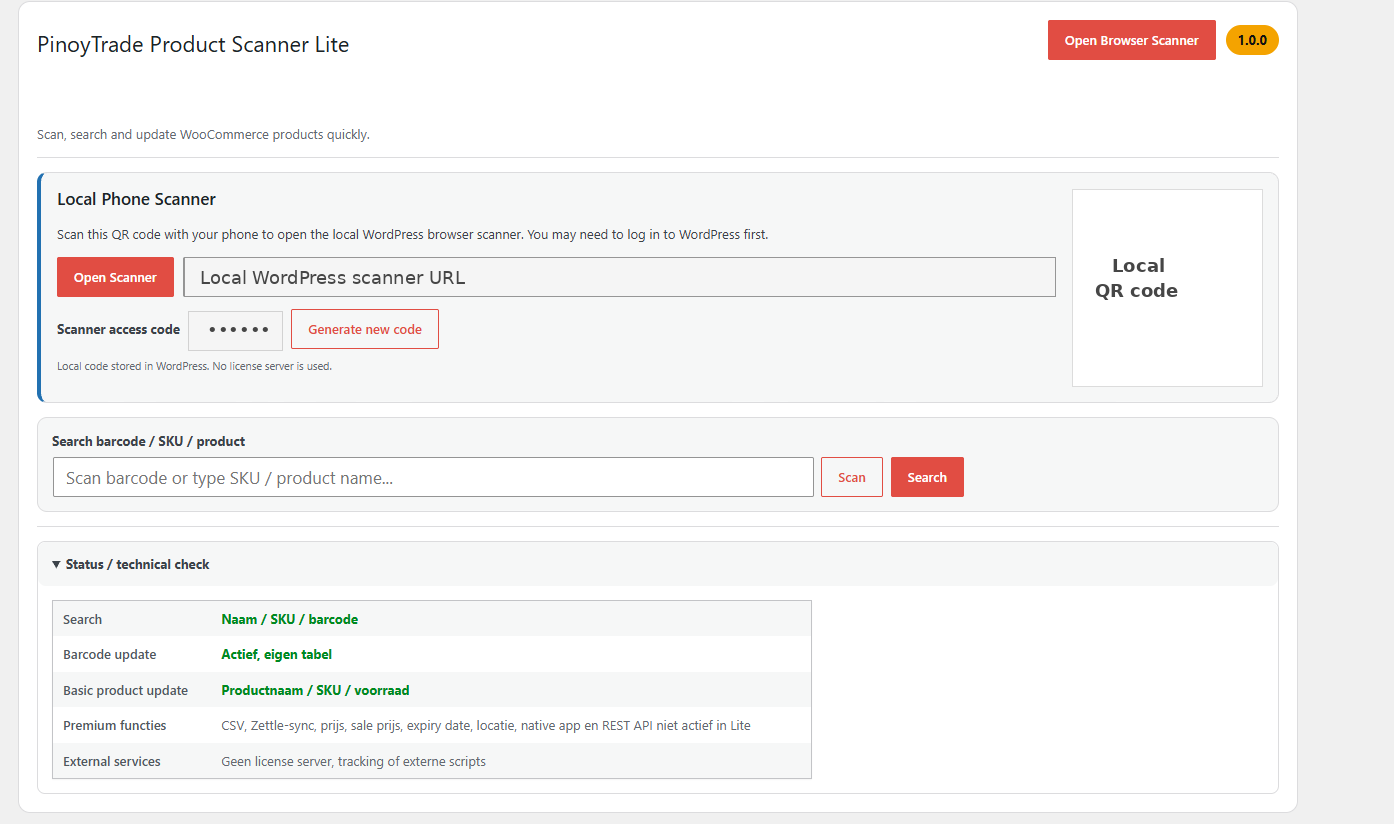
PinoyTrade Product Scanner Lite is a free WooCommerce browser-based scanner for quick product lookup and basic product updates.
Lite includes:
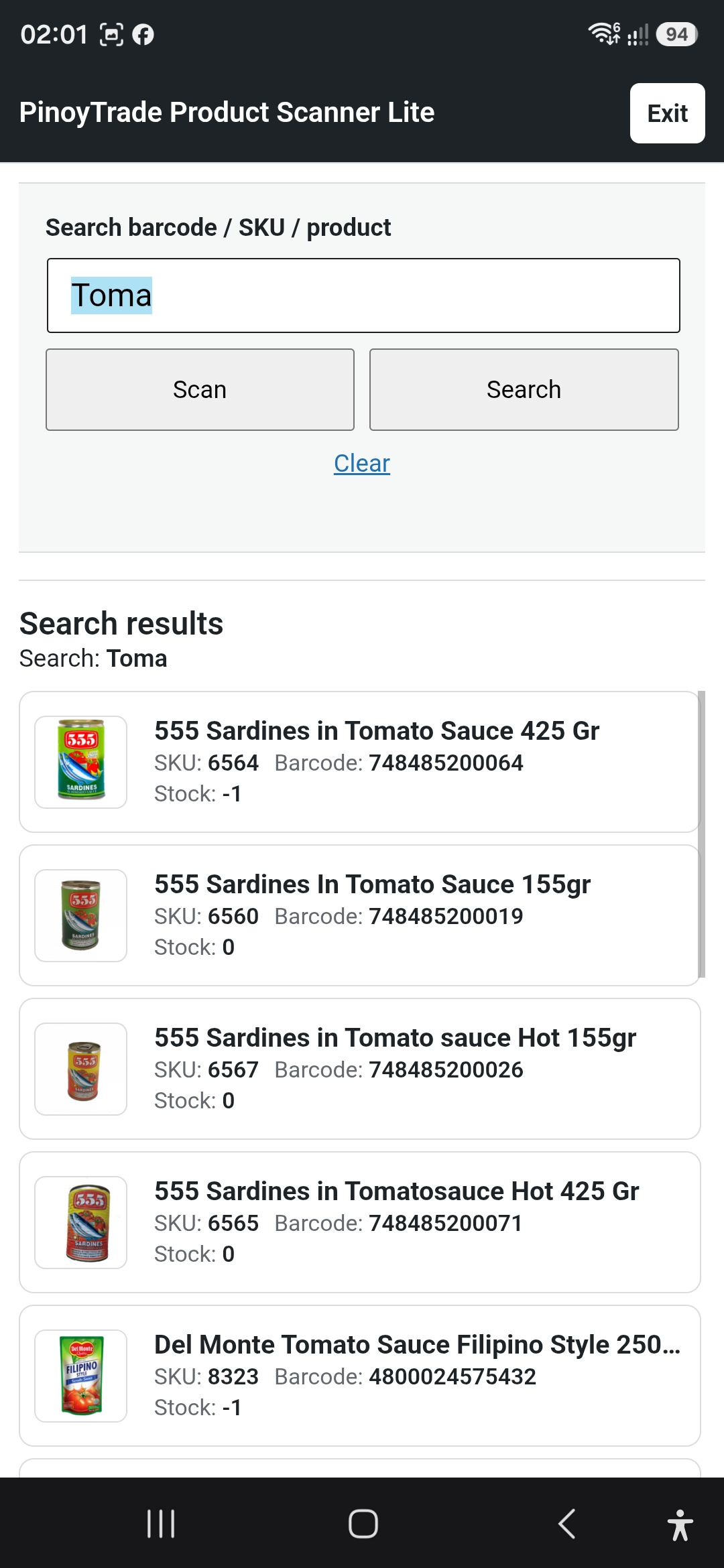
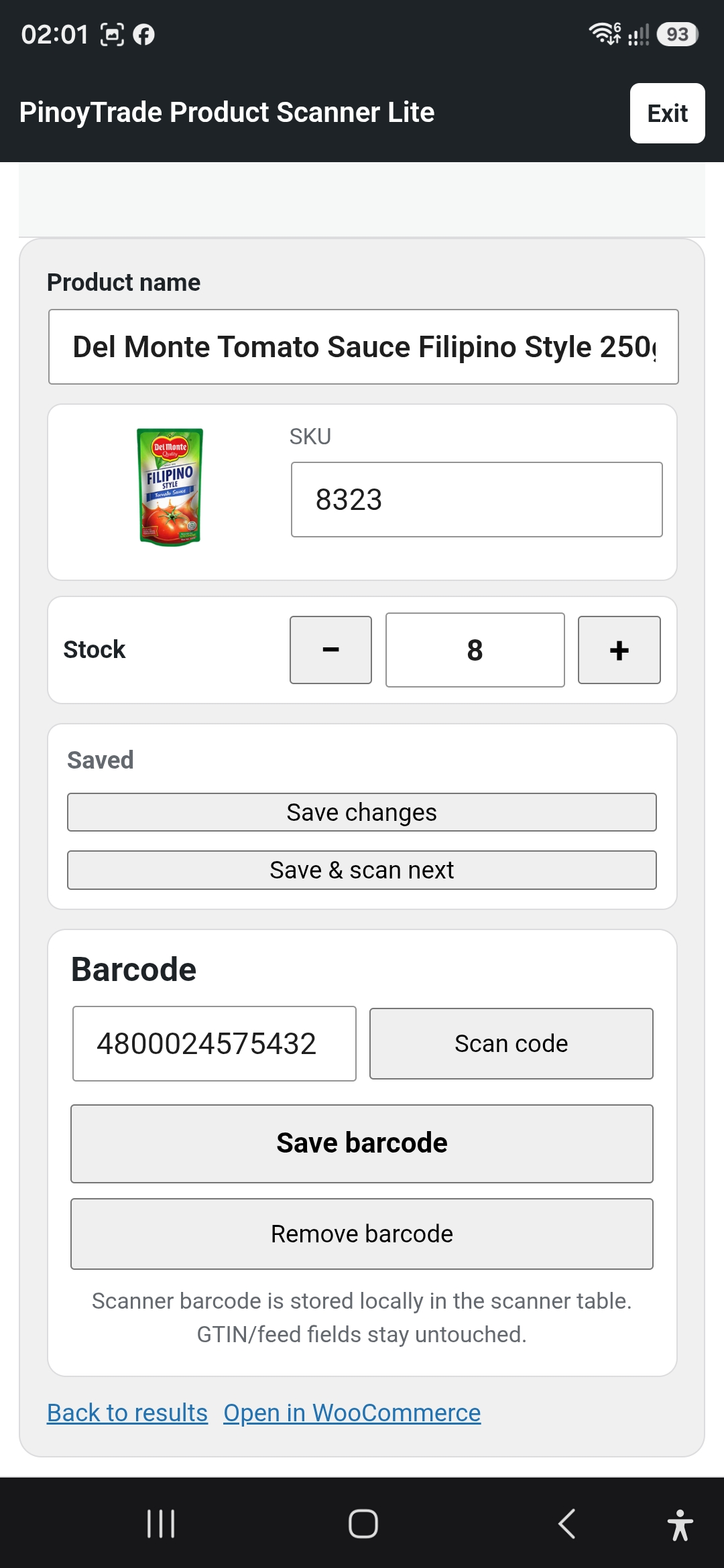
- Barcode scanning through a supported phone or browser camera.
- Open Scanner button and local QR code to the WordPress browser scanner.
- Local scanner access code generated and stored in WordPress.
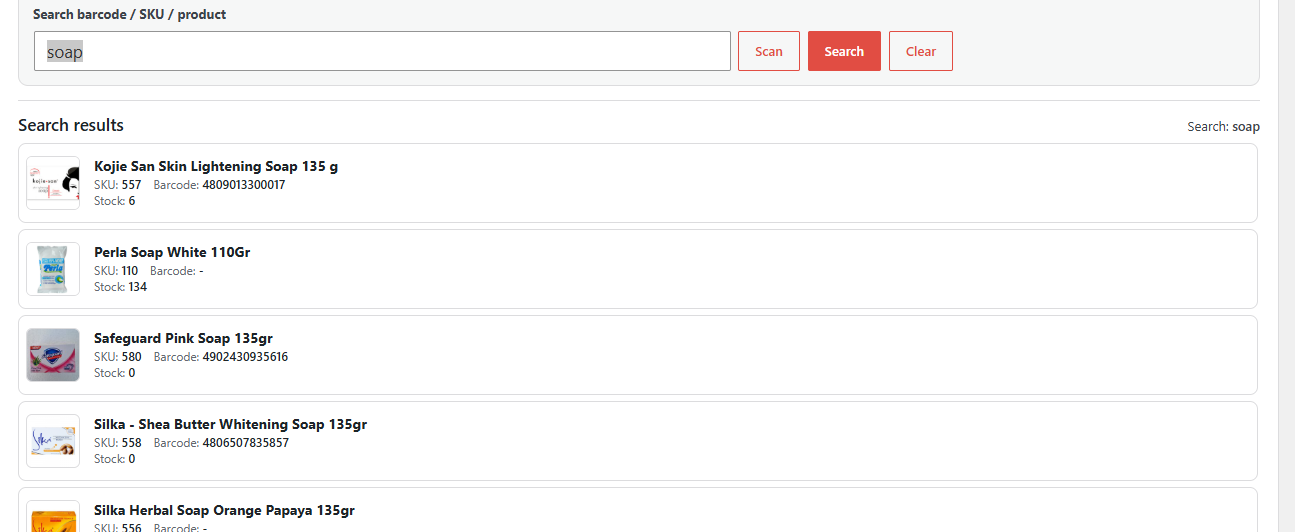
- Product lookup by scanner barcode, SKU and product name.
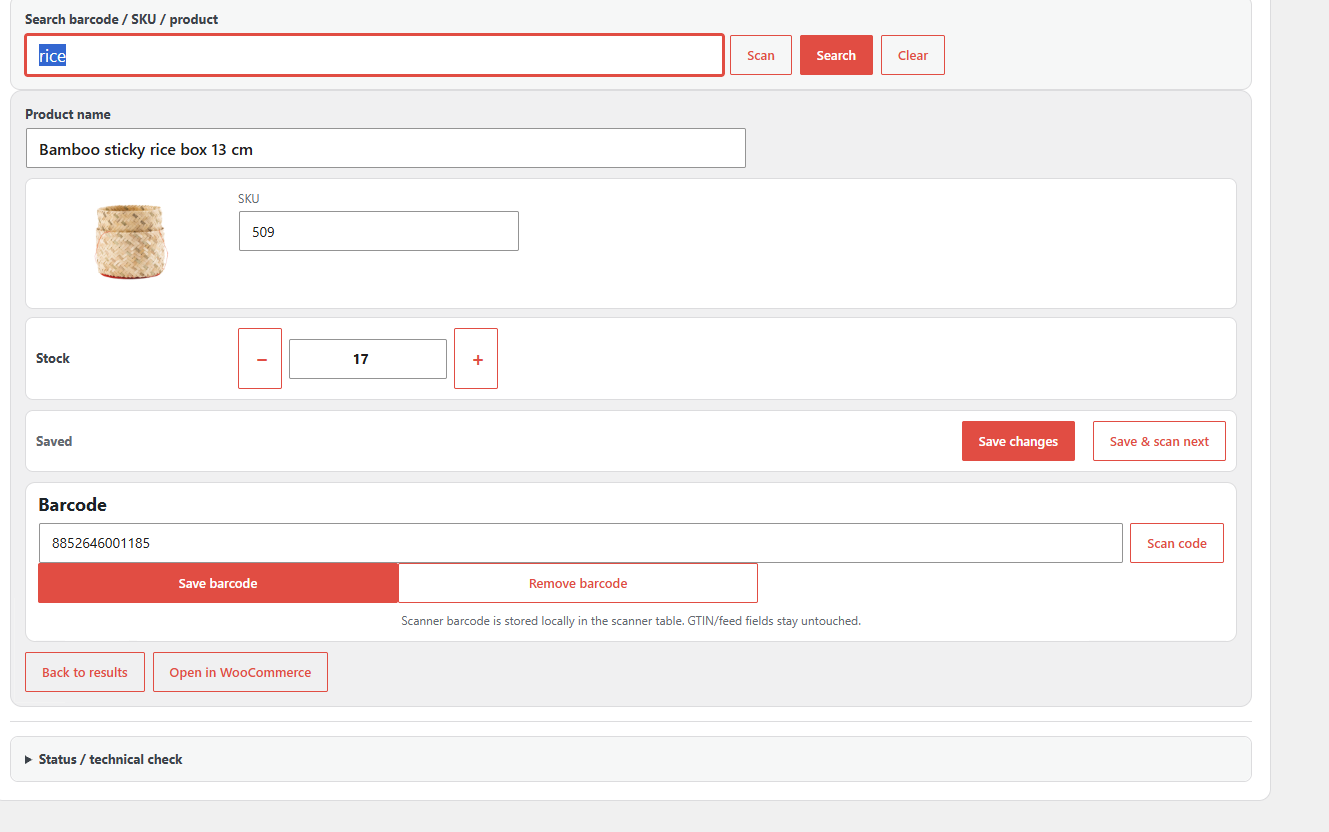
- Scanner barcode add/update/remove per WooCommerce product.
- Barcode conflict checks.
- Basic product updates for product name, SKU and stock quantity.
- WooCommerce product edit metabox for the scanner barcode.
The scanner barcode table is the source of truth. Zettle, GTIN and feed fields such as _zettle_barcode, _wc_gla_gtin and _webwinkelkeur_gtin are not used as scanner barcode masters and are not updated by Lite.
Available in Pro: CSV import/export, Zettle sync, price and sale price updates, expiry date, stock location, native mobile app, Connect QR, REST API and future POS connection.
Privacy
PinoyTrade Product Scanner Lite does not send scanner barcode data, product data or usage data to PinoyTrade servers.
Scanner barcode data, scanner access code and product updates remain stored locally in your WordPress/WooCommerce database. The local QR code is generated in the browser from the local WordPress scanner URL. The plugin does not use external tracking and does not load external scripts or CDN assets.
External Services
This Lite plugin does not require an external license server, trial server, activation server or PinoyTrade cloud service.
Uninstall / Data Retention
By default, uninstall does not automatically delete scanner barcode tables, change logs or WooCommerce product meta. This prevents accidental loss of product barcode history and local product data.
If you want to remove retained data, make a database backup first and then remove the plugin tables and related product meta manually.
Screenshots
Installation
- Upload the plugin ZIP through Plugins > Add New > Upload Plugin.
- Activate the plugin.
- Make sure WooCommerce is active.
- Open WooCommerce > Product Scanner Lite.
- Use the browser scanner or search field to find products by barcode, SKU or product name.
Only users with the manage_woocommerce capability can access the scanner and save product changes. The phone/browser scanner uses the normal WordPress login plus a local scanner access code.
FAQ
-
Does Lite require a license key?
-
No. Lite works without a license key, trial period or external license check.
-
Does the plugin update GTIN fields?
-
No. The scanner barcode is stored in the plugin’s own local table. The plugin does not write to _wc_gla_gtin, _webwinkelkeur_gtin or other GTIN/feed fields.
-
What happens when the same barcode is saved on the same product?
-
The plugin accepts it as no conflict/no meaningful change.
-
What happens when the same barcode is saved on another product?
-
Saving is blocked to prevent barcode conflicts.
-
Does Lite sync to Zettle?
-
No. Zettle sync is a Pro feature. Lite does not write to _zettle_barcode.
-
Does Lite include price editing, sale price editing, expiry date, stock location, native apps, REST API or POS?
-
No. Those are not active in Lite.
Reviews
There are no reviews for this plugin.
Contributors & Developers
“PinoyTrade Product Scanner Lite” is open source software. The following people have contributed to this plugin.
Contributors
Translate “PinoyTrade Product Scanner Lite” into your language.
Interested in development?
Browse the code, check out the SVN repository, or subscribe to the development log by RSS.
Changelog
1.0.1
- Added the WordPress.org owner account tkerkhof as the contributor.
- Replaced legacy generic internal prefixes with the unique Lite prefix pinoprsc.
- Added a safe one-time migration for retained v1.0.0 scanner barcodes, change logs and the local access code.
- Existing v1.0.1 barcode choices take precedence and retained legacy data is not deleted.
- Kept the plugin slug and text domain unchanged.
- No Lite features were added or removed.
1.0.0
- Initial Lite release based on the existing no-license v1.0.0 barcode-stable scanner basis.
- Renamed public plugin branding to PinoyTrade Product Scanner Lite.
- Removed hardcoded override access code.
- Kept local QR/PWA/browser-phone scanner flow with WordPress login and local access code.
- Removed CSV preview/import layer from Lite.
- Moved Zettle sync, price/sale price updates, expiry date, stock location, native app, Connect QR and REST API out of Lite scope.
- Kept browser barcode scanning, product lookup, barcode conflict checks, barcode add/update/remove, SKU update, product name update and stock update.
- Added WordPress.org readme, GPL license file and uninstall/data-retention explanation.