

Description
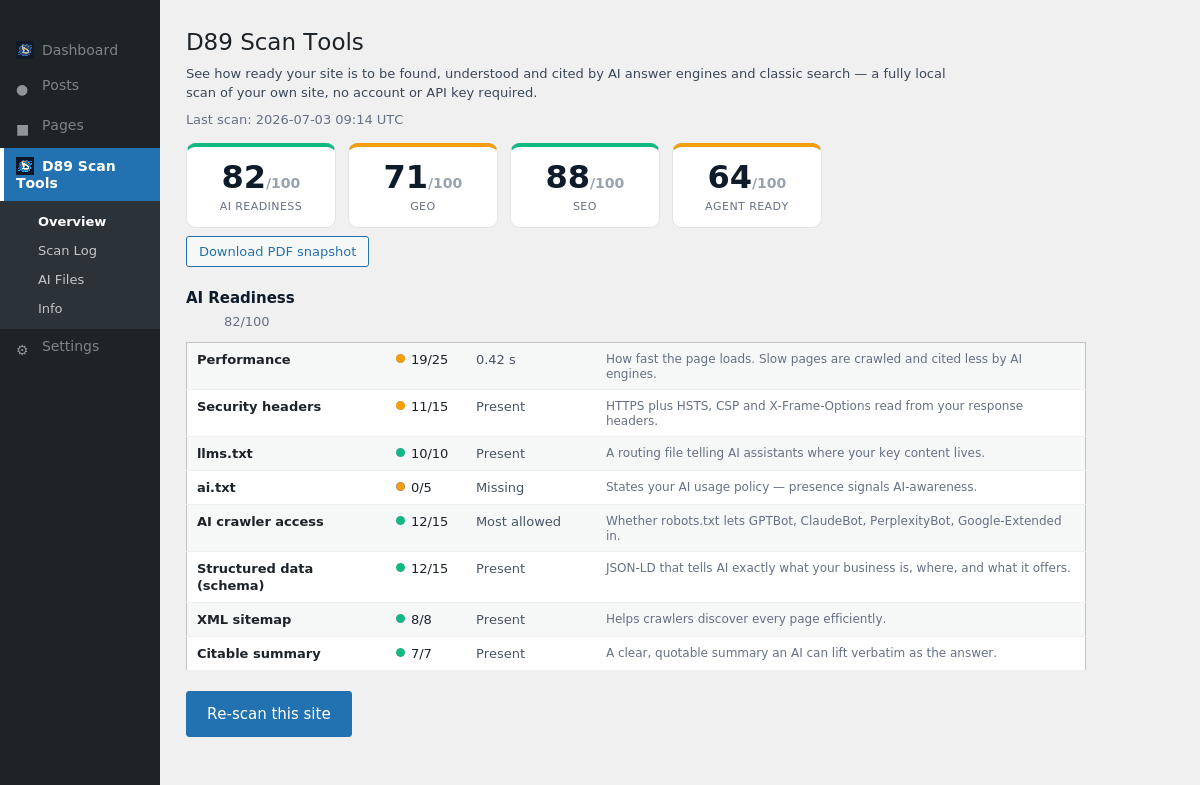
AI answer engines like ChatGPT, Google AI Overviews, Gemini, Perplexity and Claude are becoming a primary way people find businesses. Daryo89 Multi Scan and AI Assessment scores how ready your site is to be discovered, understood and cited by those engines — and by classic search — and shows you exactly what to fix.
Everything runs locally on your own server. The plugin analyses your own site’s HTML and HTTP response headers. It makes no third-party API calls, needs no account and no API key, and stores nothing off-site.
What it scores (all on-page, all local):
- AI Readiness — security headers,
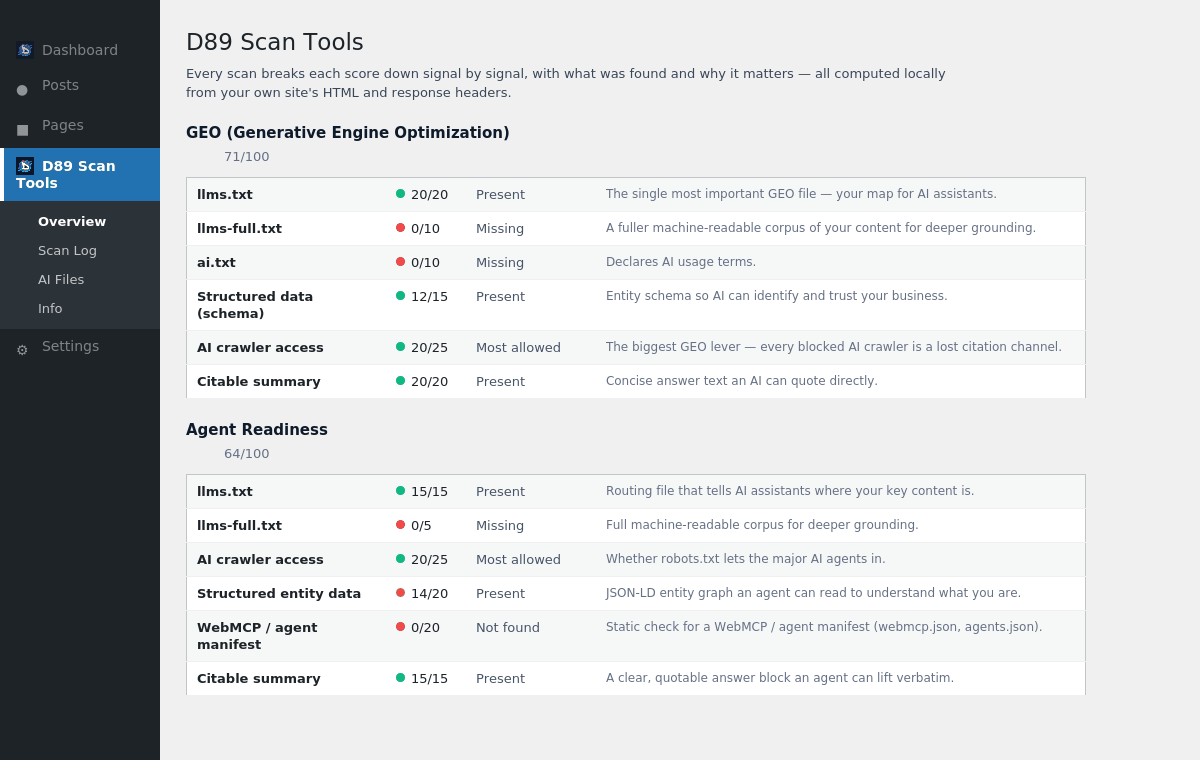
llms.txt/ai.txt, AI-crawler access, structured data, XML sitemap and a citable summary. - Agent Readiness — how prepared your site is for AI agents: routing files, crawler access, entity schema, a WebMCP / agent manifest and a quotable answer block.
- GEO (Generative Engine Optimization) — the files and signals that decide whether AI assistants can cite you:
llms.txt,llms-full.txt,ai.txt, schema, crawler access and citable content. - SEO — the classic on-page essentials: title, meta description, H1, canonical, viewport, Open Graph, sitemap, crawler access and HTTPS.
Also included:
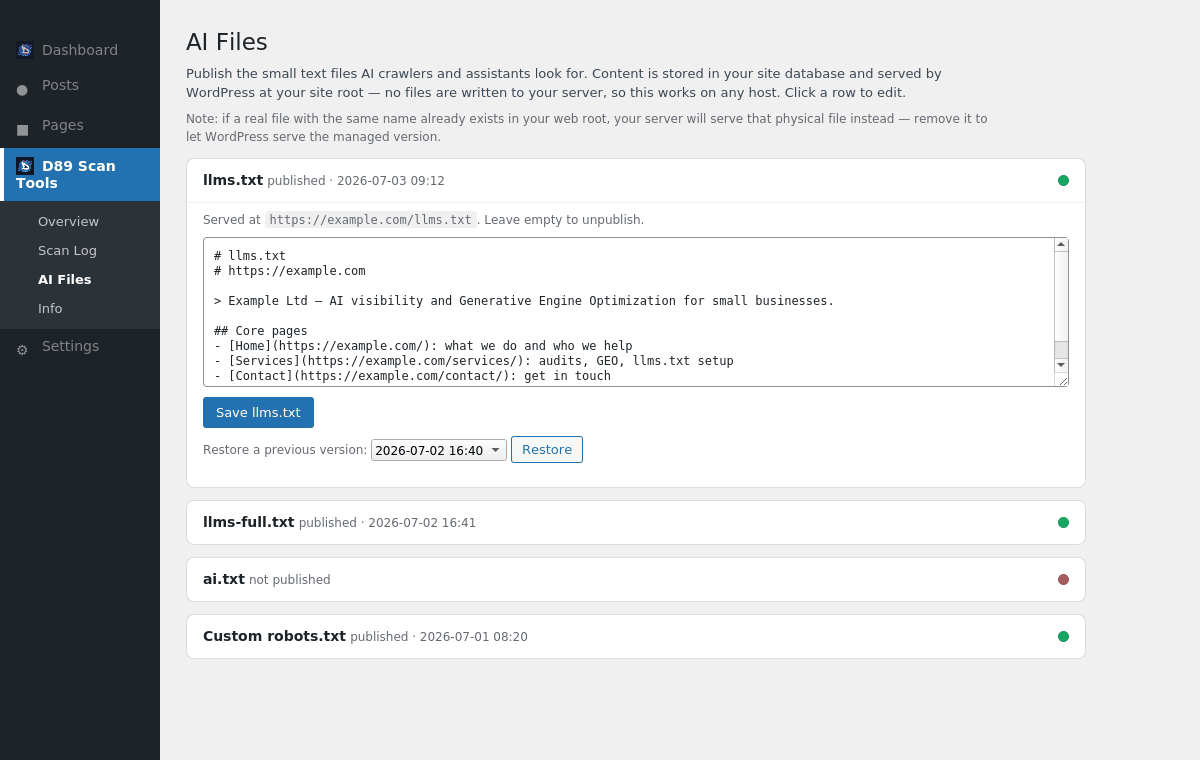
- AI Files manager — publish the small text files AI crawlers look for:
llms.txt,llms-full.txt,ai.txtand a customrobots.txt. Content is stored in your database and served by WordPress at your site root, so it works on any host without writing files to your server. - Branded PDF snapshot — download a clean, shareable report of any scan.
- Scan log — keep a history of scans and export it to CSV to track progress over time.
Free, and truly local. No sign-up, no key, no data leaving your site.
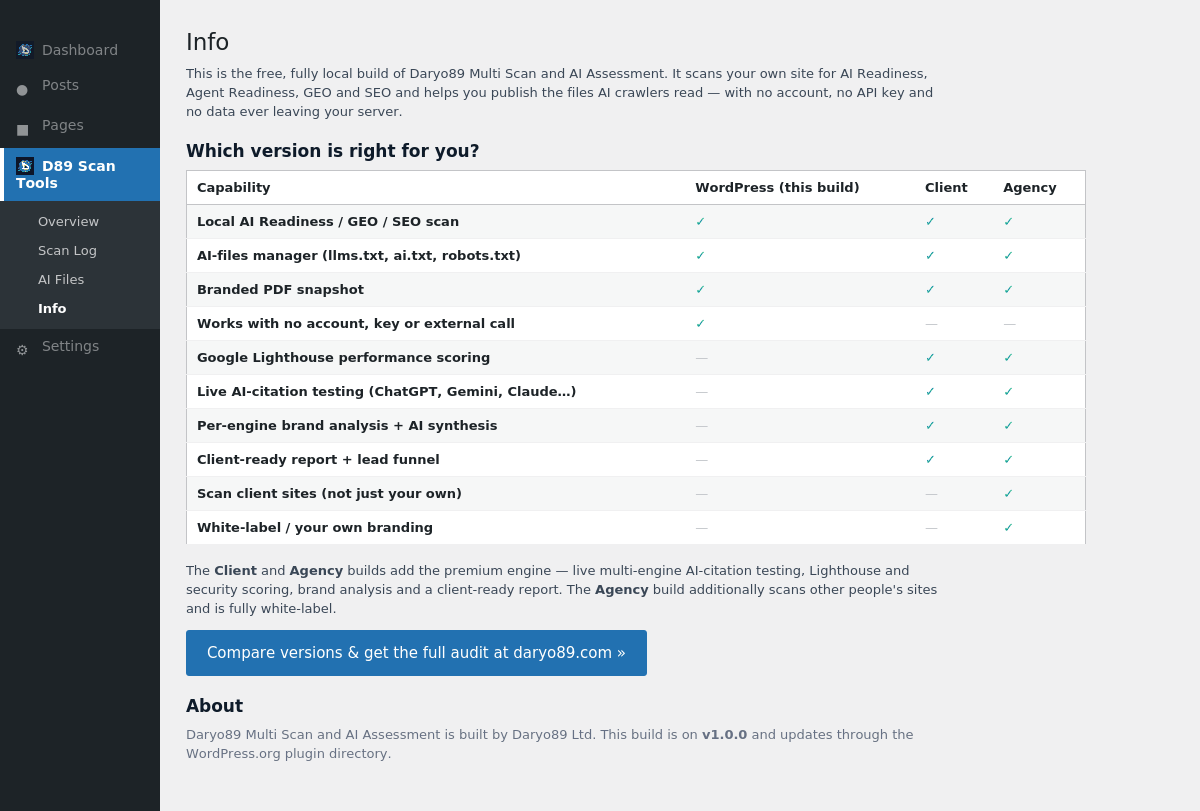
Want live, multi-engine AI-citation testing (does ChatGPT / Gemini / Claude actually mention you?), Google Lighthouse performance scoring, per-engine brand analysis and a client-ready report? Those are part of the paid Client and Agency editions available at daryo89.com. This free plugin’s Info tab compares the editions.
Built by Daryo89 Ltd, a UK digital-architecture and Generative Engine Optimization consultancy. “D89” and “Daryo89” are the author’s own brand.
Screenshots
Installation
- Upload the plugin to
/wp-content/plugins/or install it from the Plugins screen in your dashboard. - Activate it through the Plugins menu in WordPress.
- Open D89 Scan Tools in the admin menu and click Scan this site now.
- Review your AI Readiness, Agent Readiness, GEO and SEO scores, then use the AI Files tab to publish
llms.txt,ai.txtand friends.
FAQ
-
Does this send my data anywhere?
-
No. The plugin reads your own site’s HTML and HTTP response headers on your server to compute the scores. It makes no third-party API calls and stores nothing off-site.
-
Do I need an API key or an account?
-
No. This build is fully local and needs neither.
-
How are the AI files (llms.txt, ai.txt) published?
-
They are stored in your WordPress database and served by WordPress at your site root (for example
https://example.com/llms.txt). Nothing is written to your filesystem and no server configuration is changed, so it works on shared, read-only and multisite hosts. If a real file with the same name already exists in your web root, your server serves that one instead — remove it to let the managed version show. -
Why don’t I see a Google Lighthouse / PageSpeed score?
-
This free build is deliberately local-only, so it doesn’t call Google PageSpeed. Performance is estimated from your site’s own response time. Full Google Lighthouse scoring is part of the paid Client and Agency editions at daryo89.com.
-
What is llms.txt and why does it matter?
-
llms.txt is a plain-text file that tells AI assistants where your key content lives, so they can find and cite it accurately. The AI Files tab helps you create and publish it.
-
What’s the difference between this and the Client / Agency editions?
-
This free build scores and helps you fix your own site locally. The paid Client and Agency editions add live AI-citation testing across multiple engines, Lighthouse and security scoring, per-engine brand analysis and a client-ready report; the Agency edition also scans other people’s sites and is white-label. See the plugin’s Info tab for a full comparison.
Reviews
There are no reviews for this plugin.
Contributors & Developers
“Daryo89 Multi Scan and AI Assessment” is open source software. The following people have contributed to this plugin.
Contributors
Translate “Daryo89 Multi Scan and AI Assessment” into your language.
Interested in development?
Browse the code, check out the SVN repository, or subscribe to the development log by RSS.
Changelog
1.0.2
- Report PDF: made clear that every check is performed locally on your own server. Removed the signals block that named Google PageSpeed and Mozilla Observatory (this free build never contacts them); the report now shows the equivalent locally-measured site signals plus a per-header security section, each explained in plain English.
- Info screen: added a plain-English list of exactly what the free build checks on your own server, added a local security-header row to the comparison, and tidied the version comparison wording.
1.0.1
- Updated the bundled FPDF library to the latest stable release (1.86).
- Housekeeping: removed an unused, unprefixed library constant definition; core-font metrics now resolve automatically from the bundled font directory.
1.0.0
- Initial public release: fully local AI Readiness, Agent Readiness, GEO and SEO scoring; AI Files manager (llms.txt, llms-full.txt, ai.txt, robots.txt) served from the database by WordPress; branded PDF snapshot; scan log with CSV export. No account, no API key, no third-party calls.