

Description
Rosenheinrich Multisite Migrate is a fully functional, free backup and migration plugin for WordPress, with full multisite network support included.
Everything in this plugin works out of the box. There is no license key, no trial, and no usage limit. Advanced workflows (scheduling, cloud storage, and similar) are offered in the separate Multisite Migrate Pro plugin listed below.
Free features (all included)
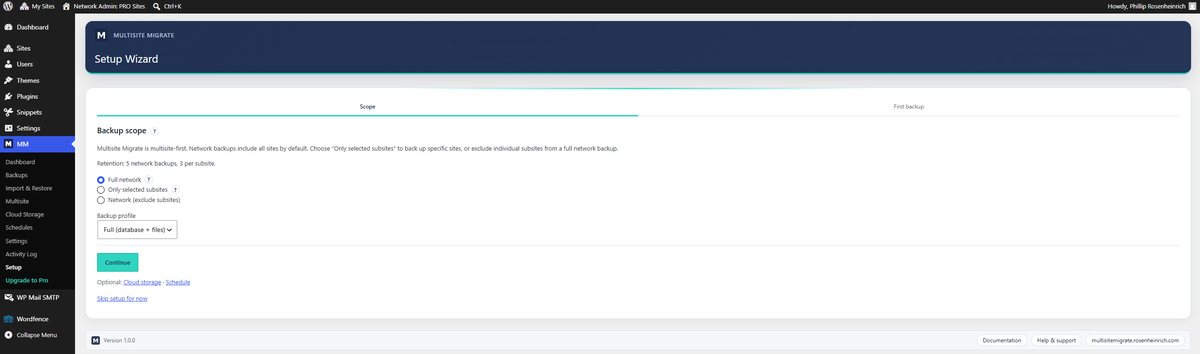
- Full multisite network backups — back up and restore an entire network from Network Admin.
- Backup files & database — reliable, chunked jobs that run over HTTP or WP-Cron and resume safely on large sites.
- One-click restore — restore any backup created with the plugin.
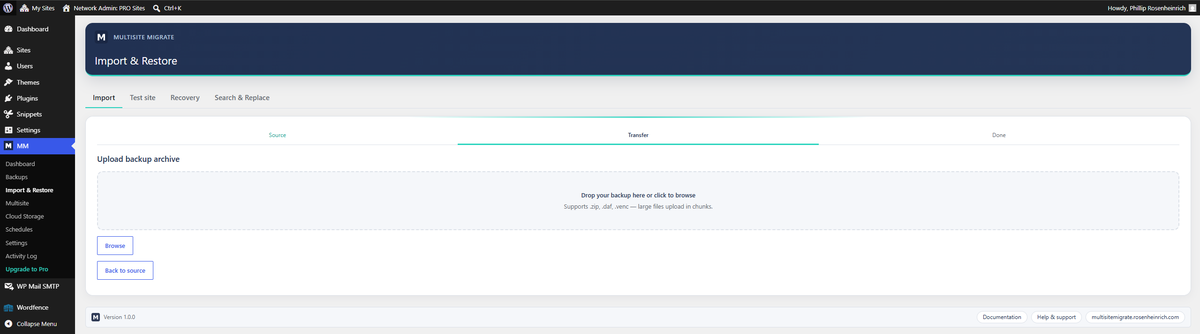
- Local export & import — move a site between installs with a portable archive.
- Search & replace — safely rewrite URLs and paths during import and migration, with serialized-data support.
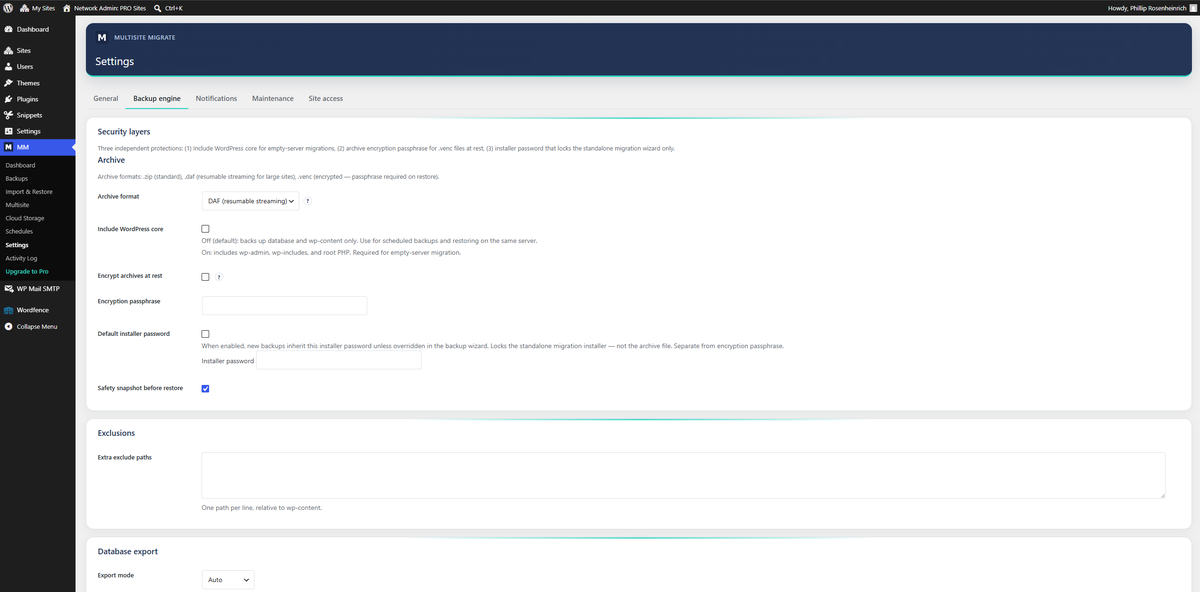
- AES-256 archive encryption — optionally encrypt backup archives.
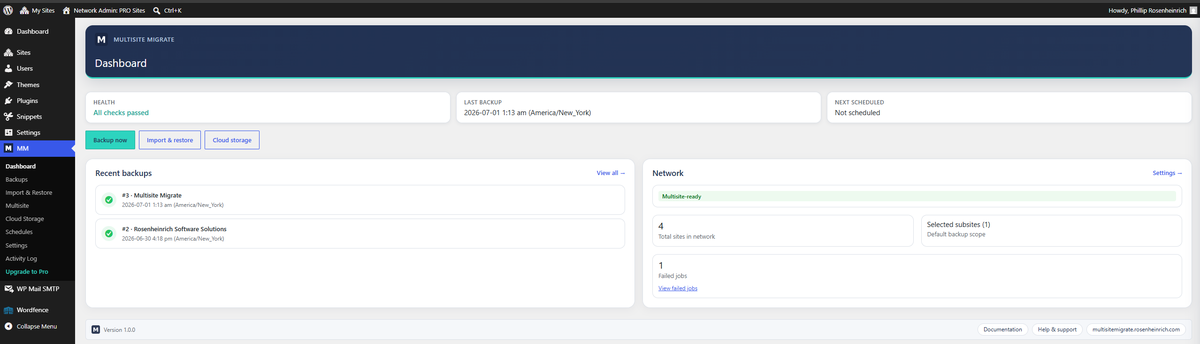
- Health dashboard — environment checks and backup status at a glance.
- Subsite admin backup & restore — on multisite, site administrators with manage_options can back up and restore their own subsite from the site admin dashboard (included free; no seat delegation UI).
Multisite Migrate Pro
Some advanced workflows are available in a separate plugin, Multisite Migrate Pro, distributed from our website. Pro is not required for any of the features above. Pro adds:
- Automated backup schedules and incremental file backups
- Email notifications
- Per-site access controls and subsite seat limits for large networks (Settings Site access)
- Cloud storage destinations (Google Drive, Dropbox, Amazon S3, SFTP)
- Remote (server-to-server) import
- Empty-server drag & drop installer
- Staging push
- WP-CLI commands
- Priority support
Learn more and compare plans: https://multisitemigrate.rosenheinrich.com/pricing/
Screenshots
Installation
- Upload the plugin to
/wp-content/plugins/or install it from Plugins Add New. - Activate it through the Plugins screen. On a multisite network you can network-activate it.
- Open Multisite Migrate in the admin menu and create your first backup.
FAQ
-
Does the free version really support multisite?
-
Yes. Backing up and restoring a full multisite network from Network Admin is included in the free plugin, with no key or upgrade required. Site administrators with the manage_options capability can also back up and restore their own subsite from the site admin dashboard. Delegating subsite access with seat limits under Settings Site access is part of Multisite Migrate Pro (Plus or Pro license).
-
Do I need an account or license key?
-
No. The free plugin is completely functional with no key, no trial and no time or usage limits.
-
Where are backups stored?
-
In the free version, backups are stored locally in your WordPress uploads area. Cloud storage destinations are part of the separate Multisite Migrate Pro plugin.
-
How do I restore a backup?
-
Open Multisite Migrate Backups, choose a backup and restore it directly from the dashboard.
-
What is the difference between the free plugin and Pro?
-
The free plugin handles manual backups, restore, local import/export, search & replace, encryption, full multisite network backups from Network Admin, and subsite admin backup & restore on the administrator’s own subsite. Pro is a separate download that adds scheduling, cloud storage, site access delegation with subsite seats, remote import, the empty-server installer, staging and WP-CLI.
Reviews
There are no reviews for this plugin.
Contributors & Developers
“Rosenheinrich Multisite Migrate – Backup & Restore” is open source software. The following people have contributed to this plugin.
Contributors
“Rosenheinrich Multisite Migrate – Backup & Restore” has been translated into 1 locale. Thank you to the translators for their contributions.
Translate “Rosenheinrich Multisite Migrate – Backup & Restore” into your language.
Interested in development?
Browse the code, check out the SVN repository, or subscribe to the development log by RSS.
Changelog
1.0.2
- Bug fixes and admin UI improvements.
1.0.1
- Fixed backup job resume edge cases on shared hosting and slow WP-Cron schedules.
- Improved setup wizard and admin UI consistency on smaller screens.
- Performance improvements for large multisite file scans and database exports.
- General stability fixes following the WordPress.org launch.
1.0.0
- Initial public release of the free edition: multisite-aware backups, restore, local import/export, search & replace, AES-256 encryption and a health dashboard.