

Description
FormFlow Gravity Forms Ext for GoHighLevel (GHL) allows Gravity Forms submissions to be automatically synced with GoHighLevel CRM.
Whether you need to send Gravity Forms leads to GoHighLevel, sync form submissions, or route leads into specific GoHighLevel locations, FormFlow provides a simple and reliable solution.
The plugin allows users to route Gravity Forms submissions to specific GoHighLevel locations with form-level controls and tagging support using a native Gravity Forms feed.
Use Cases
Popular use cases include:
☑️ Sync Gravity Forms submissions to GoHighLevel locations
☑️ Automatically create GoHighLevel contacts from Gravity Forms
☑️ Apply GoHighLevel tags based on submitted forms
☑️ Route leads to different GoHighLevel sub-accounts
☑️ Automate lead capture workflows between WordPress and GHL
☑️ Connect Gravity Forms with GoHighLevel marketing automation
☑️ Send website leads directly into GoHighLevel CRM pipelines
Supported integrations:
☑️ Gravity Forms
Features
☑️ Secure GoHighLevel (GHL) account authentication
☑️ Multi-location GoHighLevel support
☑️ Form-specific lead routing
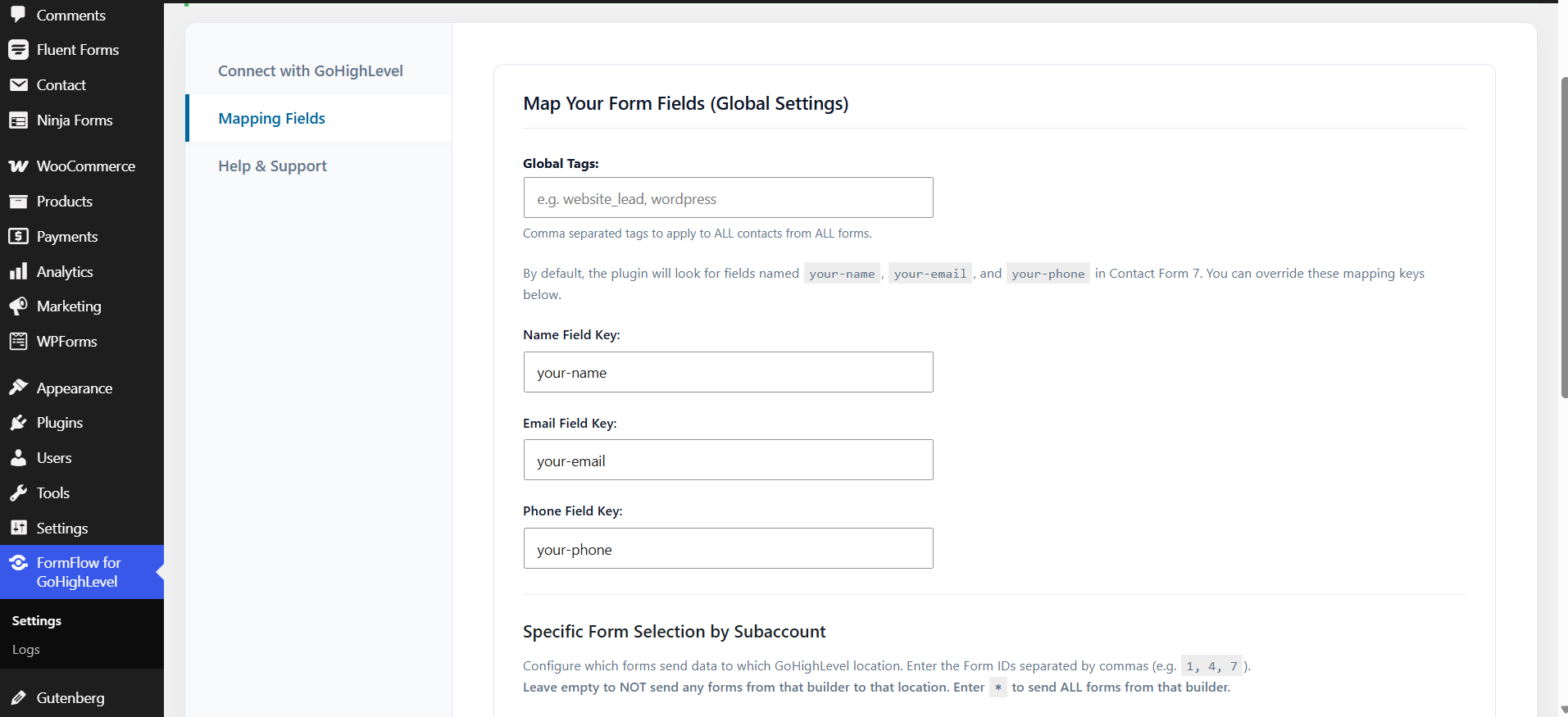
☑️ Global tag support
☑️ Form-specific tag support natively in Gravity Forms
☑️ Automatic lead synchronization
☑️ Automatic contact creation in GoHighLevel (GHL) CRM
☑️ Gravity Forms to GoHighLevel (GHL) integration
☑️ Built-in activity logging and troubleshooting
☑️ Lightweight and optimized architecture
☑️ Agency-friendly workflow
Supported Form Plugins
Gravity Forms
Sync Gravity Forms entries into connected GoHighLevel locations automatically.
Multi-Location Support
FormFlow Gravity Forms Ext securely authenticates with a single primary GoHighLevel account while allowing agencies and businesses to manage leads across multiple locations (sub-accounts).
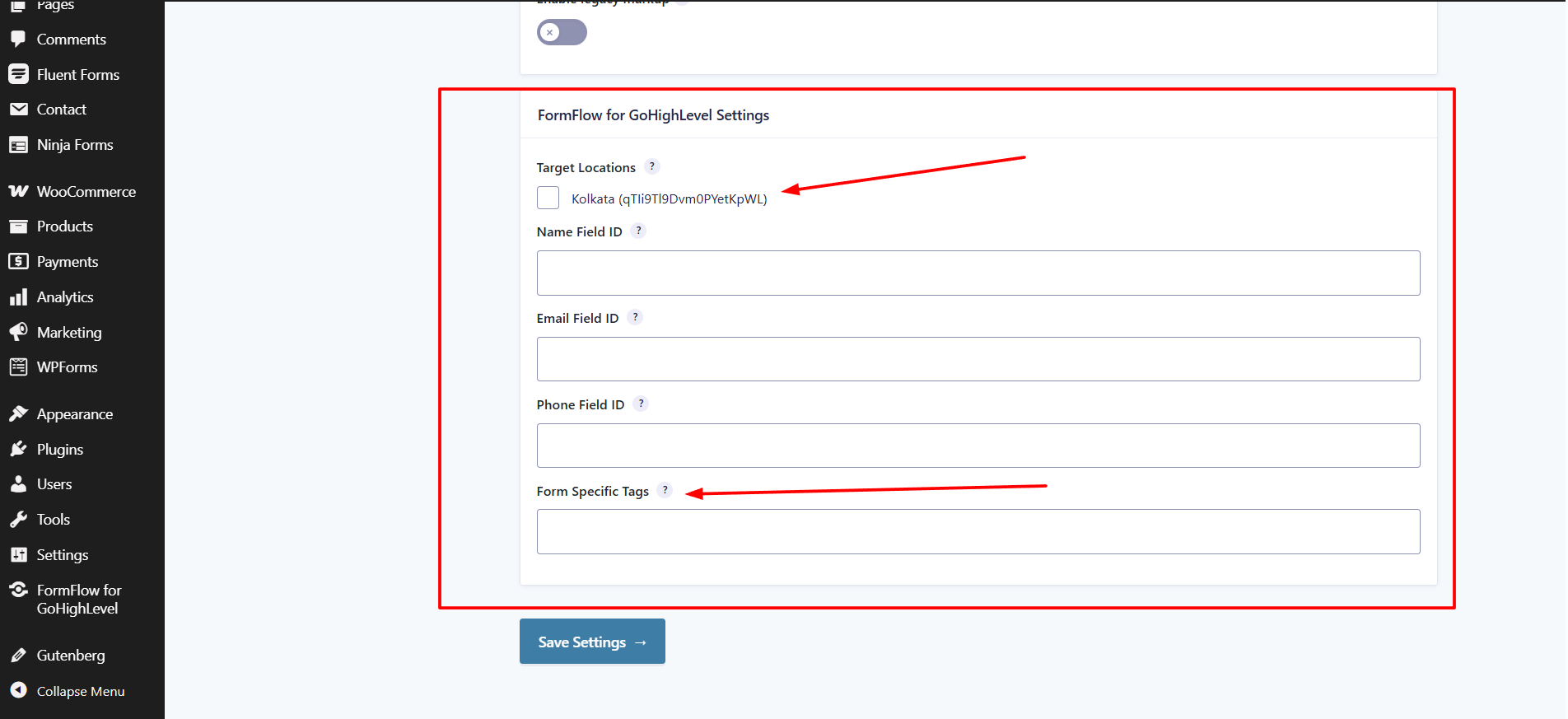
Assign specific forms to different GoHighLevel locations directly from the Gravity Forms feed settings.
Tags Support
Automatically apply tags to contacts inside GoHighLevel.
Supported tagging options:
☑️ Global tags
☑️ Form-specific tags (configurable natively inside each Gravity Form)
This helps organize leads, trigger workflows, and automate marketing inside GoHighLevel.
External Services
This plugin relies on external third-party/external services to provide authentication and CRM lead synchronization functionality.
1. NexPlugs API (api.nexplugs.com)
This plugin communicates with the NexPlugs API service hosted at:
https://api.nexplugs.com
Purpose of this service:
The NexPlugs API is required for:
- Secure GoHighLevel account authentication
- GoHighLevel location connection management
- Processing WordPress form submission data
- Creating or updating CRM contacts in connected GoHighLevel accounts
What data is sent and when:
On GoHighLevel account connection:
– Website URL / domain
On GoHighLevel account disconnect:
* Website URL / domain
* Connected GoHighLevel location/account identifiers
On supported WordPress form submission:
* Contact name
* Contact email
* Contact phone number
* Form source identifier
* Configured tags
* Selected GoHighLevel location/account identifiers
* Form submission values required for CRM contact creation/update
This data is transmitted only when these actions are performed by the website administrator or when a site visitor submits a Gravity Forms form.
Privacy Policy:
https://nexplugs.com/privacy-policy/
Terms of Service:
https://nexplugs.com/terms-of-service/
2. GoHighLevel API (rest.gohighlevel.com)
Once connected, the plugin sends WordPress form submission data to the GoHighLevel CRM API via the NexPlugs proxy to create or update contacts.
What data is sent and when:
- On every Gravity Forms form submission: The contact’s name, email address, phone number, the form source identifier, and any configured tags are sent to the GoHighLevel API to create or update a contact record in the selected GoHighLevel sub-account location.
This data is only sent when a user submits a Gravity Forms form on your WordPress website. No data is sent in the background or without a form submission event.
This service is provided by HighLevel Inc. (GoHighLevel):
* Privacy Policy: https://www.gohighlevel.com/privacy-policy
* Terms of Service: https://www.gohighlevel.com/terms
Screenshots
Installation
- Upload the plugin folder to the
/wp-content/plugins/directory, or install the plugin through the WordPress plugins screen. - Activate the plugin through the ‘Plugins’ screen in WordPress.
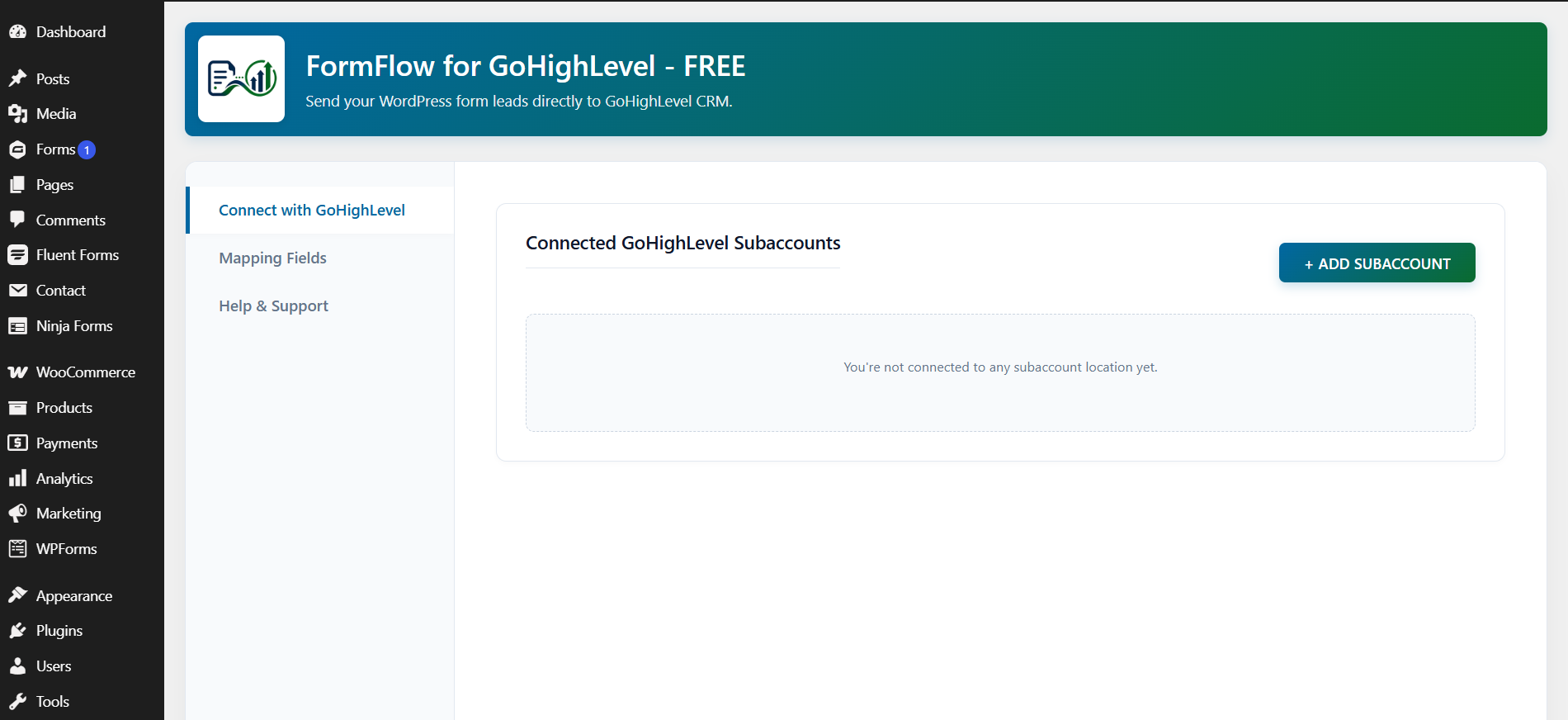
- Go to FormFlow Gravity Forms Ext in the WordPress admin menu.
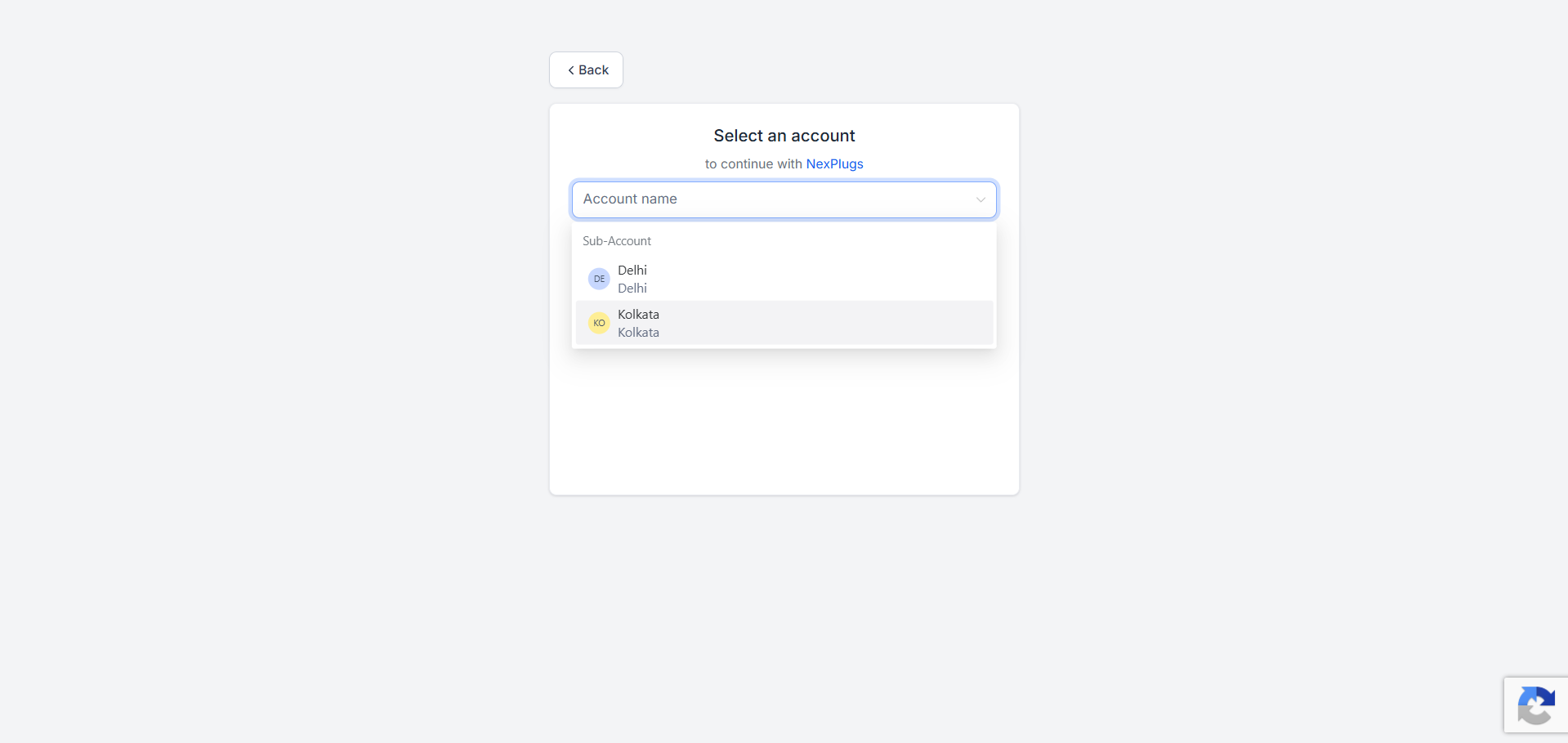
- Connect your GoHighLevel account.
- Select your GoHighLevel locations.
- Configure form mappings inside Gravity Forms by creating a FormFlow Gravity Forms Ext Feed.
- Start syncing leads directly into GoHighLevel.
FAQ
-
Which WordPress forms are supported?
-
Currently supported:
☑️ Gravity Forms
-
Can I connect multiple GoHighLevel (GHL) locations?
-
Yes. The plugin supports multiple GoHighLevel locations and sub-accounts.
-
Can I connect multiple GoHighLevel (GHL) accounts?
-
Currently, the free version supports only one primary GoHighLevel account. You can connect multiple sub-accounts (locations) under that single account.
-
Can I assign different forms to different GHL locations?
-
Yes. Form-specific location routing is supported natively through Gravity Forms feeds.
-
Yes. The plugin supports both global tags and form-specific tags inside the form builder.
-
Can I view API errors or sync issues?
-
Yes, FormFlow includes a built-in logging system within the WordPress admin dashboard to track connection status and API communication events safely and securely.
-
Does the plugin support custom fields?
-
Custom field support is planned for future updates.
-
Is WooCommerce supported?
-
WooCommerce integration is planned for future releases.
-
How can I get support?
-
For plugin-related help and support, please contact:
support@nexplugs.com
-
Does the plugin remove data on uninstall?
-
Yes. FormFlow includes a clean uninstall process and follows WordPress coding standards.
Reviews
There are no reviews for this plugin.
Contributors & Developers
“FormFlow Gravity Forms Ext for GoHighLevel (GHL)” is open source software. The following people have contributed to this plugin.
Contributors
Translate “FormFlow Gravity Forms Ext for GoHighLevel (GHL)” into your language.
Interested in development?
Browse the code, check out the SVN repository, or subscribe to the development log by RSS.
Changelog
1.0.0
- Initial release
- Secure single-account GoHighLevel authentication
- Multiple GoHighLevel location (sub-account) support
- Form-specific location routing
- Global and form-specific tags support
- Gravity Forms integration
- Automatic contact syncing