

Description
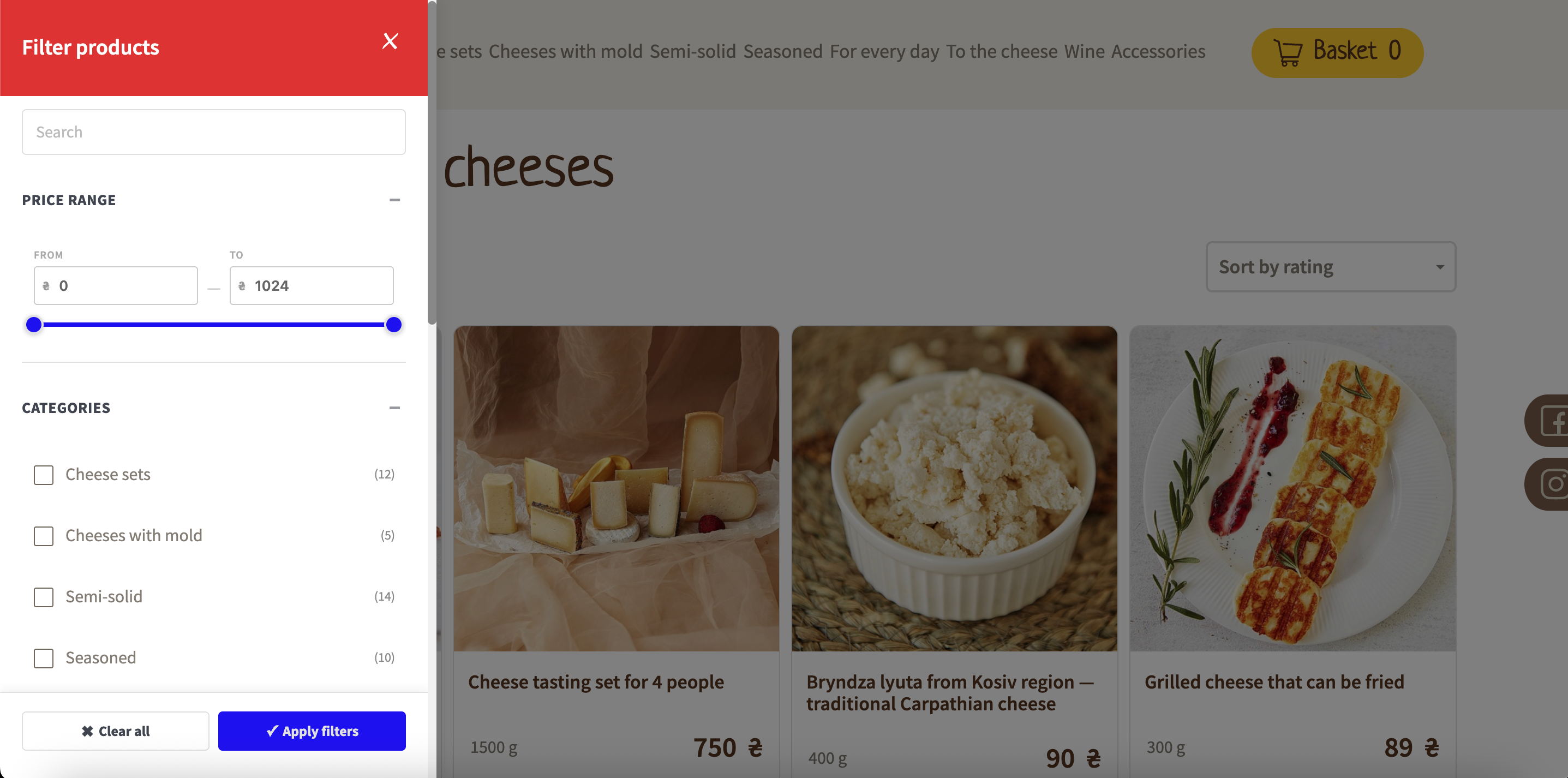
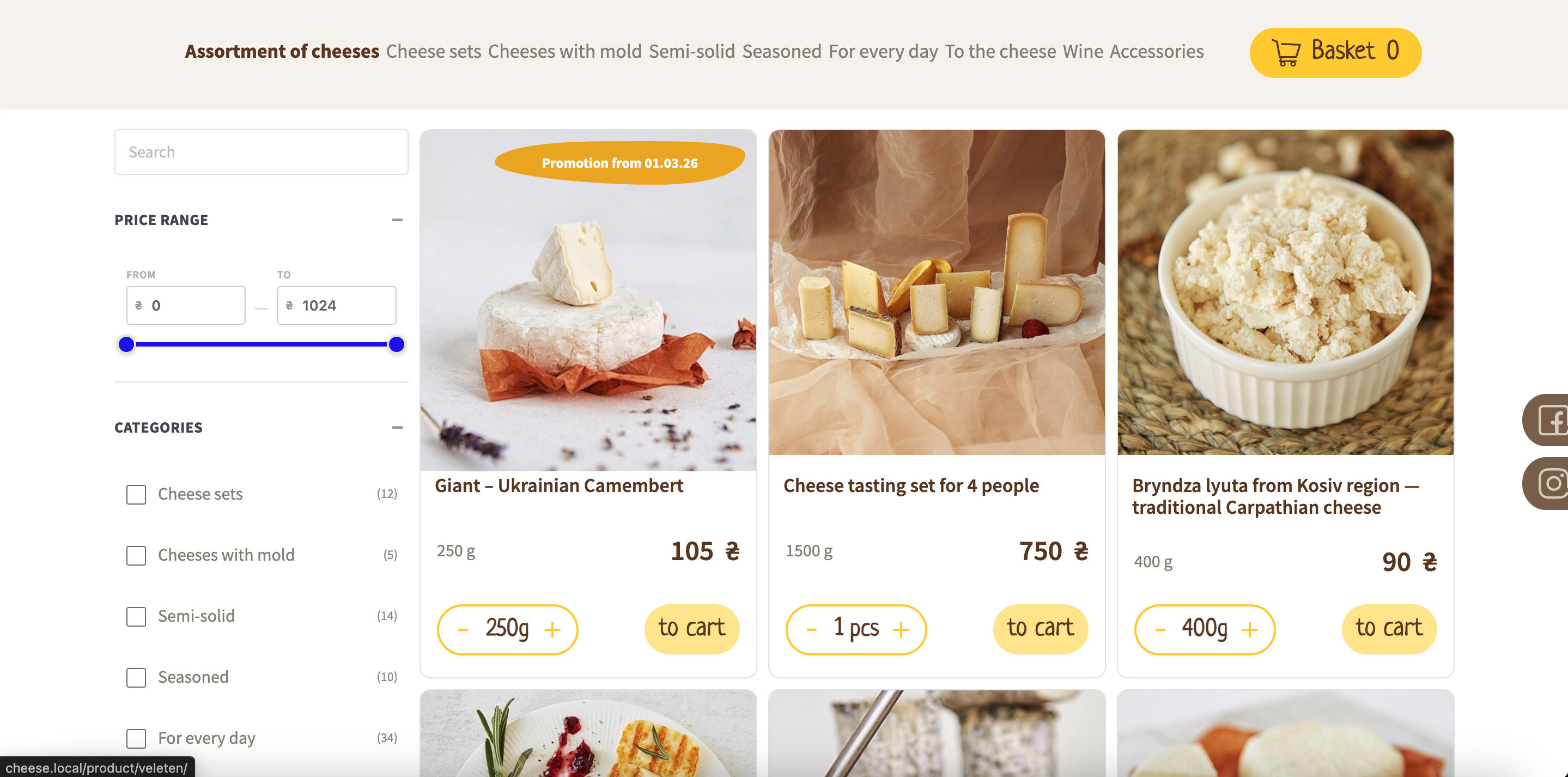
Filterive for WooCommerce adds a product filter to your WooCommerce shop, category and tag pages. Customers can narrow products by category, product attribute and price range, either from a slide-in panel with a floating button or from an inline filter placed in your sidebar (widget or [wcaf_filters] shortcode).
Features
- Slide-in filter panel with overlay, or inline sidebar mode
- Category filtering with subcategory support
- Product attribute filtering (OR within an attribute, AND across attributes)
- Price range slider that adapts to the products on the page
- Keyword search box that filters products by name
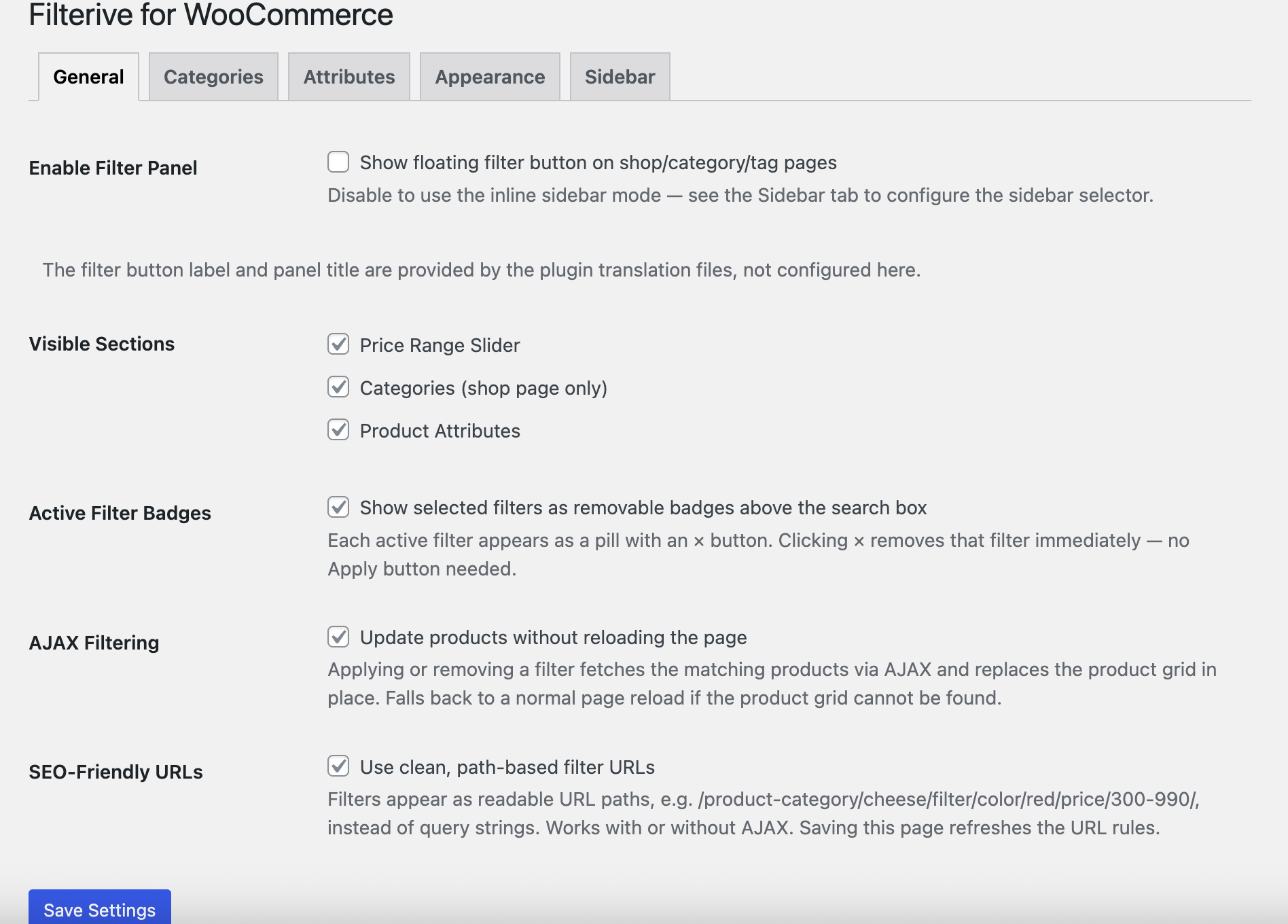
- Active-filter badges that can be removed with one click
- Optional AJAX live filtering — update products without reloading the page
- Optional SEO-friendly URLs (history.pushState) for shareable filtered views
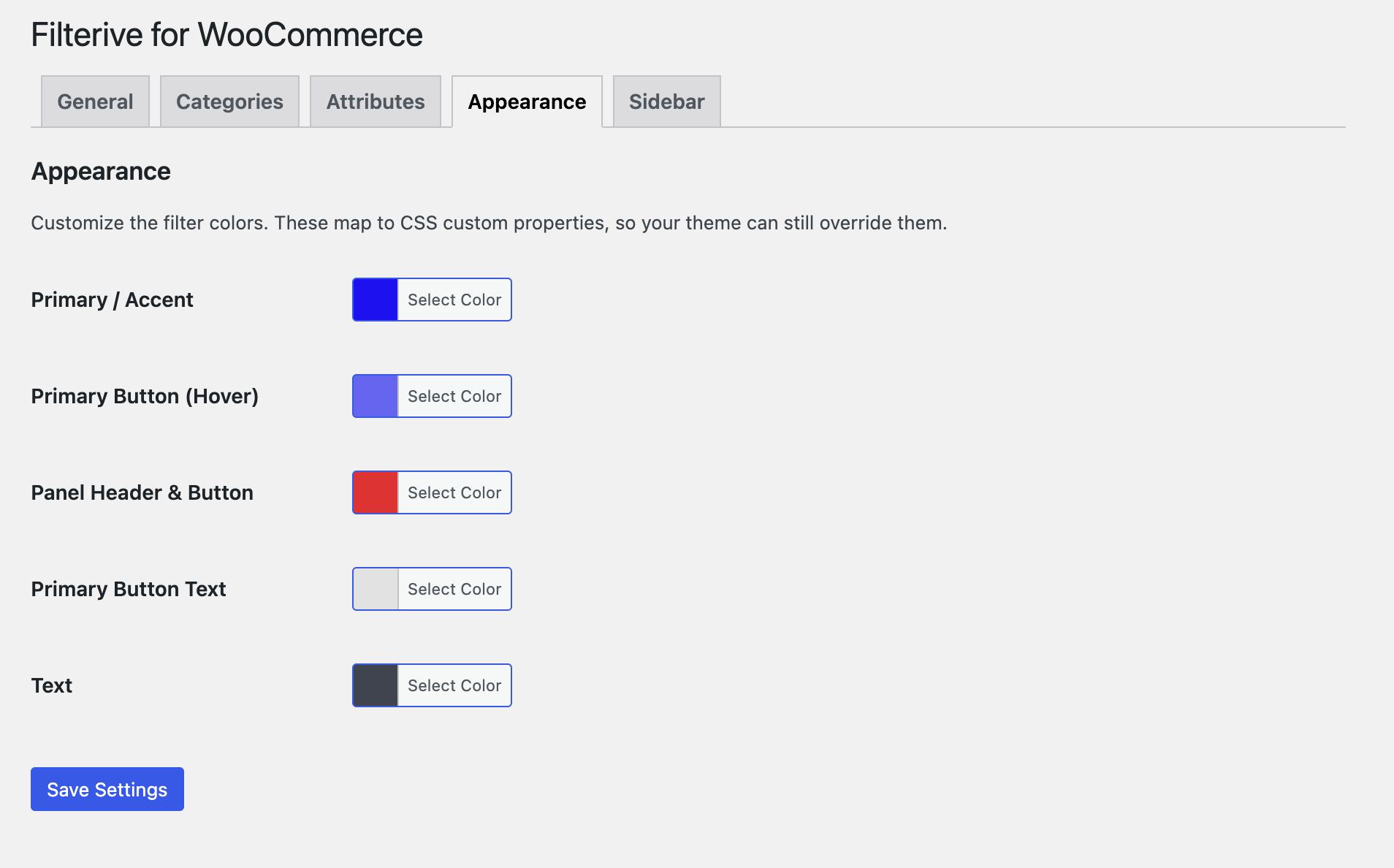
- Color/appearance customizer (CSS custom properties)
- Exclude individual categories or attributes from the filter (admin settings)
- Per-category “hide in filter” toggle and attribute-to-category auto-redirect
- Works with internationalised (non-Latin) attribute slugs
- Accessible markup (ARIA roles, keyboard close, focus handling)
- Fully translatable (POT file included; ships with a Ukrainian translation)
The plugin uses only WordPress core and WooCommerce APIs. It loads no scripts, styles or data from third-party servers.
Filter modes
- Floating panel — a button on shop/category/tag pages opens a slide-in panel.
- Inline / sidebar — disable the panel and the filter is injected into your theme’s sidebar, or place it yourself with the Filterive for WooCommerce widget or the
[wcaf_filters]shortcode.
Screenshots
Installation
- Upload the
filterive-for-woocommercefolder to/wp-content/plugins/, or install the plugin through the Plugins screen in WordPress. - Activate the plugin through the Plugins screen.
- Make sure WooCommerce is installed and active.
- Configure the plugin under WooCommerce Advanced Filters.
FAQ
-
Does this plugin require WooCommerce?
-
Yes. Filterive for WooCommerce extends WooCommerce shop, category and tag pages and does nothing without it. An admin notice is shown if WooCommerce is not active.
-
Turn off Enable Filter Panel under WooCommerce Advanced Filters General, then either add the Filterive for WooCommerce widget to a sidebar or place the
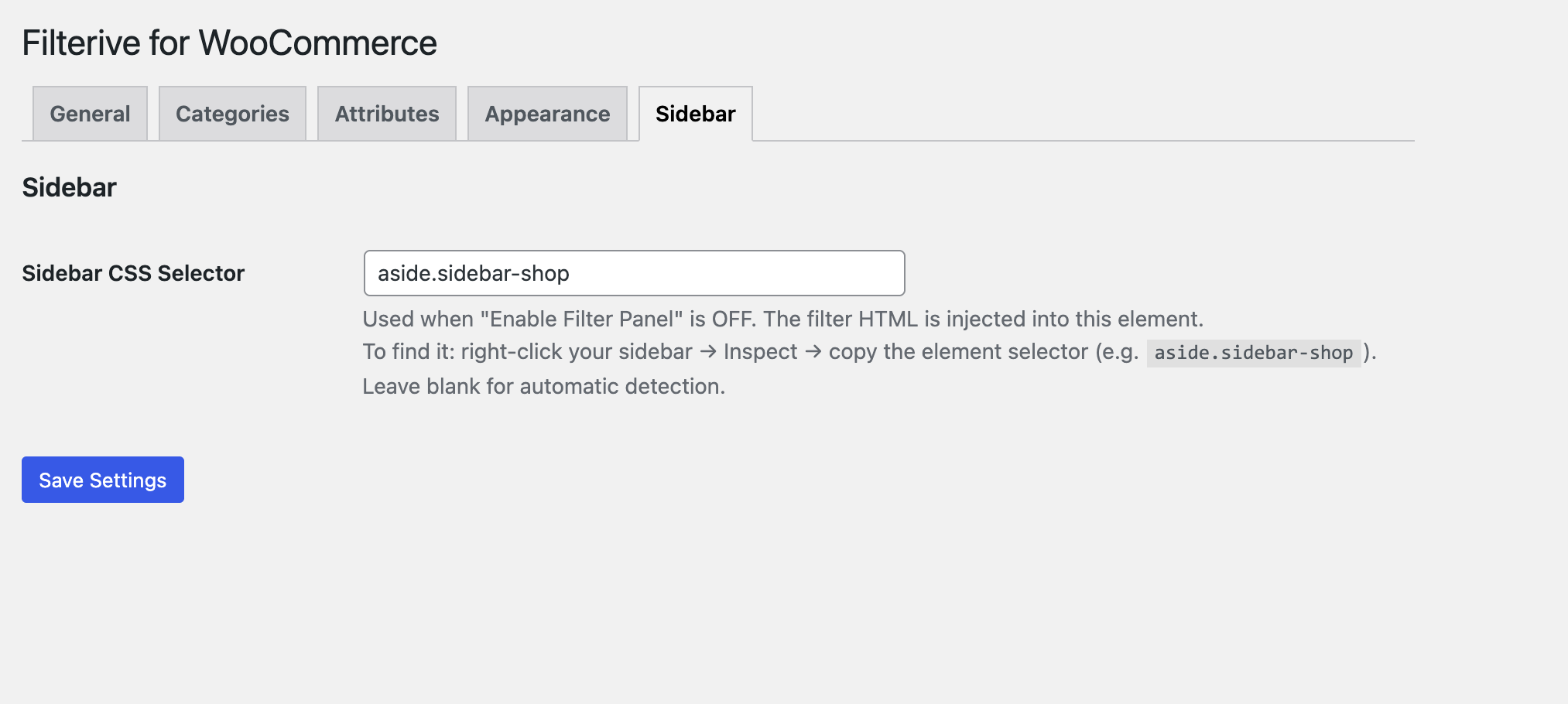
[wcaf_filters]shortcode in a page or block. You can also set a sidebar CSS selector under the Sidebar tab for automatic injection. -
Can I hide a specific category or attribute from the filter?
-
Yes. Use the Categories and Attributes tabs on the settings screen, or the per-category “Hide in Filter Panel” toggle on the category edit screen.
-
Is the plugin translation-ready?
-
Yes. All user-facing strings use the
filterive-for-woocommercetext domain and a POT template is included in/languages. A Ukrainian (uk_UA) translation ships with the plugin.
Reviews
There are no reviews for this plugin.
Contributors & Developers
“Filterive for WooCommerce” is open source software. The following people have contributed to this plugin.
Contributors
Translate “Filterive for WooCommerce” into your language.
Interested in development?
Browse the code, check out the SVN repository, or subscribe to the development log by RSS.
Changelog
2.3.0
- Added a “Show out-of-stock products at the end of the list” setting (Settings General) that keeps out-of-stock products visible but sorts them below the in-stock ones.
2.2.0
- Added an Availability filter to show only in-stock and/or out-of-stock products.
- The availability filter works in AJAX mode and in SEO-friendly URLs, and can be toggled off under Settings General.
- Added a “Show in-stock products only” setting (Settings General) that hides out-of-stock products from all filtered results.
2.1.0
- Added optional AJAX live filtering (update products without a page reload).
- Added optional SEO-friendly URLs via history.pushState (shareable filtered views, Back/Forward support).
- Added an Appearance tab to customize filter colors.
- Added a keyword search box that filters products by name.
2.0.0
- Bundled the price-slider styles locally; the plugin no longer loads any assets from external CDNs.
- No longer disables the block widget editor site-wide; the widget is now safe in the block editor and REST contexts.
- Price values now use the active WooCommerce currency symbol.
- Completed the translation template and added a Ukrainian translation.
- Accessibility and admin settings improvements.
1.0.0
- Initial release.