

Description
Haychdev Forms is a WordPress form builder that doesn’t send your visitors’ data anywhere else. Forms are built from native blocks, submissions are saved in your own database, and notification emails go out through WordPress’s own mailer. Nothing in the public-facing pipeline calls a third party.
Features:
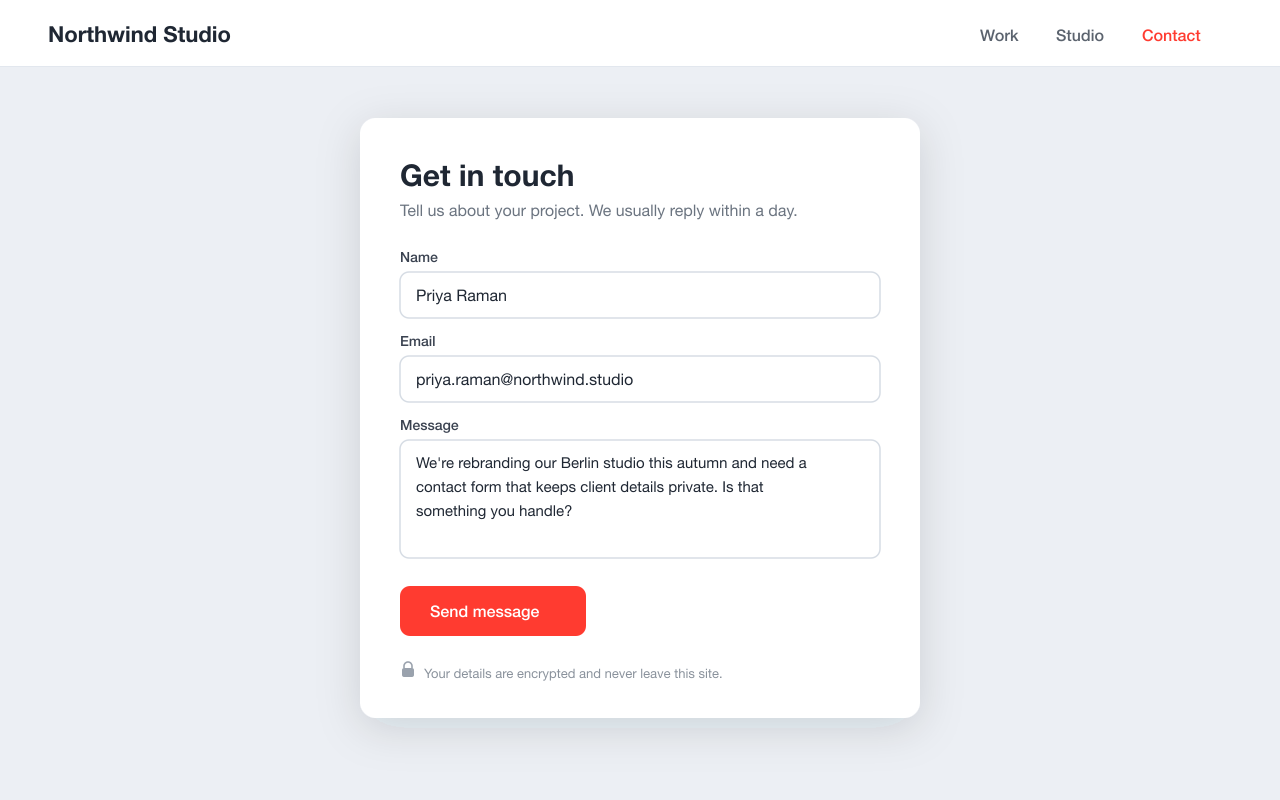
- Block-based form builder with native field types: text, email, phone, textarea, select, checkbox, and file upload
- File upload field with MIME allow-listing and a max-size limit
- Per-field AES-256-GCM encryption at rest — no key ever leaves your site
- Honeypot and HMAC-signed time-trap spam protection
- REST submit endpoint with server-side validation
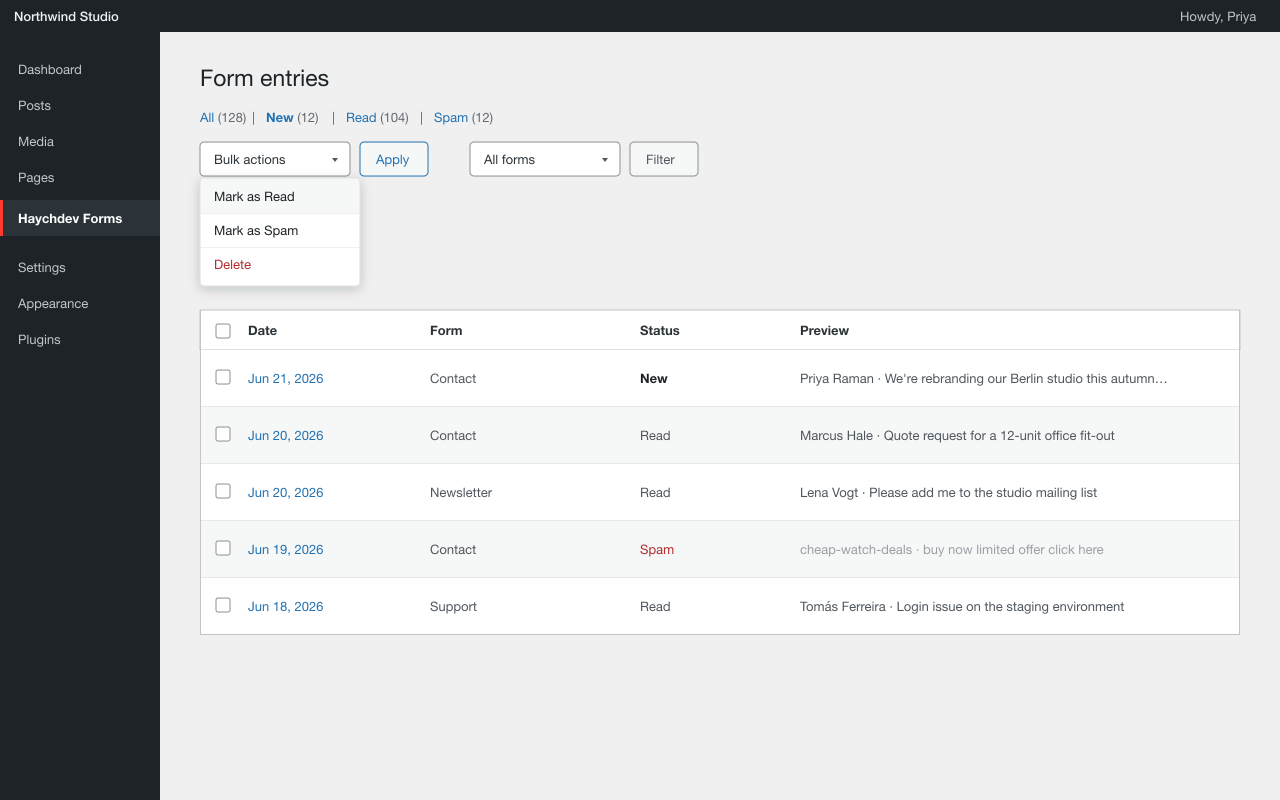
- Admin entry viewer with per-entry detail, status filtering, and bulk actions: delete, mark as read, mark as spam
- Email notifications via wp_mail, sent to a configurable site-wide default address (defaults to your WordPress admin email)
- Auto-delete retention: automatically remove entries older than a number of days you set
- Hashed IP and User-Agent metadata stored — no raw visitor values
- Sensitive fields masked in the entry viewer unless the current user has the required capability
Privacy
This plugin does NOT send any data to external servers. All settings, submissions, and uploads stay on your site.
Submissions can be exported or permanently erased per person from Tools Export/Erase Personal Data (WordPress core privacy tools).
Source code and build process
This plugin is fully open source (GPLv2 or later). The editor blocks under build/ are compiled from human-readable source that ships inside this plugin:
- Source: the
blocks/directory (one folder per block, plusblocks/_shared). - Build tooling:
package.jsonis included; the blocks are built with the official @wordpress/scripts toolchain. -
To regenerate the compiled
build/files from source, run from the plugin directory:npm install
npm run build
No other minified or obfuscated code is used. All PHP is shipped uncompiled.
Screenshots
Blocks
This plugin provides 9 blocks.
- Haychdev Form Embed a form or build one (in a Form post).
- File Upload Field
- Textarea Field
- Checkbox Field
- Select Field
- Email Field
- Phone Field
- Text Field
- Submit Button
Installation
- Upload the plugin files to
/wp-content/plugins/haychdev-forms/, or install through the WordPress plugins screen directly. - Activate the plugin through the Plugins screen.
- Visit
Haychdev Forms Settingsto configure the default notification email and retention window.
FAQ
-
Does it call any third-party APIs?
-
No. Submissions go straight to your own database, and notification emails use WordPress’s own wp_mail. There’s no Captcha vendor, no antispam SaaS, and nothing that phones home in the background.
-
How do I add a form to a page?
-
Create a new Form from your admin, drag in the fields you want, save it. Then on any page or post, drop in the Form block and pick that form from the dropdown.
-
Can I export submissions?
-
The free build includes an admin screen with per-entry detail, single-entry delete, bulk delete, and bulk mark-as-read/mark-as-spam. CSV export and webhooks are planned for a later release.
-
What happens when I delete a form?
-
Everything tied to it is deleted with it: the submissions, the uploaded files, the attachments. No orphaned data left lying around.
-
Can I encrypt submissions?
-
Yes — encryption is free and built in. Define an
HCFORMS_ENCRYPTION_KEYconstant in your wp-config.php and enable per-field encryption in the form editor. Existing plain-text entries are unaffected when you turn it on. -
How long are submissions kept?
-
By default, forever. Set “Auto-delete entries after” to a number of days in Forms Settings and a daily task removes entries older than that. Set it to 0 to keep entries indefinitely.
-
How big is it?
-
The frontend handler is about 4 KB of plain JavaScript and 1 KB of CSS. No React on the public side, no extra bundles for visitors to download.
Reviews
There are no reviews for this plugin.
Contributors & Developers
“Haychdev Forms” is open source software. The following people have contributed to this plugin.
Contributors
Translate “Haychdev Forms” into your language.
Interested in development?
Browse the code, check out the SVN repository, or subscribe to the development log by RSS.
Changelog
0.4.0
- The free build no longer contains any locked, gated, or non-functional settings. The block editor’s per-form notification address, per-form retention, per-IP rate limit, and IP/UA metadata-mode controls have been removed entirely, along with all license/add-on detection in the editor JavaScript. Every setting shown in the build is fully functional on its own.
- Notification recipient and entry retention are configured site-wide under Forms Settings and are honored by the plugin.
- Removed unused schema keys and block attributes that were not acted on by the plugin.
- Renamed an internal transient prefix so every option/transient uses a 4+ character plugin prefix.
0.3.1
- Compliance & hardening pass for the WordPress.org review.
- IP/User-Agent metadata is always stored as a non-reversible SHA-256 hash — raw visitor values are never retained.
REMOTE_ADDRandHTTP_USER_AGENTare sanitised on read.- Admin header styles are now enqueued via
wp_add_inline_style()instead of an inline<style>tag. - File-upload REST endpoint now verifies the target is a published form before accepting an upload.
- Removed an unused
wp-admin/includes/media.phpinclude from the upload handler. - Documented the block source (
blocks/) and build steps in this readme.
0.3.0
- File upload field is now free, including MIME allow-listing and a max-size limit.
- Bulk “mark as read” and “mark as spam” actions in the entry viewer are now free.
- New site-wide default notification email setting (free).
- New auto-delete retention setting: remove entries older than N days, configured site-wide (free).
- AES-256-GCM encryption at rest and honeypot + time-trap spam protection remain free.
- License system removed entirely — no activation, no phone-home, no external requests of any kind.
- SQL hardening: table teardown uses
$wpdb->prepare()with a%iidentifier placeholder.
0.2.6
- Security/hardening:
drop_tables()now uses$wpdb->prepare()with a%iidentifier placeholder for the server-derived table names.
0.2.1
- Initial WordPress.org release.