
Description
Virtuaria Delfinance Pix for WooCommerce helps your store sell using Pix and Pix Boleto in a simple, fast, and fully integrated way.
The plugin was developed for stores that want a comprehensive Pix solution, featuring transparent checkout, dynamic QR Codes, “Copy and Paste” codes, Pix Boleto, automatic payment confirmation, Pix refunds directly from the WooCommerce dashboard, and additional tools for tracking and diagnosing charges.
With transparent checkout, customers pay without leaving the store and receive clear instructions on the order page and via email. For the merchant, the plugin reduces manual work through automatic confirmation, configurable discounts, dashboard-based Pix refunds, and payment tracking within the order itself.
Key features
- Pix with QR Code and “Copy and Paste” code.
- Pix Boleto with a digit-based payment line, barcode, QR Code, and PDF (when available).
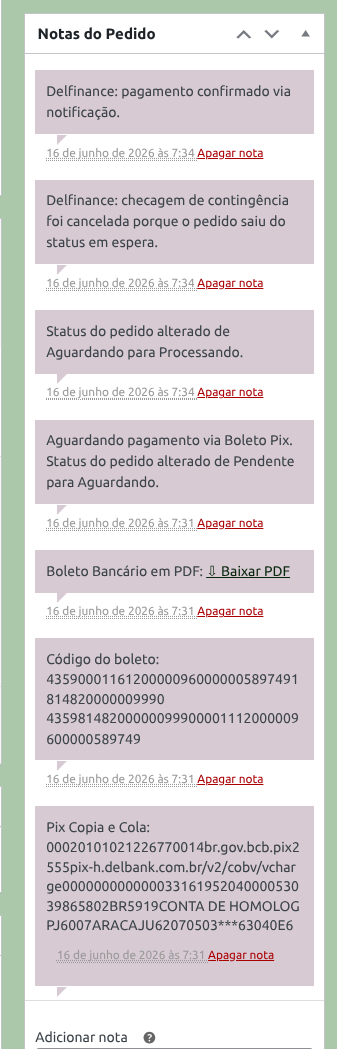
- Automatic payment confirmation via Delfinance notifications.
- Contingency system to check for payments if the primary notification fails to arrive.
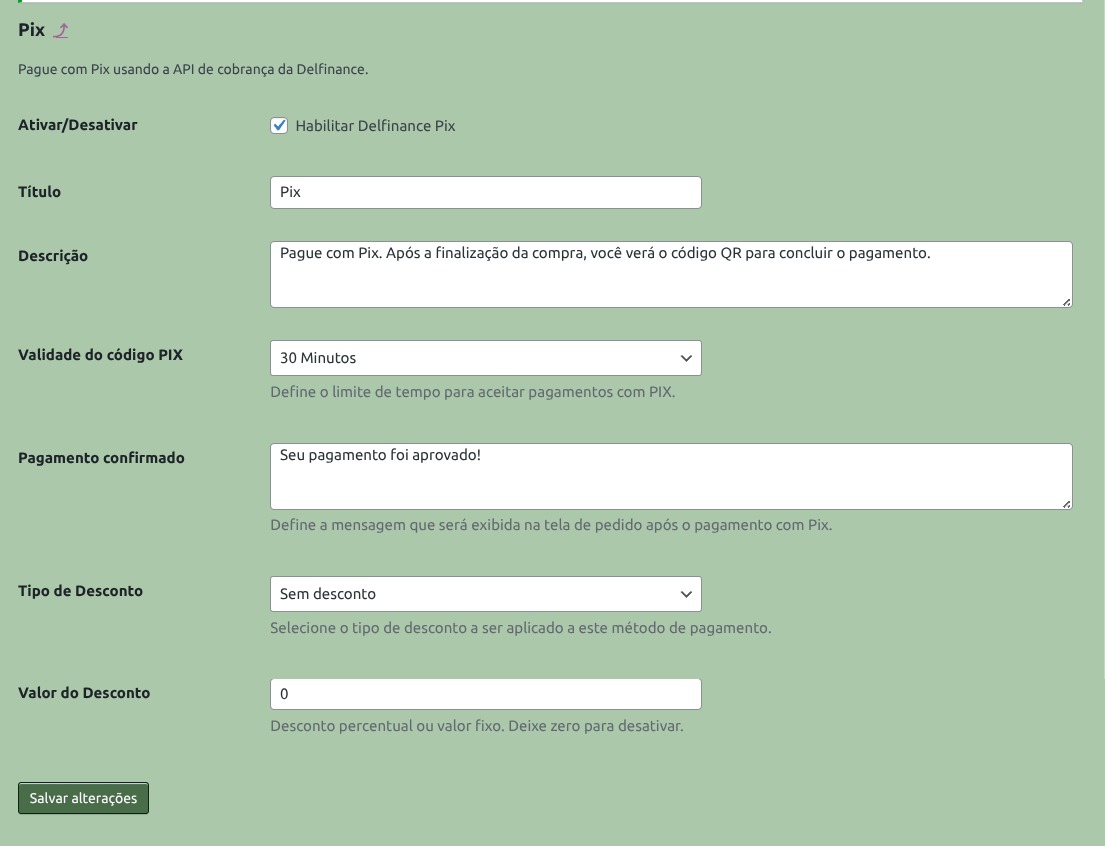
- Discounts for Pix and Pix Boleto (fixed amount or percentage).
- Configurable expiration time for Pix.
- Configurable due date for Pix Boleto.
- Configurable status for paid orders.
- Processing mode to speed up checkout for stores with heavy order loads.
- Full or partial refunds for Pix-paid orders, directly via WooCommerce.
- Payment instructions displayed on the order page and in customer emails. * Diagnostic reports with sensitive data protected.
- Compatibility with WooCommerce Blocks Checkout and HPOS.
- Pix Subscription for selling plans and recurring charges via Pix.
Pix
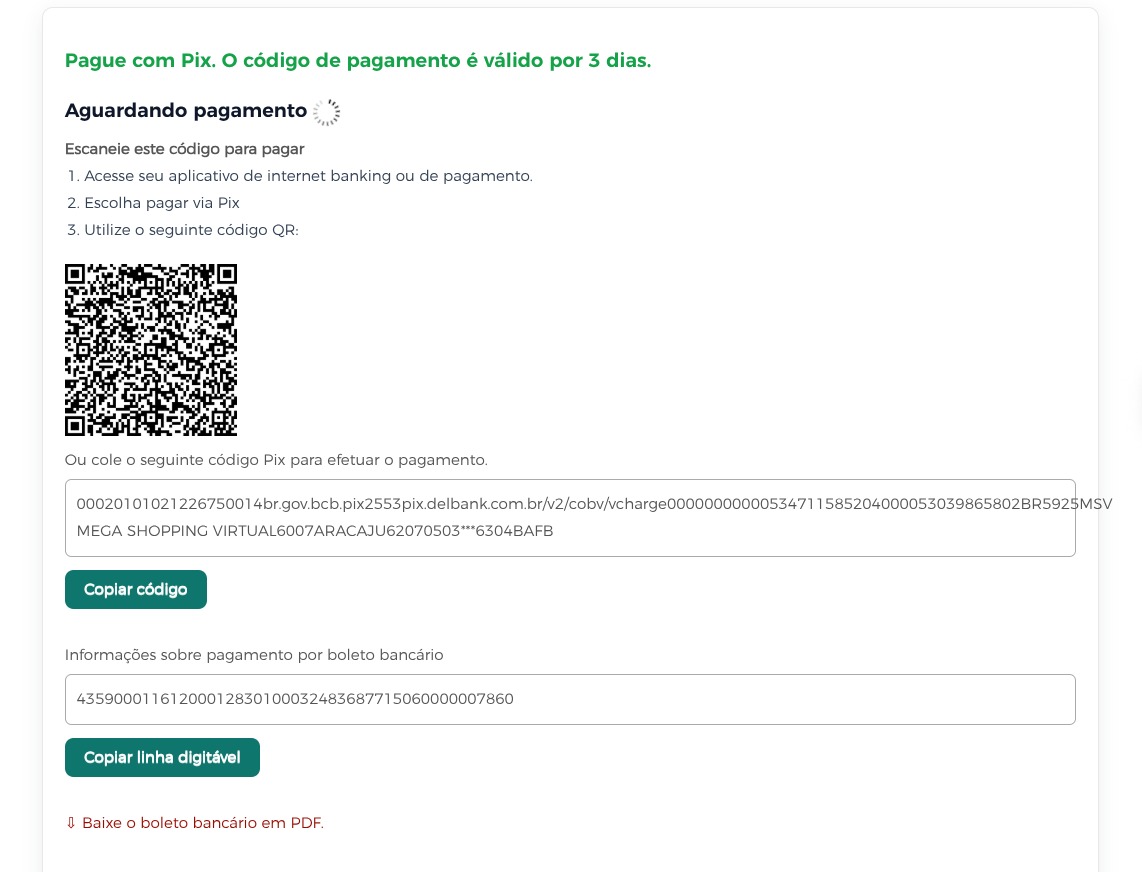
Pix generates a dynamic QR Code and a “Copy and Paste” code for the customer to pay via their banking app. Merchants can set the code’s expiration time and offer an automatic discount to encourage instant payments.
After purchase, the order remains in “Awaiting Payment” status. Once Delfinance confirms receipt, the plugin updates the WooCommerce order according to the status selected in the settings.
Boleto Pix
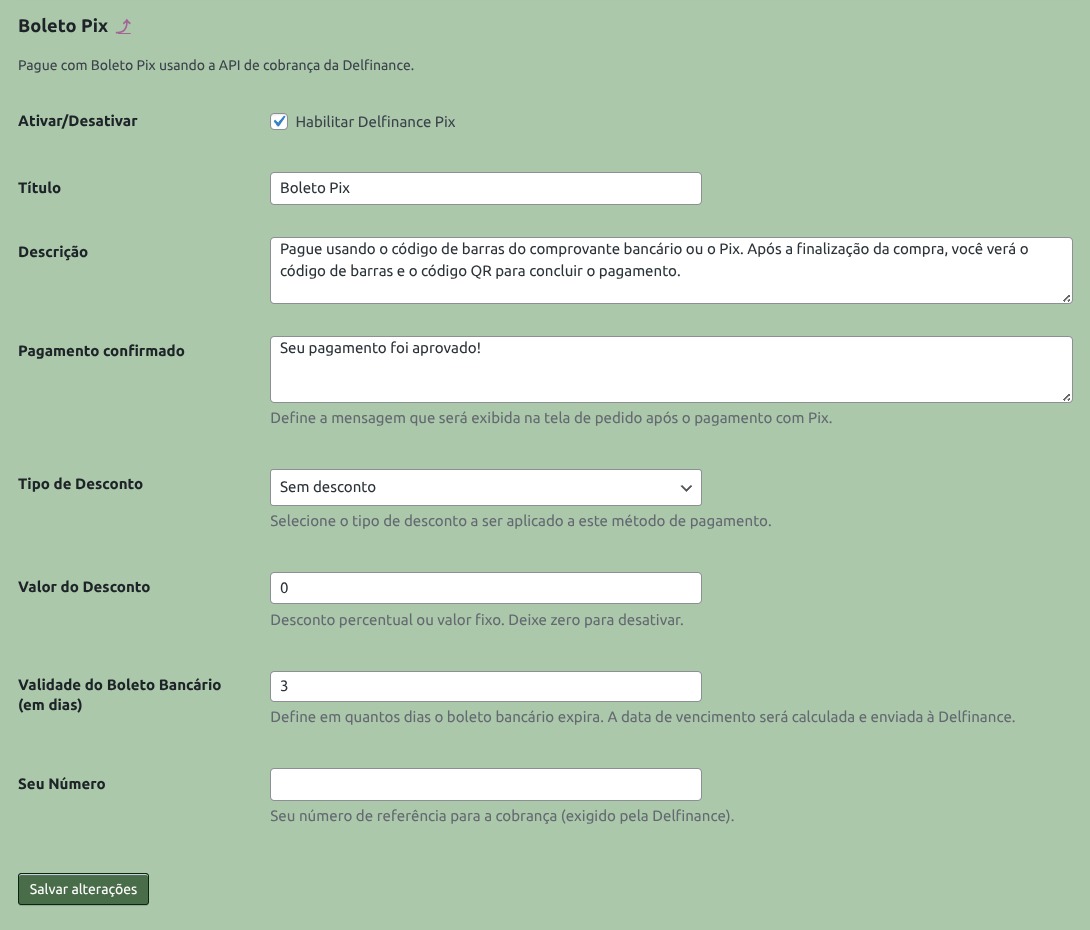
Boleto Pix allows customers to pay using the scannable number line, the barcode, or the Pix QR Code. The plugin can also save the Boleto PDF to the order and display a download link for both the merchant and the customer.
The due date is configured by the merchant. Automatic discounts can also be applied to this payment method.
Pix Refund
The plugin allows for full or partial refunds on orders paid via Pix, directly from the WooCommerce order screen.
After a request is made, the plugin can actively query Delfinance for a limited time to confirm the refund if the automatic confirmation notification does not arrive. While this verification is active, new refund requests for the same order are temporarily blocked, reducing the risk of duplicate processing.
Automated Pix and recurring charges
The plugin features a framework currently under development for recurring Pix billing capabilities.
The goal is to enable—in future versions—new payment flows for plans, monthly fees, subscription clubs, ongoing services, and recurring products, thereby reducing reliance on manual billing and aligning the payment experience with typical Pix usage habits.
Current status: In development.
Notes
Delfinance is a financial solutions and payment platform linked to the Delbank ecosystem. This plugin was developed by Virtuaria to integrate WooCommerce with Delfinance/Delbank services, based on that platform’s specific technical specifications and credentials.
Virtuaria Delfinance Pix for WooCommerce is a distinct solution, independent of Virtuaria plugins developed for other payment platforms. Its goal is to enable merchants who already use—or intend to use—Delfinance/Delbank to integrate Pix solutions into WooCommerce, without any forced redirection, mandatory migration, or interference with the merchant’s choice of other payment methods.
Compatibility
- WooCommerce 4.0 or higher.
- PHP 7.4 or higher.
- WooCommerce Classic Checkout.
- WooCommerce Checkout Blocks.
- WooCommerce HPOS.
For sales in Brazil, we recommend that the store use CPF/CNPJ fields and full billing address details at checkout.
External services
To create charges, confirm payments, generate payment slips (boletos), check payment status, and request Pix refunds, the plugin communicates with Delfinance/Delbank online services.
Data that may be sent to external services: order amount and ID, customer name, tax ID (document), email, phone number, billing address, and data required to create the charge, confirm payment, or request a refund.
Addresses used by the plugin:
- Production: https://api.delbank.com.br/baas
- Testing: https://apisandbox.delbank.com.br/baas
- Security certificate test: https://mtls-test.delbank.dev.br/
More information about Delfinance:
- Website: https://delfinance.com.br/
- Privacy policy: https://delfinance.com.br/privacy-policy/index.html
Screenshots
Installation
Plugin installation
- Upload the plugin files to the
wp-content/pluginsfolder, or install via the WordPress plugins dashboard. - Activate the plugin in the WordPress dashboard.
- Go to Virtuaria Delfinance > Integration.
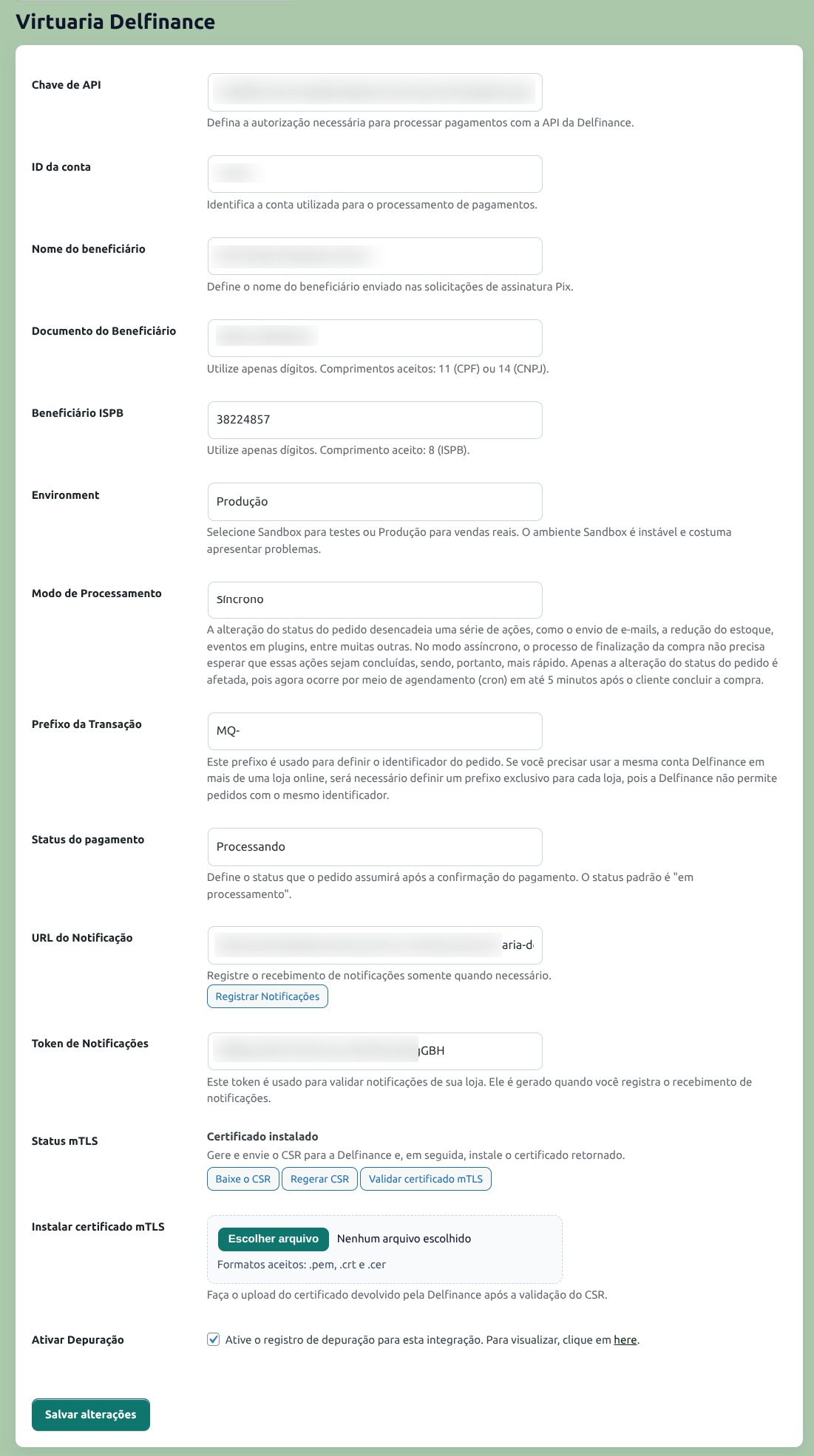
- Enter the API Key, Account ID, operating environment, and desired status for paid orders.
- In production, generate the security certificate request, send the file to Delfinance, and install the returned certificate.
- With the site running on HTTPS, register automatic notifications via the integration screen.
Important requirements
- Active Delfinance account. * Credentials provided by Delfinance.
- Security certificate configured for production use.
- Website with HTTPS enabled to receive automated confirmations.
- Hosting environment with secure external communication enabled.
- Brazilian billing fields included when the payment method requires a CPF or CNPJ.
FAQ
-
1. What payment methods does the plugin offer?
-
The plugin offers Pix and Boleto Pix.
The plugin also features a framework ready for automated Pix (Pix Subscriptions), a feature designed for recurring Pix payments. This feature is currently under development.
-
2. Does the customer leave my store to make the payment?
-
No. The customer completes the purchase within WooCommerce and receives instructions on the order page.
For Pix, they can scan the QR Code or copy the “Copy and Paste” Pix code. For Boleto Pix, they can use the numeric line, barcode, QR Code, or PDF, based on the details provided by Delfinance.
-
3. Does the order status change automatically after payment?
-
Yes. Once Delfinance confirms the payment, the plugin updates the WooCommerce order to the status configured by the store owner.
-
4. What is the contingency system?
-
It is an additional check performed when the primary payment confirmation does not arrive within the expected timeframe.
In this scenario, the plugin can query Delfinance to verify if the payment was made and, upon confirmation, update the order in WooCommerce.
-
5. Why was a Pix order automatically cancelled?
-
Pix payments have a validity period configured by the store owner. If the customer does not pay within this timeframe, the order may be automatically cancelled to avoid dealing with overdue charges.
-
6. Does Boleto Pix generate a PDF?
-
Yes, once Delfinance returns the file.
If the PDF is not yet ready at the time of purchase, the plugin can attempt to generate it again. The store owner can also trigger generation from the order screen.
-
7. Can I offer a discount for Pix and Boleto Pix?
-
Yes. The plugin allows you to configure a fixed or percentage-based discount for Pix and Boleto Pix. The discount appears at checkout and is recorded in the order notes.
-
8. Does the plugin support refunds?
-
Yes. Refunds are available for orders paid via Pix. They can be full or partial and are requested via the order screen in WooCommerce.
Boleto Pix and Pix Subscriptions do not support refunds via the plugin in this version.
After requesting a Pix refund, the plugin can also actively query Delfinance for a limited time to confirm the return if the confirmation notification does not arrive. While this inquiry is active, new refund requests for the same order are temporarily blocked.
-
9. The payment method does not appear at checkout. What should I check?
-
Check if WooCommerce is active, if the payment method has been enabled, if the credentials have been saved correctly, if the environment is configured, and if the store has the billing details required by the payment method.
-
10. Why do I need HTTPS?
-
HTTPS secures communication between the store, the customer, and Delfinance services. It is also required for automatic payment confirmations to function correctly.
-
11. What is the security certificate used in production?
-
It is a certificate used to identify the store during secure communication with Delfinance/Delbank services in a production environment.
The plugin allows you to generate the certificate request, install the returned certificate, and test the connection via the integration screen.
-
12. Where can I find the diagnostic reports?
-
When reports are enabled, go to WooCommerce > Status > Logs and look for the source
virtpixpay.Sensitive data such as keys, tokens, and account identifiers are masked in the logs.
-
13. Does the plugin currently offer automatic Pix or recurring charges?
-
Not yet as a feature available for production use. It is a feature currently under development to enable recurring Pix charges, aimed at subscriptions, plans, monthly fees, membership clubs, continuous services, and recurring products.
Current status: in development.
Reviews
There are no reviews for this plugin.
Contributors & Developers
“Virtuaria Pix Payments with Delfinance for WooCommerce” is open source software. The following people have contributed to this plugin.
Contributors
Translate “Virtuaria Pix Payments with Delfinance for WooCommerce” into your language.
Interested in development?
Browse the code, check out the SVN repository, or subscribe to the development log by RSS.
Changelog
1.0.0 2026-07-10
- Initial version.