

Description
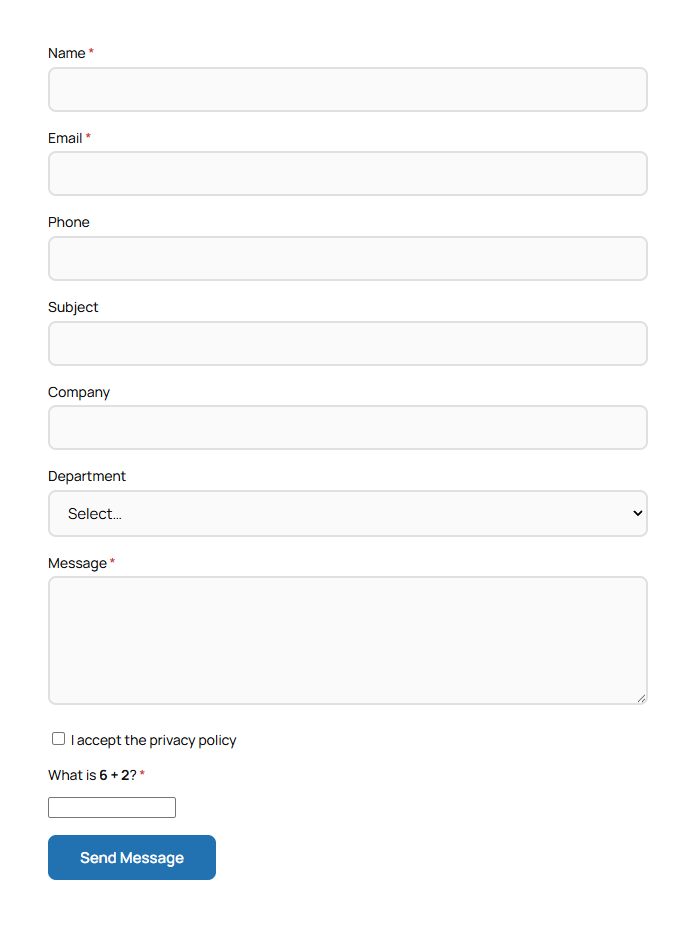
aGo Contact gives you a lightweight contact form shortcode with built-in spam protection, email notifications and a submissions inbox in the admin.
Features
- Shortcode
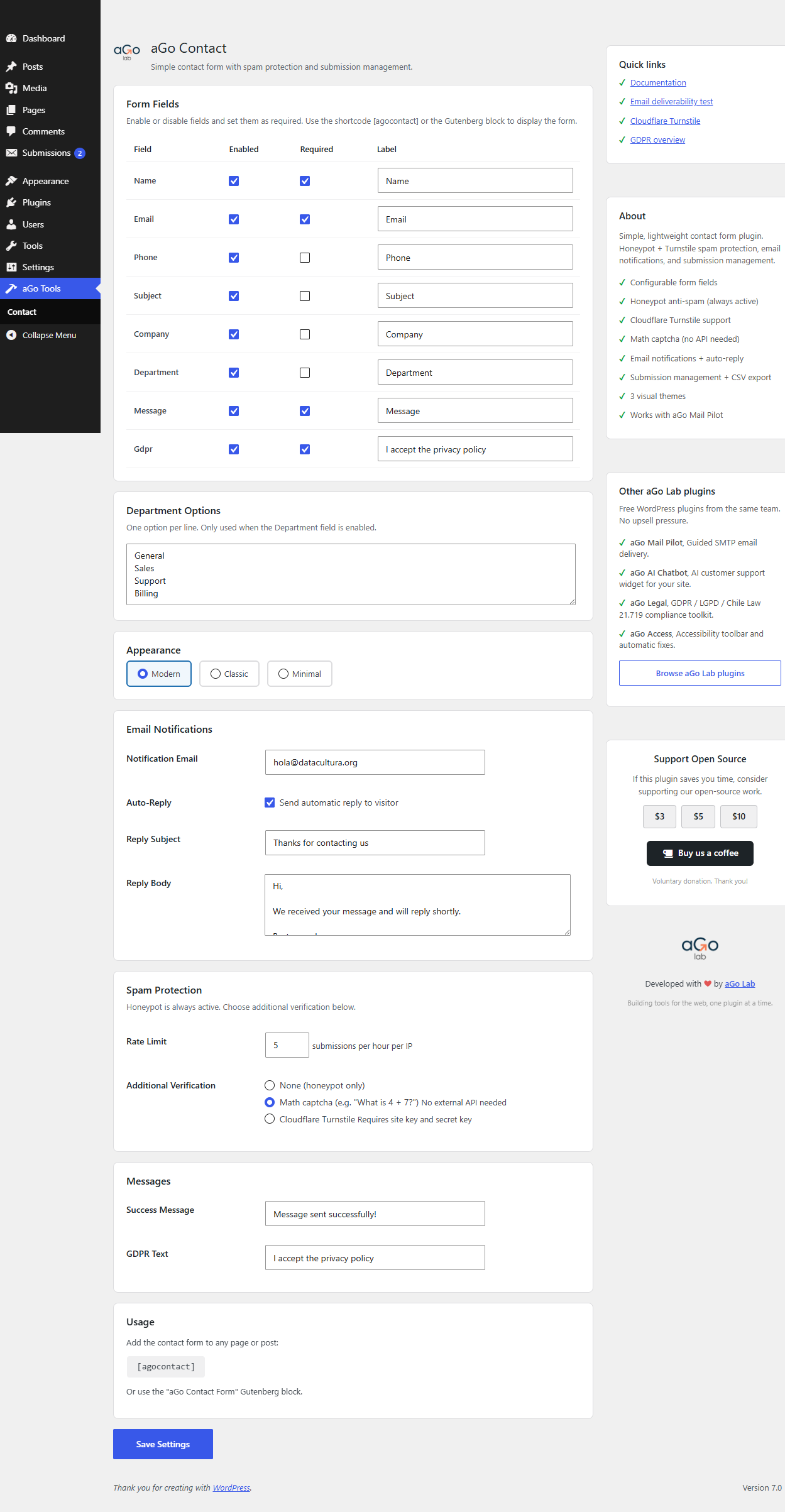
[agocontact]or Gutenberg block to drop the form on any page or post. - Configurable recipient email, subject and success message.
- Honeypot, math captcha and optional Cloudflare Turnstile, plus rate limit per IP to block bots.
- Email notification to the site admin on every submission, with optional auto-reply.
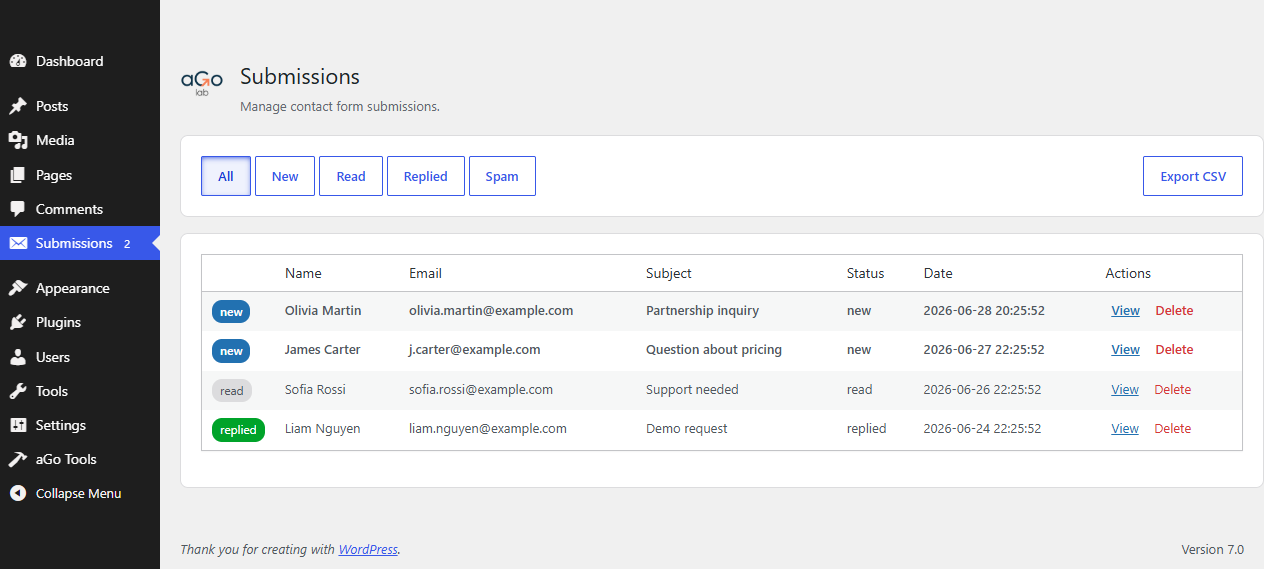
- Submissions inbox: read, mark as replied or spam, delete and export to CSV.
- GDPR-friendly: consent checkbox optional, IP only stored for spam control.
- Stylable through theme CSS or the included minimal styles, 3 visual themes.
- No tracking. The only optional external service is Cloudflare Turnstile, off by default.
External services
This plugin connects to Cloudflare Turnstile only when the site owner enables Turnstile in the plugin settings. When disabled, no external request is made.
- Cloudflare Turnstile (
https://challenges.cloudflare.com/turnstile/v0/api.jsand/turnstile/v0/siteverify): loads a small JS widget on pages that include the contact form to challenge bot traffic, and validates the response server-side when a form is submitted. Required to use the Turnstile captcha option.- Terms: https://www.cloudflare.com/website-terms/
- Privacy: https://www.cloudflare.com/privacypolicy/
Privacy
- Submissions are stored locally in the site database, not sent to any third party.
- Visitor IP and user agent are stored alongside the submission for spam diagnostics.
- When Turnstile is enabled, the visitor’s interaction with the widget is processed by Cloudflare for bot detection.
Screenshots
Blocks
This plugin provides 1 block.
- aGo Contact Form Contact form with spam protection, email notifications and submission management.
Installation
- Upload the
ago-contactfolder to/wp-content/plugins/or install via the Plugins screen. - Activate the plugin through the Plugins menu in WordPress.
- Go to aGo Tools, then Contact.
- Set the recipient email and other options.
- Add
[agocontact]to any page or post, or insert the aGo Contact Form block.
FAQ
-
Does it work with caching plugins?
-
Yes. The form posts via standard form submission with nonce verification.
-
Where are submissions stored?
-
In a custom database table created on activation. View them in the Submissions tab.
-
Can I export submissions?
-
Yes. The Submissions screen includes a one-click CSV export of every submission.
Reviews
There are no reviews for this plugin.
Contributors & Developers
“aGo Contact” is open source software. The following people have contributed to this plugin.
Contributors
Translate “aGo Contact” into your language.
Interested in development?
Browse the code, check out the SVN repository, or subscribe to the development log by RSS.
Changelog
1.0.2
- Renamed the contact form shortcode to
[agocontact]and the editor block toagocontact/form, and prefixed the remaining identifiers with a 4+ character prefix to avoid name collisions.
1.0.1
- Form fields are now fully configurable: every field, including name, email and message, can be enabled, disabled or marked as required from the settings screen.
- Translations now load automatically via WordPress just-in-time loading.
1.0.0
- Initial release.